Autobahn_Rules_06-compressed.md
AUTOBAHN
by Fabio Lopiano & Nestore Mangone

Introduction
In this game for 1 to 4 players, you are a managing director within the German BundesAutobahn organisation, responsible for developing the federal highway network over a few eras of time spanning from the end of World War Il until the present day.
As you contribute to the development of the highways, you will gain seats on various Construction Offices of the BundesAutobahn and, as the game proceeds, some of your Employees will be promoted through different departments of the Administration.
Over the course of the game Employees are promoted to more prestigious tables. At the end of the game, the player with the most prestigious seats will be the winner.
Besides building roads, you will also facilitate the transportation of goods from Germany to the neighbouring countries and the construction of Service Stations, which can increase your spending budget and provide more opportunities for promotions.
Components


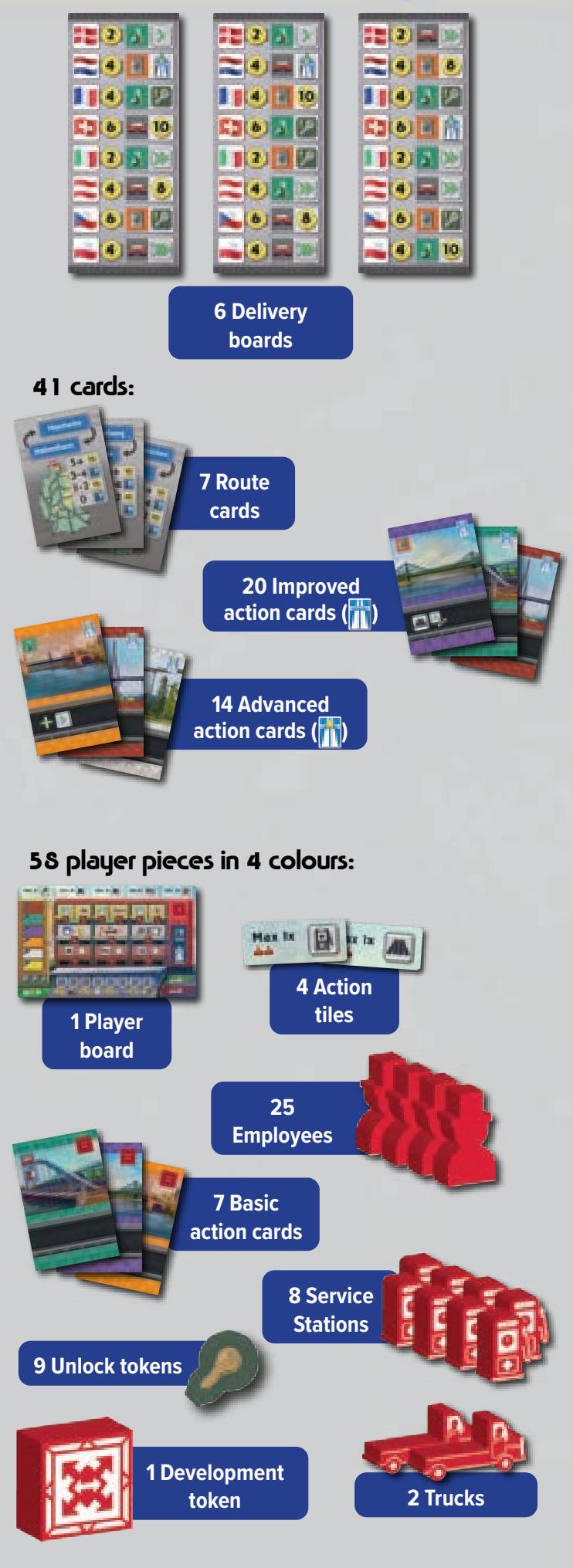
xx tokens:
For Solo rules and components see page 18
For Module 1: Wine Expansion rules and
components see page XX
For Module 2: Traffic Expansion rules and
components see page XX
For Module 3: Services Expansion rules and
components see page XX
Setup
Boards and tokens
1 Place the Main Game board in the middle of the play area, with the Administration and Construction Office boards to the side.
2 Place all the Road sections, Goods tokens, Delivery tokens, City tokens and DM coins beside the game board in a common supply.
3 Shuffle the Bonus tiles face down, and place them as follows:
● Always place 1 face-up token on each of the 11 Construction Bonus spaces on road sections around the periphery of the map.
• Place face-up tokens on the Delivery Bonus spaces according to the number of players.
With 4 players, place a token on every space in all of the 8 panels.
With 3 players, do not place tokens on the spaces marked ‘4’.
o With 2 players, do not place tokens on the spaces marked ‘3+’ or ‘4’. (Put any unused Bonus tiles back in the box.)
Roads, cities and Roadblocks
4 Take 6 Road sections from the supply (with the side showing a single carriageway face up) and place one on each of the 6 individual road sections along the central black road between the following cities: Hamburg – Hannover – Bad Hersfeld – Würzburg – Crailsheim
5 Take 36 Road sections from the supply, and split them into groups of 10, 12 and 14 Road sections to fill the three marked spaces on the Dashboard.
6 Take 5 City tokens of value 2 and place one on each of the 5 cities along the central black road: Hamburg, Hannover, Bad Hersfeld, Würzburg and Crailsheim.
7 Place the 5 Roadblocks in the positions shown, over the Road sections directly to the east of Hamburg, Hannover and Bad Hersfeld, and directly to the north and east of Nürnberg.
Cards
S Shuffle the 7 Route cards and reveal a number equal to the number of players plus 1 (for example, in a 3-player game reveal 4 cards).
9 Shuffle the 20 Improved cards and place the deck face down beside the game board. Then reveal 5 cards beside the deck to form a display.
10 Shuffle the 14 Advanced cards and place the deck face down beside the game board. At the start of the game these cards are not in play.
Player area
Give each player a complete set of components: 1 Player board, 1 Player aid, 4 actions tiles, 7 Basic action cards, and all the wooden pieces in one colour (25 Employees, 8 Service Stations, 2 Trucks, 9 Unlock tokens and 1 Development token).
11 Keep your Player board and Player aid in your player area.
12 Place your 4 Action tiles along the top of your Player board in the corresponding spaces, with the side with two cones face up.
13 Shuffle the 6 Delivery boards and deal one to each player. Place your Delivery board adjacent to your Player board. Put the unused Delivery boards back in the box.
14 Take your yellow Basic action card and set it aside. The yellow cards will be used in the third era of the game. The remaining 6 Basic action cards (black, red, cyan, purple, grey and orange) are your starting hand.
15 Keep your 25 Employees in a supply beside your Player board.
16 Place your 9 Unlock tokens, 8 Service Stations and 2 Trucks on the matching spaces of your Player board.
17 Place your Development token on the first space of the Development Track. Make a stack of all the players' discs. The order of the discs in the stack doesn't matter.
18 Take DM coins to the value of DM 48 and split it total equally among the players.
• 4 players: Each player receives DM 12.
• 3 players: Each player receives DM 16.
• 2 players: Each player receives DM 24.
Employee and Route card
19 Randomly choose a start player. The start player places 1 Employee, taken from their supply, in the first (leftmost) seat in the black Construction Office. Then, going clockwise, each other player places 1 Employee on a seat in the black Construction Office, from left to right.
20 Finally, starting with the player to the right of the start player and going anticlockwise, each player chooses one of the face-up Route cards and places it next to their Player board. (After each player has chosen 1 Route card, put all unused Route cards back in the box.)




Aim of the game
Compete and collaborate to build the autobahn network in post-war West Germany, and then make use of that network to make deliveries of West German goods to neighbouring countries. Once German reunification occurs in 1990, the road network can expand into the former East Germany, opening up new opportunities.
The player with the most points at the end of the game is the winner.
Game concepts
Before explaining the gameplay in detail we'll go through some of the main concepts of the game, which will be useful to understand the various player actions.
Three eras
The game is played over three eras, each representing a few decades of development of the autobahn network. At the end of each era, players receive a construction budget based on their contributions to the developing road network.
First era (1946–65)
The Dashboard keeps track of the three eras, and shows road-building costs, Truck speeds and other information.
Second era (1966–90): After the second era, German reunification occurs. The Roadblocks are removed, and the road network can expand to the east.
Third era (1991–2020)
Autobahns, links and sections
Each autobahn is a road of one colour that connects a number of German cities together, and may also connect to cities in neighbouring countries. Each length of road that connects two cities is called a link, and each link is made up of 1 or 2 Road sections.

Service Stations
Each link consisting of two sections has space for one Service Station. If you build a Service Station on a link, you will earn a bonus action or DM coins each time you or another player moves a Truck along the link.
Dual carriageways
Once a link has been completed with single-carriageway Road sections, it can be upgraded into a dual carriageway. Dual carriageways increase the values of the cities they connect and allow Trucks to move faster.
City values
Each German city has a value that depends on how many of the autobahns that connect to it have at least one completed link to a neighbouring city. You will use the city value tokens to keep track of the changing values of the cities as new roads are built.
The autobahn network
The map shows Germany's primary autobahn network.
At the start of the game, the A7 (black autobahn) is already partially built, but connections to the A9/A14/ A24 (yellow autobhan) are prevented by the Roadblocks. These links cannot be built until the third era of the game, after reunification.
A1 (red): Saarbrücken – Köln – Dortmund – Hamburg – København
A2 (cyan): Oberhausen – Dortmund – Hannover – Magdeburg – Berlin – Warszawa
A3 (orange): Amsterdam – Oberhausen – Köln – Frankfurt – Würzburg – Nürnberg – Wien
A4/A5 (purple): Basel – Mannheim – Frankfurt – Bad Hersfeld – Jena – Dresden
A6 (white): Paris – Saarbrücken – Mannheim – Crailsheim – Nürnberg – Praha
A7 (black): Århus – Hamburg – Hannover – Bad Hersfeld – Würzburg – Crailsheim – Milano A9/A14/A24 (yellow): Nürnberg – Jena – Berlin – Dresden – Warszawa – Schwerin – Hamburg
Employees, Offices & the Administration
Whenever you build a Road section you also place one of your Employees on the leftmost empty seat of the corresponding Construction Office.
Employees in Offices can transfer to the Administration, and once in the Administration you will need to work to promote them within the right Departments to maximise your final score.
Delivering goods
Once the road network has been expanded to connect to neighbouring countries, you can begin to deliver goods to those countries to earn bonus actions or DM coins.
Appliances, Chemical and Automotive goods
Appliances, along with Chemical and Automotive goods, are produced in the cities along the black A7 route, and must be transported by road to neighbouring countries.
Each player has a unique Delivery board, which specifies each country's desired type of goods and the corresponding reward.
Pharmaceuticals

The fourth type of goods are Pharmaceuticals. These are only produced in Berlin and will become accessible in the third era after reunification and once Berlin is connected to the road network.
Route card
At the end of each era, you will check your Route card. If a complete road connection exists between the cities, via any route, you earn DM coins and promotions depending on the status of the connection.

The status of the connection is a value defined as the number of Road sections connecting the cities (the distance of the route), minus the number of upgraded links and Service Stations along that route.
The best possible status value is 0: this will earn all of the rewards on the Route card. Any positive status value means that the connection between the cities can still be improved, and will earn fewer rewards.
How to play
The start player goes first. Play then continues clockwise. Each turn consists of 4 phases, which are explained in detail on the following pages:
1 Claim delivery bonus
If you have any, you may claim exactly one unclaimed delivery bonus.
2 Take action
You must take one action: play a card, refresh your hand, or claim funding. If you have any, you may use exactly one bonus tile during this phase.
3 Move Truck
If you played a card, you may be able to move your Truck.
End of turn
If you have played all your cards, pick them all up.
The game is played over three eras. Play continues until a specific number of Road sections are built collectively by the players, which triggers the end of the current era:
First era (1946–65): The first era ends when 10 Road sections have been built. Players receive new funding based on their contribution to the network.
Second era (1966–90): The second era ends when a further 12 Road sections have been built. Players once again receive new funding and there is a special reunification phase, after which the road network can expand to the east.
Third era (1991–2020): The end of the third era is triggered when a further 14 Road sections have been built. All players, including the player who triggered the end of the era, play one more turn, then the game ends. There is a final funding phase, followed by a final scoring phase.
The player with the most points at the end of the game is the winner.
Phase 1: Claim delivery bonus
If you have any, you may claim exactly one unclaimed delivery bonus. Choose one Delivery token

on a goods icon on your Delivery board, slide it to the right so that it covers up its bonus icon, and then take the corresponding bonus action. (See Bonus actions'.)
Phase 2: Take action
You must take one action:
A: Play a card
B: Refresh your hand
C: Claim funding

In addition, at any time during this phase, but at most once per turn, you may choose a bonus tile in your player area, take the corresponding bonus action and then
discard the tile. (See ‘Bonus actions'.) You cannot use Bonus tiles during any other phase.
Action A: Play a card
Choose 1 card from your hand and play it face up above one of the 5 action spaces along the top edge of your Player board, then take the corresponding action.
The colour of the card you play will determine where on the board you can take your action, and whether you will be able to move your Truck, when it has goods loaded onto it, in phase 3 of this turn.
Each action space has a limit on the number of cards you may play in the space before you refresh your hand (and pick up all your played cards). The limit is shown on the space or tile. At the start of the game, the limit in all spaces is 1 card, except for the ‘Build Road section' action space, where you may play up to 3 cards over multiple turns.
If you cannot pay the full cost of the Build Road section' or ‘Upgrade link' action, you cannot take it and must choose a different one.

830-月 010
Build Road section

Build 1 new Road section. Follow these 4 steps in order:
1. Place Road section
Take exactly 1 road tile from the supply on the Dashboard of the current era, and place it on an empty road section that is part of the autobahn that matches the colour of the card you played.
Place the tile with the single-carriageway side face up. The Road section must always extend the network of built roads. That is, it must be adjacent to another Road section, or adjacent to a city that is adjacent to at least one built Road section.
In the first and second eras, the Roadblocks prevent roads being directly to the east of Hamburg, Hannover and Bad Hersfeld, and directly to the north and east of Nürnberg. Before the third era begins, the Roadblocks are removed.


If you build a Road section on a space with the ‘Develop' bonus icon, also move your Development token 1 step forward on the Development Track, and gain any bonus you land on. (See Bonus actions.’)

If you build a Road section on a space with a bonus tile, take the tile and keep it face up in your player area.
2. Pay building costs
Pay DM coins equal to the cost of a single-carriageway Road section. The cost is shown on the Dashboard, and depends on the current era and whether the built section forms part of a link that is either 1 or 2 sections long.

In the first era (1946–65), the cost of building the single section of a link that is only 1 section long is DM 6, and the cost of building a single section of a link that is 2 sections long is DM 4.
3. Place Employee
Place an Employee from your supply in the leftmost empty seat in the Office that matches the colour of the card you played. With 4 players, use all the seats. With 3 players, do not use seats marked 4’. With 2 players, do no use seats marked ‘3+’ or 4’.
If there are no empty seats, the Office is full. Instead transfer the Employee in the leftmost seat to the Administration Lobby.

Slide all the other Employees in the Office one seat to the left, and then place your Employee in the newly vacated empty seat.

Your Employee pieces are limited. If you have none in your supply after you build a Road section, instead do as follows:
Return exactly 3 Employees from the Lobby to your supply.
• Place one of these Employee on the leftmost empty seat of Office corresponding to the autobahn you just built on.
• Promote 1 Employee. (See ‘Bonus actions'.)
4. Update city values
If the Road section you built completed a link between two cities, check the values of the cities connected by the link, and update them if necessary.
Each autobahn with at least one completed singlecarriageway link to the city contributes 2 to the city's value. Only count the number of different autobahns with at least one completed link, not the total number of completed links. (See City value example’.)
The values of the commercial cities in neighbouring countries (the cities at the ends of autobahns which can receive deliveries) are fixed and never change.
Upgrade link

Upgrade 1 completed single-carriageway link. Follow these 4 steps in order:
1. Flip Road section tiles
Choose 1 complete link made up of 1 or 2 individual built Road sections, that is part of the autobahn that matches the colour of the card you played.
Flip these road tiles over so that the doublecarriageway side is face up. You can only upgrade a completed, single-carriageway, link. Both sections of a link that is 2 sections long must be upgraded at once.
2. Pay building costs
Pay DM coins equal to the cost of upgrading a single Road section multiplied by the number of sections in the link. The cost is shown on the Dashboard, and depends on the current era.

In the first era (1946–65), the cost of upgrading a single section of a completed link is DM 6. If you want to upgrade a link that is 2 sections long, you must upgrade both section at once, so the total cost is doubled to DM 12.
3. Place Employee
Place an Employee from your supply in the leftmost empty seat in the Office that matches the colour of the card you played, following the same rules as for the Build Road section' action above.
Only ever place a single Employee, even if you upgrade a link that is 2 sections long.

4. Update city values
Check the values of the cities connected by the link, and update them if necessary. Remember that the values of cities at the ends of autobahns in neighbouring countries never change.
Each autobahn with at least one upgraded dualcarriageway link to the city contributes a further 2 to the city's value, in addition to the contribution of 2 made when a link on that autobahn was first completed. Again, only count the number of different autobahns with at least one upgraded link, not the total number of upgraded links. (See ‘City value example’.)
City value example:


Load Truck

Place your Truck in any depot on the autobahn that matches that colour of the
card you played. Then take a Goods token from the supply that matches the depot* (Appliances, Chemical, Automotive or Pharmaceuticals) and load it on the back of your Truck. You will be able to move the Truck in phase 3.
Each Truck can carry only one Goods token. The Goods tokens are not intended to be limited. If you run out, use a suitable alternative instead.
If you don't have an available Truck, you may instead reassign one of your existing Trucks without completing its delivery. If you do, return its Goods token to the supply.
You start the game with 1 Truck, but may unlock a second. If you do, you can have up to two Trucks on the road at the same time.

*Depot with Chemical supply

Build Service Station
Take the leftmost Service Station from your Player board and place it on an empty Service Station space on the autobahn matching the colour of the card you played.
The link with the Service Station space does not need to be complete, but at least one of the two Road sections of the link must have already been built. Building a Service Station does not cost any DM coins.

Unlock technology
Take the Unlock token from the space on your Player board that matches the colour of
the card you played, and place it on the lowest empty padlock space in any one the three technology columns on your Player board.
Unlocking a technology has two effects. You gain the permanent ability or one-off bonus action shown above the padlock, and you also gain access to the corresponding floor of the corresponding Department in the Administration and be able to promote your Employees into it. (See Bonus actions’.)
The top two bonuses in each column can be unlocked in either order, but both must be unlocked to access the 3rd floor of the corresponding Department.
Technologies
| + | Gain an action card. (See ‘Bonus actions’.) |
 | Perform an ‘Upgrade link' action anywhere.(You must pay the usual cost.) |
| Every time you take the Upgrade link'action, pay DM 2 less to upgrade eachsection. | |
| Every time you take the Upgrade link’action, also move your Development token 1step forward on the Development Track, andgain any bonus you land on.(See ‘Bonus actions’.) | |
| Gain an action card. (See Bonus actions’.) | |
| +2+ | Perform a Load Truck’ action anywhere andmove the Truck 2 steps on any autobahn.(The Truck can move again as usualin phase 3.) |
| You may now use your second Truck.Each time you load a Truck, you loadeither of your Trucks. | |
| Every time you take the Load Truck' action,also move your Development token 1 stepforward on the Development Track, and gainany bonus you land on. (See Bonus actions’.) | |
| Gain an action card.(See ‘Bonus actions’.) | |
| Perform a Build Service Station’ actionanywhere on the game board. | |
| 图日 | Every time you take the Build ServiceStation' action, immediately claim the bonuson your Player board directly beneath thestation you built. If the bonus is DM coins,earn the higher amount (see Phase 3: MoveTruck' for details of the bonus actions). |
| Every time you take the Build ServiceStation' action, also move your Developmenttoken 1 step forward on the DevelopmentTrack, and gain any bonus you land on. (See‘Bonus actions’.) | |
| CED | If you unlock the second technologies in allthree columns, promote an Employee. (SeeBonus actions’.) |
| If you unlock the first technologies in allthree columns, replace an action card. (SeeBonus actions’.) |
Action B: Refresh hand
Instead of playing a card, you can pick up all the face-up cards you have already played above your Player

board and return them to your hand. If you do this, also earn DM 1 for each card you picked up.
Action C: Gain funding
Instead of playing a card, and if you have not already done during this era, you may place an Employee on the Dashboard in
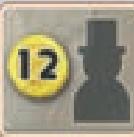
the funding space of the current era. If you do, take DM coins equal to the amount shown (DM 12, 16 or 24 in the first, second or third era respectively). Each player may only take this action once during each era.
Phase 3: Move Truck
If you played a card this turn and your Truck is on a depot or road section that matches the colour of that card, you can move your Truck. If you have unlocked your second Truck, you may move both Trucks.
You can move each of your Trucks up to 2 steps in the first era, and up to 3 steps in the second and third eras, as shown on the Dashboard.
Although your Trucks must start on a depot or road section that matches the colour of the card you played, you may then use the steps to move along any connected sequence of built road sections, on any combination of autobahns. A Truck cannot end its movement on a Road section that contains another Truck.
Each step refers to 1 road section.
Dual carriageways
If your Truck starts its movement on a dual carriageway you can move it 1 extra step this turn. You do not continue to gain any additional extra steps just by moving along further dual-carriageway Road sections.
Your Service Stations
If your Trucks move past one of your own Service Stations, choose a bonus from amongst those below the spaces of the Service Stations you have already built. If your Truck moves past more than one of your own Service Stations in the same turn, each bonus you choose must be different.

The Red player has built 4 Service Stations so far, and has just moved their Truck past one of them. Red can choose any one bonus from beneath the first 4 spaces on their Player board.
Service Station Bonuses
 | Earn DM coins equal to the larger amountshown. Take it from the supply and add it toyour own supply beside your Player board. |
 | Immediately move a Truck (either of them, ifyou have both) 1 step (regardless of colour). |
 | Move your Development token 1 stepforward on the Development Track, andearn any bonus you land on.(See Bonus actions’.) |
 | Promote 1 Employee.(See Bonus actions’.) |
 | You may pay DM 10 to place one Employeein the Construction Office of the autobahnon which the Service Station you movedpast is built. Follow all the usual rules forplacing a new Employee given in step 3 ofthe rules for the Build Road section' action. |
Your opponents' Service Stations
If your Truck moves past one of your opponent's Service Stations, find the most valuable DM coins bonus from amongst those below the spaces of the Service Stations your opponent have already built. Your opponent earns DM coins equal to the smaller amount shown as part of this bonus. (For example: if they have built only 1 or 2 Service Stations they earn DM 1, and if they have built 7 or 8 Service Stations they earn DM 4.)

The Red player has built 4 Service Stations so far and the Blue player has just moved their Truck past a red Service Station. The red player earns DM 2.
Making a delivery
When you move your Truck 1 step beyond a commercial city in a neighbouring country (at the end of an autobahn), you have successfully delivered your goods to that country. For all goods types, do as follows:
• Take 1 bonus tile from that country's delivery bonuses, if any remain, and place the tile face up in your player area. You will be able to use this bonus tile in phase 2 of a later turn. You cannot use a bonus tile during phase 3 or 4 of your turn.
• Return the Goods token to the supply, take a Delivery token, and return your Truck to your Player board. Then follow the instructions below. The Delivery tokens are not intended to be limited If you run out, use any suitable replacement.
Appliances, Automotive and Chemicals
Each country has a preferred goods type shown on your Delivery board.
• Preferred goods: If you delivered the preferred goods, place the Delivery token over the country's goods icon. You will be able to take the corresponding bonus action in phase 1 of a future turn.
• Other goods: If you delivered any other type of goods, place the Delivery token over the country's DM coins icon and immediately earn the amount of DM coins shown.
Each country on your Delivery board has two possible rewards. You can only claim each bonus once per game.
 | If you deliver Chemicals to Denmark, you will be able to take the Advance' bonus action in phase 1 of future turn. If you deliver any other good, earn DM 2. |
| If you deliver Appliances to the Netherlands, you will be able to take the Replace a card' bonus action in phase 1 of a future turn. If you deliver any other good, earn DM 4. | |
Pharmaceuticals
If you are the first player to deliver Pharmaceuticals to a country, place the Delivery token over the country's Pharmaceuticals bonus icon on the game board, and immediately earn the corresponding bonus action.
If another player has already delivered Pharmaceuticals to this country, you can still place the Delivery token over the country's DM coins icon on your Delivery board and earn that bonus, if the space is still free. If not, return the Delivery token to the supply. You earn nothing for the delivery!
Delivery example

The Red player plays a black card and takes the Load Truck' action. They place their Truck in the black depot in Hamburg and load a Chemicals Goods token onto it (A).
They played a black card and their Truck is in a black space, so they can move their Truck up to 2 steps (this is the first era). They moved along the red autobahn towards Dortmund.
They pass one of their own Service Stations (B), so earn a bonus from their Player board. They choose the extra movement bonus and so can move the Truck one more step towards Oberhausen (C).
On a later turn, They play a cyan card to take the Build Road section' action and build the section west of Hannover (D). Since they played a cyan card and their Truck is starting on a cyan road section, they are able to move their Truck 2 steps, and can move beyond Amsterdam and so make a delivery to the Netherlands (E).
Phase 4: End of turn
If at the end of your turn your hand is empty and you have played all your cards above your Player board, pick them all up and return them to your hand. If you do this, you do not gain DM coins for each card picked up.
Play continues clockwise, unless you triggered the end of the current era by building the last Road section.
End of the era
Play continues until a specific number of Road sections are built collectively by the players, which triggers the end of the current era.
• First era: When 10 sections have been built, the current player completes their turn, then pause the game for an administration phase.
• Second era: When a further 12 sections have been built, the current player completes their turn, then pause the game for an administration phase.
• Third era: When a further 14 sections have been built, the current player completes their turn, then all players, including the player who triggered the end of the game, have one more turn. Complete a final administration phase, and then end the game and calculate everyone's final scores.
It is possible to build extra Road sections after the end of an era is triggered. Take any sections needed from the supply for the next era, or, if this is the third era, from the supply beside the game board. The building costs of the current era continue to apply.
Administration Phase - Construction budget example
Administration phase
At the end of each era, complete an administration phase as follows:
• Construction budget
• Promotion
• Route card
Construction budget
For each Construction Office that has at least one occupied seat, add up the city values of all the cities along the corresponding autobahn that are connected to the network of built Road sections, including the city values of connected cities in neighbouring countries if these have been connected.
Divide the total of the city values by the number of Employees in that Office, rounded down. Each player gains this amount in DM, taken from the supply, for each Employee they have in the Office.

All cities along the Orange Autobahn contribute to the construction budget as they are all connected to a built road. Milano does not contribute to the Black Autobahn as it is not yet connected to a built road.
Promotion
The player who built the Road section that triggered the end of the era performs 1 promotion.
(See ‘Bonus actions.’)
Route card
In clockwise order, starting from the player that triggered the end of the era, all players check their Route card. If a complete road connection exists between the cities, via any path of built road sections, you earn DM coins and promotions based on the status of the connection.
The status of the connection is defined as the number of Road sections connecting the cities (the length of the route), minus the number of upgraded links and Service Stations along the route. The best possible value is always 0, if all links in the route have been upgraded and all its Service Stations have been built.
Gain the bonuses shown alongside the status value of the route, as well as all other bonuses for the values above it. (See Bonus actions’.) If two or more alternate road connections exist, choose the one which earns the most bonuses.

The player has the Route card Nürnberg–Paris. A complete road connection exists between the cities, so the player calculates its status. The length of the route is 6 road sections. The number of upgrāded links is 2 (Würzburg– Frankfurt and Köln–Saarbrücken), and the number of service stations built on the route is 1 (between Würzburg and Frankfurt).
The status of the route is therefore 6 – (2 + 1) = 3. The player earns 1 promotion and DM 10.
Reunification
At the end of the second era, perform these additional steps:
• Remove the 5 Roadblock tokens.
• Each player takes their yellow Basic action card (which was set aside during setup) and adds it to their hand.
• Collect the Improved action cards in the display and the Improved action card deck, and place these aside. Shuffle the Advanced action card deck and make a new display of 5 face-up cards. During the third era, each time a player replaces or gains an action card, they now choose from the display of Advanced cards.
Continue the game
Now begin the next era, with play continuing clockwise from the player who triggered the end of the previous era. At the end of the third era, the game ends.
End of the game
After the administration phase of the third era, all players calculate their scores as follows.
You earn points solely for the position of your Employees in the Administration.
| 2 | Each Employee in the Lobby is worth2 points. |
| Each Employee in the NetworkDepartment is worth 1, 2 or 3 pointsfor each of your Employees inConstruction Offices. | |
| 0 | Each Employee in the Trade Departmentis worth 1, 2 or 3 points for eachdifferent country to which you havedelivered at least one good |
| Each Employee in the ServiceDepartment is worth 1, 2 or 3 pointsfor each Service Station you have built | |
| 0 20 | Each Employee in the FinanceDepartment is worth 1, 2 or 3 points foreach DM 20 (rounded down) you haveremaining in your supply. |
The player with the most points is the winner.
If two or more players are tied, the tied player with the most Employees in the Administration wins. If still tied, the tied player with more Employees on higher floors wins. If still tied, all tied players share the victory.

Bonus actions

Develop

Move your Development token 1 or 2 steps forward on the Development Track, and earn any bonus that you land on or pass over.

Gain DM coins
Gain the amount of DM coins shown. Take it from the supply and add it to your own supply beside your Player board.
Promote Employee
Perform 1 or 2 promotions. For each promotion, move 1 of your Employees either from the Lobby to the 1st floor of one of the Departments, or from a floor in a Department to the floor above.
To move an Employee to the floor above, there must be an available empty seat into which to move your Employee. Each player can have a maximum of 1 Employee in each floor of a Department. Each floor of a Department can contain a maximum of 3 Employees.

If you earned a bonus giving you 2 promotions, make each promotion separately. You can promote two different Employees once each, or a single Employee twice. If you promote a single Employee twice, there must be an available empty seat in both of the floors that the Employee moves through or reaches.
You must unlock the 1st, 2nd and 3rd levels of the technology columns on your Player board to be able to access the 1st, 2nd and 3rd floors of the first three Departments. You do not need to unlock any technology to access the fourth department. You must unlock both of the top two bonuses in a column to access the 3rd floor of the corresponding Department.
If you cannot promote an Employee, instead place an Employee taken from your supply in the Lobby.
Gain action card
Choose 1 of the 5 action cards in the display and add it to your hand. (See Action cards'.)
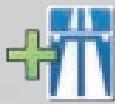
Afterwards, reveal the top card from the current action card deck and add it to the display. During the first and second eras, the display will contain Improved action cards, during the third era the display will contain Advanced action cards.
Replace action card
Choose 1 of your Basic action cards, either from your hand or from the played cards above your Player board, and discard it (remove it from the game). Then replace it by taking one of the 5 action cards in the display. (See Action cards’.)

If you replace a card in your hand, add the new card to your hand. If you replace a card above your Player board, place the new card above your Player board in the same position as the discarded card. This does not count as playing the card and does not allow you to take any additional immediate action.
When replacing a card, the colour of the card you discard and the colour of the new card replace it with do not need to match.
Afterwards, reveal the top card from the current action card deck and add it to the display. During the first and second eras, the display will contain Improved action cards, during the third era the display will contain Advanced action cards.

Build Road section
Perform aBuild Road section'action on any colour autobahn, respecting the usual building restrictions. You must still pay the building costs.

Upgrade link
Perform an ‘Upgrade link' action on any colour autobahn, respecting the usual building restrictions. You must still pay the building costs.

Build Service Station
Perform a ‘Build Service Station' action on any colour autobahn, respecting the usual building restrictions.

Load Truck
Perform a Load Truck' action at any depot. The Truck will move as usual in phase 3 if you played a card matching the colour of the depot.

Unlock technology

Perform an ‘Unlock technology' action. Use one of your 3 extra Unlock tokens (do not take an Unlock token from the coloured spaces on your Player board).
Move Truck
Move one of your Trucks 2 spaces along the built road network. The Truck will move again as usual in phase 3 of the current turn if you played a card matching the colour of the road section on which the Truck ends this move.

Swap card
Swap 1 action card in your hand with 1 action card that you have already played above your Player board.
Change card colour

Use this bonus when you play an action card to change its colour to red, cyan, purple, orange or white (but not black or yellow) until the end of the turn. This card is all five of these colours, and your Trucks may move at the end of the turn if they are on one of these five colours roads.
Flip Action tile

Flip one of your Action tiles showing 2 cones over so that the side showing 1 cone is face up. This increases the limit on the number of cards you can play in that action space.
For the Build Road section' action, the limit will increase from 3 to 4. For the ‘Upgrade link’, ‘Build Service Station' and Load Truck' actions, the limit will increase from 1 to 2.
Remove Action tile

Remove one of your Action tiles showing only 1 cone to reveal the space underneath showing no cones. This increases the limit on the number of cards you can play in that action space.
For the Build Road section' action, the limit will increase from 4 to 5. For the ‘Upgrade link’, ‘Build Service Station' and Load Truck' actions, the limit will increase from 2 to 3.
Action cards
Improved action cards

If you took the Build Road section' action, move your Development token 1 step forward on the Development Track, and gain any bonus you land on.

If you took the ‘Upgrade link' action, move your Development token 1 step forward on the Development Track for each section of the link and gain any bonus you land on.
If you took the Load Truck' action, move the +1→ Truck you just loaded one extra step at the end of your turn.

You may additionally perform a Build Service Station' action following all the usual building restrictions.
Yellow action cards

You may additionally perform a Build Road section' action following all the usual building restrictions. Perform your actions in any order.
Advanced action cards
 | If you took the ‘Upgrade link' action, you may also perform a Load Truck' action, and vice versa. |
 | You may pay exactly DM 10 to move your Development token 2 steps forward on the Development Track, and gain any bonus you land on or pass over. |
 | At the end of your turn your Truck movement is increased by two |
 | If you took the ‘Build Road section' action, you may instead build two Road sections at once (respecting the usual building restrictions), paying DM 5 less to build each one. |
12  | You may additionally gain DM 12. |
 | You may additionally move 1 step forward on the Development Track, and gain any bonus you land on. |
  | You may additionally perform a Build Road section' action following all the usual building restrictions. If you took the ‘Upgrade link' action, you may also perform a Load Truck' action, and vice versa. You can perform your actions in any order. |
  | You may additionally perform a Build Road section' action following all the usual building restrictions. If you build at least 1 Road section this turn, also promote 1 Employee. |
 | This is a black Basic action card. It has no additional bonus action. |
 | This card can be played as a red, cyan, purple, orange or white Basic action card (but not black or yellow). This card is all five of these colours, and your Trucks may move at the end of the turn if they are on one of these five colours roads. |
Solo mode
In the solo mode you will compete against Autobot, an automated opponent. Autobot will simulate another player and has a variety of difficulty settings.
Additional Components

1 Solo board (in 2 difficulties, found on the reverse sides of the Player boards)
Task deck
8 Task cards (5x ‘A, 3x ‘B’)
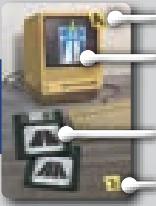
Bonus Action
Main Action
Autobot's Priority
Setup
Set up the game for 2 players. set up Autobot's components and play area as follows.
1 Place the Solo board in Autobot's play area. Choose either an ‘easy' or hard' Solo board. See Autobot Difficulty for more information on difficulty options.
2 Split the Task cards into two decks (A and B) and shuffle each deck separately.
a Place the ‘A' deck next to the Solo board as a face-down Task deck.
b Place the 3 B’ cards face down beside the Development Track in an Advanced Task deck.
Pick a player colour for Autobot. Autobot uses the 25 Employees, 8 Service Stations, 1 Development token and 7 Basic action cards (including yellow) of that player colour. Instead of taking a Truck for that colour, Autobot takes 1 Truck and 1 Development token in each of the other, unused colours.
3 Randomly choose a Delivery board for Autobot and place it next to the Solo board.
4 Place Autobot's 25 Employees beside the Solo board.
5 Place Autobot's 8 Service Stations on the appropriate spaces of the Solo board.
6 Place Autobot's Development token on the first space of the Development Track.
Place Autobot's yellow Basic action card aside, and shuffle Autobot's 6 Basic action cards to form a face-down ‘Colour' deck. (This deck is used only to determine the current colour for Autobot's turns.)
S Autobot is the start player, so place 1 of Autobot's Employees onto the first (leftmost) seat of the black
Construction Office. Place one of yours on the next seat.
9 Set up your play area as normal, and reveal 2 Route cards from the deck. Pick one for yourself and discard the other one. Return the unused route cards back to the box.
Autobot has an unlimited budget. You do not need to track Autobot's income or expenditure. Autobot does not have a Route card.


How to play
The game proceeds as usual, with Autobot and you taking alternate turns. Autobot will determine its actions by using a combination of Colour cards and Task cards.
Many of Autobot's Actions will present multiple options to choose from. In this case, there will be a section showing Autobot's Priority. Use Autobot's Priority to eliminate options until a single option is determined. If a listed item does not reduce the possible options, disregard it and move to the next priority item:
Autobot Phase 1
Autobot Actions
Autobot will determine its action for the turn using this process:
Step 1
On Autobot's turn, flip the top card from their Colour deck and place it face up in the first available slot.
There are two rows of slots available for Colour cards, one row above the Solo board and one row below it. Autobot fills the top row from left to right, then the bottom row from left to right.
This card determines the current colour' for Autobot's turn. Any actions on Colour cards are ignored by Autobot.
Step 2
If there is a Task queue, take the card with the highest priority value from the queue with a viable action (See Viable actions).
If there is no task queue or none of the cards in the task queue have a viable action, continue to step 3.
Step 3
Reveal the top card of the Task deck and take the main action at the bottom of the card if it is a viable action (See Viable actions).
If you ever need to reveal a card and the Task deck is empty, gather all the used Task cards, except the highest priority Task card in the Task queue, and shuffle them to form a new face-down Task deck, then draw from this new deck.
If Autobot cannot take the main action, set the Task card aside in a Task queue and draw a replacement.
Repeat step 3 until Autobot has a viable action.
On rare occasions, there may be no viable action in the entire Task deck. If this happens, take the following steps:
1 Collect all the Colour cards and all the Task cards. Shuffle each deck separately, and put them back beside the Solo board.
2 Skip Autobot's turn
To increase the difficulty, move Autobot's marker one step forward on the Development Track whenever this happens
Viable Actions
The main action is viable if it can be taken on the road of the current colour. If the card is yellow, see Yellow cards (Era 3 ONLY) for additional information on determining the viable action.
If the main action is viable, place the Task card on top of the Colour card. If the Task card also has a bonus icon, resolve the bonus action first (See Autobot's bonus actions), then take the main action using the current colour. (See Autobot's main actions).
On its first turn, Autobot draws a purple card from its coloured card deck and places it onto its Solo board. Autobot then draws a Task card that shows a Service Station action, but there are no available Service Station spaces for this action so it is not a viable action. This card is set aside in the Task queue.

A second Task card is drawn that shows a Load Truck' action. Autobot is able to take this action and completes its turn.
On its next turn, Autobot draws a black card from its colour deck. Autobot will first check if it can take the Service Station action from the Task queue before drawing a new card from the Task deck.
Autobot's Solo board


Bonus tokens
When Autobot gains Bonus tokens, it places them on the next available slot of the Solo board, starting with the top row of the Solo board from left to right, then the second row from left to right, gaining the bonus shown on the space instead of that shown on the token itself.
Service Stations
When Autobot builds a Service Station, it immediately gains the bonus shown on the Solo board below that Service Station.
Solo board bonuses

Develop

As described in Autobot's Bonus Actions

Promote

Promotions gained in this way should be taken on the Department shown if possible. If a promotion in the department shown is not possible, follow the normal priority rules in ‘Autobot's promotions'.

Build a Service Station
Immediately perform the Build a Service Station' action as described in Autobot's Bonus Actions.

Build a road section
Immediately perform the ‘Build a road section' action as described in Autobot's Bonus Actions.

Upgrade a link
Immediately perform the ‘Upgrade a link' action as described in Autobot's Bonus Actions

Place an Employee
Autobot places an Employee in the Office that matches the current colour.
Autobot's bonus actions
Discard

Autobot discards an action card from the display. Once selected, slide all remaining cards to the right and draw a new card to place in the leftmost slot.
Discarding a card: Autobot's Priority
- The leftmost card of the current colour. 2. The rightmost card of the colour which appears most in the display.

Develop

Move Autobot's Marker 1 or 2 steps forward on the Development Track.


Take the top card of the Advanced Task deck and shuffle it into the face-down Task deck without looking at it.
Promote 1 of Autobot's Employees as explained in ‘Autobot's promotions'.
Take the leftmost card from the display and shuffle it into Autobot's colour deck. This will give Autobot an extra Colour card.

Note: The special bonus of this card is always ignored by Autobot.
Autobot's main actions
Build or upgrade road section

Autobot builds the next road section of the autobahn that matches the current colour. If all available road sections have already been built, Autobot will instead upgrade a complete link.
Build a road section
Autobot builds the next road section of the autobahn that matches the current colour.
Build a road: Autobot's Priority
The section of road that would allow one of Autobot's Trucks to deliver a Goods token to or move towards its destination country. If tied, the country that appears highest on Autobot's delivery board.
2 A section of road that contains a Bonus token.
3 The section of road nearest to the black autobahn (the fewest road sections to travel)..
4 In the first and second eras, the southernmost location, then the westernmost. In the third era, the northernmost location, then the most easternmost.

Autobot plays an orange card and takes the build road / upgrade link action.
Autobot has a Truck waiting to deliver to Amsterdam, so selects Oberhausen - Amsterdam.
If the Truck wasn't there Autobot would still choose this space as it contains a Bonus token.
If, in a later turn Autobot builds on orange again, it would select the section West of Wurzburg, as it is nearest to the black autobahn.
If, in a later turn Autobot builds on orange again, it would select the section South of Nurmberg as it is the same distance from the black autobahn as the section East of Frankfurt but is further South so it wins the tiebreak using the next criteria.
Upgrade a link
If all road section are built, Autobot will instead upgrade a complete link.
Upgrading a link: Autobot's Priority
1 The section of road nearest to the black autobahn (the fewest roads spaces to travel).
2 The closest to Bad Hersfeld.
3 In the first and second eras, the southmost location, then the westmost. In the third era, the northmost location, then the most eastmost
If all roads have been built and upgraded, this action is not viable; place the action card aside in the Task queue.

Autobot plays a black card. Autobot will upgrade the link between Bad Hersfeld and Wurzburg in the first era. (closest to Bad Hersfeld then southernmost)
When building or upgrading a road, Autobot places an Employee in the corresponding Office as usual. Autobot never pays building costs.

If Autobot builds a road section on a space with a ‘Develop' icon, gain the bonus as explained in ‘Autobot's bonus actions’.

If Autobot builds a road section on a space with a bonus tile, gain the bonus tile as explained in 'Autobot's bonus actions’'
Load Truck

When Autobot takes the Load Truck' action it selects the depot on the autobahn that matches the current colour.
If Autobot has delivered to all countries, it cannot take this main action, so place the card aside in the task queue.
Loading on the red, cyan, purple, orange or white roads
Choose the depot that matches the current colour and load that Goods token. Place the Goods token on an available Truck and place the Truck in the depot. Autobot always has the ability to use both of its Trucks. If no Truck is available Autobot cannot take this main action, so place the card aside in the Task queue.
Autobot then selects a country to which it has not yet delivered and is not currently delivering.
Selecting a country: Autobot's Priority
1 A country connected to the network.
2 A country that contains a Bonus token.
3 A country with the fewest road sections left to be built.
4 A country that is paired with the current good type on Autobot's delivery board.
5 The uppermost country shown on Autobot's delivery board.
Place the development token that matches the colour of the Truck Autobot has loaded on the board beside the selected country. This marks the selected country for that Truck.
Loading on the black road
If the current colour is black, Autobot selects the delivery country first, then selects the good type shown on its delivery board for that country.
Autobot selects a country to which it has not yet delivered and is not currently delivering.
1 A country connected to the network.
2 A country that contains a Bonus token.
3 A country with the fewest road sections left to be built.
4 The uppermost country shown on Autobot's delivery board
Once the country is selected, Autobot will choose the Goods token that matches that country on Autobot's delivery board.
Place the Goods token on an available Truck and place the Truck in the depot. If Automotive goods or Chemicals are selected choose the depot nearest the delivery location. Autobot always has the ability to use both of its Trucks. If no Truck is available Autobot cannot take this main action, so place the card aside in the Task queue.
Place the development token that matches the colour of the Truck Autobot has loaded on the board beside the selected country. This marks the selected country for that Truck.
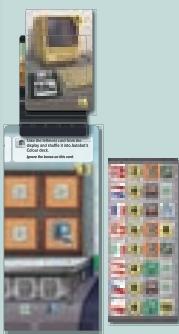

Autobot draws a black card from its coloured card deck and a Load Truck action from its Task deck.
There are 2 locations connected to the network Åarhus and Amsterdam. Each location has a Bonus token.
As Autobot has played a black card, it can choose any good type, so both locations are considered to match the current good type according to Autobot's delivery board.
Autobot chooses the uppermost location shown on its delivery board, which is Åarhus.
As Autobot has selected Åarhus as its preferred location, it will load its Truck with Automobiles. It will choose to do this at Hannover as this is closer to Åarhus.
Loading Pharmaceuticals
During the third era, if the current colour is cyan or yellow, Autobot selects Pharmaceuticals to load (instead of Automotive goods).
Instead of the usual criteria, Autobot selects a connected country to which Pharmaceuticals have not yet been delivered, starting with Austria (Wien) and going clockwise around the map.
If the player delivers pharmaceuticals to the selected country before Autobot, move the development token to the next connected country to which Pharmaceuticals have not yet been delivered, in clockwise order.
When delivered, Autobot gains the Pharmaceuticals delivery bonus as normal.
Autobot is attempting to deliver pharmaceuticals to Milano. On your turn, you manage to deliver pharmaceuticals to Milano first.

Autobot must now
move its selected
delivery location.
Autobot chooses the
next connected country
clockwise, skipping
Basel and moving its
marker to Paris.

Build a Service Station
Autobot builds a Service Station on the next available Service Station space on the autobahn that matches the current colour.
Building a Service Station: Autobot's Priority
1 The Service Station space nearest to the black autobahn (the fewest road sections to travel).
2 In the first and second eras, the southernmost location, then the westernmost. In the third era, the northernmost location, then the most easternmost.
3 If building on a black Service Station space, pick the closest to Bad Hersfeld, with ties broken in the first and second eras by the southernmost location, and in the third era, by the northernmost location.
If there are no connected Service Station spaces that match the current colour, place the action card aside in the Task queue.
As usual, Service Stations cannot be built in East Germany during the first and second eras.
When placing a Service Station, Autobot immediately gains the bonus depicted underneath it on the Solo board as described in Autobot's Solo board’.

It is the third era and Autobot plays a green card and the Service Station main action. Autobot builds a Service Station on the space between Hannover and Magdeburg.
As this is Autobot's 6th Service Station, they gain a promotion on the (Insert name of Service Station department).
Yellow cards (Era 3 ONLY)
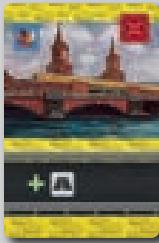
If Autobot draws its yellow Basic action card from the colour deck, Autobot performs an additional ‘Build road section' action this turn.
The resolution of this bonus action depends on what the main action is.
If the main action is a Build road section’, Autobot wil build 2 road sections that allow it to connect to a new city, if possible.
If the main action is any other action, Autobot performs a single build road action' before the main action.
If the main action is not yet viable, check to see if the build road action' would make it viable. If it would, take the build road action' in such a way to make the main action viable. If the main action would still be not viable, draw a new Task card as normal and repeat this check.
Note: Autobot uses the additional build action from a yellow card but ignores any other bonus.
Autobot Phase 2
Truck movement and Service Stations
If Autobot has Trucks on the map, move each Truck a number of spaces towards its selected country (See Load Truck' action in Autobot's main actions to see how countries are selected).
The number of spaces moved is determined by the current era as normal.
To increase the difficulty, move each Truck an additional space.
Autobot does not need to match the current Colour card
to move along road sections.
If a Truck cannot move forwards for any reason (such as an unbuilt road) it stays still.
Each time one of Autobot's Trucks passes one of its own Service Stations, it gains the rightmost revealed bonus as shown on the Solo board. If one of Autobot's Trucks passes your Service Stations, you gain income from the bank as normal. Autobot does not gain anything when your Trucks drive past its Service Stations.
To increase the difficulty, Autobot moves one step forward on the Development Track when your Trucks drive past its Service Stations.
If one of Autobot's Trucks reaches its selected country, it delivers its goods.
When a good is delivered, place it onto the corresponding space of Autobot's delivery board.
If the good type matches, Autobot moves 1 space up the Development Track. Autobot never receives the bonus action or money shown on the delivery board
If Autobot delivers Pharmaceuticals it gains the delivery bonus as normal.
If the selected country has a delivery bonus tile, Autobot takes it and places the token face down on the next available slot of the Solo board and gains the bonus depicted on the slot as described in ‘Autobot's Solo board'
As usual, Autobot cannot deliver goods to Poland (Warszawa) and the Czech Republic (Praha) during the first and second eras.
Autobot Phase 3
Turn end
If Autobot has Colour cards remaining in the colour deck. Autobot's turn ends immediately.
If Autobot does not have Colour cards left in the colour deck, Autobot completely refreshes both decks. Collect all the Colour cards and all the Task cards except for the Task card in the Task queue with the highest priority. Shuffle each set of cards separately to create a new colour deck and Task deck. Place both decks beside the Solo board.
Autobot's promotions
Autobot's promotions are limited depending on which era it is. During the first era, Autobot's Employees may only be promoted as high as the 1st floor. During the second era, they may only be promoted as high as the 2nd floor. In the third era, Autobot's Employees may access any floor. This limitation rule also applies to
Autobot's Employees when they are promoted during the end of era steps.
Unless the bonus shows a particular Department, when Autobot gains a promotion, it will promote whichever Employee can reach the highest floor in any Department. If two or more Employees can reach equally high floors, the Employee in the leftmost Department is promoted.

End of the era
Construction budget
When calculating the Construction budget for Construction Offices, treat Autobot as a second player where it has employees. However, Autobot does not receive its share of the construction budget.
Remember, Autobot has an unlimited budget. You do not need to track Autobot's income or expenditure.
Promotion
If Autobot triggered the end of the era, it receives a bonus promotion as usual.
Route card
Autobot does not have a route card, instead, Autobot always receives the following automatic promotions:
| First Era | Second Era | Third Era | |
| 0 | 1 | 1 | |
| To increase difficulty, Autobot insteadreceives the following áutomatic promotions: | |||
| First Era | Second Era | Third Era | |
| 1+ | 1 | 1 | 2 |
| 日 | 1 | 2 | 2 |
Reunification
At the end of the second era, add Autobot's yellow Basic action card face down on top of the colour deck.
End of the game
At the end of the game, Autobot scores points for its Employees in the Lobby and the first three Departments as normal.
If you have scored more points than Autobot, then you have won the game!
Autobot Difficulty
The Solo board has 2 difficulty sides, easy' and hard’. There are also some additional ways to increase the difficulty of the solo game.
We suggest you start with the easy' board then consider adding some of these options before moving onto just the hard' side of the board. These options can also be added when using the hard side of the board to increase the difficulty even further.
• Autobot's Trucks move 1 additional space every turn
● Autobot gets 1 Development Track step each time one of your Trucks drive past one of its Service Stations
• Autobot moves on the Development Track if it skips its turn
• Autobot gains more promotions at the end of each era (2 additional difficulty levels)
Mini-Expansions
The following mini-expansions are free gifts to the backers of the Autobahn Kickstarter campaign.
If you have purchased a retail edition of Autobahn, these expansions will not be included in your game.
The Autobahn Kickstarter pack is available separately from https://www.alleycatgames.com/
Module 1: Wine
This module introduces wine, a new type of goods, which can be imported into Germany from other countries.

Setup
Follow these additional steps during setup:
1 Shuffle the 4 Wine cards and deal one to each player (put any unused cards back in the box). Look at your Wine card but keep it face down in your player area.
2 Place the 4 Wine Goods tokens in the supply beside the game board.
3 Take the following Wine Delivery tokens, based on your player count, and place them next to the board (put any unused tokens back in the box):
• 2 players: 1 single and 1 double promotion tokens.
• 3 players: 2 single and 1 double promotion tokens.
• 4 players: 2 single and 2 double promotion tokens.
How to play
Each Wine card specifies a source country (France, Italy, Switzerland or Austria) and one destination city in the former East Germany.
Once per game, on your turn, you can reveal your Wine card and load your Truck with a wine Goods token. To do this, you must take the Load Truck' action by playing a card that matches the colour of the road shown on your Wine card.
Place your Truck on the section of road immediately adjacent to the commercial city in the country shown on your card.
You can then move your Truck following all the usual rules. When you reach the road section immediately outside the city specified on your card, you have successfully imported the wine into the former East German and must now take the following steps:
1 If there is a double promotion' Wine Delivery token available, take it and immediately perform 2 promotions, otherwise take a single promotion' token and immediately perform 1 promotion.
2 Place the token you claimed beside your delivery board.
3 Put the wine Goods token beside your Player board, and put your Truck back on your Player board.

The Purple player plays a purple card to take the Load Truck' action and reveals their Wine card (Switzerland–Jena) They load their Truck with a Wine Goods token and place it on the section of the purple autobahn outside Basel.
End of the game
When scoring the Trade Department, if you have a Wine Goods token beside your Player board because you completed a wine delivery, you can now count Germany as an additional country to which you have made a delivery.
Module 2: Traffic
This module introduces traffic around busy cities, which will slow down Trucks and have a negative impact on the status of routes that pass through the city. Upgrading links will remove Traffic tokens and possibly gain you additional promotions.
Components

Setup
Place the 12 Traffic tokens in the supply next to the game board.
How to play
When a city reaches a value of 6 or more due to an upgrade action, add a Traffic token to each completed single-carriageway link directly connected to the city. If a link has 2 road sections, place the Traffic token on the section closest to the city.
Do not add a Traffic token to a section if:
● The link already has a Traffic token on it because the other city on that link already reached a value of 6. Each link can only have a maximum of one Traffic token.
● The road section has a Truck on it.
• The Traffic token supply is empty.
• If there are not enough Traffic tokens to place on all links that require one, the current player chooses which links to place tokens on.
Moving Trucks
Trucks can move through a road section with a Traffic token on it, but cannot stop on a section with traffic. If you do not have enough movement to move beyond the Traffic token, you must stop your Truck in the space behind it.
Route cards
When calculating the status of your road connection, each Traffic token on the route increases its status value by 1.
Removing Traffic tokens
If you upgrade a link that has a Traffic token in it, remove the token and keep it next to your Player board. If you collect 3 Traffic tokens, immediately return them to the supply and then promote 1 employee.

The Red player upgrades the Dortmund–Hannover link of the cyan autobahn. The value of both cities reach 6, and so new Traffic tokens are added to all completed singlecarriageway links connected to those cities, if possible.
On the black autobahn, 1 Traffic token is added to the Hannover–Bad Hersfeld link. The Hannover–Hamburg link has a Truck on it so does not get a Traffic token.
On the green autobahn, 1 Traffic token is added to the Dortmund–Oberhausen link.
On the red autobahn, 1 Traffic token is added to the Dortmund–Köln link. The Dortmund–Hamburg is not yet complete so does not receive a Traffic token.
Module 3: Services
This expansion introduces the chance to build improvements to Service Stations on upgraded links.
Components

Setup
Place the Service Station board next to the game board and place one Service Station improvement on each space.
How to play
Whenever you perform a Build Service Station' action, you may instead build a Service Station improvement alongside one of your own Service Stations on an upgraded link. The improvement must be placed on an autobahn matching the colour of the card you played, as
usual.
• Take an improvement from the Service Station board, if any remain, and place it beside one of your already-built Service Stations on the autobahn that matches the colour of the card you played.
• Improvements can only be built alongside Service Stations on upgraded links.
After you build the improvement, gain the bonus shown below the Service Station you chose.
Trucks
If your Truck passes one of your own improved Service Stations, gain two different bonuses (instead of the usual one bonus) from amongst those below the spaces of the Service Stations you have already built. In any turn, all the bonuses you gain for moving one of your own Trucks past your own Service Stations must still all be different.
If your Truck passes one of your opponent's improved Service Stations, find the most valuable money bonus from amongst those below the spaces of the Service Stations your opponent has already built. Your opponent earns money equal to the higher amount shown as part of this bonus. (For example: if they have built only 1 or 2 Service Stations they earn DM 2, and if they have built 7 or 8 Service Stations they earn DM 8.)
Bonuses

Promote 1 employee.

Place an employee in the Construction Office that matches the colour of the autobahn on which the Service Station improvement was built (follow the same rules you would use if you had just built a road section of that autobahn).
Max +1x
Flip one of your Action tiles showing 2 cones over so that the side showing 1 cone is face up.

Perform the Gain funding' action (place an employee on the Dashboard in the funding space of the current era and earn the money shown). You cannot gain this bonus if you have already taken the Gain funding action during the current era.

Choose 1 of the 5 action cards in the display and add it to your hand.

Move your Development token 3 steps forward on the Development track, and earn any bonuses that you land on or pass over.
Pick up all your played cards (you do not earn money for each card picked up).

Move one of your Trucks up to 3 spaces along the built road network.

Player Aid
Delivery Bonus
Max 1x Gain Delivery Bonus

Main Phase
Play a card

Perform selected Action in card colour
OR
Refresh your hand

Gain 1 DM per card
OR
Once per Era, send an Employee to claim funding
At any time

1 x Use and discard a bonus tile

End of Turn
Move your Truck if on the same colour road as the card you just played

Move one extra step if start from upgraded road

If you played your last card, collect all of your cards but gain no coins
• Era ends when the last section is built.
End of Era
• Player who builds last section gains a promotion
• Last Era only: every player gets an extra turn (build roads from supply)
Assign Budgets:
-
Evaluate Efficiency cards (in turn order)
-
Distribute income from roads
Actions:
Rulebook Reference
Page 8 Build Road Section Page 9 Upgrade Road Link Page 11 Load Truck Page 11 Build Service Station Page 11 Unlock Technology
Truck Movement:
Page 12 Passing Service Stations Page 13 Making Deliveries If your Truck starts its movement on a dual carriageway you can move it 1 extra step. A Truck cannot end its movement on a Road section that contains another Truck.
Icons:
Page 11 Technology Icons
Page 15 Scoring
Page 17 Bonuses
Page 16 Card Bonuses
Solo Mode - Page 18
Reference:
Page 9 Running out of Employees Page 10 Updating City Values Page 14 Calculating Construction Budget Page 16 Promoting Employees
下载 Markdown