ORBIT Rulebook Small.md
ORBITAL RACE BETWEEN INTERSTELLAR TOURISTS
REINER KNIZIA
2-4 Players. 30-60 Minutes. Ages 10+
Design by Reiner Knizia | Artwork by Vincent Dutrait I Graphic Design by Brigette Indelicato Editing by Scott Darrington I Spaceship 3D Modeling by Conor S. I Published by Nick Murray & Kyle Spackman
Come one, come all to the Silo System, the beating heart of our galaxy, for the race of the decade! We’ve recruited the best tourists in all of the cosmos — travelhardened explorers who will compete in the ultimate contest. These pilots must race to visit all of the planets in the Silo System ... surfing on orbital paths, teleporting between hyper jump portals, and beaming through hyperspace. Enjoy your dream vacation on one of our luxurious planets or lavish space stations as you witness the ultimate interstellar marathon. All the eyes of the galaxy will be watching this decennial event celebrating the unification of our systems under Silo Supremacy. Let the race begin!
WATCH THE HOW TO PLAY VIDEO


OVERVIEW & GOAL
ORBIT (Orbital Race Between Interstellar Tourists) is a 24th-century tactical space race with simple turns yet challenging possibilities. Players are competing to visit all of the planets of the system and then return to their starting planet first. On your turn, you will play a card, activate its actions in any order, and then draw back up to your hand size. Cards allow you to do a combination of things, including flying your spaceship, collecting energy for bonus flight, advancing planets along their orbits, and even reversing the orbital path of planets!
Planning your route to take advantage of orbital currents and bounce between planets is the key to success. Visiting certain space stations and planets will allow you to increase your hand size and energy storage capacity. And when your spaceship is docked on a planet, it will carry you along its orbital path, helping you to traverse the board faster! But your cutthroat competition will no doubt seek to spoil your plans and sabotage your progress, even using the planet you're docked on to fly you away from other destinations. It will take a balance of clever thinking and longterm planning to find the fastest route. Only one can be the greatest tourist of the Silo System!
COMPONENTS
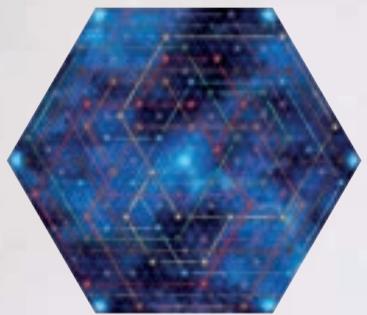
1 Double-Sided Game Board
4 Player Boards


1 PRISM Disc
4 PRISM Mission Markers
8 Planet Discs

4 Spaceships

28 Mission Markers

30 Space Stations


56 Cards
20 Energy Cubes

6 Partnership Tiles
1 Fabric Bag

SETUP
-
Decide which side of the board you want to use and lay it in the center of the play area. For your first game, use the front of the board (displayed above).
-
The board shows eight orbits in different colors, with planet symbols indicating the positions of the different planets as they advance along their orbits. Randomly place the eight planets on planet symbols in their matching colored orbits, with each arrow randomly pointing in one of the possible orbital line directions. Make sure to spread the planets somewhat evenly over the board.
-
Mix the 30 space stations in the fabric bag. Randomly draw and place one face up on each of the indicated space station positions on the board.
-
Place all the energy cubes next to the board.
-
The player who was most recently a tourist is the starting player, or randomly select a starting player. Then, in reverse play order (beginning with the player to the right of the starting player and
progressing counterclockwise), each player will choose a color, taking the corresponding player board and placing that color spaceship on the matching planet, as well as placing mission markers for every other color on the top row of their board. The place for the PRISM mission marker (white) will stay empty; this comes into play with the PRISM variant (see page 10).
Hint: The starting player and the earlier players have an advantage, as they will be one step ahead of the later players. This is compensated for by giving the later players first choice of the planet from which they want to start. A planet close to other planets and surrounded by useful space stations will give a nice head start.
- Finally, shuffle all the cards, deal a hand of three to each player, and place the remaining cards as a face-down deck next to the board.
YOUR PLAYER BOARD
Your player board helps you to monitor your progress during the game.
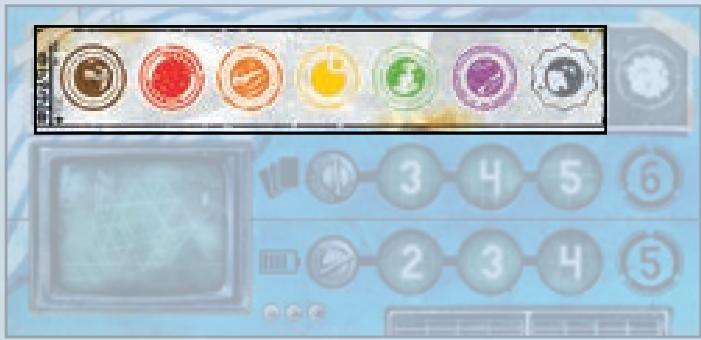
Mission Markers: In the top row are seven mission markers in the colors of the seven planets you need to visit, excluding the planet you start from. Every time you visit a planet, remove the corresponding mission marker — more about this later ...
Hand Size: The second row indicates the number of cards you have in your hand. This is always the lowest visible number in the row. When you gain an upgrade, use the respective mission marker or space station to cover the lowest visible number. Your hand size increases by one card per upgrade — more about this later...
Energy Capacity: The box in the lower left is a space for holding your energy cubes. The third row indicates the maximum number of energy cubes you can hold. This is always the lowest visible number in the row. When you gain an upgrade, use the respective mission marker or space station to cover the lowest visible number. Your energy capacity increases by one cube per upgrade — more about this later ..


GAMEPLAY
The starting player takes the first turn. Then, play progresses clockwise. On your turn, play one card from your hand face-up. Then, apply the features on your card
At the end of your turn, place your played card in a face-up discard pile near the board. Then, draw cards from the face-down deck to replenish your hand to the hand size indicated by your player board. (If the face-down deck runs out, reshuffle the discard pile into a new deck.)
THE CARD FEATURES
Each card you play shows a variety of features. You may apply these features in any order, but you must complete one feature before progressing to the next.
ADVANCE PLANETS
For each planet symbol shown on the card, you must advance the corresponding color planet along its orbital line in the direction of its arrow to the next position (planet symbol) in its orbit. Some features are optional, but you must apply this one.

Notes for Game Board #2 (Alternate Dimension):

After advancing a planet, make sure to point the arrow in the direction of the next position the planet will advance to. This is particularly important on the second board, where there may be two possible directions to continue. It is always the active player who decides on the further course of the planet if there is a choice.
When the gray planet leaves the board, it immediately reenters after a half-circle movement to the other side.

When you play a card that advances all the planets, it is recommended to handle the planets in the order indicated on the card.

If spaceships are docked on the planet, then they advance with the planet. If the advancement of a planet ends in a position where there are spaceships, these dock on the planet (the spaceships are stacked on top of the planet). When you play a card that advances a planet by two positions and there are spaceships in the first position, these are not docked on the planet — they are passed over and remain on the board!

Wild Planet Symbols: Some cards show a wild planet symbol. This allows you to advance any one planet you choose.

NEBULAS

Some cards show nebulas on them. These come into play with the Artificial Nebulas module (see page 13), which is included in the Nebular Expansion. For the regular game, you can ignore them.
REVERSE A PLANET ARROW

You may choose any one planet and point its arrow in any possible orbital line direction from its current position in its orbit. You may choose not to apply this feature.
TAKE ENERGY CUBES

Take the indicated number of energy cubes and place them on the energy space at the beginning of the third row of your player board. Energy Capacity: You may never have more energy cubes than indicated by your energy capacity. At the start of the game, you have a capacity of two cubes until you upgrade your energy capacity — more about this later .
TAKE THE MAXIMUM NUMBER OF ENERGY CUBES
Take energy cubes to increase the number of cubes on the energy space of your player board to your current energy capacity.
FLY YOUR SPACESHIP


While the planets advance from planet symbol to planet symbol along their orbits, your spaceship flies in small steps from one line intersection to another. You may fly your spaceship up to the indicated number of steps. You may choose not to apply this feature.
Energy Cubes: Additionally, while you apply the flight feature, you may return energy cubes from your player board to fly one additional step for each cube returned. Note that you can only use energy cubes in combination with a flight feature; the energy cubes alone do not allow you to start a flight.


Several spaceships may be located on the same intersection — they simply stack on top of one another. This is also the case for intersections with planets or space stations. Spaceships unstack when flying; they do not carry each other like planets carry spaceships.
Planets: If the flight of your spaceship ends on a planet you have not visited before, immediately remove the corresponding mission marker from your player board. The mission marker may allow you to apply a feature — more about this later ..

Space Station: If the flight of your spaceship ends on a space station, you may activate the space station — more about this later ..
THE MISSION MARKERS
If the flight of your spaceship ends on a planet you have not visited before, or you dock on a new planet after moving it, you must immediately remove the corresponding color mission marker from your player board. If the mission marker shows a feature, apply it immediately:
HAND SIZE UPGRADE

Use this mission marker to cover the lowest visible number in the second row of your player board. Your hand size increases by one card.

ENERGY CAPACITY UPGRADE

Use this mission marker to cover the lowest visible number in the third row of your player board. Your energy capacity increases by one cube.


HYPER JUMP
Place your spaceship on any intersection (including space stations) that shows the hyper jump symbol. You may choose not to apply this feature.
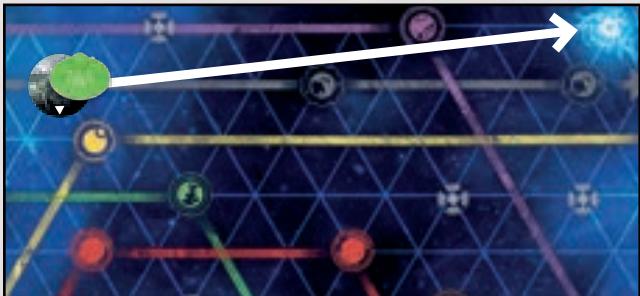
HYPER ACCELERATOR CANNON

Fly your spaceship to any intersection that it can reach in a straight line from its current position. You may choose not to apply this feature. If you hyper accelerate onto another planet or a space station, then you may apply its feature (if any) immediately.

Docked on a planet: At the start of your turn, or after resolving a hyper accelerator cannon feature, it is possible that you find your spaceship docked on a planet you have not visited before. If so, immediately act as described above. If the mission marker grants you a hyper jump or hyper acceleration at the start of your turn, you may apply it and then play a card and apply all of its features as normal.
Note: You may never remove mission markers from the top row of your player board during other players' turns!
BOARD FEATURES
HYPER JUMP PORTAL

If the flight of your spaceship ends on a hyper jump portal, you may place your spaceship on any other intersection (including space stations) that shows the hyper jump portal.
You must complete your flight feature before using the hyper jump portal, and you cannot continue the flight feature after the hyper jump portal. The hyper jump feature is not available to you until the end of your spaceship flight. (If you start your turn with your spaceship located on such a portal, you may decide to not fly your spaceship at all and then use the hyper jump portal.)
SPACE STATIONS
If the flight of your spaceship ends on a space station, then you may activate the space station.
There are two types of space stations with a light gray background. These space stations are collected by the first player who ends the flight of their spaceship on the intersection with the space station:
Hand Size Upgrade
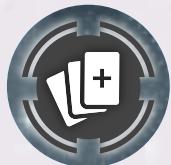
Use the space station to cover the lowest visible number in the second row of your player board. Your hand size increases by one card.
Energy Capacity Upgrade

Use the space station to cover the lowest visible number in the third row of your player board. Your energy capacity increases by one cube.
Maximum Upgrade: You cannot cover the highest upgrade number of your hand size (6) or the highest upgrade number of your energy capacity (5). If you have already upgraded to the highest number, you may not collect further upgrade space stations from the board (to deprive other players). If you collect a mission marker for a category that you have already upgraded to the highest number, discard it to the box.

The other types of space station have a blue or dark gray background. These space stations remain on the board for the duration of the game. If the flight of your spaceship ends on the intersection with such a space station, apply the space station feature immediately:
Hyper Jump Portal

(Identical to hyper jump portals on the board): You may place your spaceship on any other intersection (including other space stations) that shows the hyper jump portal. You may choose not to apply this feature. The hyper
jump feature is not available to you until the end of your spaceship flight. (If you start your turn with your spaceship located on such a space station, you may decide to not fly your spaceship at all and then use the hyper jump portal.)
Hyper Accelerator Cannon

Fly your spaceship to any intersection that it can reach in a straight line from its current position. If you hyper accelerate onto a planet or another space station, then you may apply its feature (if any) immediately. You
may choose not to apply this feature. The hyper acceleration feature is not available to you until the end of your spaceship flight. (If you start your turn with your spaceship located on such a space station, you may decide to not fly your spaceship at all and then use the hyper acceleration cannon.)
Fuel Depot

Take energy cubes to increase the number of cubes on the energy space of your player board to your current energy capacity.
PRISM Disc

This “space station” represents a ninth planet that comes into play with the PRISM variant (see page 10).
GAME END
The first player who removes all seven mission markers from the top row of their player board and then ends their turn with their spaceship docked on their own color planet wins the game!
Hint: The outer planets (brown and gray) are usually more difficult to reach. Try to visit them early. Larger distances on the board are best travelled on planets or by using hyper jump portals or hyper accelerator cannons, rather than flying your spaceship from intersection to intersection.

PRISM VARIANT PRISM: PRIME REVOLUTIONARY INTERGALACTIC STATIONARY MEGALOPOLIS
This variant can be used with either board and any other variant, and it makes the game harder with any number of players. It is particularly recommended when playing with two players.

SETUP
During setup, after placing the space stations, randomly replace one space station with the PRISM disc. The replaced space station is returned to the box.
When setting up your player board, add one of the PRISM mission markers to the matching space on the top row of your board.
GAMEPLAY
The PRISM disc serves as an additional, stationary “planet” that you must visit before you can win the game.
FOUR-PLAYER PARTNERSHIP VARIANT
When playing with four players, you may either play the game as a normal competition (as described above) or as this partnership variant. This variant follows the normal rules, but with the following changes:
PARTNERSHIP
The two players sitting opposite each other form a partnership. A partnership wins the game when both players have removed all mission markers from their own player boards and both players have their spaceships located on their own home planet.
FRIENDSHIP TILE

Each player receives one friendship tile, which allows the player (during one of their own turns) to fly their spaceship to the location of their
partner's spaceship. This tile may be used at any time during the player's turn, before or after they fly their spaceship (but not between spaceship flight and resolving a mission marker or space station feature).
EXCHANGE TILE

Each partnership receives one exchange tile, which allows the partnership to exchange the locations of their two spaceships.

This tile may be used at any time during either player's turn, before or after they fly their spaceship (but not between spaceship flight and resolving a mission marker or space station feature).

Each tile may only be used once and is then discarded.
ENERGY CUBES
During their own turn, players may also use the energy cubes from their partner's player board.
Note: You still only gain cubes for your own player board, and your board determines your personal fuel capacity.
COMMUNICATION
Without interference from their partner, a player must first start their turn by playing a card from their hand face-up.
After that, the two partners may freely communicate and counsel about the actions to be taken by the active player.
Players may not reveal the cards in their hands to their partners.
Regardless of communication, the active player ultimately decides what actions to take and if they want to use the partnership tiles described above.
ADVANCED TWO-PLAYER GAME: DUAL SPACESHIP VARIANT
With two experienced players, try this more challenging variant.
SETUP CHANGES — STEP 5
Starting with player two, players alternate selecting their two colors one at a time. Players will take the corresponding player boards of their selected colors, place their spaceships on the matching planets, and fill both of their boards with the mission markers. Then each player overlaps one of their own boards on top of the other board so that only the top row (mission markers) is exposed of the board on the bottom.


Each player receives one partnership tile of each type (one friendship tile and one exchange tile).
GAMEPLAY CHANGES
Players still only play one card per turn and fly one spaceship per turn, but they may decide which of their two spaceships to fly. When a hand size upgrade or energy capacity upgrade is earned from either player board (or a space station), then it always upgrades the player board on top. Thus, it will be faster and easier to upgrade your hand size and energy capacity rows.
Similar to the four-player partnership variant, you may use your friendship tile or exchange tile at any time during your turn, before or after you fly your spaceship (but not between spaceship flight and resolving a mission marker or space station feature). The friendship tile may even be used to fly your spaceship that is not being flown with your card this turn.
The first player who removes all mission markers from both of their own player boards and then ends their turn with both of their spaceships docked on the matching planets wins the game!
NEBULAR EXPANSION

This expansion can be purchased directly from our shop at www.BitewingGames.com
The galaxy has been clamoring for a spectacle, and for this decade's race, we intend to provide it in spades. Our team of scientists has been hard at work developing new technological innovations for both interplanetary navigation and artificial cosmic anomalies. You won't believe what this event's racers can do unless you see it with your own eyes!
COMPONENTS

12 Navigation Tokens (in 4 Colors)


18 Nebula Chips

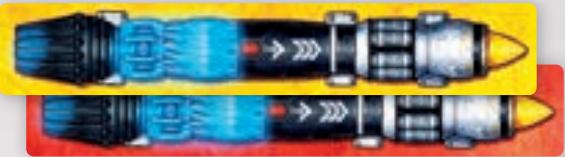
4 Hyper Accelerator Engines
The following modules may be added to the game either individually or together in any desired combination:
NAVIGATION TOKENS MODULE
This module can be played with either board and any other variant. This module shortens the length of the game by making board navigation easier.
SETUP
During setup, all players place the three navigation tokens of their color next to their player board. (For the dual spaceship variant, each player takes the navigation tokens for only one of their colors.)
GAMEPLAY
Once during the game, and only during your own turn, you may apply the feature on each token. Then, discard the token. You may use multiple tokens per turn.
Swap Your Hand

Discard all the cards from your hand to the face-up discard pile, then draw new cards from the deck.
Hyper Jump

Place your spaceship on any intersection (including space stations) that shows a hyper jump portal.
Take the Maximum Number of Energy Cubes

Take energy cubes to increase the number of cubes on the energy space of your player board to your current energy capacity.
HYPER ACCELERATOR ENGINE MODULE
This module can be played with either board and any other variant. It drastically changes the feel and strategic possibilities of the game.
SETUP
During setup, place the hyper accelerator engines within reach.
GAMEPLAY
At the end of your turn in which you upgrade your energy capacity to the maximum level (5), you must upgrade your spaceship with a hyper accelerator engine. The upgrade is permanent. Remove all the energy cubes, mission markers and space stations from the third row of your player board and place a hyper accelerator engine there to cover all the numbers.
From now on, you cannot take or use energy cubes. Instead, when the card you play allows you to take energy cubes, you may instead apply your hyper accelerator engine once during this turn. It should be treated like a card feature, meaning you can apply it in any order relative to the other card features. Other features (such as activated space stations or objective markers) that allow you to take cubes or upgrade your energy capacity have no effect and do not activate the hyper accelerator engine. You may choose not to apply this feature.


HYPER ACCELERATOR ENGINE
Fly your spaceship to any intersection that it can reach in a straight line from its current position.

ARTIFICIAL NEBULAS MODULE
This module can be played with either board and any other variant. It introduces permanent changes to the board (artificial nebulas) that block spaceship traversal and increase a planet's orbital speed.
SETUP
During setup, place the nebula chips within reach.
GAMEPLAY
Now, the card feature related to the artificial nebula shown on some cards comes into play. When you play such a card, you may place one artificial nebula chip onto any planet symbol of any one planet's orbit, provided the symbol has no planet and no spaceship (and no other artificial nebula chip) on it. The intersection with this symbol is then permanently occupied by an artificial nebula.
If a planet is advanced to a position that is occupied by an artificial nebula, it immediately advances further along its orbit to the next position that is free of artificial nebulas.
A spaceship may not fly onto or over an intersection with a planet symbol that is occupied by an artificial nebula. This also applies when the hyper accelerator cannon or the hyper accelerator engine is used.
In the rare case where the artificial nebula chips are used up, no more artificial nebulas can be placed.
ACKNOWLEDGEMENTS
Reiner Knizia thanks all the play testers who contributed to the development of this game, in particular Sebastian Bleasdale, Chris Bowyer, John Christian, David Farquhar, Martin Higham, Ross Inglis, Kevin Jacklin, Chris Lawson, Dorette Peters, Daniel Steel, and Stefan Willkofer.

WANT TO STAY IN TOUCH?
Subscribe to regular updates at www.bitewinggames. com/subscribe
© Dr. Reiner Knizia, 2025. All rights reserved.
© Bitewing Games LLC, 2025. All rights reserved.