
Anachrony Infinity Box
At a glance
Rules, cards and Q&A (Chinese)
The rules, card data and player questions for this game are written in Chinese. Open the Chinese page to read them.
Where to find full rules
Full rules and card lookup are available in the cunlema app at cunlema.cn — pick this game and ask about any rule, card or turn you are unsure about.
Related games
Rulebook text (Markdown)
This game has 10 rulebook Markdown file(s) in our library; 3 rendered inline below — expand to read or download.
Anachrony_Infinity rulebook-websafe-min.md122.2 KB
ANACHRONY
INFINITY BOX RULEBOOK
This rulebook collects the components and rules of all previously published game content.
The components and rules of all new modules can be found in their respective rulebooks.

MINDCLASH GAMES
www.mindclashgames.com
24x Energy Core tokens
COMPONENTLIST

1x Main board
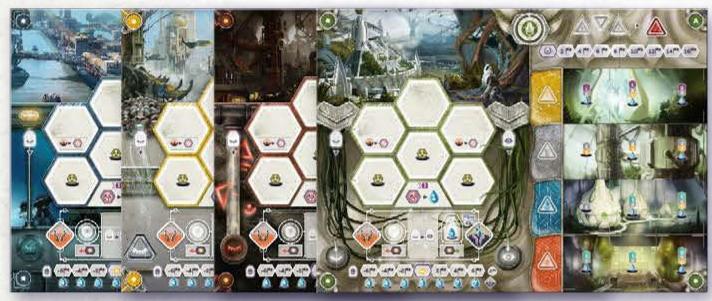
4x1 Player boards
Workers
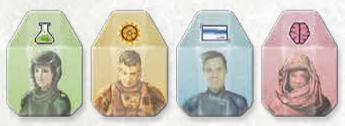
25x Scientist
25x Engineer
Resources (cubes/tokens)

15x Administrator
15x Neutronium (purple)
20x Gold (yellow)
15x Genius
20x Uranium (green)

25x Titanium (grey)
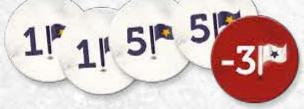
66x Victory Point tokens (30x 5 VPs and 35x 1 VPs, 1x -3 VPs)

30x "1 Water" drops (light blue) 10x "5 Water" drops (dark blue)
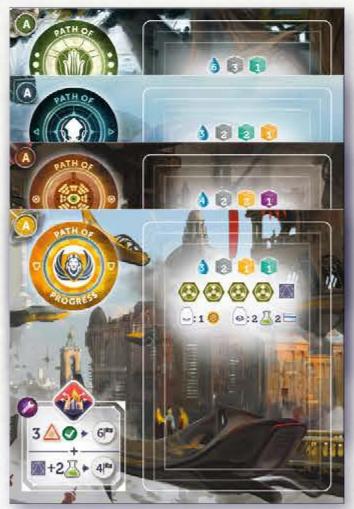
4x1 Dual-sided Path boards*
IMPORTANT: The Water, Resource and Worker general supplies are not considered limited. In the unlikely case the general supply runs out of Water or a Resource/Worker type, use proxies as replacements.
Player materials

4x9 Warp tiles (3x Workers, 4x Resources, 1x powered up Exosuit, 1x “2 Water")
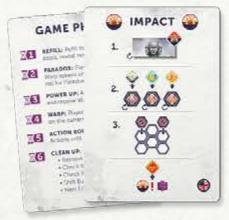
5x1 Dual-sided player aid cards
4x2 Leader cards*


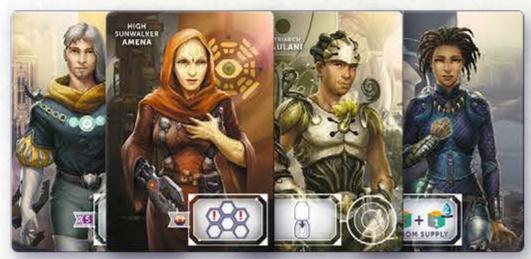
4x1 Player banners
6x2 Time Travel and Morale markers
4x8 Path markers
4x6 Hex-shaped Exosuit markers

*Some Path boards and all Leaders have been updated since Anachrony's first edition. These components are marked with this symbol.
4x15 Building tiles
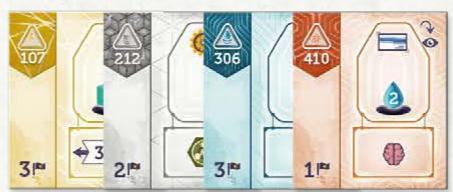
4x6 Exosuit miniatures
(Power Plants, Factories, Life Supports, Labs)
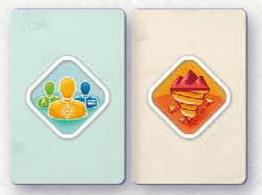
11x Recruit pool cards
11x Mine pool cards

18x Superproject tiles
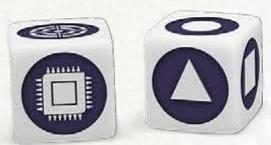
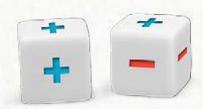
2x Research dice
12x Anomaly tiles
8x Endgame Condition cards
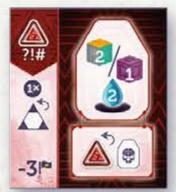
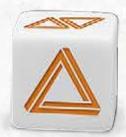
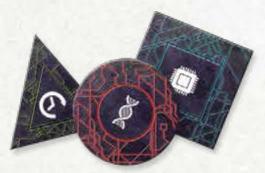
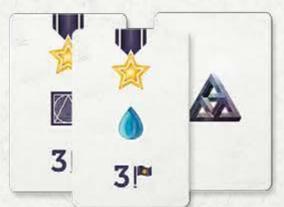
1x Paradox die

12x Dual-sided Timeline tiles 1x Impact tile
3x15 Breakthrough tiles

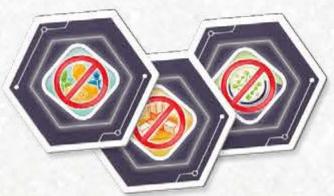
15x Collapsing Capital tiles
1x Dual-sided Evacuation Action tile
ADDITIONAL CUSTOM COMPONENTS

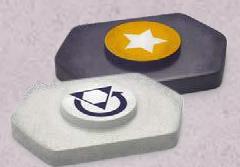
16x Starting Asset cards

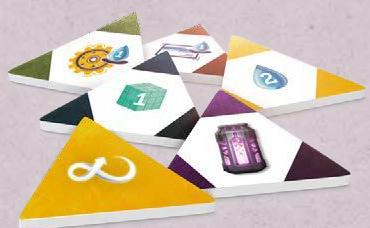
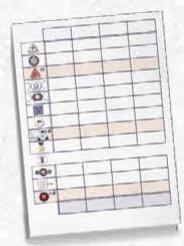
1x Scoring pad (Fractures of Time version)
9x "Hex Unavailable" tiles
4x2 Resin Time Travel and Morale markers

16x Paradox tokens
5x11 Plastic Warp tiles
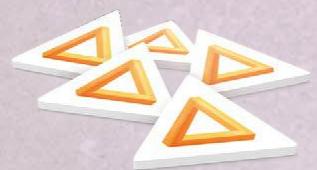
12x Plastic Paradox tiles
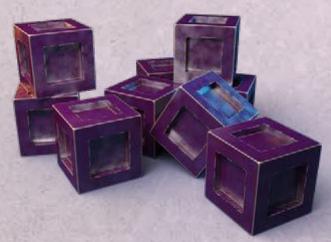
15x Metal Neutronium cubes

(Page 25)
DOOMSDAYMODULE COMPONENTS
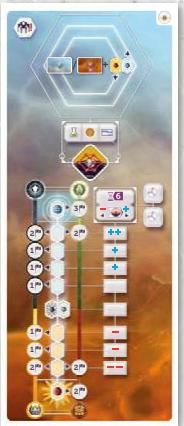
(Page 22)

1x "Save Earth" Tracker token (+1x spare) 1x "Seal Fate" Tracker token (+1x spare)
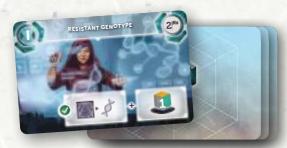
10x Level 1 Experiments
1x Doomsday board
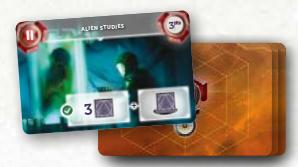

10x Level 2 Experiments
2x Trajectory dice
1x Endgame Condition card
THE PIONEERS OF NEW EARTH MODULE COMPONENTS
THE CHRONOBOT SOLO MODE COMPONENTS*
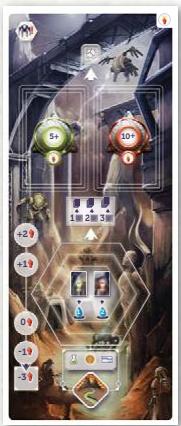
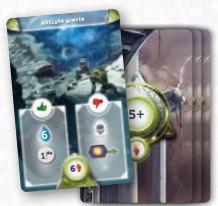
18x Adventure cards (5+)

18x Adventure cards (10+)

1x Adventure reference card


1x Adventure board
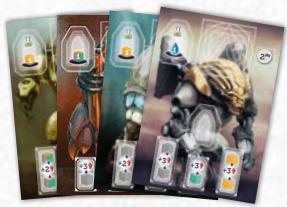
4x Exosuit Upgrade boards
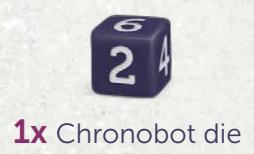
1x Adventure die
1x Endgame Condition card
GUARDIANS OF THE COUNCIL MODULE COMPONENTS (Page 28)

1x Guardian board


6x Guardian miniatures
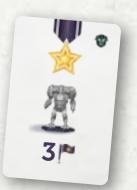
6x Hex-shaped Exosuit markers
1x Endgame Condition card
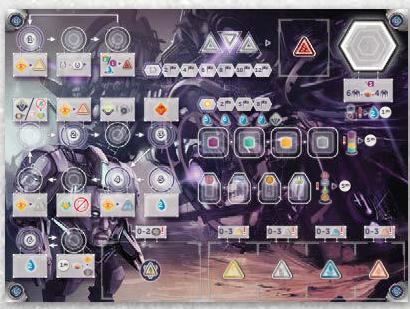
1x Chronobot board
(Page 32)

1x Chronobot banner
8x Chronobot Warp tiles
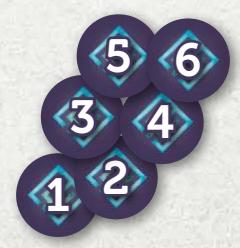
6x Chronobot tokens
*These components are for the original first version of the Chronobot Solo Mode. For the components of the new and improved the solo experience, see the separate Solo rulebook.


THE STORY SO FAR
The world has changed. It is the 26th century and New Earth is slowly recovering from the Day of Purgation: the day a mysterious, catastrophic explosion shook the entire planet. The majority of the population was exterminated, and most of the surface became uninhabitable. No one understood what really caused the apocalypse — the only thing the survivors could do was find shelter until the dust settled.
The remnants of humanity organized along four radically different ideologies, called Paths: the peaceful Path of Harmony, living in one of the few surviving cradles of nature blooming with flora and fauna; the stern Path of Dominance, ever cruising the oceans aboard their huge metropolis-ship, the Atlantean; the cunning Path of Progress, looking down on Earth from their city in the sky; and the devout Path of Salvation, dwelling in huge underground halls and chambers. Followers of the four Paths live in a fragile peace, but in almost complete isolation. Their only meeting point is the Capital, the last independent city on Earth, led by a global governing body: the World Council.
Many years later, explorers discovered a rich seam of an unknown substance at the desolate Ground Zero of the Day of Purgation. The durable and light Neutronium, as they named it, proved excellent as building material. To commemorate the 300th anniversary of the apocalyptic day, the World Council initiated the construction of five Monuments, made

entirely of Neutronium, representing the four Paths and the World Capital. When the celebration started, the delegations of the four Paths witnessed humanity's most life-changing event since the Purgation.
Time Rifts from the future opened on the Monuments, revealing the true power of the mysterious Neutronium: when exposed to energy, it is capable of opening wormholes through time. The connection with the future gifted humanity with unprecedented growth and prosperity, but also led to a grim realization: the Purgation was the result of the very first of the Time Rifts. The devastating energy of a future asteroid impact was transferred back in time due to the massive amount of Neutronium within the asteroid's matter. This impact is now looming on the horizon, threatening to devastate not only the past, but also the future.
With the assets of present and future at their disposal, each faction will do everything to prepare for the upcoming impact – and dominate Humanity's future as the one true Path.
Discover more about Anachrony's story and the Paths at www.mindclashgames.com!
GENERAL SETUP
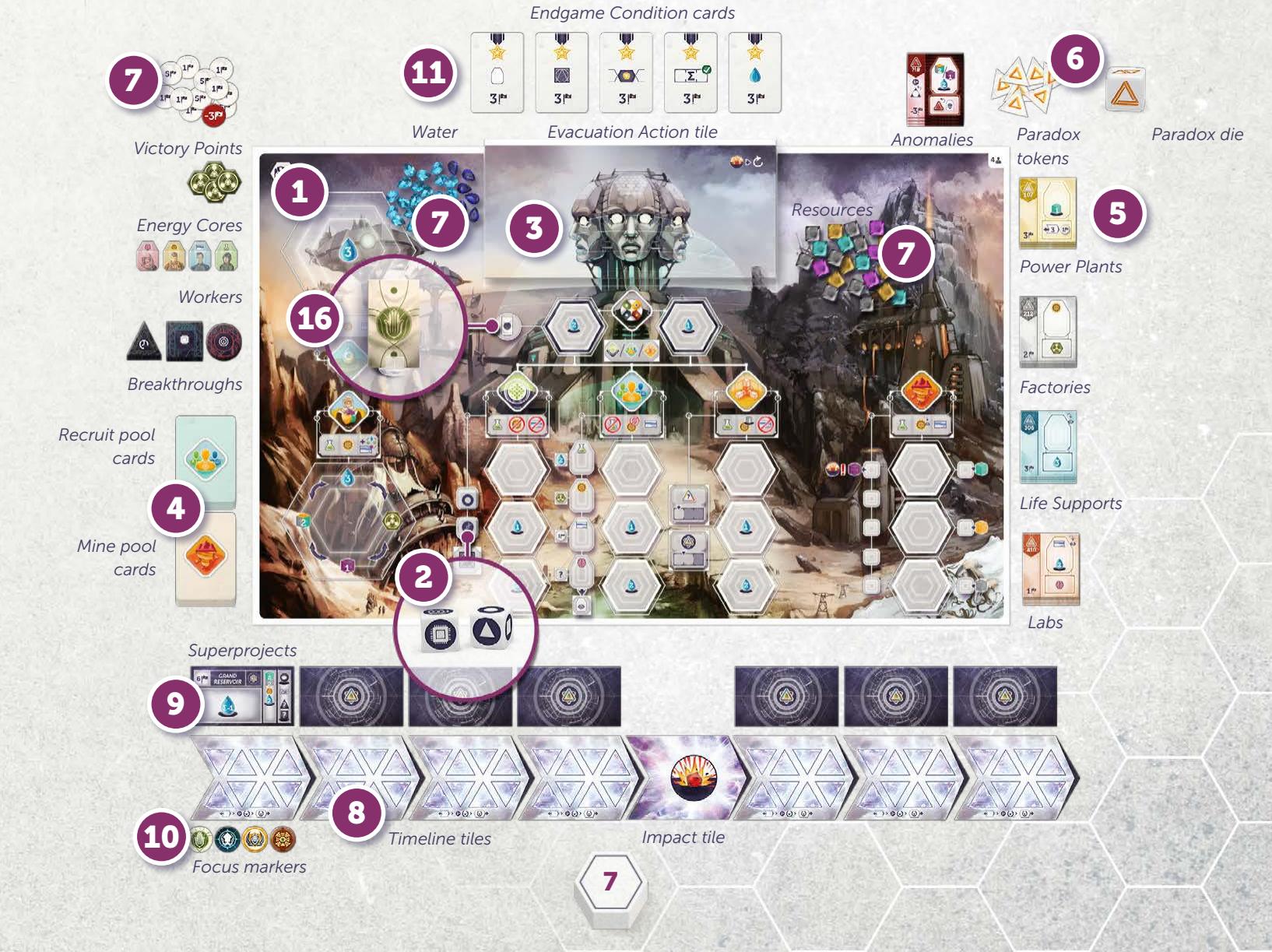
Place the Main board in the middle of the table. If playing with 2 or 3 players, use the side with only two Hexagonal slots for the Research, Recruit and Construct spots. Optional variant for 2 players, for a tougher game: Place a "Hex Unavailable" tile over the right World Council space.
Place the two Research dice on the indicated spots on the Main board.
③ Place the Evacuation Action tile on its respective space on the Main board, with its A (intact) side up.
Shuffle the 11 Recruit pool cards and 11 Mine pool cards into two face-down decks. Place them next to the Main board.
5 Separate the buildings into four stacks divided by type (Power Plants, Factories, Life Supports, and Labs) and shuffle each stack separately. These will be the primary stacks. Place them face up next to the Main board. The building on the top of each primary stack will be available to Construct during the game.
Place the Anomalies in a face-up stack. Place the Paradox die and Paradox tokens next to the Anomalies.
Place all Resources on the top-right side of the board, and all Water on the top left. Place all Workers, Energy Cores and Breakthroughs next to the Main board, across the board from the buildings. Workers can be sorted by type and Breakthroughs by shape for easier access. Place the Victory Point tokens within reach.
Arrange the Timeline tiles as depicted below in a straight line left to right below the Main board. This will be the Timeline. Place the Impact tile between the fourth and the fifth Timeline tiles.
Shuffle all Superprojects and randomly place one of them above each of the seven Timeline tiles. The first (leftmost) Superproject should be placed face up, the rest face down. Do not place a Superproject above the Impact tile. Return the remaining Superprojects to the box.
10 Place one of each player's Path markers below the leftmost Timeline tile. These will be their Focus markers.
11 Then randomly choose 5 Endgame Condition cards, and place them face up above the Main board.
PLAYER SETUP
12 Each player picks a Path to play, and receives its respective Player board. Players may choose whether they use the A side or B side-all players must use the same side. Give players the coloured components matching their Path color (6 Exosuits, 9 Warp tiles, 8 Path markers and the Morale and Time Travel markers). We recommend playing the symmetric A side first before getting to know the asymmetric B sides.
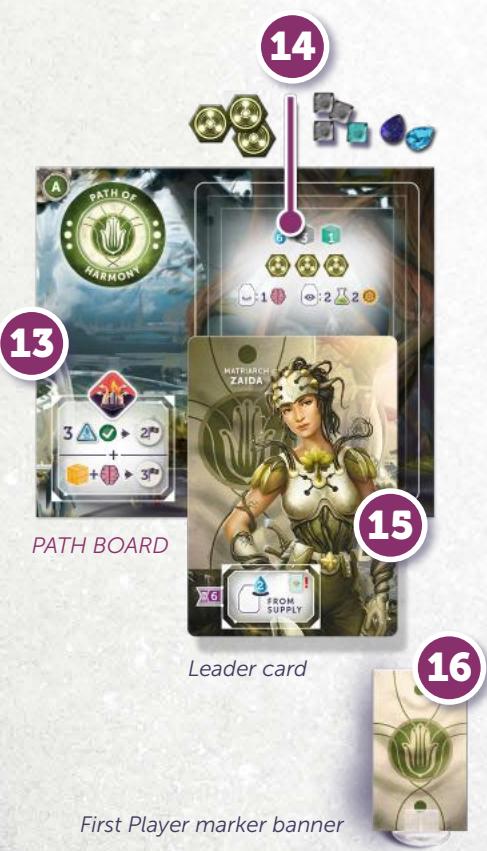
13 Place the Path board belonging to their chosen Path in front of each player, with a randomly chosen side up. Each side has a different Evacuation condition printed on it, which is scored when the player takes the Evacuation Action.
14 Give all players their starting Resources, Water, Energy Cores and anything else indicated on their chosen Path board. The Path of Progress receives its starting Breakthrough at random. Place the starting Workers in the Active and Tired columns (as indicated) and set the Morale and Time Travel markers to their indicated starting positions.
15 Each player must pick one of the two Leader cards available to their Path. Place the chosen Leader on the designated spot on the Path board.
16 Give each player their Player banners (in their plastic standees), and place them in front of them. The player who most recently had a "déjà vu" becomes First Player: place their Banner on the designated space next to the World Council Action spaces. Finally, players in a clockwise order starting from the First Player receive 0/1/1/2 Water.
Time Travel marker
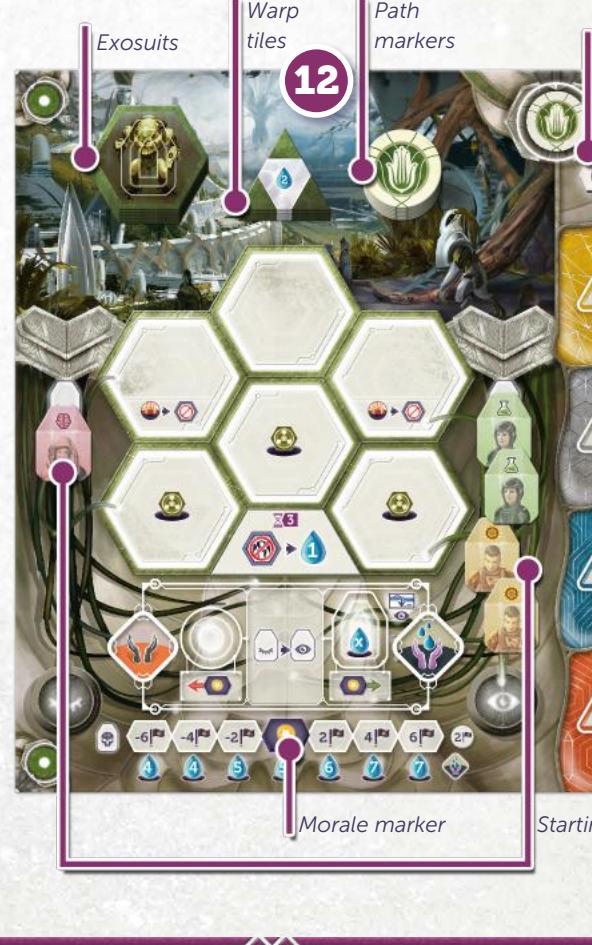
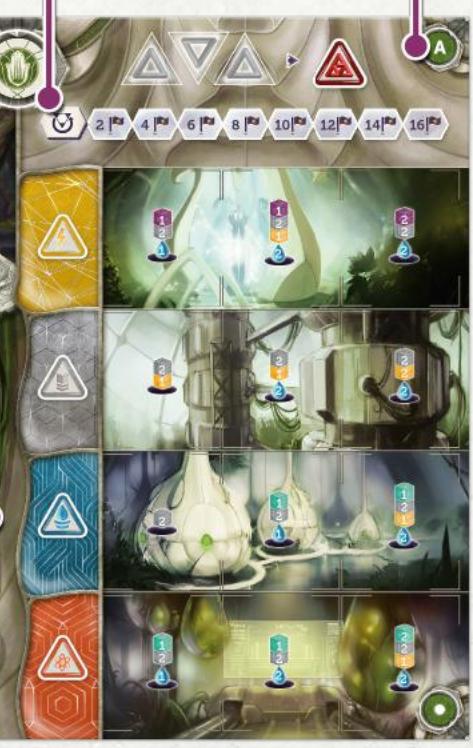
PLAYER BOARD
GAME OVERVIEW
In Anachrony, you are the Leader of one of New Earth's ideological Paths: Harmony, Dominance, Progress and Salvation. Your ultimate goal is to prepare for an upcoming asteroid impact, secure the future of your people, and overcome the other three Paths as the dominant ideology in shaping humanity's future.
The game is played through up to seven rounds, called Eras, each symbolizing several years. After the fourth Era, the asteroid impact occurs, changing how the remaining Eras play out, and triggering the countdown to the game end. Anachrony is centered around three game concepts: powering up and using Exosuits, taking Actions with Workers,
and using Time Travel. In this section, we give a short overview of these concepts—details of the gameplay will be described in the subsequent chapters.
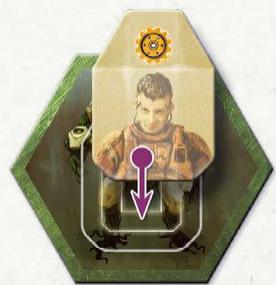
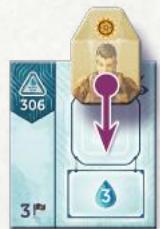
Exosuits: At the beginning of each Era, each player may choose to power up up to 6 Exosuits. This potentially costs Energy Cores. The number of Exosuits determines how many Actions you can take on the Main board (they protect your Workers as they venture out of the safety of your Path's Capital).
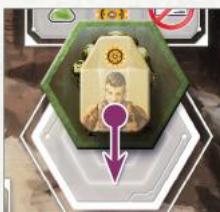
Taking Actions with Workers: The Action rounds phase is the heart of each Era, when players alternate taking Actions using their Workers. A Worker may be used individually (on your Player board) or in an Exosuit (on the Main board). Usually, Workers used to take an Action during the Action Rounds phase become tired at the end of the Era.
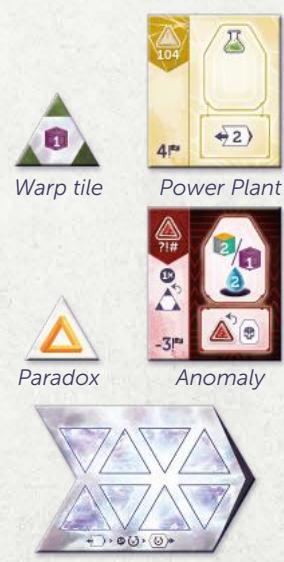
Timeline tile
Time Travel: Thanks to the Time Rifts, humanity can now use Time Travel to boost its progress: at the beginning of each Era, in the Warp phase, they may request resources and manpower from their future— this is symbolized by the Warp tiles placed on the Timeline. Later, however, these assets have to be sent back to the past to close the loop-this is done with Power Plant buildings that power up your Time Rift and open its Focus to a past Era. The later the assets are returned to the past, the more likely they are to cause temporal Paradoxes, and ultimately Anomalies.
The game ends with a Victory Point scoring after the collapse of the World Capital due to the asteroid impact. There are a number of ways to score Victory Points, with the most important ones being constructing Buildings and Superprojects, making scientific Breakthroughs, using Time Travel, achieving a high Morale, and evacuating the collapsing World Capital.
GAME TURN-ONE ERA OFPLAY
Each Era is comprised of the following phases, in this order:
Preparation phase—Reveal the Superproject above the next Timeline tile, shift the building stacks, fill up the supply of Workers and Resources available for this Era.
82 Paradox phase—Players who excessively strained the Timeline with Warping have to roll for Paradoxes. This phase is skipped in the first Era.
Z3 Power up phase—Players may power up Exosuits, allowing their Workers to perform Actions on the Main board.
4Warp phase—Players may place Warp tiles on the current Timeline tile to bring assets from the future to the present.
Z5 Action rounds phase—Players alternate taking Actions on their Player boards and the Main board until everyone has passed.
Z6 Clean up phase—Retrieve Workers and Exosuits from the Action spaces, check for Impact and game end, and set the players' Focus marker on the next Era.
1PREPARATION PHASE
Reveal Superproject: Flip the Superproject above the next Timeline tile face up (i.e., the tile right to the current one). Example:

Shift building offers: Place the top building of each primary stack face up next to it to form a secondary stack (one for each of the four building types). If there are buildings in the secondary stack already, place the newly shifted one on top of them, covering the previous top one
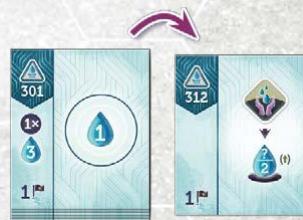
The top buildings of each primary and secondary stack are available to Construct during the Action Rounds phase.


Example: Paradox phase
Checking order
Determine available Workers: Remove any remaining Workers from the Recruit pool. Draw the top card of the Recruit pool deck and place the four Workers depicted on the card on the respective Recruit pool slots next to the Recruit Action. Workers of the same type are stacked upon each other.
Determine available Resources: Remove any remaining Resources from the Mine pool. Draw the top card of the Mine pool deck and place the five Resources depicted on the card on the Mine pool slots to the left of the Mine Action. Finally, place a Uranium, a Gold and a Titanium on the respective slot next to each Mine Hex space.
IMPORTANT: After the Impact, ignore the topmost Resource on the drawn card, and always place a Neutronium on the topmost slot instead.
PARADOX PHASE
NOTE: The Paradox phase is only relevant from the second Era onwards. For reading this rulebook and teaching the game, we suggest skipping this phase for the first time until you are familiar with the concepts of Warping (Phase 4) and Time Travel.
Paradox rolls
Starting from the left, check every Timeline tile with at least one Warp tile on it. For each tile, the player(s) with the most Warp tiles on it must roll the Paradox die once, and receive the rolled number of Paradox tokens (0, 1 or 2). If there is a tie for the highest number of Warp tiles on a Timeline tile, all tied players have to roll.
Anomalies
Anomalies are strange and dangerous faults in the fabric of time that cover building spots but do not count as buildings. Each Anomaly still in place at the end of the game is worth -3 Victory Points.

A player receiving a third Paradox token (by any means) is immediately affected by an Anomaly. When this happens, they:
• Stop rolling for Paradoxes (if they had remaining rolls).
Return all their Paradox tokens to the supply (even if they have more than 3 tokens at this time).
May choose to retrieve one of their Warp tiles from any Timeline tile back to their personal supply (only after all players' Paradox rolls have been resolved).
Take an Anomaly tile from the stack and place it on the leftmost free building spot of their Player board (the player may choose on which row if several are tied).
Any Anomaly tile remaining on a Player board at the end of the game is worth -3 Victory Points for that player.
NOTE: If players prefer predictability, they may agree not to use the Paradox die at all, and simply receive 1 Paradox whenever they would roll it.
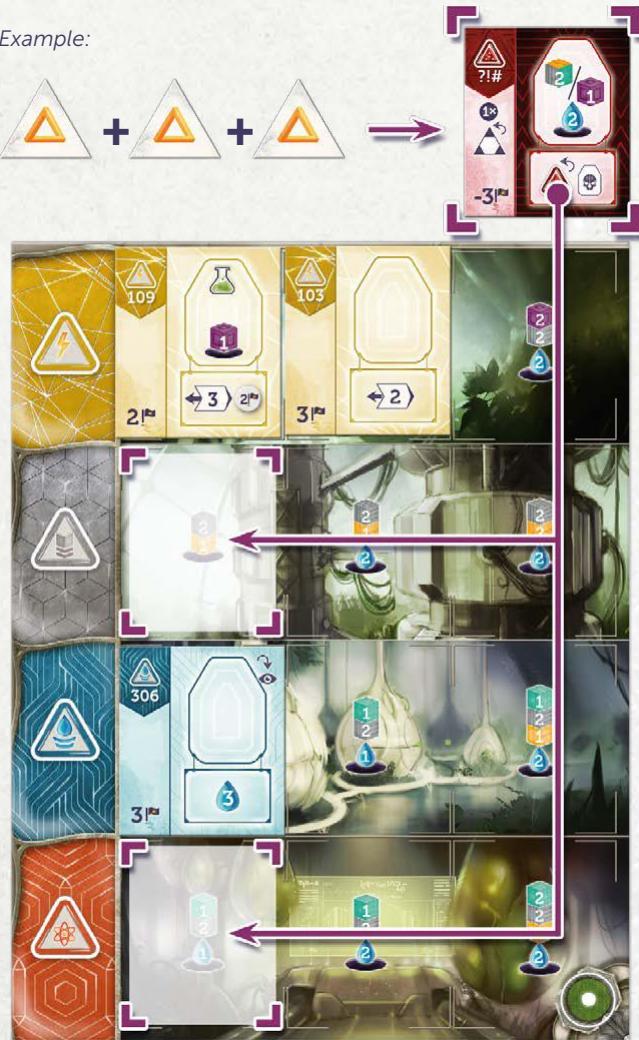
NOTE: If there are no free building spots, the player must place the Anomaly on top of any of their buildings. That building is not available until the Anomaly covering it is removed.
NOTE: Certain abilities in the game may raise the limit of Paradoxes above three.
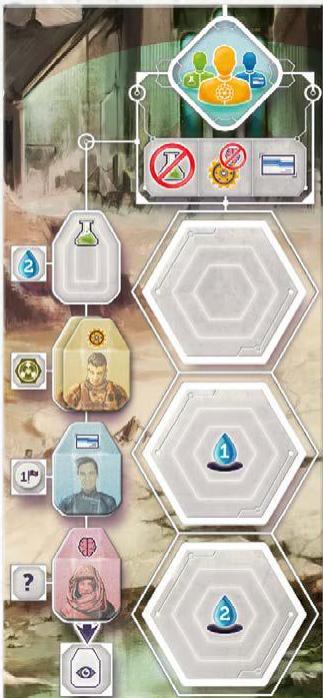
In this phase, players may power up their Path's Exosuits, which will help their Workers survive the harsh conditions of New Earth on their way to taking Actions on the Main board.
In a clockwise order starting with the First Player, each player:
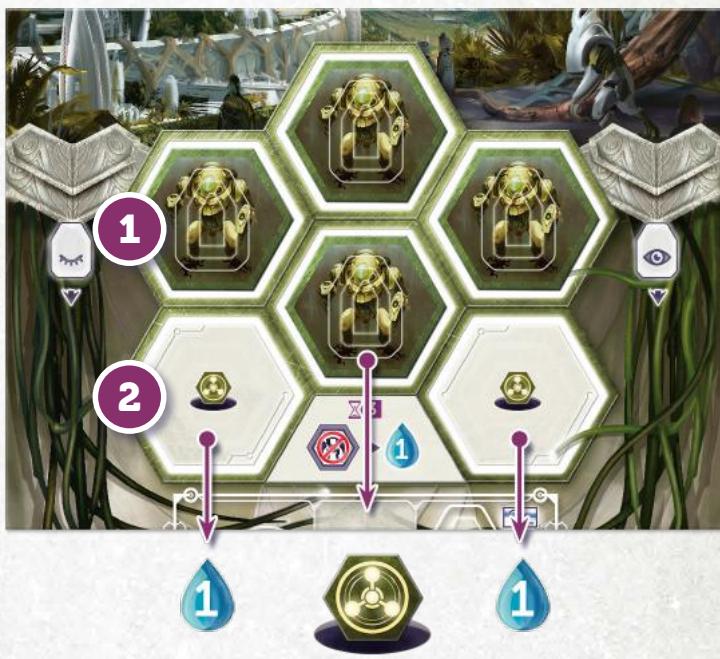
Places up to 6 of their Exosuits on the Hex slots of their Player board (one Exosuit per slot), paying 1 Energy Core for each one placed on the three bottom slots.
② Then receives 1 Water for each remaining empty Hex slot.
Example:
NOTE: To speed up the game, players can agree to power up their Exosuits simultaneously instead of in turn order.
NOTE: After the Impact (see "Impact" on Page 20), two of the top three Hex slots will be covered and unavailable. No Exosuits can be placed there, nor do they produce any Water income.
4WARP PHASE
Thanks to the Neutronium brought to Earth by the original cataclysm, Time Travel is now possible. Thus, every Era, players may decide that they will receive something from the future. A decision is all it takes; the desired good appears immediately. But it doesn't come for free—a few Eras later it will be the players' turn to fulfill the claim to their past selves, and send the goods back, or else risk tearing holes in the time-space continuum.
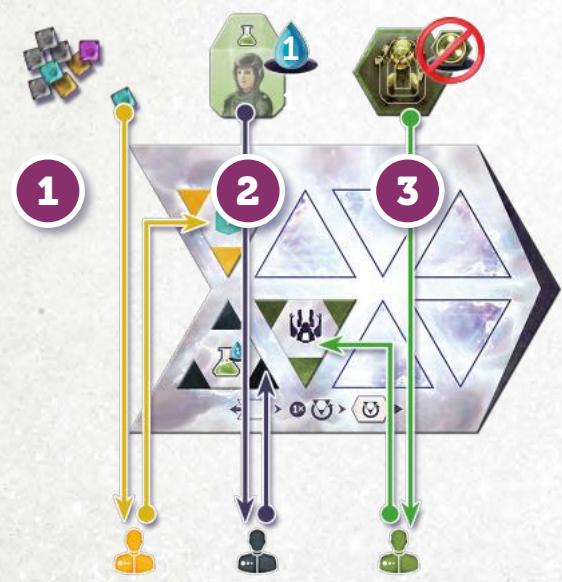
Each player secretly hides 0-2 Warp tiles in their hand (hide the other Warp tiles to maintain secrecy). Reveal them simultaneously and place them on the present Timeline tile (the order is not important). In player order, each player immediately receives any asset shown on the selected Warp tile(s). Each tile placed on the Timeline can be recovered later (see “Power Plant buildings: Time Travel and Focus" on Page 18) and used again.
① Warped assets are taken from the common supply.
Each Worker requires paying 1 Water to be warped in (sending people through the Time Rift seriously strains them), or else that Warp tile cannot be chosen. However, paying with Water warped in together with the Worker is possible. Warped Workers are put in the player's Active column.
3 Warped Exosuits are placed on one of the Hex slots of the Player board, even on an Exosuit Hex Unavailable tile.
Example:
Example:
5ACTION ROUNDS
This is the main phase of the game. Play goes in rounds in clockwise order starting from the First Player. On their turn, a player may perform any number of Free Actions, then do one of the following:
Place one Worker on any empty Worker space on the player's own Player board (typically on buildings, Superprojects or Anomalies) and perform its Action.
②Place one Worker with an Exosuit on a Hex space or Hex pool space on the Main board and perform its Action.
3 Pass, not placing any more Workers during the Era.
Once all players have passed, proceed to the Clean up phase.
IMPORTANT: Free Actions
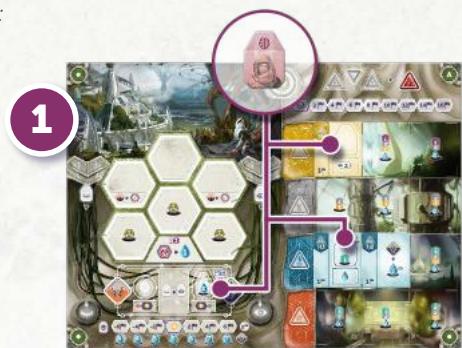
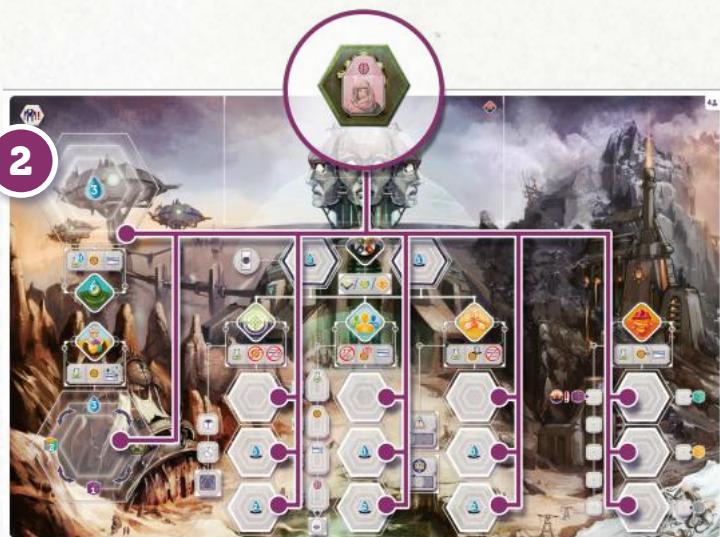
Free Actions may each be performed once per Era, during any of the player's turns. When used, cover the Free Action spot with a Path marker as a reminder that it has already been performed. Using a Free Action doesn't end the player's turn-they may also place a Worker (or pass) in that same turn. Path markers are not considered limited—in the unlikely case a player runs out of them, use a suitable substitute.
Free Actions typically appear on buildings and Superprojects, but Force Workers and certain Leader Abilities are Free Actions as well.

6CLEAN UP PHASE
A) RETRIEVE WORKERS
Retrieve every Worker from every Exosuit on the Main board and all Workers placed on the Player boards' Worker spaces. If the Action was marked Motivated, place the Worker in its owner's Active column (to the right of the Supply Action space); otherwise place it in the Tired column (to the left of the Supply Action space).
Example:
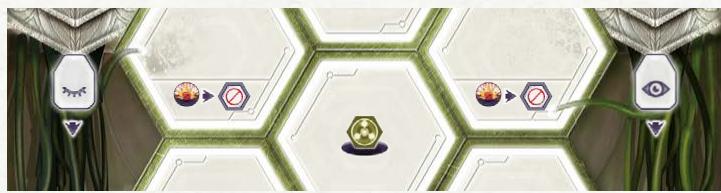
Tired column
Active column
Retrieve every empty Exosuit from the Main board and place them into each players' personal supply (NOT on the Hexes on the Player boards—the Exosuits need to be powered up again).
IMPORTANT: After the Impact, if an Exosuit is retrieved from a Collapsing Capital Hex space tile, flip the tile to its Hex Unavailable side.
Finally, all players retrieve all Path markers from their Free Action slots, so they can be used again in the next Era.
B) CHECK FOR IMPACT
The Impact occurs during the Clean up phase of the fourth Era. Proceed to the "Impact" rules (Page 20) to resolve it, then continue from here.
C) CHECK FOR GAME END
If any of the below conditions are met, the game ends immediately at this point. Proceed to “Ending the Game" rules (Page 21) for final scoring (and skip step D).
The Capital's infrastructure has collapsed: All Collapsing Capital Actions have been flipped to their Hex Unavailable side.
It is the 7th Era.
D) NEXT ERA
If there are unused Exosuits left on the Player boards' Hexes at this point, return them to their personal supply. Move each player's Focus marker to the Timeline tile corresponding to the next Era (further details at "Power Plant buildings: Time Travel and Focus", Page 18). Each Era begins with that Timeline tile in Focus for each player. Proceed with the next Era. The First Player will still be the same as in the previous Era, unless another player took the respective World Council Action.
ACTIONS
WORKERS AND ACTION SPACES
There are four different types of Workers in Anachrony: Engineers, Scientists, Administrators and Geniuses. Workers are placed on Action spaces and take Actions, either on the Main board (with Exosuits) or the players' own boards. Some of these Worker types excel at certain Actions, while being unable to perform others.
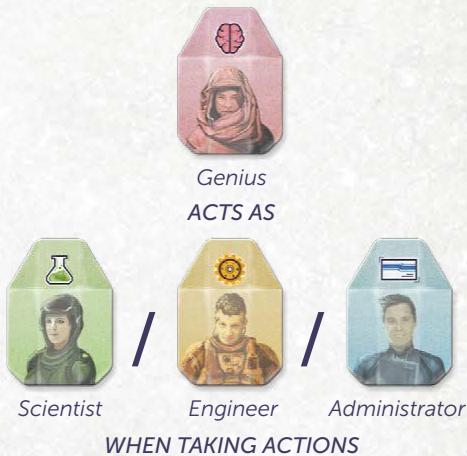
The Genius is a special Worker that may be used as any Worker type when placed.
IMPORTANT: The Genius may NOT be used instead of other Workers when paying a non-Genius Worker cost or retrieving Worker Warp tiles via Time Travel.
A player's Worker is considered Active while it is in the Active column on the Player board (as opposed to being busy on a board, or in the Tired column). Only Active Workers can be used for performing Actions or returned to retrieve Warp tiles via Time Travel. However, both Active and Tired Workers can be used to pay Worker costs (typically on Superprojects).
There are three distinct kinds of Action spaces in the game:
Example:
Hex spaces: On the Main board, Action spaces are Hex-shaped since Workers must be placed on them in a poweredup Exosuit. A Hex space on the Main board becomes unavailable for the rest of the Era once a Worker has been placed there. Different Hex spaces associated with the same Action do not have to be occupied in any specific order.

②Hex Pool spaces: Hex Pool spaces
work similarly to Hex spaces, with the exception that they are always available and any number of Workers may be placed on them (in an Exosuit).
Example:


3 Worker spaces: On the Player boards (including buildings, Superprojects and Anomalies), Worker spaces may only be used once per Era. Workers do not need Exosuits to be sent to these spaces.
Example: Worker spaces

As additional features associated with Action spaces, some of them:
Have Worker restrictions-Only Workers of the pictured types (or Geniuses) may be placed on them.
Give additional benefits if a specific type of Worker (or a Genius) is placed on them.
Have an associated (Water or Resource) cost-These assets must be spent in order to place a Worker on them.
Keep Workers "Motivated"—Workers on these spaces are placed in the Active column during the Retrieve Workers phase.
The detailed rules and Worker restrictions of each Action are described in the subsequent chapters.

MAIN BOARD ACTIONS
Capital Actions: Construct, Recruit and Research are Capital Actions. After the Impact, Capital Action spaces are covered by Collapsing Capital tiles providing improved space-related features, whereas the usual Worker-related restrictions and benefits still apply (see “Impact" for details, Page 20). Only Capital Actions can be copied with the World Council Action (see later).
Capital Actions each have 3 available Hex spaces:
Upper space—no modifiers.
Middle space—must pay 1 Water.
Lower space—must pay 2 Water (available in 4-player games only).
CONSTRUCT

Choose one of the following two options:
Select a face-up building from the top of any of the 8 building stacks (primary and secondary stacks of each building type), then place the building on the leftmost empty spot of its respective row of your Player board, paying the costs indicated on the spot.
If there are no empty spots for a building type, you may not build any more buildings of that type.
If a building was selected from the primary stack, the building underneath becomes immediately available.
If a building was selected from the secondary stack, if there is a building underneath it, it becomes immediately available (again).


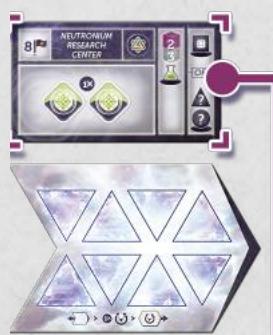
Build the Superproject in Focus (i.e. the one above the Timeline tile where your Focus marker is). By default, this is the current Era's Timeline, but Focus can be changed via Time Travel. Place the Superproject on the two leftmost horizontally adjacent free spots of your Player board (you may choose which row to place it on if several rows are tied). Ignore the costs printed on the spots, and instead pay the costs indicated on the Superproject itself (including Breakthroughs). If a Superproject has a Worker in its construction cost, the Worker can be paid from either the Active or Tired columns.
Example:

Worker specifics
May not be activated by an Administrator.
If activated by an Engineer, subtract 1 Titanium from the total cost of the Action.


RECRUIT
Select a Worker from the Recruit pool and add it to the Active column of your Player board. You also receive a bonus based on the type of the Worker chosen:
Scientist: 2 Water.
• Engineer: 1 Energy Core.
Administrator:1 Victory Point.
Genius: Any one of the above three bonuses.

Worker specifics
May not be activated by a Scientist.
If activated by an Engineer, you may not select a Genius (only a Scientist, an Engineer or an Administrator).

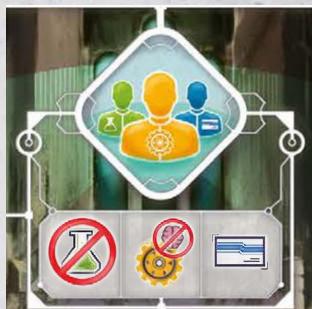
RESEARCH
Set one Research die (shape or icon) to the face of your choice, and roll the other. Take a Breakthrough tile with the shape and icon shown by the dice. The "?" on the icon die stands for any icon of your choice. You may not set the icon die to its "?" face.
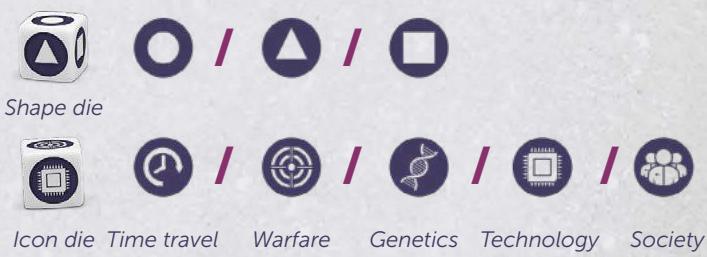
Example:
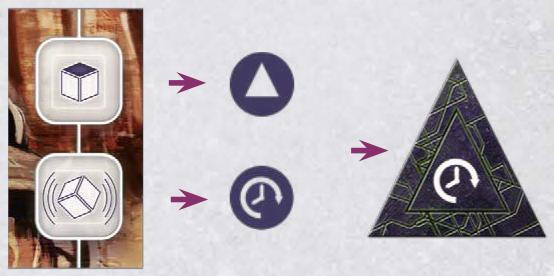
NOTE: In the unlikely case the rolled Breakthrough is not available, reroll one die of your choice.
Worker specifics
May only be activated by a Scientist.


WORLD COUNCIL
You may choose a Capital Action (Construct, Recruit, Research) with no more available spaces and perform it.
Worker restrictions and benefits of the copied Capital Action apply for the Worker placed on the World Council, but space-related features (e.g. Water costs on Hexes and Collapsing Capital tile bonuses) do not.
Example:
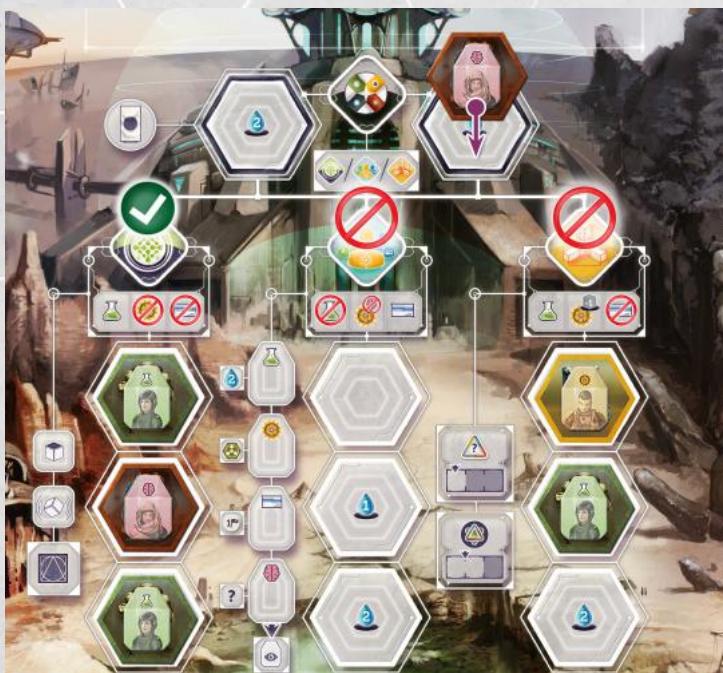
NOTE: In order to become First Player, you may place a Worker on the left World Council space even if there are still available Worker spaces in all Capital Actions. In this case, you become the First Player, but otherwise do not get to perform an Action.
Worker specifics
Worker restrictions and/or bonuses of this Action are the same as those of the copied Capital Action.
World Council has 2 available Hex spaces:
Example:
Left space-must pay 2 Water and become the First Player (replace the previousFirst Player's banner on the spot next to this Action space).

Example:
2 Right space—must pay 1 Water.
IMPORTANT: After the Impact, Capital Actions can still be copied through the World Council as usual. At that point a Capital Action may be copied even if each of its spaces are either occupied by an Exosuit or covered by a Hex Unavailable tile.
MINE RESOURCE
Take 1 Resource of your choice from the Mine pool Worker specifics
• If activated by an Engineer, he is kept Motivated.
Mine Resource has 3 available Hex spaces:
Upper space-take a Uranium in addition to the Resource taken from the Mine pool.
Middle space-take a Gold in addition to the Resource taken from the Mine pool.
③ Lower space-take a Titanium in addition to the Resource taken from the Mine pool.

PURIFY WATER

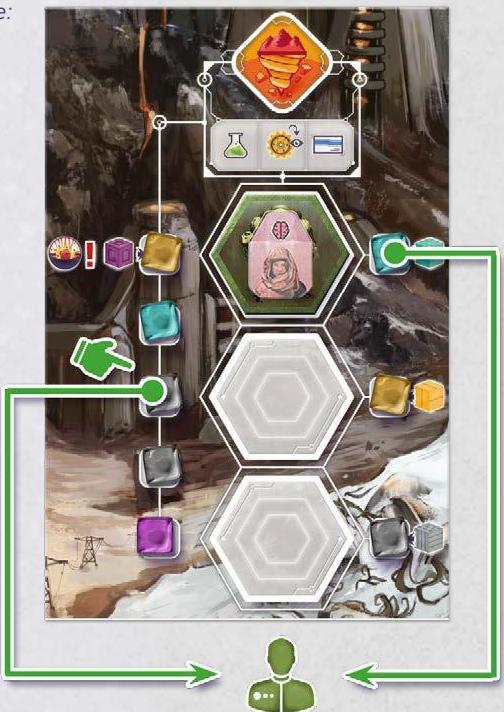
Take 3 Water from the supply.
Worker specifics
If activated by a Scientist, take 1 additional Water.
Purify Water has a Hex Pool space, where any number of Workers can be placed.

TRADE WITH NOMADS
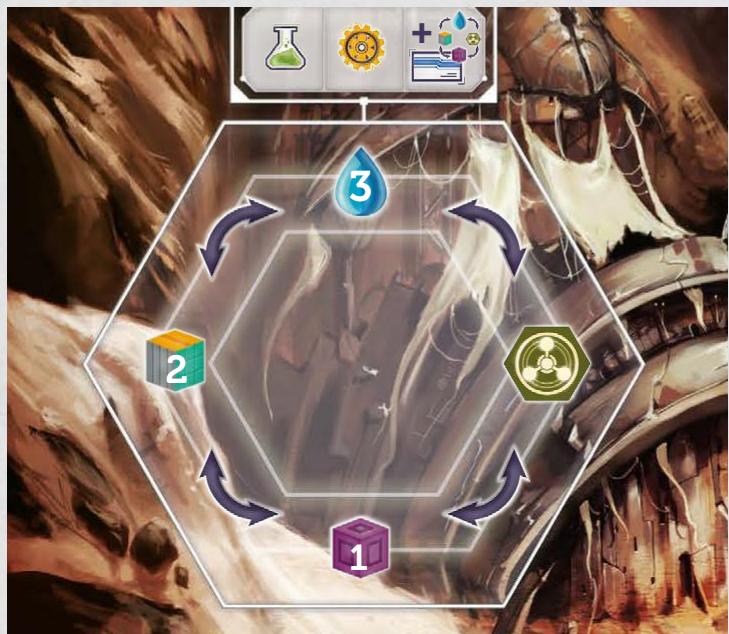
You may choose one of the following:
• Exchange 3 Water to 1 Energy Core; or vice versa.
• Exchange 1 Energy Core to 1 Neutronium; or vice versa.
Exchange 1 Neutronium to any 2 of Titanium, Uranium, or Gold; or vice versa.
Exchange any 2 of Titanium, Uranium, or Gold to 3 Water; or vice versa.
Worker specifics
If activated by an Administrator, you may choose from the above options twice (one after the other).
Trade with Nomads has a Hex Pool space, where any number of Workers can be placed.

EVACUATION
This Action space will only be available after the Impact. It may only be taken by each player once per game, and only if they meet the condition stated on their Path board.
Place one of your Path markers on the uppermost free numbered slot on the tile and receive the Victory Points specified on your Path board under the Evacuation condition. If you placed your Path marker on the spot with the -3 Victory Points marker, you receive 3 less Victory Points for your Evacuation (to a minimum of 0). The maximum number of Victory Points that can be received for the Evacuation Action is 30.
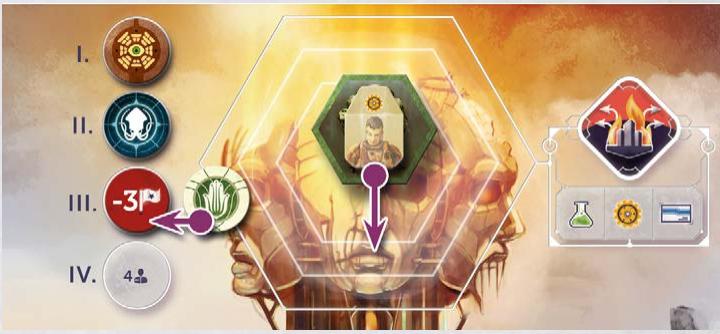
The Path board also addresses specific assets and a related Victory Point ratio. You receive additional Victory Points based on the amount of that asset you hold when you take the Evacuation Action. After scoring, you keep these assets.
Worker specifics
The Evacuation Action can be taken by any Worker. Evacuation has a Hex Pool space, where any number of Workers can be placed, but each player may only take this Action once per game.
Example:
All spaces on the Player boards are either Worker spaces or Free Actions—Exosuits are not needed to activate them.

SUPPLY
The Supply Action is printed on every Player board between the Active and Tired columns. Spend Water equal to the number printed on the Water symbol below your current position on the Morale track , then move all of your Workers from the Tired column to the Active column ② (ready to be used in later Action rounds of the same Era). Finally, advance one step on the Morale track (to the right). If you are already at maximum Morale, you receive a number of VPs indicated at the right end of the Morale track instead of advancing on it.

• If activated by an Administrator, he is kept Motivated.
FORCE WORKERS
The Force Workers Action is printed on every Player board between the Active and Tired columns. Force Workers is a Free Action, and requires no Worker. Place one of your Path markers on the slot , then move all of your Workers from the Tired column to the Active column , (ready to be used in later Action rounds of the same Era). Finally, you fall back one step on the Morale track ③, (to the left). If you are already at minimum Morale, you lose a Worker of your choice instead of falling back on the Morale track. Example:

POWER PLANT BUILDINGS: TIME TRAVEL AND FOCUS
Power Plant buildings allow manipulation of time by powering up the Time Rift. Players can activate them to turn the Focus of the Time Rift to an earlier Timeline tile. Each Power Plant has a strength and complexity rating expressed in game terms as its range. When you activate your Power Plant, you may execute the following steps, in this order:
Move your Focus marker onto any past Timeline tile no further to the left than the Power Plant's range. (Measured from the current Era's Timeline tile, ignoring the Impact tile. Ranges are not cumulative.) You may also choose to leave your Focus marker on the same past Timeline as long as it is in range of the Power Plant used. You may never end up with your Focus marker in the current Era after using a Power Plant.
2 You may optionally send an asset back through the Time Rift. Select one of your own Warp tiles present on the Timeline where the Focus was set to, and spend the Resource/Water/Worker/Exosuit on that Warp tile. Finally, remove the Warp tile corresponding to the spent asset from the Focused Timeline tile and return it to your personal supply.

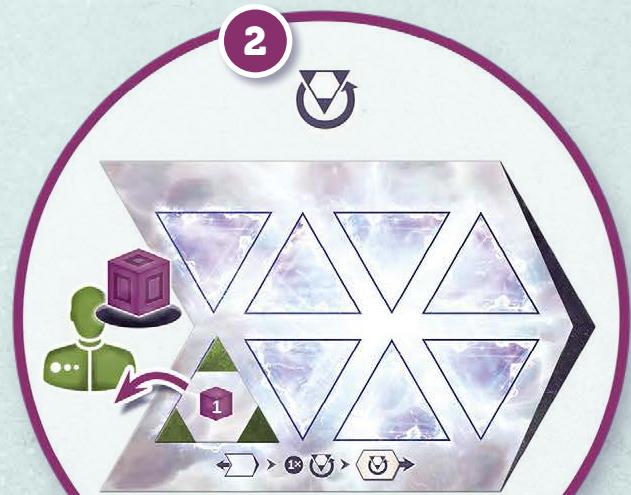
NOTE: This represents the assets being sent back in time, and “technically" these goods being spent are the very same goods you received in the past, seemingly “for free”.
IMPORTANT: Workers must be spent from the Active column and an Exosuit must be sent back poweredup (from one of the Hexes on the Player board).
3 If you executed both steps and , move your Time Travel marker on your Player board one step to the right. Each step on the Time Travel track will be worth Victory Points at the end of the game, representing the advances the Path has made in using Time Travel technology.
IMPORTANT: If a Warp tile is removed through any other way (by using a building's retrieve ability or when placing an Anomaly), the Time Travel marker is not moved.
NOTE: Superprojects of earlier Eras can be built by using the Construct Action as long as they are in Focus (see the Construct Action).

A building spot can occasionally be covered by an Anomaly (see “Paradox phase"). As an Action, a player may place a Worker on an Anomaly and spend either 2 Titanium/ Uranium/Gold plus 2 Water or 1 Neutronium plus 2 Water to seal it. Remove the Anomaly and the Worker immediately and place them back in their respective general supplies. It is possible that gaps might appear on the Player board because of removing an Anomaly—new buildings or even Superprojects can be constructed there later.


Worker specifics
The Worker placed on (and thus removing) the Anomaly is immediately returned to the general supply.
OTHER BUILDINGS AND SUPERPROJECTS
Once a building or Superproject is placed on a Player board, it is available for use to its owner. The abilities and benefits they provide fall into one of four categories:
Worker Actions behave just like any other Player board Worker space. Some Action spaces may have Worker restrictions or benefits, or costs associated with taking them. Some may keep the Worker Motivated.
Free Actions may each be performed once per Era during any of the player's turns in the Action Rounds phase, up to and including the turn the player passes. When used, cover them with Path markers to remember they have already been performed.
3 Passive abilities provide a benefit that remains in effect throughout the game and/or influences the final scoring.
④ One-time abilities are performed once, when the building or Superproject is built.

Details of specific buildings and Superprojects can be found in the Appendix.
IMPACT

At the end of the 4th Era, the asteroid impact hits a desolate part of the Earth, initiating a cataclysm that will eventually destroy the Capital. Players only have a few turns to do what they have to and attempt to evacuate parts of the city, securing further influence in deciding humanity's future.
EVACUATION
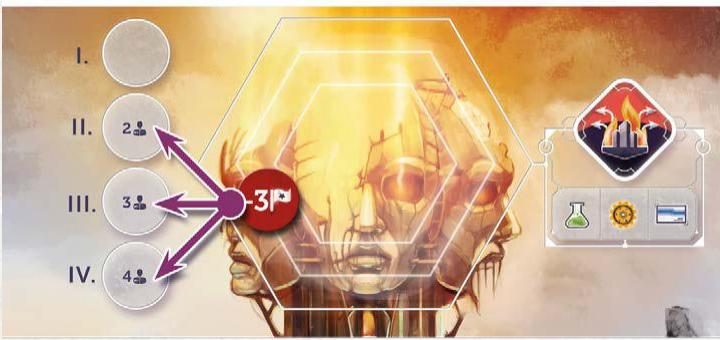
Turn the Evacuation Action tile to its "B" (damaged) side, revealing the Evacuation Action. In a 2/3/4 player game, place the "-3 Victory Points" marker on the second/third/ fourth spot from the top.
COLLAPSING CAPITAL TILES
After the Impact, the Capital's structures begin to fail. Because of this, the number of Capital Actions (Construct, Recruit, Research) players can take for the remainder of the game will be strictly limited.
Separate the Collapsing Capital tiles by their Action into three piles. Select 2/2/3 Hexes randomly from each pile (for 2/3/4 players) and place them on the Capital Actions Hexes, with their available side face up.
The Collapsing Capital tiles provide stronger, "last ditch" versions of the Capital Actions (Worker restrictions still apply). In addition to taking the Capital Action, the player also receives the bonus depicted on the tile. A detailed list of these bonuses can be found in the Appendix.

In the Retrieve Workers step of the Clean up phase, flip each Collapsing Capital tile to its unavailable side if an Exosuit was retrieved from it.
REMINDER: Once the last Collapsing Capital tile is flipped this way, the game will end at the end of the current Era.
IMPORTANT: The World Council spots can still be used to take Capital Actions (ignoring any Collapsing Capital tile bonuses) once the respective Capital Action has no free Hex spots left.
HEX UNAVAILABLE TILES
While the Paths' capitals are more or less prepared for the Impact, some damage is inevitable. Cover two of the three Exosuit Hex spaces in the top row on each Player board with a Hex Unavailable tile. Players may no longer power up Exosuits on these Tiles, nor do they receive any Water income for them.

NEUTRONIUM
The Impact further increases the amount of Neutronium on Earth. In post-Impact Eras, ignore the topmost Resource of the drawn Mine pool card, and place a Neutronium on the topmost slot instead.

ENDING THE GAME
The game ends at the end of the Era when the last Capital Action space becomes unavailable or if the final Era (7th) is finished.
UNTANGLE THE CONTINUUM
At this point, players must straighten out the problems they have with the Timeline. They must fulfill every outstanding Warp tile to remove them from the Timeline. Workers must still be returned from the Active column and an Exosuit must be powered-up to be returned this way. These removals do not count as Time Travel: players don't use Power Plants for them, and they score no points and do not advance the Time Travel marker.
For each Warp tile players are unable to remove from the Timeline, they score -2 Victory Points.
SCORE ENDGAME CONDITIONS
Look at the five Endgame Condition cards above the Main board. Each player scores 3 VP for each of these conditions they meet. In case of a tie, all players involved in the tie score the full amount.
FINAL SCORING
Tally up points from buildings, Anomalies, Superprojects, Time Travel, Morale, Victory Point tokens, Timeline penalties and Endgame Conditions using the scoring pad provided. Each individual Breakthrough is worth 1 VP. In addition, a set of three Breakthroughs with different shapes (i.e. Circle, Triangle, Square; the icons do NOT have to match) is worth an additional 2 VP/set.

The Path Capital with the most Victory Points becomes the new seat of the World Council and thus wins the game. In case of a tie, most Water, then most total Resources decide the winner. If still undecided, players share victory—the Council will rotate between them.
FREQUENTLYOVERLOOKED RULES
Geniuses may be used as any kind of Worker when placed on Action spaces, but they may NOT be spent as another kind of Worker, or sent back in time to remove a Worker Warp tile.
Whenever paying a Worker cost of an Action (typically when building Superprojects), the Worker can be spent from either the Active or Tired columns, but Workers that are busy (i.e., currently are on an Action space) may NOT be spent.
When a Worker is returned for a Warp tile when shifting Focus, it can only be taken from the Active column (since it was warped in as Active in the past).
The only time when you can remove a Warp tile from a past Timeline tile by returning the respective asset is the moment you shift Focus to that tile. You only advance on the Time Travel track if you return a Warp tile by paying the respective asset.
Warp tiles on the present Timeline tile cannot be removed through Power Plants and Focus, but they can be removed using the retrieve abilities of certain buildings, Anomalies and Superprojects.
The Impact tile does not count as a Timeline/Era and does not have to be accounted for when using Power Plants.
Reward

THE DOOMSDAY MODULE
Playing the Doomsday module, players can truly take humanity's fate into their hands. By conducting various Experiments, they can actively influence the event chain leading up to the Impact, potentially mitigating its effects completely. However, not all Paths share the vision of saving Earth from the second cataclysm—some rather see it as a way to overcome their rival Paths, once and for all...
EXPERIMENTS AND THE DOOMSDAY TRACK
Experiment cards are a major addition to the main game, and symbolize the Paths' efforts to influence the time and effect of the incoming Impact. Each Experiment card consists of a condition, a cost and a Victory Point reward. While in Focus, they can be claimed by using the new Experiment Action on the Main board. Each Experiment grants Victory Points to the player who claimed it, as well as a chance to advance on the Doomsday track according to the Path's interests—either towards saving Earth by mitigating the Impact's damage, or sealing the planet's fate. Depending on the movements on the Doomsday track, the Paths can score additional VPs for their Experiments, and even the time of Impact can change.
Place the Doomsday board next to the Main board. Treat this as part of the Main board. Place the Trajectory dice on the designated slots on this board, and the Save Earth and Seal Fate tracker tokens on their respective starting positions on the Doomsday Track.
Shuffle all Level 2 Experiment cards into a face-down stack and place it next to the Doomsday board.
5 Before choosing the 5 random Endgame Condition cards, add the "Most Completed Experiments" card to the card pool.
CHANGES IN SETUP
① Place the Impact tile between the fifth and sixth Timeline Tile (instead of the fourth and fifth).
DOOMSDAY BOARD
2 Once the Timeline has been laid out, place a random face-up Level 1 Experiment card below the first Timeline tile, and a face-down Level 1 Experiment card below each other Timeline tile. Return the leftover Level 1 Experiment cards to the box without looking at them. At the start of the game, the first Timeline tile should have a face-up Superproject above and a face-up Level 1 Experiment below it, while all other Superprojects and Experiments should be face down.
Endgame Condition card
Trajectory dice
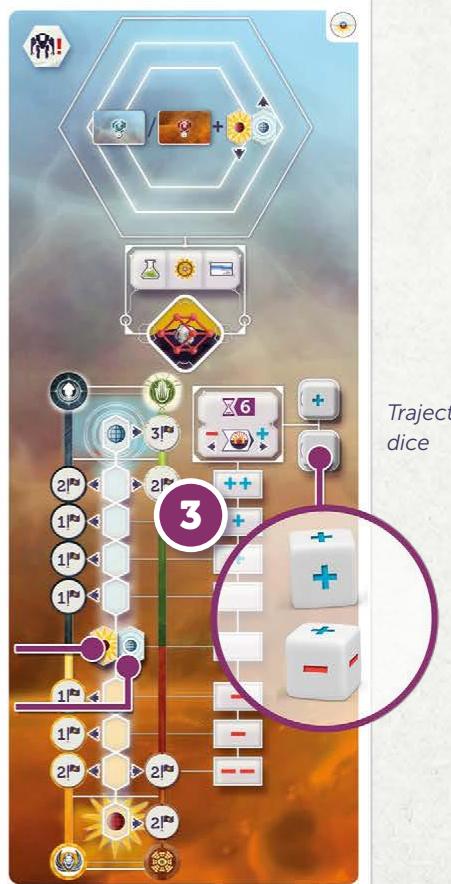
Seal Fate tracker token
Save Earth tracker token
Example:
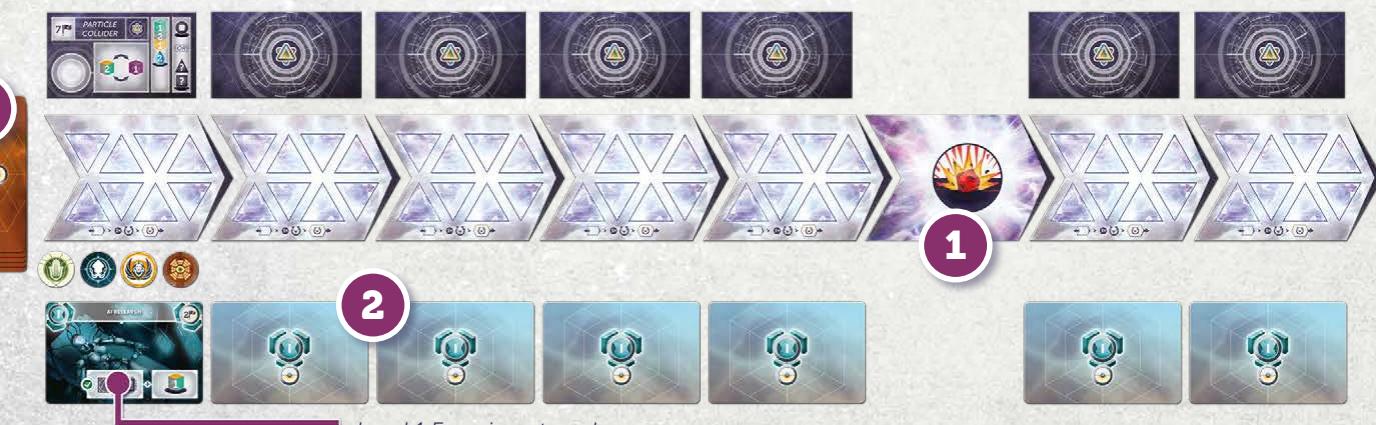
Level 1 Experiment cards
Level 2 Experiment cards
1PREPARATION PHASE-CHANGES
After flipping the Superproject above the following Era's Timeline tile, also flip the face-down Level 1 Experiment card below it. Then, place a face-up Level 2 Experiment card from the top of the stack below each Timeline tile with no Experiment card below it.
Example:

NEW ACTION-EXPERIMENT
The Doomsday module introduces a new Main board Action: the Experiment.
When you take the Experiment Action, you may claim an Experiment card if:
• it is in Focus for you;
• you meet the Experiment card's condition;
• you pay the Experiment card's cost.
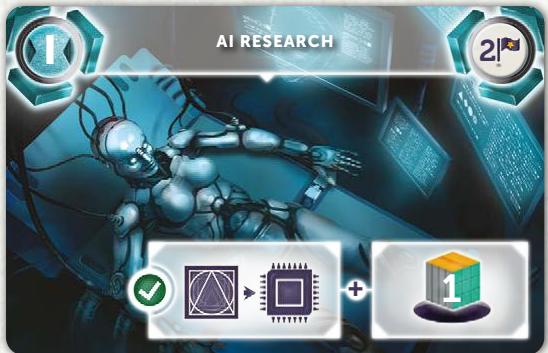
Card's condition
Card's cost
When you successfully claim an Experiment card:
① Remove it from below the Timeline tile and place it next to your Player board as a reminder.
2 If you play the Path of Harmony or the Path of Dominance, you may move the "Save Earth" tracker one step up on the Doomsday track.
If you play the Path of Salvation or the Path of Progress, you may move the "Seal Fate" tracker one step down on the Doomsday track.
④ Receive a number of VP tokens indicated on the
Experiment card (2 or 3), and potentially additional VPs depending on the marker's new position on the Doomsday track (see below).
Worker specifics
• The Experiment Action can be taken by any Worker.
Experiment has a Hex Pool space, where any number of Workers can be placed.
THE DOOMSDAY TRACK
Whenever a player conducts an Experiment, they may move either the "Save Earth" tracker one step up, or the "Seal Fate" tracker one step down, depending on their Path. After this movement, if there is a Victory Point value printed next to the spot associated with the player's Path (see the Path symbols in the four corners), that player receives that amount of Victory Points in addition to the claimed Experiment's Victory Point value. Only the player that moved the tracker may gain Victory Points from the Doomsday track. The Paths of Harmony and Salvation receive larger amounts of Victory Point for the last two steps in each direction, while the Paths of Dominance and Progress receive smaller amounts of Victory Points for the initial steps.
Example 1: Dominance player's move
Example 2: Harmony player's move

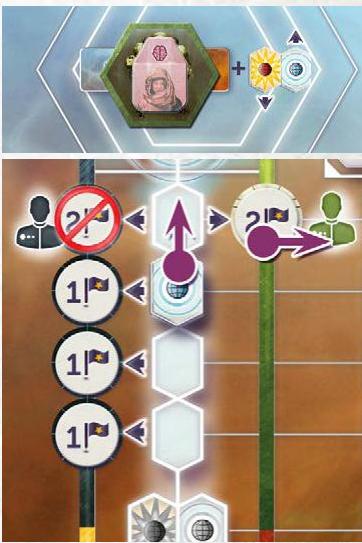
IMPORTANT: Players may no longer make any movements on the Doomsday track after:
• the Impact has occurred, or
either the "Save Earth" or the "Seal Fate" tracker is on the final (top or bottom) slot of the Doomsday Track.
Even when any of the above is true, Experiments may still be conducted for their VP values.
一6CLEAN UP PHASE-CHANGES
B) CHECK FOR IMPACT
At the beginning of the Check for Impact phase of each Era, roll the two Trajectory dice, then count the total number of (-) and (+) symbols
• on the Trajectory die roll's result;
next to the Doomsday track slots where the "Save Earth" and "Seal Fate" Trackers currently are.
Three things can happen based on the result:
If there are more (+) symbols in total than (-), move the Impact tile 1 space to the right on the Timeline track if possible—the Impact will occur one Era later.
If there are more (-) symbols in total than (+), move the Impact tile 1 space to the left on the Timeline track—the Impact will occur one Era earlier. If this would move the Impact tile behind the current Era tile, do not move the Impact tile.
③ If the number of (-) and (+) symbols is equal, do not move the Impact tile.
IMPORTANT: If the "Seal Fate" tracker is on the bottommost spot of the Doomsday track during the Check for Impact phase, do not roll the Trajectory dice—instead, place the Impact tile after the current Timeline tile (regardless of its position) and resolve the Impact immediately.
IMPORTANT: If the "Save Earth" tracker is on the topmost spot of the Doomsday track, the Impact's damage to the present is completely mitigated, and the game is over—proceed to “Ending the Game" (see Page 21). In games where Earth is saved, the Impact is never resolved, so there will be no Evacuation—try to adjust your game plan accordingly!
OPTIONAL RULE—PLANNED EXPERIMENTS
These optional rules are meant for players who are already familiar with the Doomsday module, and prefer planning their Experiment Actions ahead.
Place the Level 2 Experiment stack face up next to the Doomsday board (instead of face down). The top Level 2 Experiment card will always be visible for everyone.
Whenever a player claims an Experiment card, immediately replace it with the top Level 2 Experiment from the stack, until the Experiment stack runs out.

Move the Impact tile 1 space to the right.

THE PIONEERS OF NEW EARTH MODULE
ADVENTURES ON NEW EARTH
It wasn't long before the Paths realized that their powerful Exosuits could offer more than mere protection to their Workers. Through new engineering and scientific solutions, they developed methods to improve their Exosuit models with Neutronium, Uranium, Titanium, Gold, and even scientific Breakthroughs. This way, even the more dangerous areas of the Outback became accessible, with a vast amount of salvageable materials, forgotten relics of the Old World—and, of course, new dangers to face.
The Pioneers of New Earth module expands Anachrony's gameplay with a new Action, the Adventure, available on a separate mini-board. When taking this Action, players use their Exosuits to venture out of the safety of their Path capitals to face the perils of the Outback, New Earth's harsh landscape. In order to take on these Adventures, players will need Exosuit Power, which can be obtained by upgrading their Exosuit model with Resources. Each Adventure card has a Power value, a Success result and a Failure result. In order to succeed on an Adventure, the player's current Exosuit Power has to match or exceed the card's Power value—otherwise, failure is inevitable.
CHANGES IN SETUP
Place the Adventure board next to the Main board.
2 Shuffle the Adventure cards into two separate decks (5+ Power and 10+ Power, printed on their backs). Place the decks face down on the designated areas of the Adventure board. Place the Adventure reference card within easy reach of all players.
③ Place the Adventure die on the designated spot on the Adventure board.
4 After all players have chosen a Path, give them their corresponding Exosuit Upgrade boards and place them next to their Player boards.
(5 Before choosing the 5 random Endga
Content is long; only the first part is inlined. Download the file or open the rules page for the full text.
Download Markdownrules_en_anachrony-the-sentry-post_266237.md1.2 KB
Anachrony: The Sentry Post
逐页 VLM 转写(qwen3-vl-plus),保留原文结构,未翻译。
ANACHRONY: The Sentry Post
Designed by Dávid Turczi with Viktor Peter & Richard Amann. Graphics by Villő Farkas.
[图: A game card showing a hex-shaped space with icons: an eye in a mountain, a flask, gear, document, circular token with arrow, robot icon with "+1", flag, and a large empty hex outline below.]
SETUP
Place this card next to the main board, within reach of all players.
GAMEPLAY
This is a new Hex space available to use in Phase 5 (Action Rounds). Its action: The player may remove all Free Action markers from their player board (including from buildings and superprojects on their player board), making the Free Actions (and the markers) available again. Additionally, power up an exosuit at no cost (if able), and score 1 victory point. Any worker may be placed here without restriction. Only a single exosuit may be present here at any given time.
NOTE: When playing against the Chronobot solo opponent, the Chronobot takes this location (but still gaining 2 water and scoring 1 victory point) the first time per round it is unable to take any other action.
Download Markdown02.md23.0 KB
Game Turn — One Era of Play
Each Era is comprised of the following phases, in this order:
Preparation phase—Reveal the Superproject above the next Timeline tile, shift the building stacks, fill up the supply of Workers and Resources available for this Era.
Paradox phase—Players who excessively strained the Timeline with Warping have to roll for Paradoxes. This phase is skipped in the first Era.
Power up phase—Players may power up Exosuits, allowing their Workers to perform Actions on the Main board.
Warp phase—Players may place Warp tiles on the current Timeline tile to bring assets from the future to the present.
Action rounds phase—Players alternate taking Actions on their Player boards and the Main board until everyone has passed.
Clean up phase—Retrieve Workers and Exosuits from the Action spaces, check for Impact and game end, and set the players' Focus marker on the next Era.
1 Preparation Phase
Reveal Superproject: Flip the Superproject above the next Timeline tile face up (i.e., the tile right to the current one).
Example: [three Timeline/Superproject tiles shown flipping face up]
Shift building offers: Place the top building of each primary stack face up next to it to form a secondary stack (one for each of the four building types). If there are buildings in the secondary stack already, place the newly shifted one on top of them, covering the previous top one.
The top buildings of each primary and secondary stack are available to Construct during the Action Rounds phase.
Determine available Workers: Remove any remaining Workers from the Recruit pool. Draw the top card of the Recruit pool deck and place the four Workers depicted on the card on the respective Recruit pool slots next to the Recruit Action. Workers of the same type are stacked upon each other.
Determine available Resources: Remove any remaining Resources from the Mine pool. Draw the top card of the Mine pool deck and place the five Resources depicted on the card on the Mine pool slots to the left of the Mine Action. Finally, place a Uranium, a Gold and a Titanium on the respective slot next to each Mine Hex space.
IMPORTANT: After the Impact, ignore the topmost Resource on the drawn card, and always place a Neutronium on the topmost slot instead.
2 Paradox Phase
NOTE: The Paradox phase is only relevant from the second Era onwards. For reading this rulebook and teaching the game, we suggest skipping this phase for the first time until you are familiar with the concepts of Warping (Phase 4) and Time Travel.
Paradox rolls
Starting from the left, check every Timeline tile with at least one Warp tile on it. For each tile, the player(s) with the most Warp tiles on it must roll the Paradox die once, and receive the rolled number of Paradox tokens (0, 1 or 2). If there is a tie for the highest number of Warp tiles on a Timeline tile, all tied players have to roll.
Anomalies
Anomalies are strange and dangerous faults in the fabric of time that cover building spots but do not count as buildings. Each Anomaly still in place at the end of the game is worth -3 Victory Points.
A player receiving a third Paradox token (by any means) is immediately affected by an Anomaly. When this happens, they:
Stop rolling for Paradoxes (if they had remaining rolls).
Return all their Paradox tokens to the supply (even if they have more than 3 tokens at this time).
May choose to retrieve one of their Warp tiles from any Timeline tile back to their personal supply (only after all players' Paradox rolls have been resolved).
Take an Anomaly tile from the stack and place it on the leftmost free building spot of their Player board (the player may choose on which row if several are tied).
Any Anomaly tile remaining on a Player board at the end of the game is worth -3 Victory Points for that player.
NOTE: If there are no free building spots, the player must place the Anomaly on top of any of their buildings. That building is not available until the Anomaly covering it is removed.
NOTE: Certain abilities in the game may raise the limit of Paradoxes above three.
NOTE: If players prefer predictability, they may agree not to use the Paradox die at all, and simply receive 1 Paradox whenever they would roll it.
3 Power Up Phase
In this phase, players may power up their Path's Exosuits, which will help their Workers survive the harsh conditions of New Earth on their way to taking Actions on the Main board.
In a clockwise order starting with the First Player, each player:
Places up to 6 of their Exosuits on the Hex slots of their Player board (one Exosuit per slot), paying 1 Energy Core for each one placed on the three bottom slots.
Then receives 1 Water for each remaining empty Hex slot.
NOTE: To speed up the game, players can agree to power up their Exosuits simultaneously instead of in turn order.
NOTE: After the Impact (see "Impact" on Page 20), two of the top three Hex slots will be covered and unavailable. No Exosuits can be placed there, nor do they produce any Water income.
4 Warp Phase
Thanks to the Neutronium brought to Earth by the original cataclysm, Time Travel is now possible. Thus, every Era, players may decide that they will receive something from the future. A decision is all it takes; the desired good appears immediately. But it doesn't come for free—a few Eras later it will be the players' turn to fulfill the claim to their past selves, and send the goods back, or else risk tearing holes in the time-space continuum.
Each player secretly hides 0-2 Warp tiles in their hand (hide the other Warp tiles to maintain secrecy). Reveal them simultaneously and place them on the present Timeline tile (the order is not important). In player order, each player immediately receives any asset shown on the selected Warp tile(s). Each tile placed on the Timeline can be recovered later (see "Power Plant buildings: Time Travel and Focus" on Page 18) and used again.
Warped assets are taken from the common supply.
Each Worker requires paying 1 Water to be warped in (sending people through the Time Rift seriously strains them), or else that Warp tile cannot be chosen. However, paying with Water warped in together with the Worker is possible. Warped Workers are put in the player's Active column.
Warped Exosuits are placed on one of the Hex slots of the Player board, even on an Exosuit Hex Unavailable tile.
IMPORTANT: Free Actions Free Actions may each be performed once per Era, during any of the player's turns. When used, cover the Free Action spot with a Path marker as a reminder that it has already been performed. Using a Free Action doesn't end the player's turn—they may also place a Worker (or pass) in that same turn. Path markers are not considered limited—in the unlikely case a player runs out of them, use a suitable substitute.
Free Actions typically appear on buildings and Superprojects, but Force Workers and certain Leader Abilities are Free Actions as well.
5 Action Rounds
This is the main phase of the game. Play goes in rounds in clockwise order starting from the First Player. On their turn, a player may perform any number of Free Actions, then do one of the following:
Place one Worker on any empty Worker space on the player's own Player board (typically on buildings, Superprojects or Anomalies) and perform its Action.
Place one Worker with an Exosuit on a Hex space or Hex pool space on the Main board and perform its Action.
Pass, not placing any more Workers during the Era.
Once all players have passed, proceed to the Clean up phase.
6 Clean Up Phase
A) Retrieve Workers
Retrieve every Worker from every Exosuit on the Main board and all Workers placed on the Player boards' Worker spaces. If the Action was marked Motivated, place the Worker in its owner's Active column (to the right of the Supply Action space); otherwise place it in the Tired column (to the left of the Supply Action space).
Retrieve every empty Exosuit from the Main board and place them into each players' personal supply (NOT on the Hexes on the Player boards—the Exosuits need to be powered up again).
IMPORTANT: After the Impact, if an Exosuit is retrieved from a Collapsing Capital Hex space tile, flip the tile to its Hex Unavailable side.
Finally, all players retrieve all Path markers from their Free Action slots, so they can be used again in the next Era.
B) Check for Impact
The Impact occurs during the Clean up phase of the fourth Era. Proceed to the "Impact" rules (Page 20) to resolve it, then continue from here.
C) Check for Game End
If any of the below conditions are met, the game ends immediately at this point. Proceed to "Ending the Game" rules (Page 21) for final scoring (and skip step D).
The Capital's infrastructure has collapsed: All Collapsing Capital Actions have been flipped to their Hex Unavailable side.
It is the 7th Era.
D) Next Era
If there are unused Exosuits left on the Player boards' Hexes at this point, return them to their personal supply. Move each player's Focus marker to the Timeline tile corresponding to the next Era (further details at "Power Plant buildings: Time Travel and Focus", Page 18). Each Era begins with that Timeline tile in Focus for each player. Proceed with the next Era. The First Player will still be the same as in the previous Era, unless another player took the respective World Council Action.
Actions
Workers and Action Spaces
There are four different types of Workers in Anachrony: Engineers, Scientists, Administrators and Geniuses. Workers are placed on Action spaces and take Actions, either on the Main board (with Exosuits) or the players' own boards. Some of these Worker types excel at certain Actions, while being unable to perform others.
The Genius is a special Worker that may be used as any Worker type when placed.
IMPORTANT: The Genius may NOT be used instead of other Workers when paying a non-Genius Worker cost or retrieving Worker Warp tiles via Time Travel.
A player's Worker is considered Active while it is in the Active column on the Player board (as opposed to being busy on a board, or in the Tired column). Only Active Workers can be used for performing Actions or returned to retrieve Warp tiles via Time Travel. However, both Active and Tired Workers can be used to pay Worker costs (typically on Superprojects).
There are three distinct kinds of Action spaces in the game:
Hex spaces: On the Main board, Action spaces are Hex-shaped since Workers must be placed on them in a powered-up Exosuit. A Hex space on the Main board becomes unavailable for the rest of the Era once a Worker has been placed there. Different Hex spaces associated with the same Action do not have to be occupied in any specific order.
Hex Pool spaces: Hex Pool spaces work similarly to Hex spaces, with the exception that they are always available and any number of Workers may be placed on them (in an Exosuit).
Worker spaces: On the Player boards (including buildings, Superprojects and Anomalies), Worker spaces may only be used once per Era. Workers do not need Exosuits to be sent to these spaces.
As additional features associated with Action spaces, some of them:
Have Worker restrictions—Only Workers of the pictured types (or Geniuses) may be placed on them.
Give additional benefits if a specific type of Worker (or a Genius) is placed on them.
Have an associated (Water or Resource) cost—These assets must be spent in order to place a Worker on them.
Keep Workers "Motivated"—Workers on these spaces are placed in the Active column during the Retrieve Workers phase.
The detailed rules and Worker restrictions of each Action are described in the subsequent chapters.
Main Board Actions
Capital Actions: Construct, Recruit and Research are Capital Actions. After the Impact, Capital Action spaces are covered by Collapsing Capital tiles providing improved space-related features, whereas the usual Worker-related restrictions and benefits still apply (see "Impact" for details, Page 20). Only Capital Actions can be copied with the World Council Action (see later).
Capital Actions each have 3 available Hex spaces:
Upper space—no modifiers.
Middle space—must pay 1 Water.
Lower space—must pay 2 Water (available in 4-player games only).
CONSTRUCT
Choose one of the following two options:
Select a face-up building from the top of any of the 8 building stacks (primary and secondary stacks of each building type), then place the building on the leftmost empty spot of its respective row of your Player board, paying the costs indicated on the spot. If there are no empty spots for a building type, you may not build any more buildings of that type.
If a building was selected from the primary stack, the building underneath becomes immediately available.
If a building was selected from the secondary stack, if there is a building underneath it, it becomes immediately available (again).
Build the Superproject in Focus (i.e. the one above the Timeline tile where your Focus marker is). By default, this is the current Era's Timeline, but Focus can be changed via Time Travel. Place the Superproject on the two leftmost horizontally adjacent free spots of your Player board (you may choose which row to place it on if several rows are tied). Ignore the costs printed on the spots, and instead pay the costs indicated on the Superproject itself (including Breakthroughs). If a Superproject has a Worker in its construction cost, the Worker can be paid from either the Active or Tired columns.
Worker specifics
May not be activated by an Administrator.
If activated by an Engineer, subtract 1 Titanium from the total cost of the Action.
RECRUIT
Select a Worker from the Recruit pool and add it to the Active column of your Player board. You also receive a bonus based on the type of the Worker chosen:
Scientist: 2 Water.
Engineer: 1 Energy Core.
Administrator: 1 Victory Point.
Genius: Any one of the above three bonuses.
Worker specifics
May not be activated by a Scientist.
If activated by an Engineer, you may not select a Genius (only a Scientist, an Engineer or an Administrator).
RESEARCH
Set one Research die (shape or icon) to the face of your choice, and roll the other. Take a Breakthrough tile with the shape and icon shown by the dice. The "?" on the icon die stands for any icon of your choice. You may not set the icon die to its "?" face.
Shape die: circle / triangle / square Icon die: Time travel / Warfare / Genetics / Technology / Society
NOTE: In the unlikely case the rolled Breakthrough is not available, reroll one die of your choice.
Worker specifics
May only be activated by a Scientist.
WORLD COUNCIL
You may choose a Capital Action (Construct, Recruit, Research) with no more available spaces and perform it.
Worker restrictions and benefits of the copied Capital Action apply for the Worker placed on the World Council, but space-related features (e.g. Water costs on Hexes and Collapsing Capital tile bonuses) do not.
NOTE: In order to become First Player, you may place a Worker on the left World Council space even if there are still available Worker spaces in all Capital Actions. In this case, you become the First Player, but otherwise do not get to perform an Action.
Worker specifics
Worker restrictions and/or bonuses of this Action are the same as those of the copied Capital Action.
World Council has 2 available Hex spaces:
Left space—must pay 2 Water and become the First Player (replace the previous First Player's banner on the spot next to this Action space).
Right space—must pay 1 Water.
IMPORTANT: After the Impact, Capital Actions can still be copied through the World Council as usual. At that point a Capital Action may be copied even if each of its spaces are either occupied by an Exosuit or covered by a Hex Unavailable tile.
MINE RESOURCE
Take 1 Resource of your choice from the Mine pool.
Worker specifics
If activated by an Engineer, he is kept Motivated.
Mine Resource has 3 available Hex spaces:
Upper space—take a Uranium in addition to the Resource taken from the Mine pool.
Middle space—take a Gold in addition to the Resource taken from the Mine pool.
Lower space—take a Titanium in addition to the Resource taken from the Mine pool.
PURIFY WATER
Take 3 Water from the supply.
Worker specifics
If activated by a Scientist, take 1 additional Water.
Purify Water has a Hex Pool space, where any number of Workers can be placed.
TRADE WITH NOMADS
You may choose one of the following:
Exchange 3 Water to 1 Energy Core; or vice versa.
Exchange 1 Energy Core to 1 Neutronium; or vice versa.
Exchange 1 Neutronium to any 2 of Titanium, Uranium, or Gold; or vice versa.
Exchange any 2 of Titanium, Uranium, or Gold to 3 Water; or vice versa.
Worker specifics
If activated by an Administrator, you may choose from the above options twice (one after the other).
Trade with Nomads has a Hex Pool space, where any number of Workers can be placed.
EVACUATION
This Action space will only be available after the Impact. It may only be taken by each player once per game, and only if they meet the condition stated on their Path board.
Place one of your Path markers on the uppermost free numbered slot on the tile and receive the Victory Points specified on your Path board under the Evacuation condition. If you placed your Path marker on the spot with the -3 Victory Points marker, you receive 3 less Victory Points for your Evacuation (to a minimum of 0). The maximum number of Victory Points that can be received for the Evacuation Action is 30.
The Path board also addresses specific assets and a related Victory Point ratio. You receive additional Victory Points based on the amount of that asset you hold when you take the Evacuation Action. After scoring, you keep these assets.
Worker specifics
The Evacuation Action can be taken by any Worker.
Evacuation has a Hex Pool space, where any number of Workers can be placed, but each player may only take this Action once per game.
Player Board Actions
All spaces on the Player boards are either Worker spaces or Free Actions—Exosuits are not needed to activate them.
SUPPLY
The Supply Action is printed on every Player board between the Active and Tired columns. Spend Water equal to the number printed below your current position on the Morale track, then move all of your Workers from the Tired column to the Active column (ready to be used in later Action rounds of the same Era). Finally, advance one step on the Morale track (to the right). If you are already at maximum Morale, you receive a number of VPs indicated at the right end of the Morale track instead of advancing on it.
Worker specifics
If activated by an Administrator, he is kept Motivated.
FORCE WORKERS
The Force Workers Action is printed on every Player board between the Active and Tired columns. Force Workers is a Free Action, and requires no Worker. Place one of your Path markers on the slot, then move all of your Workers from the Tired column to the Active column (ready to be used in later Action rounds of the same Era). Finally, you fall back one step on the Morale track (to the left). If you are already at minimum Morale, you lose a Worker of your choice instead of falling back on the Morale track.
Power Plant Buildings: Time Travel and Focus
Power Plant buildings allow manipulation of time by powering up the Time Rift. Players can activate them to turn the Focus of the Time Rift to an earlier Timeline tile. Each Power Plant has a strength and complexity rating expressed in game terms as its range. When you activate your Power Plant, you may execute the following steps, in this order:
Move your Focus marker onto any past Timeline tile no further to the left than the Power Plant's range. (Measured from the current Era's Timeline tile, ignoring the Impact tile. Ranges are not cumulative.) You may also choose to leave your Focus marker on the same past Timeline as long as it is in range of the Power Plant used. You may never end up with your Focus marker in the current Era after using a Power Plant.
You may optionally send an asset back through the Time Rift. Select one of your own Warp tiles present on the Timeline where the Focus was set to, and spend the Resource/Water/Worker/Exosuit on that Warp tile. Finally, remove the Warp tile corresponding to the spent asset from the Focused Timeline tile and return it to your personal supply.
NOTE: This represents the assets being sent back in time, and "technically" these goods being spent are the very same goods you received in the past, seemingly "for free".
IMPORTANT: Workers must be spent from the Active column and an Exosuit must be sent back powered-up (from one of the Hexes on the Player board).
If you executed both steps 1 and 2, move your Time Travel marker on your Player board one step to the right. Each step on the Time Travel track will be worth Victory Points at the end of the game, representing the advances the Path has made in using Time Travel technology.
IMPORTANT: If a Warp tile is removed through any other way (by using a building's retrieve ability or when placing an Anomaly), the Time Travel marker is not moved.
NOTE: Superprojects of earlier Eras can be built by using the Construct Action as long as they are in Focus (see the Construct Action).
Anomalies
A building spot can occasionally be covered by an Anomaly (see "Paradox phase"). As an Action, a player may place a Worker on an Anomaly and spend either 2 Titanium/Uranium/Gold plus 2 Water or 1 Neutronium plus 2 Water to seal it. Remove the Anomaly and the Worker immediately and place them back in their respective general supplies. It is possible that gaps might appear on the Player board because of removing an Anomaly—new buildings or even Superprojects can be constructed there later.
Worker specifics
The Worker placed on (and thus removing) the Anomaly is immediately returned to the general supply.
Other Buildings and Superprojects
Once a building or Superproject is placed on a Player board, it is available for use to its owner. The abilities and benefits they provide fall into one of four categories:
Worker Actions behave just like any other Player board Worker space. Some Action spaces may have Worker restrictions or benefits, or costs associated with taking them. Some may keep the Worker Motivated.
Free Actions may each be performed once per Era during any of the player's turns in the Action Rounds phase, up to and including the turn the player passes. When used, cover them with Path markers to remember they have already been performed.
Passive abilities provide a benefit that remains in effect throughout the game and/or influences the final scoring.
One-time abilities are performed once, when the building or Superproject is built.
Details of specific buildings and Superprojects can be found in the Appendix.
Download MarkdownTexts are community-compiled or publicly released by publishers; copyright remains with the original authors. For personal reference only.