
B17 Flying Fortress Leader
At a glance
Rules, cards and Q&A (Chinese)
The rules, card data and player questions for this game are written in Chinese. Open the Chinese page to read them.
Where to find full rules
Full rules and card lookup are available in the cunlema app at cunlema.cn — pick this game and ask about any rule, card or turn you are unsure about.
Related games
Rulebook text (Markdown)
This game has 13 rulebook Markdown file(s) in our library; 3 rendered inline below — expand to read or download.
B-17 FFL Rules Booklet 3rd Edition.md165.8 KB
3rd Edition Rules (V1)
1 Introduction ..
1.1 Rulebook Format
1.2 3rd Edition Updates .1
2 Component Overview . ..2
2.1 Counters
2.2 Renowned Commander Counters..
2.3 Campaign Sheets . .5
2.4 Display Sheet . .6
2.5 Bomber and Fighter Group Cards.......8
2.6 Secondary Mission Cards...... ...9
2.7 Target Cards .... ...10
2.8 German Defense Commander Cards......11
2.9 Event Cards . .13
2.10 Bomb Counters .14
2.11 Allied Technology Counters..... ..15
2.12 Bandit Counters .15
2.13 Recon Asset Counters ..... .17
2.14 Player Log .17
2.15 Dice .17
3 Campaign Set-up .18
3.1 Campaign Selection . .18
3.2 Campaign Special Rules ... ...18
3.3 Allied Technology ....... 18
3.4 Display Sheet.. 18
3.5 Year/Month/Week/Day .. 18
3.6 Luftwaffe Squadrons . 18
3.7 War Theaters. 19
3.8 Bandit Counter Draw Cup . 19
3.9 Bomber & Fighter Groups .... .. 20
3.10 Renowned Commanders ...... . 20
3.11 Recon Assets.. 21
3.12 Player Log.. 21
3.13 Bandits Destroyed ... 21
3.14 Aircraft Factory Targets ... .. 21
3.15 Airfield Targets ....... 21
3.16 Event Cards.. 22
3.17 Campaign Target Cards ... 22
3.18 Secondary Missions .. 22
3.19 German Defense Commanders . . 23
4 Sequence of Play...... 24
4.1 Optional Rules Charts ... 24
5 Week Start .... 25
5.1 Weekly SO Points . 25
5.2 SO Adjustments.. . 25
5.3 Purchase Groups, Commanders, and Recon
Assets 25
6 Morning Briefing .25
6.1 Select Targets to Attack. 25
6.2 Assign Groups to Each Mission .26
Pre-Flight 26
7.1 Arm Bombers 26
7.2 Purchase Equipment & Technology ...27
7.3 Place Tactics Counters for Commanders
27
7.4 Display Mission Setup .27
7.5 Roll for Luftwaffe Response. .28
8 Target-Bound Flight 29
8.1 Draw Target-Bound Event. .29
8.2 Move Mission Counter 29
8.3 Perform Formation Check.. .29
8.4 Luftwaffe Squadron Interception..
8.5 Resolve Bandit Attacks .30
8.6 Fighter Group Returns to Base. .33
8.7 Unfit Groups Return to Base. .33
8.8 Luftwaffe Squadron Rearming. .33
9 Mission Over Target Resolution .34
9.1 ETO Tactical Targets .34
9.2 Previous Target Damage .34
9.3 Target Flak Attack .34
9.4 Bomb Target .34
10 Mission Home-Bound Flight .36
10.1 Draw Home-Bound Event .36
10.2 Fighter Group Relay .36
10.3 Move Mission Counter Towards UK Base 36
10.4 Formation Check .37
10.5 Luftwaffe Squadron Interception.....37
10.6 Bandit Attacks .37
10.7 Luftwaffe Squadron Rearming. .37
10.8 Returning to the UK 37
11 Mission Debriefing .37
11.1 Victory Points and Experience Points 37
11.2 Record Group Status .37
12 Remaining Mission 37
13 Anti-Submarine Warfare (ASW) Missio 37
14 End of Week ... 37
14.1 Target Repair 38
14.2 Group Skill Level Degradation .38
14.3 Advance Week Counter .38
15 Secondary Missions .38
15.1 Managing Secondary Mission .38
15.2 Evaluate Secondary Mission. .38
15.3 Move Secondary Mission Card. .39
16 German Defense Adjustments .39
16.1 War Front Adjustment .39
16.2 New Luftwaffe Squadrons. .39
16.3 Theater Deployment .40
16.4 Luftwaffe Squadron Map Placement....40
16.5 Luftwaffe Squadron Reassignment.....40
17 German Technology Available.. 41
17.1 Check Month for Technologies 41
17.2 Activate Technologies . 41
18 German Commander Replacement . 41
18.1 Check for Replacement . 41
18.2 New German Commander 41
19 Group Reassigned Check... 41
20 Monthly Replacement Points 41
21 Replace Destroyed Aircraft Factories . 42
22 Adjust Campaign Timeline.. 42
22.1 Campaign Complete Check 42
22.2 Adjust Month/Year/Week Counters . 42
22.3 Player Log Sheet . 42
22.4 New Year/June 1944 . 42
23 Victory Point Total.. 42
24 Campaign Evaluation. 42
25 Random Group Selection. 43
26 Bomber Wings. 43
26.1 Assign Groups to Bomber Wings 43
26.2 Renowned Commander 43
26.3 Replacement Points . 43
27 Target Intelligence.. 43
27.1 Target Intel Levels . 43
27.2 Purchase Recon Aircraft . 44
27.3 Perform Recon Missions . 44
27.4 Low Intel Target Modifiers 44
27.5 Medium Intel. 44
27.6 High Intel. 44
28 Weather 44
28.1 Determine Sector Weather 44
28.2 Mission Rendezvous . 45
29 Veteran/Novice Bandits. 45
29.1 Bandit Counters 45
30 Fighter Group Engagements. 45
30.1 Engagement Counters . 45
30.2 Fighter Engagements . 45
31 Luftwaffe Strength.. 45
32 Luftwaffe Response. 45
33 M30 Bomb Weight.. 45
34 CREDITS 46
35 AIRCRAFT 46
36 ERRATA 48
1 Introduction
You are the Deputy Director of Operations for the Eighth Air Force in charge of reducing Germany’s ability to wage war.
Your Bomber Groups and Fighter Groups will execute missions to damage and destroy key Axis strategic targets. You face the same problems the Army Air Force Leaders faced: bad weather,

multiple targeting priorities, Axis Fighters (Bandits) attacking your Bombers, and Flak guns over the target. You will lose aircraft and crews, but your precision bombing missions will reduce vital Axis industries and resources and shorten the war. Multiple Campaigns are available to play, representing different periods during the war.
1.1 Rulebook Format
The following outlines the rulebook format.
Component Overview (Section 2) – Use this section as a reference for the components in the game, plus key points and component details.
Campaign Setup (Section 3) – When you are ready to start a game, see this section to setup up your game.
Sequence of Play (Section 4) – This section lists the overall Sequence of Play once the game is setup.
Weekly Sequence of Play (Sections 5 Through 14) – Describes the steps performed every week.
Monthly Sequence of Play (Sections 15 through 22) – Describes the steps performed at the end of each Month.
End of Campaign (Sections 23 and 24) – Describes the steps performed to Evaluate and Score your game.
Optional Rules (Sections 25 through 31) – Contains a set of Optional Rules you can use during your game.
Aircraft (Section 35) – Describes the Aircraft you will use during the game.
1.2 3rd Edition Updates
The following game and rule updates have been made for 3rd edition of B-17 FFL:
The 0 SO cost M30 Bomb Weight changes from 2 to 3 (2.10.4)
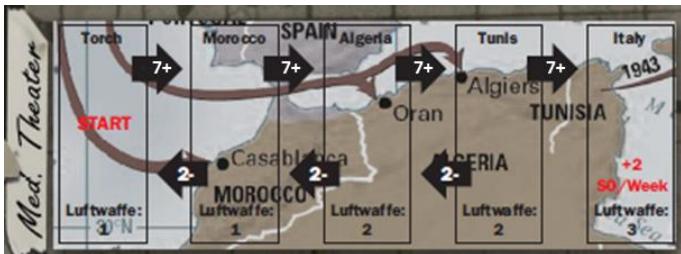
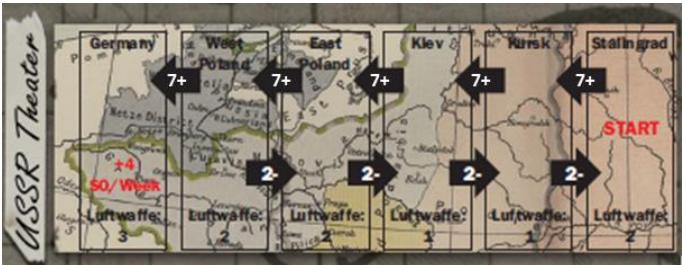
The Mediterranean and USSR Theater Track advancement value changes from 9+ to 7+. Keep the -1 DRM for each Luftwaffe Squadron in the theater. (16.1)
SO Point Bonuses are reduced to zero for the Optional Rules (Sections 25-30).
Increase Luftwaffe Response for each mission (+2 in 1943-1945, +1 for 1942). (32.0)
Group skill level is reduced by two when a group becomes shaken, or three levels when Unfit at the end of the week. (14.2)
Fighter Relay is added where a Fighter Group can meet Bombers returning from a mission (fails to rendezvous with the mission group on a 1d10 roll of 1). (10.2)
Optional Rule Luftwaffe Strength is added that removes 8 No Bandit counters from cup. (31.0)
Operation Pointblank Campaign updated to require 20 or less Luftwaffe Squadrons on the map (instead of 15).
Additional rule clarifications added.
3rd Edition rulebook updates are in purple.

Advancement Tracks changed from 9+ to 7+.
2 Component Overview
This section provides component reference information for counters, cards, Campaign Sheets, and the Display. Reference this section when learning and playing the game.
2.1 Counters
The following summarizes the key Counters used in the game.
Bomber Groups

Each Bomber counter represents a historical Bomber Group (BG) and matches to a corresponding set of Bomber Group cards.
Fighter Groups
Each Fighter counter represents a


historical Fighter Group (FG) and matches to a corresponding set of Fighter Group cards.
Bandits
The Bandit counters represent Luftwaffe fighter aircraft or Flak guns. The No Bandit counters don’t attack. Bandit counters are placed in a cup and are randomly drawn during a mission.
Special Bandits
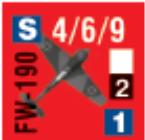

Novice/Veteran Bandits
Bandit counters with an S (Sturmgruppen) or J (Jet) are only added to the Bandit cup due to German tactics or technologies.

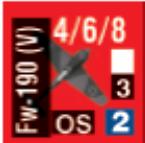
Used with the optional Veteran/Novice Bandit rules. Bandit counters are added to the Bandit cup based on the Campaign year.
Tactics
Luftwaffe Squadron
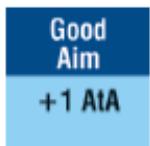
Used by Bomber Groups and Fighter Groups with Renowned Commanders. Tactics help you fight Bandits and evade Flak attacks.
The Luftwaffe Squadrons are placed on the Map to attack the Mission groups executing a mission.
Bombs

Bombs are used to destroy targets. There are several types of bombs, each uniquely able to attack different types of targets.
Technology

The Germans can invest in Technologies to help win the war. The German Technologies are identified on the German Defense Commander card.
Deployed Technologies
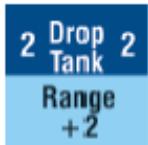
Allied Technologies can be purchased and utilized by an Individual Bomber or Fighter group.
Recon Aircraft
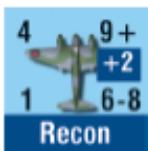
Recon Aircraft are used with the Optional Intel rules to increase the Intel level of a selected target.
Intel Level Markers
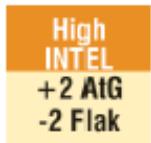
Used to mark a target’s current Intel level and penalties/bonuses based on a Recon mission.
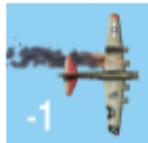
Used to represent Fighter and Bomber Group Losses due to Bandits and Flak.
Group Destroyed Losses
Target Damage Counters
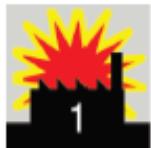
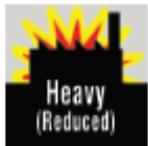
after the bombing attack.
Targets damaged by bombs are marked with individual damage markers during the bombing attack, and damage level markers
Incendiary

Targets damaged by Incendiary bombs are marked with an Incendiary marker.
Supply

Used on the Aircraft Factory track to indicate the number of Supply Points generated by a German Aircraft Factory. Red numbers indicate a Damaged Factory. At the end of the month, surviving Supply
Points become Luftwaffe Squadrons.
Build Factory

Placed on the Aircraft Factory track when an Aircraft Factory target is destroyed. At the end of the month, for each Build Factory counter placed, draw one Aircraft Factory Target card.
Target Bandits

Placed on a Mission Target card that has the Bandits trait as a reminder to draw additional Bandits over the Target.
Mission

Represents the Mission Group as it navigates to/from the Target.
Diversion

Placed on a Bomber Group that is flying a diversion mission.
ASW Mission
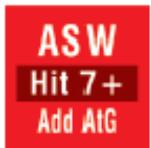
Placed on a B-24 Bomber Group that is flying an Anti-Submarine Warfare (ASW) Mission.
Theater Markers
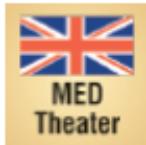

Placed in the current Theater advancement space to track the Allied advancement in the different theaters.
Theater Modifiers
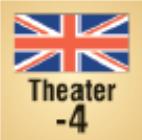
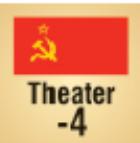
Target

Modifiers can be applied for Theater Advancement based on Target
destruction and
Secondary Mission
outcomes.
Placed on the map in the hex of the Mission Target.
Mission Path
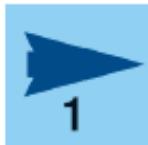
Used to identify the Mission path from the UK Base to/from the Target. Also identifies the maximum range of Escorts (if applicable).
Weather
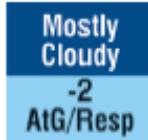
When using the optional Weather rules, identifies the Weather in the current Sector. Without a counter, the weather is assumed to be Partly Cloudy.
Tactical Targets
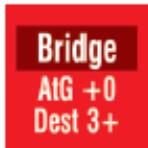
Used for ETO (European Theater Operations) Secondary Missions. The ETO Secondary Missions only apply to the Allied Invasion Campaign.
Luftwaffe Response
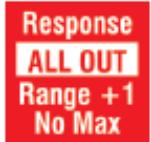
Placed on the German Defense Commander to identify the current Luftwaffe Response Level.
Luftwaffe Response Modifiers
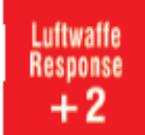
modifiers.
Placed on the German Defense Commander card prior to rolling for the Luftwaffe Response as a reminder of any Luftwaffe Response
Bandits Destroyed
Date Trackers
Used on the Bandits Disrupted track to identify the current number of Bandits Destroyed.

Used to track the Current Year, Month, Week, and Day. The Day counter is only used in the Operation Argument Campaign, and is placed on the Campaign sheet.
U-Boats
Used to identify the number of U-Boats deployed as a Luftwaffe Commander Tactic.
Distinguished Unit Citation

Used to identify Groups that have earned the DUC. The group gets +5 XP points.
Fighter Group Engagement
Used with the optional Fighter Group Engagement rules. All Engagement counters are placed in a cup and randomly drawn after each Fighter engagement.
2.2 Renowned Commander Counters
2.2.1 Overview
All Groups have a Group Commander, but special Renowned Commanders can be purchased that provide Tactics and Special Abilities to his
permanently assigned Group. Several Groups allow a specific Renowned Commander to be used for free.
When the Group becomes Veteran, the Renowned Commander counter is flipped to its Vet/Ace side. Blue Commanders are for Bomber Groups and Red Commanders are for Fighter Groups.
2.2.2 Key Points
Bomber Group Commanders are Blue, Fighter Group Commanders are Red.
Renowned Commanders can be killed based on Events. Killed Commanders are removed from play and cannot be used again.
Commander Tactics can only be used for one Bandit Attack turn, and are then are discarded for the remainder of the mission.
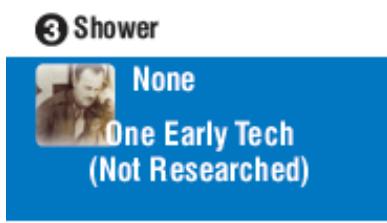
Renowned Commander Shower allows his assigned Group to use one unavailable Technology or Equipment, including Special
Bombs. You must pick which one technology is available when you select him.
2.2.3 Details
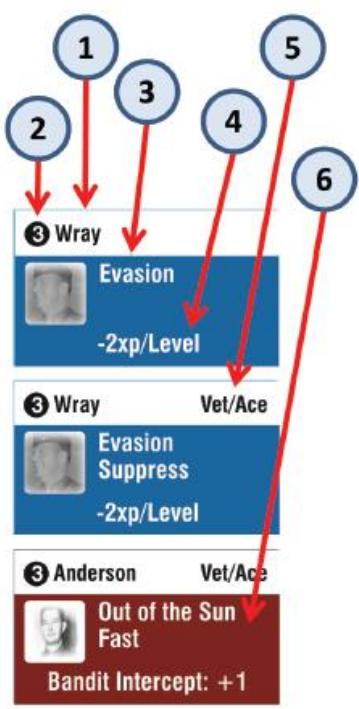
1 – Commander’s Name
2 – Cost: The number of SO points needed to purchase the Commander.
3 – Tactics: Identifies the Tactics that the Group can use when executing a Mission.
Each Tactic can only be used once a mission.
Only one Tactic can be used each turn.
4 – Abilities: Identifies the Special Abilities that are applied to the assigned group. 5 – Vet, Ace: Groups with a skill level
of Veteran or Ace use this side.
6 – Type: Fighter Group Commanders are Red, Bomber Group Commanders are Blue.
2.2.4 Commander Tactics Description
The following describes the Tactics that can be used.
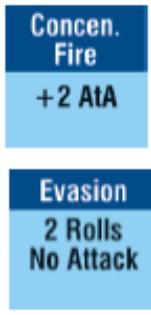
Concentrate Fire – The Group gets a +2 AtA Attack modifier for one attack on a declared Bandit.
Evasion – The Group rolls two dice for each Bandit attack this turn. Use the lowest roll as the attack roll. A Slow Group cannot perform an AtA attack this turn if the tactic is used. If you use Evasion attacks, apply a -1 AtG modifier the target.

Good Aim – During the turn, the Group gets a +1 AtA attack modifier when attacking all Bandits for this turn.
Suppress – Subtract 2 from all Bandit attack rolls against this Group this turn. Declare before rolling.
Out of the Sun – Must be used by a Fighter Group on the first Axis Fighter Attack turn. The Fighter always attacks first (Fast) and gets a +3 AtA Attack modifier. This tactic affects all Axis Bandits.
Situational Awareness (SA) – The Group attacks as a Fast Group and a Slow group during the same turn.
2.2.5 Commander Abilities Description
The following describes the Commander’s special abilities.
ASW AtG– The B-24 Bomber Group gets the indicated Air to Ground Modifier when attacking U-Boats.
AtG – The Group gets the indicated Air to Ground modifier when bombing the Target.
Bandit Intercept – The Fighter Group can intercept an additional Bandit.
Flak Defense – Subtract the indicated number from all Flak attack rolls made against the Group.
Formation –Add the indicated number to all Formation check rolls.
Ignore Frontal Attack Tactic – The Group ignores the German Frontal Attack Tactic (i.e. no Bandit Tactic Attack)
One Early Tech – The Group can purchase one specified technology that hasn’t been researched (i.e. isn’t available in the current Campaign or the current Month/Year). The technology must be specified when the Commander is selected.
Promotion XP/Level – The Group can promote to the next skill level with fewer Experience Points.
Range, AtA – The Fighter Group can extend its maximum Range, but must apply a negative modifier to all Air to Air attacks.
Reassign – For all Group Reassign rolls, apply the indicated modifier.
Replenish – The Group gets the indicated number of Replacement points at the end of each week.
Weight, Formation – The Bomber Group can carry an additional Bomb Weight, but must apply the negative modifier to all Formation Checks.
2.3 Campaign Sheets
2.3.1 Overview

The US Army Air Force Daylight Strategic Bombing Campaign started in August 1942 and lasted until May 1945. The primary goal was to destroy the Luftwaffe by targeting factories related to the aircraft industry. But they were often given secondary objectives based on particular Strategic or Political needs. The provided Campaigns cover the whole range of the Bombing Campaign, and have real objectives that were given to the Eighth Air Force.
The Campaign Sheets describe the starting conditions, special operating conditions, and evaluation criteria. There are 11 Campaigns to choose from, varying from 1942 through 1945.
2.3.2 Key Points
No targets in 1942 Campaigns can be German targets (removed from Target decks). Ignore all Special Weapon Tactics during the 1942 Campaigns.
The Allied Invasion Campaign is the only Campaign that uses the ETO Theater marker and uses the ETO Tactical Targets.
Some months in a Campaign only have 2 or 3 weeks’ worth of missions. This represents generally poor weather conditions during those months.
For Operation Argument, you get the Weekly SO Point allocation for each day of the Campaign.
For Combined Bomber Operations, select Targets and perform Mission as normal. However, before running a mission you can roll a 1d10 and apply that amount of damage to the Target. This can be done twice.
Operation Crossbow (or just Crossbow) refers to the V-Weapon Targets. Use V-Weapon Targets V01 through V12 for the Campaign.
2.3.3 Details
1 – Campaign Name: The name of the Campaign.
2 – Date: The Starting and ending date of your campaign.
3 – General Information: The reason you are completing this campaign.
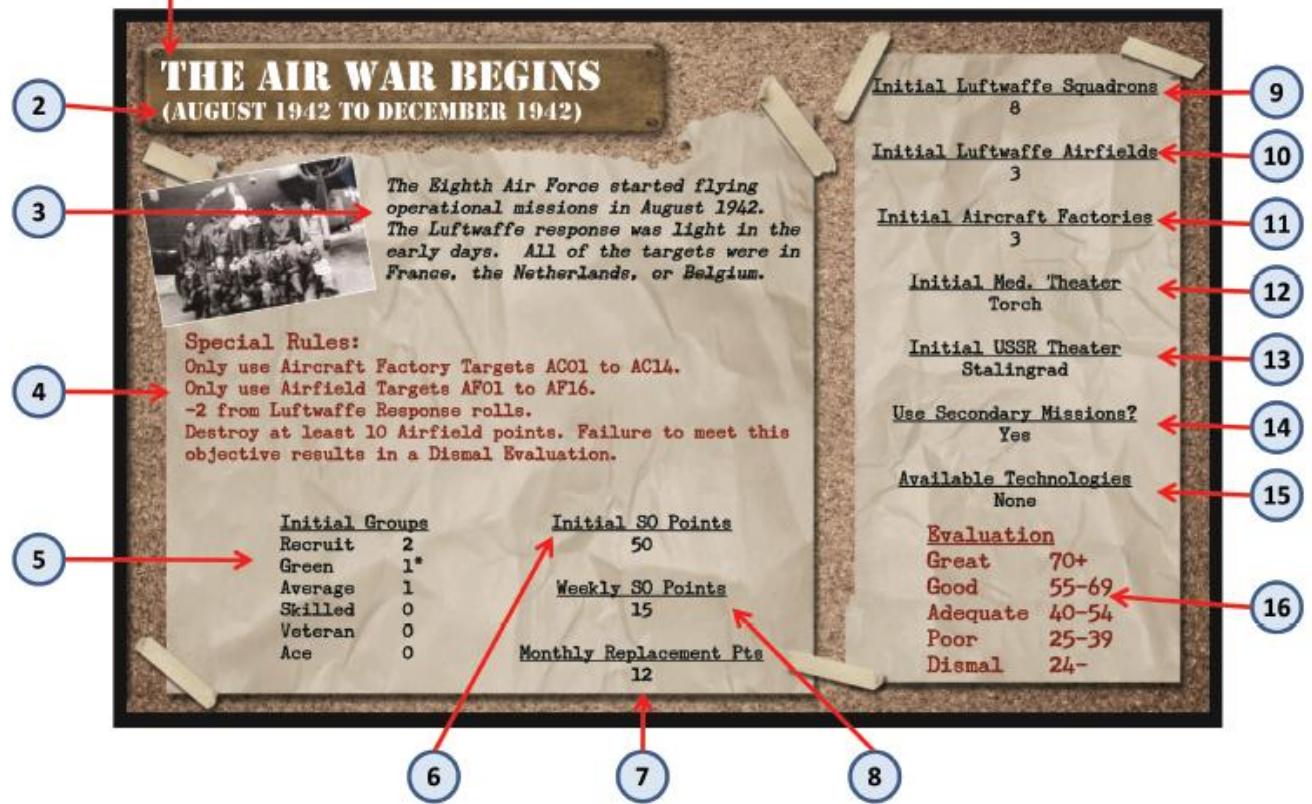
4 – Special Rules: These rules are specific to this campaign. If a special rule on a campaign sheet contradicts a rule in the rulebook, the campaign sheet’s rules take precedence.
5 – Initial Groups: You start with Bomber and Fighter Groups at each level shown in this section. If you select more Groups than are listed, all additional Groups have the Skill level noted with the asterisk.
Example: You begin The Air War Begins Campaign with two Recruit, one Green and one Average level Bomber and Fighter Groups. When you purchase more Aircraft, they will all come in at Green level.
6 – Initial SO Points: At the beginning of the campaign, you will have this number of Special Option points to spend on Bomber Groups, Fighter Groups, Group level upgrades, Recon Units, and Renowned Commanders.
7 – Monthly Replacement Points: At the end of each month, you gain this number of Replacement points to replace destroyed bombers or fighters in your Groups.
8 – Weekly SO Points: At the beginning of each week, you gain this number of additional Special Option points.
9 – Initial Luftwaffe Squadrons: At the beginning of the campaign, this number of Luftwaffe counters are placed on the Western European Theater section of the Tactical Display.
10 – Initial Luftwaffe Airfields: At the beginning of the campaign, draw this number of
Airfield Target cards and place them in the Target Placement area of the Tactical Display.
11 – Initial Aircraft Factories: At the beginning of the campaign, draw this number of Aircraft Factories Target cards and place them in the Target Placement area of the Tactical Display.
12 – Initial Med. Theater: At the beginning of the campaign, place your Med. Theater counter on the designated box of the Med. Theater track.
13 – Initial USSR Theater: At the beginning of the campaign, place your USSR Theater counter on this box of the USSR Theater track.
14 – Use Secondary Missions?: Identifies if Secondary Missions are used during the Campaign.
15 – Available Technologies: Shows the Technology counters you can purchase for your Bomber or Fighter Groups during the campaign.
16 – Evaluation: Shows the number of Victory Points you must earn throughout the campaign to attain each level.
2.4 Display Sheet
2.4.1 Overview
The Display Sheet is used to track and manage your Campaigns. It tracks the Calendar year/month/week, European Theater Operations (ETO) Map, Mission Execution, Theater Status, Technology Availability, and Luftwaffe status.
2.4.2 Key Points
Groups can move into any hex on the Display Map, including unnumbered and partial hexes.
There can be more targets than Target spots on the Display.
For every Bandit Destroyed or Airfield VP earned, you advance the Bandits Disrupted counter by 1, until you reach Box 5. When it reaches Box 5, remove a Luftwaffe Squadron and reset the Destroyed counter to Box 0.
2.4.3 Details
1–3 Calendar: Consult your Campaign Sheet to place the Campaign’s Year and Month counters on the Calendar’s starting Year and Month boxes. Each Mission lasts one Week. After you have completed the indicated number of weeks below the month, move the month counter into the next month’s box.
4 – Target Placement Area: Place your drawn Target cards above the Tactical Display Sheet.
5 – Mission Area: Place your Bomber Groups and Fighter Group counters in this area. As you are Attacked by Bandits, those counters are placed in the Bandit boxes.
6 – Deck Placement Area: This area is for your Secondary Mission Deck and Target Deck.
7 – ETO Tactical Targets: When you are playing the Allied Invasion campaign, place your ETO Target counters in this area.
8 – Lufwaffe Reserve Area: At the end of each month, you will gain 1 Luftwaffe Squadron for each Supply Point on the Aircraft Factory track. Depending on your Deployment die rolls, you will place some of those Luftwaffe Squadrons in the Reserve box.
9 – German Technology: When a German Commander’s technology becomes active, put the technology counter in this box.
10 – Bandits Disrupted: As you destroy Bandits, move the counter down this track. Each time you destroy 5 Bandits, permanently remove one Luftwaffe Squadron from the display map and reset the counter to 0.
11 – Airfield Factory Track: Each time an Airfield Factory Target card is drawn, place its Supply value on this track in supply points. When the target is destroyed, remove that number of Supply points from the track. At the end of the Month, remaining Supply points are used to create new Luftwaffe Squadrons.
12 – Luftwaffe Theater Deployment: This area shows where the new Luftwaffe Squadrons will go: Reserve, the Western European Theater (display map), the Med. Theater, or the USSR Theater.
13 – Med. (Mediterranean) Theater: This track increases or decreases your chances of Luftwaffe Squadrons being sent to the Med. Theater.
14 – USSR Theater: This track increases of decreases your chances of Luftwaffe Squadrons being sent to the USSR Theater.
15 – Sequence: The Sequence of Play
16 – Deck Placement Area: Place the designated draw decks in this area.
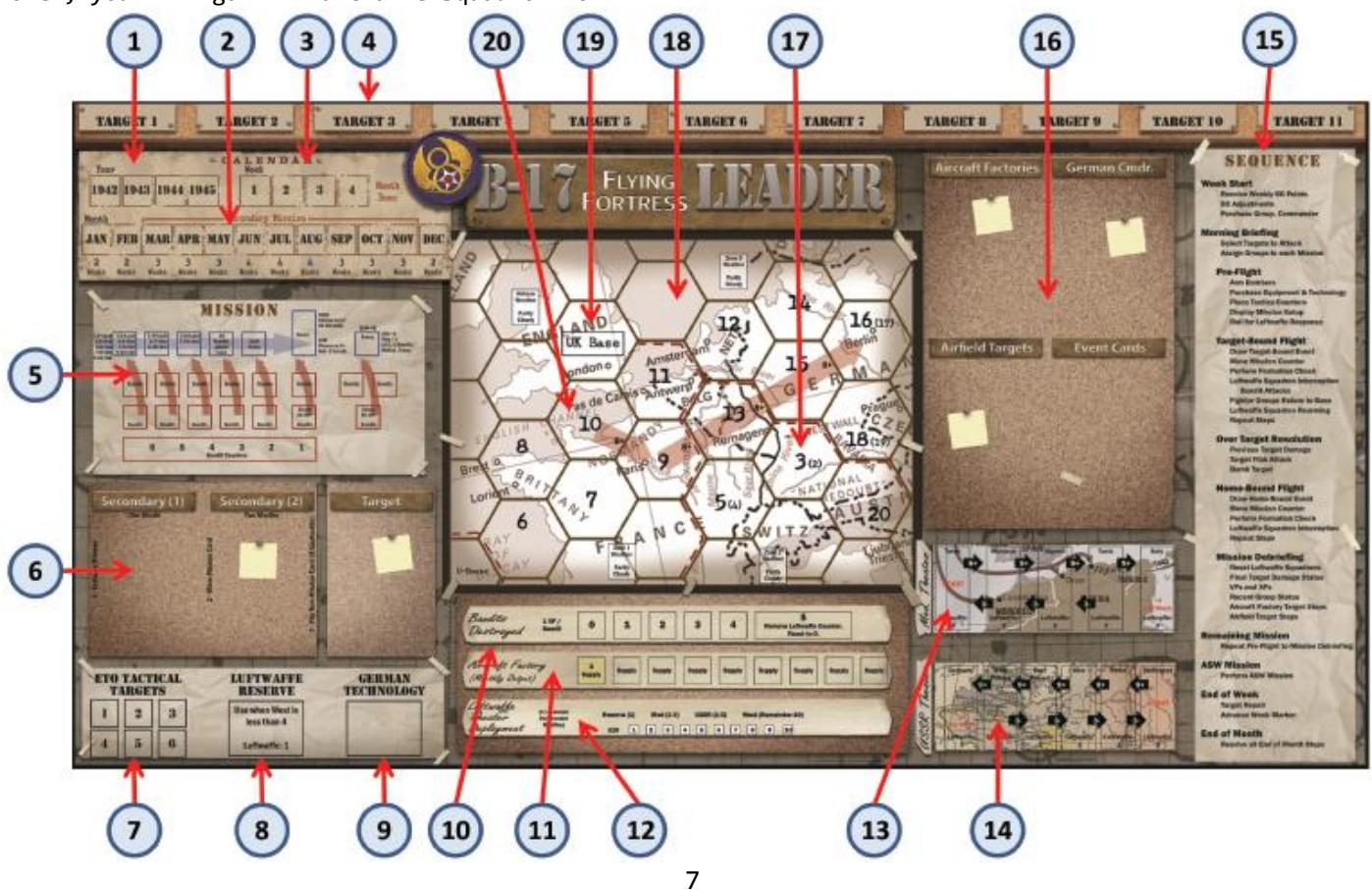
17 – Display Map hexes: When you roll dice for Luftwaffe Squadron placement the die values match the numbers in the hexes, including numbers in parentheses.
18 – The Western European Theater Display Map: This area of hexes is where your Missions take place.
19 – UK Base: All Missions begin in the UK Base hex (except Missions for the Allied Invasion Campaign).
20 – Allied Invasion Starting Hex: When you are playing the Allied Invasion campaign, place your Mission counter in Hex 10 and move it along the arrow pathway to Berlin.
2.5 Bomber and Fighter Group Cards
2.5.1 Overview
Heavy Bombers were used to fly and deliver ordinance to key German Strategic Targets to impact Germany’s ability to wage war. While the Bombers were considered “self-defending”, the German Luftwaffe was able to destroy large numbers of undefended “Flying Fortresses” when flown deep into Germany. Fighter escorts initially had a limited range, and couldn’t always escort the Bombers to the target and back. Later in the war, Fighters carrying drop tanks executed Sweeps ahead of the Bombing stream to attack German fighters organizing to attack the Bombers.

The Bombers and Fighters were organized into Groups of 48 aircraft each, and are represented on Bomber and Fighter cards. Each Group card represents a Group of aircraft and their crews. Each Group has 6 different Skill Levels; Recruit, Green, Average, Skilled, Veteran, and Ace. Each skill level for a Group is represented by its own card. Each Group has a status of Okay,
Shaken, or Unfit based on the current number of losses sustained.
Groups that are Okay operate at their peak efficiency.
Shaken groups operate at reduced efficiency. When a group becomes Shaken, the skill level is reduced by two at the end of the mission (Recruit is lowest).
Unfit groups (losses below Shaken) cannot attack Bandits or bomb Targets, and cannot go on missions. When Groups become Unfit when Target-Bound on a Mission, they return to Base (pickup and move to base) at the end of the turn.
Example: The 96th Bomber Group is Okay if it takes 7 or fewer Losses. When it takes its 8th
Loss, the 96th becomes Shaken. When it takes its 11th Loss, the Group is Unfit and can no longer be sent on Missions until the Group Rests or the Group is Replenished with Replacements.
If a Groups Losses equal 16 (i.e. Strength = 0), then the Group is completely Destroyed and permanently removed from the game.
At the end of the Month, Replacements arrive that can be distributed across all of your Groups to remove Destroyed Bombers and Fighters.
2.5.2 Key Points
All groups start with a Strength of 16 (1 strength = 3 aircraft).
Groups with more Destroyed points than the Shaken range become Unfit, and cannot go on Missions, Attack Bandits, or Bomb Targets.
Bomber Groups can be in Formation or Dispersed (D). When Dispersed, Bomber groups suffer a -2 AtA and -2 AtG modifier.
Bombers have a limit to the amount of Bomb weight they can carry.
Don’t forget to subtract the Durability value from all Bandit and Flak attacks.
All AtA attacks hit the Bandit on a modified roll of 10+.
Higher skilled Groups may be Reassigned at the end of each month (i.e. no longer available for use).
The Campaign Sheet identifies the number of free Monthly Replacements Points to replace for Destroyed Bombers and Fighters. Additional replacements can be purchased (1 SO Point = 2 Replacement Points).
Some Groups have Replacement points Characteristics that reduce damage weekly.
2.5.3 Details
1 – Aircraft Type: The military designation for the Aircraft in the Group, including its Version identifier.
2 – Years in Service: The Years the Group was in service.
3 – Cost: The number of SO points needed to purchase the Group.
4 – Aircraft Name: The name of a representative aircraft from the group.
5 – Group: Represents the Bomber Group (BG) or Fighter Group (FG) number.
6 – Skill Rating: Group skills are, in order from lowest to highest: Recruit, Green, Average, Skilled, Veteran, and Ace. The higher the rating, the better the Group's skills.
7 – Experience: The number of XPs the Group must earn to be promoted to the next higher Skill Level.
8 – Reassigned: Used to determine if the Group is Reassigned at the end of each Month.
9 – Destroyed: All Groups start with a Strength of 16. Groups can suffer Strength losses from
Bandit and Flak attacks. If a Group’s destroyed count falls into the “Okay” range, they use the stats in the Okay row on their card. If a Group’s destroyed count falls into the “Shaken” range, they use the stats in the Shaken row on the card. If a Group’s destroyed count is more than the “Shaken” range, the Group becomes “unfit” and cannot attack or bomb if it is currently on a mission, and cannot go on a new mission.
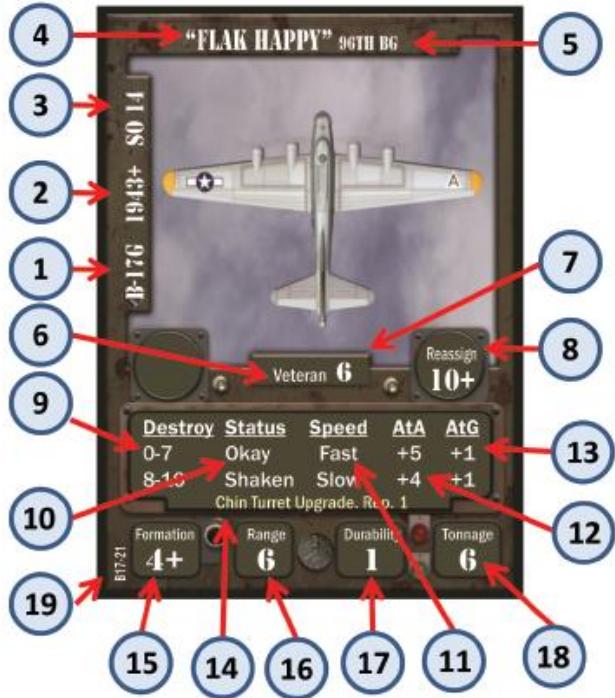
10 – Status: Okay or Shaken. This is based on the Group’s current number of Losses.
11 – Speed: Fast or Slow. A Fast Group Attacks before Bandits each turn. A Slow Group Attacks after Bandits each turn.
12 – AtA: Air to Air skill. This number is used to modify all Air to Air Attacks against Bandits. On a modified AtA roll of 10+, the Bandit is destroyed.
13 – AtG: Air to Ground skill. This number is used to modify all Air to Ground Attacks against Targets.
14 – Characteristics: Contains Group Characteristic information (see below for description)
15 – Formation: The Group’s Formation number. When performing a Formation Check, if the die roll is equal to or greater than the Formation number, the Group is in Formation. Otherwise, the Group is Dispersed (D). Dispersed groups have a - 2 ATA and -2 AtG modifier.
16 – Range: The maximum number of hexes the Group can travel on the Campaign Map. Count all hexes the Group flies into during the Mission.
17 – Durability: Represents the durability of the Aircraft Type, which is a modifier for all attack rolls made against the Group. Subtract positive durability from all attacks, and add negative durability to all attack rolls.
18 – Weight: The maximum bomb weight the Bomber Group can carry on a Mission.
19 – Card Number: Each card in B-17 Leader has a unique card number.
2.5.4 Group Card Characteristics Description The following describes the Group Characteristics.
Chin Turret Upgrade – Indicates the group already is equipped with the Chin Turret upgrade. Do NOT add a +1 AtA modifier (built-in to stats already). Reduces Bandit Frontal Attack tactic from +4 to +2.
Commander – The group can use the indicated Commander without paying SO points.
Replacement (Rep #) – Remove the indicated number of Destroyed points at the end of each mission.
Target – The group gets the indicated AtG bonus when bombing a target of the listed Target type. Note: Target Crossbow refers to V-Weapon Site Targets.
Tech. – The group can use the indicated technology without paying SO points if the technology is available in the Campaign.
2.6 Secondary Mission Cards
2.6.1 Overview
Secondary Mission Cards are used on some Campaigns to add additional targets to your target list. They represent additional targeting priorities to your Command. Secondary Missions last for 2 months. At the end of the Secondary Mission, you evaluate how well you did and apply the appropriate bonuses (for Success) or penalties (for Failure).
2.6.2 Key Points
• Secondary Missions last for 2 months.
Only 1 Secondary Mission is active at a time.
After the Secondary Mission is evaluated, remove all Secondary Mission targets not destroyed.
Secondary Missions are not performed in December, January, or February.
All Success bonuses or Failure penalties last for one month unless otherwise specified.
2.6.3 Details
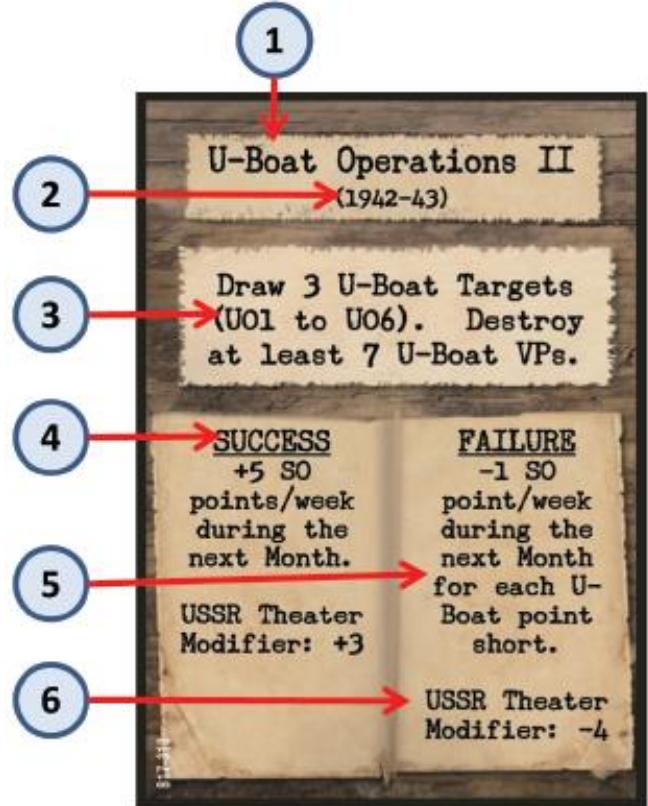
1 – Name: The name of the Secondary Mission.
2 – Active Years: If the current Campaign Year falls within the active year(s), place the Secondary Mission in the draw pile.
3 – Objective: Defines how many Target cards to draw of the specified Target Type, and the amount of Target Supply points you need to destroy to succeed in the mission.
4 – Success: The Success bonus and Theater modifier earned if you succeed in meeting the objective. It lasts 2 months.
5 – Failure: The Failure penalty and Theater Modifier if you fail in meeting the objective. It lasts 2 months.
6 – Theater Adjustment: Place the specified counter on the Theater track area as a reminder when you roll to adjust the track next.
2.7 Target Cards
2.7.1 Overview
Targets are Axis-controlled facilities that are critical to the German war effort. The number and type of Targets drawn is based on the Campaign and Secondary Missions.
Each target has Supply Points that identify production values in the top right corner to show its contribution to Germany’s War Effort. The Supply Points also represent the number of Victory Points earned if the Target is destroyed.
2.7.2 Key Points
Targets limit the number of Bombers that can be on the mission.
At the end of each week, Damaged Targets not attacked that week make a Repair roll. If successful, Target damage is reduced by one level.
Operation Crossbow refers to V-Weapon Site Targets
Special Weapon Targets are added to your existing Target list when a German Defense Commander with that Technology is revealed.
2.7.3 Details
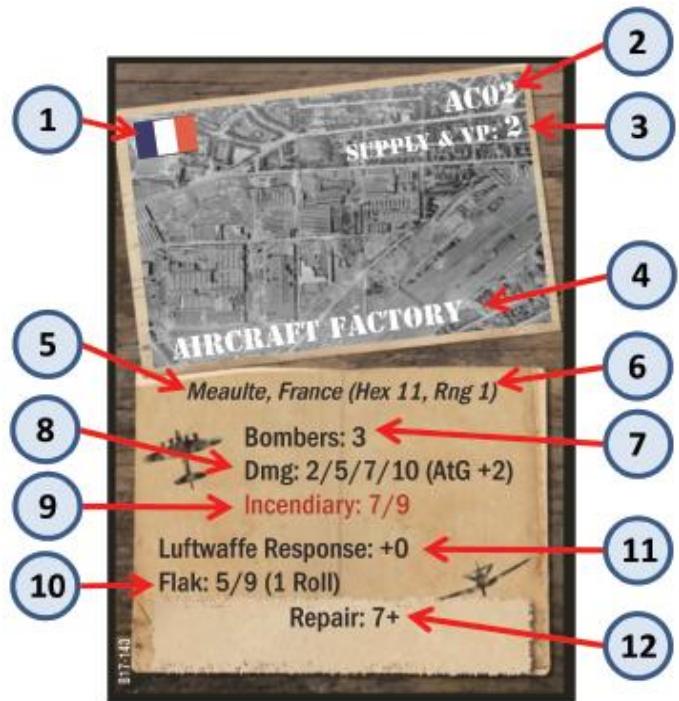
1 – Country Flag: The flag of the target Country.
2 – Target Type and Number: The Target Type is noted by a prefix (listed below), and followed by the Target’s Number.
• AC – Aircraft Factory
• AF – Airfield
• BB – Ball Bearing Factory
• N – Naval Port
• Oil – Oil Storage/Refinery
• SW – Special Weapons
• T – Transportation
• U – U-Boat Pen/Port
• V – V-Weapon Site
• VF – Vehicle Factory
3 – Supply Points & VPs (Victory Points): The target’s Supply point value is also the Victory Points earned when the Target is Destroyed.
4 – Target Type: The type of target.
5 – Target Location: The country and town where the target is located.
6 – Target Hex: The hex number on the Display Sheet, and the hex range from the UK Base.
7 – Maximum Number of Groups: The maximum number of Bomber Groups that can participate in the mission. You may send fewer Bomber Groups on a mission, but you may not send more than the listed number.
8 – Damage: If the Target has suffered Hits less than the first number, the Target is Undamaged.
If the Target has suffered Hits equal to or greater than the first number, but less than the second, the Target has suffered Light damage.
If the Hits suffered is equal to or greater than the second number, but less than the third, the Target has suffered Medium damage.
If the Hits suffered is equal to or greater than the third number, but less than the fourth, the Target has suffered Heavy damage.
If the Hits suffered is equal to or greater than the fourth number, the Target is Destroyed.
AtG Modifier: The Bomber Air-to-Ground (AtG) modifier is used when bombing target.

9 - Incendiary -Identifies that the Target is Incendiary. If the Target is damaged with an Incendiary bomb, place an Incendiary counter on the Target.
10 – Flak: The Flak attack numbers and number of d10 dice to roll.
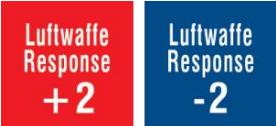
11 - Luftwaffe Response – Add or subtract the modifier when rolling for the Luftwaffe Response.
12 – Special Notes: These notes pertain to this specific Target card.
2.7.4 Target Special Note Descriptions
The following describes the Target’s Special Notes.
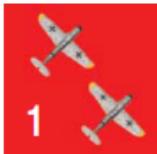
Bandits – Place the "Target Bandits" counter in the same hex as the target with the matching number up. Draw the indicated number of Bandit counters when the mission Group enters the Target hex.
Bonus – Receive the noted bonus if the target is destroyed.
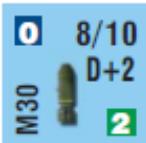
Dispersed – Some Bombs get an attack bonus against Dispersed Targets.

DUC – If the Target is Destroyed, award a Distinguished Unit Citation (DUC) to the Lead Bomber Group. The Group also gets +5 XP.
Hardened – Subtract 1 Hit from the Hits inflicted by each Bomb counter against the Target.
Optional: High Intel Req – If using the optional intel rules, the Target must have a High Intelligence level before it can be attacked.
Overkill – You gain the noted bonus if you inflict the specified number of Hits on the Target.
Penalty – Suffer the indicated penalty each Week the target is Undamaged.
Repair: If this damaged Target is not attacked during a week, roll a die. If you roll the Repair value or higher, the Target reduces its damage by one level – from Heavy Damage to Medium Damage, to Light Damage to Undamaged.
Reserve – When the Target is destroyed, remove the indicated number of Luftwaffe Squadrons from the Reserve.
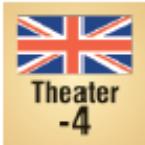
Theater – When the Target is destroyed, apply the indicated Die Roll Modifier (DRM) to the indicated Theater.
Under Construction – Do not roll for attacks from that weapon site.
2.8 German Defense Commander Cards
2.8.1 Overview
Throughout the war, the Luftwaffe and German Defense Command tried various tactics and technologies in an attempt to stop the Daylight Bombing Campaign.
German Defense Commanders invest in various Tactics and Technologies in an effort to stop your Bombing Campaign. They also identify the die roll ranges to determine the Luftwaffe Response for each mission (All Out, High, Average, or Poor).
2.8.2 Key Points
Luftwaffe Responses of All Out and High allows Luftwaffe Squadrons in adjacent hexes to attack the Mission Group.
For Luftwaffe Responses of Average and Poor, only Luftwaffe Squadrons in the current hex attacks the Mission Group.
Only Bandit Tactics that match Tactics on the current German Defense Commander are Active.
German Defense Commander Technologies do not become active immediately. Place the technologies on the Month track the number of months AFTER the month the German Defense Commander takes Command.
If a German Defense Commander is replaced, any Technologies added as a result stay in the game.
2.8.3 Details
1 – German Commander Name: The name of the German Commander.
2 – Replace: Every Month, roll a die. If the roll is equal to or greater than the Replace value, the Commander is discarded and replaced with a new Commander card.
3 – Luftwaffe Response: Used to determine the Luftwaffe Response on the Display Map for each mission.
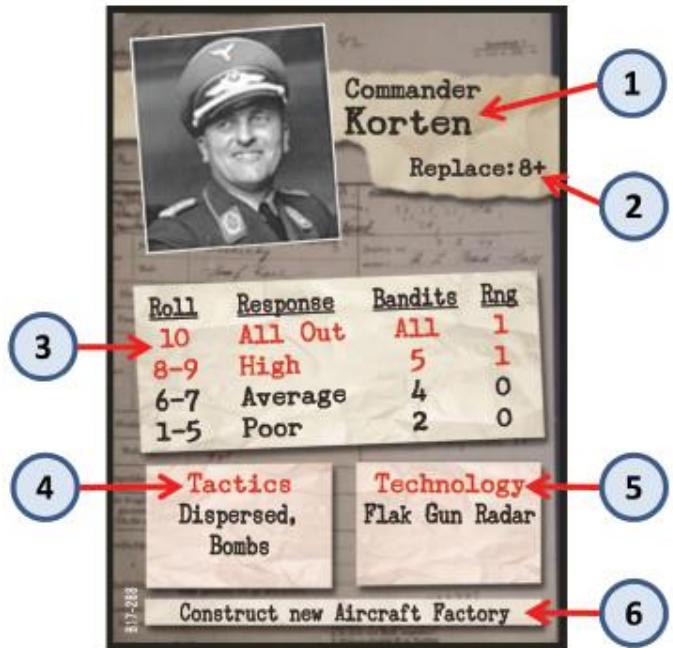
4 – Tactics: Identifies the Tactics that are used while the German Commander is in charge. The tactics on the Bandit counters are only active if the corresponding German Commander tactic is active. The various German Commander Tactics are detailed in the Bandit Attacks rule section.
5 – Technology: German technologies are researched for X number of months (place the appropriate technology counter on month track the indicated number of months ahead of the first active month for the Commander with month side up). When you reach the indicated month, the Technology becomes Active and is placed in the German Technology Box Active side up on the Tactical Display Sheet. Do not remove the Commander's Technology counters if he is replaced.
6 – German Commander Traits: Contains Commander Trait information.
2.8.4 Luftwaffe Response Description
The following describes the Luftwaffe Responses.
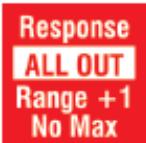
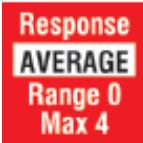
All Out – The hex containing your Mission Aircraft is attacked by all Luftwaffe Squadrons in that hex and in the adjacent hexes.

High – The hex containing your Mission Aircraft is attacked up to 5 Luftwaffe Squadrons in that hex and in the adjacent hexes.
Average – The hex containing your Mission Aircraft is attacked by up to 4 Luftwaffe Squadrons in that hex.
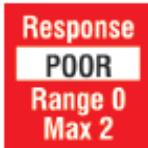
Poor – The hex containing your Mission Aircraft is attacked by up to 2 Luftwaffe Squadrons in that hex.
2.8.5 German Tactics Description
The following describes the German Tactics. Only Bandits that have the Tactic matching the current German Defense Commander are Active and used against your groups.
Group Attack – If the German Defense Commander has the Group Attack Tactic, then only roll one die to determine what Bomber Group to attack. All non-intercepted Bandits attack the one Bomber Group (ignore 2 Bandit Limit).
Dispersed – If the German Defense Commander has the Dispersed Tactic, all the Bandits automatically attack the Bomber Group that is Dispersed (randomly choose for ties). If no Bomber Groups are Dispersed, then place the bandits as usual.
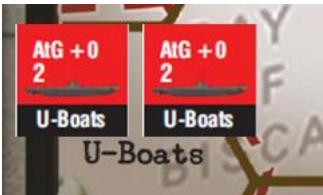
U-Boat Support (SO count, die roll to place, # dice to roll) – Roll the indicated number of dice (third number, ex: x3). If the die roll is equal to or greater than the second number (ex: 5+), then place a U-Boat counter with the matching SO count (first number) on the ETO Map (bottom left corner). For each U-Boat counter placed, you lose that many SO points each week. They can be destroyed by an ASW mission. Remove any U-Boat counters when the German Commander is replaced.
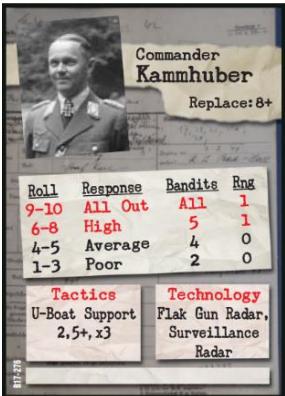
Example: I just flipped over Kammhuber who has a U-Boat Support 2, 5+, x3 Tactic.
Because of the x3, I roll 3 dice. I get a 9, 2, and 6.
Because 9 and 6 are greater than 5 (5+), I place two U-Boat counters with SO Points of 2 on the Map.
I lose a total of 4 SO Points/week while the U-
Boats are active on the Map.
Bandit Tactics – for Rocket Attack (R), Bombs (B), Frontal Attack (F), Sturmgruppen Fw-190 (S), and Out of the Sun (OS), see section 2.12.4.

2.8.6 German Technology Description
The following describes the German Technologies. Special Weapon technologies aren’t applied in 1942.
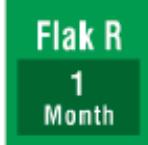
Flak Gun Radar – When active, add +2 to all Luftwaffe Flak attack rolls. This technology is negated by Allied Chaff technology.

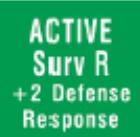
Surveillance Radar – When active, add +2 to all Luftwaffe Response rolls. This technology is negated by Allied Jammer technology.
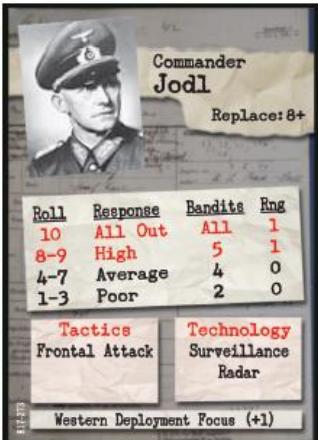
Example: I draw German Defense Commander Jodl and place his card on top of the German Defense Commander pile.
On his commander card, he has the surveillance Radar German technology. The Surveillance radar counter is placed 1 month ahead of when Jodl becomes active, which is August. I place the Radar counter on the Sept. box.
At the end of August, when I advance my Month counter to September, the Surveillance Radar counter is removed and flipped over to the Active side and placed in the German Technology box. The Technology effects now become active.
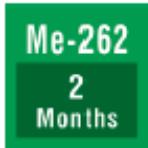

Me-262 (Special Weapon) – When placed on the Month Track (2 months out, not 4), draw the Me-262 Special Weapon card, and corresponding
Target cards mentioned on the Special Weapons card. While the Me-262 counter is still on the Month track, destruction of Target SW07 will move the counter out by one month. When active, add Me-262 counters to the Bandit cup per the Me-262 Special Weapons card (Special Notes).
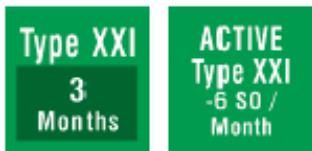
Type XXI U-Boat (Special Weapon) – When placed on the Month Track (3 months out, not 4), draw the Type XXI U-Boat Special Weapon card, and
the corresponding Target cards mentioned on the Special Weapons card. While the Type XXI counter is still on the Month track, destruction of Target SW10 will move the counter out by one month. If all three Targets are destroyed before it becomes active, remove the Technology counter from the Month track. It does not become active. If active, place 1 Type XXI U-Boat counter on the
ETO Map each month. You lose 6 SO points for each deployed Type XXI U-Boat counter the first week of each month. You can attack deployed Type XXI U-Boats with an ASW Mission.
HO-229 Bomber (Special Weapon) – When placed on the Month Track (3 months out, not 4), draw the Ho-229 Special Weapon card, and the
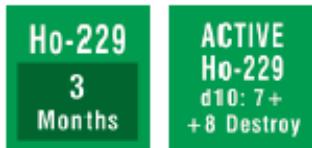
corresponding Targets cards mentioned on the Special Weapons card. While the Ho-229 counter is still on the Month track, destruction of Target SW03 will move the counter out by one month. If all three Targets are destroyed before it becomes active, remove the Technology counter from the Month track. It does not become active. If active, at the start of each Month, roll a die. On a roll of 7+ (not 6+), destroy 4 points from the two strongest Bomber Groups (randomly determine if tied).
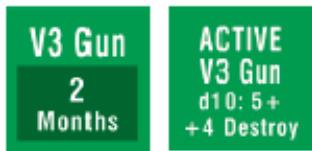
V-3 Cannon (Special Weapon) – When placed on the Month Track (2 months out, not 3), draw the V-3 Cannon Special Weapon card, and the
corresponding Target cards mentioned on the Special Weapons card. If both targets are destroyed before it becomes active, remove the Technology counter from the Month track. It does not become active. If active, at the start of each Month, roll a die. On a roll of 5+, destroy 4 points from a random Group (Bomber or Fighter).
2.8.7 German Commander Traits Description
The following describes each German Commander trait.
Western Deployment Focus (+X) – When rolling to determine Luftwaffe Squadron Theater Placement, add a +X to the die roll.
Reserve Focus (-X) – When rolling to determine Luftwaffe Squadron Theater Placement, subtract X from the die roll.
Construct New Aircraft Factory – Draw a new Aircraft Factory Target card and add the corresponding Supply counter. Do this only when the new Commander takes command (is drawn).
Germany Focus (8 + d10) – When placing Luftwaffe Squadrons on the Map, roll 1d10, add 8 to the die roll, and place the Luftwaffe Squadron on the corresponding Hex number.
German Targets Destroyed (Replace + X) – When rolling to replace the German Defense Commander, add the number of German Targets Destroyed in the current Month to the die roll.
2.9 Event Cards
Bomber Missions rarely went perfectly due to the complexity of taking off, organizing, flying to, bombing, and returning with a large number of aircraft.
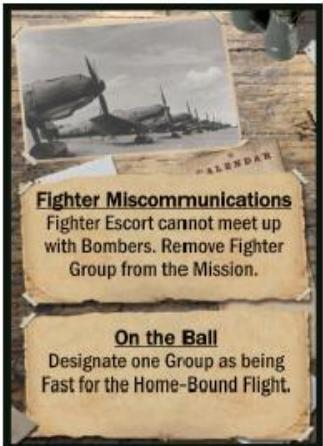
Event Cards are drawn during the Mission
Target Bound Flight and again during the
Mission Home Bound
Flight. Apply the Event Card effects only
through that portion of the flight (if
applicable).
The top section shows Mission Events that occur on the way to the Target. The bottom section shows Mission Events that occur on
the way home from the Target.
Unless an Event card states otherwise, Events only apply to the Fighter/Bomber Groups participating in the Mission. Unless an Event states otherwise, immediately apply its effect.
2.10 Bomb Counters
2.10.1 Overview
The Bombers can carry a wide variety of Bomb ordinance to drop on Targets.
2.10.2 Key Points
Each Bomber type has a Tonnage value that limits the amount of Bomb Tonnage that can be carried on a mission.
The number of Attack Numbers determines the maximum amount of damage a Bomb can do on a target. (ex: 3 Attack Numbers can cause a maximum of 3 Damage points)
Always pay attention to Target traits to determine which Bomb type best suits that particular target.
Not all bombs are available in the Campaigns. Check the Available Technologies section of the Campaign Sheet.
Commander Shower can use one Technology (selected when Shower takes command, and does include Bomb technologies) that is NOT on the Campaign sheet for the Group he is commanding. Unavailable Technologies must be removed if Commander Shower is killed.
2.10.3 Details
1 - Bomb Type – The type of bomb on the counter.
2 - SO Cost – The SO
Cost value identifies the number of SO
points
required
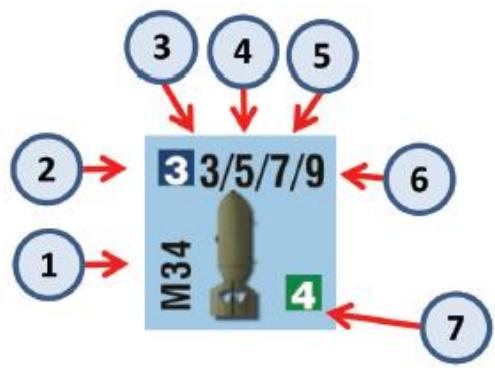
for a Bomber Group to equip each Bomb counter.
3 - Attack Numbers – The numbers used to determine the amount of damage done to a target. If the modified die roll is equal to the first number but less than the second number, one Hit is scored.
4 - If the modified die roll is equal to the second number but less than the third number, two Hits are scored.
5 - If the modified die roll is equal to the third number but less than the fourth number, three Hits are scored.
6 - If the modified die roll is equal to or greater than the fourth number, four Hits are scored.
Note: Not all weapon counters have multiple Hit numbers.
7 – Tonnage –The counter's Weight value. Different Bomber Types have different weight limits. You can only place bombs on the bomber up to the weight limit on the card.
Note: Remove each expended weapon counter from the Aircraft, even if they were not needed.
2.10.4 Bomb Special Attributes
Some Bombs have special attributes that are more effective against certain types of Targets.

Dispersed – Weapons with a “D ” get the indicated die modifier bonus when attacking a Dispersed Target. Note: M30 Tonnage value changed from 2 to 3.
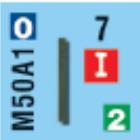
Incendiary – Weapons with an “I” in a red box indicates the Bomb contains Incendiaries. Incendiaries can only be used on Targets with an Incendiary keyword. Incendiaries can cause additional Target damage after mission.
the bombing mission.
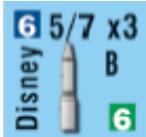
Bunker – Weapons with a “B” do not suffer from the Hardened Target Trait.
2.10.5 Special Bombs
There are special bombs that can be used by the Bomber Groups, but they must be available per the Campaign sheet. If Renown Commander Shower is being used in a Bomber Group, that Group can use one unavailable technology, including Special Bombs.
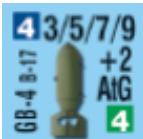
GB-4 – The GB-4 bomb has a camera and can be steered to the target. It can only be used by a B-17 Bomber Group, and provides a +2 AtG modifier.
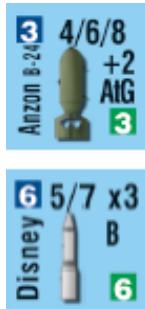
Azon – The Azon bomb has radiocontrolled tail fins to steer the bomb to the target. It can only be used by a B-24 Bomber Group, and provides a +2 AtG modifier.
Disney – The Disney bomb can only be used against Hardened targets, and does not suffer the 1 Hit penalty for Hardened Targets. Roll 3 dice for each Disney bomb's attack. Each die roll can inflict up to 2 points of
damage.
2.11 Allied Technology Counters
2.11.1 Overview
As the war progressed, the Allies and Germans made significant technology advancements to help each side win the war.
The Campaign sheets identify what Allied Technology and Equipment is available for that campaign. When available, technology and equipment can be purchased and applied to a specific Bomber or Fighter Group.
2.11.2 Key Points
Technology and Equipment is purchased with SO Points and is applied to only one Group. Place the appropriate Technology counter on the Group card.
Chaff and Drop Tanks can only be used for one mission, and are then discarded.
Commander Shower can use one Technology (selected when Shower takes command) that is NOT on the Campaign sheet for the Group he is commanding. Unavailable Technologies must be removed if Commander Shower is killed.
2.11.3 Details
The following describes each Allied Technology.
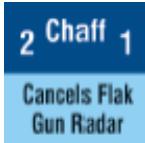
Chaff (SO Cost: 2, Weight 1) – Chaff consists of bundles of aluminum strips that were dropped from the bombers to confuse the Axis Flak radar systems. Chaff nullifies the German Flak Gun Radar technology.
Chaff must be purchased for every mission and is discarded after the mission. Chaff must be with the Lead Bomber on the mission, and covers the entire Mission Group. Chaff weighs one Weight Point.

APT-2 Jammer (SO Cost: 3) - The APT-2 jammer is used to jam the Axis Surveillance Radar system, hiding how many bombers are part of the mission. The Jammer nullifies the German Surveillance Radar technology. The
Jammer remains with the Bomber Group that purchased it. The Bomber Group must be the Lead Bomber on the mission, and covers the entire Mission Group.
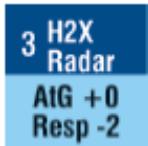
H2X Radar (SO Cost: 3) - The H2X radar is used to bomb targets that are mostly cloud covered (Mostly Cloudy). The Mostly Cloudy -2 AtG modifier doesn’t apply, and there is a -2 Luftwaffe Response modifier.
The H2X Radar remains with the Bomber Group that purchased it. The Bomber Group must be the Lead Bomber on the mission, and covers the entire Mission Group. This equipment only applies if using the optional Weather rules.

Drop Tanks Range +2 (SO Cost: 2, Weight 2) – Drop Tanks extend the range of Fighter and Bomber Groups, allowing them to fly on long range missions. Drop Tanks can be used to extend Fighter and Bomber range by 2
hexes. For Bombers, Drop Tanks take up Weight that reduces the amount of bombs that can be carried. Drop Tanks must be purchased for each Group. They are only used for one mission, and are discarded after the mission.
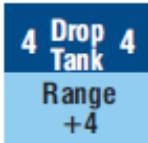
Drop Tanks Range +4 (SO Cost: 4, Weight 4) – These Drop tanks are the same as the Range +4 Drop Tanks, but cost more and extend the range to +4.

YB-40 (SO Cost: 4) – The YB-40 is a modified B-17 that was converted to be a gunship. It did not carry Bombs. Bomber Groups with YB- 40 equipment get a +2 AtA modifier and a -1 AtG modifier. The YB-40
gunships replace some B-17s in the Bomber Group.
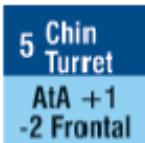
Chin Turret (SO Cost: 5) - Early models of the B-17 (F) and B-24 (D) were delivered with weak Chin Turrets, which limited machine gun fire in front of the aircraft. The Chin Turret Technology upgrades the
Chin Turret of the older models to match the later versions. The Chin Turret upgrade modifies the German Frontal tactic to a +2 modifier and adds a +1 AtA modifier when attacking Bandits.
2.12 Bandit Counters
2.12.1 Overview
Bandits attack your Bomber Stream as you fly to and from the target, attempting to destroy as many of your bombers as possible. Flak Guns attack your Bombers from the ground.
The Aircraft Bandit counters identify the Aircraft Type, Attack Numbers, number of Attack turns, a Defense Value, and any tactics performed by the Bandits.
2.12.2 Key Points
A Bandit is drawn for each Luftwaffe Squadron counter in range of the Mission Group (depends on Luftwaffe Response level).
Bandits have two sides. One side is used if the Bandit is in the same hex as your Mission Group (white number in Black box), and the other side is used if the Bandit is from an
Content is long; only the first part is inlined. Download the file or open the rules page for the full text.
Download Markdown01.md13.8 KB
1.1 Rulebook Format
The following outlines the rulebook format.
Component Overview (Section 2) – Use this section as a reference for the components in the game, plus key points and component details.
Campaign Setup (Section 3) – When you are ready to start a game, see this section to setup up your game.
Sequence of Play (Section 4) – This section lists the overall Sequence of Play once the game is setup.
Weekly Sequence of Play (Sections 5 Through 14) – Describes the steps performed every week.
Monthly Sequence of Play (Sections 15 through 22) – Describes the steps performed at the end of each Month.
End of Campaign (Sections 23 and 24) – Describes the steps performed to Evaluate and Score your game.
Optional Rules (Sections 25 through 30) – Contains a set of Optional Rules you can use during your game.
Aircraft (Section 32) – Describes the Aircraft you will use during the game.
Variant Rules – Shows the counters for the Single-Bomber and DiF Variants.
Errata – Contains the game errata (updates to printed components).
2. Component Overview
This section provides component reference information for counters, cards, Campaign Sheets, and the Display. Reference this section when learning and playing the game.
2.1 Counters
The following summarizes the key Counters used in the game.
Bomber Groups – Each Bomber counter represents a historical Bomber Group (BG) and matches to a corresponding set of Bomber Group cards.
Fighter Groups – Each Fighter counter represents a historical Fighter Group (FG) and matches to a corresponding set of Fighter Group cards.
Bandits – The Bandit counters represent Luftwaffe fighter aircraft or Flak guns. The No Bandit counters don't attack. Bandit counters are placed in a cup and are randomly drawn during a mission.
Special Bandits – Bandit counters with an S (Sturmgruppen) or J (Jet) are only added to the Bandit cup due to German tactics or technologies.
Novice/Veteran Bandits – Used with the optional Veteran/Novice Bandit rules. Bandit counters are added to the Bandit cup based on the Campaign year.
Tactics – Used by Bomber Groups and Fighter Groups with Renowned Commanders. Tactics help you fight Bandits and evade Flak attacks.
Luftwaffe Squadron – The Luftwaffe Squadrons are placed on the Map to attack the Mission groups executing a mission.
Bombs – Bombs are used to destroy targets. There are several types of bombs, each uniquely able to attack different types of targets.
Technology – The Germans can invest in Technologies to help win the war. The German Technologies are identified on the German Defense Commander card.
Deployed Technologies – Allied Technologies can be purchased and utilized by an Individual Bomber or Fighter group.
Recon Aircraft – Recon Aircraft are used with the Optional Intel rules to increase the Intel level of a selected target.
Intel Level Markers – Used to mark a target's current Intel level and penalties/bonuses based on a Recon mission.
Group Destroyed Losses – Used to represent Fighter and Bomber Group Losses due to Bandits and Flak.
Target Damage Counters – Targets damaged by bombs are marked with individual damage markers during the bombing attack, and damage level markers after the bombing attack.
Incendiary – Targets damaged by Incendiary bombs are marked with an Incendiary marker.
Supply – Used on the Aircraft Factory track to indicate the number of Supply Points generated by a German Aircraft Factory. Red numbers indicate a Damaged Factory. At the end of the month, surviving Supply Points become Luftwaffe Squadrons.
Build Factory – Placed on the Aircraft Factory track when an Aircraft Factory target is destroyed. At the end of the month, for each Build Factory counter placed, draw one Aircraft Factory Target card.
Target Bandits – Placed on a Mission Target card that has the Bandits trait as a reminder to draw additional Bandits over the Target.
Mission – Represents the Mission Group as it navigates to/from the Target.
Diversion – Placed on a Bomber Group that is flying a diversion mission.
ASW Mission – Placed on a B-24 Bomber Group that is flying an Anti-Submarine Warfare (ASW) Mission.
Theater Markers – Placed in the current Theater advancement space to track the Allied advancement in the different theaters.
Theater Modifiers – Modifiers can be applied for Theater Advancement based on Target destruction and Secondary Mission outcomes.
Date Trackers – Used to track the Current Year, Month, Week, and Day. The Day counter is only used in the Operation Argument Campaign, and is placed on the Campaign sheet.
Target – Placed on the map in the hex of the Mission Target.
Mission Path – Used to identify the Mission path from the UK Base to/from the Target. Also identifies the maximum range of Escorts (if applicable).
Weather – When using the optional Weather rules, identifies the Weather in the current Sector. Without a counter, the weather is assumed to be Partly Cloudy.
Tactical Targets – Used for ETO (European Theater Operations) Secondary Missions. The ETO Secondary Missions only apply to the Allied Invasion Campaign.
Luftwaffe Response – Placed on the German Defense Commander to identify the current Luftwaffe Response Level.
Luftwaffe Response Modifiers – Placed on the German Defense Commander card prior to rolling for the Luftwaffe Response as a reminder of any Luftwaffe Response modifiers.
Bandits Destroyed – Used on the Bandits Disrupted track to identify the current number of Bandits Destroyed.
U-Boats – Used to identify the number of U-Boats deployed as a Luftwaffe Commander Tactic.
Distinguished Unit Citation – Used to identify Groups that have earned the DUC. The group gets +5 XP points.
Fighter Group Engagement – Used with the optional Fighter Group Engagement rules. All Engagement counters are placed in a cup and randomly drawn after each Fighter engagement.
2.2 Renowned Commander Counters
2.2.1 Overview
All Groups have a Group Commander, but special Renowned Commanders can be purchased that provide Tactics and Special Abilities to his permanently assigned Group. Several Groups allow a specific Renowned Commander to be used for free.
When the Group becomes Veteran, the Renowned Commander counter is flipped to its Vet/Ace side. Blue Commanders are for Bomber Groups and Red Commanders are for Fighter Groups.
2.2.2 Key Points
Bomber Group Commanders are Blue, Fighter Group Commanders are Red.
Renowned Commanders can be killed based on Events. Killed Commanders are removed from play and cannot be used again.
Commander Tactics can only be used for one Bandit Attack turn, and are then are discarded for the remainder of the mission.
Renowned Commander Shower allows his assigned Group to use one unavailable Technology or Equipment, including Special Bombs. You must pick which one technology is available when you select him.
2.2.3 Details
The Renowned Commander counter shows the following:
Commander's Name
Cost: The number of SO points needed to purchase the Commander.
Tactics: Identifies the Tactics that the Group can use when executing a Mission. Each Tactic can only be used once a mission. Only one Tactic can be used each turn.
Abilities: Identifies the Special Abilities that are applied to the assigned group.
Vet, Ace: Groups with a skill level of Veteran or Ace use this side.
Type: Fighter Group Commanders are Red, Bomber Group Commanders are Blue.
2.2.4 Commander Tactics Description
The following describes the Tactics that can be used.
Concentrate Fire – The Group gets a +2 AtA Attack modifier for one attack on a declared Bandit.
Evasion – The Group rolls two dice for each Bandit attack this turn. Use the lowest roll as the attack roll. A Slow Group cannot perform an AtA attack this turn if the tactic is used. If you use Evasion against Flak attacks, apply a -1 AtG modifier when Bombing the target.
Good Aim – During the turn, the Group gets a +1 AtA attack modifier when attacking all Bandits for this turn.
Suppress – Subtract 2 from all Bandit attack rolls against this Group this turn. Declare before rolling.
Out of the Sun – Must be used by a Fighter Group on the first Axis Fighter Attack turn. The Fighter always attacks first (Fast) and gets a +3 AtA Attack modifier. This tactic affects all Axis Bandits.
Situational Awareness (SA) – The Group attacks as a Fast Group and a Slow group during the same turn.
2.2.5 Commander Abilities Description
The following describes the Commander's special abilities.
ASW AtG – The B-24 Bomber Group gets the indicated Air to Ground Modifier when attacking U-Boats.
AtG – The Group gets the indicated Air to Ground modifier when bombing the Target.
Bandit Intercept – The Fighter Group can intercept an additional Bandit.
Flak Defense – Subtract the indicated number from all Flak attack rolls made against the Group.
Formation – Add the indicated number to all Formation check rolls.
Ignore Frontal Attack Tactic – The Group ignores the German Frontal Attack Tactic (i.e. no Bandit Tactic Attack)
One Early Tech – The Group can purchase one specified technology that hasn't been researched (i.e. isn't available in the current Campaign or the current Month/Year). The technology must be specified when the Commander is selected.
Promotion XP/Level – The Group can promote to the next skill level with fewer Experience Points.
Range, AtA – The Fighter Group can extend its maximum Range, but must apply a negative modifier to all Air to Air attacks.
Reassign – For all Group Reassign rolls, apply the indicated modifier.
Replenish – The Group gets the indicated number of Replacement points at the end of each week.
Weight, Formation – The Bomber Group can carry an additional Bomb Weight, but must apply the negative modifier to all Formation Checks.
2.3 Campaign Sheets
2.3.1 Overview
The US Army Air Force Daylight Strategic Bombing Campaign started in August 1942 and lasted until May 1945. The primary goal was to destroy the Luftwaffe by targeting factories related to the aircraft industry. But they were often given secondary objectives based on particular Strategic or Political needs. The provided Campaigns cover the whole range of the Bombing Campaign, and have real objectives that were given to the Eighth Air Force.
The Campaign Sheets describe the starting conditions, special operating conditions, and evaluation criteria. There are 11 Campaigns to choose from, varying from 1942 through 1945.
2.3.2 Key Points
No targets in 1942 Campaigns can be German targets (removed from Target decks). Ignore all Special Weapon Tactics during the 1942 Campaigns.
The Allied Invasion Campaign is the only Campaign that uses the ETO Theater marker and uses the ETO Tactical Targets.
Some months in a Campaign only have 2 or 3 weeks' worth of missions. This represents generally poor weather conditions during those months.
For Operation Argument, you get the Weekly SO Point allocation for each day of the Campaign.
For Combined Bomber Operations, select Targets and perform Mission as normal. However, before running a mission you can roll a 1d10 and apply that amount of damage to the Target. This can be done twice.
Operation Crossbow (or just Crossbow) refers to the V-Weapon Targets. Use V-Weapon Targets V01 through V12 for the Campaign.
2.3.3 Details
The Campaign Sheet shows the following:
Campaign Name: The name of the Campaign.
Date: The Starting and ending date of your campaign.
General Information: The reason you are completing this campaign.
Special Rules: These rules are specific to this campaign. If a special rule on a campaign sheet contradicts a rule in the rulebook, the campaign sheet's rules take precedence.
Initial Groups: You start with Bomber and Fighter Groups at each level shown in this section. If you select more Groups than are listed, all additional Groups have the Skill level noted with the asterisk. Example: You begin The Air War Begins Campaign with two Recruit, one Green and one Average level Bomber and Fighter Groups. When you purchase more Aircraft, they will all come in at Green level.
Initial SO Points: At the beginning of the campaign, you will have this number of Special Option points to spend on Bomber Groups, Fighter Groups, Group level upgrades, Recon Units, and Renowned Commanders.
Monthly Replacement Points: At the end of each month, you gain this number of Replacement points to replace destroyed bombers or fighters in your Groups.
Weekly SO Points: At the beginning of each week, you gain this number of additional Special Option points.
Initial Luftwaffe Squadrons: At the beginning of the campaign, this number of Luftwaffe counters are placed on the Western European Theater section of the Tactical Display.
Initial Luftwaffe Airfields: At the beginning of the campaign, draw this number of Airfield Target cards and place them in the Target Placement area of the Tactical Display.
Initial Aircraft Factories: At the beginning of the campaign, draw this number of Aircraft Factories Target cards and place them in the Target Placement area of the Tactical Display.
Initial Med. Theater: At the beginning of the campaign, place your Med. Theater counter on the designated box of the Med. Theater track.
Initial USSR Theater: At the beginning of the campaign, place your USSR Theater counter on this box of the USSR Theater track.
Use Secondary Missions?: Identifies if Secondary Missions are used during the Campaign.
Available Technologies: Shows the Technology counters you can purchase for your Bomber or Fighter Groups during the campaign.
Evaluation: Shows the number of Victory Points you must earn throughout the campaign to attain each level.
Download Markdown03.md12.8 KB
2.7 Target Cards
2.7.1 Overview
Targets are Axis-controlled facilities that are critical to the German war effort. The number and type of Targets drawn is based on the Campaign and Secondary Missions.
Each target has Supply Points that identify production values in the top right corner to show its contribution to Germany's War Effort. The Supply Points also represent the number of Victory Points earned if the Target is destroyed.
2.7.2 Key Points
Targets limit the number of Bombers that can be on the mission.
At the end of each week, Damaged Targets not attacked that week make a Repair roll. If successful, Target damage is reduced by one level.
Operation Crossbow refers to V-Weapon Site Targets
Special Weapon Targets are added to your existing Target list when a German Defense Commander with that Technology is revealed.
2.7.3 Details
The Target Card shows the following:
Country Flag: The flag of the target Country.
Target Type and Number: The Target Type is noted by a prefix (listed below), and followed by the Target's Number. AC – Aircraft Factory
AF – Airfield
BB – Ball Bearing Factory
N – Naval Port
Oil – Oil Storage/Refinery
SW – Special Weapons
T – Transportation
U – U-Boat Pen/Port
V – V-Weapon Site
VF – Vehicle Factory
Supply Points & VPs (Victory Points): The target's Supply point value is also the Victory Points earned when the Target is Destroyed.
Target Type: The type of target.
Target Location: The country and town where the target is located.
Target Hex: The hex number on the Display Sheet, and the hex range from the UK Base.
Maximum Number of Groups: The maximum number of Bomber Groups that can participate in the mission. You may send fewer Bomber Groups on a mission, but you may not send more than the listed number.
Damage: If the Target has suffered Hits less than the first number, the Target is Undamaged. If the Target has suffered Hits equal to or greater than the first number, but less than the second, the Target has suffered Light damage.
If the Hits suffered is equal to or greater than the second number, but less than the third, the Target has suffered Medium damage.
If the Hits suffered is equal to or greater than the third number, but less than the fourth, the Target has suffered Heavy damage.
If the Hits suffered is equal to or greater than the fourth number, the Target is Destroyed.
AtG Modifier: The Bomber Air-to-Ground (AtG) modifier is used when bombing target.
Incendiary – Identifies that the Target is Incendiary. If the Target is damaged with an Incendiary bomb, place an Incendiary counter on the Target.
Flak: The Flak attack numbers and number of d10 dice to roll.
Luftwaffe Response – Add or subtract the modifier when rolling for the Luftwaffe Response.
Special Notes: These notes pertain to this specific Target card.
2.7.4 Target Special Note Descriptions
The following describes the Target's Special Notes.
Bandits – Place the "Target Bandits" counter in the same hex as the target with the matching number up. Draw the indicated number of Bandit counters when the mission Group enters the Target hex.
Bonus – Receive the noted bonus if the target is destroyed.
Dispersed – Some Bombs get an attack bonus against Dispersed Targets.
DUC – If the Target is Destroyed, award a Distinguished Unit Citation (DUC) to the Lead Bomber Group. The Group also gets +5 XP.
Hardened – Subtract 1 Hit from the Hits inflicted by each Bomb counter against the Target.
Optional: High Intel Req – If using the optional intel rules, the Target must have a High Intelligence level before it can be attacked.
Overkill – You gain the noted bonus if you inflict the specified number of Hits on the Target.
Penalty – Suffer the indicated penalty each Week the target is Undamaged.
Repair – If this damaged Target is not attacked during a week, roll a die. If you roll the Repair value or higher, the Target reduces its damage by one level – from Heavy Damage to Medium Damage, to Light Damage to Undamaged.
Reserve – When the Target is destroyed, remove the indicated number of Luftwaffe Squadrons from the Reserve.
Theater – When the Target is destroyed, apply the indicated Die Roll Modifier (DRM) to the indicated Theater.
Under Construction – Do not roll for attacks from that weapon site.
2.8 German Defense Commander Cards
2.8.1 Overview
Throughout the war, the Luftwaffe and German Defense Command tried various tactics and technologies in an attempt to stop the Daylight Bombing Campaign.
German Defense Commanders invest in various Tactics and Technologies in an effort to stop your Bombing Campaign. They also identify the die roll ranges to determine the Luftwaffe Response for each mission (All Out, High, Average, or Poor).
2.8.2 Key Points
Luftwaffe Responses of All Out and High allows Luftwaffe Squadrons in adjacent hexes to attack the Mission Group.
For Luftwaffe Responses of Average and Poor, only Luftwaffe Squadrons in the current hex attacks the Mission Group.
Only Bandit Tactics that match Tactics on the current German Defense Commander are Active.
German Defense Commander Technologies do not become active immediately. Place the technologies on the Month track the number of months AFTER the month the German Defense Commander takes Command.
If a German Defense Commander is replaced, any Technologies added as a result stay in the game.
2.8.3 Details
The German Defense Commander card shows the following:
German Commander Name: The name of the German Commander.
Replace: Every Month, roll a die. If the roll is equal to or greater than the Replace value, the Commander is discarded and replaced with a new Commander card.
Luftwaffe Response: Used to determine the Luftwaffe Response on the Display Map for each mission.
Tactics: Identifies the Tactics that are used while the German Commander is in charge. The tactics on the Bandit counters are only active if the corresponding German Commander tactic is active. The various German Commander Tactics are detailed in the Bandit Attacks rule section.
Technology: German technologies are researched for X number of months (place the appropriate technology counter on month track the indicated number of months ahead of the first active month for the Commander with month side up). When you reach the indicated month, the Technology becomes Active and is placed in the German Technology Box Active side up on the Tactical Display Sheet. Do not remove the Commander's Technology counters if he is replaced.
German Commander Traits: Contains Commander Trait information.
2.8.4 Luftwaffe Response Description
The following describes the Luftwaffe Responses.
All Out – The hex containing your Mission Aircraft is attacked by all Luftwaffe Squadrons in that hex and in the adjacent hexes.
High – The hex containing your Mission Aircraft is attacked up to 5 Luftwaffe Squadrons in that hex and in the adjacent hexes.
Average – The hex containing your Mission Aircraft is attacked by up to 4 Luftwaffe Squadrons in that hex.
Poor – The hex containing your Mission Aircraft is attacked by up to 2 Luftwaffe Squadrons in that hex.
2.8.5 German Tactics Description
The following describes the German Tactics. Only Bandits that have the Tactic matching the current German Defense Commander are Active and used against your groups.
Group Attack – If the German Defense Commander has the Group Attack Tactic, then only roll one die to determine what Bomber Group to attack. All non-intercepted Bandits attack the one Bomber Group (ignore 2 Bandit Limit).
Dispersed – If the German Defense Commander has the Dispersed Tactic, all the Bandits automatically attack the Bomber Group that is Dispersed (randomly choose for ties). If no Bomber Groups are Dispersed, then place the bandits as usual.
U-Boat Support (SO count, die roll to place, # dice to roll) – Roll the indicated number of dice (third number, ex: x3). If the die roll is equal to or greater than the second number (ex: 5+), then place a U-Boat counter with the matching SO count (first number) on the ETO Map (bottom left corner). For each U-Boat counter placed, you lose that many SO points each week. They can be destroyed by an ASW mission. Remove any U-Boat counters when the German Commander is replaced.
Example: I just flipped over Kammhuber who has a U-Boat Support 2, 5+, x3 Tactic. Because of the x3, I roll 3 dice. I get a 9, 2, and 6. Because 9 and 6 are greater than 5 (5+), I place two U-Boat counters with SO Points of 2 on the Map. I lose a total of 4 SO Points/week while the U-Boats are active on the Map.
Bandit Tactics – for Rocket Attack (R), Bombs (B), Frontal Attack (F), Sturmgruppen Fw-190 (S), and Out of the Sun (OS), see section 2.12.4.
2.8.6 German Technology Description
The following describes the German Technologies.
Flak Gun Radar – When active, add +2 to all Luftwaffe Flak attack rolls. This technology is negated by Allied Chaff technology.
Surveillance Radar – When active, add +2 to all Luftwaffe Response rolls. This technology is negated by Allied Jammer technology.
Example: I draw German Defense Commander Jodl and place his card on top of the German Defense Commander pile. On his commander card, he has the surveillance Radar German technology. The Surveillance radar counter is placed 1 month ahead of when Jodl becomes active, which is August. I place the Radar counter on the Sept. box. At the end of August, when I advance my Month counter to September, the Surveillance Radar counter is removed and flipped over to the Active side and placed in the German Technology box. The Technology effects now become active.
Me-262 (Special Weapon) – When placed on the Month Track (2 months out, not 4), draw the Me-262 Special Weapon card, and corresponding Target cards mentioned on the Special Weapons card. While the Me-262 counter is still on the Month track, destruction of Target SW07 will move the counter out by one month. When active, add Me-262 counters to the Bandit cup per the Me-262 Special Weapons card (Special Notes).
Type XXI U-Boat (Special Weapon) – When placed on the Month Track (3 months out, not 4), draw the Type XXI U-Boat Special Weapon card, and the corresponding Target cards mentioned on the Special Weapons card. While the Type XXI counter is still on the Month track, destruction of Target SW10 will move the counter out by one month. If all three Targets are destroyed before it becomes active, remove the Technology counter from the Month track. It does not become active. If active, place 1 Type XXI U-Boat counter on the ETO Map each month. You lose 6 SO points for each deployed Type XXI U-Boat counter the first week of each month. You can attack deployed Type XXI U-Boats with an ASW Mission.
HO-229 Bomber (Special Weapon) – When placed on the Month Track (3 months out, not 4), draw the Ho-229 Special Weapon card, and the corresponding Targets cards mentioned on the Special Weapons card. While the Ho-229 counter is still on the Month track, destruction of Target SW03 will move the counter out by one month. If all three Targets are destroyed before it becomes active, remove the Technology counter from the Month track. It does not become active. If active, at the start of each Month, roll a die. On a roll of 7+ (not 6+), destroy 4 points from the two strongest Bomber Groups (randomly determine if tied).
V-3 Cannon (Special Weapon) – When placed on the Month Track (2 months out, not 3), draw the V-3 Cannon Special Weapon card, and the corresponding Target cards mentioned on the Special Weapons card. If both targets are destroyed before it becomes active, remove the Technology counter from the Month track. It does not become active. If active, at the start of each Month, roll a die. On a roll of 5+, destroy 4 points from a random Group (Bomber or Fighter).
2.8.7 German Commander Traits Description
The following describes each German Commander trait.
Western Deployment Focus (+X) – When rolling to determine Luftwaffe Squadron Theater Placement, add a +X to the die roll.
Reserve Focus (-X) – When rolling to determine Luftwaffe Squadron Theater Placement, subtract X from the die roll.
Construct New Aircraft Factory – Draw a new Aircraft Factory Target card and add the corresponding Supply counter. Do this only when the new Commander takes command (is drawn).
Germany Focus (8 + d10) – When placing Luftwaffe Squadrons on the Map, roll 1d10, add 8 to the die roll, and place the Luftwaffe Squadron on the corresponding Hex number.
German Targets Destroyed (Replace + X) – When rolling to replace the German Defense Commander, add the number of German Targets Destroyed in the current Month to the die roll.
Download MarkdownTexts are community-compiled or publicly released by publishers; copyright remains with the original authors. For personal reference only.