
Fields Of Fire
At a glance
Rules, cards and Q&A (Chinese)
The rules, card data and player questions for this game are written in Chinese. Open the Chinese page to read them.
Where to find full rules
Full rules and card lookup are available in the cunlema app at cunlema.cn — pick this game and ask about any rule, card or turn you are unsure about.
Related games
Rulebook text (Markdown)
This game has 14 rulebook Markdown file(s) in our library; 3 rendered inline below — expand to read or download.
FoF chapters 1 - 3 (With pages).md133.4 KB
1. INTRODUCTION
Welcome to Fields of Fire
Fields of Fire is a solitaire game. This means you make all the decisions for your units and, with help from charts and tables in the game, the activities of the enemy.
Fields of Fire is a diceless game. Instead, decks of cards are used to generate the battlefield, resolve combats, provide possible outcomes for all of your decisions and control the appearance and activities of the enemy. Note that Fields of Fire is both the name of this game and the name of its game system. It is our intention to publish additional games and missions using the Fields of Fire system.
Fields of Fire is a complex game without being a complex game system. The basic components (movement, combat, orders, communication, etc.) are very straightforward. Within each component there are multiple activities to choose. Each activity will have an outcome, some favorable and some not. Even at the beginning of a mission/scenario your choices will seem infinite. This and the interactions created by your choices means decisions and more decisions. Herein lies the complexity. Each decision must be made for the game to continue. You’ll have many choices to make without having nearly enough resources. Your actual choices will determine whether you emerge from your mission successfully or not.
Your role in Fields of Fire is that of a company commander. Your command will include three platoons of three squads each and supporting weapons teams. You may also have your own weapon teams as support and have additional off board artillery. A company executive officer and CO first sergeant will be there to assist you.
Your task in Fields of Fire is to successfully guide your company through a campaign of a number of missions. Before each mission you’ll have to formulate a plan of action and allocate your limited resources. During the mission you wil issue orders to your units and choose the tactics to accomplish your objective. Your orders will win or lose the mission. After the mission you raise your experience levels and incorporate replacements for your casualties.
This is the second edition of the rules. Numerous examples of play accompany the rules. Wherever possible the examples are taken from the Advanced Tutorial found on GMT’s website.
My comments and examples are in blue
Questions Answered by Designer:
Any Questions Answered by designer of the game, Ben Hull, will be in a box like this.
The source to the questions and answers are:
http://boardgamegeek.com/boardgame/22877/fields-fire
and
http://talk.consimworld.com/WebX?14@@.ee6eec3
This version of the rules have two main goals:
Cover every rule possible with illustrated examples
Add a full game play example to play along with the ruleset.
Leave free space in the table for a while!
1.1. CONCEPT
You use the following items to play the game:
Two decks of cards (a Terrain Deck and an Action Deck)
Equipment
Action Deck
Counters representing the elements of the company and enemy units
Terrain Decks

9th US Infantry Regiment “Manchus”
2nd Infantry Division “Indian Head”
25th Infantry Division “Tropic Lightning”

German Army (Heer) German Paratrooper (Fallschirmjaeger)

North Koreans (NKPA)

Vietcong (VC) North Vietnamese Army (NVA)
And various markers.


Miscelaneous Markers


The Terrain Deck forms a map on which to play a mission. The Action Deck applies to many procedures throughout the game, from giving command and control capacity to resolving combat and various other activities.
1.1.1. Scale
A. Ground Scale Ground scale is abstract. Each Terrain Card represents a geographic area where Company leaders can reasonably exercise command and control of their units through voice and hand signals. The size of this area depends on the terrain, ranging from 10-20 meters across in close terrain to 40-100+ meters in more open terrain. Accordingly, Range and Line of Sight are abstract as well
B. Time Scale The time of a turn is abstract, too, and typically covers 5 to 30 minutes. Missions last a given number of turns, normally 10 to 12. The turn limit covers the cumulative effect of fatigue and consumption of small arms ammunition.
C. Unit Scale Infantry units have between 1 and 3 Steps with each Step representing 2 to 3 men. Units with 2 or 3 Steps are called squads, and units with a single Step are called teams. A vehicle or aircraft unit represents a single vehicle or aircraft.

1 step unit (team)
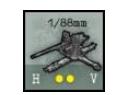
2 steps unit (squad)

3 steps unit (squad)
1.1.2. Campaigns
Choose one of the three available campaigns. This determines what units and equipment are available (Order of Battle) and which missions to complete. The corresponding Campaign Instructions in the Briefings Booklet details what forces and equipment are available and lists the enemy forces that may be encountered.
1.1.3. Missions
Each campaign has seven missions, though you can play a mission “stand alone,” too. The Mission Instructions for each mission in the Briefings Booklet provide the rules and charts specific to that mission. The intent is for each mission to be playable in a single session.
Playing a mission involves two distinct parts: preparation and implementation.
Preparation is the set-up and planning of the mission.
Implementation is the movement and action portion and is played in a series of game turns divided into a sequence of phases. While playing a turn your command elements receive commands that they exchange for actions. Enemy forces enter play automatically as governed by the rules and mission charts, and activity checks guide their actions. The sequence of play differs slightly depending on whether you are attacking or defending.
1.2. COMPONENTS
There are several types of components used during play. This section provides the orientation and location of information on the components and the following sections detail how they all work together.
The game contains the following:
This Rules Booklet
A Briefings Booklet
A Normandy Terrain Deck of 55 cards
A Korea Terrain Deck of 55 cards
A Vietnam Lowlands Terrain Deck of 55 cards
An Action Deck of 50 cards
Four two-sided hint cards and one reshuffle card
Five sheets of 5/8 inch counters & markers (total of 880)
One double-sided $1 1 ^ { \prime \prime }$ by $1 7 ^ { \prime \prime }$ Player Aid Cards
Two double-sided 8.5” x 11” Player Aid Cards
A Command Display, single-sided
A Mission Log Pad, two-sided, expendable

Dark Border block LOS & Gets Higher Cover & Concealment Clear Border doesn't block LOS & Gets lower Cover & Concealment
Each campaign has a specific Terrain Deck that represents terrain typical to that area.
During Play, you randomly lay out terrain cards in a grid of rows and columns as indicated for each mission to create the map on which the game is played out.
Column 1
Column 2
Column 3
Column 4

A. Cover & Concealment

The number in the circle in the upper left indicates the intrinsic defensive value of the terrain on the card and benefits all units that occupy that card. Some cards have two values.
Use the higher value Cover and Concealment number if any fire is coming across a dark border.
If all fire is coming across white borders as Incoming fire, indirect mortar fire, or from within the card itself, then use the lower number. Direct Lay Mortar Fire is subject to the card borders. Note that the higher number is in larger font, above and to the left of the lower number.
B. TRAFFICABILITY

A tank icon with “SLOW” or “NO” on it indicates the card has limited trafficability to all vehicles.
“SLOW” means a vehicle must stop moving when it enters that card.
“NO” means a vehicle may not enter the card. (See 7.3.1.)
C. LINE OF SIGHT BORDER
There is a border around the perimeter of each card that consists of white and dark segments. Dark borders block the tracing of Lines of Sight (LOS) but white borders do not. (See 5.2.1.).

Card with only Dark Borders

Card with only White Borders

Card with both Dark and White Borders
Because there can be eight cards adjacent to a given terrain card, the border of each card is divided into eight areas.
Use the solid area on the appropriate corner when fire enters the target card from a card diagonally adjacent.
Use the dashed area on the appropriate side when fire enters from a card orthogonally adjacent.
D. Hills
You place other Terrain Cards on top of Hill Cards to raise the elevation of the top card by one level.

A Hill Card
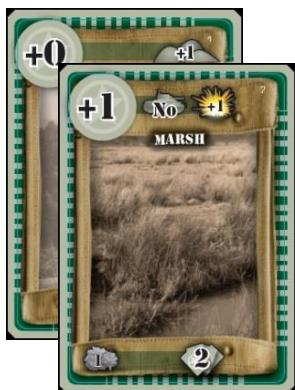
other Terrain Card on top of a Hill Card
Multiple hills may be played on top of each other, each one raising the level by one. It helps to offset a Terrain Card slightly from the underlying Hill Card so it is easily recognizable. (See 5.2.2.)
E. LZ Potential
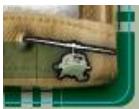
In campaigns where helicopters are used, this notation indicates the card may be used as a Landing Zone. (See 7.3.2.)
F. Cover Potential
Cover is an abstraction of the finding and use of specific locations within a card that give more protection.
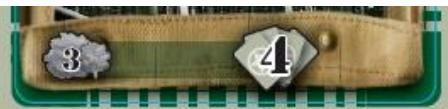
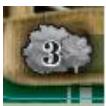

On the lower left of each card is an icon (usually a tree or a building) containing a number. That number indicates the maximum number of Cover Markers that can be found on the card.

On the lower center of each card is an icon of cards, also containing a number. That number indicates how many cards to draw when attempting to locate a Cover Marker. (See 5.2.3.)
G. Elevation /Multi-Story

Some cards have an icon in the upper right that indicates if the card contains elevation differences (plus or minus 1 level) or a multistory building. (See 5.2.2.)
H. Incoming VOF Modifier
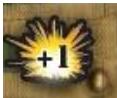
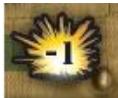
If a card has a Burst icon on it, apply the number in that icon as a modifier to any Incoming Volume of Fire (VOF). (See 6.2.2.)
I. Capacity
Though it is not printed on the cards, every card has a maximum capacity for any one side of 16 Steps and 4 vehicles.
As long as Steps are embarked on the vehicles they do not count against this limit.
1.2.2. Action Cards
Action Cards are used in all campaigns. They serve the purpose that charts and dice serve in many “traditional” war games.
A. Command Section
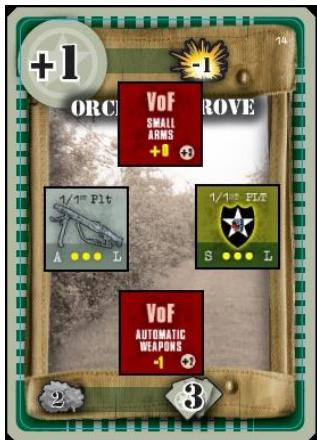
This section at the top left of each card has two numbers, a large one in a helmet on the top left, and a smaller one in a US star symbol below and to the right of the first number.

• The number in the helmet indicates how many commands are available to an HQ when it is activated.
• The smaller number in the star symbol tells how many commands are available to an HQ that has not been activated, which is known as initiative.
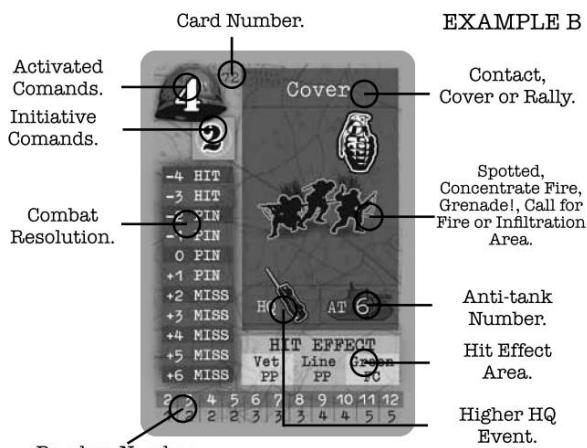
Random Number Section
B. Action Attempt Section
The whole upper right quadrant of the card is the Action Attempt Section, and the items in that section (“Contact,” “Spotted,” “Higher HQ,” and “Anti-tank Number”) are described elsewhere in the rules.
This Chart gives you details on each of the Symbols that show up in the Action Attempt Section of the Action cards that you’ll draw throughout the game.
Important: in every case below, draw ALL of the cards allowed for each action attempt, regardless of early success. For instance, if you are directed to draw 4 cards for an Attempt to Seek Cover action, and the first drawn contains the word Cover at the top, you must continue and draw the other three cards, even though you were successful on the first draw.
| Cover | Cover: Anytime you perform an Attempt to Seek Cover Action [See 5.1 and 5.2.3] you will draw a number of cards equal to the Cover Draw number at the bottom center of the terrain card. • If any of the cards contains the word covER at the top, the Seek Cover action is successful. Place the unit in Cover. If the word covER is not present on any of the drawn cards, the attempt fails. Contact: Any time you Evaluate a Potential Contact Marker [3.7.1.b], you will first remove the | |||||
| Contact | PC marker from the card, then refer to the Potential Contact Draw Chart (on the Charts & Tables Card) to determine how many Action Cards you will draw. You then draw the indicated number of Action Cards. POTENIIAL CONTACT DRAW CHART Type Current Activity Level of PC No Marker Contact Engaged Heavily Contact Engaged A Auto 7 5 3 B Auto 5 3 2 C 4 3 2 1 If any of the drawn cards have the word coNTACT at the top, you have made contact with a new enemy package. Check to see if you need to change the Activitity Level and proceed with enemy package placement [9.2]. ACTIVITY LEVELS: | |||||
| No Contact: No VOF or PDF Markers on map and no enemy units spotted. Contact: One friendly occupied card is under a VOF Marker. Engaged: 2+ friendly occupied cards are under VOF Markers. Heavily Engaged: Engaged, and at least one card has both enemy and friendly units on it. If CONTACT is not found on any of the drawn cards, no enemy contact is made (but the PC marker is still removed). Rally: Anytime you perform a Rally Action [See 4.2.3] that lists “2(+/-) for Rally" in the Draw Column of the Rally Actions Table, you draw two cards (possibly adjusted for the experience of the unit that is attempting to rally). | ||||||
| Rally | • If either of the cards contains the word RALLY at the top, the Rally Action is successful. Rally the unit. If the word RALLY is not present on any of the drawn cards, the attempt fails and the unit remains in its current morale state. Burst: Whenever you perform a Call for Fire Action, you draw the number of cards specified in the Mission instructions for the particular unit that is Calling for Fire, possibly adjusted for the experience of the unit (Draw one extra card if the fire is pre-registered [6.7.5]). | |||||
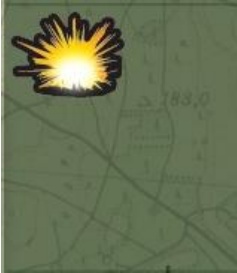 | Fire Support Available Draws Agency Ammo Mod Arty Mtr FO CO PLT # FMs FAC FO HQ HQ HE -5 NA 2 NA 1 NA 4 15th FA Bn (105mm) WP -4 NA 2 NA NA 1 Battalion Fire Missions are not available for Artillery Fire Missions If any of the drawn cards contains the Burst Icon, the Call for Fire is successful and you will place a Pending Fire marker on the target card (and expend one fire mission on the Mission Log). If the Burst Icon is not present on any of the drawn cards, the attempt fails. 7 | |||||
| Battalion Fire Missions. | Battalion Fire Missions: Note that several cards include THREE Burst Icons. These represent | ||||
| Fire Support Available Draws | |||||
| Agency Am- Mod AFt m0 FAC Mtr | |||||
| HE 15th FA Bn (105mm) | -5 NA 3 -4 NA | 2 2 NA | PHIQ CO FMs FO HQ 4 | ||
| WP | 3 | 2 2 NA 1 | |||
 | Bn Mortar Plt (81mm) | HE | -3 NA 2 | ||
| Rgt | WP -3 | NA 2 | 2 | 3 2 NA 3 | |
| Cannon Co. (105mm) | HE WP -4 | -4 NA | 3 3 3 2 | NA 1 NA 3 | |
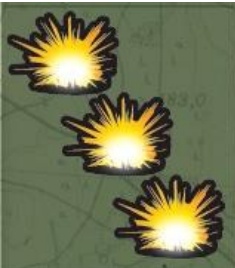
 | bordering your original target card and place Pending Fire Mission markers on these cards as well as the original target (note that this is the ONLY time an Unspotted enemy unit can ever intentionally be placed under a VoF marker) | Battalion Fire Missions are available for Artillery Fire Missions | 3 2 NA 1 If you draw one of these during a Call for Fire Action, and the Mission Instructions say that Battalion Fire Missions are available for your current mission, then choose two cards | ||
| bordering card and place it there. For air strikes, randomly choose a card bordering the intended target card and place the • marker there. | "Short" inside, the fire mission has gone awry. | Short Rounds: If one of the drawn cards in a Call for Fire Action has a Burst Icon with the word | • For artillery fire, place the Pending Fire marker one card closer to the Observer along its LOS, unless the Observer is calling for fire on his own card. In that case, randomly choose a | ||
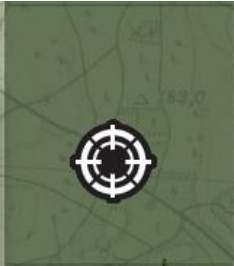
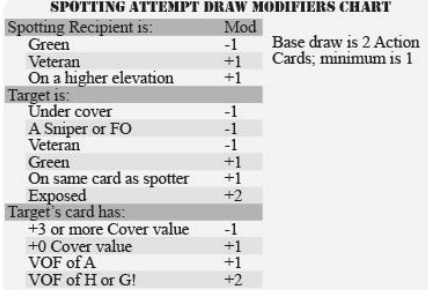
| Actions. a Spotting attempt is one card). | Crosshairs: This icon is used for both Spotting Attempts and Attempt to Concentrate Fire • Spottin Attempt: When you make an Attempt to Spot Action, check the Spotting Attempt Draw Modifiers Chart to determine the number of Action Cards to draw (the minimum draw for | ||||
 |  | ||||
| cards (possibly adjusted for the experience of the unit that is attempting to concentrate its fire). If any of the drawn cards contains a Crosshairs icon, the attempt is successful. | |||||
| • Attempt to Concentrate Fire. When you make an Attempt to Concentrate Fire, draw two | |||||
| enemy unit is now spotted. Place friendly PDFs and VoF as needed. | |||||
| If any of the drawn cards contains a Crosshairs icon, the spotting attempt is successful and the | |||||
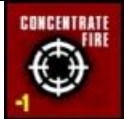 | |||||
| Place a “-1 Concentrate Fire" marker on either a targeted cover marker or on a | |||||
| random enemy unit not under cover on the targeted card. | |||||
| Grenade: When you make an Attempt to Make a Grenade Attack, draw two cards (possibly adjusted for the experience of the unit that is attempting the attack). | |||||
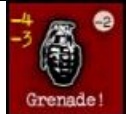 | If any of the drawn cards contains a Grenade icon, the attempt is successful. Place a “Grenade" VoF marker on the targeted unit or cover marker. | ||||
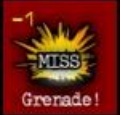 | |||||
 | If the drawn cards contain no Grenade icons, the attack fails. Place a "Grenade Miss" VOF on the CARD | ||||
| (this VoF affects the entire card - friendly and enemy units). | |||||
| cover marker) gets an immediate free Attempt to Make a Grenade Attack in response. | |||||
| Note that if the Grenade attempt is made (whether successful or not) against enemy units on | |||||
| the same card as the attacker, the target unit (all target units under the cover if the target was a | |||||
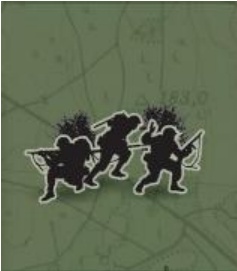 | Infiltrate: (Not for units with an H or A with an arrow symbol): When you make an Attempt toInfiltrate an Adjacent Card (remember: in order to do this, either the origin or destination cardmust contain a VoF marker), draw two action cards (possibly adjusted for the experience of theunit that is attempting to infiltrate).If this is a platoon infiltration attempt, draw cards for each unit of the platoon separately.• If any of the drawn cards contains an Infiltrate icon, the attempt is successful. Place theinfiltrating unit on the destination terrain card, but do not mark it with an Exposed marker. (Itmay also enter a vacant or friendly-occupied cover marker on the new card.)If none of the drawn cards contains the Infiltrate icon, the attempt fails. Placethe unit on the destination card (under cover is allowable, as above) and mark it  with an Exposed marker. |
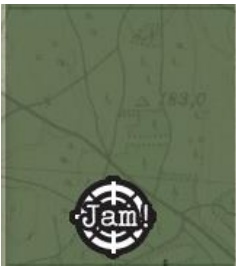 | Jam: If a one-step Weapons Team (armed with a machine gun, bazooka, rocket launcher,recoilless rifle, etc.) draws a card with the Jam symbol on it when either attempting a Grenadeattack or a Concentrate Fire action, that Weapons Team has suffered a serious weaponmalfunction.Flip the team to its Fire Team side for the remainder of the mission.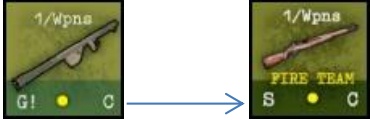 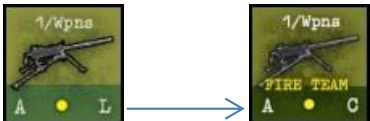 [Note: a Jam result negates any successful draw that a weapons team might make on that sameConcentrate Fire or Grenade Attack action attempt]. |
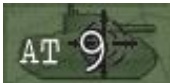 | AT #: This is the Anti-Tank number. You add this number to the AT modifier to get a final sumduring Anti-Tank Combat. That sum is then referenced on the Anti-Armor Table to determine afinal combat result. |
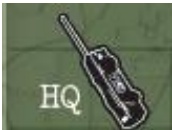 | HQ: During both the Friendly Higher HQ Event Phase and the Enemy Higher HQ Event Segmentof each turn except turn 1, you will draw one card to determine whether there is any new higherHQ activity this turn.If the drawn card contains the HQ Symbol, a Higher HQ Event Occurs. Draw another actioncard, checking the random number section at the bottom, and refer to either the Friendly orEnemy Higher HQ Event Table (depending on which phase you were in when you triggered theevent) in the Mission Briefing to resolve the event. |
C. Combat Resolution
This section appears along the left side of the card and vertically lists numbers from -4 to +6 and HIT, PIN or MISS.
The number is the net modifier for Volume of Fire plus Cover & Concealment and various other conditions.
The words HIT, PIN or MISS indicates whether the target has taken effective fire.
D. Hit Effect Section

This section is just below the Action Attempt section and is used when an infantry unit is HIT to determine the effect of that hit based on the Experience Level of the target unit (Veteran, Line, or Green).
E. Random Number Section (R#)
Along the bottom of the card is the random number generator. Many game functions require that something be determined randomly among a variety of options.
The top number is the number of options and the bottom number is the result to use. For instance, to determine which of 3 options to use, just draw a card, find the 3 column, and note that 2 is under the 3. Thus, you would use option 2.

F. Drawing Cards
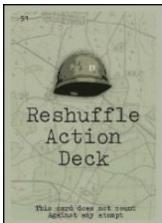
To insure the Action deck is randomized sufficiently to give the proper distribution of results, most activities require a number of cards be drawn. Always draw the full number to determine the result; do not draw until a result happens and stop short.
If you encounter the reshuffle card, set it aside, reshuffle, and then place the reshuffle card back somewhere near the middle of the deck. Once reshuffled, finish drawing the cards and then flip them to determine the result.
1.2.3. Units
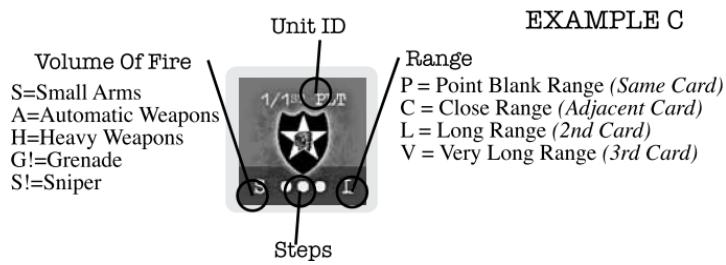
Any non-vehicle unit is an infantry unit and has a unit identifier, a unit symbol, possibly a Volume of Fire (VOF) Rating, a number of Steps, and possibly a Range Rating.
A. Squads
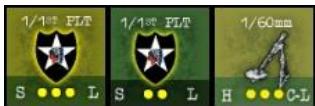
A squad is a unit of two or three Steps and is the primary infantry combat unit of maneuver in the game.
B. Headquarters (HQs)

These are one Step units that function as the command elements of the Company.
• They have no VOF or Range Ratings listed on the front. This is its command mode side, used when the unit commands itself and other units to perform actions.
• The reverse side is its Fire Team side that has VOF and Range Ratings. This side is used when the unit engages directly in combat and limits its ability to serve its primary command function.
C. Forward Observers (FOs)/Spotters
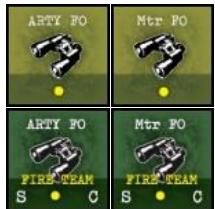
These are one Step units whose purpose is to call in indirect fire missions from mortars, artillery, or to control close air support.
• They have no VOF or Range listed on the front, which is the observer side.
On the back is the Fire Team side that has VOF and Range Ratings and is used when the unit engages directly in combat. Such a unit cannot call in fire when it is on its Fire Team side.
D. Weapons Teams
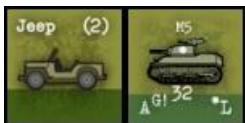
Vehicles/Aircraft
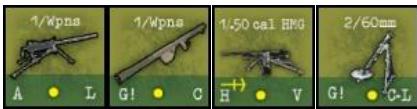
These are one Step units that represent the crew that operates specific crew-served weapons such as machine-guns, rocket launchers, mortars, and recoilless rifles.

F. Limited Action Teams (LATs)
Each of these units represents a single vehicle or aircraft. Additional information for vehicles and aircraft that would not fit conveniently on the counter is located on the Player Aid Card.

These units are one Step units labeled as Assault, Fire, Litter, or Paralyzed Teams.
They are created during the course of play by combat or by command.
Each has its own set of limitations.
G. Casualties

These are one Step units that represent soldiers killed or injured enough to be hors de combat.
These units have no capability.
They exist to be potentially evacuated or captured
H. Staff
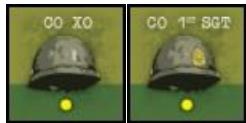
These are one Step units that assist the Company HQ or the Higher HQ. For the Company level these are the Executive Officer (XO) and the first Sergeant (1st Sgt).

At the higher HQ level the term Staff encompasses the Regimental or Brigade Commander (Rgt/Bde Cmdr), Battalion Commander (Bn Cmdr), or the Battalion Operations Officer (BN S-3).
The two levels, Company and Higher, function differently in the course of the game.
All Battalion Level Staff units are considered to have an Experience Level of Line.
I. Runners
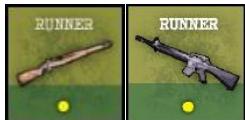
These are one step units with no ratings. They allow the Company HQ to communicate with a Platoon HQ when no radio or telephone network is available.
The runners functionally cannot be assigned to platoons, they move between the CO HQ and PLT HQs and Staff. The other teams and assets could be assigned to platoons.
J. Assets
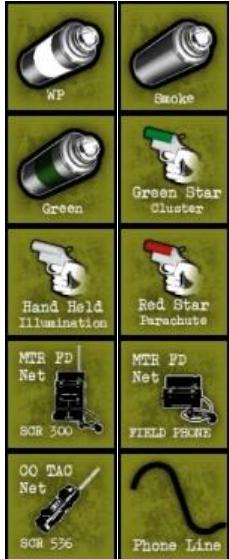

These counters represent various pieces of equipment such as radios, phones, phone lines, or pyrotechnic devices. These are normally held on the Command Display to ease allocation and reduce clutter on the map.
1.2.4. Markers
Fields of Fire uses a variety of informational markers to reduce record keeping on paper and the amount of information the player needs to remember.
A. Combat (VOF, PDF, Concentrated Fire, Crossfire)
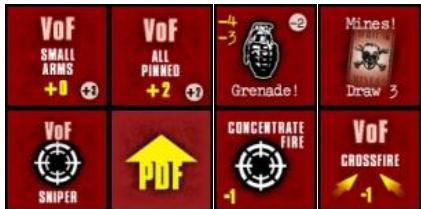
These are colored red.
Use them to determine the net combat modifier when resolving combat.
B. Exposed/Pin

Use the front side of these to mark units exposed during movement and the reverse side for units that are pinned during combat. Each side has a modifier that is part of the net combat modifier for any marked units.
C. Tactical Control
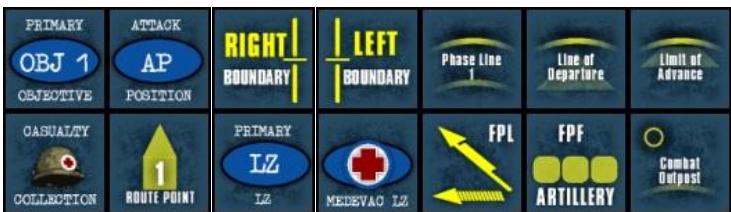
These markers represent the graphical controls that Line commanders put on their maps to help control fire and maneuver. (See 2.4.1.)
D. Cover
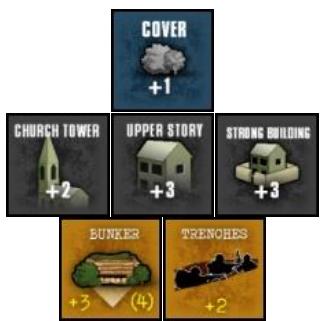
There are three basic types of Cover Markers:
• basic (blue),
• urban (dark blue), and
• field fortifications (brown).
These represent specific locations within the area of the card that provide greater protection. (See 5.2.3.)

Ammunition is only tracked for certain types of weapons, and that is done on the Mission Log.
FIELDS OF FIRE COMPANY ROSTER
| MISSION: | TURNS: EXPERIENCE EARNED | ||
| UNIT | EXPERIENCE | CASUALTIES | AMMO |
| COMPANY HQ | |||
| Co HQ | |||
| Co XO | |||
| Co 1st Sgt | |||
| Runners 1 | |||
| Runners 2 | |||
However, when ammo is transported around the battlefield, these markers represent that ammo.
The number on each marker indicates the number of ammo points it represents.
F. Potential Contact/Current Activity

The Potential Contact and the Current Activity Markers work together to regulate the appearance of the enemy during the course of a mission. (See 9.1.)
G. Weather /Visibility
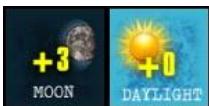
The Visibility Marker is used to remind the player how the current visibility condition affects the net combat modifier.
1.2.5. Player Aids
A. Mission Log - 2 sided, expendable
FIELDS OF FIRE COMPANY ROSTER
| MISSION: TURNS: | EXPERIENCE EARNED: | ||||||
| UNIT | EXPERIENCE | CASUALTIES AMMO | |||||
| COMPANY HO | |||||||
| Co HQ | |||||||
| Co XO | |||||||
| Co 1st Sgt | |||||||
| Runners 1 | |||||||
| Runners 2 | |||||||
| IST PLATOON | |||||||
| 1st PLT HQ | |||||||
| 1st SQD | |||||||
| 2nd SQD | |||||||
| 3rd SQD | |||||||
| 1/Wpns (MG) | |||||||
| 2/Wpns (MG) | |||||||
| 1/Wpns (Bazooka) | |||||||
| 2/Wpns (Bazooka) | |||||||
| 2ND PLATOON | |||||||
| 2nd PL/T HQ | |||||||
| 1st SQD | |||||||
| 2nd SQD 3rd SQD | |||||||
| 1/Wpns (MG) 2/Wpns (MG) | |||||||
| 1/Wpns (Bazooka) | |||||||
| 2/Wpns (Bazooka) | |||||||
| 3RD PLATOON | |||||||
| 3rd PLT HQ | |||||||
| 1st SQD 2nd SQD | |||||||
| 3rd SQD 1/Wpns (MG) | |||||||
| 2/Wpns (MG) | |||||||
| 1/Wpns (Bazooka) | |||||||
| 2/Wpns (Bazooka) WEAPONS SECTION/ WEAPONS PLATOON OR 4TH PLATOON | |||||||
| 4th PLT HQ 1/4th | |||||||
| 2/4th | |||||||
| 1/Wpns (MG) | |||||||
| 2/Wpns (MG) | |||||||
| 1/Wpns (Bazooka) | |||||||
| 2/Wpns (Bazooka) | |||||||
| 3/Wpns (Bazooka) | |||||||
| Mortar Section | |||||||
| 2 / 60mm | |||||||
| 3 / 60mm | |||||||
| 4/60mm | Draws | ||||||
| FIRE SUPPORT | Co HQ PL/T HQ | # FMs # Used | |||||
| Agency Ammo | Modifier | FAC | Arty FO Mtr FO | ||||
Attachments and Enemy Info on the back
FIELDS OF FIRE COMPANY ROSTER
| ATTACHMENTS: | ||||||||||
| Unit | Experience | Casualties | Ammo | |||||||
| ENEMY INFO | ||||||||||
| Unit | Experience | Casualties | Ammo | |||||||
| PYRO SIGNALS | ||||||||||
| Red Smoke | Yellow Smoke | Purple Smoke | Green Smoke | HC Smoke | ||||||
| WP Smoke | RSP | GSP | RSC | GSC | Illum WSP | |||||
A sheet of the Mission Log is used during a mission to track the following information:
• Company organization
• Unit Experience Levels
• Casualties
• Ammunition available and expended
• Fire missions available and expended
• Pre-designated actions for available pyrotechnic signals
• Units or Steps not committed to the mission
B. Player Aid Card(s)
These contain the charts and tables needed for play.
C. Command Display
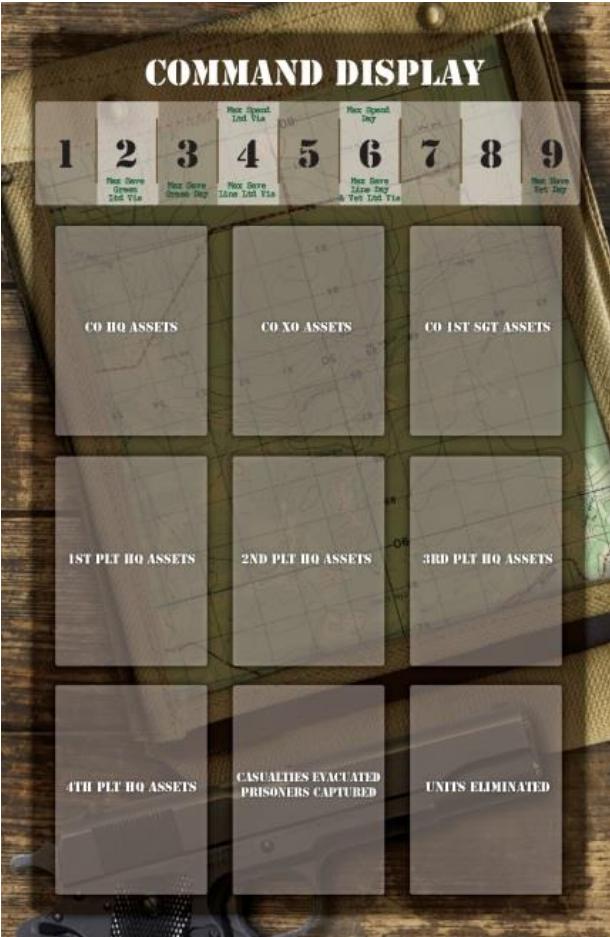
This is the one-sided card with a number track and holding boxes. The track is used to record the turn and any saved commands. There are holding boxes for distributing assets like radios, phones, and pyrotechnic devices among the HQs and Staff Officers, as well as boxes for evacuated casualties and units removed from play.
D. Briefings Booklet
This booklet contains the following information:
• An introductory section explaining its use.
• For each campaign, Campaign Instructions showing the Company organization, the equipment available, and an Enemy Force Packages Table showing the composition of revealed enemy forces.
• For each mission, Mission Instructions detailing all the information necessary to setup, play, and determine completion and experience for each of the 21 missions in the game. Generally, the first page of each mission’s instructions contains information about the US forces, while the second page contains information about the enemy forces.
• Historical information for each campaign.
1.2.6. Glossary
Adjacent - To be on a card next to a given card is to be adjacent to that card. Including diagonals, there are eight possible adjacent cards to any specific card.
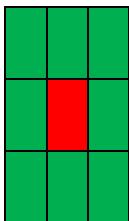
Asset - An asset is a piece of equipm ent that promotes command and control or visibility.
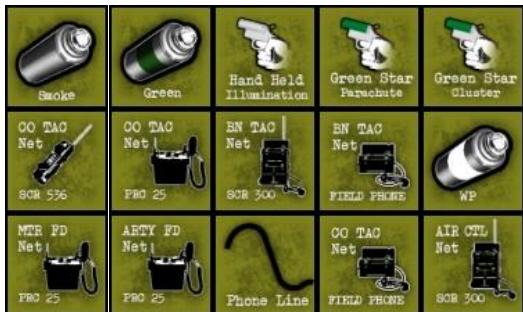
Assets include pyrotechnics (smoke grenades and flares—see 4.3.6.), radios (see 4.3.5.), and telephones (see 4.3.4.). HQs and Staff units normally carry these.
For HQ and Staff place them in the applicable boxes on the Command Display until ready for use, other units may carry and use them by placing them under that unit.
Attachments — These are additional units listed in the instructions for each mission that are available for that mission.
Units that are assigned to you in the Mission Instructions automatically have an Experience Level of Line.
| Attachments | |||
| Unit Type | No. Assets or Ammo | Formation | |
| Arty FO | 1 | SCR300 Arty FD Net Radio 15th FA Bn | |
| Mtr FO | 1 | SCR300 Mtr FD Net Radio Bn 81mm Mortar Plt | |
Assign each such unit to a specific HQ on the Mission Log before the beginning of a mission. (See 2.3.3.)
FIELDS OF FIRE COMPANY ROSTER
| ATTACHMENTS: | |||
| Unit | Experience | Casualties | Ammo |
| Arty FO | Line | ||
| Mtr FO | Line | ||
Basic VOF — Fire from a combat unit as per the counter: Small Arms (S), Automatic Weapons (A), and Heavy Weapons (H). Includes All Pinned.

Chain of Command — All units belong to a particular HQ at the beginning of a mission. HQs can only issue commands to subordinate units and HQs, and to itself. For example, a unit of the 1st Platoon receives orders from the 1st Platoon’s HQ. The 1st PLT HQ is subordinate to the CO HQ. The CO HQ is subordinate to the Battalion HQ, which is subordinate to the Regimental HQ. This means that a unit of the 1st Platoon can receive orders from the 1st PLT HQ, CO HQ, Battalion HQ, Regimental HQ, or their Staffs, but it cannot receive orders from the 2nd PLT HQ. Limited Action Teams may receive orders from any HQ or Staff unit.
Combat Units — Combat Units include any good order units, Assault or Fire Teams, and any unit with a printed VOF value.
Commands and Actions — HQs exert command and control through the use of Command Points. The more Command Points held by an HQ, the greater its ability to direct its units in carrying out their objective. You get Command Points for an HQ by drawing an Action Card and consulting the Command Section of the Card (1.2.2.a) to determine the number of activated or initiative Command Points received. Then, have the HQs spend Command Points for Actions causing units to perform various activities such as moving, firing, and rallying. (See 4.)
Convert — To convert a unit means to change a unit’s ability as the result of combat and Actions. You convert Steps, Teams, and LATs into various LATs as you play out a mission.
Current Activity Level — No Contact, Contact, Engaged and Heavily Engaged.
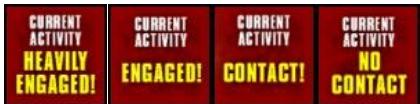
Engaged — A unit projecting a VOF marker.


CAMPAIGN 1: WORLD WAR II
NORMANDY, FRANCE, JUNE 8 THROUGH AUGUST 16, 1944
Experience Levels — A unit’s experience governs its chances of successfully completing Actions. Experienced units are more likely to complete Actions successfully. All Infantry Units have an Experience Level of Green, Line, or Veteran. Units start a campaign at the Experience Level prescribed by the Campaign Section in the Briefings Booklet.
During a mission, the Company gains Experience Points, which increase the Experience Level of surviving units for the next mission.
| Experience Points | |
| Task | Points |
| Secure the Primary Objective card | 5 |
| Secure the Secondary Objective card | 4 |
| Secure the Attack Position card | 3 |
| Clear another card that had a PC A marker | 2 per card |
| Clear another card that had a PC B or C marker | 1 per card |
| Capture enemy prisoners | 2 per step |
| Capture an enemy casualty | 1 per step |
| Perform a successful Grenade! Attack | 1 per attack |
| Complete HQ Event marked * that turn | 1 per event |
| Successfully evacuate a friendly casualty | 1 per casualty |
(From WWII Campaign: Mission 1)
| Order of Battle for your Company | |||
| Formation | Unit | Steps | Experience |
| Company Headquarters | CO HQ | 1 | Green |
| CO XO | 1 | Green | |
| CO 1ª Sgt | 1 | Line | |
| 1/.50 Cal HMG Team | 1 | Line | |
| Runner | 1 | Line | |
| Runner | 1 | Line | |
| Jeep | Vehicle | Line | |
| Light Machinegun Section | 1 / Wpns (Note A) | 1 | Line |
| 2 / Wpns (Note A) | 1 | Line | |
| Bazooka Section | 1 / Wpns (Note B) | 1 | Line |
| 2 / Wpns (Note B) | 1 | Line | |
| 3 / Wpns (Note B) | 1 | Line | |
| 60mm Mortar Section (Must select which to use before starting mission and can't change later.) | Either | 1 /60mm 3 | Line |
| 2/60mm | 1 | Line | |
| 3/60mm | 1 | Line | |
| 4/60mm | 1 | Line | |
| 1ª Rifle Platoon | 1ª PLT HQ | 1 | Green |
| 1/1⁸PLT | 3 | Line | |
| 2/1PLT | 3 | Line | |
| 3 /1PLT | 3 | Line | |
| 2d Rifle Platoon | 2d PLT HQ | 1 | Green |
| 1 / 2nd PLT | 3 | Line | |
| 2/2 PLT | 3 | Line | |
| 3 / 2d PLT | 3 | Line | |
| 3rd Rifle Platoon | 3rd PLT HQ | 1 | Green |
| 1 / 3dPLT | 3 | Line | |
| 2/ 3rd PLT | 3 | Line | |
| 3/ 3dPLT | 3 | Line | |
| Total Steps: | 44 | ||
Good Order Unit — This is any Infantry Unit that is not a Limited Action Team and not PINNED.
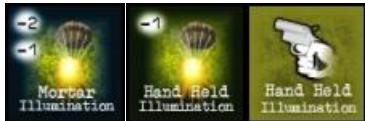
Illuminated — This refers to a Terrain Card lit by illumination devices.
Infantry Unit — Any unit that is not a vehicle is an Infantry Unit. If the term Unit is used in the rules, assume it is an Infantry Unit.
Occupied, Cleared, and Secured Cards — A terrain card is Occupied when there is at least one friendly unit on the card. A terrain card is Cleared if there are no enemy units or Potential Contact Markers on the card. A terrain card is Secured when it is both Occupied and Cleared. Ignore any enemy casualties or VOF Markers on a card when determining if the card is Cleared.
Occupied Card

Cleared Card
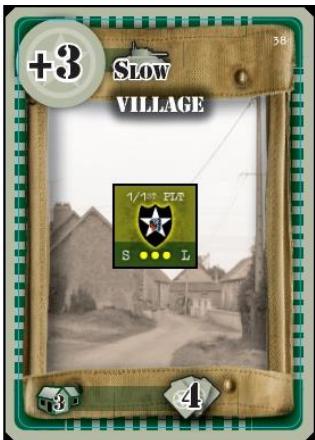
Secured Card
Primary Direction of Fire (PDF) — A marker which indicates the direction to a given unit’s VOF marker. A PDF marker is not placed if you engage an enemy unit on your same card.

Reconstitute — To reconstitute means to make a battlefield promotion of a good order unit to replace (between missions) the CO HQ or a Platoon HQ that was removed from play OR to put a squad back into play (during a mission) from 2 or 3 teams. (See 10.1.)
Removed from play — Remove from the map any unit replaced by other counters, such as a squad that drops below two Steps and becomes a Fire Team or any team that is converted to a Litter Team, Paralyzed Team, or Casualty. A unit removed in this way can only be returned via reconstituting. (See 10.1.)
Special VOFs (these require an attempt) — Sniper, Incoming, Mines, and Grenade.
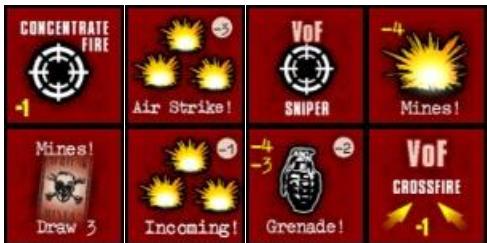
Steps — A step is the common measurement of unit size in the game. Units have between one and three steps, with each step representing between two and four men. Units with two or three steps may break down into different units during play, either voluntarily or as a result of combat. Because these units have various weapons, a diagram is provided at the end of the rules to show how various units break down.
Team — A Team is any 1 Step unit. There are several varieties of Teams used in the game.
FO Team - A forward observer unit that provides fire support from offmap agencies such as artillery, mortars, and aircraft.
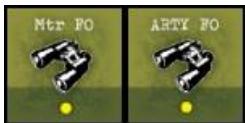
Weapons Team – A unit composed of a particular weapon and its crew, including machine-guns, recoilless rifles, and mortars.
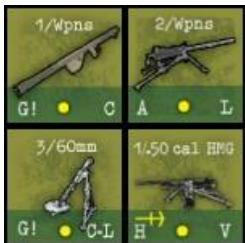
Limit Action Team (LAT) - A unit created by Commands or as the result of combat during the Combat Effects Phase. As their name suggests, they have limits on their abilities. LAT is a collective abbreviation referring to the four types of LATs: Assault, Fire, Litter, and Paralyzed Teams
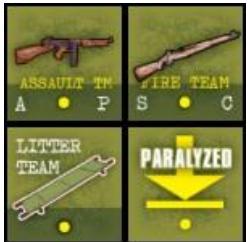
Command & Control Team – All HQs, Staff, and runner units

Vehicle -- Vehicles include helicopters and tracked, half-tracked, and wheeled vehicles. (See 7.)
Volume of Fire (VOF) – See Basic VOF and Special VOF.
1.2.7. Common Abbreviations
GENERAL ABBREVIATIONS
| BDE- Brigade NCM - Net Combat Modifier | |
| BN - Battalion | NET - Network (Phone or Radio) |
| CAS – Close Air Support | PDF – Primary Direction of Fire |
| CO- Company | PLT - Platoon |
| FAC - Forward Air ControllerRCL- Recoilless Rifle | |
| FO - Forward Observer | RGT-Regiment |
| FM- Fire Mission(s) | RKT - Rocket Launcher |
| FPF – Final Protective Fire | SGT-Sergeant |
| FPL - Final Protective Line | SQD-Squad |
| HQ-Headquarters | TM -Team |
| LAT - Limited Action Team | VOF – Volume of Fire |
| LOS – Line of Sight | XO - Executive Officer |
| MTR -Mortar | |
VOLUME OF FIRE ABBREVIATIONS
| S - Small Arms Fire |
| A - Automatic Weapons Fire |
| H – Heavy Weapons Fire |
| G! - Grenade/Rocket Launcher Fire |
| S! – Sniper Fire |
RANGE ABBREVIATIONS
| RANGEABBREVIATIUNS P - Point Blank Range | |
| (Same Card) C - Close Range | L -Long Range (2nd Card) V - Very Long Range |
| (Adjacent Card) | (3rd Card) |
2 PREPARING FOR A MISSION
No Company commander would willingly enter a battle without properly organizing his command, understanding the assets available to him and their capabilities, and mapping out the terrain on which his soldiers will operate. Before you begin playing a mission of Fields of Fire, you will have to spend a little time doing these things, too.
2.1 CHOOSE A CAMPAIGN AND A MISSION
First, choose one of the three campaigns: Normandy World War II, Naktong Korea, or III Corps Vietnam. Then, choose a mission from that campaign. If you just want to play a single mission by itself, you can choose any mission. However, if you want to play the entire campaign, you should start with Mission 1.
Either way, look at your Company’s Order of Battle in the Briefings Book to see what forces you have available, and check the mission instructions, especially the Mission Details section, for set-up information about that mission.
Here is an example of a campaign and mission instructions founded on the briefing booklet.
Campaign Instructions: FIELDS OF FIRE BRIEFING BOOKLET
| FIELDS OF FIRE BRI | ||||
| CAMPAIGN 1: WORLD WAR II NORMANDY, FRANCE, JUNE 8 THROUGH AUGUST 16, 1944 | ||||
| Order of Battle for your Company | ||||
| Formation Unit | Steps | Experience | ||
| Company Headquarters | CO HQ | 1 | Green | |
| CO XO | 1 | Green | ||
| 1 | Line | |||
| CO 1ª Sgt 1/.50 Cal HMG Team | 1 | Line | ||
| Line | ||||
| Runner Runner | 1 1 | Line | ||
| Jeep | Vehicle | Line | ||
| 1 / Wpns (Note A) | 1 | Line | ||
| Light Machinegun Section | 2 / Wpns (Note A) | 1 | Line | |
| 1 / Wpns (Note B) | 1 | Line | ||
| Bazooka Section | 2 / Wpns (Note B) | 1 | Line | |
| 3 / Wpns (Note B) | 1 | Line | ||