
Magnate First City
At a glance
Rules, cards and Q&A (Chinese)
The rules, card data and player questions for this game are written in Chinese. Open the Chinese page to read them.
Where to find full rules
Full rules and card lookup are available in the cunlema app at cunlema.cn — pick this game and ask about any rule, card or turn you are unsure about.
Related games
Rulebook text (Markdown)
This game has 1 rulebook Markdown file(s) in our library; 1 rendered inline below — expand to read or download.
Magnate rulebook - Reviewer Copy 1.23.md56.5 KB
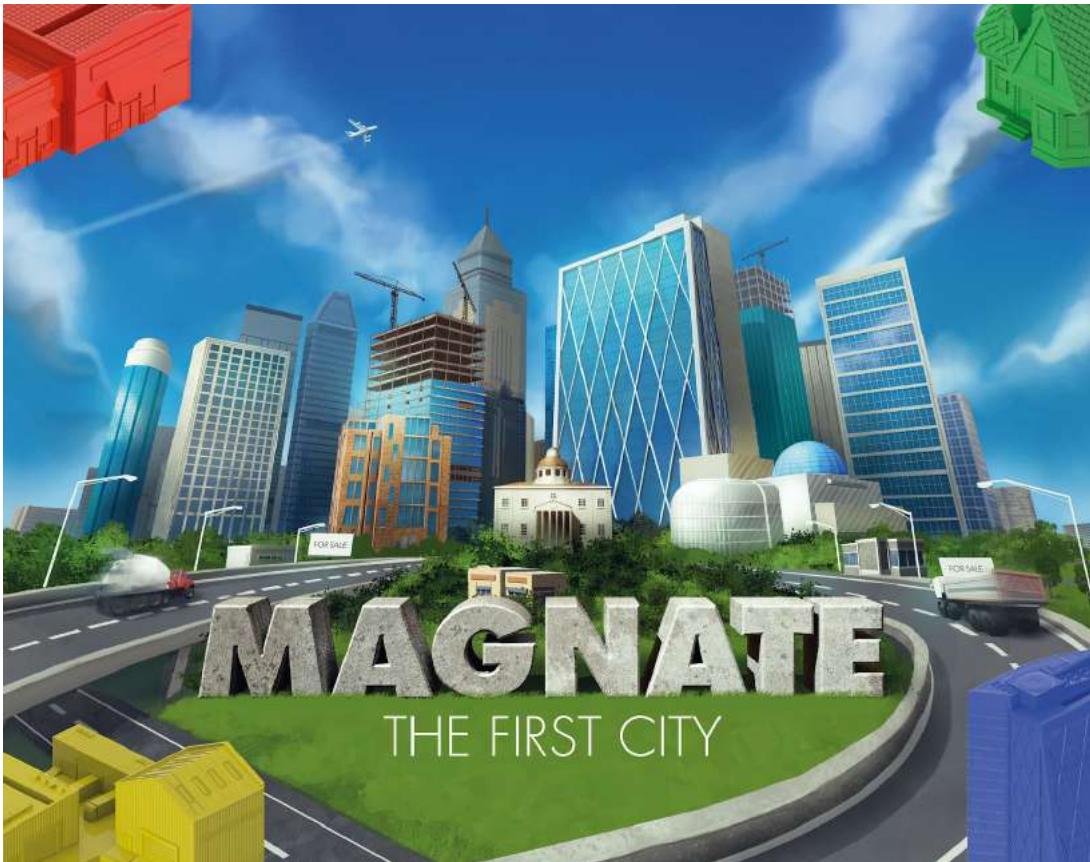
Humbleburg was a sleepy place not far from the big city. With its wide clean boulevards, friendly neighbours and open green spaces it had long been a haven for commuters looking for the quiet life.
Year after year, its most prosperous residents – wealthy enough to buy their way in or lucky enough to inherit – had fought off any attempt to disrupt its exclusive, idyllic existence.They blocked the machinations of developers, ran speculators out of town and sent the builders packing. They like it quiet, thank you, and the masses could find somewhere else to live.
Then, last week, everything changed. In a unanimous, unprecedented and unexpected decision the city council dropped all zoning laws. All previous legal covenants reversed and planning a regime was established that was so liberal it would make the great city builders of China look like cautious NIMBYs.
The moment the shocked gasps finished echoing around the council chamber, new sounds replaced them. Running feet, doors flying open and a hundred cellphone calls being placed, as every PA, assistant andjunior executive in the property business raced to contact their boss: “It’s on”
GAME SUMMARY
The object of the game is to be the richest player when it ends.
The game is played in a series of rounds in which players compete to buy the best plots of land, and develop them into valuable properties. Once players have filled their buildings with rent paying tenants they will sell these properties so they can re-invest their money into even bigger developments.
At the end of each round, the property market will change as a result of the players’ actions. Land prices will increase until they become unsustainable. At this point the market will crash and any remaining property will be sold-off for a fraction of their previous value. This crash ends the game.
CONTENTS
| Components | 3 |
| Set-up | 6 |
| Game overview | 10 |
| Round structure | 11 |
| Bid for turn order | 11 |
| Attract tenants | 12 |
| Example: Dice rolled | 15 |
| Neighbour bonuses | 17 |
| Example: Attracting a tenant | 19 |
| Actions | 21 |
| Property market / end of round | 25 |
| The market crash / game end | 27 |
| Advanced rules | 28 |
| Al Mode | 30 |
| FAQ | 35 |
| 10 Houses |  | 7 Industrial units |  |
| 7 Apartment buildings |  | 3 Industrial parks |  |
| 8 Small officebuildings |  | 8 Retail units | 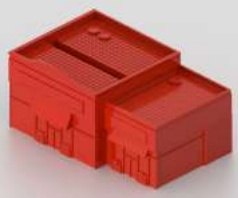 |
| 3 Superior officeblocks | 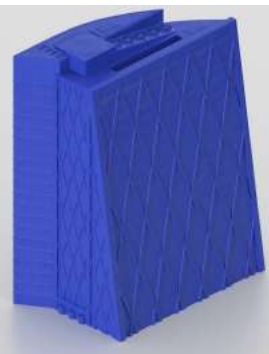 | 3 Shopping malls |  |
| 2 double sidedProperty marketboards (for 2, 3 ,4and 5 player) | 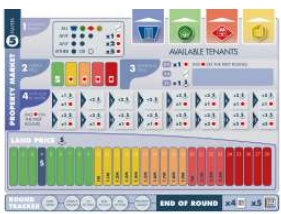 | 1 City hall model | 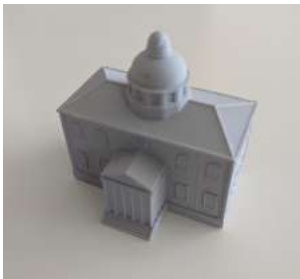 |
| 1 Risk deck (19cards) |  | 1 First playermarker tractor |  (or similar) |
| 1 New tenant deck(36 cards) |   TENNNNTS   NEW  | Money indenominations(x50 of each)100k200k500k1m5m |  |
| 9 neighbourhoodtiles (9 differentdesigns) |  | 64 Buildingfootprints (Doublesided, 8 differentdesigns to matchbuildings) | 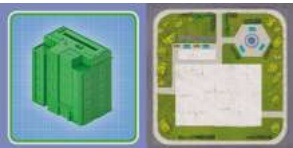 |
| 1 City centre tile | 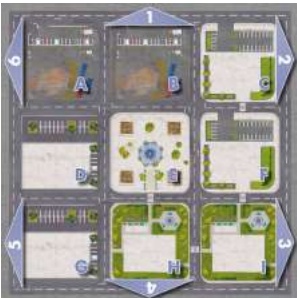 | 60 For Sale'markers6 spare For sale'markers (doublesided) |   |
| 1 land price slider | ③DBB0BO0B0SD② | 33 Home tenanttokens (doublesided, 11 of eachreverse design) | |
| 1 Crash marker |  | 12 Industry tenanttokens (doublesided, 4 of eachreverse design) |  |
| 25 advertising tokens(double sided) |  | 12 Office tenanttokens (doublesided 4 of eachreverse design) |  |
| 5 Sets of 15 companymarkers |    | Retail tenanttokens (doublesided, 11 of eachreverse design) |  |
| 5 Money wallets withmatching companymarker designs | No image | 6 sets of Playeraids (2 each,double sided,same side twice) |  |
| 1 Scoring aid | 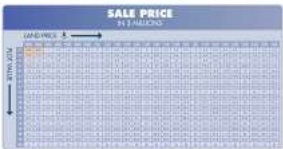 | 20 Six-sided dice | No image |
| 1 Al Board | 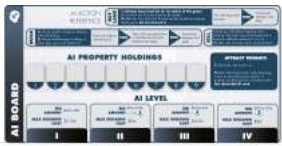 | 1 Al deck (28cards):18 cardsII 6 cardsIII 6 cardsIV 8 cards |  |
SET-UP
- Remove all the components from the box and organise the money into a bank with different piles for each note.
BUILD THE CITY
- Place the city centre tile in the middle of the play area and place the following buildings and tenants on it:

Going clockwise from top left:
A, B - Industrial unit & Industry tenant with ‘Industry’ face-up
C,F - Small office building & Office tenant token with ‘Office’ face-up
H,I - Apartment and 3x home tenants with ‘Home’ face-up
G,D - A retail units & 2x Retail tenant tokens with ‘Retail’ face-up
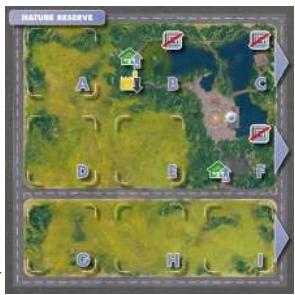
3. Shuffle the neighbourhood tiles ( ) and deal 6 randomly, face down around the city centre tile. Flip them over, then orientate the arrows to face the same direction as the arrows showing the neighbourhood numbers on the city centre tile. After set-up, the board should be laid out like this:

Put the remaining tiles back in the box. They will not be used.

- Put all the ‘For Sale’ markers ( ) in a pool by the side of the board. Make sure they are facedown, so their coordinates are hidden. Make sure they are well shuffled.
Randomly draw a number of ‘For Sale’ markers from this pool based on the number of players (including the AI player, if using the ‘AI mode’) in the game:
2 players - 6
3 players - 8
4 players - 10
5 players - 12
Look at the coordinates on the reverse, and place them with the ‘For Sale’ side up on corresponding plots indicated on the board.

If you draw a marker for a plot with the ‘Can't buy’ symbol ( ) , make a discard area and put the marker there (they won’t be used again). Draw another until you have placed a total number of ‘For Sale’ markers for the required player count.
The numbers on the city centre tile indicate the neighbourhood number. The neighbourhood tiles themselves show the letters of a specific plot (A – I).
PREPARE THE PROPERTY MARKET
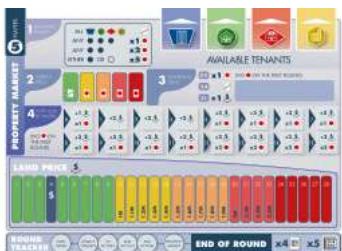
- Find the correct property market board ( ROUND ) for the number of players in this game (2, 3 ,4 or 5) as indicated in the top left of the board. Place it by the city and return the other property market boards to the box.

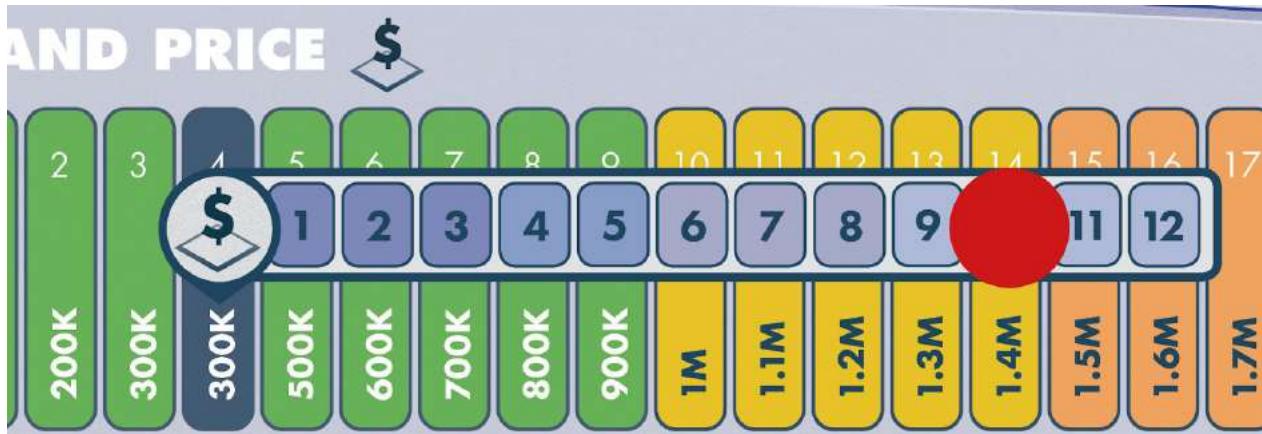
- Put the land price slider ( on the land price track. The downward arrow on the left side of the slider should point to the start/S space on the land price track. This is a darker coloured 300k space.

- Place the crash marker ( ) on top of the land price slider’s built-in crash track.
It is placed on the start/S space (10 on the track).
Example:
- Place the following number of tenant tokens on the indicated spots in the available tenants area of the property market board:
| Players | Homes | Offices | Retail | Industry |
| 2-3 | 4 | 1 | 4 | 1 |
| 4-5 | 6 | 2 | 6 | 2 |
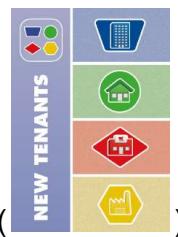
- Shuffle the new tenant ( them next to the property market board.
) and risk

) decks separately and place
- Place the advertising tokens (

) by the side of the board.
GET THE PLAYERS READY
- Give each player:
● A stack of company ownership markers ( design and matching money wallet.

of one
● A player aid showing key rules they can refer to during the game
● 4 advertising tokens from the pool
● \$2 million (1x 1m, 1x 500k, 1x 200k, 3x 100k) which should go into each player’s wallet to keep their money secret.
- Determine the first player at random and give them the first player marker

r (
or similar)
GAME OVERVIEW
QUICK START: The rulebook will guide you through areas you should (or should not) skip before starting to play using this coloured text. Unless specified, assume you should always read a section.
Magnate is a property development game where you win by having the most money at the end.
At the beginning of the game, you have nothing but 2 million dollars of cash and a substantial advertising budget (four advertising tokens) to your name.
Each round you will take three actions to make your fortune. You will use these actions to first buy valuable plots of land. Then you will construct buildings on them to make them into valuable properties.
On their own, these properties do nothing. But each following round, you will get a chance to move rent-paying tenants into them from a pool of available tenants on the property market board. The chance of successfully attracting these tenants depends heavily on what other tenants are nearby, and the bonuses available on plots next door to your property. So constructing the right building on a plot matters.
Tenants will pay you every round for as long as you own the building. You can use this income to re-invest in more property, buy more advertising or fund bids to be the first player when there’s fierce competition for the best land or tenants.
But you may not own these buildings for long. Every turn, as a result of players actions, the property market will cause land prices to rise. Pretty soon, the money you can make from selling your buildings (just like a real property developer!) will be much more than you can from renting them out. At this point you will sell properties for large sums that can be re-invested in much larger buildings, which will then make you even more money.
But watch out! The boom can’t go on forever. As the game goes on the property market will also cause risk cards to be drawn that move the crash marker closer to the end of its track. When it reaches the end (between the 5th and 10th rounds) the whole market will crash and the game will end. Any property you have left unsold will be sold off for a fraction of its former value.
Play too cautiously and you’ll miss out on bigger profits. Play too optimistically and you’ll lose a lot of money. Will you be the richest Magnate once the crash has hit?
ROUND STRUCTURE
The game is played in a series of rounds which continue until the property market crashes and the game ends.
Each round has the following phases:
-
Bid for turn order
-
Attract tenants & collect rent
-
Player actions
○ 1st action
○ 2nd action
○ 3rd action
- Property market / end of round
You can use the round tracker to make sure all phases are complete.
BID FOR TURN ORDER
In this phase, players will decide who will be the first player this round by bidding with their money.
[CALLOUT]
WHY WOULD I WANT TO BID FOR TURN ORDER?
Generally the two things people compete for in Magnate are land and tenants, both of which are often in limited supply. If there is a piece of land or a tenant you and another player both want, then the only way to guarantee it for yourself is to go before them.
Sometimes going later in the round can be beneficial: to see what other players are doing and benefit from their actions.
Even on the 1st round you may see a particular plot of land that you want to develop above all others.
[/CALLOUT]
If this your first game and all players agree, you may skip the bidding phase (and this section of the rules) on the first round. If you do, move straight to ‘Attract Tenants’ section and begin reading there. Before starting the second round, you MUST return to this section and read in its entirety.
To decide turn order:
- The first player on the previous round passes the first player marker to the player on their left (Ignore this if this is the 1st round).
The player who now has the first player marker starts the bidding to go first this round.
-
They may start at any amount from a minimum of 100k or pass. Players may not bid more money than they have.
-
From the player who called the auction, each player in clockwise order can choose to outbid them in minimum of 100k or pass.
If a player chooses to pass they cannot re-enter the bidding.
- Once every other player has passed, the highest bidder pays their bid to the bank and takes the first player marker. Other players will take their turns clockwise from there.
Play now proceeds to the Attract Tenants phase.
[CALLOUT]
BIDDING: AN EXAMPLE
Vector went first in the last round so they pass the first player marker to Helix. Helix opens the bidding at 100k. The bid moves clockwise to PD who does not want to bid and so passes, Vector decides to bid 300k because they have seen a plot of land they want. Helix raises their bid to 400k because they would also like to buy that plot. PD has passed and so is skipped. Vector thinks 500k would be too much to pay and so passes. Helix is the only player remaining so they now pay their most recent bid, 400k, to the bank and keep the first player marker for the round.[/CALLOUT]
ATTRACT TENANTS
It’s all very well building a house, but without anyone to rent or sell it to... it’s useless. Time to get advertising and hope someone bites!
SECTION OVERVIEW:
In turn order (clockwise from first player), players try to attract tenants into their buildings.
They do this by rolling dice and successfully making pairs or sets of dice results which meet the minimum criteria of the tenant they are trying to attract.
The location of players’ properties will determine how many dice they roll. Various features of the board will confer bonuses or penalties to the results of these rolls.
● Every successful pair or set will allow them to take a tenant token from the available tenants area and move it into their building.
● Finally they will collect rent from all of their tenants.
You won’t attract tenants on your first round, but you need to read these rules to make informed choices about what land to buy and what to build.
Your player aid contains key information about buildings and tenants. You’ll need to refer to it throughout this section.
To attract tenants:
1.Choose any plot you own with a building that has not yet reached its tenant capacity – the number of tenant tokens it can hold. Larger buildings can hold more tenant tokens, smaller buildings can hold fewer.
The tenant capacity of buildings is on your player aid.
-
Decide how many advertising tokens you are going to commit to that property this round by placing them on the plot.
-
Count up the number of dice you will be rolling to attract a tenant token to a building.
Each building rolls a number of dice equal to the total nearby population of all the tenants of specific types: not the number of individual tenant tokens of that type.(though these can be the same number in the case of small tenants).
[CALLOUT1]
TENANT TOKENS
Tenants have several attributes: 1) A tenant type (e.g. homes or retail), 2) the rent they pay

each round and 3) population value ( ): the relative size of the tenant in terms of workers, people etc. Larger tenants have a higher population value, smaller tenants have a lower population value.
4) Some tenants also give neighbour bonuses or penalties to other tenants (explained under ‘Neighbour bonuses & penalties’).
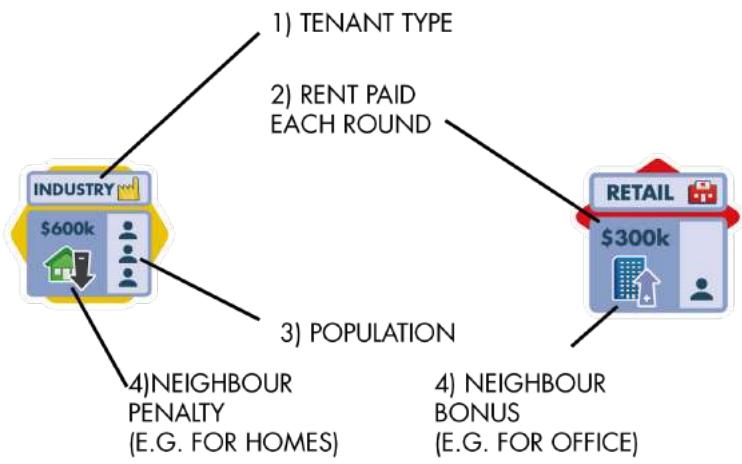
Individual tenant tokens are nearby – and so contribute to the total nearby population – when they are in the same or adjacent neighbourhood. Neighbourhoods are adjacent when they are touching.
[CALLOUT 2]
EXAMPLE: WHAT IS NEARBY?
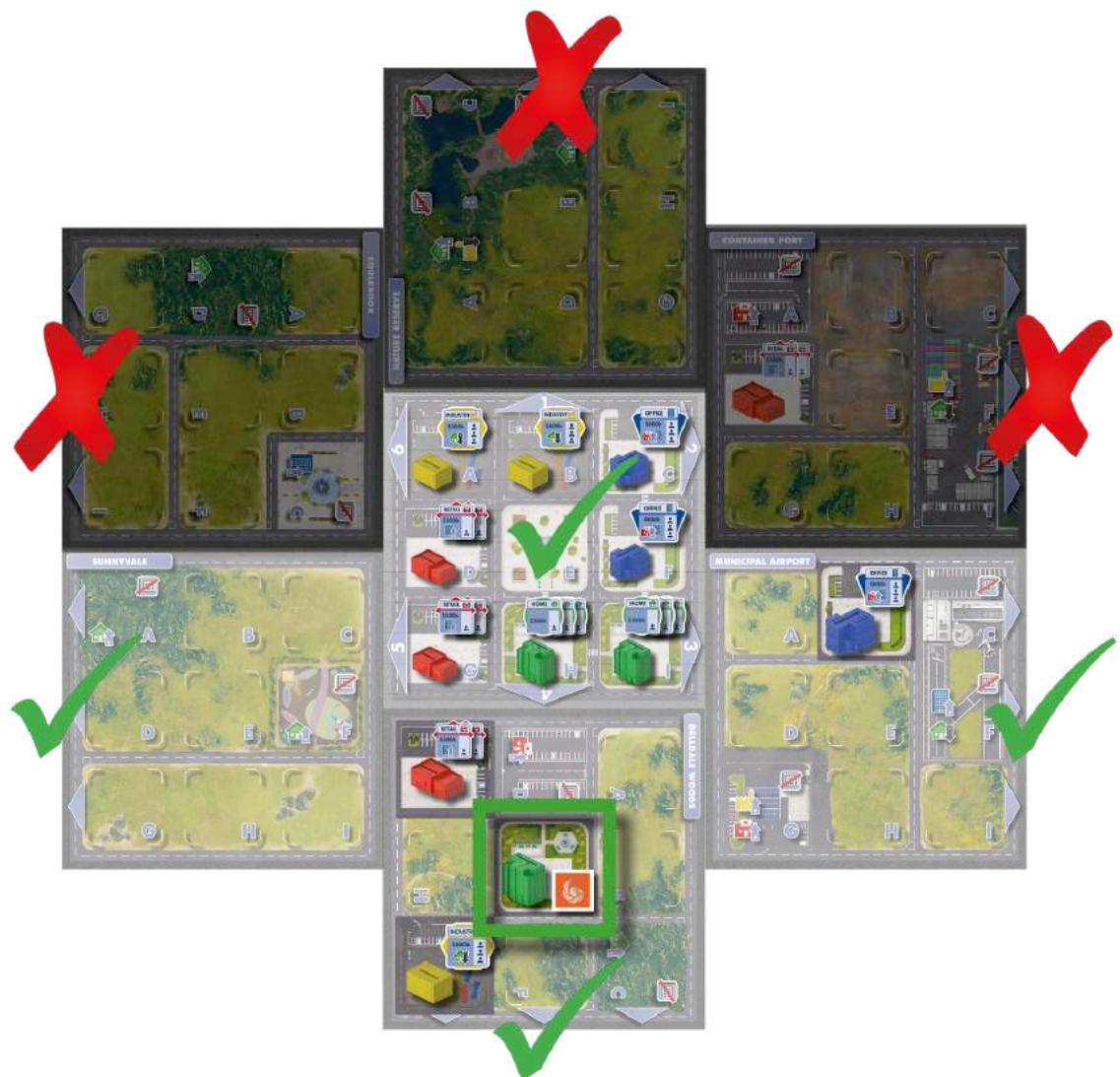
In this example we want to see which tenant tokens are nearby for Helix’s apartment building in the middle of the Delldale Woods neighbourhood:
The retail tenant tokens in the retail units or the industry tenant tokens in the industrial unit are nearby because they’re in the same neighbourhood.
The office tenant tokens in the building by the airport are nearby because they’re in an adjacent neighbourhood.
There’s nothing in Sunnydale neighbourhood below Delldale Woods right now, but if there were any tenant tokens there, they would also be nearby.
The centre is adjacent to all other neighbourhoods, so tenant tokens there are always nearby.
The other three neighbourhoods are not adjacent so any tenant tokens in those areas would not be nearby and therefore not contribute to nearby population.
[/CALLOUT 2].
Some building types roll dice based on the nearby population of one tenant type (e.g. retail), whereas other building types roll based on whichever has the lowest nearby population of two tenant types (e.g. homes).
| Building type | Number of dice rolled | Why? |
| Homes | The lower of either nearby total officepopulation or nearby total retailpopulation. | Because people needplaces to work and placesto shop |
| Retail | Nearby home population | Because there are morepotential customers for astore or restaurant |
| Offices | Nearby home population | Because offices need aworkforce |
| Industry | The lowest of either nearby industrypopulation or nearby home population | Because industry needs aworkforce and key localsuppliers |
Your player aid includes a summary of which nearby populations buildings roll dice based on.
[CALLOUT 3]
EXAMPLE: NUMBER OF DICE ROLLED
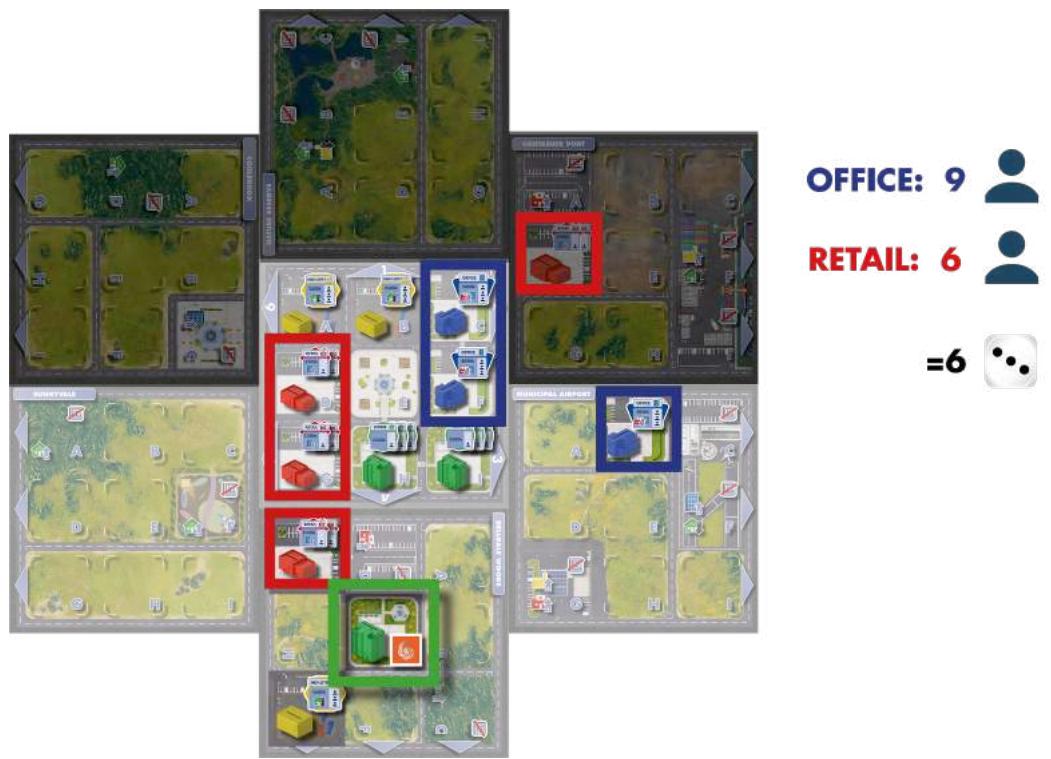
Helix is trying to attract tenants to their apartment building in Delldale Woods.
There are two office tenants each with 3 population in the city centre. There is one with 3 population by the airport. So the total nearby office population is 9.
There are 4 retail tenants in the city centre, each with a population of 1.There is another 2 population in the retail building in the Delldale Woods neighbourhood itself. We don’t count the population in the container port because its is not nearby. So the total nearby retail population is 6.
We don’t care about any other types of tenant that are nearby because Helix is trying to attract home tenants. Homes roll dice based on the population of offices and retail only.
As they roll equal to the lower of the nearby retail (6) and office (9) populations, Helix rolls 6 dice to attract tenants to their apartment.
[/CALLOUT 3]
-
Roll the dice
-
Make as many sets as you can with your dice that match the criteria found in the table below (you can also find this on your player aid).
| Building type | Required dice set |
| Homes | 2 fives or greater |
| Retail | 2 fives or greater |
| Offices | 4 fives or greater |
| Industry | 4 fours or greater |
For each advertising token you committed to the building you may also pick up and change one die you rolled to a 5 (you can replace dice with the reverse of the advertising token to help you keep track).
You now apply penalties and bonuses to the result (see Neighbour Bonuses and Penalties).


You apply neighbour bonuses ( ) or penalties ( ) that match the type of your building on the immediately adjacent (including diagonals) plots. Bonuses add 1 to all of the dice you rolled. Penalties subtract 1 from all the dice you rolled. Count any bonus/penalty being conferred by a tenant of a specific type once, regardless of how many tenant tokens of that type there are.
If the building also has a building bonus, you add another 1 to all the dice you rolled.
[CALLOUT 4]
NEIGHBOUR BONUSES & PENALTIES
Neighbour bonuses come from various tenants or amenities that would be attractive to neighbouring tenants. Penalties come from tenants or amenities that would make neighbouring plots undesirable.


Neighbour bonuses ( ) and penalties ( ) apply to matching buildings on immediately adjacent plots (including diagonals) in the same neighbourhood:
They do not apply on plots in the same neighbourhood that are not immediately adjacent (e.g. Plots A and C on any neighbourhood are never adjacent).
● They do not apply across the boundaries of neighbourhoods.
Each neighbour bonus you have adds 1 to all die rolls when attracting tenants. Just as importantly, they will also increase the value of that plot when its sold (explained in the ‘Sell’ action).
Each neighbour penalty subtracts 1 from all dice rolls when attracting tenants. They will decrease the value of the plot when sold later.
In both cases:
If bonuses are printed on the neighbourhood tile itself, bonuses stack-up (Note: In the example below, the house benefits from the bonuses of both the school and the forest)
If there are bonuses/penalties from tenants,only those from each different type of tenant stack up (or different sub-types if you are playing with advanced rules). So, you only count each tenant type conferring a bonus or penalty to a plot once, regardless of how many there are on any adjacent plots.
EXAMPLE: NEIGHBOUR BONUSES & PENALTIES

Vector’s house is adjacent to the forest and school so benefits from both of their home neighbour bonuses, allowing them to add 2 to all their dice rolls. Unfortunately, it’s also next to an industry which gives a neighbour penalty to homes, so they only get to add 1 to all dice rolls overall. It does not benefit from the retail bonus because the type doesn’t match, nor does it benefit from the office bonuses conferred by the retail tenants because they don’t match.
Arrow’s office block gets a matching bonus from the retail tenants, but they would still only add 1 to their dice rolls because bonuses from the same tenant type (or subtype with advanced rules) don’t stack up; they are counted only once no matter how many there are. The office doesn’t get a bonus from the forest because the type doesn’t match. It isn’t affected by the school or industry because neither are adjacent or match.
Lastly Helix’s retail units get no neighbour bonus or penalty effect this round at all. The school bonus matches, but it is not adjacent. Nothing else matches the building or is adjacent to it.
[/CALLOUT 4]
Lastly, there are also building bonuses on some larger, prestigious buildings: the Shopping Mall and Superior Office Block. These grant a further +1 bonus to all die rolls (and will increase sale value) when attracting tenants to that specific building. Plots adjacent to a building with a building bonus do not get any bonus effect.
- For each set you were able to make (after applying penalties and bonuses), take a tenant token of the same type as the property you were attracting to from the available tenants area.
If there is capacity place the tenants on the plot. If there is not enough capacity for tenants in the building, they remain in the pool.
If you’re not successful, tenants remain in the available tenants area for other players or you to attract in later rounds.
Regardless of the result, remove all advertising tokens spent on the plot and place them on the ‘advertising spent’ section of the property market board.
EXAMPLE: ATTRACTING A TENANT
Helix rolled their 6 dice and this produced the following result: 1,2,2,4,5,6:

Two advertising tokens were committed to the building so Helix changes two of the dice they rolled into 5s:

They then add 1 to all the die they rolled for the home bonus from the adjacent forest. The adjacent car park or retail tenants are offering bonuses for retail or office, not for homes, so do not apply here. The apartment does not have a building bonus so no further changes are made:
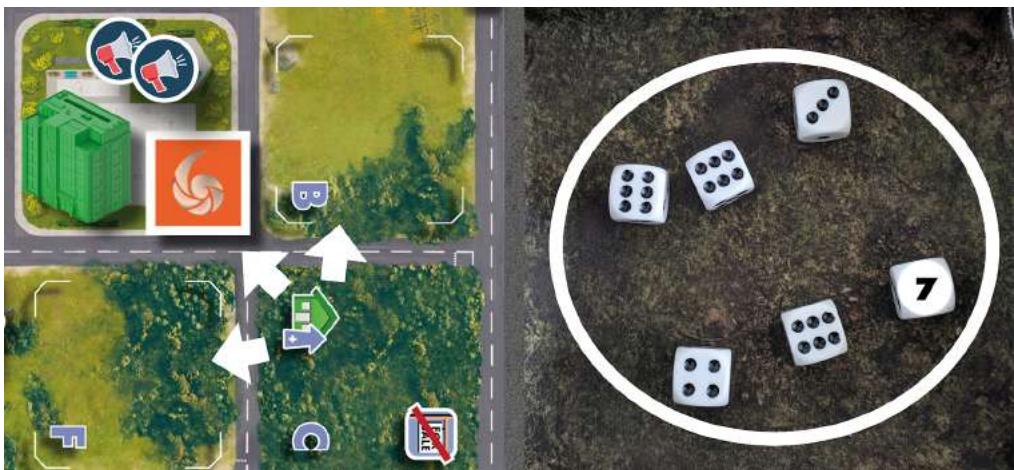
Unfortunately, there is also an industry tenant next door so Helix subtracts one from all the dice they rolled.This leaves their dice as they started before bonuses were applied:

This means their final rolls were 2,4,5,5,5,6]. They make 2 sets (5,5 and 5,6) and with that move in 2 home tenants.
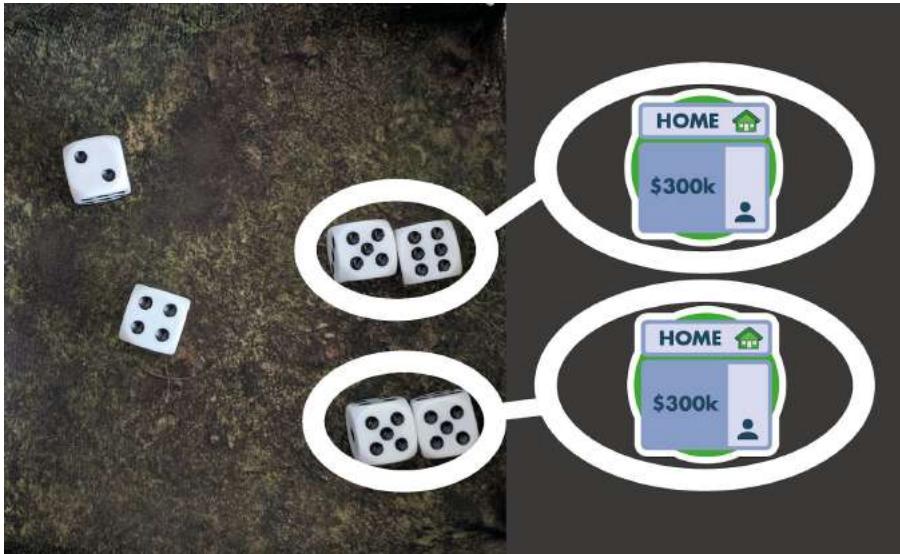
[/CALLOUT 5]
You may repeat these steps for each plot you own with a building that has not reached its tenant capacity. If you have no more buildings you wish to attract to, you may then collect rent.
Collecting rent
Add up all the rent paid by each of the tenant tokens you have on properties you own then take the total amount from the bank. When you collect your money, put it in your wallet to keep your total wealth secret. Play now proceeds to the next player in turn order (clockwise from first player).
Once all players have had a chance to attract tenants and collect rent, play proceeds to the Actions phase.
ACTIONS
Players will now each take a total of three actions.
They do this in turn order (starting with the first player and going clockwise), choosing only one action at a time until all players have had taken their 1st, then their 2nd and, finally, their 3rd action.
You may choose the same action two or even all three times in the same round.
Your player aid summarises the available actions.
BUY LAND
Buy new undeveloped land to build something on later.
Select one piece of land with a ‘For Sale’ marker on it. Pay the current land price to the bank, remove the ‘For Sale’ marker from the board and set it aside. It will not be used again for the duration of the game. Then place one of your Company markers on the land you purchased to show that you own it.
[CALLOUT]
LAND PRICE
The land price slider indicates the current cost of buying land. Over the course of the game this will increase.

In this example, the current land price is 500k.
[/CALLOUT]
You may instead buy empty land that is not currently for sale if the plot you wish to purchase is adjacent to a plot you already own. Plots that are not for sale cost 2x the current land price.
You can never buy or re-buy plots containing buildings. You may buy only undeveloped land that has not yet been purchased by other players.
BUILD/REBUILD
Building a property empire requires... well, buildings. Better get constructing them!
Place one building of your choice on any plot you own and pay the cost of construction.The cost of the buildings is on the player aid, indicated in the ‘\$’column.

You may place a small footprint tile ( )underneath it to your aesthetic taste or use a footprint as a building if you have run out of buildings. Make sure that the company marker is visible after you place the building to make it clear who the plot belongs to - most buildings have a slot in the top.
If there is already a building on the plot, replace it. If the current tenants are of a different type to the new building, place them back in the available tenants pool.
There can never be more than one building on a plot.
ADVERTISE
So you’ve built a nice house... time to get advertising it to some would-be tenants.
Gain 2 advertising tokens from the supply.
As part of the same action you may buy any number of extra advertising tokens at a rate of \$500k per token.
CONSULT
Everyone’s gotta do the dayjob sometimes... at least consultancy work pays well.
Gain money from the bank equal to the current land price.
After buying land, building something on it, and moving your tenants in it’s time do the most important thing of all… Sell the plot for a massive profit!
When selling, you permanently give up ownership of one of your plots in exchange for a typically large one-time payment: usually far in excess of the rent it can generate.
The amount is based on the value of the property and the current land price.
You are very unlikely to sell in the first round because your buildings will be empty. If this is your first game and all players agree, skip the rest of section until the second round and start reading again at ‘Property Market’.
You MUST read this section before beginning the second round.
[CALLOUT]
WHY WOULD I WANT TO SELL?
Unlike in another famous property game, giving up ownership of your property is not bad.
In Magnate, it’s quite the opposite: As all good developers know, selling at the right time is the most efficient way to make money. Selling a plot can make you more money than the rental income it would have earned in an entire game.
The money gained from earlier sales is best used for re-investing into the large buildings. But as the crash approaches, you’ll need to figure out the optimal time to sell your buildings to maximise your final score.
[/CALLOUT]
To sell:
- Select one plot of land you own and calculate its value:
| Plot attributes | Value |
| The land itself | 1 |
| Any building on the plot | 1 |
| Total population | 1 for each population icon on tenants in thebuilding |
| Adjacent neighbour bonuses | 1 per different source of bonus that applies to thebuilding |
| Building bonus | 1 if it has a building bonus |
| Adjacent neighbour penalties | -1 per different source of penalty that applies tothe building |
- Multiply the plots’s value by the current land price and take that much money from the bank. You may want to use the scoring aid to give you the answer.
Then remove your ownership token from the plot and place it in the leftmost available space on the ‘player plots sold’ area of the property market board.
Do not remove the building or tenants from the board. You will no longer collect rent from the property. You may never sell it to another player.
[CALLOUT]
EXAMPLE: SELLING
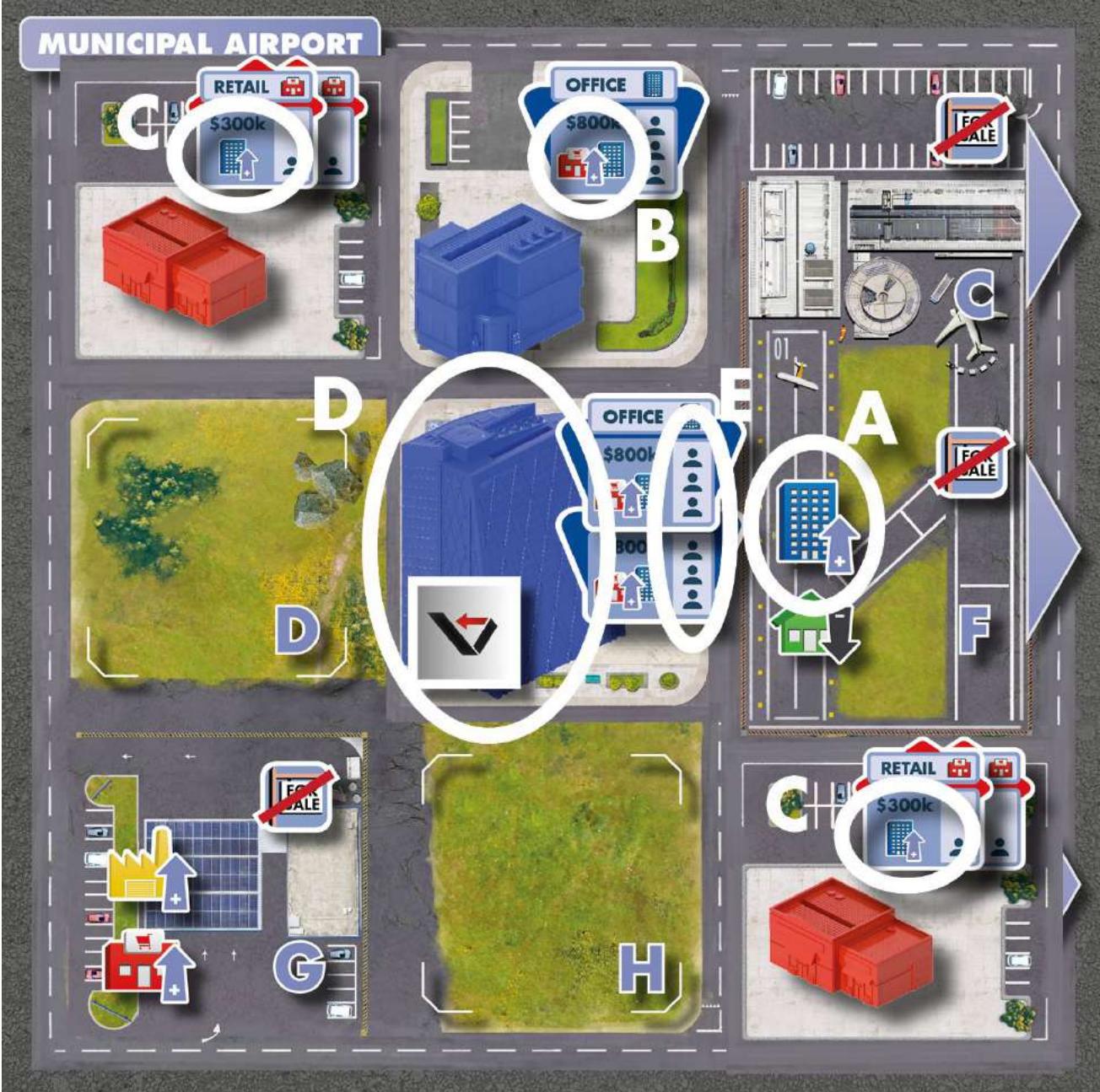
Vector Properties has chosen to sell their superior office block.
First, the block gets 1 point of value for the land and 1 for the building.
It gets 3 from neighbour bonuses because it is adjacent to 3 different sources of bonuses: the airport (A) one or more office tenants (B) and one or more retail tenants (C). It gets another 1 because the superior office block has a building bonus (D) and then finally 6 for the total population of the tenants (E) in the block. This adds up to a total of 12.
Vector then multiples that by the current land price of \$1 million and earns \$12 million from the bank. Vector then removes their ownership token from the plot. Neither they or other players will collect rent from this building.
[/CALLOUT]
PROPERTY MARKET
Now, as a result of the players actions, the property market changes: land price may increase or risk cards will be drawn which will bring the game-ending crash closer.
After making these changes, if the market has not crashed, players will add new land and tenants to the game.
You may stop reading now and begin play. Once all players have taken their 3 actions, start reading again here.
Starting from the top left of the property market board, players follow each of the four numbered sections of the property market board in order. The section will indicate when to increase the land price and/or draw risk cards.
Whenever you draw a risk card, move the crash marker down the land price slider’s built-in track a number of places indicated on the ‘Crash track’ section on the top of the card. Ignore the bottom of the card: that will only be used at the end of the game.
Note: No risk cards will be drawn in the 1st round.
1 - AVAILABLE TENANTS
If there are fewer than four types of tenants remaining in the available tenants area draw a number of risk cards instead as indicated on the property market board you are using. (Note: in a two player game you don’t draw cards if there are exactly 3 types of tenant either).
2 - RISK ZONE
Draw the number of risk cards corresponding to the coloured zone the land price slider is currently occupying.
3 - ADVERTISING SPENT
If a low number of advertising tokens were used were used to attract tenants this round (see the property market board for the exact number), draw a risk card.
IIf enough advertising tokens were used to trigger a land price increase (see the property market board for the exact number), move the land price slider up by 1.
Once complete, remove advertising tokens from the board and return to the supply.
4 - PLOTS SOLD BY PLAYERS
Now, increase the land price a number of spaces shown in leftmost visible box of the plots sold track: the first space without a company marker.
If players sold any property during the round, they would have placed the company marker from the plot they sold on the leftmost open space on this track as part of their action.
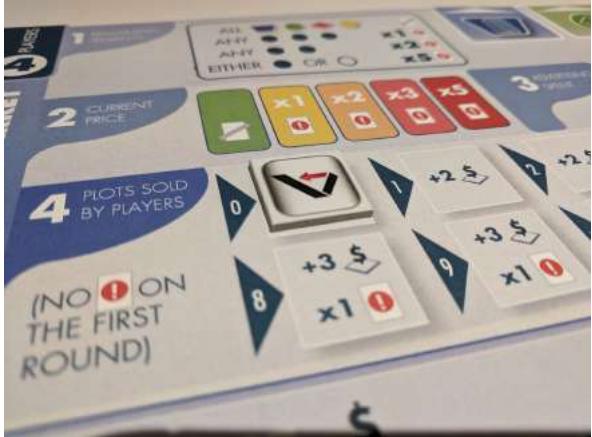
In this 4 player example one plot was sold, so the land price increases by 2. On your first round this will likely be 1 from the 0 plots sold space.
If the leftmost box also contains a risk card icon, draw the indicated number of cards.
Once complete, remove any company markers from this track and return to players.
END OF ROUND
If the crash marker has now hit the last space of the land price slider’s built-in crash track (position 0, where the land price symbol is) the market crashes. This triggers the end of the game. Go to the market crash below for how this works.
If the market has not crashed:
1. Add new tenants
Draw the number of new tenant cards indicated on the bottom right of the property market board and add the indicated tenants on the card to the pool. Unless you are playing with tenant subtypes (see advanced rules on page 28), ignore the subtype section of the card. The card is now discarded.
2. Draw new plots:
Draw a number of for sale tokens at random as indicated on the bottom right of the property market board. Place in the city based on their listed co-ordinate.
From now on, if you draw a for sale token with coordinate for a plot that is already owned by

a player or a plot with a ‘Can't buy’ symbol ( Instead, simply discard it. They won’t be used again.
) do not redraw (unlike set-up).
It is possible that no new plots of land are added because of this.
The next round now begins.
Read the following section to make sure everyone knows how end-game scoring will work.
THE MARKET CRASH
When the crash is triggered:
- Determine how deep the crash will be
Take all the risk cards drawn this game and move the land price down by the total price drop (bottom number) of all the cards.
- Sell all players’ remaining unsold properties using the new land price
Remaining properties are now all immediately sold using the new, post-crash land price. Give the players the money from their sales as normal but return company ownership markers directly to players (don’t place on the board).
The player with the most money is the winner. If they are tied, they share a joint victory.
Before beginning your second round, make sure you have read the following sections:
Bid for turn order (p11)
● Sell action (p23)
You can use the FAQ (p35) to answer rules clarification questions you have. The next sections describe advanced rules you can use from your second play.
ADVANCED RULES: TENANT SUBTYPES
In these advanced rules, each tenant has three subtypes. Each subtype can have different neighbour bonuses, rental values and different difficulties to attract into buildings.
These rules significantly increase the range of possibilities and outcomes in the game. We strongly advise that you do not use these rules unless you feel you have a solid understanding of the core game and desire additional choices and complexity.
In the advanced rules, you use the reverse side of the tenant tokens. The normal tenants will not be used in this game.
SET-UP
Follow Set-up instructions as usual except for the following:
-
Before you start setting up any tenants, make sure all the tenants are normal side-up so you can’t tell which advanced tenants they will be.
-
Randomly choose enough of these tenants as usual to populate the city centre and put them in their normal places. Then flip these advanced side-up.
-
From the remaining tenants, randomly choose enough of the tenants as required to populate the available tenants pool for the player count you are using. Put these in the pool and then flip them all advanced side-up.
ATTRACTING TENANTS
When making dice sets, you may attract tenants of different sub-types to the same property. Once you have rolled you may choose to move in any tenants which you are able to make enough suitable dice sets for. You may need to choose tenants carefully.
● You do not need to choose which subtype you are attracting to your building before you roll.
All other rules apply: they must still be the same basic type as the building you are attracting to, you need to form sets as usual and buildings have the same tenant capacity.
The requirements of each advanced tenant can be found on the advanced player aid.
E.g. Helix rolls two 4s, and four 6s when rolling for their apartment. Helix may move in a students with their 4s (4s are not high enough to attract professional couples or families) However their 6s are more flexible. A pair of 6s could move in a family, a professional couple or students and so they may choose any of those options. In this instance Helix takes a family (because they pay a lot of rent) and although they could take another family, they
instead choose the professional couple because they feel they can use the Retail neighbour bonus to greater advantage.
ADDING NEW TENANTS AT END OF ROUND
Use the subtype portion of the new tenants cards to determine which tenants go into the pool then add these tenants with their subtype face-up to the available tenants area as normal.
If there are no more tenants of a certain sub-type that the card requires, they are simply not added.
AI MODE
Magnate’s card-driven AI can be used to replace a human player in a game at any player count. This allows a single player to play Magnate by themselves but it also allows a pair or group to experience an additional, new type of opponent at the table.

When playing a game containing an AI player ( ), after following normal set up (including normal player set-up for the AI), add these following steps:
-
Take the AI Board board out of the box and place it next to the property market. (See components list)
-
Take all the AI action cards and separate them into its four different level decks based on the roman numerals on the back of each card. Place them in the indicated spots on the AI board. These delineate the current level of the AI during the game (it gets stronger as it goes on, allowing it to move faster, build larger buildings and bid more, just like a player).
-
Place the AI’s company marker on the level I space on the board.
-
Select the difficulty setting you wish to play at and note this down:
● Digital assistant (Easiest)
● Generalised AI (Recommended for experienced players)
● Robot overlord
● The Singularity (Hardest)
GENERAL RULES
The following apply:
The AI player never has to pay money for the actions it takes. The AI can never spend or lose money for ANY reason.
● The AI player never collects rent. It can only gain money when selling or consulting.
The AI only draws cards to decide its actions from the deck of the level it has currently reached
AI BEHAVIOURS
Bidding
When it is the AI’s turn to bid, roll a number of six sided die as indicated on the bid instructions outlined next to the AI’s current level on the AI board: the highest level deck it is currently drawing from.
The amount the AI bids is determined by this roll and an additional amount based on the land price; also indicated on its current level.
The AI only bids once each round. If a player outbids the AI, or the AI’s bid does not exceed the previous player’s bid, then it will simply pass.
Example: The AI is at level 3 on the sales track and the current land price is \$1M. The AI rolls 1 die (x100k) and adds it to the current land price. It rolls a 4, resulting in a bid of \$1.4M. The player bids \$1.5M, outbidding the AI. The AI passes because it was outbid and can only make 1 bid per round.
Attracting tenants
When attracting tenants, the AI will attempt to attract to all its properties that have not reached tenant capacity. When it does this, it does NOT roll any physical dice. Instead, all dice it would have rolled are automatically considered to have been sixes.
Move tenants in from the market based on this theoretical roll of all sixes. Remember: the AI is still limited by the number of dice it would roll.
The AI always attracts to properties in order, left-to-right along the “AI Property holdings” section of the AI board
● If playing with advanced tenants, the AI will always prioritise moving in the tenants with the most difficult roll requirements. Even if this means it gets fewer tenant tokens than it could have otherwise.
Once the AI has finished attracting tenants, check the advertising icon on the bottom right of the last discard AI action card in its discard pile. Add the number of advertising tokens indicated there to the ‘advertising spent’ section of the economy board.

Actions
For its very first action of the game, the AI will always take the buy land action.
After that, when it is the AI’s turn to take an action, draw the top card of the current level of AI action deck to determine what it does (it always starts at level I). Which particular action the AI takes will be shown in the top section of the card. This is often dependent on the current land price or position of the crash marker.
If the AI cannot complete the indicated action on the card, then it will follow the default action indicated at the bottom left of the card instead.
If you need to draw a card from an AI deck and there are no cards left in it, move the AI’s company marker up to the next level on the AI sales board. The next card it will draw is from this deck
If the level IV deck runs out of cards, simply take the level IV discard pile, reshuffle it and use it again.
● In the unlikely event it cannot perform perform its default action either, it consults.
AI Action card types
One named action only
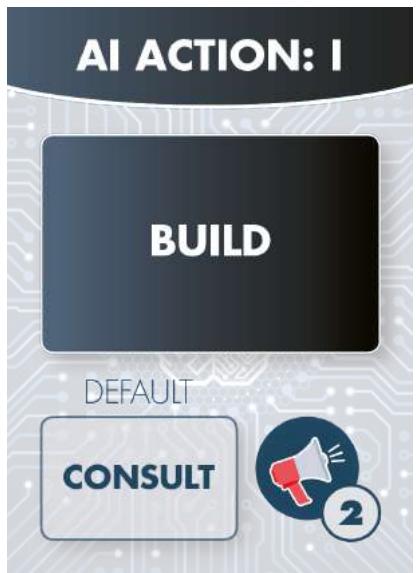
The AI takes the indicated action.
Greater than/equal to or below a land price
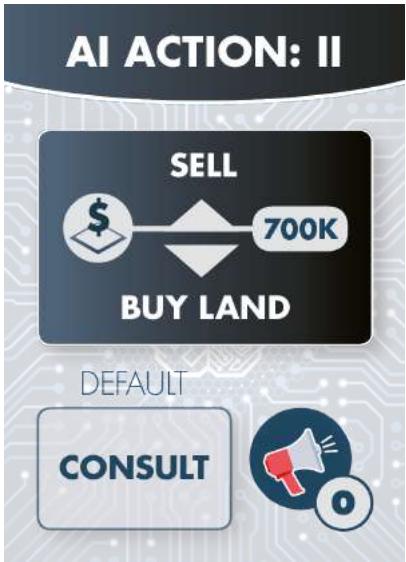
When one of these cards are drawn, check the current land price. if the current land price equals or exceeds the amount indicated on the card, the AI takes the top indicated action. If the current land price is lower than the amount indicated, the AI takes the bottom indicated action.
If it can’t complete the correct indicated action (top or bottom) based on land price, it follows the default instead - it never takes the incorrect action.
Less than/equal to or above a position on the crash track

When one of these cards are drawn, check the position of the crash marker. If the crash marker is above the indicated position it takes the top indicated action. If the crash marker is equal to or lower than the amount indicated, it takes the bottom indicated action.
If it can’t complete the correct indicated action (top or bottom) based on the position of the crash marker, it follows the default instead - it never takes the incorrect action.
AI action rules
BUY LAND
To determine which plot of land the AI buys, look at all the currently for sale plots of land and assess how many bonuses are adjacent to each one. The AI will always buy the plot of land that has the greatest number of bonus arrows adjacent to it. If multiple plots tie for having the most bonus arrows, determine which one the AI buys randomly using dice.
An example of how you could do this is provided below.
If there are two tied plots, roll a die. If it shows 1-3, it buys the first eligible plot. If it shows 4-6, it buys the second available plot.
If there are three tied plots, roll a die. If it shows 1-2, it buys the first eligible plot. If it shows 2-4, it buys the second eligible plot. If it shows 5-6, it buys the third eligible plot.
If there are four tied plots, roll a die, if it shows 1, it buys the first eligible plot, if it shows 2, it buys the second eligible plot, if it shows 3, it buys the third eligible plot, if it shows 4, it buys the fourth eligible plot, if it shows a 5 or 6, reroll until you it shows a 1,2,3 or 4.
Place the AI’s company marker on the tile as normal, but do not discard the ‘For Sale’ token. Instead, flip it over to its coordinate side and place it in the left-most open space of the ‘AI property holdings’ section on the AI board. The AI can only purchase plots of land with for sale tokens on them.
BUILD
When taking the build action, the AI will build on the leftmost plot on its ‘plots owned’ track that does not yet have a building on it.
First, the AI will pick which type of building it will construct on the plot. This is always whatever type would benefit from the highest total matching bonuses (after deducting penalties) the plot has. If there is a tie, it will then build whichever of those tied building types has the most total population remaining in the available tenants pool. If there is still a tie, the AI will choose at random between the tied types (using the same randomisation method listed under buy land).
Once the AI has picked the type, it builds the most expensive building of that type it can currently build. The maximum price of a building an AI of that level can construct is indicated on the AI board.
SELL
The AI will always choose to sell the leftmost plot on its ‘plots owned’ track that has a building. The AI never sells plots that do not have buildings on them (except at the end of the game, after the crash).
When selling, the AI follows the normal rules but, in addition, gets an additional special bonus or penalty to the value of its plots, based on the difficulty setting chosen at set-up:
Digital assistant - The AI gets a -1 penalty to plot value when selling
Generalised AI - No change
Robot overlord - The AI gets a +1 bonus to plot value when selling
The Singularity - The AI gets a +2 bonus to plot value when selling
Remember to place the company marker from that plot onto the ‘Sold Plots’ section of the economy board as normal. In addition, discard that plot’s corresponding token from the ‘plots owned’ track. Slide all the other tokens on that track left to fill the gap.
Lastly, as a result of selling, the AI moves up one level (unless the AI has already reached level IV). Move the AI’s company marker one up level to help you track it. From this point forward, when it is the AI’s turn, it will draw cards from this new level deck. You may discard any remaining cards in the AI’s previous deck: they will not be used again.
CONSULT
The AI gains money equal to the land price as normal.
All other rules remain the same.
FAQ
Do neighbour bonuses count across neighbourhood boundaries?
No. Neighbour bonuses only apply in the same neighbourhood.
Do neighbour bonuses affect all plots in a neighbourhood?
No. Neighbour bonuses only affect immediately adjacent plots, including diagonals.
Can I attract tenants from an opponent’s property?
No. Tenants can only be attracted from the available tenants areas.
The land I want to sell has no building yet. Do neighbour bonuses / penalties affect it?
No. As there are no matching symbols, neighbour bonuses or penalties do not affect the sale value.
The plot I want to sell would have a zero or negative value this round. Do I get any money for selling it?
If a plot of land would have a negative value, it’s worth zero instead. You do not get any money for the sale of a property with no value.
If a large building (e.g. superior office block) already has tenants that have a neighbour bonus, does the same building also get a neighbour bonus from these tenants?
No, neighbour bonuses only apply to adjacent plots. You do not get a neighbour bonus from a tenant inside the same building you are trying to attract further tenants to.
How do I judge if the crash is coming?
There are 19 cards in the deck, 8 of which are 0s that do not affect the crash track. If there are a lot of these 0s in the risk discard pile then expect the market to crash relatively quickly from that point onwards.
What happens if I run out of building minaturess?
Buildings are not supposed to be limited. You can use the reverse of the building’s corresponding footprint to represent a building if you run out of the correct type of miniature.
Download MarkdownTexts are community-compiled or publicly released by publishers; copyright remains with the original authors. For personal reference only.