
Mobile Markets
At a glance
Rules, cards and Q&A (Chinese)
The rules, card data and player questions for this game are written in Chinese. Open the Chinese page to read them.
Where to find full rules
Full rules and card lookup are available in the cunlema app at cunlema.cn — pick this game and ask about any rule, card or turn you are unsure about.
Related games
Rulebook text (Markdown)
This game has 1 rulebook Markdown file(s) in our library; 1 rendered inline below — expand to read or download.
MobileMarkets-Rules-06 (1).md47.4 KB
MobileMarkets GAME RULES

Mobile Markets
A Smartphone Inc. Game

Congratulations!
After the big market shift, you are the CEO of a multinational consumer electronics company ready for new mobile technologies generation. It’s a new world where national markets transform into the one global field of corporate competition. And you must be ready to satisfy any demands of very different types of customers all around the world. Technological features, journalist’s reviews, and consumer ratings are your instruments in this race. Make up your business plan, research and develop new technologies and promote your smartphones by launching marketing campaigns for victory! And one more thing… it’s a very busy market, so keep your eyes wide open — competitors do not sleep.
Overview
In Mobile Markets: A Smartphone Inc. Game, you will set prices for your smartphones, develop technologies, launch marketing campaigns, produce smartphones and sell them to your customers.
Goal of the Game
The goal of the game is to earn more money than your competitors. Consider your money as your victory points. The scoring track allows you to keep track of the amount of accumulated wealth.
On each turn, you will receive money, mainly by selling manufactured smartphones to customers. Some of the Technology Cards and Marketing Campaigns will bring you extra money. Also, at the end of each round, players who have sold a larger number of Goods will receive extra income.
Game Components
Player pieces
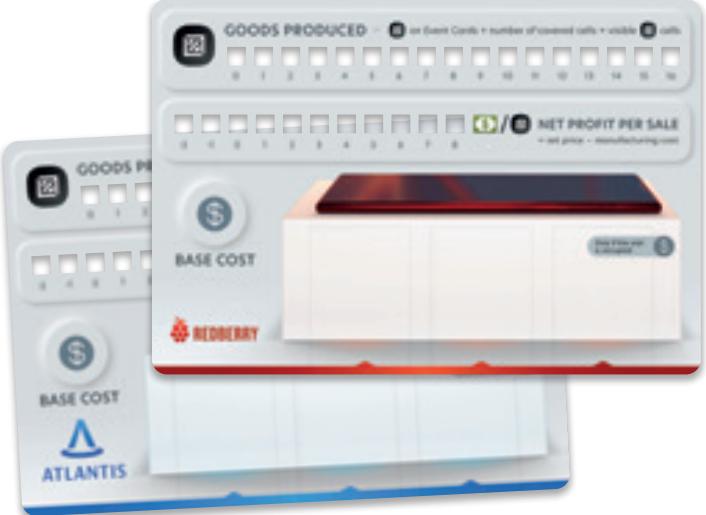
4 Corporation Boards
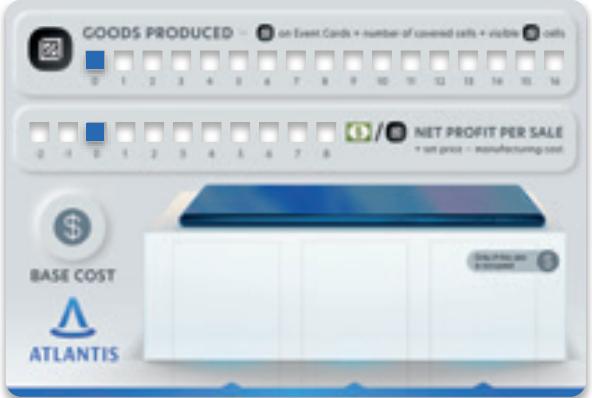
1 per player: Atlantis (blue), Sun Tech (yellow), Redberry (red), Shooting Star (black) Each player will use their Corporation Board to keep track of the number of Goods that they produce, their features, and net profit per sale.
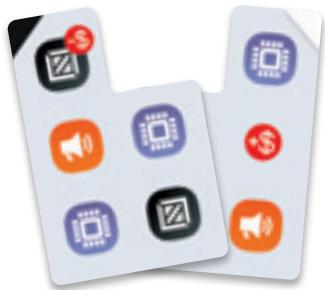
4 Pairs of Planning Pads
1 pair per player
The pads represent the resources of your company: R&D departments, production shops, etc. In each round, you’ll arrange your pads according to the configuration of your choice to make a management decision.
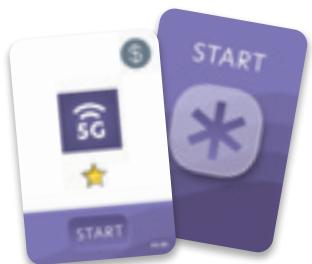

5 Starting Feature Cards
Features will allow you to meet specific customers’ needs. You start the game with 1 Feature Card.
6 Starting Technology Cards
Technologies are crucial to the development of your company. You start the game with 1 Technology Card.
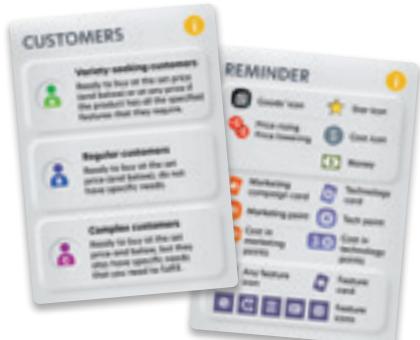
4 Double-sided reference cards

20 Player Markers 5 per player
Game Components
Shared pieces
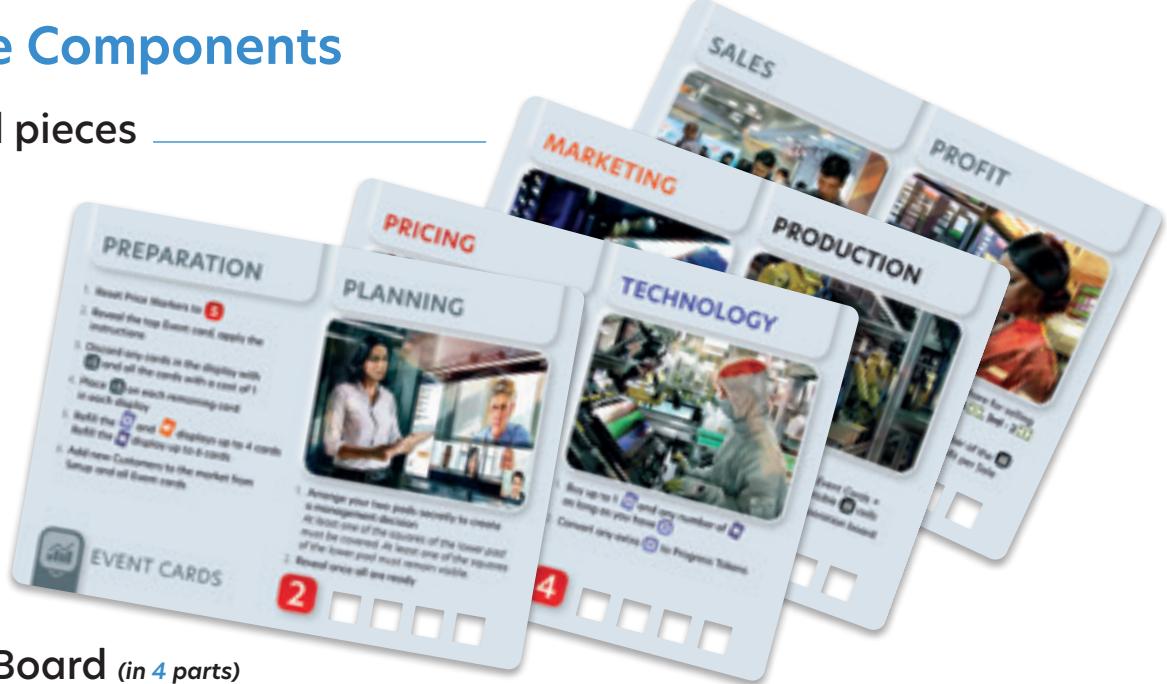
Game Board (in 4 parts)
The game board is divided into 4 parts that need to be placed in ascending phase order: Preparation/ Planning, Pricing/Technology, Marketing/Production, Sales/Profit.
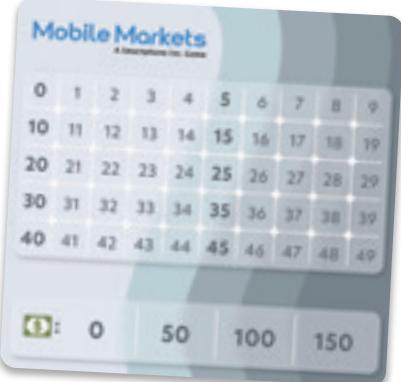
Scoring Track
To keep track of each players’ wealth (money).
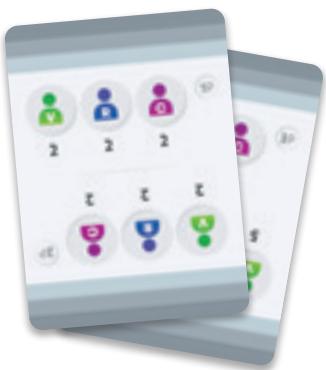
1 Setup Card
With 4 possible Setup sections depending on the number of players.
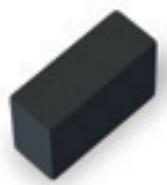

1 Phase Marker
Move the phase marker along the Phase Track as the game progresses.
12 Progress Tokens

Used to save Technology Points for later.
12 Discount Tokens
Used to mark discounted cards.
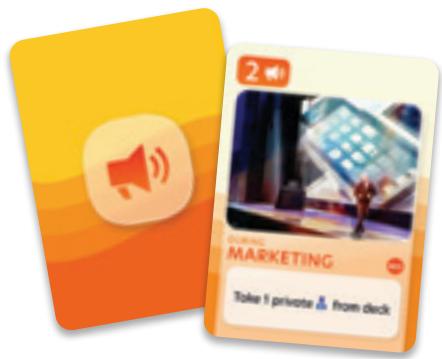
30Marketing Campaign Cards Marketing Campaign Cards give you specific sale’s advantages.

108Customer Cards
36 of each: Variety-seeking, Regular and Complex Customers will buy your smartphones… or those of your competitors.

30 Technology Cards
Technology Cards give you specific production advantages.

30 Feature Cards
Feature Cards allow you to produce more advanced smartphones.
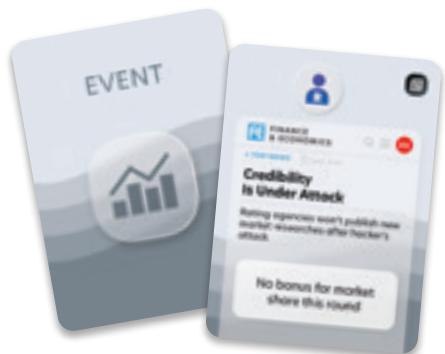
15 Event Cards
Introduce specific events at the beginning of each round, add new customers and increase basic production capabilities
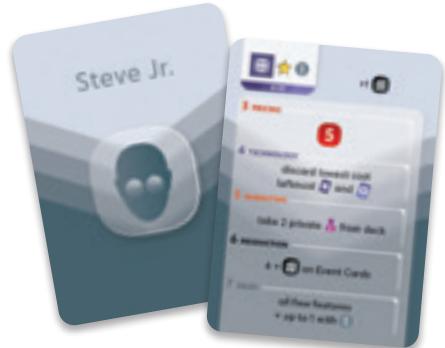
16 Steve Jr Cards Used for solo play variant.
Setting Up The Game
Shared pieces setup

1 Place the game board in the center of the table, using all 4 parts and placing them side by side in ascending order. Place the Phase Marker on the 1st space of the Phase Track, next to the phase name.
Note that the game board consists of two tracks:
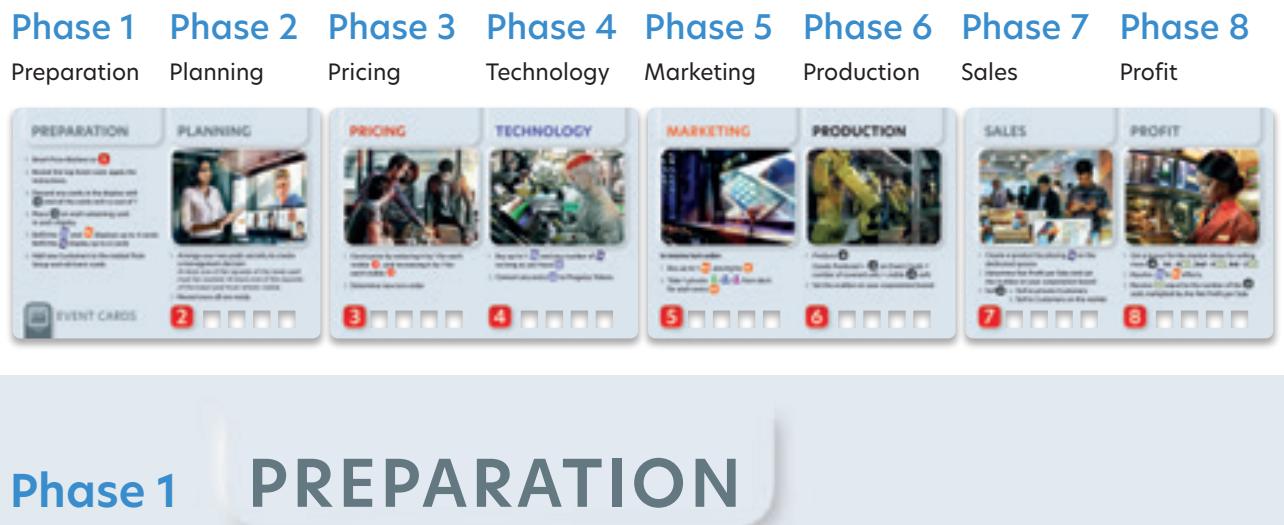
The upper track of the board is the Phase Track: Preparation, Planning, Pricing, Technology, Marketing, Production, Sales, Profit. On each round, you will move the Phase Marker along the Track to keep track of which phase is playing.
The lower track of the board is the Price Track. It shows the price of each player’s product. The track also organizes the market space in the game (see more in the rules).
2 Place the Setup Card with the section matching the number of players up, below the Preparation space of the board.
Shuffle the Event Cards pile, draw 5 cards at random and place them in a face down pile near the board. It is the Event Deck for this game. Return the remaining Event Cards to the box.
Place the Scoring Track next to the game board. 3
4 Shuffle all Customer Card decks separately (depending on their type) and place them as shown in the picture.
5 Shuffle all other cards separately (Technology Cards, Feature Cards, and Marketing Campaign Cards) to form their decks.
Reveal 4 Cards from the Technology Deck to create the Technology Display.
• Reveal 6 Cards from the Feature Deck to create the Feature Display.
Reveal 4 Cards from the Marketing Campaign Deck to create the Marketing Display.
Then, put a pile of Progress Tokens and a pile of Discount Tokens next to the Technology and Feature displays.

Player pieces setup
Each player receives one pair of planning pads. 6
Each player receives a personal Corporation Board in their color and 5 markers. Each player places 2 markers of their color on "0" spaces of the Scoring Track (one for units, the other for fifties), and a third next to the Price Track. This marker is called the Price Marker. The remaining two markers are used to track the number of Goods produced and Net Profit per Sale on each player’s Corporation Board. Put these markers on the “0” spaces of corresponding tracks.
8 Each player receives 1 random Starting Technology card and 1 random Starting Feature Card. These components differ from one player to another. Each player places them face up next to their Corporation Board. They are available upon the beginning of the game. Return the rest of the starting cards back to the game box.
Gameplay
The events of the game take place over a period of 5 years, represented by rounds. There are 8 game phases in each round. At the beginning of each phase, move the Phase Marker one step to the right, to the next sector of the board.
each round plays as follows:
We recommend that the most experienced player resolves this phase as it can be complicated for beginners.
It is also possible to assign specific tasks among the players to speed up the preparation of the round.
Step 1. Resetting Price Markers
All Price Markers must start the round on the -space of the price track (place them back here if they moved during the 3rd phase of the previous round). There are four available spots on that space, from left to right (as on every other space): these spots define the turn order.
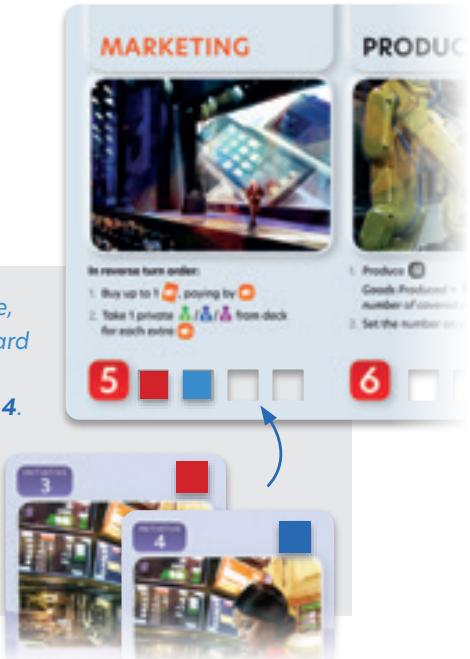
In the first round, each player checks the Initiative Number of their Starting Technology Card . The player with the lowest number places their marker on the first spot of the space (far left). The second-to-lowest number places their marker on the second spot, and so on.

At the beginning of the game, Red’s Starting Technology Card Initiative is 3, Blue’s Starting Technology Card Initiative is 4. Therefore, Red occupies the first spot, while Blue occupies the second spot.

In subsequent rounds, the turn order will be determined by each player’s position on the Scoring Track: the player with the least money occupies the first spot, the second-tolast occupies the second spot, and so on. If there is a tie, it is broken in favor of the Starting Technology with the lowest number.

! Always leave the previous Customer Icon visible when placing the new Event.

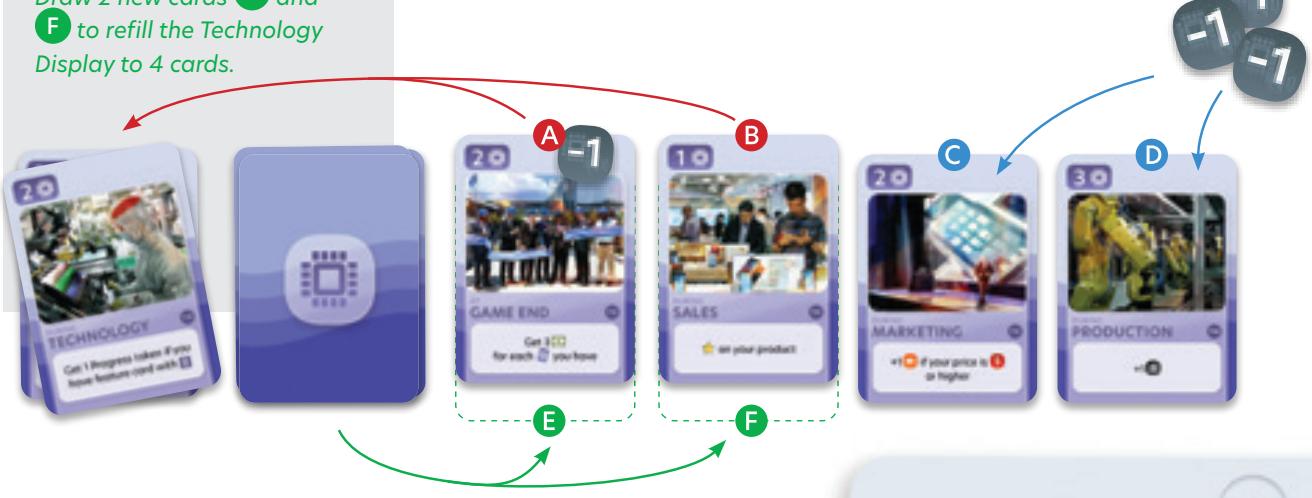
A has a Discount Token and must be discarded
B has a cost of 1, so it must be discarded too.
Place a Discount Token on C and D .

Draw 2 new cards E and F to refill the Technology Display to 4 cards.
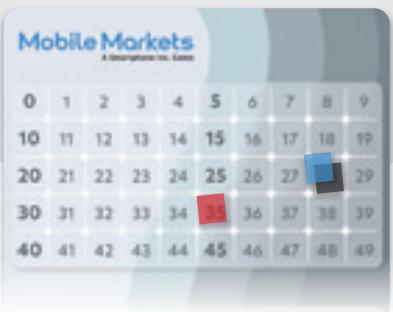
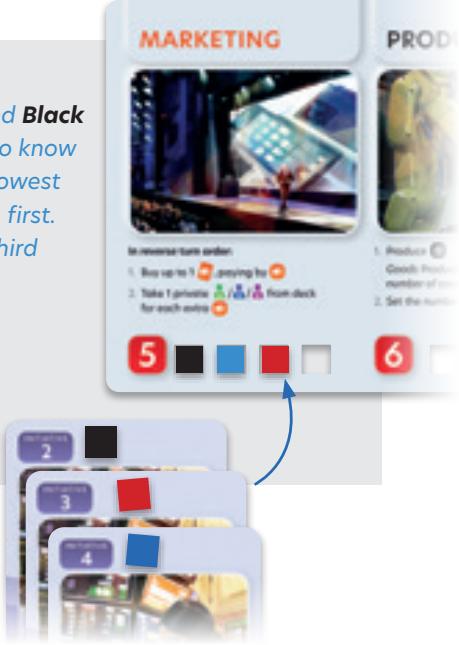
After a few rounds, Red has 35 points, Blue 28, and Black 28 as well. Blue and Black check their Starting Technology Card to know who will go first. Since Black has the lowest Initiative (lowest number), Black plays first. Red, no matter what, will occupy the third empty slot.
Step 2. Revealing Event
Reveal the top card of the Event Deck and place it onto the Setup Card, overlapping the bottom half of it. For the subsequent rounds, each time that you place a new Event Card, place it onto the previous one, without covering the Customer and additional Production icons of that card.
Apply the event’s instructions on the new card. The event modifies the standard rules of the game. As a result, each time that an Event Card contradicts a rule in this booklet, the card text overrides the rules. An Event usually affects the whole round.
Step 3. Refilling the Displays
Refresh the Technology, Feature and Marketing Campaign Card Displays as follows :
1 Discard any cards with a Discount Token and all the cards with a cost of 1.
2 Place a Discount Token on each remaining card in each display.
3 Refill the Technology and Marketing displays up to 4 cards. Refill the Feature display up to 6 cards.

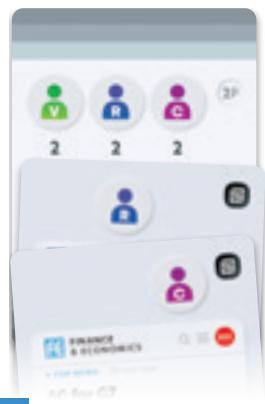
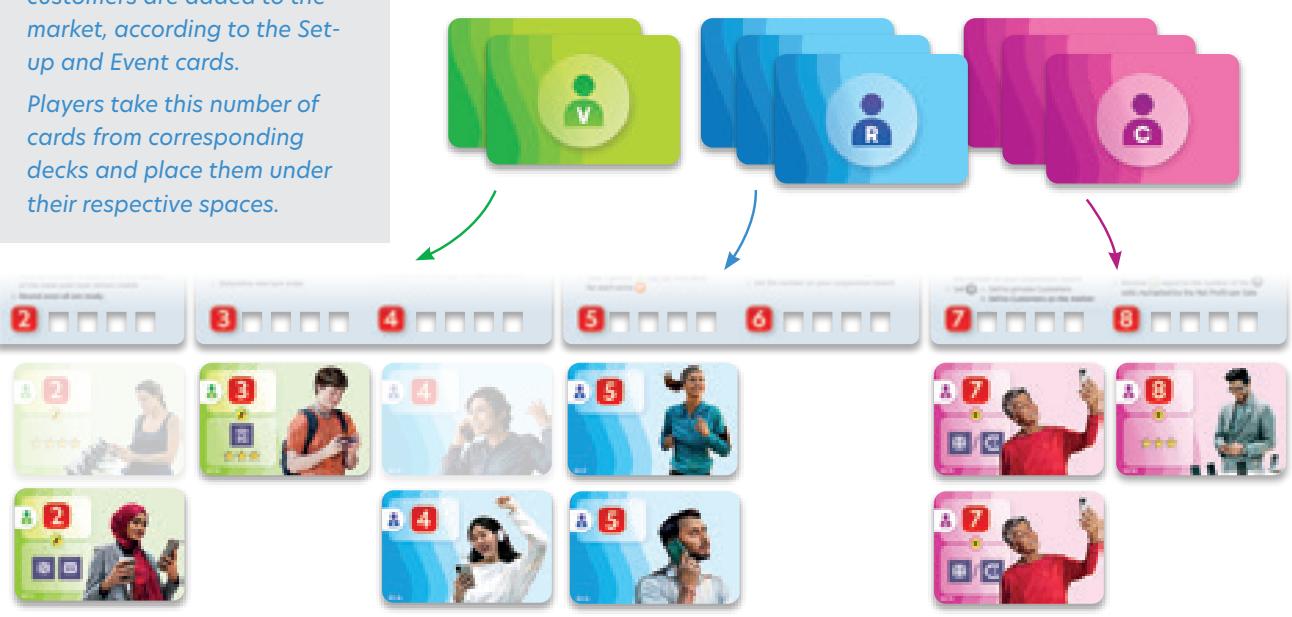
This round 2 Variety-seeking, 3 Regular and 3 Complex customers are added to the market, according to the Setup and Event cards.
Step 4. Adding Customers
Add new Customer Cards to the market. The number of cards to be added is the sum of the number indicated on the Setup Card + the total indicated on all Event Cards (which is why their Customer Icons must remain visible at all times).
Place each Customer Card under the Price Track space matching its number (a -Customer must be placed below -space, and so on).
Please note that the customers from the previous round remain in the game. Each new Customer Card must be placed below the ones already X on the market to create a column. If there are no cards left in a deck of any type, shuffle the discard pile and form a new deck.
Phase 2 planning
Each player takes their two pads and arranges them secretly to define players management decision. Planning must be done simultaneously by all players and in secret (hide your pads with your hand).
When arranging your pads, you must place one of them on top of the other. Depending on the icons that you cover, and on which icons remain visible, you’ll receive Technology and Marketing Points, produce Goods and increase or decrease the price of your products.
Always observe the following rules when arranging your pads:
• At least one of the squares of the lower pad must be covered.
• At least one of the squares of the lower pad must remain visible.
• Each square must either be completely visible or completely hidden.
what is a management decision and how to make it?
Each side of the pad consists of 5 square cells. Each cell contains a symbol or two, which is a decision element. In the end, all squares that remain visible will affect your strategy:
• Each cell increase the price of your product during the Pricing Phase,
• Each cell decrease the price of your product during the Pricing Phase,
• Each cell will grant you 1 Technology Point during the Technology Phase,
• Each cell will grant you 1 Marketing Point during the Marketing Phase,
• Each cell will produce 1 Good during the Production Phase.
Each covered cell, regardless of its type, will produce 1 Good during the Production Phase (as if it was a visible ).

Once all players finish arranging their pads, they reveal management decisions they made and proceed to the next phase.

The following configuration grants:
+1\$ to the product price (Pricing Phase),
+3 Technology Points (Technology Phase),
+2 Marketing Points (Marketing Phase),
+2 Goods (Production Phase)
For a better understanding of the! game mechanics, we advise you to carefully read the descriptive text of each phase before playing, as they will considerably impact your management decisions and your global strategy.
Also, since 2 cells have been covered, this player will produce 2 extra Goods.


The following configuration grants:
No changes to the product price (Pricing Phase),
+3 Technology Points (Tech Phase),
+1 Marketing Point (Marketing Phase),
+3 Goods (Production Phase)


Also, since 2 cells have been covered,

this player will produce 2 extra Goods.


Phase 3 pricing
During this phase, in turn order, players adjust the price of their products on the Game Board by moving their Price Markers. The base price is 5. Each visible reduces the price by 1, and each visible increases it by 1.


The player whose Price Marker is on the leftmost spot of the -space moves first. If several Price Markers land on the same space, the first to arrive must occupy the leftmost spot, and so on.
Once the Pricing Phase is complete, check the position of each player’s Price Marker. From now on, until the next Preparation Phase, the turn order is changed: the leftmost player on the Price Track is considered to be first, and so on.

With 2 visible and 1 visible , Red increases their price by 1 and moves their marker to the leftmost empty spot of the -space.

! Pricing is an extremely important element in the game, since it defines the turn order. During the Technology and Sales Phases, players will play in turn order. During the Marketing Phase, they will play in reverse turn order.
Phase 4 Technology
During this phase, in turn order, players can spend Technology Points from their pads and cards, and also discard Progress Tokens, to obtain 1 Technology Card and as many Feature Cards as they can afford, if they want.
The cost of each card is indicated in its upper left corner. It is decreased by 1 if there is a Discount Token on the card. To buy a Technology Card and/or one or several Feature Cards, you need to have as many Technology Points as the required cost(s). If you have more Technology Points than necessary, each extra Technology Point will be converted in Progress Tokens that can be used on later rounds. A Progress Token is worth 1 Technology Point and is discarded when used.

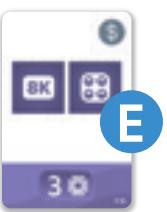
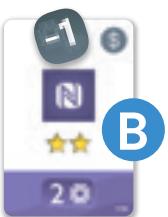
With 3 visible technology cells, Blue can:
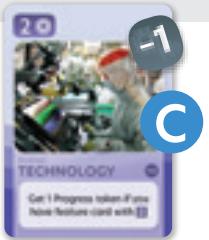
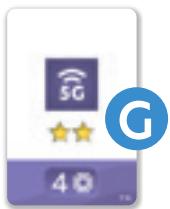
• buy technology A with a cost of 2 and feature B with a cost of 2 and a discount token on it, or
• buy only technology C and get 2 progress tokens, or
• buy feature card D or E with a cost of 3, or
• just take 3 progress tokens instead of buying any of the cards.
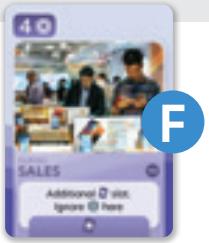
Blue can’t buy F technology card or G feature because they haven't enough technology points.
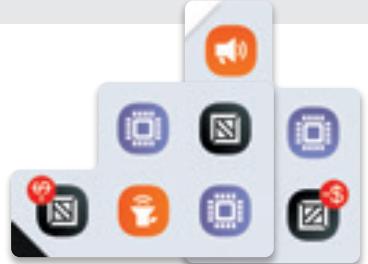
Phases depicted on the Technology Cards indicate at which game phase their effect is triggered. Feature Cards effects only trigger during the Sales and Profit phase.
During this phase, in reverse turn order (starting with the rightmost player and going from right to left on the Price Track), players can spend Marketing Points to buy 1 Marketing Campaign Card. Any Marketing Points that are not spent for a Marketing Campaign Card must be spent to take as many Private Customer Cards as you can afford.
The price of each Marketing Campaign Card is indicated in its upper left corner. It is decreased by 1 if there is a Discount Token on the card. Private Customers cost 1 Point each.
To buy a Marketing Campaign Card and/or one or several Private Customer Cards, you need to have as many Marketing Points as the required cost(s). If you have more Marketing Points than necessary, any extra Marketing Point automatically gives you a Private Customer Card. You cannot save Marketing Points for later use.
Any acquired Marketing Campaign Card can be used immediately even in the current phase, if appropriate.

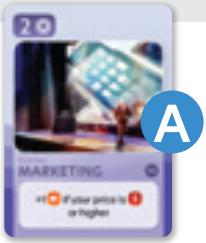
With 2 visible Marketing Cells, Red can
• buy A with a cost of 3 and discount token on it, or
• buy B with a cost of 2, or
• buy C with a cost of 1 and take 1 Private Customer, or
• take 2 Private Customers.
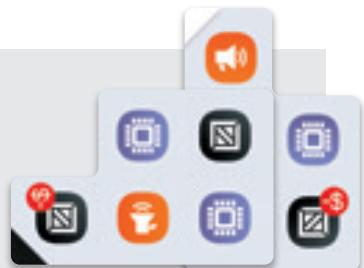
Red can’t buy D because player has not enough marketing points.
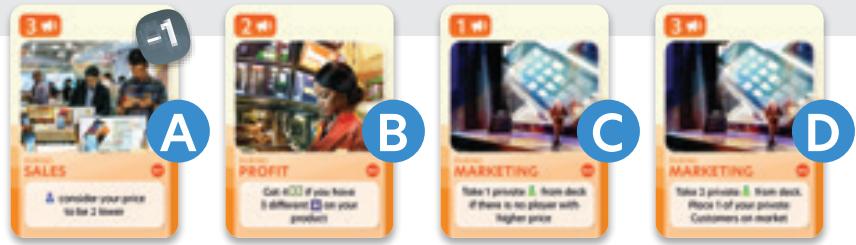
Phases indicated on the Marketing Campaign Cards indicate at which game phase their effect is triggered.
private customers
When receiving Private Customers, you may take them from any deck (not from the visible customers on the market, though). Place them in front of your Corporation Board: they stay there until you are able to sell them a product that meets their requirements which can only happen in the Sales Phase (see below). Other players cannot sell to your private customers.
Phase 6 production
During this phase, in turn order, each player calculates the number of Goods that they produce. When you become familiar with the game we recommend doing it simultaneously instead.
This number of Goods produced is equal to:
Number of Goods’ icons on Event Cards + number of visible black cells on their pads + number of covered (hidden) cells of their lower pad, regardless of their color.
Hint: The number of covered cells is always 10, minus the number of visible cells.
Some Event, Technology and Marketing Campaign Cards affect the number of Goods that you produce. Set the number of produced Goods on the matching track of your Corporation Board.

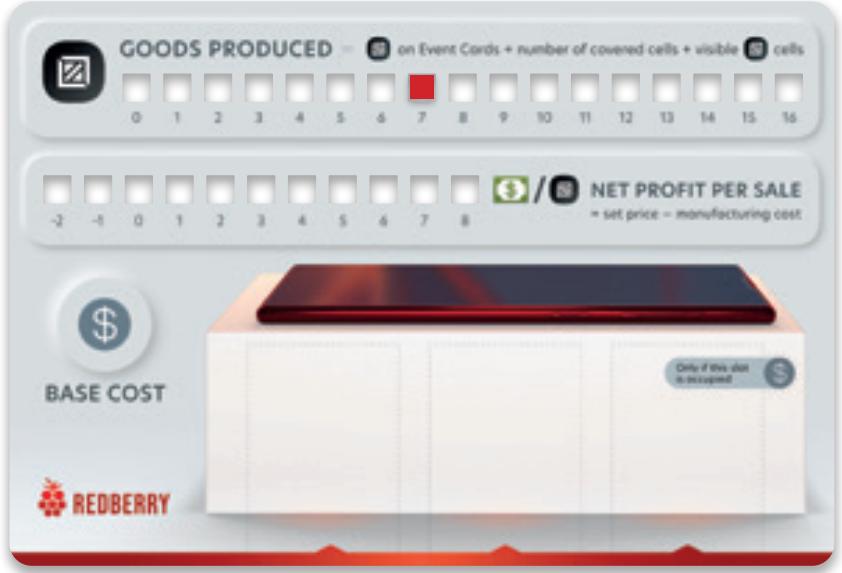
Red produces 2 for visible goood icon cells, 2 for covered cells on pads and 2 for symbols on event cards. Also they have a technology card, that grant them 1 good at production, so they moves their cube to 7 position on Goods Produced track.




Phase 7 sales
During this phase, in turn order, each player creates a product and sells their Goods, going through the following steps:
1. Creating a product
You may create a product with your Feature Cards, placing them on the feature card slots (dedicated spaces on your Corporation Board and Technology Cards). Feature Cards usually allow you to produce superior phones and/or to provide them with specific features. Try to meet the customers’ demand by placing the features that they are looking for. You may also decide not to place any feature cards.
feature types
There are five feature types in the game:

Multi-Camera
Phones with multiple camera lenses, for better shots.

5G
Phones compatible with 5G, able to use a greater bandwidth and higher download speeds.

NFC
Phones equipped with NFC (Near-Field Communication) technology, for contactless payments or file sharing.

8K
Phones with 8K video recording capabilities.

Flexible Display
Phones with flexible screens.
2. Determining Net Profit per Sale

star icons
manufacturing сost
Subtract the product’s Manufacturing Cost from its Set Price (identified by your Price Marker). The result is the Net Profit per Sale. Each Good that you sell brings exactly that much money to your corporation. Set the value of Net Profit per Sale on the corporation board.
The Goods that you produce have a base cost (which is ). Each feature used also may have a cost. It should be also noted that placing a Feature Card in the third slot of your board has an extra cost of The total number of is the Manufacturing Cost.
net profit per sale
you have on your product, the more advanced it is. Some customers have specific needs and will be looking for superior phones.
Hint: Feel free to change the configuration of the Feature Cards used to create the product to try and modify the net profit per sale before the sales start.
Some Technology Cards allow you! to increase the number of slots for Feature Cards.

Star Icons appear on some Feature Cards. The more star icons
ignore cost icons, decreasing your manufacturing cost. Manufacturing cost may never goes below 0.
Attention! If you have a negative profit per sale value, this means that your sales do not cover your manufacturing costs. You will suffer losses instead of making profit!
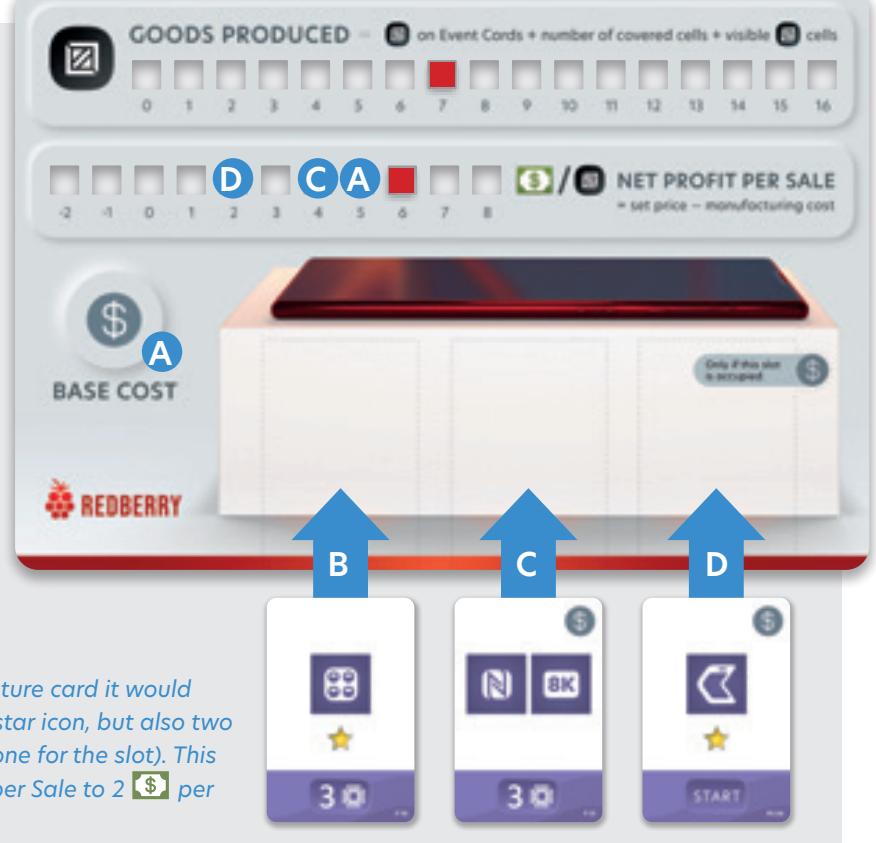
Red player have a price of 6 and 3 feature cards.
Player has no technology cards, that can alter his Manufacturing Cost, so it is 1 . This will decrease Red's Net Profit per Sale by 1.
B Player decided to add a feature card with multicam and 1 star. It have no so Net Profit per Sale stays on 5 per
C Player wants to add another feature card with NFC and 8k features. It has a , so Net Profit per Sale will move to 4 slot.
D If player decides to use 3rd feature card it would not only add feature and star icon, but also two (one for feature card and one for the slot). This will decrease Red's Net Profit per Sale to 2 per sold.
3. Sales
Time to sell your Goods to customers, depending on their type. Each time that you sell a Good to a specific customer, put the Customer Card in your sales pile.
customers’ requirements
To meet the customers’ requirements, you need to provide them with the features and star icons that they need.
Requirements = Features + Star Icons
If several needs are separated with a slash, it means that you only have to satisfy one of them to sell the good to the customer (you must still match the other requirements, depending on the customer’s type).
Variety-seeking (green) customers are ready to buy at the set price (and below) or at any price if the product has all the specified features that they require.
Regular (blue) customers are ready to buy at the set price (and below). They do not have specific needs.
Complex (pink) customers are ready to buy at the set price and below, but they also have specific needs that you need to fulfill.

anatomy of a customer card

Type of Customer (Variety-seeking, Regular or Complex)

B Price at which the customer is ready to buy (and position on the board)
icon (complex customer): the customer will buy at the indicated price (and below), and you need to match their needs

D icon (variety-seeking customer): the customer will buy at the indicated price (and below), or at any price if you match their requirements


This Complex Customer will buy at a price of 7 only if your Product has one of the following features: or . If you can sell a Good to them, you must do so.


This Variety-Seeking Customer will buy at a price of 3, or at any price if your Product has the feature and 3 .

3a. Sales to private customers
First, check if you have Private Customers. You must sell the Goods to Private Customers whose requirements you meet. Always resolve sales starting from Private Customers with the lowest preferred price (2), then continue in ascending order until 8 or untill you run out of Goods.
Private Customers who do not want to buy the product that you offer remain in front of the Corporation Board.
3b. Sales to customers on the market
Once you’ve sold to your private customers (if any), you must sell the remaining Goods to the market if able.
Always resolve sales starting from Customers with the lowest preferred price (2), then continue in ascending order until 8. Basically, this means that you resolve each column from left to right. Inside a column, always resolve from bottom to top.
To sell a Good to a Customer, you must meet the price requirement, the number of stars, and/or the feature icons, as with Private Customers (apply the same rules, depending on their color).
Each time you sell a Good to a specific customer, put the Customer Card in your sales pile. You continue selling your Goods until the number of cards in the sales pile becomes equal to the number of Goods that you produced in this round. If you’ve reached the top card of the last column, the sale is over no matter what — even if you still have Goods to sell, no one wants to buy them.
Example of sales phase.
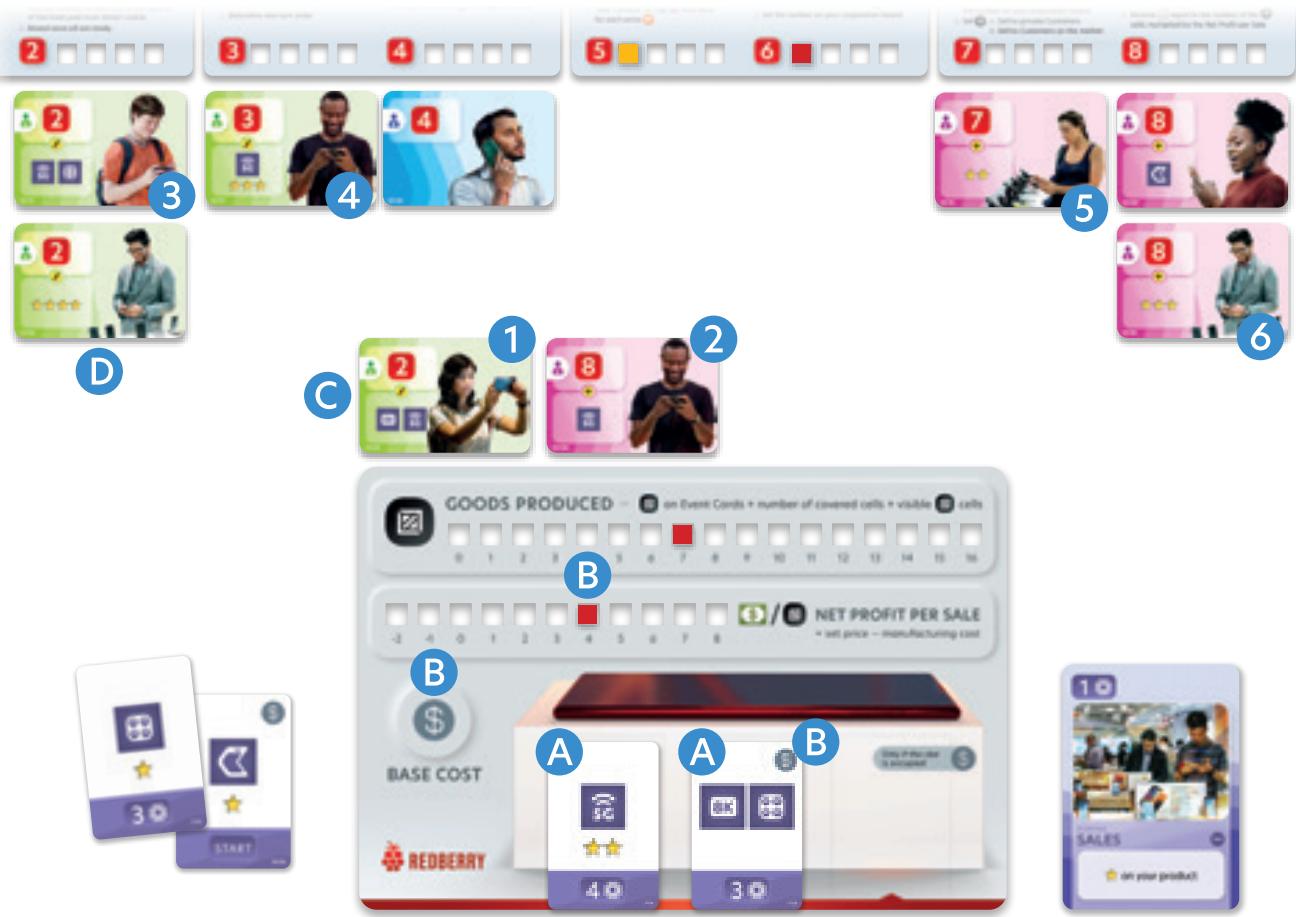
In 2-player game Red takes turn second after the Yellow player. Price of this player is 6.
A Red places 2 feature cards to the slots of the player board, which gives the product
and 2 . Red decides not to use 2 remaining feature cards.
Base cost and cost icon on the feature card sums up for manufacturing cost of 2. Net profit per sale for red player is 6 minus 2 = 4.
C Both private customers buy Red's product: Red has and features to meet requirements of the 1st one , second buys because of the price (6 is lower then 8) and presence of feature icon.
D Now Red sells to the market, starting from left to right. There are not enough stars on the product and price it to high for 1st customer in leftmost row, but player have both technologies for customer number 3. Customer number 4 requires and 3 , wich player's product has (due to feature card with and 2 stars and technology card with extra star).
Customer in row 4 consider Red player price too high and don't buy. Customer number 5 and 6 both buy because they are satisfied with price and stars amount. Top customer on row 8 doesn't want to buy because there are no foldable screen feature in red's product. Red reached the end of the market and their sale phase immediately end, even though they still have 1 of their goods left unsold.

Getting a bonus for the market share
Players who sell more Goods receive a bonus. These are always the same for any number of players.
8 — for the 1st place in the number of Goods sold,
4 — for the 2nd place,
2 — for the 3rd place.
If several players have sold the same number of Goods, the victory points for the places they are applying for are summed up and divided by the number of challengers rounded down. In a solo and two-player game the third place is not awarded to anyone. If a player has not sold a single Good, they also cannot claim any of the rewards.
EG
If the 1st place is claimed by 2 players, both get 6 , if the 2nd place is claimed by 2 players both get 3 (provided there are more than 2 players).
Resolving technology & marketing campaign cards
Any Technology & Marketing Campaign Cards that trigger at the end of the round are resolved.
For example, if you have not sold all of your products, receive the bonus of your Starting Technology Card.
Getting profit
Each player receives equal to the number of the Goods they sold, multiplied by the Net Profit per Sale. In other words, each Customer Card in the sales pile brings the player as much as the rate of net profit marked on their Corporation Board. Mark all the received on the Scoring Track. If the player has scored more than \$50, mark it by placing their marker at the “50” square of the track (then 100, then 150).
EG
There are 3 customers in Red customer pile. It means that Red sold 3 Goods (out of 4). Red’s Net Profit per Sale is 3 (Price Marker is on 5 and the 2 Features cost 1 each). As a result, Red scores a profit of 3x3=9 .
At the end of the phase:
• Discard all customers from all players’ sales piles to the corresponding discards of the customer decks,
• Remove all feature cards used to create the product from the players' Corporation Boards and set them aside with the other feature cards at their disposal. Players will be able to use any of the cards they own in the next Round.
Reset the marker of the number of produced Goods and the Net Profit track to the “0” space on the Corporation Board
End of the game
The game ends at the end of the 5th round. You can easily spot the 5th round since at the end of this round, you will be out of Event Cards.
Any Technology & Marketing Campaign Cards that trigger at the end of the game are resolved.
The player who ends the game with the most money wins the game. If there is a tie, the player with the lowest number on the starting Technology Card wins.
Solo Variant
The goal of the solo variant is to earn more money than the AI opponent called Steve Jr.
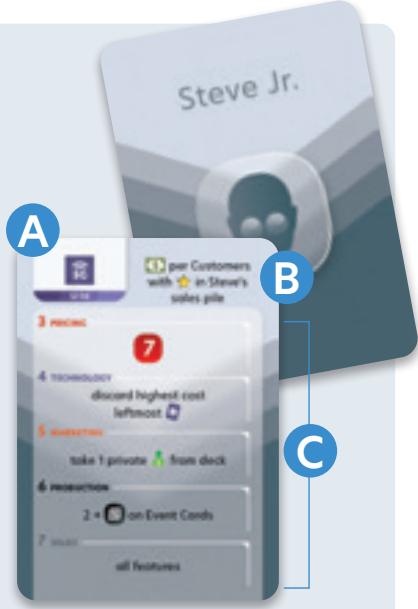
steve jr. card anatomy
A Card Features
Remain visible at all times. These are just like Feature Cards that players add to their pool during the game, but made for Steve Jr. use only. Instructions on the bottom half of the card will dictate which features the AI opponent activates each round.
B Card Ability
Remain visible at all times. These Abilities are a variant of Technology or Marketing Campaign cards. Once revealed, abilities work continuously, applying effects when possible.
C Phase rows
Represent the actions Steve Jr. will execute during the round and tell when to resolve them.
Setup
1 Setup a 2-player game as usual. The AI opponent does not receive any starting cards. Steve Jr. doesn’t need Starting Technology or Starting Feature Cards, as he uses his special deck instead.
2 Take all Steve’s Jr. cards from the box and shuffle them. Form a face down deck and place it near Steve Jr. Corporation Board.
Depending on the difficulty level that you want to play, reveal 0 (for easy), 1 (for medium) or 2 (for hard) cards from Steve Jr. Deck and stack them face up near his Corporation Board, with only the top row visible.

Gameplay
1 Preparation Phase
As in a 2-player game. In case of a tie for initiative, Steve Jr. always goes first.
2 Planning Phase
After a player finishes arranging their pad, reveal a Steve Jr. card from the deck and place it on the top of the previously placed card, overlapping all Phase rows, leaving cards’ features and ability visible.
3 Pricing Phase
Set Steve Jr. price according to the price row on the card.
4Technology Phase
Steve Jr. does not buy any Technology or Feature Cards — instead, he discards some of those, based on the instructions given in the Technology Action Row. Steve follows the turn order rules.
5 Marketing Phase
Steve Jr. discards Marketing Campaign Cards and takes Private Customers based on the turn order. Unless stated otherwise, Steve Jr. always takes customers from the top of the corresponding deck. Some of Steve’s Jr abilities let him take more cards in this phase.
6 Production Phase
Steve Jr. produces Goods based on the production formula in the Production Row on his card. Some of his card abilities let him produce extra Goods. Mark Steve Jr. production on his Corporation Board.
7 Sales phase
Steve Jr. sells Goods based on his Sale Row. He follows the same rules as a regular player: First, set his profit per sale based on his Sale Row Instructions and used features (do not forget to include the base cost!). Then, Steve Jr. sells his Goods — first to Private Customers, then to the Market, following 2-player rules.
Bear in mind that Steve Jr. features are set on his card — he never uses any of the slots of the Corporation
Board. Therefore, he can have any number of features and stars on his product simultaneously. If you need to determine the features that he is using, consider that he always uses the latest available feature that he has. Also, Steve Jr. can have additional special abilities on his cards for the Sale Phase.
8Profit Phase
Count Steve’s money based on his net profit per sale, market share bonus and abilities on his cards.
End of the game
You win if you have earned more money than Steve Jr.
Otherwise (even if tied), Steve Jr. wins.
Appendix
Event cards
Cards
e1
e2
e4

e9

e10
e11


e12

e13

Clarification
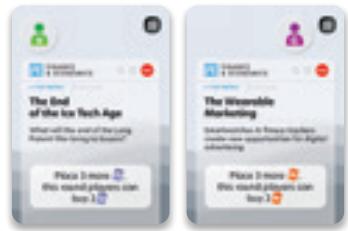
Place a total of 7 technology cards on market this turn. Each player can buy 2 technologies this round.
Same for marketing campaign cards on E2.
In the Sales phase threat you product as having base cost of 2 instead of 1.
In the Sales phase you need 1 more star symbol on your product to sell to customers with star requirement then usual.
In case players have a price of 8 (2 for E11) consider their price as 7 (3 for E11) for Price phase and later on.
In the Profit phase no players get any bonus for the amount of goods sold (market share bonus).
Discard all customers cards from the market that left after previous rounds. Do not discard you private customers.
Marketing campaign cards
m2
Cards
m3
m7
m8
m9 m16 m25

m12

m17 m18 m19 m20 m21 m27
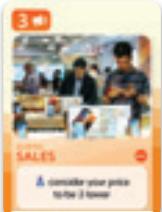


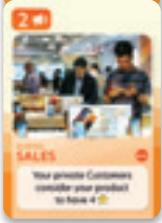


Clarification
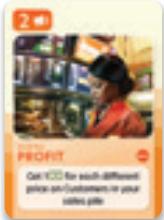
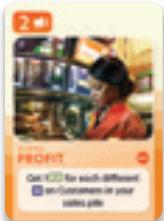
For this card count how many customers with different price numbers you have and get this many . They may have a price lower then you price marker, as you can sell them via features and stars.
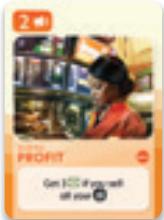
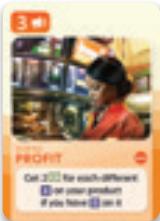
Get for each feature card you placed in slots in Sales phase.
Count the number of different feature icons on customers in your sales pyle and get that many (2 for M8). Customers with two feature icons provides both, even if icons are separated by / symbol.
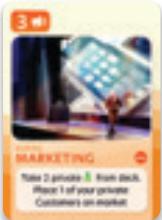
You can place Customers of any type on the market, even ones you got earlier. Place new customers on the bottom of the corresponding price row.
If you have on your product this marketing campaign card allows you to sell to all customers that require stars, as if you have enough stars to meet the requirement.
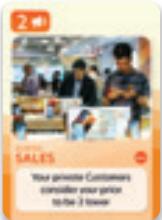
Customer consider means customer acts as if you have something mentioned in condition.
Technology cards
ts1 ts2 ts3 ts4
Cards
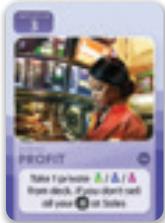

ts5 ts6


t2
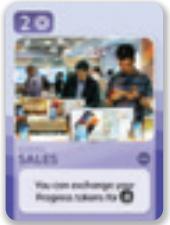
t9 t3 t4

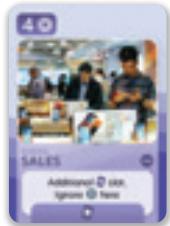
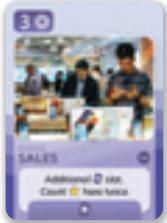
Clarification
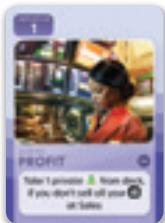
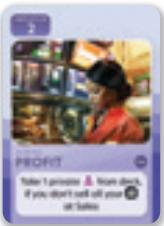
This ability works in the Profit phase if you have any goods left unsold
This ability works in the Profit phase if you sell 2 or more goods less than you produce.
You can choose among the cards that have an equally lowest price.
Discount token works as normal.
In Production phase you can produce extra goods by discarding Progress tokens (one good for each token discarded this way).
This Technology cards provide you a Feature Card slot, simular to the ones on the Corporation Board. You can freely choose to place feature cards on any of the available slots on the Corporation Board and this Technology Cards.
In addition, for T3 ignore cost icon for feature card placed, for T4 consider this card to give you double the amount of stars on it.
Technology cards
t6
Cards

t7
t11
t12 t13 t18
t15 t22
Clarification

You ignore if you have any 3 feature icons on you product, even if some are the same.
In Sales phase after your determine your product but before you start sales produce 1 good if you have a feature icon on one of your feature cards in your product.
In Sales phase your product receives star icons from all your feature cards, even from not placed on slots.They are not considers to be on your product for marketing cards in Profit phase.
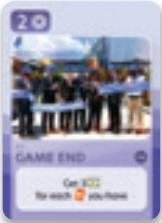
Get additional money at the end of the game if you meet the condition on the card.
T12 — You get 2 for each feature card you have, including the starting feature card. It doesn’t matter the feature cards are used to create the product or not for endgame scoring.
T13 — You get 3 for each technology card you have, including the starting technology card.
T14 — Same, for marketing campaign cards.
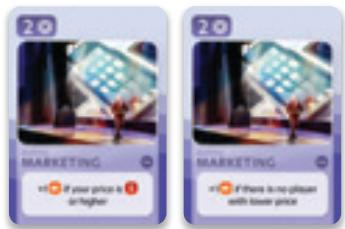
Get additional marketing point if you meet the condition of the card in the Marketing phase. You must spend this points during this phase according to game rules.
Technology cards
t26
Cards
t27 t29
t30
Clarification
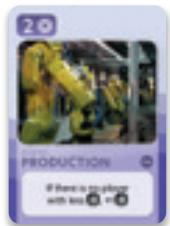
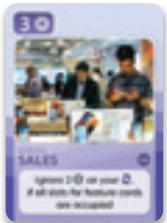
This effect triggers at the end of Production phase, after all players produced and used their bonuses from technology cards. If there is no players that have less goods then you produce one extra good.
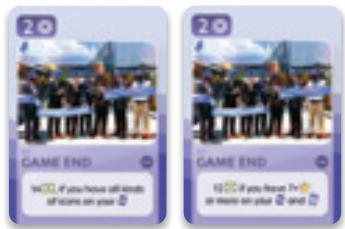
Get additional money at the end of the game if you meet the condition on the card.
T27 — You get 14 , if you have , , , , icons on your feature cards. You get nothing if you don’t have at least 1 of each icon.
T29 — You get 12 , if you have 7 or more star icons on your feature and technology cards. You get nothing if you have 6 or less. The ability of the card T4 doesn’t give you extra stars, as it is active only in the Sales phase.
This ability only works, if all slots on your board and any technology cards you have are filled with feature cards.
Credits
• game design Ivan Lashin
• artwork Viktor Miller Gausa
Cosmodrome Games
• ceo Mikhail Pakhomov
• production director Sergey Morozov
editor-in-ehief Max Vereschagin
Comrades Development
• general management Ivan Lashin
• game development Andrey Kolupaev, Ivan Tuzovsky
• project management & editing Valeriy Kruzhalov
• lore design Ivan Tuzovsky
• art concept & ideas Valeriy Kruzhalov
OWL agency
graphic design Vyacheslav Sergienko, Eugene Sarnetsky
• layout Vyacheslav Sergienko, Valery Zaveryaev
• graphic design management Ilya Sevastyanov
Special thanks to all those involved
in the creation of this game:
• rules editing Antoine Prono (Transludis)
rules translation Tasha Telezhkina
playtesting Alexander Aleksanin, Andrey Zhuravlev, Ivan Kutiavin, Galina Kirillova, Arseniy Kiselev, Nikolay Kuzivanov, Roman Makurin, Petr Kolupaev, Viktor Nevskiy, Konstantin Glazkov, Sergey Latyshev, Mikhail Krotov, Yulia Ilinskaya, Konstantin Malygin, Yura Korzun, Igor Ganzha and all the other members of Comrades Development Playtesting Group
Mobile Markets A Smartphone Inc. Game

Texts are community-compiled or publicly released by publishers; copyright remains with the original authors. For personal reference only.