
Monolith Arena
At a glance
Rules, cards and Q&A (Chinese)
The rules, card data and player questions for this game are written in Chinese. Open the Chinese page to read them.
Where to find full rules
Full rules and card lookup are available in the cunlema app at cunlema.cn — pick this game and ask about any rule, card or turn you are unsure about.
Related games
Rulebook text (Markdown)
This game has 1 rulebook Markdown file(s) in our library; 1 rendered inline below — expand to read or download.
Monolith-Arena-Rulebook.md94.4 KB
RULEBOOK
MONOLITH ARENA
songs. These holy stones' thirst for the blood of warriors is never quenched.
Whenever the blood-red comet adorns the sky, the greatest warriors from the distant corners of the world gather to fight in the deadly olympics. Whoever you are, however far you've traveled, you are free to join the competition with your team and challenge the champions of the arena.
Win for glory, for your leaders and gods, or for the power of the Monolith itself - or relinquish your place to someone better!
CONTENTS

35 Lords of the Abyss tiles
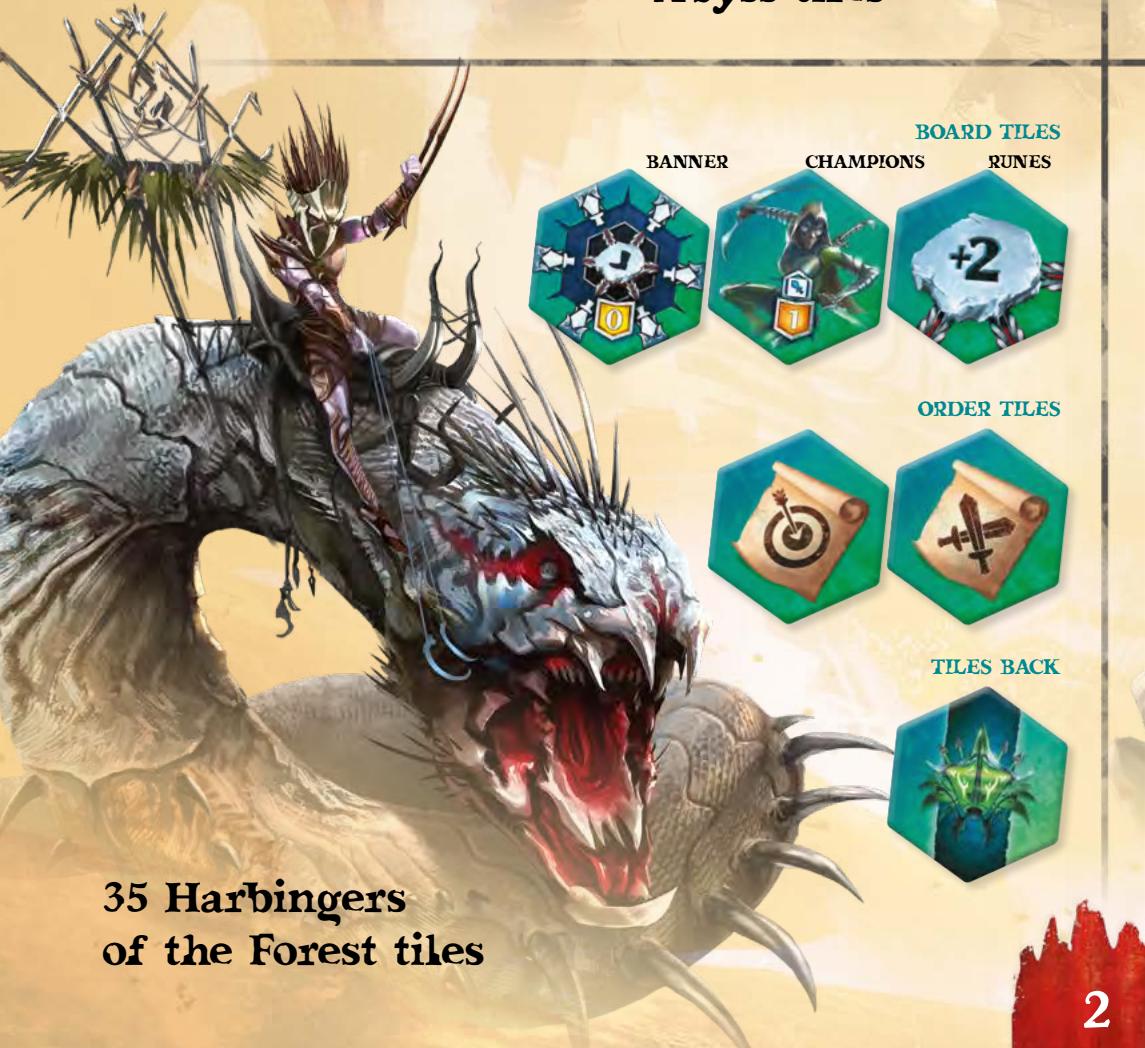

35 Dragon Empire tiles

CONTENTS
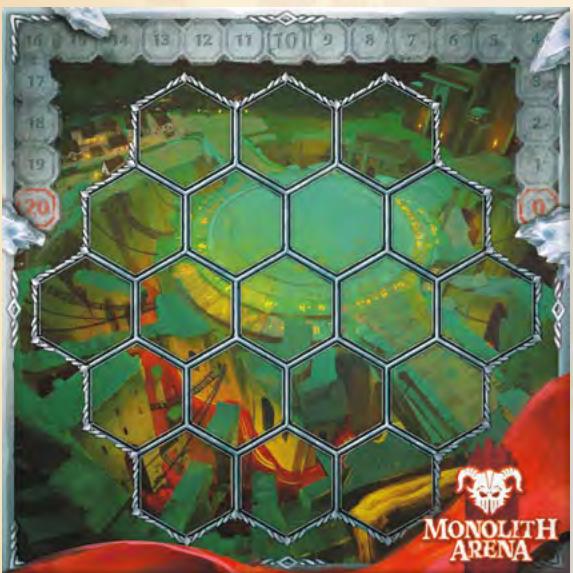
1 board
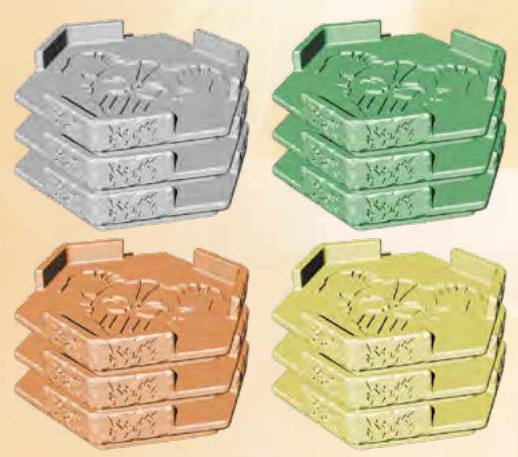
12 plastic Monolith segments
1 Active Player tile (for multiplayer games)

22 Wound markers
6 Net markers

4 Disarmament markers

5 Poison markers (Lords of the Abyss faction)


1 Entrenchment marker (Guardians of the Realm faction)
1 Net marker (Dragon Empire faction)
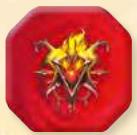
8 Hit Point markers (2 per faction)

30 Initiative markers


4 Alliance tiles (for multiplayer games)
2 Alliance Hit Point markers (1 per Alliance)

4 faction reference sheets (1 per faction)
GOAL OF THE GAME

Monolith Arena is a tactical game in which champions from different factions clash with one another upon the arena grounds. During the game players attack the Champions and Banner of the enemy faction.
The goal of the game is to eliminate the other player's Banner. The player who decreases the enemy Banner Hit Points to o wins the game.
If at the end of the game (see the Ending the of Game section on page 9) none of the Banners have been eliminated, the players compare the current Hit Point levels of their Banners. The player whose Banner received the least damage (has the highest Hit Point level) wins the game.

SETTING UP
Place the board in the middle of the table. 19 hexagonal spaces in the middle of the board create the Game Area. The numbered track around the edge of the board is called the Damage track.
2 Each player selects (or draws randomly) one of the factions, taking the 35 tiles along with all additional small markers belonging to the faction (a detailed list of faction tiles and their abilities can be found on the faction reference sheets).
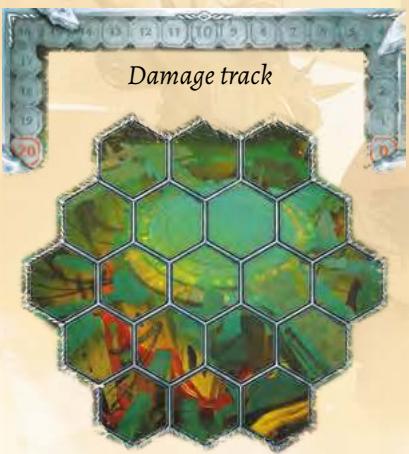
3 Players place the Hit Point marker of their Game Area Banner on number 2o of the Damage track. Banner Hit Points will be lowered when the Banner receives Wounds.
From the 35 tiles, each player places the Banner tile aside and shuffles the remaining tiles. The Banner can be distinguished from the other tiles as it is identical on the front and back.
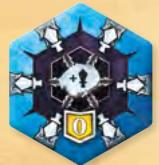
Dragon Empire Banner

Guardians of the Realm Banner
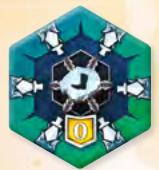
Harbingers of the Forest Banner
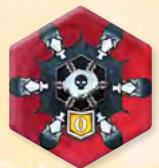
Lords of the Abyss Banner

5 Mi thettedlympotand
When the tiles have been shuffled sufficiently well, they should be placed in a stack face down in front of each player.
Randomly choose a starting player.
The following rules refer to the two-player version of the game. You can find the rules regarding the introduction of the Monoliths on page 19.
All adjustments necessary for a three or four player game are presented on page 22.
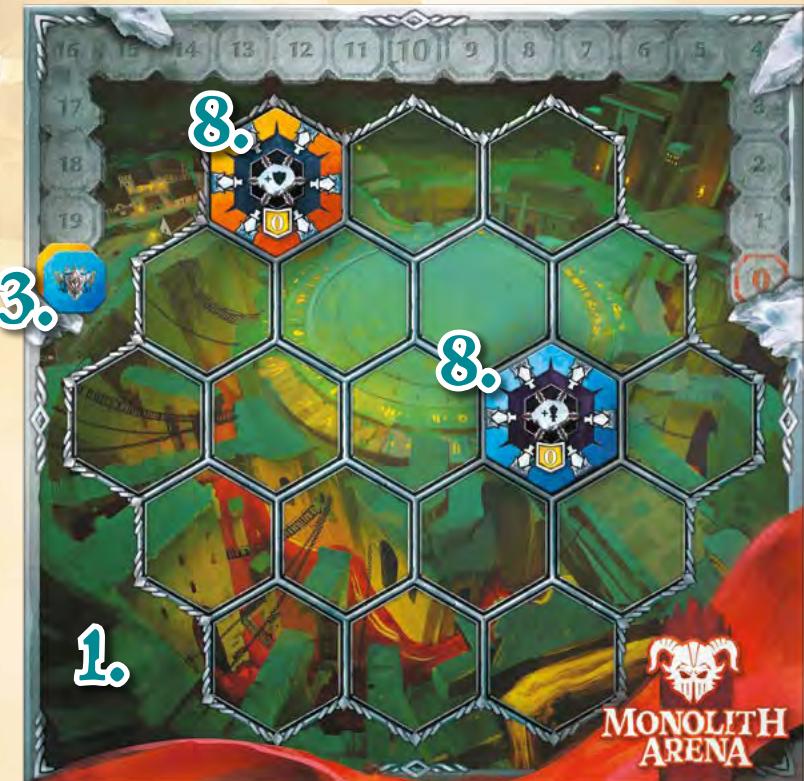
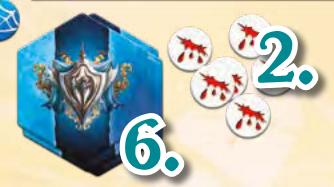
8 The starting player places his Banner anywhere on the board. Then the opponent subsequently does the same. Now everything is ready, and the players can start the game.
BASIC RULES

GAME PLAY

The game consists of a series of turns. Players perform their turns one after another, starting with the player who first placed a Banner on the board.
On their turn, the players draw tiles, discard one tile, and then decide what to do with the other tiles (play, save for later, or discard). Players can also use the Features of their tiles on the board.
After the end of one player's turn, the next player's turn starts. The game continues this way until the Final Battle (details on page 9) or the moment any player's Banner Hit Points drop to zero.
START OF THE GAME

The starting player (Player 1) draws one face down tile from his stack and places it in front of himself, face up (not on the board yet). The player may now use the tile (see the Using Tiles section on page 6), save it for later, or discard it.
The other player (Player 2) then draws two tiles from her pile and puts them face up in front of herself. Like with Player 1, each of these tiles can be used, saved for later, or discarded.
Next, Player 1 draws up to three tiles. This means that if he saved a tile in front of himself in the previous turn, he will now only draw TWO tiles. However, if he played or discarded his one tile on the previous turn, he will now draw three tiles. Of these three tiles, one must be discarded, and each of the other two can be used, saved for next turn, or discarded.
Player 2 follows the same procedure and the rest of the game continues according to the rules in the Game Sequence section to the right.

GAME SEQUENCE
After the initial turns, during a regular turn a player DRAWS UP TO THREE TILES and puts them face up in front of himself. Under no condition may a player have more than three tiles.
Then, after the tiles have been drawn, the player must DISCARD ONE OF THE THREE TILES into the discard pile.
Then he decides what to do with the remaining two tiles - he CAN USE THEM, KEEP THEM FOR THE FOLLOWING TURNS, OR DISCARD THEM.
The player may discard any number of tiles he drew. The drawn tiles should be visible to both players, hence they are placed face up in front of the player who draws them.
If towards the end of the game any of the players draws his last tile, but still has fewer tiles in front of him than three, he does not have to discard any.
When the player completes his turn (draws, uses, or discards tiles, and use all of his tiles' Features, if possible) he informs the other player, who then takes her turn in the same sequence.
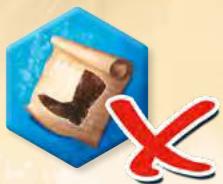

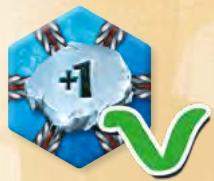
Example: The player draws 3 tiles. One Move Order tile, the Arquebusier Champion, and the Rune of Minor Acceleration. After short consideration, he decides to discard the Move Order tile and places the other two tiles on the board.
UNLUCKY DRAW
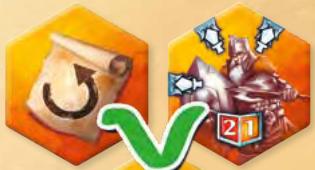
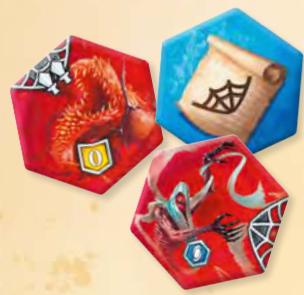
If ALL of the tiles that a player possess after the draw are Order tiles (even if it is only 1 or 2 tiles at the beginning of the game), he may discard them and draw new tiles.
* The player can use this rule multiple times during the game, even during the same turn.
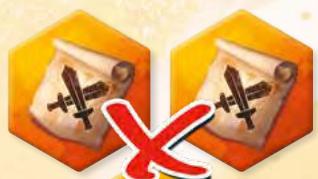
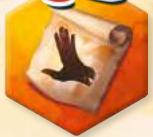
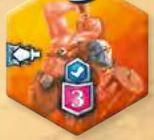
Example: The player draws 3 tiles (see picture to the left). All of them are Order tiles - two Battles and one Push Back. He decides to discard them and draw a new set of tiles (see picture to the right).
BASIC RULES
USING TILE FEATURES
Some of the Board tiles have Features that the player can use once per turn (for a detailed description of the tile Features, see page 13). The player may use the Features of his tiles present on the board at any point during his turn, even after using the newly drawn tiles (but never during the opponent's turn).
• If a tile has multiple Features, each may be used once per turn.
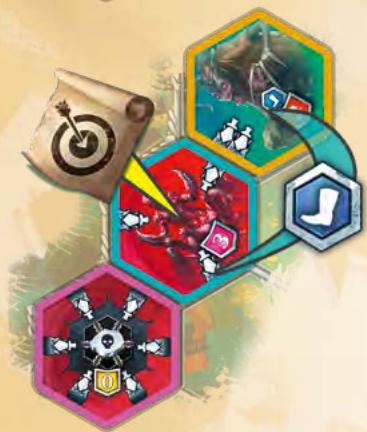
Example:
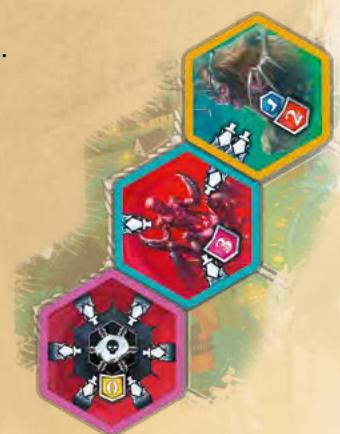
- Overview of the board at the beginning of the Harbingers of the Forest player's turn. The Lords of the Abyss Banner is protected from the Harbingers Champion Herne by the Mygalomorph .
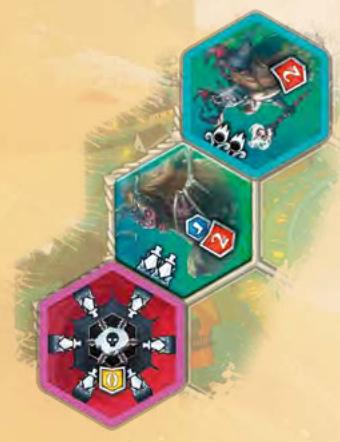
-
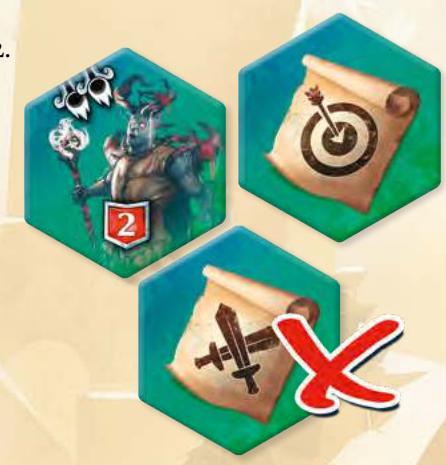
The Player controlling the Harbingers draws 3 tiles from his pile - one Champion Sorcerer and two Order tiles (Battle and Precise Shot). He has to discard one of them. The Battle Order goes to the discard pile.
-
Using the Precise Shot he removes the Mygalomorph and next, thanks to Herne's Maneuver Feature, he moves it into the space previously occupied by the Mygalomorph.
-
Finally he places the Sorcerer tile behind the Herne. Ifthe Battle were to be resolved at this moment, the Lords ofthe Abyss Banner would be attacked by both Harbinger Champions.
USING TILES

After drawing tiles, placing them face up, and discarding at least one, the remaining two can be put into play.
There are two kinds of tiles in the game: Order tiles (see more on page 16) and Board tiles (see page 11). Each tile is clearly marked so it is easy to identify its function.
Here are some examples of the two tile types:
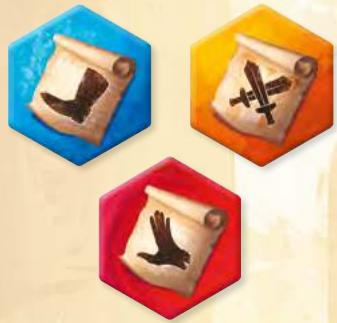
Example of Order tiles

Example of Board tiles
Both types of tiles can only be used during a player's own turn. Under no circumstances can tiles be played during any other player's turn.
The Order tiles represent specific actions (like moving tiles on the board, wounding enemy tiles, etc.). They are not placed on the game board to take effect. Instead, they are shown to the opponent, their effects are applied to the game, and then the tile used is discarded (see the Tile Descriptions section on page 16 for more information regarding the use of Orders).
Board tiles represent your faction's units. Each faction consists of 3 types of Board tiles: Banner, Champions, and Runes. In order to be used, players must place them on an unoccupied hexagonal space on the board, facing any chosen direction.
• Board tiles cannot be placed on other tiles on the board.
• After a Board tile has been placed, it may not be moved or turned in any way, unless its Feature or the effect of another tile will allow this. Otherwise, the tile remains in its position until the end of the game, or until the tile is eliminated and removed from the board.
• If at any time during the game the board is completely filled, with no unoccupied space upon which to place a tile, a Battle begins. Battle can also begin before the board is full, when a player uses the Battle Order tile (see the Battles section on the next page).
BASIC RULES

BATTLES
Among the 35 tiles that make up a player's faction, there are several Battle tiles which are a special kind of Order. As soon as a Battle tile is used, the current turn ends and a Battle begins.
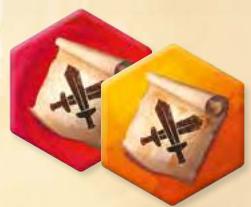
• Battle also begins automatically when the board is full, as described on the previous page. Both instances are resolved in the same way.
During a Battle, the players must check the effects of each tile on the board. Battles are divided into phases according to the Initiative values present on the tiles. If the number printed on the tile is 3, this tile is the first to act. It is followed by those with an Initiative of 2, then 1, and finally o.
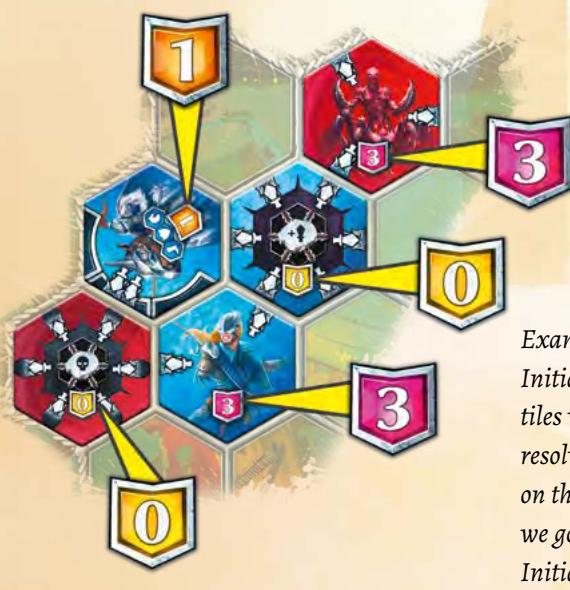
Example: Battle resolution starts with Initiative Phase 3. Then the attacks of tiles with an Initiative of2 should be resolved, but due to the lack ofsuch tiles on the board, this phase is skipped and we go to Initiative Phase 1, and then the Initiative o tiles are resolved last.
Some tiles can have an Initiative of 4, or even higher, due to the support of a Rune. During Battles involving such tiles, more than 3 phases may be resolved. Start at the highest Initiative and proceed in descending order.
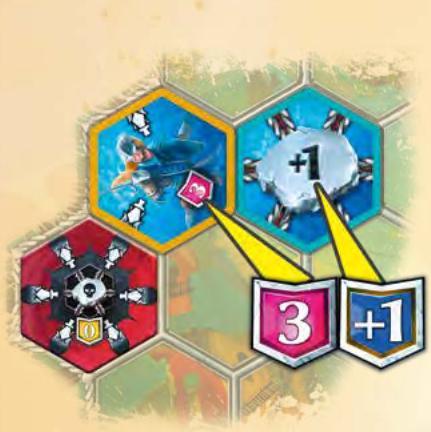
Example: This Champion's Initiative has been increased to 4 due to the effect ofthe Rune ofMinor Acceleration. Battle resolution will start from Initiative Phase 4.
IMPORTANT: There are game effects (triggered by some Features or special attacks) that are resolved at the beginning of Battle. The results of such effects are resolved immediately after a Battle is initiated, even before resolution of the Battle phases. If there are several effects that need to be resolved at the beginning of Battle, they happen simultaneously.
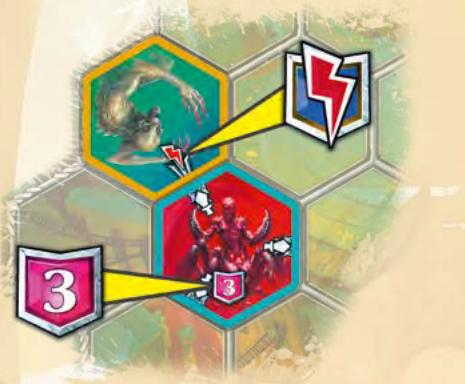
Example: The Morlock tile has no printed Initiative, its attack is resolved at the beginning of Battle instead - it will attack earlier than the adjacent Mygalomorph, which attacks in Initiative Phase 3.
In each phase of Battle, tiles of the same Initiative attack simultaneously. For example, if two tiles with an Initiative of 3 shoot at each other, they both take a Wound. Also, if two tiles fire at the same target in the same phase, they hit the target simultaneously; both attacks strike home and none of the hits pass through to other tiles.
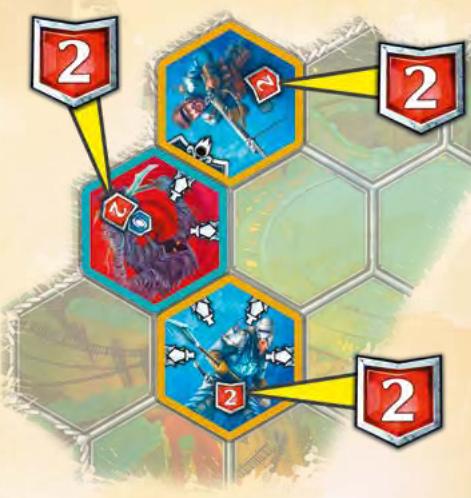
Example: The Pikeman and the Arquebusier both attack in Initiative Phase 2, so their attacks are resolved and hit the Wraith simultaneously. Since the Wraith also has an Initiative of 2, its attack will be resolved as well.
After all attacks of the current phase have been resolved, move to the next Initiative in descending order.
BASIC RULES
BATTLES
Most of the Board tiles have only 1 Hit Point (except for the Banners and tiles with the Toughness Feature), so after receiving 1 Wound they will be eliminated.
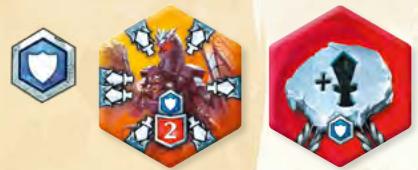
Toughness icon and two tiles with this Feature.
Eliminated tiles remain on the board until the end ofthe phase in which they are destroyed. After all actions of the phase have been carried out, eliminated tiles are removed from the board and put in the discard pile.
Tiles with automatic effects (for example Runes and Champions with Nets) do not stop affecting other tiles upon taking a Wound. It is not until they are removed from the board at the end of the Initiative Phase in which they lost their last Hit Point that they stop affecting other tiles.
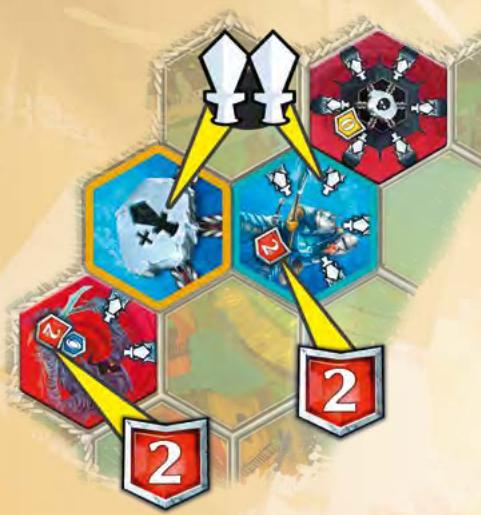
Example: The Champion Pikeman acts in Initiative Phase 2. The connected Rune increases the strength ofhis Melee attack. Although this Rune is eliminated in Initiative Phase 2 by the opposing Chaos tile, the Pikeman's attack still has a strength of 2 because the Rune is still in play, until it is removed at the end ofthe current Initiative Phase.
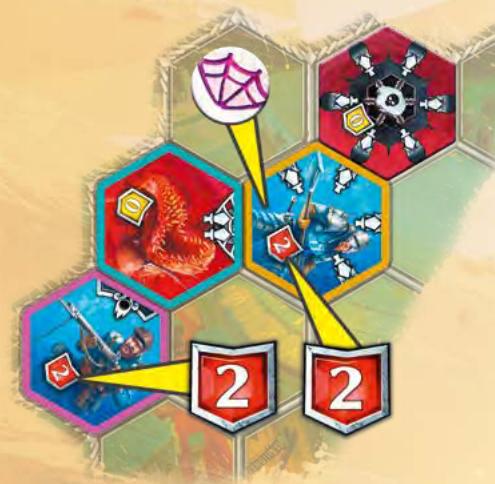
Example: The Champion Pikeman is netted by the Nightmare, which means that it will not be able to attack during Initiative Phase 2. Although the Netting Nightmare is eliminated in Initiative Phase 2 by the opposing Arquebusier, the Pikeman will not get the chance to attack as the Nightmare Net is still in play until the end ofInitiative Phase 2, at which point the Nightmare is removed from the board.
When a tile is wounded but not destroyed (because it has the Toughness Feature - see page 13 for more details), put a Wound marker on it to indicate that it has been hit. The Banner is the only exception, as its damage is marked on the Hit Point track.
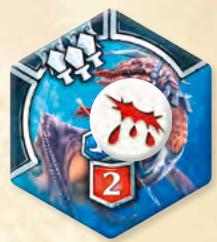
A Wound marker placed on a wounded Board tile.
The player who starts a Battle (by playing a Battle Order or filling up the board) ends his turn regardless of the number of tiles he has left in front of him. As soon as Battle starts, the player cannot use any tile Features. It is also not possible to play any Order tiles, or even to discard a remaining unused tile that was drawn this turn.
• A Battle tile cannot be used if the other player has drawn the last tile from her pile.
• An example of Battle can be found at our website: www.portalgames.pl.
BASIC RULES
ENDING THE GAME

If the player draws the last tile from his pile, he will finish his turn as usual.
Next, the opposing player finishes her turn. Then, the Final Battle commences.
Once any of the players have drawn their last tile, Battle tiles cannot be used.
If a player has drawn his last tile AND filled in the last unoccupied hex on the board, Battle commences. Then, after the Battle, the opposing player plays one more turn, after which the Final Battle commences. The same goes for the opposing player's last turn - if she fills the last unoccupied hex on her last turn, it triggers Battle as usual due to the lack of free hexes. After resolving this Battle, the Final Battle commences.
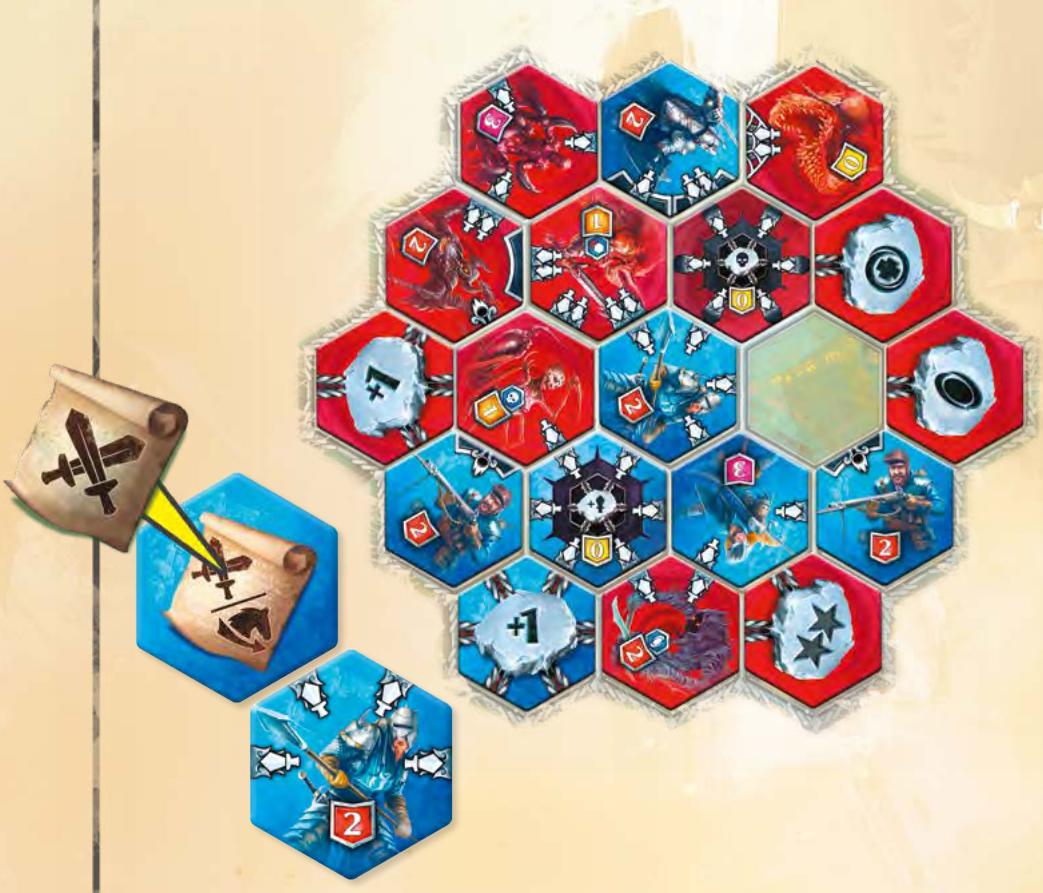
Example: The inal turn of a game. The current player has not saved any tiles from his previous turn. He draws his last two tiles from his stack. Since he has less than 3 tiles, there is no need to discard any of them. His last tiles are a Battle/Charge Order and a Champion Pikeman. Ofthe two, the Battle Order cannot be played (the opposing player drew her last tiles in the previous turn), but the player places the Champion on the board, filling the last unoccupied hex. This triggers Battle. After resolving it, the Final Battle commences - once that has concluded, the game ends.
VICTORY

The game ends after one of two conditions: the Final Battle has concluded or a Banner's Hit Points are reduced to zero.
If one of the Banners is destroyed, the game ends and the player whose Banner survived wins.
If any of the Banners are destroyed during a Battle, the Battle goes on as usual until the Initiative Phase o has been resolved. If during the Battle the other Banner is destroyed as well, the game ends in a draw.
If none of the Banners are destroyed and the Final Battle has been fought, the player whose Banner has more Hit Points left is the winner.
If both Banners have the same number of Hit Points remaining, each player takes one more turn. If a player has no more tiles left to draw, he can only use the Features of the tiles he has on the board, for example a Maneuver. Then, an additional Battle begins. If both Banners still have the same number of Hit Points remaining after this additional Battle, the game ends in a draw.
MORE TACTICAL GAME
If you think there is too much randomness in the game and you want to reduce it, you can play with the following Reinforcement rule: during your turn, draw up to six tiles instead of up to three. Discard one and play a maximum of two tiles, all other tiles can be saved for later.
This variant also modifies the start of the game sequence: players draw up to six tiles starting from the first turn. In his first turn, the first player has to discard one tile and may only play one tile. After the first turn the game is played using normal rules with the exception of the change to the number of tiles drawn as described above.
Achnid
Mygalomorph, A Lords of the Abyss Champion
I feel every breath, a tremor that moves through my threads. Each step you make through the maze, trying so hard to be quiet, makes an echo that carries like an avalanche to my ears. Each sigh, word, cry, is music that thrills me, calls me, drives me towards you.
Come, let's dance. This will be your last.
TILE DESCRIPTIONS
tiles which are marked appropriately on their back to indicate which faction they belong to.
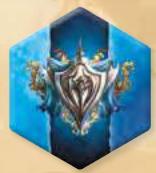
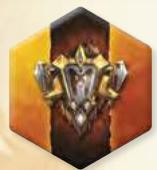
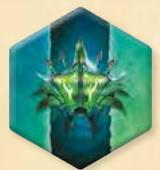
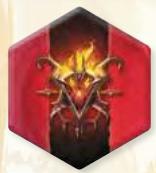
Dragon Empire Guardians ofthe Realm Harbingers ofthe Forest Lords ofthe Abyss Unless otherwise specified, tiles affect all types of Board tiles (Banners, Champions, Runes) when used.
Unlike Order tiles, Board tiles have numerous icons which provide information regarding the characteristics of a particular tile, such as:
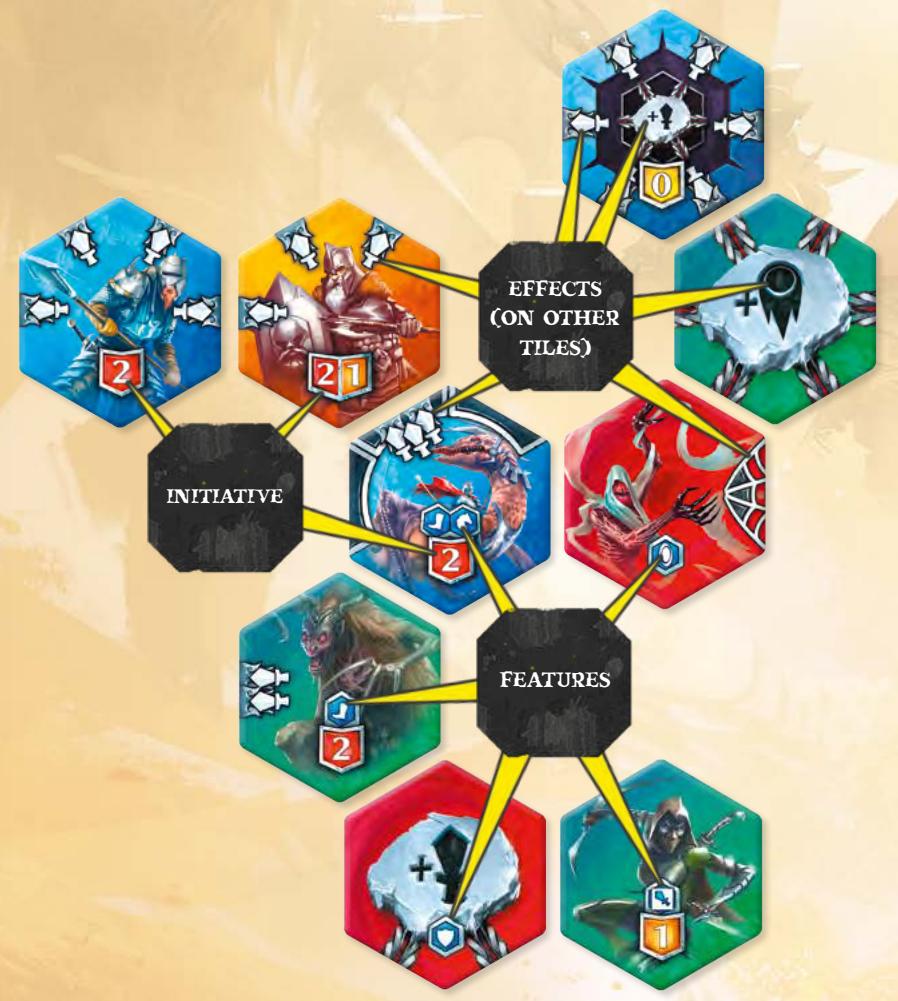

Most Champion tiles are marked with a symbol indicating its Initiative in the game. The higher the Initiative, the earlier in each Battle a given tile will attack. The Initiative values printed on the tiles range from 3 to o. The values indicate the number of the phase in which a tile can perform an attack (see the Battles section on page 7).
Some tiles have more than one Initiative value printed on them, which means that the tile can attack several times - performing all attacks during each of the indicated phases of Battle.
There are also tiles with no Initiative symbols (for example Runes). These tiles' effects are not restricted to one phase of Battle. A tile with no Initiative symbol affects the other tiles as soon as it is placed on the board, and until it is removed.
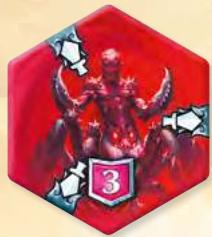
A Champion with an Initiative of3
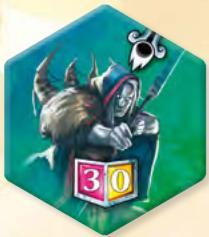
A Champion with an Initiative of 3 and o

Banner with an Initiative ofo
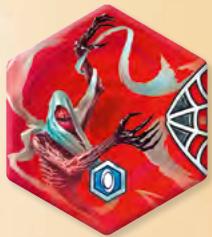
A Champion with no Initiative.
XII
Golem, A Guardians ofthe Realm Champion
Master Brawin watched the fight from high up in the cathedral's tower with his massive, dwarven telescope. He wasn't concerned about who was winning or losing the battle. The only thing he cared about was the performance of the new creation coming out of his workshop - a member of the new generation of golems, simply called “X."”
XI's massive body was a moving fortification upon the upper segment of the Monolith. The Rune's efficiency looked normal. No change in the steel aura. Hydraulic support cylinders... Oh!
There was a crash loud enough to reach even Brawin's place of seating. XI, with its leg having just broken, clumsily slumped to the side. The remaining leg soon snapped under the excessive load, and the massive golem allowed itself to be easily toppled, rolling from the Monolith surface and tumbling towards the ground far below. “We should really work on those cylinders,” Brawin sighed as he started to fold up his telescope.
TILEDESCRIPTIONS
BOARD TILES
Board tiles, as opposed to Order tiles, are ones that can be placed on the game board. There are 3 types of Board tiles: Banners, Champions, and Runes.
BANNERS

Dragon Empire Banner
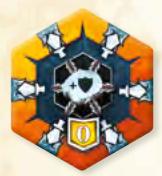
Guardians of the Realm Banner
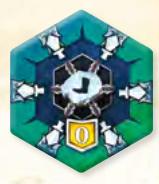
Harbingers of the Forest Banner

Lords of the Abyss Banner
Each Banner has 2o Hit Points which are reduced through successful enemy attacks. If the number falls to o, the Banner is destroyed and the faction it belongs to loses the game.
Each faction's Banner has a different special ability which is described on the reference chart of each faction. Please note that the Banner's ability does not affect the Banner itself.
Moreover, each Banner can hit all adjacent enemy Champions and Runes with a Melee Attack with a Strength of1. However, a Banner cannot attack another Banner.
• A Banner can NEVER harm another Banner, regardless of Runes or effects
• Each Banner has an Initiative of o.
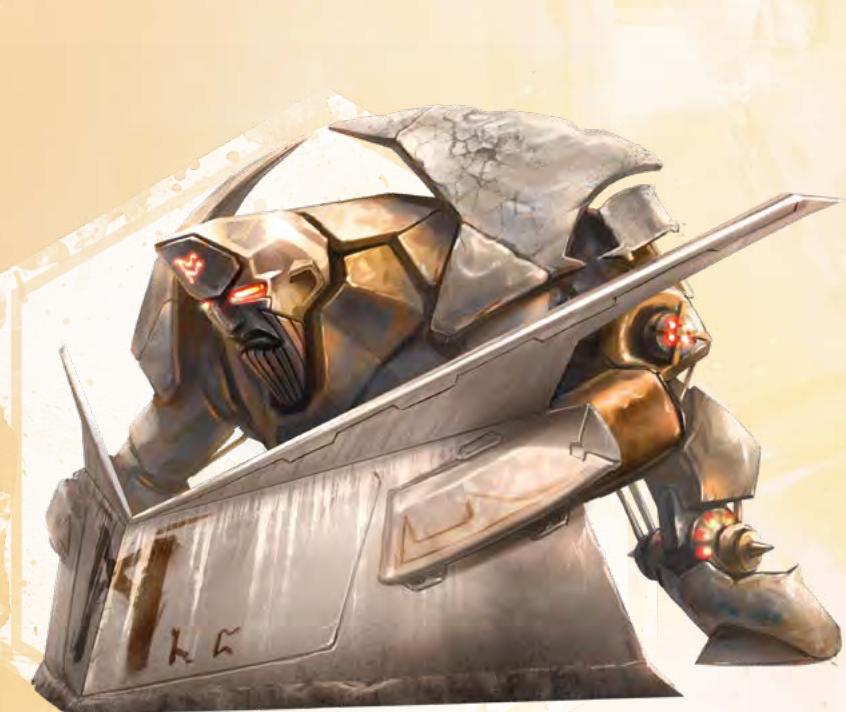
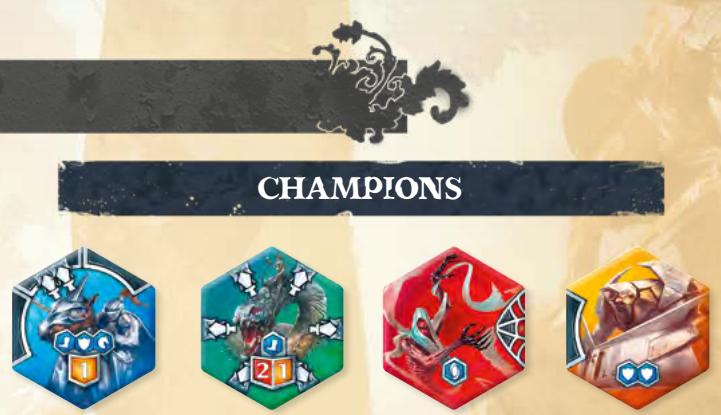
Examples of Champion tiles
On the front of Champion tiles, in addition to the illustrations of individual champions, there are symbols defining the abilities of each tile (for example Melee attack, Ranged attack, Armor, or Net) as well as icons representing their Features.
The symbols can be found on one, two, three, or all sides of the tile. The specific symbol indicates an ability working only in the direction of the side the symbol is shown on.
DETAILED DESCRIPTION OF THE SYMBOLS
MELEE ATTACK
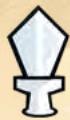
This symbol represents a Melee attack performed on an enemy tile adjacent to the edge with the symbol.
• If a tile has more than one of these attack symbols, all attacks are performed simultaneously during Battle.
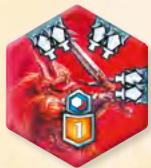
A Melee attack with a strength of 2 in 3 directions
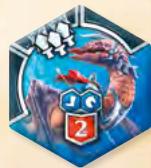
A Melee attack with a strength of 3 in 1 direction.
• The number of Melee attack symbols on the same edge (1, 2, or 3) determines the Melee attack strength in the given direction (the number of Wounds inflicted).
• If a Rune increasing Melee attack strength is connected to the tile, it increases the attack strength in all directions.
• Attacks are automatic and the players cannot stop their Champion from attacking.
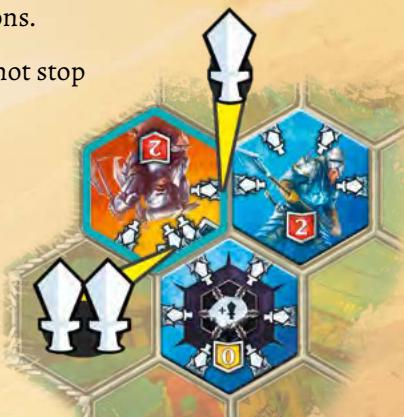
Example: The Veteran Champion attacks both the Banner of the Human Empire and the Pikeman, inflicting 2 Wounds and ı Wound respectively.
TILE DESCRIPTIONS
RANGED ATTACK

Ranged attacks are shots and spells fired during battle. They hit and inflict a Wound to the first enemy tile in the attacker's line of sight, no matter how far the tile is.

A Ranged attack with a strength of 2 in 1 direction.

A Ranged attack with a strength of1 in 4 directions
The symbol on the tile indicates the direction of the attack (in a straight line from the tile edge). If a Champion has two or more Ranged attack symbols, it shoots in all directions simultaneously during the Battle.
• The number of Ranged attack symbols on the same edge (1, 2, or 3) determines the Ranged attack strength in the given direction (the number of Wounds inflicted).
• If a Rune increasing Ranged attack strength is connected to the tile, it increases the attack strength in all directions.
• Attacks are automatic and the players cannot stop their Champion from attacking.
• Warriors shoot over friendly Board tiles, so no friendly fire is taken into account (it reflects their coordination during the fight). Friendly tiles do not obscure line of sight towards enemy tiles in the same line (attacks go past or over them).

Example: The Dragon Empire Arquebusier shoots towards the tiles of the Lords of the Abyss. The Ranged attack does not Wound the friendly tile (Empire Swordsman) and flies past. It hits the Nightmare ofthe Lords ofthe Abyss, which is the first enemy tile in the line of attack. The attack will not reach the Banner, hidden behind the back of the Nightmare Champion.
ARMOR

Armor protects completely from all strength 1 Ranged attacks and decreases the strength of more powerful Ranged attacks by 1.

Armor protecting 1 side

Armor protecting 3 sides
It does not, however, protect from Melee attacks. Note that a Ranged attack from an adjacent hex is still a Ranged attack and not a Melee attack.
The Armor symbol on the tile indicates which side is protected. If an armored tile is attacked from a different direction than the protected side, the Armor has no effect and the attack hits.
• Armor does not protect from attacks performed using Order tiles (such as a Precise Shot or Fire Concoction).
Armor protects the tile from the Ranged attacks modified by the Rune of Penetration (possessed by the Guardians of the Realm faction) as usual, but the attack still affects all the other tiles in the line of fire.
• Armor protection is automatic, and players cannot choose whether to protect a tile from a Ranged attack

Example: The Knight is attacked by 2 enemy Champions. The Combat Platform attacks with a Ranged attack with a strength of1, from which The Knight is completely protected by the Armor. The Pupil attacks with a Melee attack strength of1 against which the Armor does not protect.
TILE DESCRIPTIONS
NET
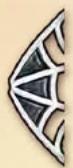
Nets disable adjacent Board tiles, preventing them from moving, attacking, pushing back, adding bonus Features, etc.
Net symbols indicate the directions in which the Nets works. Only the tiles whose edges are adjacent to the Net symbol are disabled.
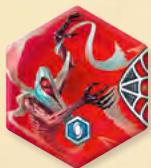
A Net working in ı direction
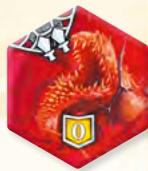
A Net working in 1 direction, and a Melee attack with a strength of 2 in the same direction
• Nets disable the opponents as soon as they are placed on the board, not only during Battle.
• The Net does not affect the Armor and Toughness Feature in any way - the Netted tile is still protected by its Armor and has the additional Hit Point.

• To easily remember which tile is disabled by a Net, the player can place a Net marker on the tile. The player can remove the marker when the tile stops being affected by the Net (if it happens during the Battle, the player removes the marker at the end of the phase during which the tile was freed).
• A Net is in effect continuously and players cannot choose to ignore the effect.
NOTE: Nets also affect enemy Banners.
For more information, see the Using Nets section on page 17.
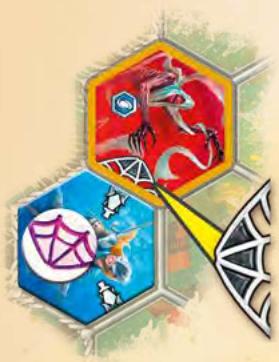
Example: The Nightmare Nets the Swordsman.
DESCRIPTION OF FEATURES
Descriptions of the most common Features can be found below. Certain Features (Teleport, Cavalry, Transformation, etc.) are specific to single factions and are described in detail on their respective faction reference sheets.
TOUGHNESS
Board tiles, with the exception of Banners, are eliminated after receiving a single Wound.
Each Toughness icon represents an additional Wound a tile can sustain before being destroyed. Thus, a tile with one Toughness icon must receive at least 2 Wounds before being removed from the board. A tile with two Toughness icons must receive at least 3 Wounds before being removed from the board.

Champion with 2 Toughness Features
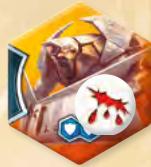
The same Champion after receiving 1 Wound
• Each Wound inflicted on a tile that does not remove it from the board (except for the Banners) is marked with a Wound marker placed on the tile.
MANEUVER

A tile marked with this symbol can move one hex and/or rotate freely on the board once per turn. A tile may only be moved onto a free hex. All movement is carried out on the controlling player's turn, and never during Battles.
A player can move a tile with Maneuver before or after placing his new tiles on the board.
• NOTE: Tiles cannot be moved during a Battle.
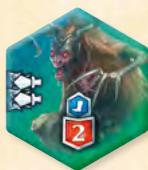
Champion with the Maneuver Feature

Champion with the Maneuver Feature and two other Features.
FEATURE MARKERS
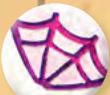
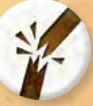
Some of the Board tiles have Features whose influence on other tiles is marked with additional tokens (Features such as: Net, Venom, or Disarmament) in order to present a clear overview of the situation on the board at a given moment. These markers are placed on the tiles the moment a Feature is activated, or special attack utilizing the Feature is resolved. They are removed when the tile containing the Feature is eliminated, though certain Feature abilities are removed under different circumstances, of which the details may be found in the Feature description.
TILE DESCRIPTIONS
RUNES
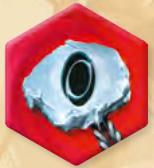
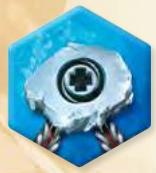
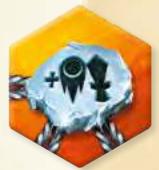
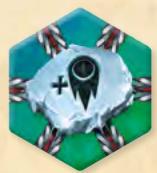
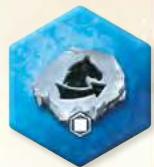
Examples of Runes affecting tiles in one direction, two directions, three directions, all directions, and for the entire board.
Runes affect all adjacent tiles connected to them. Rune connection paths printed along the edges show the direction in which they can connect to another tile. In most cases, these are other tiles in a player's own faction.
The influence the Rune has on the tile is depicted as a symbol in the center of the tile.

Example: Rune of Minor Acceleration affecting friendly (connected) tiles in four directions.
Rune influence cannot reach a tile indirectly through another tile. For example, a Rune connected to another Rune does not transmit its influence over a longer distance.
NOTE: Exceptions to this rule are rare Runes with unlimited range, which affect the entire board. They do not have connection paths and the exact description of their ability can be found on the their faction reference sheet.
Runes do not affect enemy tiles (unless specified otherwise in their description).
They begin affecting tiles the moment they are connected to them (not only during Battles). Runes are always active and can never be turned off.
A Rune's ability is not an attack and cannot be multiplied by a tile providing an additional attack (such as the Rune of Double Attack from the Lords of the Abyss faction).
NOTE: Runes can be eliminated like Champion tiles and some of them also have an additional Toughness Feature.
NOTE: Runes also affect Banners.
NOTE: In addition to the symbol of an ability affecting the connected tiles, there may be an additional Feature on the Rune tile (Rotation, Toughness, etc.). These Features only affect the Rune tile, not the connected tiles.
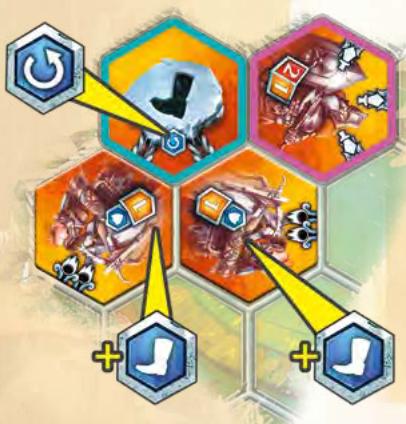
Example: The Guardians' Rune of Agility is connected to two Crossbowman tiles and is adjacent to the Axeman. The connection allows both Crossbowman to use the Maneuver Feature provided by the Rune, but the Axeman is not connected to the Rune and cannot use the Feature. Rotation, the Rune's Feature, allows the Rune to rotate (only the Rune). If after rotation the Axeman is connected to the Rune, it will be able to use the Maneuver Feature this turn.
Whisper
Herne, A Harbinger of the Forests Champion
Tarris knew the forest devil was out there somewhere. He saw it getting Eric and Maia. He saw what was left of the war horse. He even recognized the unique, putrid smell that surrounds these creatures. The inside of the Monolith was dark, full of small passages and curves, which made the creature impossible to spot. “It makes no sense to fight in here," he thought. “I'll have to lead it outside.”
He took off towards the exit, but in that very moment long, curved claws snapped around him. His screams echoed through the inner chambers.

TILE DESCRIPTIONS
RUNES COMMON FOR MOST FACTIONS
RUNE OF STRENGTH AND RUNE OF ACCURACY
These Runes increase the strength of a connected friendly tile's Melee or Ranged attack by 1.
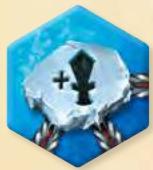
The Rune of Strength increases the strength of Melee attacks by 1 and connects in 3 directions.
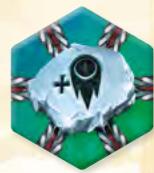
The Rune ofAccuracy increases the strength of Ranged attacks by 1 and connects in all directions.
RUNES OF ACCELERATION
The Runes of Minor and Greater Acceleration increase the Initiative of friendly connected tiles by 1 and 2, respectively.
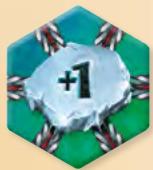
Rune of Minor Acceleration that connects in all directions.
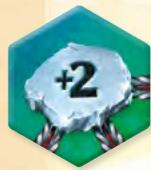
Rune of Greater Acceleration that connects in 3 directions.
To make it easier to remember which tiles have an increased Initiative, the player may place a marker with the updated Initiative on these tiles, with the value corresponding to the current Initiative of the tile.
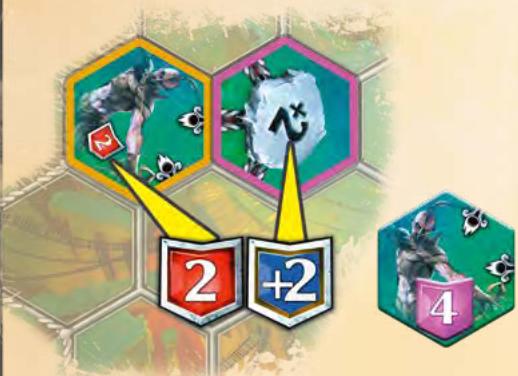
Example: Ifthe Rune of Greater Acceleration increasing the Initiative by 2 is connected to a Champion with Initiative 2, then the marker with Initiative 4 should be placed on the Champion. The marker should cover the Initiative value ofthe tile. The marker must be removed when the tile is no longer influenced by the Rune of Acceleration (ifthis happens during Battle, the marker should be removed after resolving the phase in which the Rune was destroyed).
• In rare cases, when the effect of the Rune of Acceleration is cumulated, the connected Champion may attack with an Initiative of 5 or higher. All such cases are marked by the player placing a 5+ Initiative marker on the tile. When resolving Battle, the tiles with the 5+ marker attack in their respective phases in descending order, as usual (they do not all attack in a single 5+ Initiative Phase).
RUNE OF REGENERATION
If a tile with the connected Rune of Regeneration suffers one or more Wounds from a single attack coming from a single source (one enemy Board tile, one Order tile, or from a special Feature of a single type such as Poison markers), then the Rune of Regeneration is discarded and the Wounds are ignored.
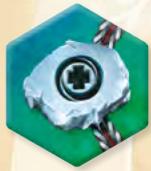
Rune of Regeneration that connects in 2 directions.
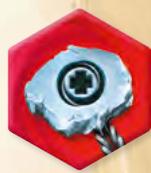
Rune of Regeneration that connects in 1 direction.
See the Using Runes of Regeneration section on page 17.
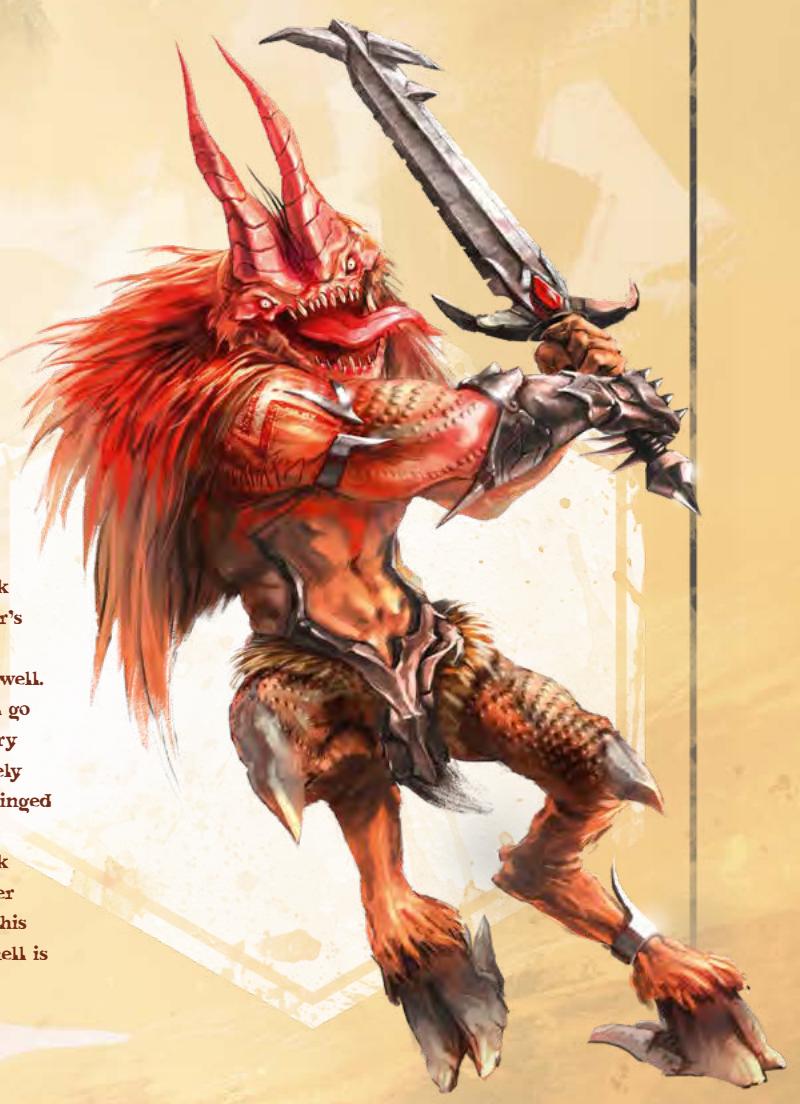
Raabiz the Red Demon, A Lords of the Abyss Champion
I wasn't able to join in the battles the last time they occurred. When I came back from the expedition to Awer's Root, it was almost over. I missed the previous two as well. Nobody would let a general go participate while our country was at war, and unfortunately for me, the war with the Winged tribes lasted over half of a century. I haven't been back to these holy grounds in over 70 years; oh how I missed this arena. The blood-soaked smell is unlike anywhere else.
TILE DESCRIPTIONS
ORDER TILES

Apart from Board tiles, each player has a number of special Order tiles described below.
These tiles cannot be used when Battle starts, only during the owner's turn.
Order tiles are not placed on the board, but are discarded to the discard pile after use.
General Order tiles are described below. Other faction specific Order tiles (False Orders, Precise Shot, Entrenchment, Rotation, Net) are described in detail on their respective faction reference sheets.
BATTLE

• If a player uses this tile, Battle begins.
• This tile may not be used if any of the players have drawn the last tile from their stack.
• After the Battle tile is used, the player's turn ends and he may not use any more of his tile Features.
MOVE
• This tile allows its user to move one of his tiles to an adjacent, unoccupied hex and/or turn it in any direction desired.
• For more details see Movement in the Common Problems section on page 21.
FIRE CONCOCTION
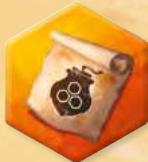
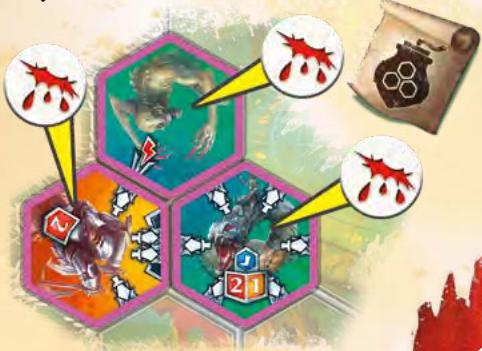
• Deals 1 Wound to all tiles (excluding Banners, but including your own tiles) placed in the configuration shown on the Order tile icon.
• The Fire Concoction area of effect has to be completely on the board, no targeted space may be off of the board.
Example: After using Fire Concoction all 3 tiles receive 1 Wound and are eliminated.
PUSH BACK

This tile allows one of your friendly tiles to push away an adjacent enemy tile, creating a distance of one hex between them.
• The enemy tile can only be pushed away onto an unoccupied hex, and only a single space away.
• If there is more than one unoccupied hex available, the player controlling the enemy tile decides which one to move his tile to.
• The pushed back tile may not be rotated during the move.
• If it is not possible to create a 1 hex space between the tiles, the Push Back cannot be used.
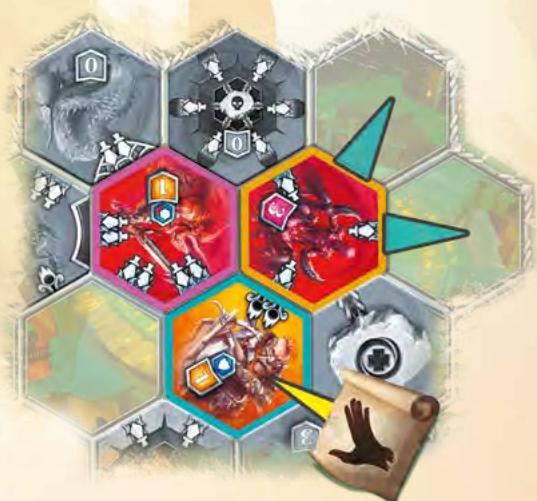
Example: A Crossbowman is surrounded by two Lords of the Abyss Champions: a Mygalomorph and a Demon. The Guardian of the Realm player decides to use his Push Back tile. It is impossible to push the Demon away, because both hexes behind him are occupied and the only free hex is adjacent to the Crossbowman tile that will perform the push. However, it is possible to push back the Mygalomorph.
The player who commands the Abyss faction chooses which hex to move his tile to.
USING NETS

• A Net disables the opponent immediately after being placed on the board (the same occurs whether you place a Champion with a Net or an enemy tile enters a Netted space).
If a Net Champion is eliminated during battle, the Net affects the other tile until the end of the current Initiative Phase, up until the Net Champion tile is removed from the board. The Netted tiles will only be able to act in the next phase, if there is one.
A tile disabled by a Net cannot move, thus it cannot be pushed away. It is possible to push back the Net Champion, releasing the netted tile from the Net effect, though this can only be done by another friendly tile, not by the tile that is being disabled.
• A Net Champion can disable another Net Champion, in which case the latter is rendered unable to affect any tiles.
If two opposing Net Champions use a Net in each other's direction, they do not disable each other. In other words, two Nets aimed at each other nullify each other's function, and both Net Champions are treated as non-Netted (they can be moved normally with a Move tile).
COMMON PROBLEMS
RUNE OF REGENERATION

• A Rune of Regeneration cannot be turned off if it is connected to a tile. Its effect is continuous.
• If a tile with a connected Rune of Regeneration suffers one or more Wounds from a single attack coming from a single source (one enemy Board tile, one Order tile, or from the markers of a single type, such us Poison markers), then the Rune of Regeneration is discarded and the Wounds are ignored. If several opponents wound the target with a connected Rune of Regeneration, the player controlling the Rune decides which Wound is regenerated.
• If the Rune is connected to more than one tile, and all the tiles are simultaneously attacked, the player controlling the Rune chooses which one of them is regenerated by the Rune.

Example: The Combat Platform attacks both Pikeman tiles in the same Initiative Phase. Both of them are connected to the same Rune of Regeneration, but the Rune can only regenerate one of them. The Player controlling the Rune has to decide which tile is eliminated and which will stay on the board due to the Rune's regeneration effect.
If both a Rune and the connected tile are hit simultaneously (in the same Initiative Phase), the Rune is destroyed first and cannot regenerate the tile.
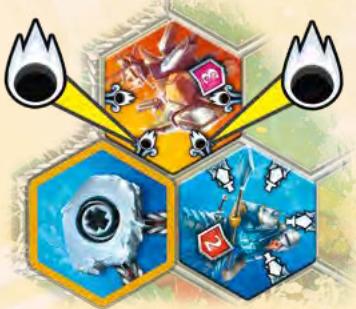
Example: The Champion Pikeman and the Rune of Regeneration are attacked in the same Initiative Phase by the Combat Platform, which means both of them are eliminated – the Rune of Regeneration cannot save the Pikeman.
• If a single tile is connected to two Runes of Regeneration, the player controlling the Runes chooses which Rune regenerates the Wound.
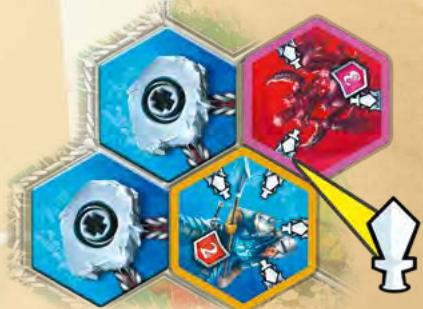
Example: The Mygalomorph Wounds the Pikeman, which is connected to 2 Runes of Regeneration. The Dragon Empire player decides which one regenerates the Pikeman and will be removed from the board.
If a tile is connected to a Rune of Regeneration which has another Rune of Regeneration connected to it, but the 2 Runes are not connected to each other, the Wound from an attack is absorbed by the latter Rune in the chain.

Example: The Pikeman is wounded by the Mygalomorph. This Wound would normally be absorbed by the connected Rune of Regeneration, but since another Rune is connected with the first one, that Rune will be the one to absorb the Wound.
If two Runes of Regeneration are interconnected (each have the connection path turned towards the other's direction) the controlling player decides which of them absorbs the Wound.

Example: The Dragon Empire player decides which ofthe 2 Runes of Regeneration will regenerate the Wound taken by the Pikeman.
TILE DESCRIPTIONS
MORE ON INITIATIVE
No tile can have its Initiative reduced below a value of o. If any tile's Initiative would be lowered below o, it is treated as having an Initiative value of o.
• There is no upper limit to increasing Initiative.
• If a tile performs multiple hits, and has a Rune of Acceleration connected to it (increased Initiative), the bonus affects all of the attacks.
If a tile attacks in more than one direction (no matter the type of attack) and it can perform its attacks in more than one Initiative Phase (for example the Wyrm from the Harbingers of the Forest), it performs all of its attacks in each of the specified Initiative Phases.
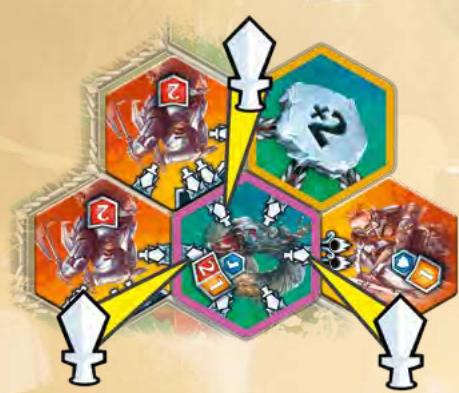
Example: The Wyrm, with a connected Rune of Greater Acceleration, will resolve all ofits attacks during Battle first in Initiative Phase 4, and again in Initiative Phase 3.

• A tile can perform an attack (Melee or Ranged) only in the phase corresponding to its current Initiative. For example, a Champion with an Initiative of 3 is disabled by a Net in Initiative Phase 3. During that phase, the Net is destroyed. Though in Initiative Phase 2 the Champion is now free, it cannot attack since its Initiative value is 3 and that phase is over.
Situation 1. The Crossbowman with an Initiative of2 gets a bonus of +1 Initiative from an adjacent Rune of Minor Acceleration (raising its Initiative value to 3) and can perform a Ranged attack in Initiative Phase 3. Ifin the same phase the Rune is destroyed and the Champion's Initiative drops to 2 again, he cannot perform another attack in Initiative Phase 2.
Situation 2. Again, the Crossbowman with its original Initiative of2 is enhanced by a Rune and gains +1 Initiative Unfortunately, the Rune gets temporarily disabled by a Net and does not provide the bonus. Phase 3 ends with the Net being destroyed, so the Champion's Initiative jumps up to 3 again. However, Initiative Phase 3 is now over, and the next one begins. The Champion cannot attack in Initiative Phase 2.
Tarris Redrobe
Arquebusier, A Dragon Empire Champion “Gentlemen, remember! The arena is unlike any battlefield you've seen before. Most of your rigorous squad training will be for naught. Forget a compact formation! As soon as we're down there, our formation will be warped to fit the corridors and tunnels.
Forget about a unified assault! Our task is to get a decent position and shoot anything that moves. This is no ordinary battlefield, but you can đie here all the same... and I'd damn well appreciate you not doing so."
MOVE J
Although tiles normally do not change their position once placed on the board, there are effects in the game that allow the player to move their Board tiles (a Banner Feature, Rune effect, Feature of the tile itself, Move Order, etc.). There is no limit to the number of moves that you can make in your turn with one Board tile, as long as each of these moves is a result of a different action (each effect allows you to move one tile only once per turn).

Example: The Dragon Empire player decides to use the Rune of Agility, and moves his Champion to the adjacent space. Next he plays a Move Order and moves the Knight again. Finally he uses the Maneuver Feature ofthe Knight and moves him next to the enemy Banner, changing the direction the Knight is facing at the same time.
MONOLITHS
articipants of the bloody games have been studying the secrets of the Monolith for years, constantly preparing for the next clash. Secret passages and traps, ancient spells linked to the stone segments, and the dangers of the hollowed tunnels - all highly guarded knowledge of each faction. Adding to this are the constant innovations, strategies, and ploys of your enemies. You will soon come to realize just how dynamic, and dangerous, the Monolith Arena is.
After becoming familiar with the basic rules and using each faction in battle, the time has come to introduce the Monoliths to the game.
Each player will prepare their Monolith before playing, placing their Banner in the top segment, and placing any two Board tiles within the remaining two segments.
During the game, the Monolith will unfold and move many times. Through skillful use of the tiles hidden within it, the Monolith has the potential to instantly tilt the scales of the game! Thanks to the Monoliths, your favorite tiles will be available to you from the very beginning of the game. Plan your strategy, and surprise your opponent with your tactics!
SETTING UP
After unfolding the board and choosing a faction, each player takes the three plastic pieces of the Monolith in a chosen color.
The player finds the Banner of his faction and prepares the Monolith in the following way: the player places his Banner in one segment of the Monolith. Within the other two, the player secretly chooses and places any two Board tiles from his faction. The player then arranges all three segments of the Monolith into a stack, one on top of the other, with the Banner in the top segment of the stack - thus creating the “folded” Monolith.
During the game, the player can check what tiles are in the lower segments at any time. Opponents will only discover this information when the Monolith unfolds.
After preparing the Monoliths, the player mixes his faction's tiles and continues to prepare the game as usual. Monoliths are placed on the board in the same way that Banners are placed.

Example: A folded Monolith with the Lords of the Abyss tiles.
FOLDED MONOLITH
As long as the Monolith is folded, it is treated as an ordinary Banner. The Banner tile is always in the top segment of the folded Monolith.
UNFOLDING THE MONOLITH
During his turn, after drawing tiles and discarding at least 1 of them, the player can decide to unfold the Monolith. If he decides to do so, he cannot place any tiles on the board this turn, though it is still possible to play Order tiles and use the Features of tiles already present on the board.
EXCEPTION: If after the Monolith unfolds at least one of the segments is empty, the player can place within it one of the Rune or Champion tiles drawn this turn.
To unfold the Monolith, the player takes out the 2 lower segments from under the Banner. A segment with the Banner does not move/rotate and must remain, unchanged, in the same space.
The remaining two segments can be placed on any empty spaces of the board provided that after unfolding, each of the three segments are connected to at least one other segment, in any configuration. The segments can be freely rotated during placement.
After unfolding, the Monolith remains unfolded until the end of the next Battle, after which it folds back up automatically (more details below).
• If the Banner is Netted, the Monolith still can unfold, and fold.
• The Monolith cannot be unfolded if, due to lack of free spaces, it is not possible to place the two lower segments on the board (following the rule of inseparability described below). It is also forbidden to place a segment of the unfolded Monolith on another segment of a Monolith (even empty) and to place an empty Monolith segment under a tile already placed on the board
MONOLITH INSEPARABILITY RULE
At all points during the game, each of the three segments of the Monolith must be connected to at least one other segment of the Monolith. In addition, a tile placed within a Monolith cannot be removed by standard rules, only when the tile is destroyed is it removed from the board, and the Monolith.
MONOLITHS
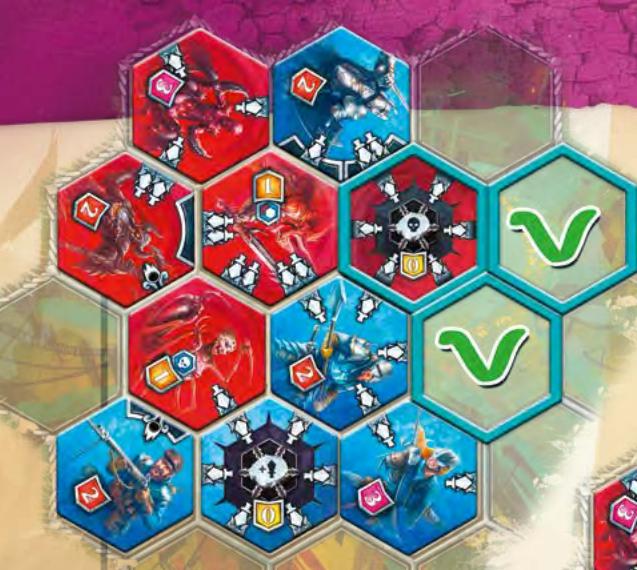
Illegal move: One free space is not enough to un
Content is long; only the first part is inlined. Download the file or open the rules page for the full text.
Download MarkdownTexts are community-compiled or publicly released by publishers; copyright remains with the original authors. For personal reference only.