
Palace Of Mad King Ludwig
At a glance
Rules, cards and Q&A (Chinese)
The rules, card data and player questions for this game are written in Chinese. Open the Chinese page to read them.
Where to find full rules
Full rules and card lookup are available in the cunlema app at cunlema.cn — pick this game and ask about any rule, card or turn you are unsure about.
Related games
Rulebook text (Markdown)
This game has 2 rulebook Markdown file(s) in our library; 2 rendered inline below — expand to read or download.
rules_zh_疯王宫殿_1228.md29.5 KB
疯王宫
The Palace of Mad King Ludwig

巴伐利亚王路德维希二世召来了所有的著名建筑师,来为他设计他将留在世上的最大成就——一座世界闻名的宫殿!
游戏中,玩家需要合理地安排和完成不同类型的房屋,同时巧妙地放置美丽的天鹅。游戏结束时,对宫殿建设贡献最大的玩家将获得胜利。
疯王的宫殿一定要福利堂皇,有雄伟的立面、洁白的玉石、碧水环绕、天鹅满园。哦,还有哪些专属于疯王的奢华细节!所有的建筑师需要共同设计疯王宫,而对于成稿有最大贡献的建筑师将获得建设这个华丽宫殿的要约。
lakesong@163.com
Contents 配件
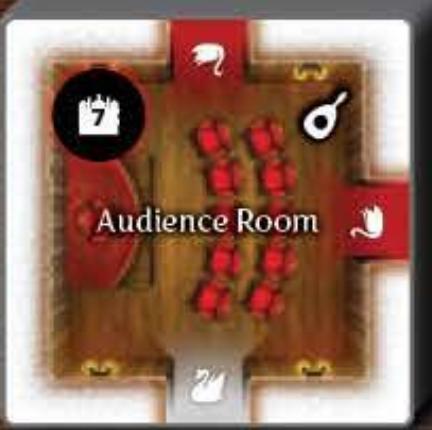
15个活动室板块
14个地下室板块

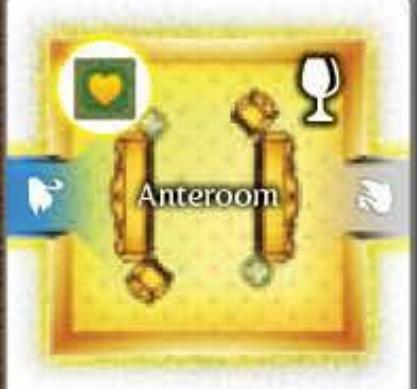
12个餐室板块
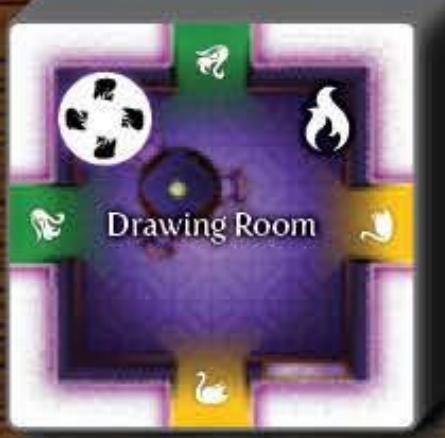
16个起居室板块
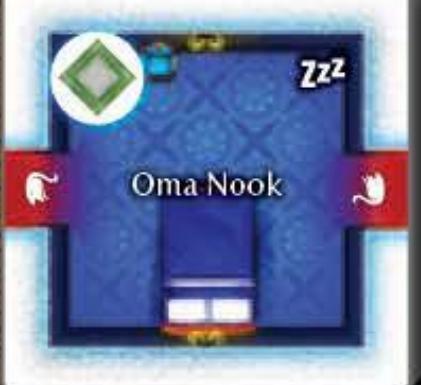
12个卧室板块
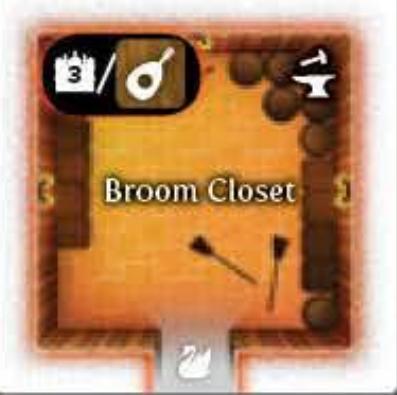
12个杂物室板块

(板块背面)

10个楼梯板块

15个门厅板块
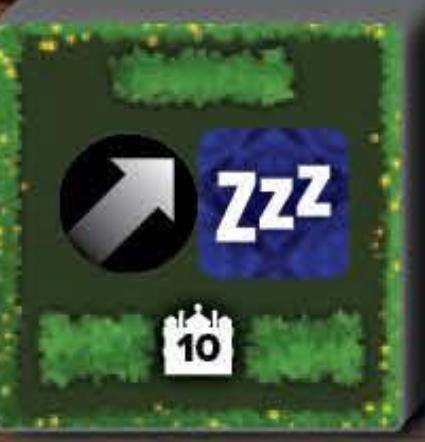

32个喜好板块
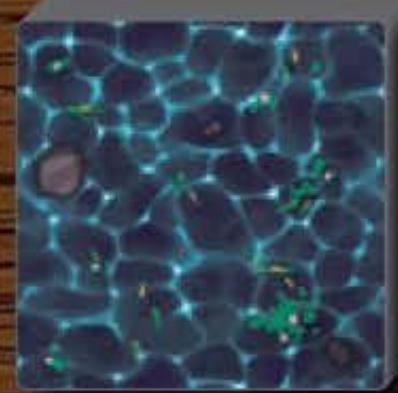
94个护城河板块

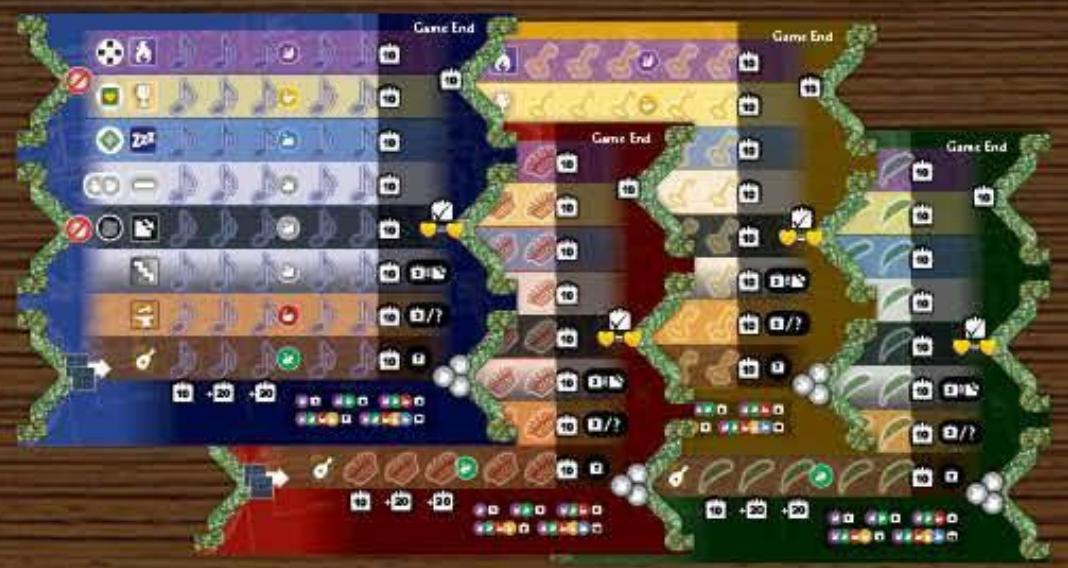
4个蓝图板块

300个天鹅标记(5种颜色,每种60个)
160个玩家标记
(4种颜色和图案,每种40个)
15个秘密天鹅标记(5种颜色,每种3个)
1本计分表
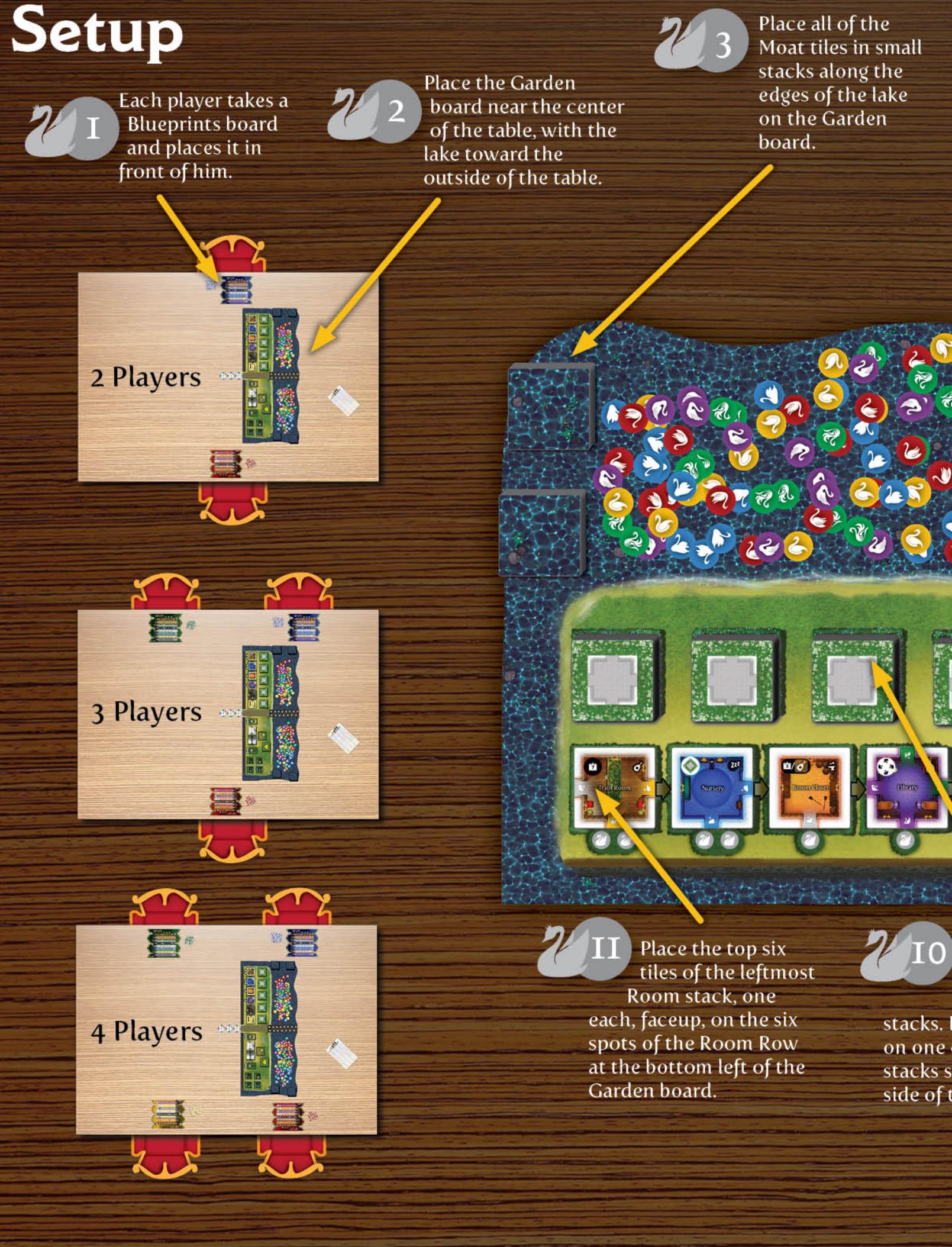
Setup设置
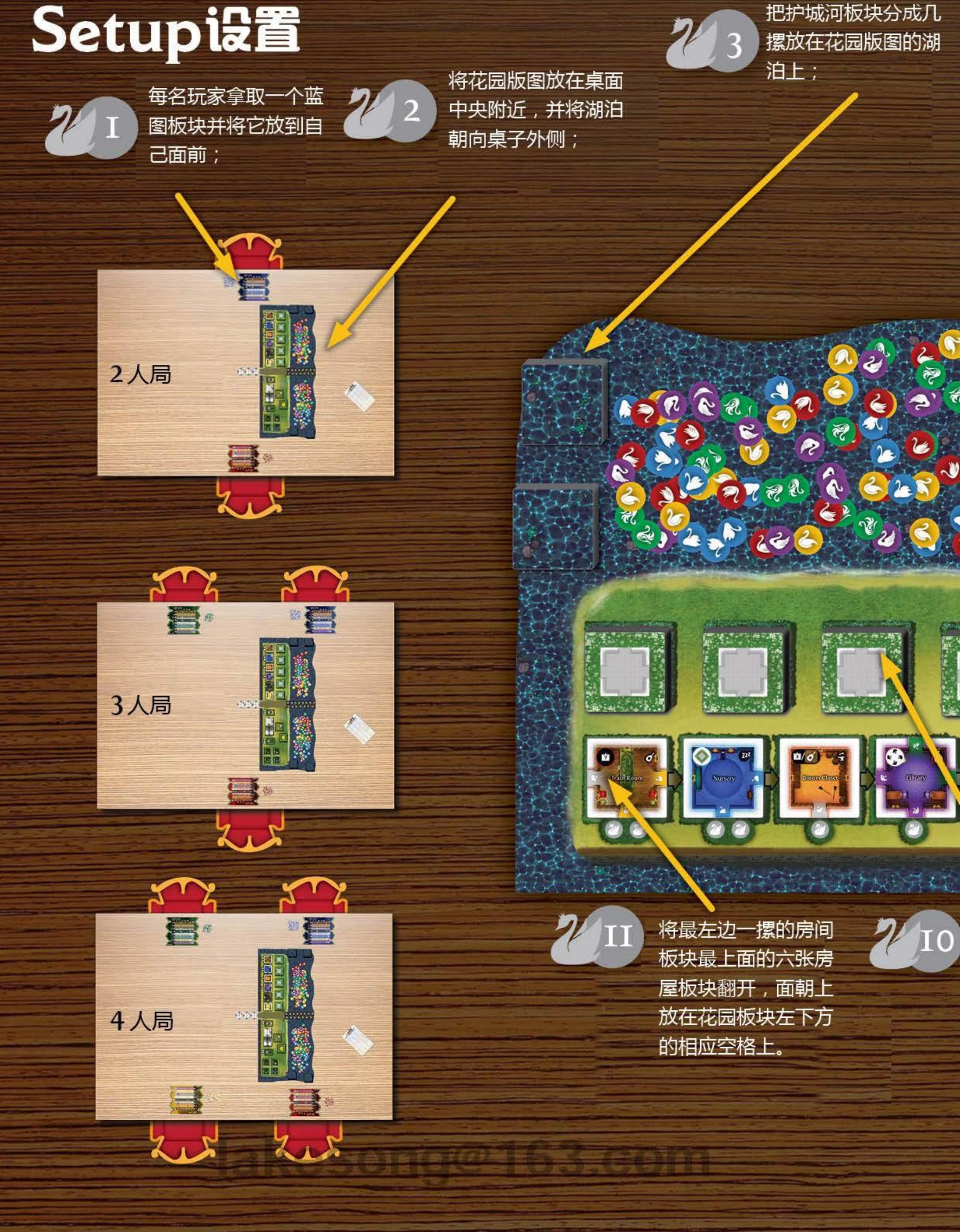
每名玩家拿取一个蓝图板块并将它放到自己面前;
将花园版图放在桌面中央附近,并将湖泊朝向桌子外侧;
把护城河板块分成几摞放在花园版图的湖泊上;
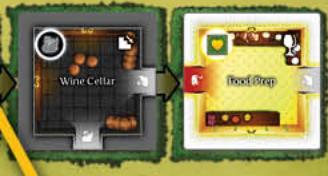
将最左边一摞的房间板块最上面的六张房屋板块翻开,面朝上放在花园板块左下方的相应空格上。
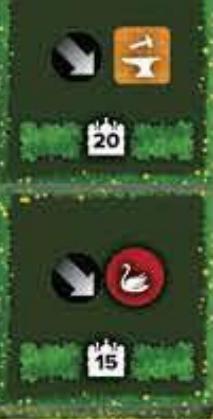

将所有的房间板块洗混并分成数量相近的五摞,分别将每一摞板块放在花园版图左侧的相应位置上;
将所有的秘密天鹅标记面朝下放在花园版图的桥上;
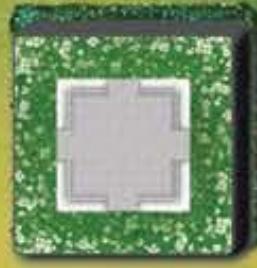
将所有的喜好板块面朝下洗混,摞成一摞放在该位置;
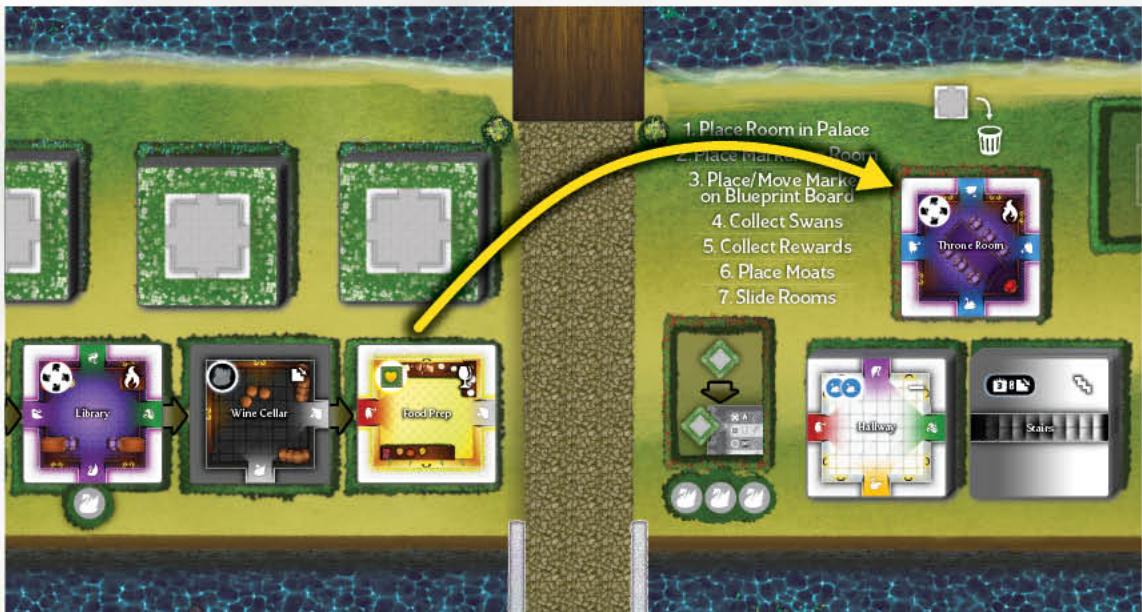
- Place Room in Palace
- Place Marker on Room
- Place/Slide Marker on Blueprints board
- Collect Swans
- Collect Rewards
- Place Moats
- Slide Rooms

将所有的门厅板块洗混并随机选择其中三个从花园板块的桥出口开始垂直地向外延伸摆放。将剩余的门厅板块面朝上放在花园版图的专属位置上;
翻开四张喜好板块,并将他们放置在该位置。如果翻开的四张喜好板块中有凉快的描述完全相反(如“最多的红天鹅”与“最少的红天鹅”),将描述有“最少的”那一张喜好板块放到那一摞喜好板块的最下方并抽取一张新的喜好板块;
每名玩家拿取一张蓝图板块并拿取颜色相对应的玩家标记,将标记的白色一面朝上放置。每名玩家抽取三张面朝下的喜好板块,选择一张放在蓝图板块的插槽旁边(横着摆放而不是斜着摆放),并将其他两个放回到花园版图上那一摞喜好板块的最下方;玩家也可以不保留喜好板块并将全部三张喜好板块全部放回。
随机选择一名起始玩家。
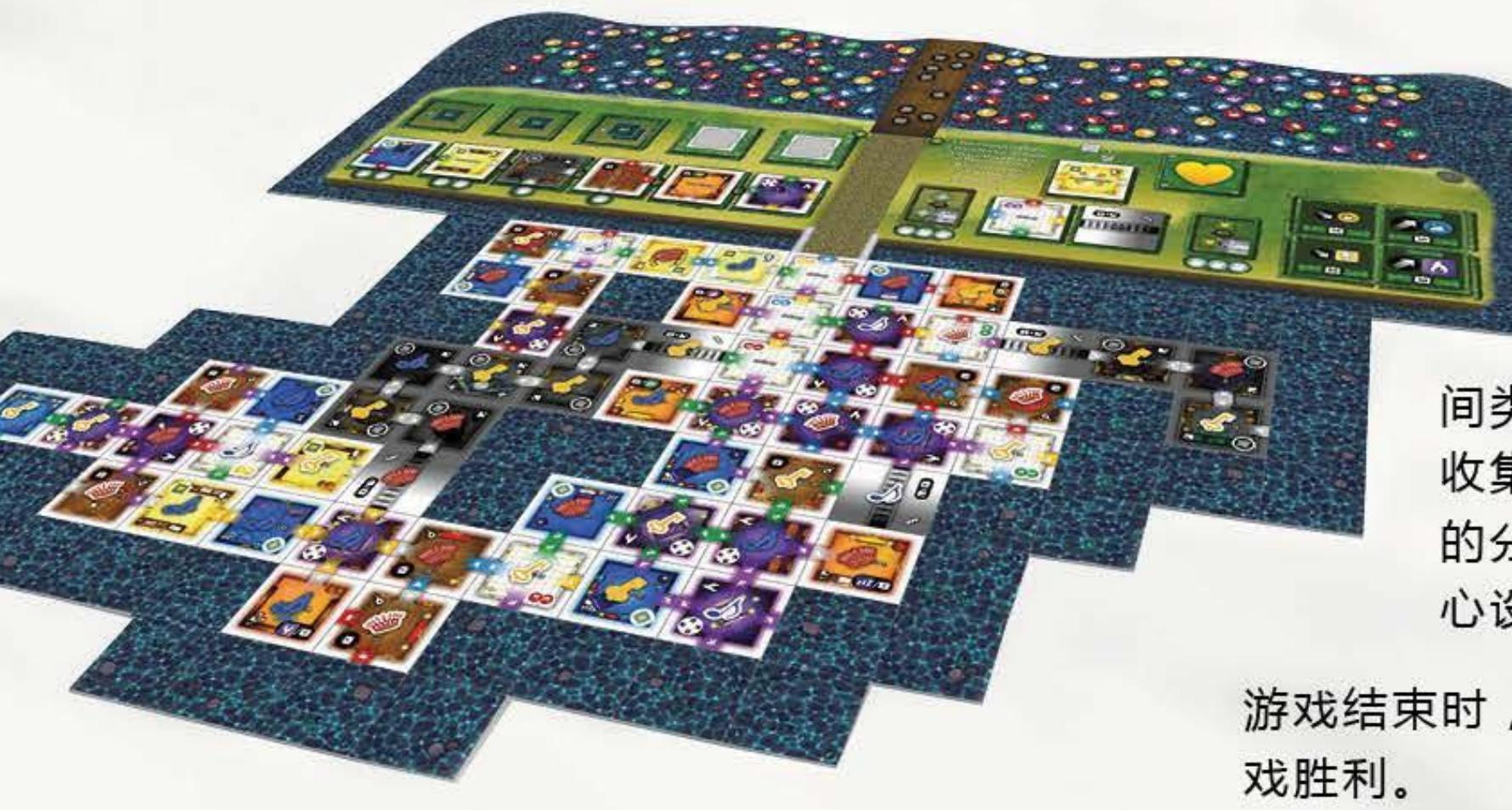
游戏目标
玩家共同为疯王建造雄伟壮丽的宫殿,而宫殿会慢慢地被护城河环绕。每当一个房间完成建设的时候,玩家都会根据房
间类型的不同得到奖励。另外,成套地收集天鹅可以在游戏结束时转化为额外的分数,所以在游戏过程中玩家可以专心设计。
游戏结束时,为宫殿做处最大贡献的玩家获得游戏胜利。
游戏流程:
从起始玩家开始,玩家按顺时针顺序执行行动。在玩家的回合中,可以在花园板块下方执行下列行动中的一个:
- 将一个房间摆在宫殿上;
- 将一个房间摆到自己的蓝图板块上;
将一个房间摆在宫殿上
从花园版图上选择一个翻开的房间板块,将它摆放在宫殿上。摆放的时候,同时在上面摆放一个玩家标志(白色面朝上)并在蓝图板块上对应这一房间类型的那一排白一个玩家标志。(如果玩家在该排已经有一个玩家标记,则只需将这个玩家标记向右移动一格。)
- 将一个门厅或楼梯摆在宫殿上;
- 将一个喜好板块摆到自己的蓝图板块上。
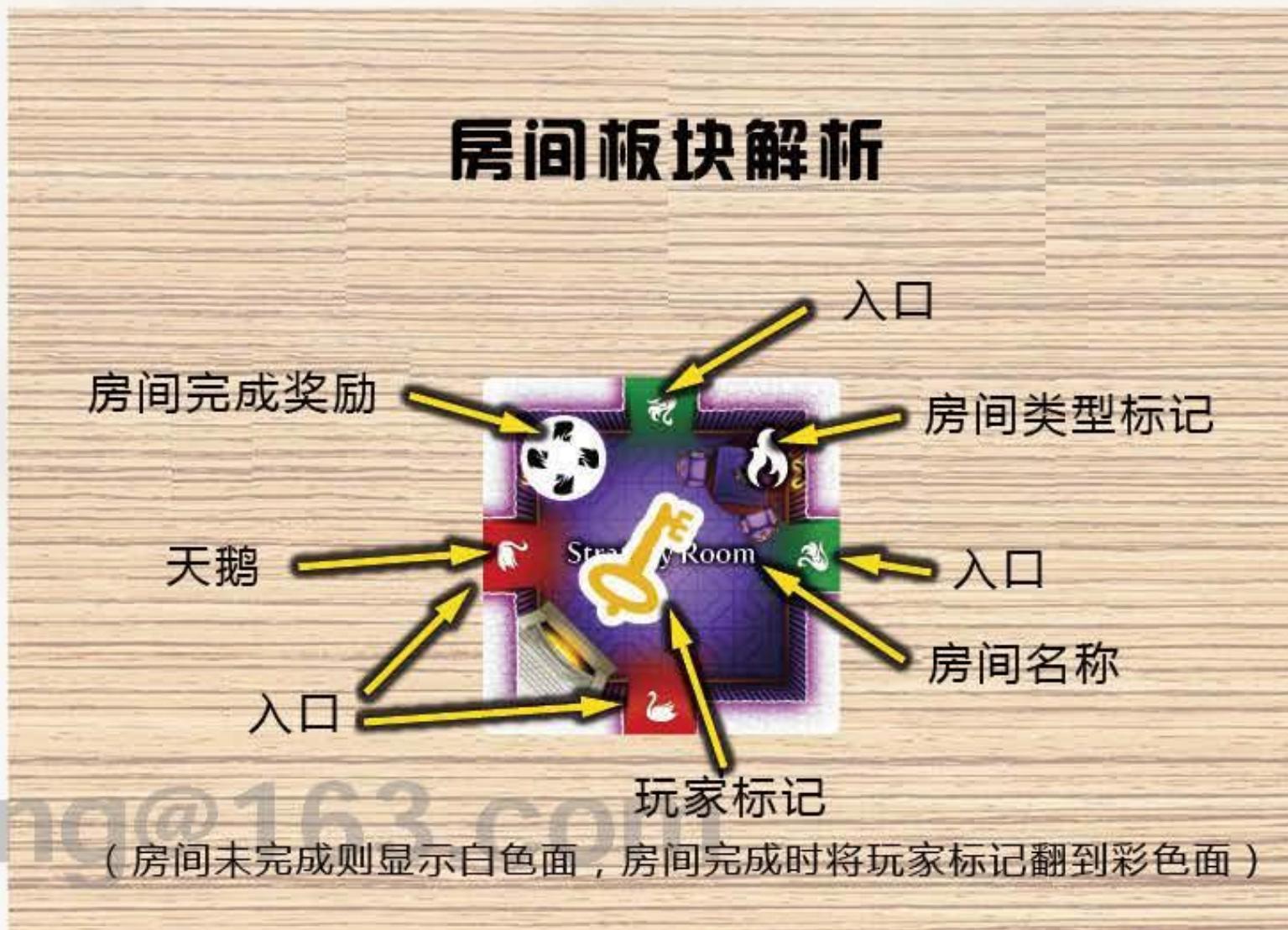
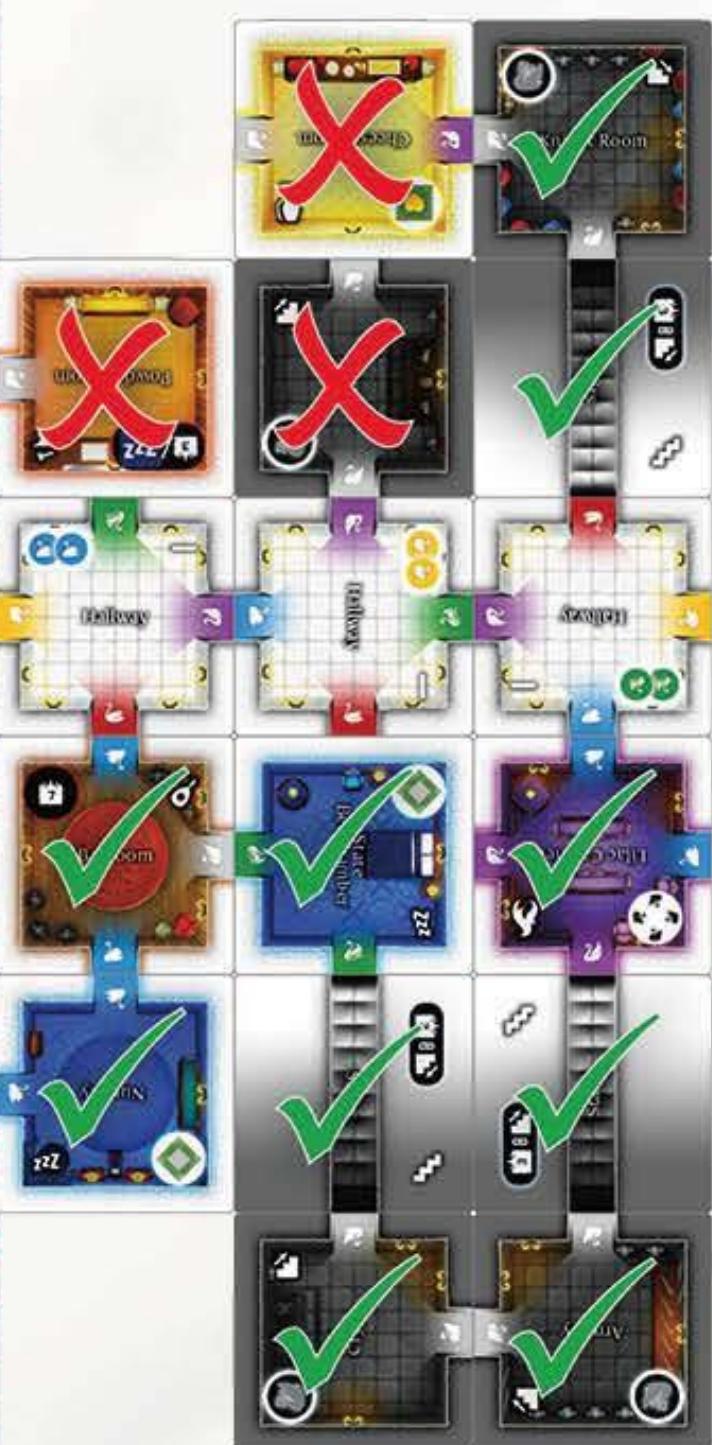
摆放板块需要消耗天鹅,数量等于花园版图上板块下方所标记的天鹅数。如果板块下方没有标记天鹅,那么这个房间可以免费摆放。玩家可以花费任何颜色的天鹅,并将天鹅放回到花园板块上的湖泊里。
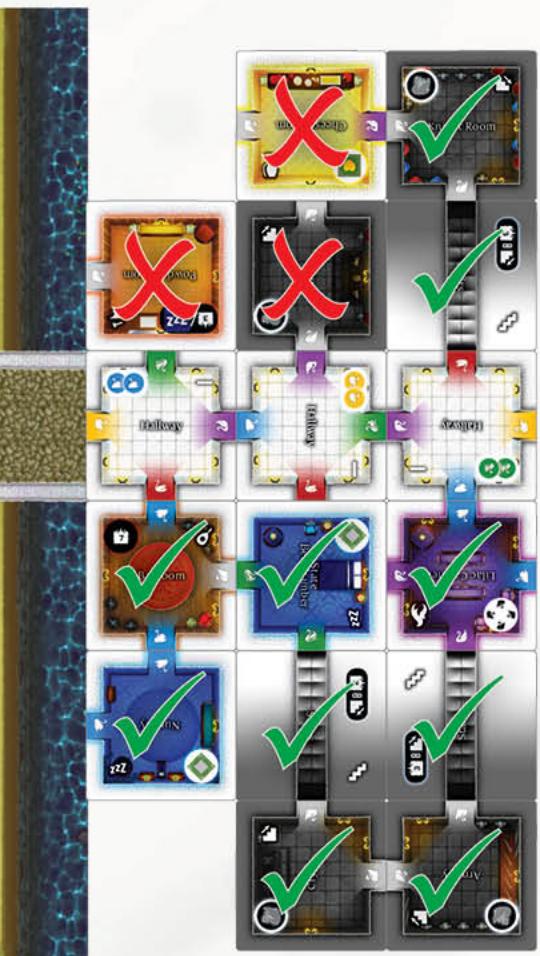
板块必须与已经放置的板块相邻并至少有一个入口与已经摆放好的另一个房间的入口相通。
只要满足了摆放的板块保证了至少有一个入口与其他房间相通,玩家可以在摆放时封闭该房间及其他相邻房间的入口。(玩家必须保证从花园的桥进入宫殿后可以到达每个房间。)
地下室只能连接楼梯板块的地下一端或与其他地下室相连。
桌子的边界决定了板块摆放的边界。玩家需要确保在摆放房间板块后,桌面上仍有空间在其外侧摆放一个护城河板块。玩家不可以为了摆放一个新的板块而移动宫殿。
地上的房间必须至少保留一个可用的入口以摆放新的房间。只有当护城河板块连在一起,游戏结束时,会封闭所有的出口时例外。
天鹅凑对
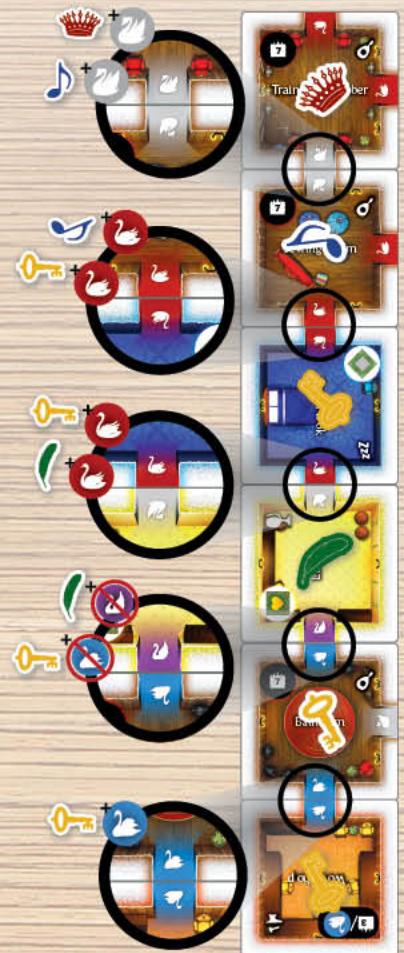
如果当一个新放置的房间板块与入口相通的房间板块天鹅一致时,拥有这两个板块的玩家可以各获得一只该颜色的天鹅。
灰天鹅是百搭的,总可以和任何颜色的天鹅配对。如果两个灰天鹅入口相同,玩家可以任选一种颜色的一只天鹅。
每次凑成一对天鹅,每名玩家最多只能获得一只天鹅。如果玩家将新的板块与属于自己的一个板块相通并将天鹅凑成一对,他也仅能获得一只天鹅。



天鹅的数量是不限的,如果一种颜色的天鹅用尽,玩家可以使用其他的指示物代替。
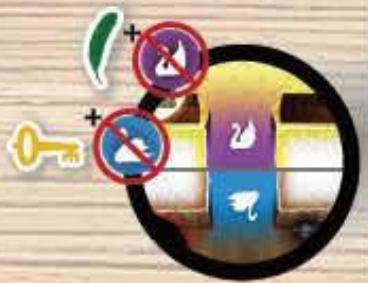

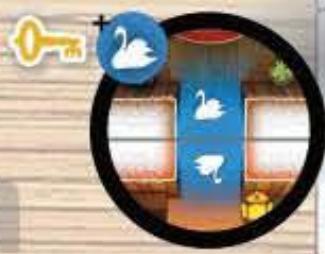
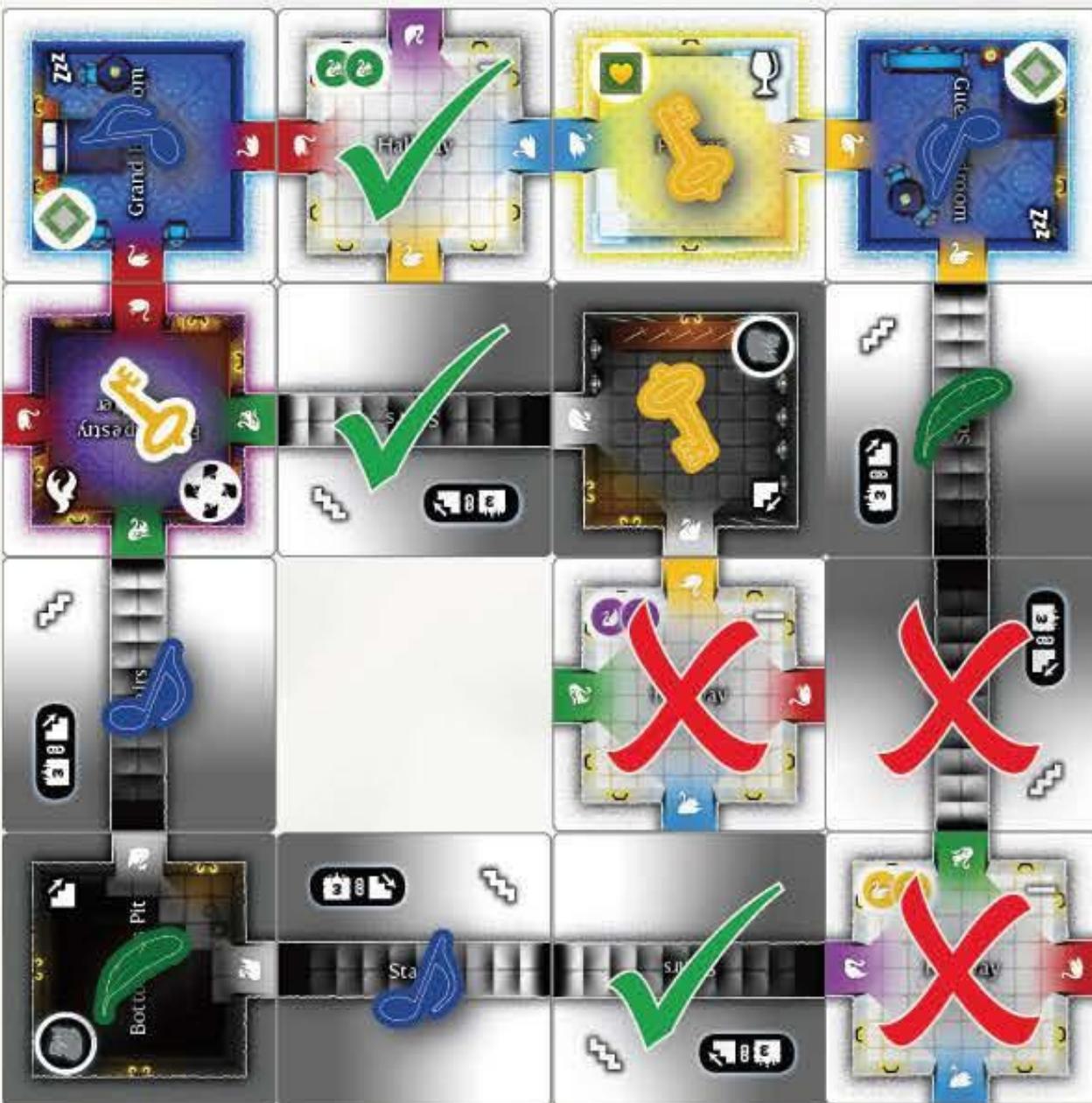
将一个门厅或楼梯板块摆在宫殿上
门厅板块和楼梯板块可以免费放置。
每个门厅板块上天鹅的颜色和位置布局都不同,玩家必须选择摆放一摞天鹅板块最上面的一张。跟其他房屋板块的板房规则一样,门厅必须与其他已摆放的房间相通。
楼梯板块的浅色端为地上,必须与地上板块(除了地下室板块和楼梯板块的深色端,其他所有板块均为地上板块)相连,深色端为地下,必须与地下板块相连。玩家不可以将两个楼梯板块的深色端连在一起,但是可以将两个楼梯板块的浅色短连在一起。
放置完门厅或者楼梯板块后,玩家可以选择将一张已翻开的房屋板块弃入弃牌堆。如果玩家选择弃掉一张房屋板块,他需要交相应数量的天鹅。

没有可摆放的板块
如果能够可以摆放的板块均无法合规的摆放(包括门厅和楼梯板块),弃掉花园版图上全部六张一翻开的房间板块,然后重新从最左边的房间板块摞中抽取六张房屋板块。
将一个房间摆到自己的蓝图板块上
支付任意三个天鹅,并支付可能需要的额外天鹅(由板块在花园版图上的位置决定),玩家可以选择一个已翻开的房间板块并摆到自己的蓝图板块上。玩家不可以选择门厅或楼梯板块。
玩家将所选的房间板块面朝下斜着放在自己蓝图版块的一个空格。之后,该空格所代表的能力将被激活(说明书“蓝图版块”部分将具体介绍每个空格的能力)。如果玩家蓝图板块上的六个空格都被填满,他不能再执行该行动。
将一个喜好板块摆到自己的蓝图板块上
支付任意三个天鹅,玩家可以从花园版图上的喜好板块中拿取最上方的三张喜好板块。玩家选择其中的一张,面朝下平放在自己蓝图版图板块的一个空格,并将剩余两个面朝下放回到花园版图上喜好板块的最下方。玩家可以选择不保留任意一个喜好板块,但是这仍然被算作执行了一次行动,且支付了的天鹅不会被退回。如果玩家蓝图板块上的六个空格都被填满,他不能再执行该行动。
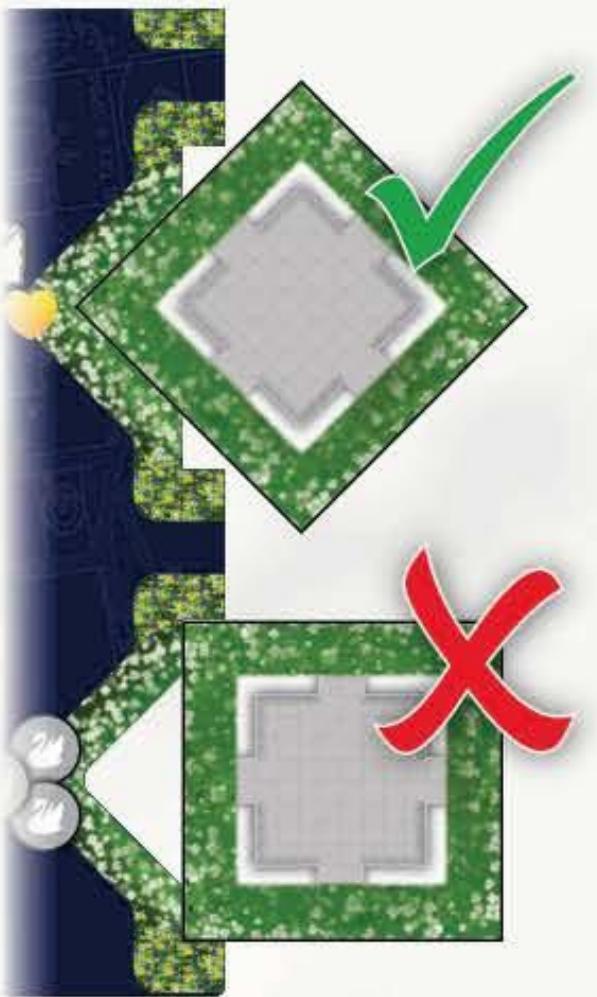

回合结束
如果玩家放置了一个房间板块(在宫殿上或自己的蓝图板块上),将房屋板块向右移动填满留下的空格,然后从最左边的一摞房间板块中翻开新的板块补足花园版图上的六张。
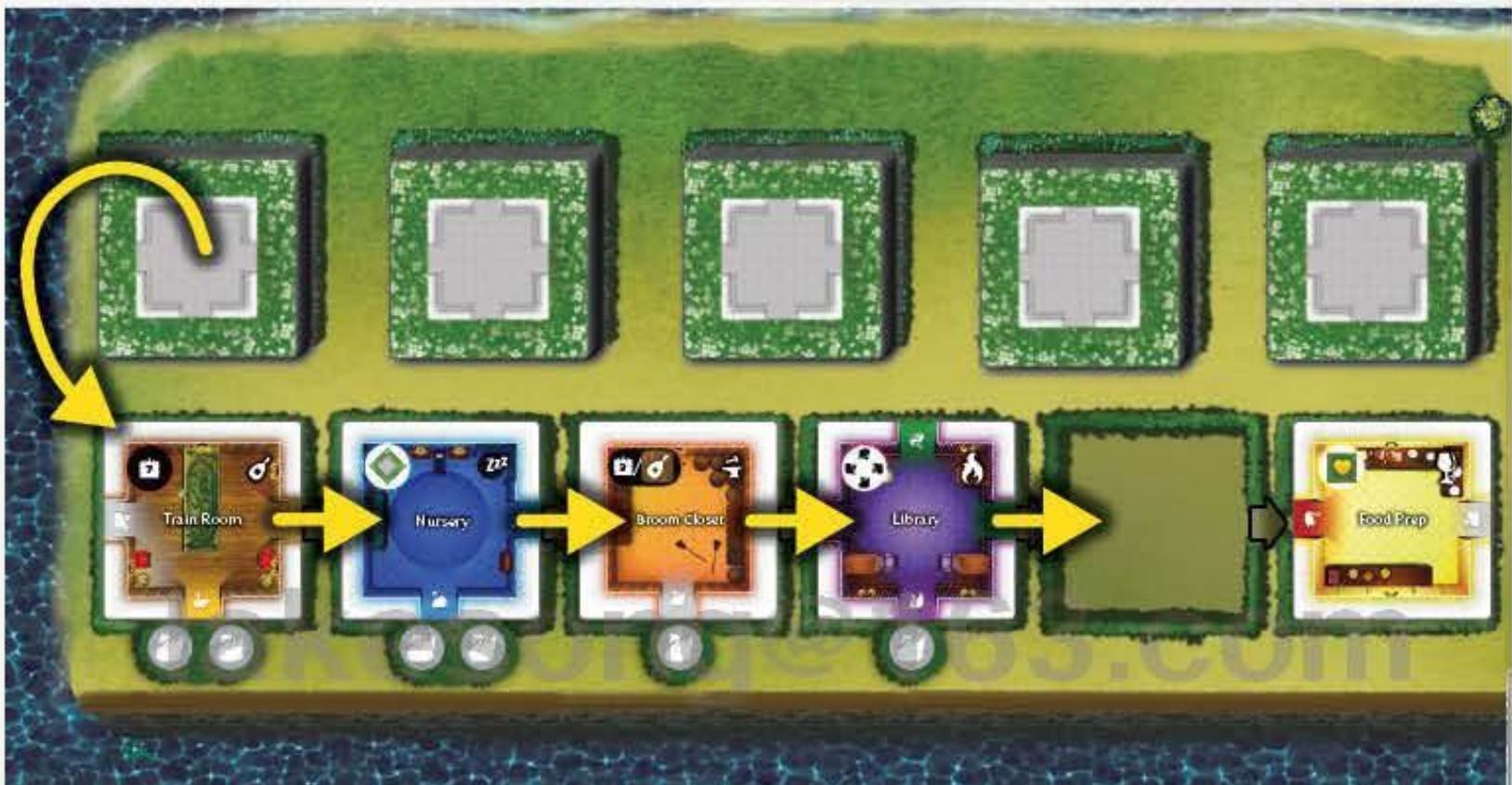
完成版块
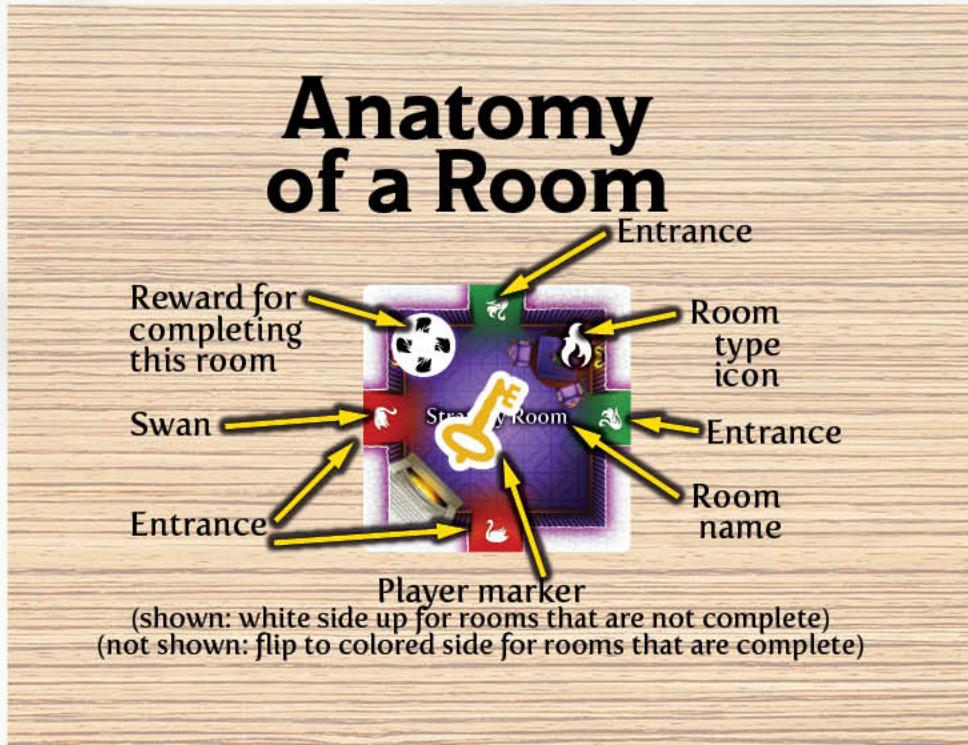
当一个板块的所有入口有与其他板块的入口相联通(不可被其他板块的墙或护城河堵住)时,该板块建设完成。完成的房间入口处的天鹅不必与相邻的板块凑对。
当板块完成时会依次产生三个效果:
-
完成的板块所属的玩家将他的玩家标记翻到彩色的一面(白色面朝下);
-
如果完成的板块是起居室、卧室、餐室或门厅, 该板块所属的玩家立即获得板块上所标示的奖励;

完成的板块
- 摆放了使得某个板块完成的最后一个板块的玩家按照花园版图上的指导摆放护城河板块。(详情见下方“护城河”)
如果一次有不止一个板块完成,从当前行动的玩家开始按照行动顺序结算奖励。如果一名玩家的多个板块同时完成,该玩家可以选择获得奖励的顺序。
房屋类型
起居室 地下室
卧室 储藏室
活动室
护城河
当玩家完成一个板块时,多数情况下他需要在宫殿周围摆放护城河板块。
游戏开始时,护城河标记还没有被揭示开,所以玩家不需要摆放护城河板块。
每当花园版图上的一摞房间板块被拿光时,便会露出一个护城河标记。从此时起,每当有板块完成时,花园版图上每有几个护城河标记,玩家便需摆放几个护城河板块。所以当第二摞房间板块被拿光时,当板块完成时玩家需要摆放两个护城河板块;当第三摞被拿光时,玩家需要摆放四个护城河板块;当第四摞被拿光时,玩家需要摆放六个护城河板块。
无需放置护城河板块

放置一个护城河板块

放置四个护城河板块

放置六个护城河板块

放置两个护城河板块
放置六个护城河板块如果玩家一次完成了多个板块,每个完成的板块都需要玩家摆放与花园版图上露出的护城河标记相等的护城河板块。
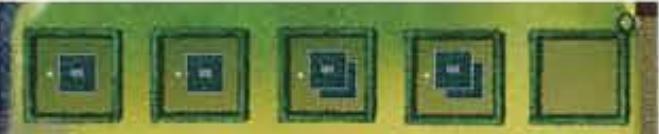
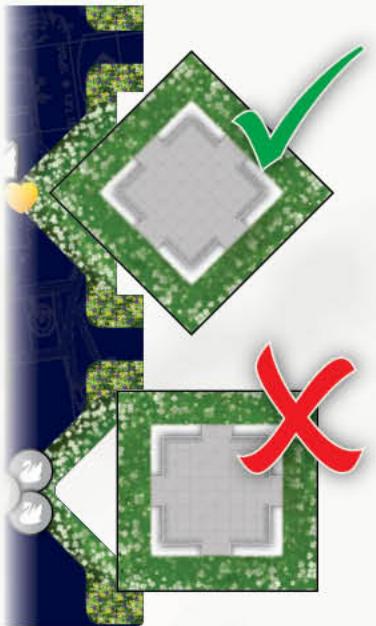
新摆放的护城河板块必须沿着宫殿的外沿与已经放置的护城河板块相邻。玩家可以选择是放在宫殿的两侧或任意一侧。
如果护城河摆放的过程中在宫
殿外侧形成了一个“水湾”,玩家需要首先摆放护城河板块将水湾填满,然后才能继续在宫殿周围摆放护城河板块。

护城河板块不可以将地上板块的最后一个入口堵死,除非是宫殿周围的护城河两侧将围合整个宫殿,此时游戏结束(详见“游戏结束”)。也就是说在护城河合围宫殿之前,玩家必须要争至少有一个地上的入口可以继续摆放房间板块。
如果在宫殿的中间形成了一个四周都是墙壁、没有一个入口的完整的封闭区域,玩家可以选择将护城河板块摆到里面而不是宫殿的外侧。这些区域可填可不填,其是否填满不影响最终触发游戏结束的条件。
如果宫殿建设到了花园版图的边缘时该侧还没有放置过护城河板块,在花园版图的这一侧边缘放置一个护城河板块并以此开始建设护城河。
蓝图板块
玩家的蓝图板块可以为玩家显示已经放置的板块的信息并有至多六个空格可以斜着插入扣置的房间板块或横着插入扣置的喜好板块。
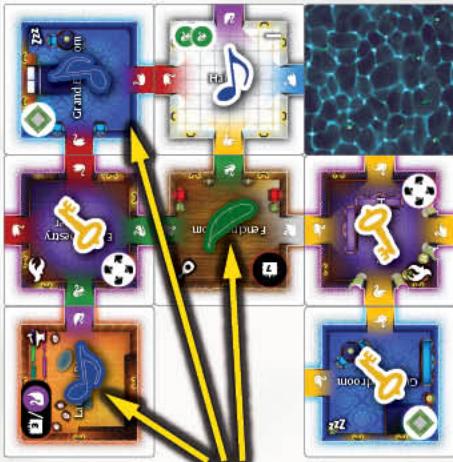
板块的中间供玩家记录在宫殿中放置了哪些板块,每当你的回合放置板块时,都在该房间类型所对应的那一排最左侧摆放一个玩家标记。如果这一排已经拜访过玩家标记,那么只需把这个标记向右移动一格。如果玩家某一类板块放置数量超过了五个,那么就在这一排的最左侧再摆放一个新的玩家标记,之前的玩家标记保留在第五个位置。如果继续放该类别的板块,就将新的标记向右移动。
当玩家摆放了三个某种类型的板块,玩家标记移动到本行的第三列时,他立刻获得上面所显示颜色的一只天鹅。灰色的天鹅意味着玩家可以选择拿哪种颜色的天鹅。当玩家某一排的玩家标记移动到第五列时,他将在游戏结束获得十分。
如果玩家每类房间都至少建了一个,按照蓝图板块第一列下面所显示的,游戏结束时他将可以获得10分;如果每一类房间都至少建了两个,玩家将额外再获得20分(两列合计获得30分);如果每一类房间都建了至少三个,玩家将再获得30分(三列一共获得60分)。
将一个面朝下的喜好板块横着插入蓝图板块左右的空格中可以让玩家在满足板块所述条件的情况下在游戏结束时获得分数。将一个面朝下的房屋板块斜着插入蓝图板块左右的空格中,可以激活该空格的能力。蓝图板块左侧浅色区域显示立即生效的能力,左侧深色区域显示在游戏结束时生效的能力。一旦你将任意一种板块插入到空格中,就不可以再把它移到其他空格。一旦玩家插满了全部六个空格,他便不能再通过任何方式执行将板块放在自己的蓝图板块上这一行动。如果六个格全被填满,也意味着玩家无法在获得完成餐室和卧室所带来的奖励。
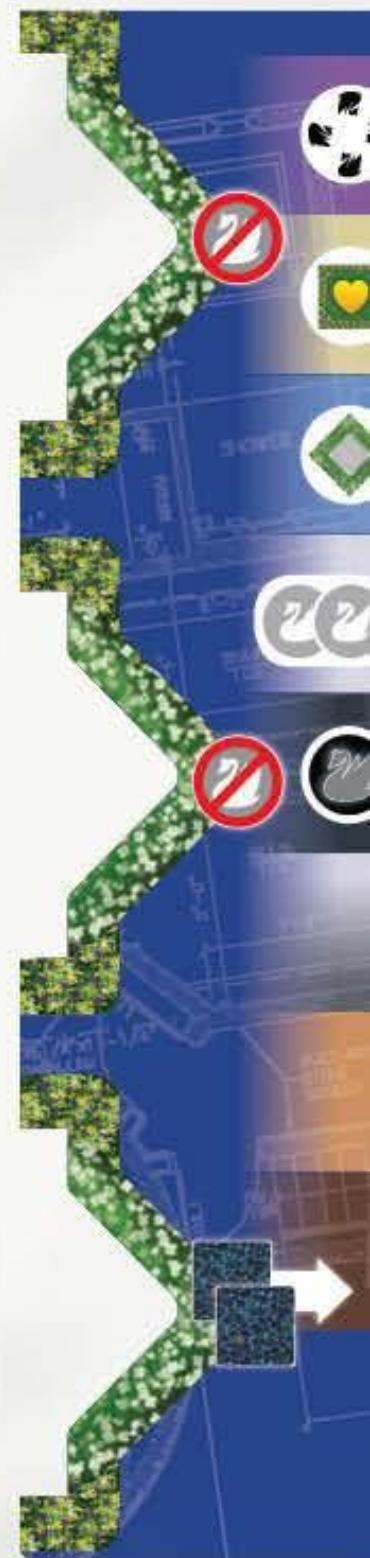
蓝图板块解析

及时生效能力
蓝图板块左侧的三个空格为玩家提供即时生效且效果可延续至游戏结束。通过斜插入房屋板块可激活这些地点能力。
少用一只天鹅

拥有这一能力的空格有两个。每个空格拥有减少一只从花园板块上行动所需要消耗的天鹅数的能力。如果其中一个空格能力被激活,本应花费一只天鹅的行动变为免费,花费两只天鹅的行动变为花费一只天鹅,以此类推。本身免费的行动依然免费。

如果两个空格能力均被激活,本应花费两只天鹅、一只天鹅和无需花费天鹅进行的行动均将不再花费天鹅,本应花费三只天鹅的行动变为花费一只天鹅。
游戏中,玩家不能支付超过他所有的天鹅数的天鹅。但是拥有了这两个能力,玩家将很难去消费掉自己手中的天鹅,如果有喜好板块规定要某类天鹅最少的话,玩家会很不好搞。
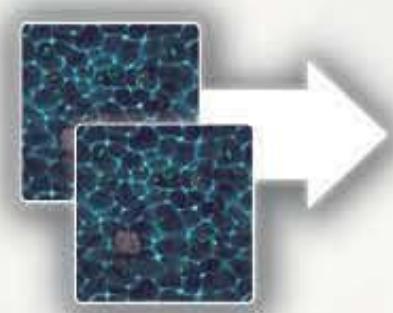
移动至多两个护城河板块
回合中,玩家可以从护城河的一端到护城河的另一端移动至多两个护城河板块。如果宫殿中形成了完整的封闭区域,玩家还可以选择将其中的护城河移出或将外侧的护城河移入。
游戏结束生效能力
蓝图板块右侧的三个空格为玩家提供在游戏结束时生效的能力。通过斜插入房屋板块可激活这些地点能力。
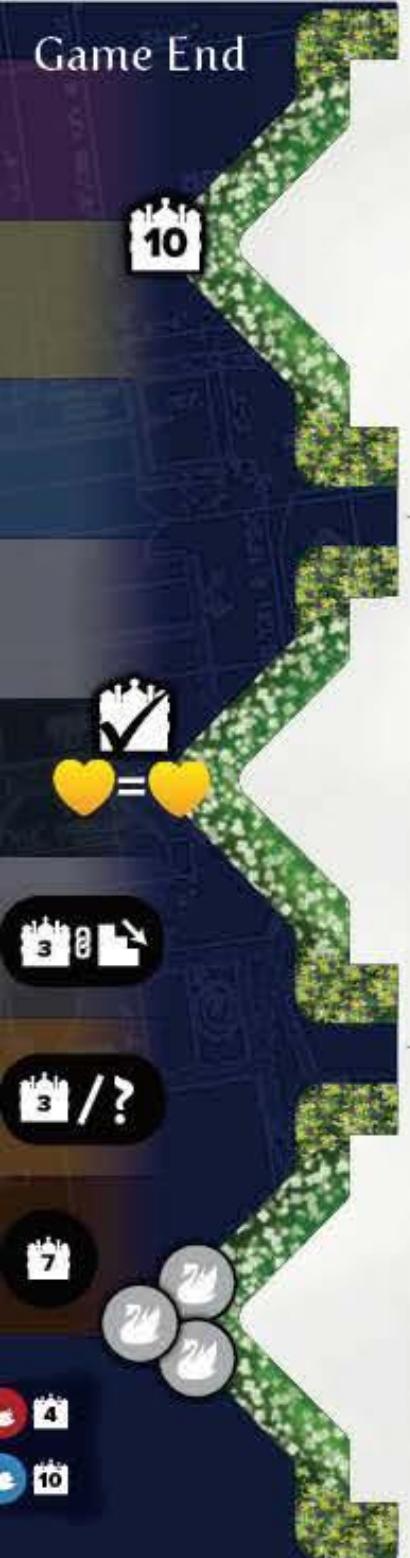
+10分
游戏结束时额外获得10分
平手优先
喜好板块比较出现平手时可获得分数
+3天鹅
游戏结束时任选三只天鹅



游戏结束
当下列情况出现时,游戏在当前行动玩家完成回合时结束:
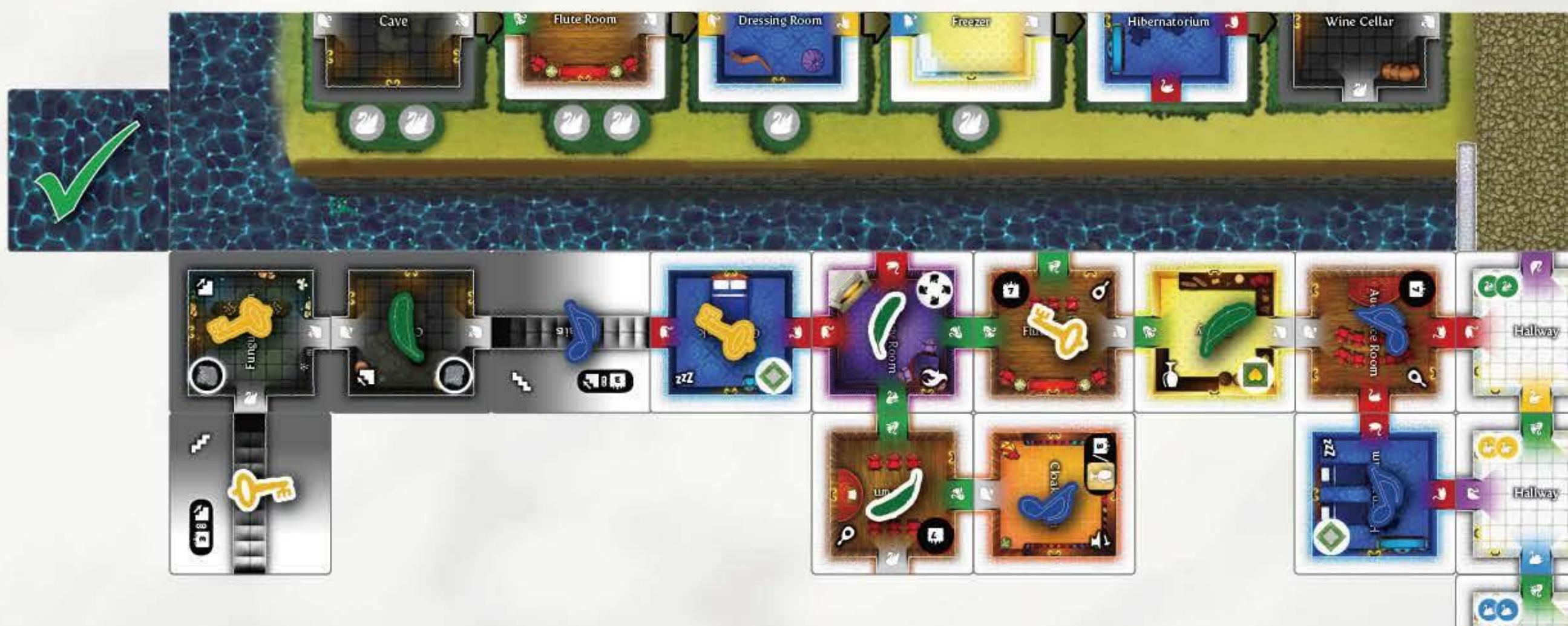
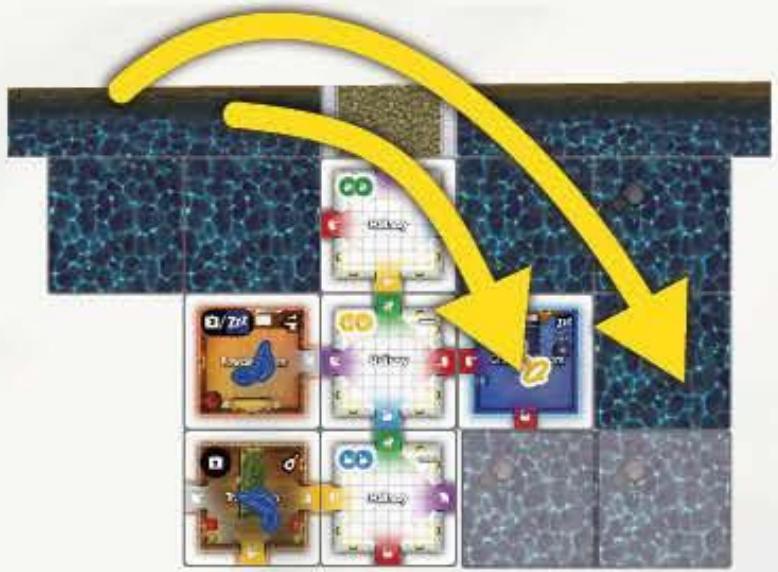
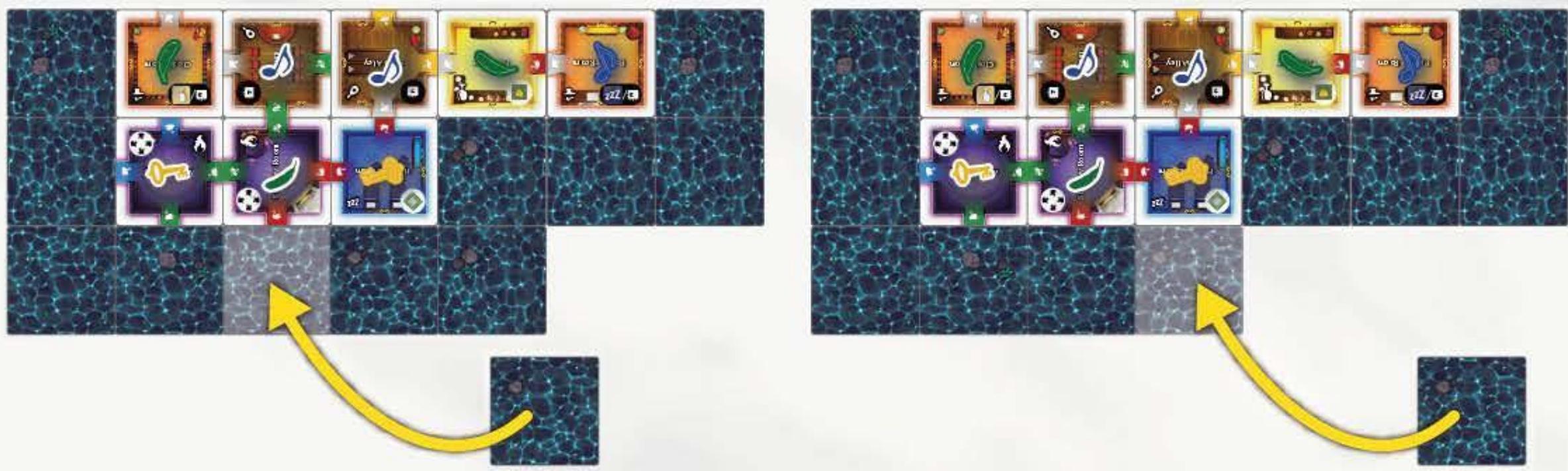
- 护城河的两端直接地或对角线交在一起。下面右侧的案例中,玩家可以选择把板块放在可以结束游戏的位置,他也可以向右放一格选择不结束游戏;
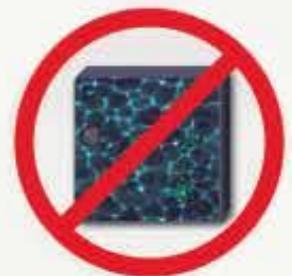
- 用光所有的护城河板块;
- 翻光花园版图上的房间板块;

任何板块(房间、门厅、楼梯)的放置,只要造成了护城河的两端交到了一起,都会触发游戏的结束,此时板块的放置可以封闭地上板块的最后一个入口。
在护城河交在一起且当前玩家回合结束时游戏结束。
蓝图板块上拥有 “+3天鹅” 能力的玩家可以执行能力效果。从结束游戏的玩家的下家开始,按顺时针拿取天鹅,结束游戏的玩家最后拿取天鹅。
计分
选一个数学好的人做记分员,使用空白的计分表为每位玩家计算每项分数。
蓝图板块
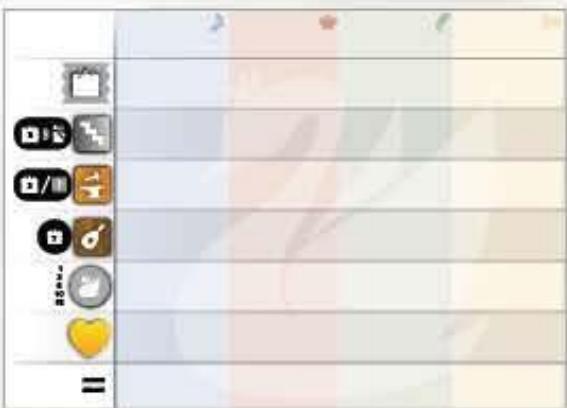

- 玩家在自己蓝图板块的右侧 “+10分” 空格斜插入房间板块,可以获得10分;
- 玩家在自己蓝图板块上每完成一排,可以获得10分;
- 玩家完成的每一列所获得的分数加总。

楼梯
玩家完成的楼梯所连接的地下室,每个获得3分。

杂物室
根据玩家所拥有的杂物室板块上黑色方块中所显示的内容,该内容每个获得3分。显示的内容包括:每个该玩家拥有的某种天鹅、某种房间或每个该玩家蓝图版块上的喜好板块。

活动室
玩家完成的活动室,每个获得7分。
天鹅成套
不同颜色的天鹅凑成套可以为玩家带来分数(包括在游戏结束阶段会翻开的秘密天鹅)。每一只天鹅只能属于一套天鹅。

- 每套五只不同颜色的天鹅获得10分;
- 每套四只不同颜色的天鹅获得7分;
- 每套三只不同颜色的天鹅获得4分;
- 每套两只不同颜色的天鹅获得2分;
- 每只单独的天鹅获得1分。

喜好板块
首先,确定哪位玩家获得花园版图上的公共喜好板块。如果出现平局,每名在自己的蓝图板块上激活了“平手优先”能力的玩家将均可获得全部分数。然后,确定每位玩家是否完成了各自就已经横插在蓝图板块的喜好板块,如果达成了上面的目标,玩家可以获得这些分数。
记分员加总每名玩家的分数,总分最高的玩家获得游戏胜利!
如果多名玩家总分相同,那么同分玩家中拥有天鹅数最多的玩家获胜(包括普通天鹅和米天鹅)。如果并列最高分的玩家天鹅数也相等,疯王会厌倦了你们没完没了的算分和比较,转而喜欢上那些没能参与到平分中的玩家不斤斤计较的优秀品质,所有并列最高分的玩家输掉游戏,次高分玩家获得游戏胜利。


完成奖励
当一个板块完成时,板块所属的玩家将获得板块左上角图标所标示的奖励。有些奖励是立即获得的(白色边框板块),有些奖励是在游戏结束阶段获得的(黑色边框)。
立即获得奖励

起居室
你额外获得一套该板块入口上标示的与在周边板块配对的天鹅。
餐室

拿取三张喜好板块,并选择其中一张横插入自己蓝图板块上一个空着的空格中,然后将其余的两张喜好板块放回花园版图那一摞喜好板块的最下方。如果玩家不想保留任何一张抽到的喜好板块,将三张抽到的板块一起放回花园版图。如果玩家的蓝图板块上没有任何的空格,他便不能获得这一奖励。
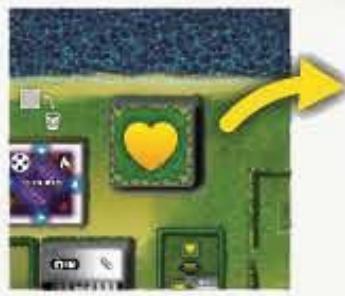


卧室

玩家可以从花园版图上拿取一个翻开的房屋板块(花费所需的天鹅),并将其扣着斜插入自己的蓝图板块旁的一个可放置空格。如果玩家的蓝图板块上没有任何的空格,他便不能获得这一奖励。



门厅
玩家将获得门厅板块左上角白色方块中标示的两只天鹅。

地下室

从花园版图的桥上拿取一只秘密天鹅,玩家偷偷看一下天鹅的颜色,然后面朝下和自己的其他天鹅放在一起。游戏中玩家可以随时查看自己的秘密天鹅。

秘密天鹅可以在确认喜好板块归属、结算杂物室、计算天鹅分数等环节使用。在支付天鹅时,玩家可以选择支付秘密天鹅。支付秘密天鹅时,将秘密天鹅面朝下放回到花园版图的桥上,然后打乱桥上的秘密天鹅。


楼梯
玩家完成的楼梯所连接的地下室,每个获得3分。算分的地下室不需要建设完成,并且可以是任何玩家放置的地下室。
杂物室
根据玩家所拥有的杂物室板块上黑色方块中所显示的内容(如某种天鹅、喜好板块或不论是否完成的某类房间),该内容每个获得3分。

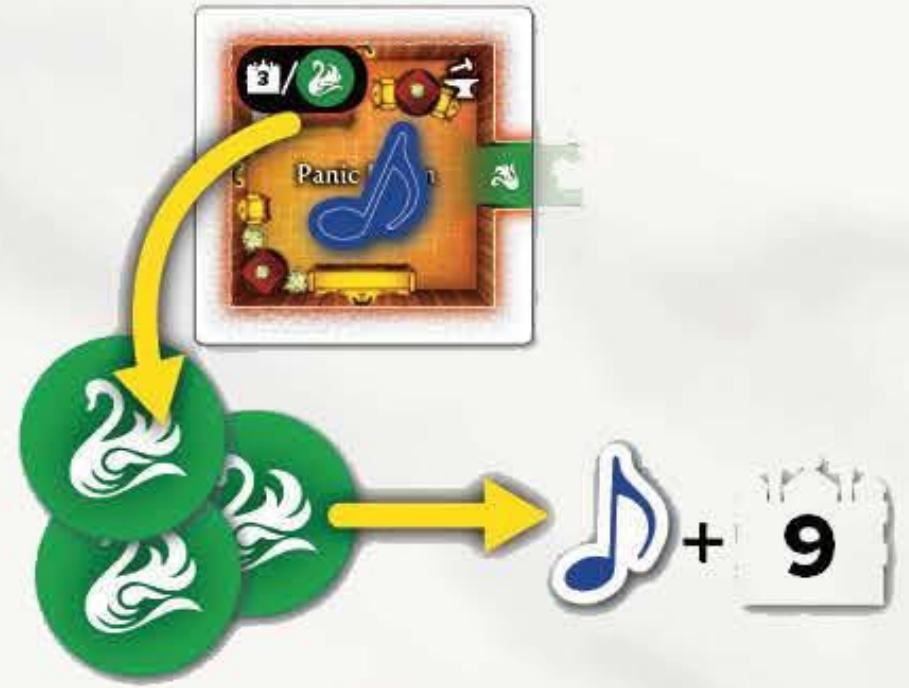


活动室
玩家完成的活动室,每个获得7分。

喜好板块
喜好板块为拥有某种特定的内容,如房间板块、天鹅或蓝图板块上的板块,数量最多(向右上角的箭头)或最少(向右下角的箭头)的玩家带来分数。喜好板块上所标示的信息解析如下:




最多
玩家必须比其他所有玩家都更多。
最少
玩家必须比其他所有玩家都更少。玩家可以拥有数量为0并获得这一喜好板块。
房间板块
玩家所拥有的某种特定房间的数量,无论是否完成。
天鹅数
玩家所拥有的某种特定颜色天鹅的数量,包括该颜色的秘密天鹅。

秘密天鹅/总天鹅数
玩家所有的秘密天鹅的数量/玩家所有的全部颜色天鹅的数量(包括秘密天鹅)。
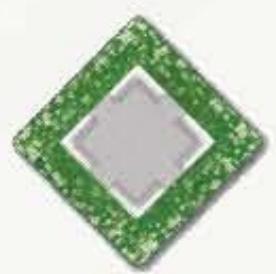
蓝图板块上的房间板块
斜插在玩家蓝图板块上扣置的房间板块的数量。

蓝图板块上的喜好板块
横插在玩家蓝图板块上扣置的喜好板块的数量。
lakesong@163.com

Playtesters
Carol Alspach, Toni Alspach, Jason Boles, Bay Chang, Ted Cheatam, Ting Chow, Angela Chung, Nat Cruca, Audrey Cueto, Jim Ferguson, Bill Gallagher, Shelley Ganschow, Doug Garrett, Alex Holmes, Sean Holmes, Joe Huber, Markus Iturriaga, Eli Lester, Dean Lizardo, Chandra Martin, Ryan Moore, Sheila Morton, Bryon Quick, Whitney Ryan, Vincent Salzillo, Steve Samson, Phoebe Wild, Scotti Whitmore, Avonelle Wing, Karen Woodmansee, and many more.
Designer
Ted Alspach has designed a bunch of games, including One Night Ultimate Werewolf, Suburbia, Castles of Mad King Ludwig, and Werewords.
Developer
Dale Yu has done development for some really awesome games, like Suburbia and Castles of Mad King Ludwig, as well as less awesome ones, like the relatively obscure Dominion. Dale is also the designer of a KDJ-nominated game.
Cover Artwork
Ollin Timm is an architect who has painted covers for several awesome boardgames, including Castles of Mad King Ludwig, Favor of the Pharaoh, and Colony.
Graphic Design/Artwork
Stephanie Gustaffson has provided graphic design for great games such as Werewords, Colony, America, and New York Slice.
Graphic Design/Production
Jason Boles has provided production graphic design for wonderful games such as Whistle Stop, Werewords, and New York Slice.
For Bezier Games
CEO: Ted Alspach
COO: Toni Alspach
App Developer: Jeremiah Maher
Q/A Manager & Event Manager: Bryon Quick
Retail Show Manager: Steve Samson
Site Manager: Carol Alspach
Social Media Manager: Phoebe Wild
Editorial Manager & Licensing Manager: Jeff Quick
Customer Support Manger: Ryan Moore
THE NEW CLASSICS
Download MarkdownThe Palace of Mad King Ludgwig online rules.md27.5 KB

King Ludwig Il of Bavaria has called all great architects to design his crowning achievement: a world-renowned Palace.
Arrange and complete different room types, while leveraging clever placement of swans. The player who contributes the most to the Palace wins the game!
Only the best will do! Gorgeous appointments, white stone, surrounded by water, with swans everywhere. Oh, and the Ludwig touch? All the architects must design the Palace together. The designer who shows the strongest influence will receive the order to build it.

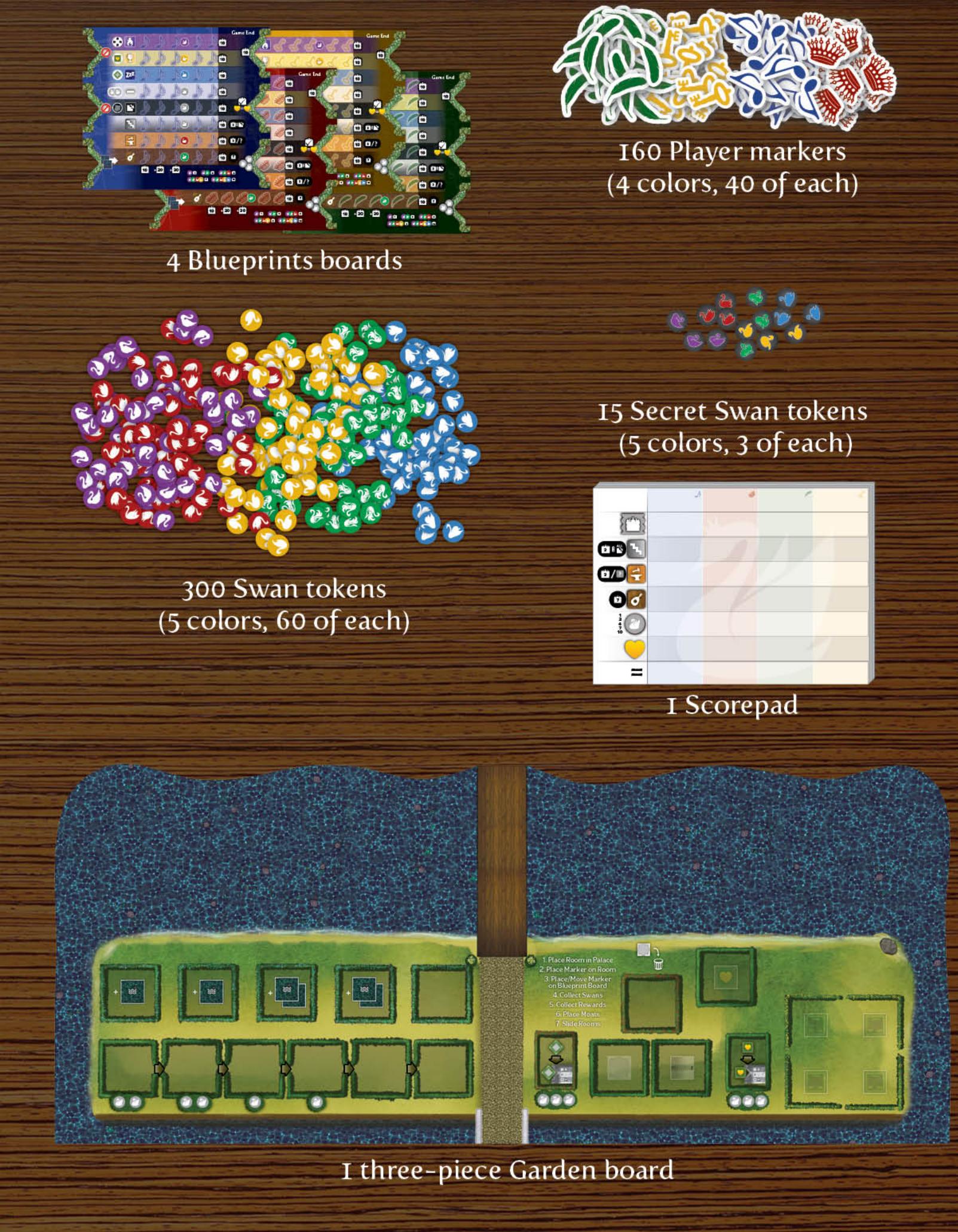

Place all the Secret Swan tokens facedown on the bridge.
Shuffle the Favor tiles facedown. Place them on the Favor Stack square on the right side of the board.
1.Place Roomin Palace
2.Place Marker on Room
3. Place/Slide Marker
on Blueprints board
4. Collect Swans
5. Collect Rewards
6. Place Moats
7.SlideRooms
Shuffle the Room tiles facedown and divide them into five roughly even Place each stack of the empty room paces along the left the Garden board.
Shuffle the Hallway tiles and place three random Hallway tiles in a line that begins next to the bridge and extends perpendicular from the Garden board Place the rest of the Hallway tiles faceup on the Hallway spot on the Garden board.
28 Take the top e ur Faor faceup on the four Public Favor spots. If two
favors directly oppose each other
(for instance, “Most Red Swans'
and “Fewest Red Swans"), place
the “Fewest”version of the tile on
the bottom of the stack and draw
a replacement.
Each player takes a Blueprints board and the corresponding Player markers, placing them white side up, and draws three facedown Favor tiles. You may place one of these Favor tiles in a Blueprints board slot of your choice (horizontal, not diagonal), and return the other two facedown to the bottom of the Favor tile stack, or you may return all three facedown to the bottom of the Favor tile stack.
Choose a start player at random.

Object of the Game
Players work together build a giant, epic Palace for the Mad King. The Palace will slowly be surrounded by a moat as it is built. Earn rewards for
completing each of the different room types. In addition, collect swans to turn in sets at the end of
the game for additional points. All scoring is done at the end of the game, when the Palace is complete, so you can focus on building.
The player who contributed the most to the Palace at the end of the game wins!
Gameplay
Beginning with the start player, take turns in clockwise order.
On your turn, choose one of the actions along the bottom of the garden board:
• Place a Room tile in the Palace
• Place a Hallway or Stair tile in the Palace
• Place a Room tile on your Blueprints board
• Place a Favor tile on your Blueprints board
Place a Room Tile in the Palace
Choose a Room tile from the Room Row on the Garden board. Add it to the Palace, place one of your Player markers (white side up) on it, and place another Player marker on your Blueprints board in the row that matches the type of room you placed (if you already have a Player marker in that row, slide the Player marker one space to the right instead).
The cost to place a Room tile is equal to the number of swans below its space on the Room Row. If a space has no swans below it, the tile is free to place.You may pay with swans of any color. Place swans back in the supply (in the lake).
The tile must align with the tile grid, and at least one entrance on the tile must connect to an existing entrance in the Palace.
You may block entrances on adjacent tiles as long as at least one other entrance on the adjacent tile still connects to the Palace (You must be able to get to any room in the Palace from the bridge on the Garden board).
Downstairs rooms may only be placed next to the downstairs side of a Stair tile or connecting to another Downstairs room.
The table edge defines the boundary of where tiles can be placed. All players must place Room tiles so that there is still enough space on the table to surround them with Moat tiles. No one may shift the Palace during the game to create more space on either side.
At least one upstairs room entrance must be available for placing rooms that extend into the open (unfinished) area of the Palace. The only exception to this is if Moat tiles will connect to end the game, blocking off that entrance.
Matching Swans
If a tile is placed so that a swan color in an entrance matches the swan color in an adjoining entrance, the players who own the two adjacent tiles each receive a swan of that color.
Gray swans are wild, and always match their adjacent color. If two gray swans are adjacent, each player may select a swan color of his choice.
No player may receive more than one swan for a single match; if you match a swan to one on a tile you already own, you get only one swan of that color.
Swans are unlimited; if you ever run out of a color of swans, use something else to mark any additional swans that are needed.

Place a Hallway or Stair Tile in the Palace
Hallway and Stair tiles may be placed in the Palace at no cost.
Each Hallway tile has a different set/layout of swans on it. When you place a Hallway tile, you must use the top tile on the stack. Just like other rooms, you must connect an entrance of the Hallway to the rest of the Palace.
Place Stair tiles so that the light end is against an upstairs tile or the dark end is against a downstairs tile. (All tiles except Downstairs room tiles and the dark end of Stair tiles are “upstairs" tiles.) You may not place the dark end of two Stair tiles against each other, but you may place the light end of two Stair tiles against each other.
After a Hallway or Stair tile is placed, you may choose a faceup Room tile from the board to discard (if you do, pay any swan cost to the supply).
No Legal Placement
If all of the available tiles may not be legally placed (including Hallway and Stair tiles), discard all six faceup tiles from the Room Row. Then refill the entire Room Row from the leftmost Room stack
Place a Room Tile on Your Blueprints Board
Pay any 3 swans of your choice to the supply. Then choose a Room tile from the Room Row, paying additional swans as necessary based on the cost of the Room tile. (You may not choose a Hallway or Stair tile.)
Place the chosen Room tile facedown diagonally on an empty slot on your Blueprints board. This activates the ability for that slot (see “Blueprints boards" below for a description of each slot). If all six slots on your Blueprints board are full, you may not take this action.
Place a Favor Tile on Your Blueprints Board
Pay any 3 swans of your choice to the supply. Then pick up three Favor tiles from the top of the Favor stack. Place one of them in a flat orientation on an empty spot on your Blueprints board, and return the other two facedown to the bottom of the Favor deck. You do not have to keep any Favor tiles, but this still consumes your single action for the turn and you do not get your swans back. If all six slots on your Blueprints board are full, you may not take this action.

End of Turn
If you placed a Room tile (in the Palace or on your Blueprints board), slide room tiles to the right to fill in the gap, then fill any empty spaces on the left side of the Room Row with tiles from the leftmost room stack.

Completing Tiles
Tiles are completed when all their entrances are connected to other entrances (not blocked off by the walls of tiles or any part of the moat). Swans do not have to match for a room to be completed.
When a tile is completed, three things happen:
I. The player who owns the completed tile flips his Player marker over to the colored side (white side down).
- The owner of the completed tile receives the completion reward indicated on the tile immediately if it is a Living, Sleeping, Food, or Hallway tile.
- The player who just placed a tile to complete the room places
Moat tile(s) as indicated on the Garden board. See the section Moats below for more details.
If more than one tile is completed at one time, resolve rewards in turn order starting with the player who is currently taking a turn. If a single player has more than one completed tile, he may choose the order in which they are activated.
| Room Types Living Downstairs |
Moats
When you complete a tile, you also often add Moat tiles to the table to close in the Palace. At the beginning of the game, no Moat symbols have been revealed yet, and you do not place any Moat tiles.
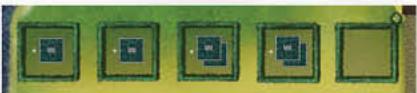
Once the leftmost Room stack has been depleted one Moat symbol will appear. From that point forward, you must place one Moat tile for each visible Moat symbol every time a room is completed. When the second Room stack is depleted, another Moat symbol will be visible, so two Moat tiles are placed when a room is completed. When the third stack is depleted, you'll place four Moat tiles, and when the fourth stack is gone you'll be placing six Moat tiles.
Place no Moats
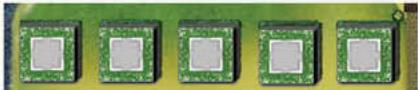
Place 4 Moats

Place I Moat

Place 6 Moats
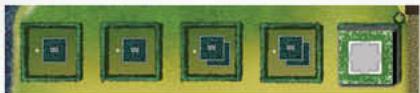
Place 2 Moats

Place 6 Moats
If you complete more b than one room with a single tile placement, place Moats tiles equal to the number of Moat symbols shown in the top row of the Garden board for each completed room.
Place new Moat tiles on the table orthogonally adjacent to the existing Moat along the edge of the Palace. You may choose either or both sides of the Palace to add Moat tiles.
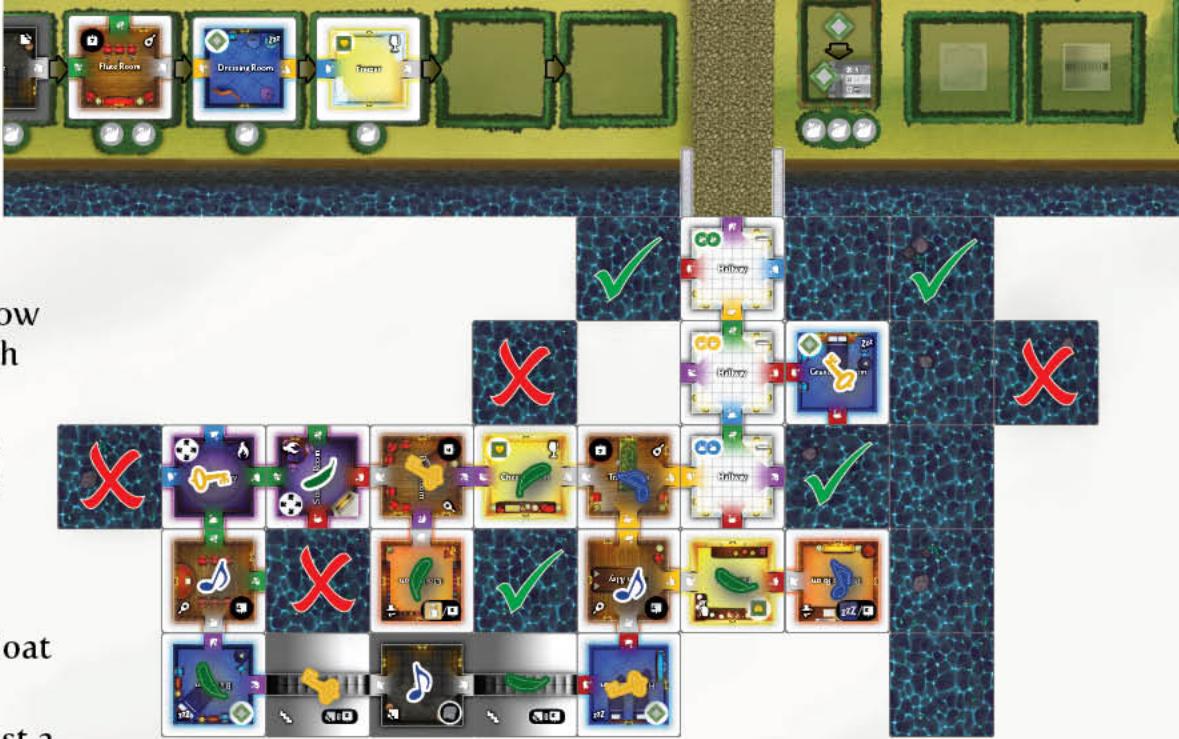
If there are any “inlets” of just a few spaces around the edge of the
Palace, Moat tiles must fill in those inlets before continuing around the rest of the Palace.
Moat tiles may not close off the last playable entrance on the last remaining upstairs room, unless the two ends of the moat will join each other with that placement, ending the game (see Game End below). Likewise, there must always be an open upstairs path “out" from at least one upstairs entrance to the opening between the moat ends.
If an area within the Palace is completely enclosed with walls and has no entrance into it, you may choose to place Moat tiles there instead of along the outside edge of the Palace. Those empty areas do not have to be filled, and the game end condition still occurs if enclosed areas are not filled with Moat tiles.
If the Palace extends to the edge of the Garden board before any Moat tiles are placed on that side of the Palace, place a Moat tile at the edge of the board and extend the moat from there.

Blueprints Board
Your Blueprints board provides you with information about the rooms you've placed and has slots for up to six facedown Room tiles (diagonally) or Favor tiles (horizontally).
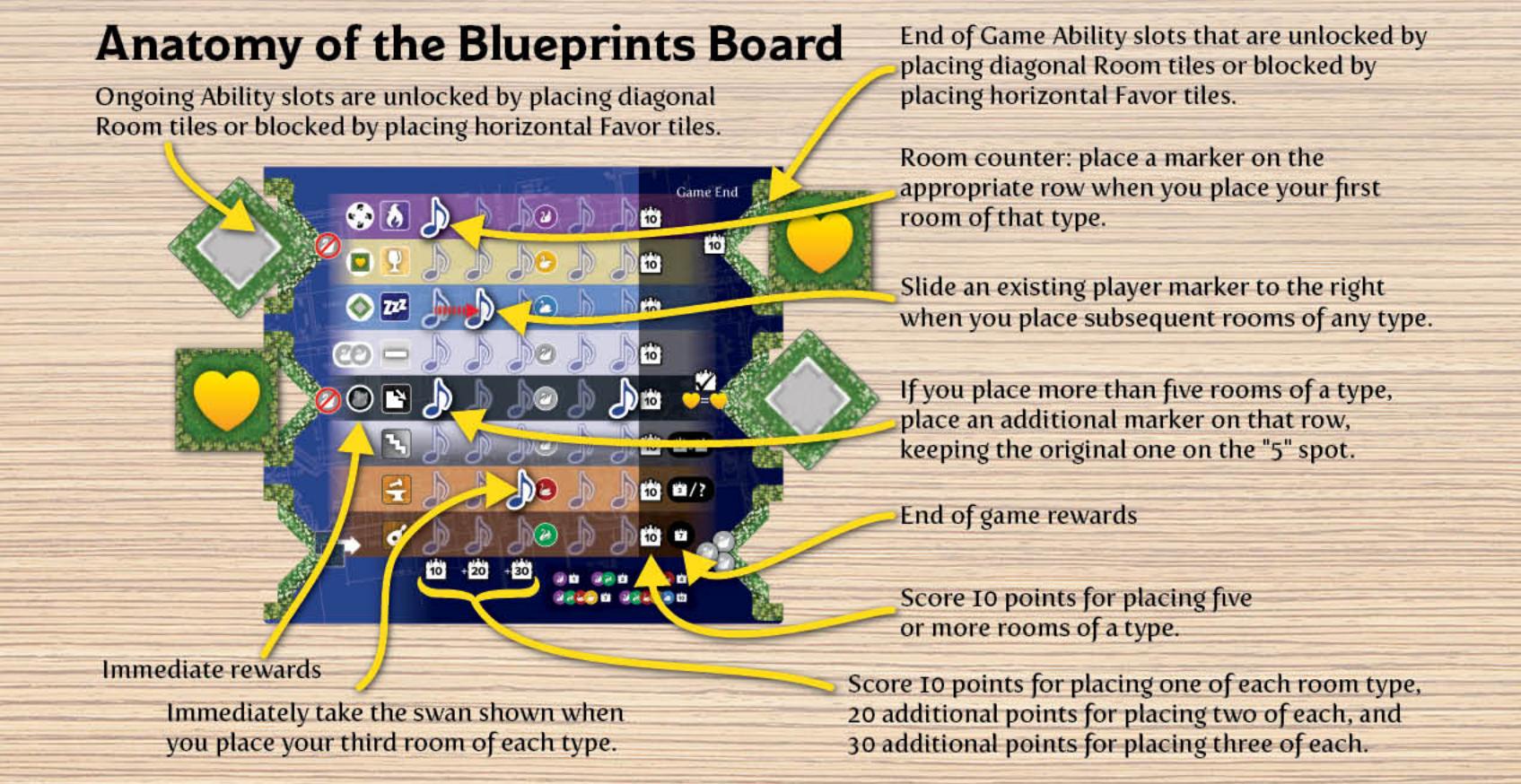
The center section lets you track which rooms you have placed in the Palace. As you place a room on your turn, place a Player marker on the leftmost spot of the corresponding row to that room type. If a Player marker is already in that row, slide that Player marker one space to the right. If you place more than five of a room type, place a second Player marker in the leftmost spot (leaving the first Player marker on the fifth spot), and then slide the new Player marker to the right for subsequent room placements.
The items on the left, lighter side of the Blueprints board are Abilities you receive immediately, while the items on the right, darker side are Àbilities you receive at the end of the game.
When you reach the third column of each room type (meaning you personally have placed 3 rooms of that type), you instantly receive a swan of the color indicated from the lake. A gray swan means you may choose which swan you receive. When you reach the fifth column of each room type, you will receive 10 points at the end of the game.
If you have built at least one room of each type, you will receive 1o points at the end of the game, as indicated by the “Io" at the bottom of the first column. If you build at least 2 of each type, you'll receive an additional 20 points (for a total of 3o for the first two columns). If you build at least 3 of each type, you'll receive an additional 30 points (for a total of 6o points for the first three columns).
Placing a facedown Favor tile in a slot (always horizontally) allows you to score that Favor tile at the end of the game, if that tile's condition is met. Placing a facedown Room tile in a slot (always placed diagonally) activates that slot's Ability. Once you place a tile on your Blueprints board, you may not move it to a different slot. Once you fill all six slots, you may no longer place Room or Favor tiles on your Blueprints board for any reason. If full, this means you do not collect the reward for completing Food or Sleeping rooms.
Ongoing Abilities
These three slots along the left of your Blueprints board provide abilities that remain active for the rest of the game. Activate them by placing a Room tile diagonally in the appropriate slot.

1 Swan Discount
There are two of these slots. Each slot reduces the cost of Garden board purchases by one swan. With one of these slots active, items that normally cost I swan are free, items that cost 2 swans cost only I swan, and items that cost 3 swans cost only 2 swans. ltems that were already free remain free.

If both slots are activated, items that cost o, I, or 2 swans are now free. ltems that cost 3 swans now cost only I swan.
You may not pay more swans than you owe at any time. Having both of these abilities active makes it difficult to get rid of swans if there are any Fewest Swan Favors active.
Move up to 2 Moat Tiles
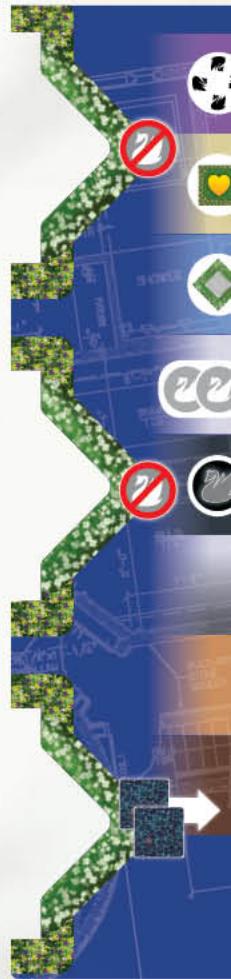
You may move up to 2 Moat tiles from one end of the moat to the other at any time during your turn. In addition, if any Moat tiles are in a walled-off area, they may be moved to or from those areas (instead of just the two ends).
End Game Abilities
These three slots along the right of your Blueprints board provide endgame abilities. Activate them by placing a Room tile diagonally in the appropriate slot.
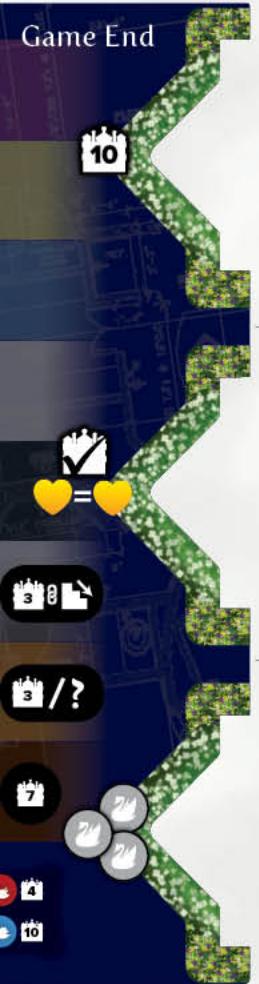
+10 points
Score 1o extra points at the end of the game.

Score Tied Favors
Score points for any favors you are tied on.

+3 Swans
Gain three swans of your choice as soon as the game ends.

Game End
The game is over at the end of any turn when one of the following happens:
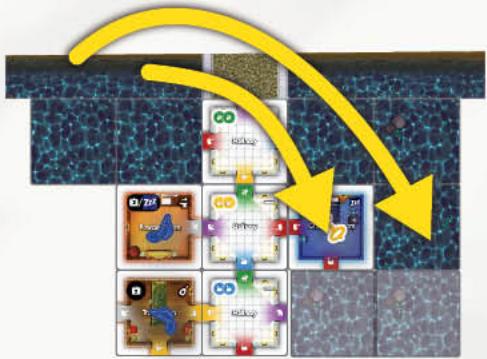
I) The two ends of the moat connect orthogonally or diagonally. In the example on the right, the player could have chosen to not end the game by placing that Moat tile one space to the right.

2) The Moat tile stacks are all depleted.

3) The facedown Room tile stacks on the Garden board are all depleted.
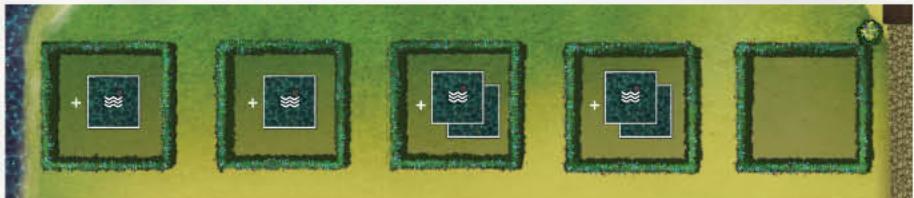
Any Room, Hallway, or Stairs tile may be placed to end the game if placing that tile results in the two ends of the moat connecting to each other, even if it blocks off the last upstairs room entrance.
After the moat is connected and the last player's turn is over, the game ends.
All players who activated the +3 Swans end game ability on their Blueprints board immediately take all of their additional game-end swans in clockwise order, starting with the player to the left of the player who had the last turn, and ending with the player who had the last turn.
Scoring
Choose someone relatively good at addition to be the scorekeeper. Use the enclosed scorepad and score each line item in order for each player.
Blueprints Board
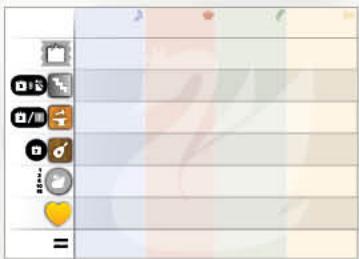

Score:
• I0 points if you placed a room tile in the +Io slot on your Blueprints board
• Io points for each row of rooms you completed on your Blueprints board
• The sum of points for any columns of rooms you completed on your Blueprints board.

Stairs
Score 3 points for each downstairs room any of your completed Stairs are connected to.

Utility Rooms
Based on the black bubbles on Utility Room tiles you own, score 3 points for:
• each swan you have
• each room you own
• each favor on your Blueprints board

Activity Rooms
Score 7 points for each of your completed Activity Rooms.
Swan Sets

Score points for sets of different-colored swans (including Secret Swans which are turned so their colored side is face up). Swans may only be allocated to one set when scoring.
• I0 points for each set of 5 different-colored swans
• 7 points for each set of 4 different-colored swans
• 4 points for each set of 3 different-colored swans
• 2 points for each set of 2 different-colored swans
• I point for each single-colored swan
Favors

Determine who won each of the public favors. For ties, give the full amount of points on the favor to each of the tied players who have the Score Tied Favors ability activated.
Then determine which personal favors each player won (horizontal, next to that player's Blueprints board), and add those points to the points they received for any public favors.
The scorekeeper totals up the score for each player. The player with the most points wins.
Breaking Ties: If two or more players are tied for the most points, the tied player with the most total swans (both regular and secret) wins. If there is still a tie, King Ludwig loses his patience after all that counting and the inability of the tied players to be noticeably superior, so all the tied players lose, and the player with the next highest score wins.
Tile Rewards
Room tile owners receive rewards for each completed Room tile, indicated by the icon in the upper left of the tile. Some of these rewards happen Immediately during the game (white border) while others happen at the end of the game during scoring (black border).
Immediate Rewards

Living
You receive an additional set of all swans in the Living Room that match connected rooms.

Food

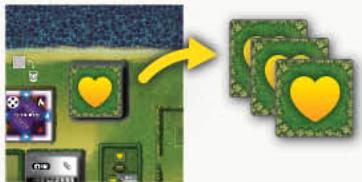
Take three Favor tiles from the stack and place one of them in an open slot on your Blueprints board. Then place the other two on the bottom of the Favor stack. If no slots are available on your Blueprints board, you do not get this reward. If you do not want to keep any of the Favor tiles, you may place all of them back on the bottom of the stack.

Sleeping

You may take a room tile from the Room Row, paying additional swans as necessary based on the cost of the Room tile. Then add it to your Blueprints board face down diagonally to activate one of the available abilities. If no slots are available on your Blueprints board, you do not get this reward.
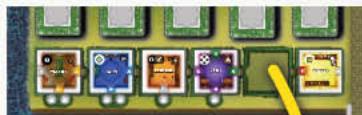


Hallway
You receive the two swans shown in the white reward bubble in the upper left corner of the tile.

Downstairs
Take one Secret Swan from the bridge, secretly view it, and place it facedown with your other swans. You may look at your Secret Swans at any time during the game.


Secret Swans count toward Favors, Utility Rooms, and for swan points at the end of the game. You may use any of your Secret Swans (in combination with regular swans or by themselves) to pay for actions that cost swans; when you do, place the Secret Swan face down on the bridge with the other Secret Swans, and shuffle them up by moving them around a bit.

Stairs
Score 3 points for each downstairs room in the downstairs section connected to your completed Stair tiles. Those downstairs rooms do not need to be completed and they may be owned by any player.
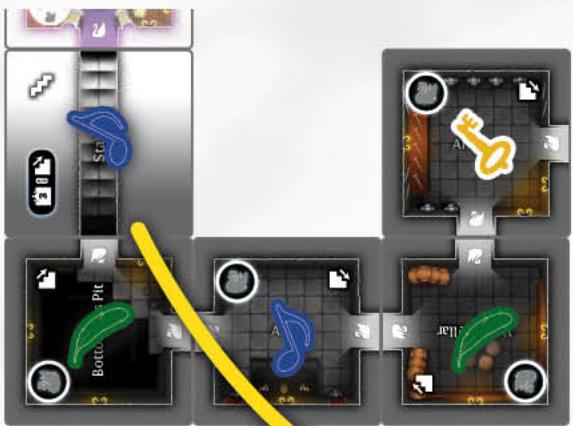

Utility
Score 3 points for each item shown in the black reward bubble in the upper left corner of the tile which you have (i.e., swans, favors, or rooms you own, regardless of completion) as indicated on each of your Utility Room tiles.
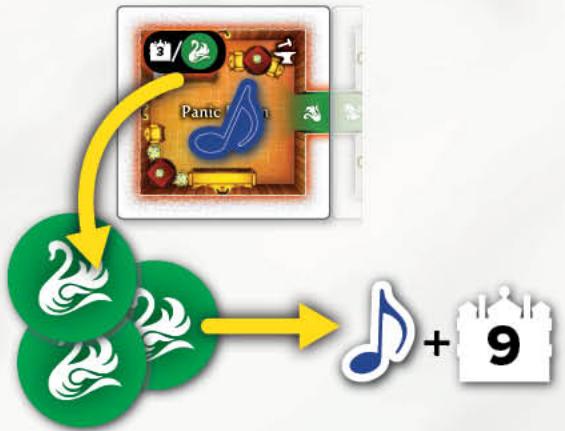

Activity Score 7 points for each of your completed Activity rooms.
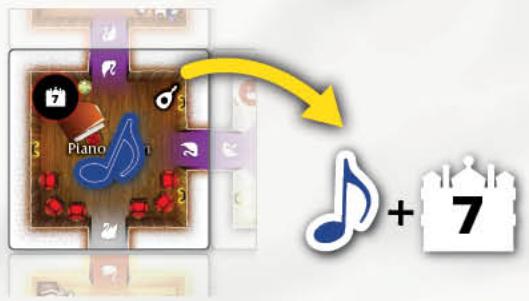
Favor Tiles
Favor tiles provide points to the player who has the most (large arrow pointing up and to the right) or fewest (small arrow pointing down and to the right) of a specific item: room tiles, swans, or room tiles/favor tiles on his Blueprints board. The symbols on the favor tiles correspond to the item with the same symbol. This is a quick reference to the symbols you'll find on the Favor tiles.

Most You must have more of this item than any of your opponents.

Fewest
You must have fewer of this item than any of your opponents. Having zero of an item is an eligible number for winning these favors.

Room Types
The number of rooms of a specific type that you own, whether completed or not. Swan Colors
The number of swans that you have at the end of the game of a particular color (including Secret Swans of that color).


Secret Swans/Total Number of All Swans The number of secret swans (of any color) / The total number of all swans that you have at the end of the game of all colors (including Secret Swans).

Blueprints Board Room Tiles The number of Room tiles that have been placed facedown diagonally along the edge of your Blueprints board.

Blueprints Board Favor Tiles
The number of Favor tiles that have been placed facedown horizontally along the edge of your Blueprints board.
Playtesters
Carol Alspach, Toni Alspach, Jason Boles, Bay Chang, Ted Cheatam, Ting Chow, Angela Chung, Nat Cruca, Audrey Cueto, Jim Ferguson, Bill Gallagher, Shelley Ganschow, Doug Garrett, Alex Holmes, Sean Holmes, Joe Huber, Markus Iturriaga, Eli Lester, Dean Lizardo, Chandra Martin, Ryan Moore, Sheila Morton, Bryon Quick, Whitney Ryan, Vincent Salzillo, Steve Samson, Phoebe Wild, Scotti Whitmore, Avonelle Wing, Karen Woodmansee, and many more.
Designer
Ted Alspach has designed a bunch of games, including One Night Ultimate Werewolf, Suburbia, Castles of Mad King Ludwig, and Werewords.
Developer
Dale Yu has done development for some really awesome games, like Suburbia and Castles of Mad King Ludwig, as well as less awesome ones, like the relatively obscure Dominion. Dale is also the designer of a KDJ-nominated game.
Cover Artwork
Ollin Timm is an architect who has painted covers for several awesome boardgames, including Castles of Mad King Ludwig, Favor of the Pharaoh, and Colony.
Graphic Design/Artwork
Stephanie Gustaffson has provided graphic design for great games such as Werewords, Colony, America, and New York Slice.
Graphic Design/Production
Jason Boles has provided production graphic design for wonderful games such as Whistle Stop, Werewords, and New York Slice.
For Bezier Games
CEO: Ted Alspach
COO: Toni Alspach
App Developer: Jeremiah Maher
Q/A Manager & Event Manager: Bryon Quick
Retail Show Manager: Steve Samson
Site Manager: Carol Alspach
Social Media Manager: Phoebe Wild
Editorial Manager & Licensing Manager: Jeff Quick
Customer Support Manger: Ryan Moore

Texts are community-compiled or publicly released by publishers; copyright remains with the original authors. For personal reference only.