
The Battle At Kembles Cascade
At a glance
Rules, cards and Q&A (Chinese)
The rules, card data and player questions for this game are written in Chinese. Open the Chinese page to read them.
Where to find full rules
Full rules and card lookup are available in the cunlema app at cunlema.cn — pick this game and ask about any rule, card or turn you are unsure about.
Related games
Rulebook text (Markdown)
This game has 1 rulebook Markdown file(s) in our library; 1 rendered inline below — expand to read or download.
Kembles_Cascade_English_Rules.md46.8 KB
KEMBLEIS CASCADE
READ CARÉFULLY BEFORE LEAVING THE STATION.
Station Operation Manual

SYMBOLS ANDCOMPONENTS P.4SETUP P.6
ROUND P.8
PLAYER ORDER P.8
PLAYER TURNS P.9
BATTLE P.9
POWER DOWN P.12SCROLLING P.13PLAYER DESTROYED P.14THE SPACES P.15UPGRADES P.16VARIANTS P. 16
BRIEF STORY
Looking up at the night sky, west of Cassiopeia, you will find Kemble's Cascade. It is an apparent straight line of more than twenty stars that creates a colorful waterfall across the vault of heaven. The legend tells that deep inside the asteroid clusters of Kemble's Cascade, ancient fearsome Titans guard alien secrets and potent minerals.
The year is 3868 A.D. and you have been sent to the Cascade by the Federation Council of your Empire to uncover the myths, and bring back technology yet unknown. This will once and for all give you the glory that you so well deserve.

THE BATTLE AT KEMBLE'S CASCADE is a board game adaptation of classical shoot em up video games.
In the game, players take on the roles of brave space Captains, sweeping around the asteroid fields in nimble yet powerful fighters.
The game is played out on a scrolling space backdrop.
OBJECTIVE
The object of the game is to be the player that attains the most Glory. This is done by choosing the best path through the levels to complete your mission and various achievements, destroying/blocking/delaying other players, destroying alien entities, bosses, and acquiring alien technology.
SYMBOLS AND COMPONENTS
| 米 | THREAT | This square delivers Threat toadjacent (8 squares) players. |
| DISTANT THREAT | This square delivers Threat toadjacent players as well as playersthat are positioned in a straightUNBLOCKED line from the enemy, inthe shot's direction. | |
 | GAMMA DISTANTTHREAT | This square delivers Threat to adjacentplayers as well as players that arepositioned in a straight line from theenemy, in the shot's direction. |
 | OMNI THREAT | This square delivers Threat to allplayers on the game area, regardlessof distance. |
 | BELLONIUM | Currency used to buy Upgrades andPower-ups for your ship. |
 | GLOBAL BELLONIUM | All players on the game area receive1 Bellonium as soon as this symbolis revealed. |
 | OBJECT ENERGY | States the amount of energy thisobject has (normally the amount ofdamage that must be inflicted, duringthe current player's turn, to destroy it). |
 | +1 PLAYER ENERGY | The player gains 1 Energy. |
 | GLORY | Amount of Glory gained. |
| -M | -M | Players on a Space Square with thissymbol must spend 1 extra move to gainthe reward. |
| -MM | -MM | Players on a Space Square with thissymbol must spend 2 extra moves to gainthe reward. |
 | FLAME IMMUNITY | A Space Square with this symbol isimmune to Flamethrowers. |
 | MISSILE IMMUNITY | A Space Square with this symbol isimmune to Missiles. |
 | LASER IMMUNITY | A Space Square with this symbol isimmune to Lasers. |
 | GAMMA IMMUNITY | A Space Square with this symbol isimmune to Gamma rays. |
 | FLIP | Flip the card over as soon as 1 of thesquares is destroyed. If a player ispositioned on the card, immediatelyresolve the Space Square effects. |
| SPECIAL EFFECT | This Space Square has a special attack oreffect with rules normally explained on acorresponding Boss Warning Card. |
5x
4x
4x
123 SPACE CARDS
Each Level Pack is identified LEVEL PACKS on the top right corner
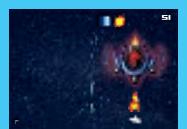
SQUADRONS 1 - S1

WORMHOLES 1 - W1
16x
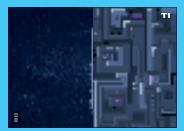

TUNNELS 1 - T1 11x

FLEET 1 - F1 16x
ASTEROIDS 1- A1 22x

33 UPGRADE CARDS
BOSS CARDS
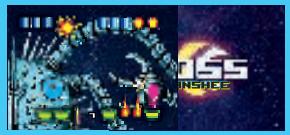

BOSS PARTS 28x
SPACE MOSQUITO
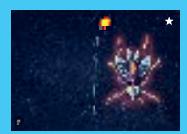
17 SHIP MODS
BOSS WARNING CARDS
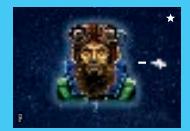
MERCHANT
SPECIAL CARDS
SPACE BOMB

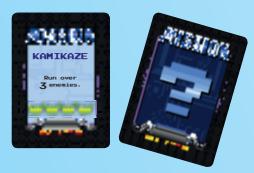
8 MISSION CARDS
40 SENSOR CARDS


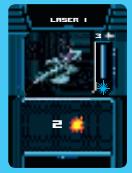
16 WEAPONS

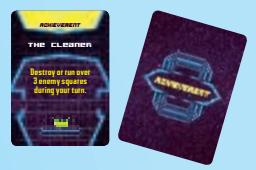
22 ACHIEVEMENT CARDS
23 POWER-UP CARDS
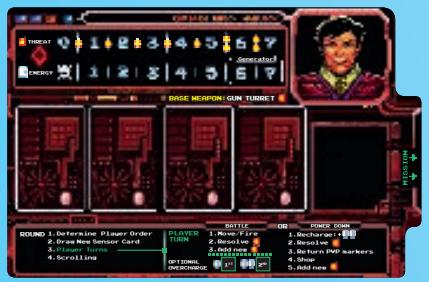
5 CAPTAIN BOARDS
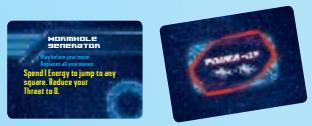
The back of these cards will be used to cover the Space Squares.
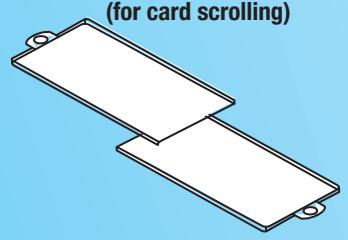
10 SCROLLING TRAYS (for card scrolling)
5 SCORE CARDS

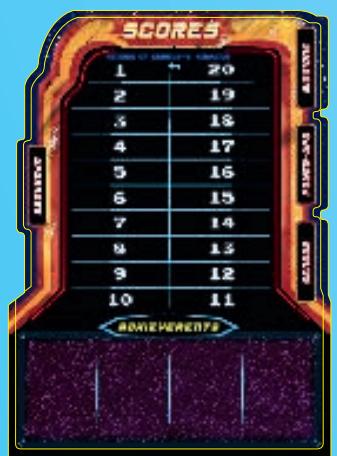
SCORE BOARD
15 GLORY/THREAT/ENERGY MARKERS
(3 for each player to keep track of their Threat Level, Energy Level and amount of Glory)

35 BELLONIUM GEMS (currency)

50 PLAYER MARKERS AND PVP MARKERS


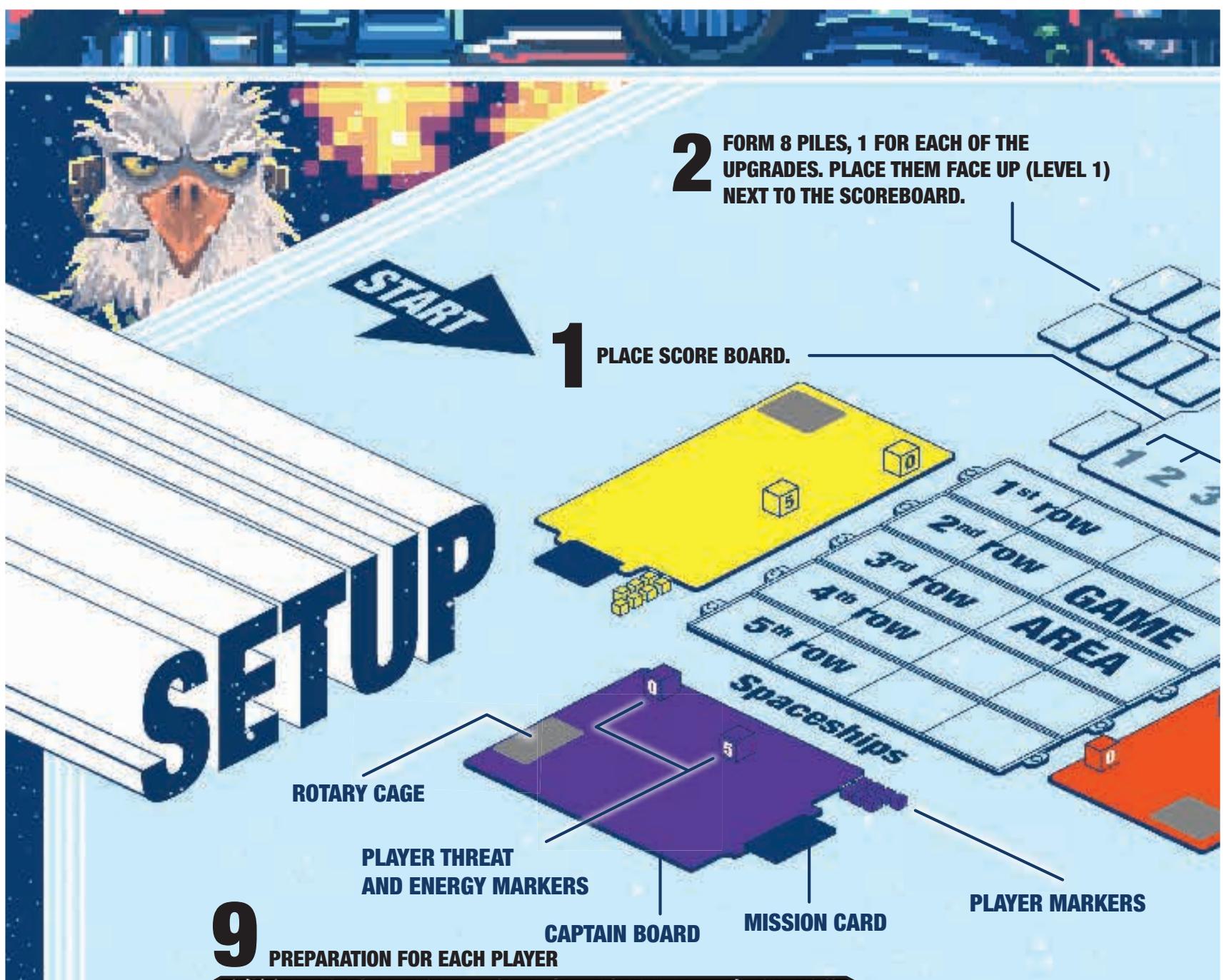
a. Each player receives one Ship and the corresponding Captain Board. You then...
b. Place a big marker to indicate 0 Threat and another to indicate 5 Energy.
c. Place a big marker next to the Score Board (Score Marker).
d. Place your 10 small cubes next to your Captain Board (these will be used as Player and PvP Markers).
e. Draw 2 Sensor Cards and 1 Power-up Card; keep these secret.
f. Draw 1 Mission Card and place it face up where indicated on your Captain Board.
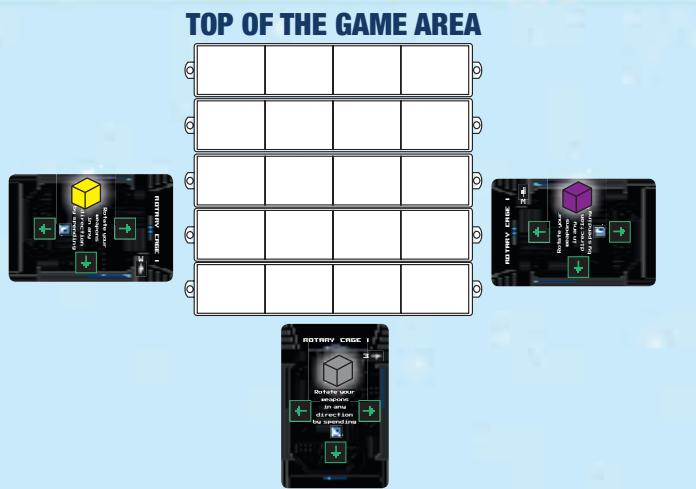
g. Each player also receives the Level 1 Rotary Cage and places it on their Captain Board. Each player places 1 Player Marker on this card so that it points toward the first row/top of the game area (as per the illustration on page 10).
Threat, Energy, and Glory Markers

Player Markers
4-5 PLAYERS
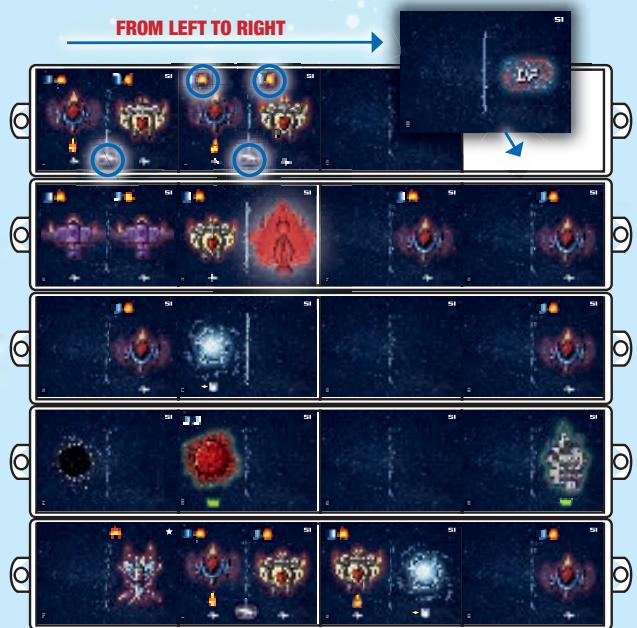
STARTING FROM THE 5TH ROW, FROM LEFT TO RIGHT, LAY OUT FIVE ROWS OF SPACE CARDS FROM THE DRAW PILE INTO THE SCROLLING TRAYS. For 2–3 players, each row must be 3 columns wide.
■ For 4–5 players, each row must be 4 colums wide.
Space cards should be placed so that the Level Pack symbol is in the top right corner.
NOTE: Even during the setup phase, every player immediately receives 1 Bellonium for each Global Bellonium symbol present. Store them on your Captain Board.
3 PLACE THE BELLONIUM STACK NEXT TO THE SCOREBOARD.
SCORE MARKERS
ACHIEVEMENTS
SHUFFLE THE ACHIEVEMENTCARDS AND REVEAL FOUR.PLACE THEM FACE UP WHEREINDICATED ON THE SCOREBOARD. LEAVE THE REMAININGCARDS NEXT TO THE SCOREBOARD.
5 SHUFFLE THE MISSION, SENSOR, AND POWER-UP CARDS. PLACE THEM FACE DOWN NEXT TO THE SCORE BOARD.
MISSION CARDS

POWER-UP CARDS
SENSOR CARDS
SPACE CARDS
BUILD THE SPACE CARDS DRAW PILE
Space Cards come in different Level Packs, identified in the top right corner. Each Level Pack follows a different theme. This level system makes it possible to play very different games every time.
| Squadrons 1 (S1) | Enemies are mostly fodder; this Level Pack is used as startup. |
| Asteroids 1 (A1) | Lots of asteroids and maneuvering. Lots of valuable minerals. |
| Wormholes 1 (W1) | Travel at light speed! WARNING! Includes 1 Mini-Boss. |
| Fleet 1 (F1) | More and tougher enemies. WARNING! Includes 1 Mini-Boss. |
| Tunnels 1 (T1) | Walls that force players into straight lanes - Variant for experienced players |
Separate each Level Pack. Shuffle them seperately.
Form a draw pile from each Level Pack according to the number of players:
ERS
| 2–3 Players | 12 S1 + 9 A1 + 12 W1 + 9 F1 |
| 4–5 Players | 16 S1 + 12A1 + 16 W1 + 12 F1 |
Store the remaining cards and the Tunnel Pack in the box. They won't be used at the moment.
Form the Space Cards draw pile by placing each Level Pack on top of each other, following the order shown to the right.
Shuffle the 4 Boss Warning Cards. Without revealing it, draw one and place it at the bottom of the Space Cards pile. This will tell you which Boss you will face. Without looking, return the remaining Boss Warning Cards to the box.
BOTTOM F1 BOSS WARNING CARD
Place the Space Cards draw pile next to Score Board. For more draw pile setups, use of the Special Space Cards ( 7) and the Tunnel Pack, see Game Variants on page 16.
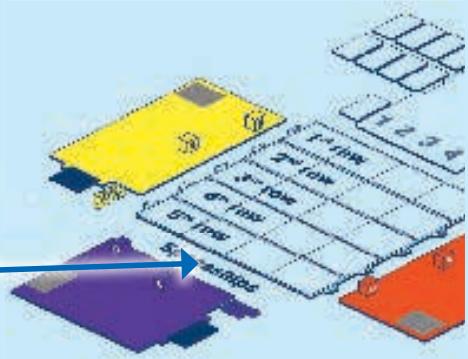
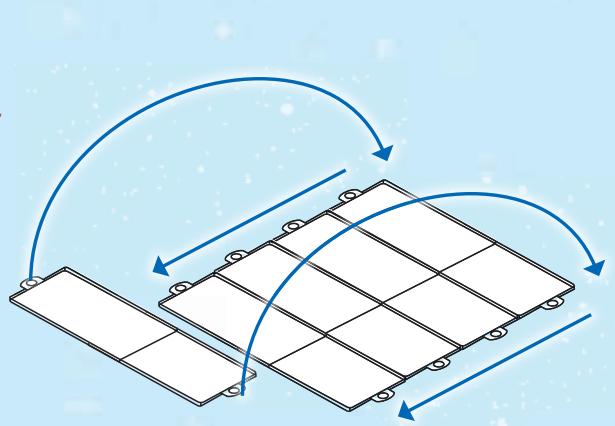
1 ASSEMBLE THE SCROLLING TRAYS AND PLACE THEM IN THE MIDDLE OF THE TABLE, AS SHOWN IN THE GRAPHIC.
The length of the Scrolling Trays can be adjusted.
SHORT SUMMARY: OF THE GAME
The game is played on a scrolling space field consisting of five rows of Space Cards, with 3 or 4 cards in each row. Every card is divided into two parts, called Space Squares, each representing a place where player ships can be positioned.
The game is played in Rounds in which all players take Turns choosing between Battle or Power Down, fighting to reach the highest total of Glory.
Every player always keeps two Sensor Cards in their hand. At the beginning of each Round, every player simultaneously chooses and reveals one card. Turn order is decided this way: highest number goes first, then second highest, etc.
Initially, all spaceships can make 1 move and fire once using the Gun Turret.
Players can improve these capacities throughout the game.
Movement can be done in all 8 directions.
The ship can only fire orthogonally hitting the first obstacle for one damage. The Rotary Cage lets you change your firing direction. The energy of an alien enemy is restored to max if not destroyed during a player's turn; as such,
there is no need to keep track of the energy of alien enemies.
Every player starts with 5 Energy (if Energy ever reaches 0, player is destroyed).
A player may Overcharge his ship. By spending 1 Energy, he may perform an extra Move or Fire action that turn. For an additional 2 Energy, a second Overcharge can be performed. It is only possible to do 2 Overcharges per turn.
Instead of moving and firing, a player can perform a Power Down action.
The ship regains some Energy and the player can buy Upgrades for his ship.
GAMEPLAY
Once a player's action is complete, he resolves his current Threat Level, which may result in losing Energy. Players keep track of their Energy and current Threat Level on their Captain Board. The Threat Level symbolizes all enemy shots heading toward a player ship that the player will attempt to dodge. Firing at other players also helps raising their Threat Level. This is called PvP (Player versus Player).
After all players have performed their actions, the bottom row is removed. Then, 1 row of Space Cards is added at the top of the game area. This is how the “Scrolling” of the space field is realized each round. The game ends when there is only one row of cards left and the player with the most Glory wins.
Hint: it is a good idea to let one player be responsible for the Sensor Card deck (reshuffling, dealing) and let another player be responsible for removing and adding rows of Space Cards. This speeds up the game process.
ROUND
1. DETERMINE PLAYER ORDER
The players determine the turn order by playing one Sensor Card each.
2. DRAW NEW SENSOR CARD
Each player gets a new Sensor Card.
3. PLAYER TURNS (in the order determined in phase 1)
Players can choose between 2 different actions: Battle or Power Down.
First turn exception: Players must choose the Battle action.
Note: players always enter at the bottow row by spending 1 movement.
4. SCROLLING
a. Remove the Space Cards from the 5th row.
b. Cycle the 5th Scrolling Tray to become the new 1st row.
c. Add a new row of Space Cards at the Top.
1. DETERMINE PLAYER ORDER
- Each player secretly chooses one Sensor Card from their hand.
-
Players reveal their cards at the same time.
-
The player with the highest number goes first, followed by the second highest, and so on.
Each player must keep their played Sensor Card played visible in front of them since some effects are executed in the order of last played Sensor Cards.
SENSOR CARDS
Sensor Cards are used for determining player order; they are uniquely numbered, 10–400. The backside of Sensor Cards is used to cover up any object in the game that ceases to exist (e.g. destroyed enemies, collected Power-ups, etc.). Important: Always use Sensor Cards from the draw pile when covering a Space Squar
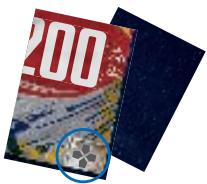
All Sensor Cards have specific colored symbols that have a limited function in the base game, but will be expanded upon in future expansions.
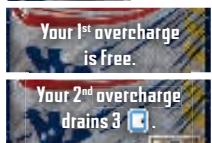
Some Sensor Cards have extra text on them, which describe what happens when playing that card.
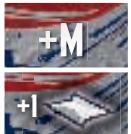
Get an extra free move during your turn.
Take 1 Bellonium from the stack when playing this card.
Your 1st overcharge is free; your 2nd overcharge still costs 2 Energy.
Your 2nd overcharge costs 3 Energy.
Your 1st overcharge still costs 1 Energy.
2. DRAW NEW SENSOR CARD
Each player draws 1 new Sensor Card. If there are no more Sensor Cards to draw, shuffle the discard pile and form a new draw pile.
3. PLAYER TURNS
During his turn, a player must decide if he wants to A. Battle or B. Power Down.
A. BATTLE.
A player must resolve each step of their turn in this order:
1. MOVE/FIRE
A player's spaceship starts off with a base engine that grants him 1 movement per turn, and a Gun Turret that gives 1 shot for 1 damage per turn.
In other words, a Battle action consists of moving 1 space and firing 1 time for 1 damage.
The order in which a player moves and fires is irrelevant. As such, a player may move first then fire, and vice versa. If the player has more than 1 movement available during his turn, he may move once, then fire, and move again; or fire then move twice, etc. During this phase, a player may also Overcharge (see p. 10).
Note: Both moving and firing are optional. The player may choose to only move or only fire during his turn.
2. RESOLVE THREAT (P.11)
The player takes damage from the Threat (enemy shots) he couldn't avoid.
3. ADD NEW THREAT (P.11)
This represents the Threat Level the player will have to face on his next turn.
B. POWER DOWN
Alternately, a player may take a passive turn and Power Down.
1. RECHARGE
The player raises his Energy Level 2 steps to the right. A player cannot store more than 5 Energy unless he purchased the Generator Upgrade Card. The Level 1 Generator lets a player store 6 Energy, and the Level 2 Generator 7 Energy.
OR 2. RESOLVE THREAT (P.11)
The player takes damage from the Threat (enemy shots) he couldn't avoid.
3. RETURN PVP MARKERS (P.12)
4. SHOP (P.12)
Allows the player to spend his hard-earned Bellonium to buy Upgrades and Power-ups for his ship
5. ADD NEW THREAT (P.11)
This represents the Threat Level the player will have to face on his next turn.
A. BATTLE
1.A. MOVE
-
A player may move orthogonally or diagonally, but may not deliberately move into certain types of Objects. After every move, resolve the Space Square Effects (see page 15 for more information).
-
For every move a player makes, he reduces his Threat Level by one (this represents dodging one enemy shot).
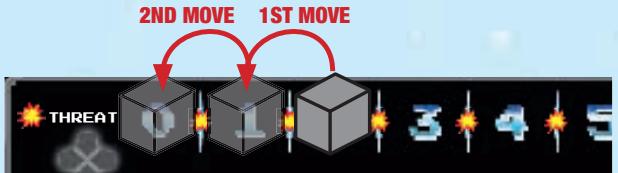
Every player starts the game with only 1 movement. Later in the game, players will be able to purchase the Engine, giving them more free moves. At any point during their turn, players may move 2 additonal times using Overcharges (see p.10).
Certain Power-up Cards and Sensor Cards also give more free moves.
SPACE SQUARES PLAYERS CAN MOVE INTO:
•Enemies
•Destructible Boss Parts
•Power-ups
•Recharge Drones
•Wormholes
•Mines
•Black Holes
•the Merchant
•Alien Structure: Space Maze
SPACE SQUARES PLAYERS CAN'T MOVE INTO:
•Asteroids
•Indestructible Boss Parts
•other Players
•Walls
•Alien Structure: Singularity
•the Space Mosquito
•the Space Bomb
See p.15 and the player aid for detailed Space Square rules.
1.B. FIRE
Every player starts the game with the Gun Turret (see Captain Boards) that allows a player to fire 1 time for 1 damage. Later in the game, players will be able to purchase Weapon Upgrades and fire with multiple weapons.
Every ship is also equipped with the Level 1 Rotary Cage. This Ship Mod Upgrade card allows the ship to fire in 4 directions (orthogonally). You position your player marker to show in which direction you are firing. At the beginning of the game, players fire toward the top of the game area (see right).
Once they have entered the screen, if a player wishes to change the direction of his weapons, he must pay 1 Energy to do so. The player then indicates the new direction by placing the Rotary Cage player marker in the desired direction. (A destroyed player, i.e. Astral player, can freely adjust his Rotary Cage, as presented on page 14.)
Note: As an option, you can rotate the front end of your ship to show the firing direction.
FIRING AT ENEMIES
During his Battle phase, the active player receives 1 fire action. The player may then shoot up to 2 additonal times using Overcharges (below).
The base weapon (Gun Turret) can be fired multiple times in the same turn when overcharging. However, the other weapons can only be used once per turn.
There is no range limit to the weapons (with the exception of the Flame Thrower, which is limited to the first space in the targeted direction). They can fire from one end of the screen to the other, in the Rotary Cage direction.
Weapons can never fire through Blocking Objects (with the exception of the Gamma Cannon, which fires through everything). See page 15 for the list of Blocking Objects.
Sum up the total damage inflicted on each target for the player's entire turn. If the total damage reaches the total energy of the target, the target is destroyed; otherwise the energy of the target is restored at the end of current player's turn. The target's energy (J) is shown in the top left of Space Squares. If a target has no Energy, it cannot be destroyed.
When a player destroys an enemy, he immediately receives the reward shown at the bottom the Space Square. If it is a the player takes 1 Bellonium from the Bellonium Stack. If it is a the Player gains a Glory and moves his marker appropriately on the Score Board.
Remember: during his action, a player may fire once, then pay 1 Energy to change the direction of his Rotary Cage, and then overcharge to fire in another direction.
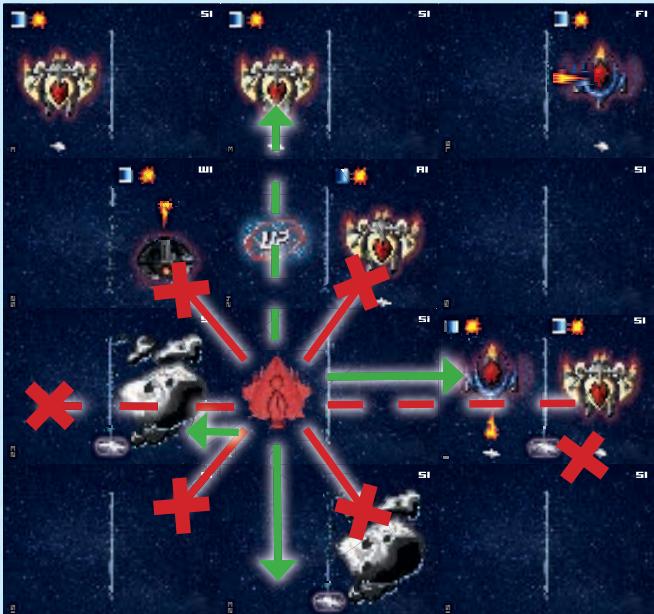
Players CAN fire in all 4 orthogonal directions. Players CAN shoot through Power-ups, Energy Drones, Alien Mazes, Wormholes, and the Merchant. Players CAN'T fire diagonally.
Players CAN'T fire through Blocking Objects unless they use the Gamma Weapon Upgrade, which can shoot through everything!
FIRING AT OTHER PLAYERS (PvP)
Firing at other players doesn't result in direct damage as it does when firing at enemies. Instead, it raises the Threat Level of the attacked player. When firing at another player, sum up the total damage inflicted. The attacked player then moves his Threat Marker to the right a number of steps equal to the total damage inflicted (note that 2 Threats are required to increase a player's Threat Level from 5 to 6 and from 6 to 7). This allows the attacked player to dodge the bullet on his next turn.
When you add any number of Threat Level to another player, give that player one PvP Marker. The attacked player must keep every PvP marker on his Captain Board. These will come into play when a player gets destroyed (see p. 13).
A maximum of 1 PvP Marker per player per turn can be given, no matter how many times you fire at the same player.
OVERCHARGE
1ST OVERCHARGE
Any time during a Battle action, a player can spend 1 Energy to move or fire one additional time.
2D OVERCHARGE
Spend another 2 Energy to move or fire one more time.
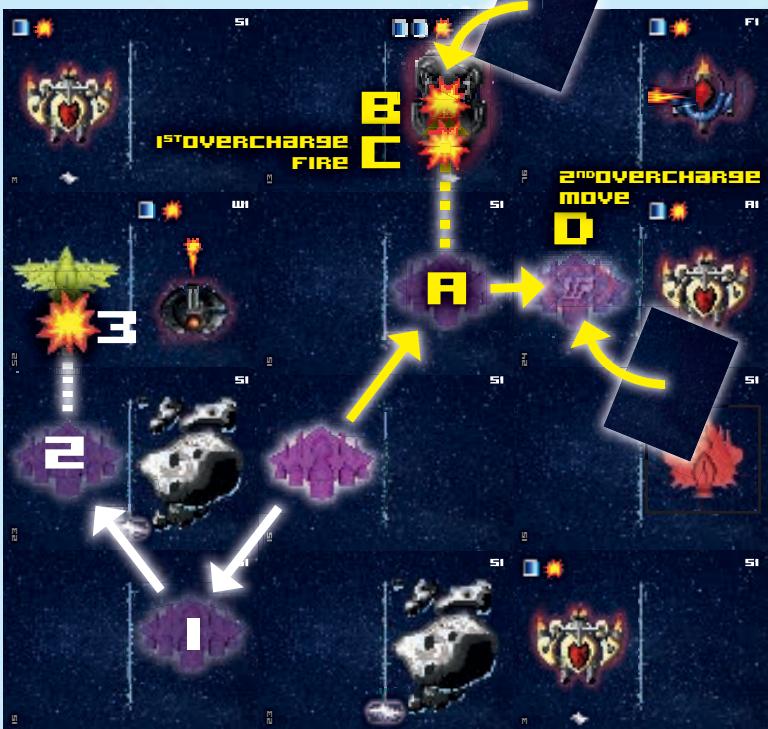
Important: It is not possible to Overcharge more than 2 times during a turn. This means that you can, at most, move 2 times and fire 2 times, or move 3 times and fire 1 time (or vice versa).
Note: You may not Overcharge when you only have 1 Energy (i.e. this would destroy you).
Note: In both examples, the moving player's ship has the base movement (1 move) and the Gun Turret (1 shot, 1 damage). MOVE AND FIRE EXAMPLE 1 (white arrows):
1) First move.
2) Overcharge to perform an extra move (costs 1 Energy).
3) Fire at YELLOW player, increasing that player's Threat Level by 1.
MOVE AND FIRE EXAMPLE 2 (yellow arrows):
A) First move.
B) Fire at the Cruiser (2 Energy), inflicting 1 damage.
C) First overcharge to shoot again (costs 1 Energy) to inflict 1 more damage, thus destroying the Cruiser and receiving 1 Bellonium as a reward. Place a Sensor Card on the Cruiser to cover it up.
D) Second overcharge (costs 2 more Energy) to move onto and acquire the Power-up (place a Sensor Card on the Power-up to cover it up).
2. RESOLVE THREAT
If the active player was not able to reduce his Threat Level to 0 using movements or Power-up Cards, his Ship now suffers damage.
-
Lose as much Energy as the number of the current Threat Level.
-
Reduce Threat Level to zero.
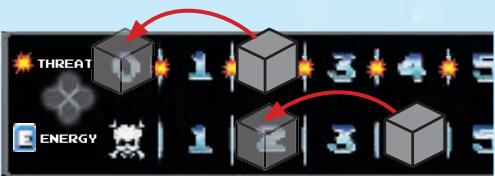
LOSE 2 ENERGY
3. ADD NEW THREAT
From his current position, the active player must carefully add Threats that come in different forms. Each form of Threat must meet different criteria to be considered. The players use their Threat Level Marker on their Captain Board to keep track of their current Threat Level. When going from one Threat Level to another, the added Threat must add up to the amount of Threat symbols between the numbers. For example, it takes one Threat to go from Threat Level 4 to 5, but two Threats to go from Threat Level 5 to 6.

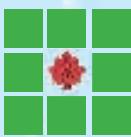
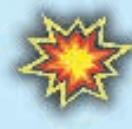
THREAT: Considered when the enemy is adjacent to the player in all 8 directions.
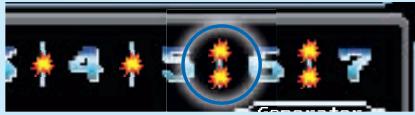
OMNI THREAT:
Considered no matter where the player is on the game area. Not considered if Astral (see p.14).
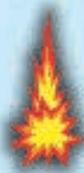
DISTANT THREAT: Considered if the enemy has a clear view of the player (no Blocking Object, see p.15) in the firing direction. Exception: Enemy fire passes through other enemies even though they are considered Blocking Objects.
IMPORTANT: THREAT AND DISTANT THREAT ON THE SAME SPACE SQUARE DON'T ADD UP. IN OTHER WORDS, WHEN ADJACENT TO AN ENEMY THAT HAS ONE OR MORE DISTANT THREAT SYMBOLS. COUNT ONLY THE REGULAR THREAT SYMBOLS. IGNORING THE DISTANT ONES.
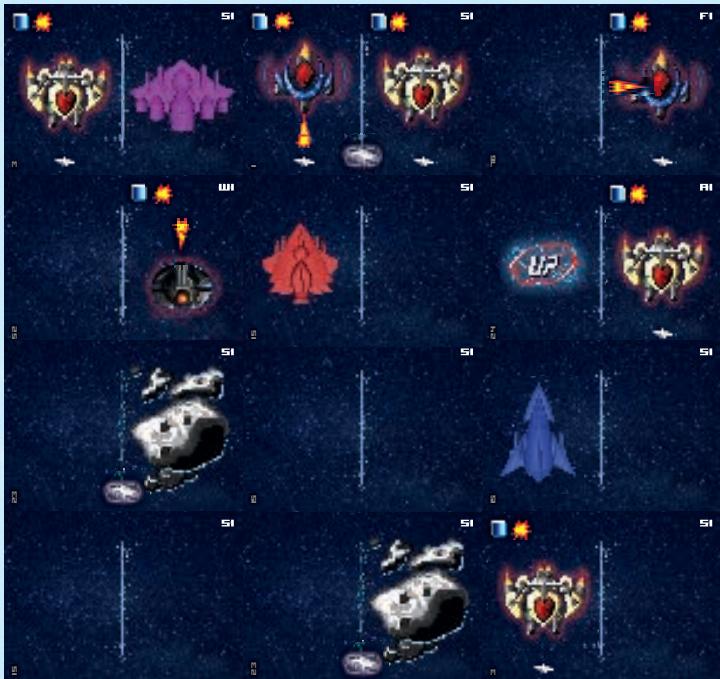
ADD NEW THREAT EXAMPLE:
Purple Player:
+ 1from the Fighter at his left
+ 1from the Turret in his back
+1from the Fighter at his right
+1 from the Fighter at the far right
Red Player:
+1 from the Turret at her left
++3 from the Fighter in front from the Fighter at the top-right of the ship (diagonally adjacent)
Blue Player:
+ 1from the Fighter at the top-right of the ship (diagonally adjacent) + 1from the Fighter in his back
B. POWER DOWN
The Power Down action shuts down engines and weapon systems to regenerate some of the ship's lost energy.
During a Power Down action, the active player may not play Power-up Cards.
Passive effects and upgrades, such as the Shield upgrade, are still in effect.
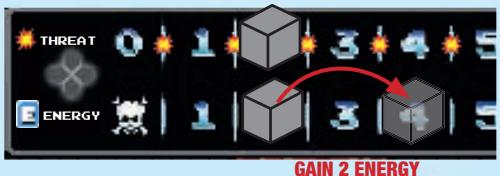
1. RECHARGE
The player gains 2 Energy by moving his Energy Marker 2 steps to the right.
1
2. RESOLVE THREAT
-
Lose as much energy as the number of the current Threat Level.
-
Reduce Threat Level to zero.
3. RETURN PVP MARKERS
2
- If you survive the Resolve Threat phase, give back all the PvP Markers to their owners with no other effects.
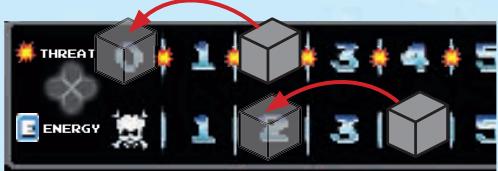
- If you did not survive the Resolve Threat phase, refer to the Get Destroyed rules (p.14).
LOSE 2 ENERGY
4. SHOP
Bellonium may be spent to buy or improve any number of Upgrades and Power-Up Cards.
UPGRADE CARDS

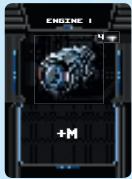
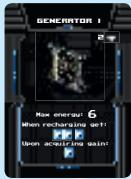

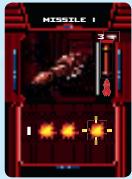
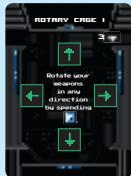
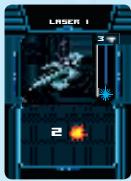
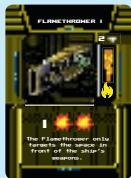
- The price of each upgrade can be found in the top right corner.
- Several Upgrades have more than one level.
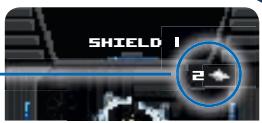
When buying an upgrade you must start with the level 1. You must then pay the price for each subsequent level you want to buy.
If you have enough Bellonium, you can purchase a new Upgrade, pay to upgrade it to level 2, and then, if you still have enough Bellonium, immediately pay to get it to level 3!

- Some levels yield Glory that is acquired when bought.
- Each player may only have one of each Upgrade type.
POWER-UP CARDS
When shopping, a player may buy random Power-up cards for 2 Bellonium each.
Draw from the top of the Power-up Cards pile.
You may hold an unlimited number of Power-up Cards. They are kept secretly in hand and are played only during your own turn (unless specifically stated otherwise on the card). Remember, Power-up Cards cannot be played during a Power Down action (unless it specifies to be played immediately when drawn).
5. ADD NEW THREAT
This phase works exactly as it does during a Battle action (see page 11).
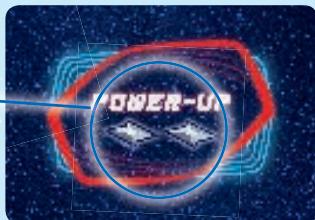
4. SCROLLING
A. REMOVE THE SPACE CARDS FROM THE 5™ ROW
- If there are any ships present on the bottom Space Card row, individually move each ship one square toward the top of the game area, following the current turn order. If a player is scroll-pushed into an object, refer to page 15 for any effects.
Note: It is only possible to move your ship left or right as a result of being scroll-pushed into an object. In certain rare cases, this might result in a player getting destroyed after several collisions.
- Remove the Space Cards in the bottom row from the Scroll Tray along with the Sensor Cards used for covering Space Squares, if any. Place the cards in their respective discard piles.
B. CYCLE THE THE 5TH PLASTIC TRAY TO BECOME THE NEW 1ST ROW Push the screen toward the bottom, take the newly emptied Scroll Tray and place it at the top of the game area.
C. ADD A NEW ROW OF SPACE CARDS AT THE TOP
-
From left fo right, place 1 new Space Card face up in every column in play. Make sure that the Level Pack indicator points toward the top of the screen.
-
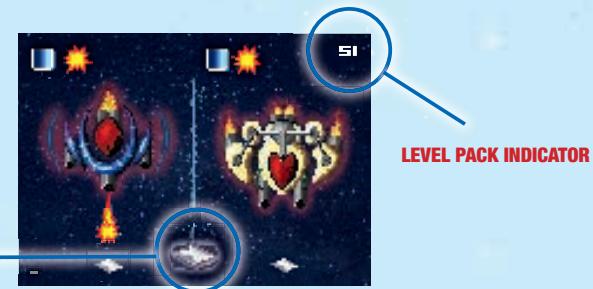
Add Threat from the new row immediately to players positioned on the now second row. For example, in the graphic to the right, the red Player would immediately add 2 Threats on his Captain Board. 1from the fighter at the top left of his position and 1 from the fighter directly in front of him.
-
For each Global Bellonium revealed during this step, every player receives 1 Bellonium. As an example, in the graphic to the right, every player would receive 2 Bellonium. 1 for each Global Bellonium symbol revealed.
GLOBAL BELLONIUM
BOSS
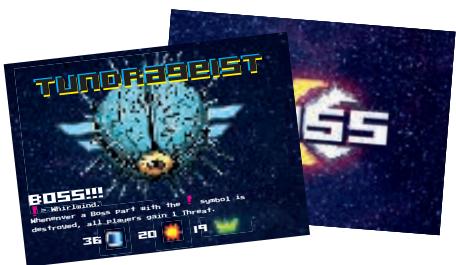
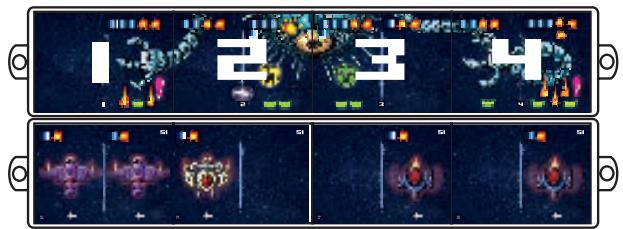
When the drawn card is a Boss Warning Card, keep this card face up and read the special rules used for this Boss. Find the corresponding Boss Space cards. You can easily spot the names of each Boss on the back of the Boss Space Cards. With 2–3 players, use the cards numbered 1,2,3 (and 5,6,7 if it's a 2-row Boss). With 4–5 players, use all the cards.
Add the rows normally each turn applying the same Scrolling rules. If there are no more Space Cards in the draw pile, DO NOT cycle the board: simply discard the last row, making the board smaller and smaller each turn.
The Boss Parts, destructible or indestructible?
A Boss Part is destructible if it shows any Energy symbols. If a Boss shows no Energy symbols, then it is indestructible.
PLAYER DESTROYED
A player is immediately destroyed when his Energy Level reaches

on his Captain Board.
WHEN DESTROYED
-
If the destroyed player is the current player, he cannot perform any more actions and his turn immediately ends.
-
Immediately remove the Player Ship from the game area. The player becomes Astral (see Astral below).
-
All players that are in the game area gain 2 Glory. Astral players gain no Glory (see below).
-
Each player (including Astral players) gains one Glory for every one of their PvP Markers present on the destroyed player's Captain Board. Players then take back their PvP Markers. For example, a non-Astral player that managed to place 3 PvP Markers on a destroyed player would score a total of 5 Glory.
ASTRAL
A player is Astral as soon as his player pawn is not positioned anywhere in the game area, typically because it was destroyed.
Note: Astral players draw and play Sensor Cards to determine player turn order as usual.
Note: Astral players cannot be damaged, destroyed, and they cannot receive Threat or Bellonium from Global Bellonium.
Note: Astral players can freely realign their Rotary Cage as they see fit.
If you are Astral at the beginning of your turn, you may:
SHOP
When Astral, you may perform the Shop Action (see shop on page 12).
ENTER THE GAME AREA
When re-entering the game area, the player ceases to be Astral. Upon entering the game area, set Energy to one less than max Energy.
For example, if the player owns the Level 1 Generator Upgrade, his maximum Energy Level is 6: he sets his Energy Marker to 5.
As previously stated, players always enter the game area from the bottom row.
MISSIONS
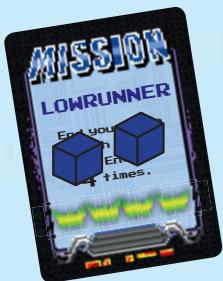
Each player gets one Mission Card at the start of the game. Each time a player progresses in his mission, he places a Player Marker on the card to keep track of his mission progress.
When a player completes his mission, the player receives the stated amount of Glory, scores it accordingly on the Score Board and turns the Mission card face down.
Once you've completed your initial mission, you do not get another Mission Card.
ACHIEVEMENTS
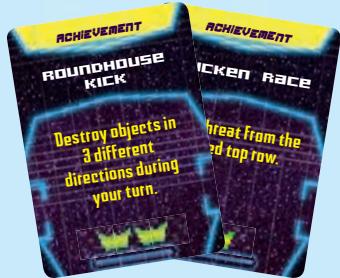
Once a player fulfills the requirements for any of the 4 revealed Achievements, the player must claim that Achievement Card and gain the stated amount of Glory. For every claimed Achievement, reveal 1 new Achievement Card and place it on the Score Board.
If more than one player fulfill the requirements for an achievement at the same time, all players get the stated amount of Glory and the card is returned to the box.
There should always be 4 Achievement Cards in play unless players claimed all the Achievements!
GAME END
If there is only one remaining row of Space Cards when Scrolling is performed, the game ends immediately.
Players reveal any Power-up Cards that give Glory and score them on the Score Board.
For every 3 Bellonium not spent, a player also receives 1 Glory.
THE PLAYER WITH THE MOST GLORY WINS.
If there is a tie, the winner is decided first by the player with the most amount of energy, then the player with the most achievements.

BLOCKING OBJECT: An object players and enemies cannot fire through. Exception: enemies can fire through each other.
Players CANNOT deliberately move into certain types of objects: other Player Ships, Alien Structure Singularity, the Space Bomb, Asteroids, Walls, the Space Mosquito, and indestructible Boss Parts.
Players CAN be Scroll-Pushed into every object.
Refer to this page for each individual rule.
RECHARGE DRONE
MOVING OR SCROLL-PUSHED ON: Immediately receive 1 Energy.

POWER-UP
MOVING OR SCROLL-PUSHED ON: Draw a Power-up Card and then cover up the Space Square with a Sensor Card from the draw pile.


FIGHTER BLOCKING OBJECT Basic Alien enemies.

ENEMIES
TURRET BLOCKING OBJECT Specialized in Distant Threats.
CRUISER
BLOCKING OBJECT Stronger Alien enemies. Will sometimes yield more Bellonium or Glory.
BOSS PART BLOCKING OBJECT
MOVING OR SCROLL-PUSHED INTO: Delivers immediate damage equal to its Threat Level. Move your Energy Marker to the left a number of steps equal to the Threat Level of the enemy. It is then destroyed and yields NO reward. Cover the Space Square with a Sensor Card from the Draw Pile. Remember, Threat and Distant Threat DO NOT add up.
PLAYER SHIP BLOCKING OBJECT

SCROLL-PUSHED INTO:
The player that is Scroll-
Pushed into another Player
receives 1 immediate damage
and is pushed to the left or
right (his choice). Resolve Space Square effects for the new square. The player moves his Energy Marker 1 step to the left.
ALIEN STRUCTURE:SPACE MAZE
MOVING OR
SCROLL-PUSHED INTO:
Gain the Glory reward stated on the card.

If a player stands on a Space Maze that has a -M or a -MM
symbol at the top, he does not get the Glory
immediately. While on the Maze, he must spend the required amount of move actions, during the same turn, to gain the Glory.
-M means 1 move.
-MM means 2 moves.
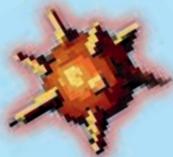
MINE
BLOCKING OBJECT
MOVING OR
SCROLL-PUSHED INTO:
Deals 2 immediate damage to the
player. Move the Energy Marker
2 steps to the left. The Mine is
destroyed. Cover the Space Square with a Sensor Card from the Draw Pile.
Spending those moves does not reduce Threat level.
A player can only receive the reward from each Space Maze once. When receiving the reward, the player must place a Player Marker on the Space Square as a reminder and move his Score Marker a number of steps equal to the number of Glory represented on the card.
ALIEN STRUCTURE:SINGULARITYBLOCKING OBJECT.SCROLL-PUSHED INTO:

The player that is Scroll-Pushed into the Singularity receives 1 immediate damage
and is pushed to the left or right (his choice). Resolve Space Square effects for the new square. The player moves his Energy Marker 1 step to the left.

FIRE: If a player deals the necessary amount of damage to the Singularity during the same turn, he gets the Glory reward stated on the card and moves his Score Marker up a number of steps equal to the number of Glory represented on the card.
A player can only receive the reward from each Singularity once. When receiving the reward, the player must place a Player Marker on the Space Square as a reminder.
INDESTRUCTIBLE: The Singularity can never be destroyed. Do not cover it with a Space Card.
BLACK HOLE
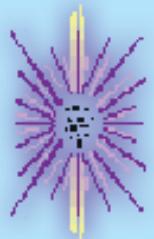
BLOCKING OBJECT
MOVING OR
SCROLL-PUSHED INTO:
The player is destroyed and removed from the game area. Apply Player Destroyed rules (page 14).
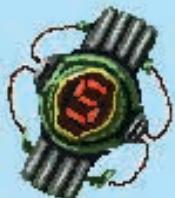
SPACE BOMB
Using the Wormholes does not count as a move. Do not reduce Threat level when using it.
WORMHOLE
BLOCKING OBJECT. SCROLL-PUSHED INTO:
WHEN STANDING ON, MOVING OR SCROLL-PUSHED INTO: The player may relocate to another visible non-occupied Wormhole of his choice, without spending any moves.
The player that is Scroll-Pushed into the Space Bomb receives 1 immediate damage and is pushed to the left or
ASTEROID/WALL

SCROLL-PUSHED INTU: Ine player that is Scroll-Pushed into an Asteroid or a Wall receives 1 immediate damage and is pushed to the left or right (his choice). Resolve Space Square effects for the new square. The player moves his Energy Marker 1 step to the left.
SCROLL-PUSHED INTO: The player that is Scroll-Pushed into the Mosquito receives 1 immediate damage and is pushed to the left or
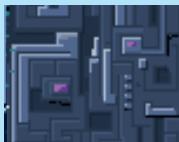
★SPACE MOSQUITO BLOCKING OBJECT.
DESTRUCTIBLE ASTEROIDS
Some Asteroids can be destroyed and are recognized by the Object Energy symbols present on the Space Square. Cover the Space Square with a Sensor Card if destroyed. The same rule as the Asteroid/Wall apply when Scroll-Pushed into a destructible Asteroid.
FIRE: When a player fires at the Space Mosquito, it flies away! The player swaps the entire Space Mosquito Card with another orthogonally adjacent Space Card of his choice. If a player is standing on the space next to the Mosquito, that player moves with it.
INDESTRUCTIBLE: The Space Mosquito cannot be destroyed. Do not cover it with a Space Card.
right (his choice). Resolve Space Square effects for the new square. The players move his Energy Marker 1 step to the left.
right (his choice). Resolve Space Square effects for the new square. The players moves his Energy Marker 1 step to the left.
DETONATION: When the Space Bomb is scrolled out of the game area (before adding a new row), it detonates; reveal 5 Sensor cards. Every player whose color/symbol appears at least once immediately receives 2 Threats.
MERCHANT WHEN STANDING ON:
The player may choose to perform a Shop action at the cost of 1 Bellonium.
This allows a player standing on the Merchant to upgrade his ship or buy Power-Up Cards without having to Power Down.
UPGRADES
SPLASH DAMAGE
When the missile hits a target, the
explosion spreads and also damages 1 orthogonally adjacent square (player's choice).
Spend 1 Energy to rotate the weapon turret in any orthogonal direction (indicated by placing a Player Marker in the desired direction). Turret stays rotated until you spend 1 Energy to use it again.
Players may only fire in the 4 orthogonal directions.
A Rotary Cage may be rotated freely when the player is Astral.
You now have a Maximum Energy Level of 6. When you purchase this Ship Mod, immediately gain 1 Energy. If you Power Down, gain 1 extra Energy when recharging (3 instead of 2).
The Rotary Cage can be rotated in any direction, any number of times during the same turn at NO COST. Players may only fire in the 4 orthogonal directions.
You now have a Maximum Energy Level of 7. If you Power Down, gain 1 extra Energy when recharging (3 instead of 2; same as with Level 1). Your 2ⁿd Overcharge now cost only 1 Energy.
When resolving Threat, reduce your Threat Level by 2 first, then apply the rule for Resolving Threat.
GAME VARIANTS AND'DRAW PILE SETUPS
| Players start without the Rotary Cage. Reminder: The first and second level of the Rotary Cage cost 3. | ||
| No starting Rotary Cage | Tunnel Vision | Without the Rotary Cage, a player's ship only fires toward the top of the screen. Ideal with 4 players. Two teams of 2 players share their Power-up cards and fight to amass the highest |
| Two teams | Wingmen | combined total of Glory. Can you defeat the Boss without getting destroyed? Play with a width of two space cards (Boss Cards |
| Single player | Survivor | 2-3 and 6-7). Specific scenarios (exact ordering of Space Cards) will demand perfection. After the standard Draw Pile setup, shuffle all the Special Cards, and randomly insert as many as you |
| Special Cards | Cool Weirdness | want. For every Special Card added, remove 1 Space Card from where you inserted the Special Card. |
| Tunnel Pack | Crowded | Use this draw pile setup: 5 rows of A1 + 2 rows of T1 + 3 rows of F1 + 1 Boss (Merchant favorably added to F1). Base movement is increased to 2 moves. Engine is not available at the shop. More blocking, more player interaction. Favorably combined with the “Wingmen” variant. |
ORIGINAL IDEA: MAGNUS TYRLAND, ANDERS TYRLAND. SPECIAL THANKS: MÅNS TYRLAND, LUCAS LILJA, CHRULL.
MAIN PLAYTESTERS: CHARLIE GRÖNVALL, FELIX GRÖNVALL, TOMAS UNDSÉN, NISSE LINDSTRÖM, KOVE LINDSTRÖM, SIMON LUNDSTRÖM, DANIEL SJÖSTRAND, DANI MLADONIZCKY, ERIC LINDE.
ADDITIONAL THANKS: TONY BOYDELL, DAN GLIMNE, AMELIE BULLOUGH, WORLD OF BOARDGAMES, PHILIPPE GUÉRIN, Z-MAN GAMES STAFF, DRAGON'S LAIR.
HEROES OF KEMBLE'S CASCADE: ADAM MAROSTICA AND JOSH EDWARDS
Download MarkdownTexts are community-compiled or publicly released by publishers; copyright remains with the original authors. For personal reference only.