
Theseus The Dark Orbit
At a glance
Rules, cards and Q&A (Chinese)
The rules, card data and player questions for this game are written in Chinese. Open the Chinese page to read them.
Where to find full rules
Full rules and card lookup are available in the cunlema app at cunlema.cn — pick this game and ask about any rule, card or turn you are unsure about.
Related games
Rulebook text (Markdown)
This game has 1 rulebook Markdown file(s) in our library; 1 rendered inline below — expand to read or download.
theseus_rules.md76.4 KB
MICHALORACZ
THESEUS THE DARK ORBIT
GAME'S GOAL
Each player commands one of the chosen factions. These factions are fighting each other on a space station - Theseus, created with a few boards called Sectors. By moving his three units around the boards and by playing cards, each player tries to destroy or weaken the enemy factions as much as possible. In addition, two of the factions in the game can acquire data that can also bring them victory. At the beginning of the game, each faction has 20 Life Points (LPs) and O Data Points (DPs]. If during the game one player brings his opponent's Life Points to O or scores 20 Data Points, he immediately wins the game. In a 2-player game, if both players have more than O Life Points and less than 20 Data Points at the end of the game, the player with the highest sum of both Life Points and Data Points wins.
SPACE STATION THESEUS SOMEWHERE IN A DISTANT OR3IT. IT SEEMS TO 3E A DEAD PIECE OF JUNK, BUT IN FACT
Its pulse comes from the clatter of Marines' machine guns and the rumble of their battle dresses. It breathes with the battle cry of Aliens, bellowed from the depths of long forgotten corridors brimming with eggs. It looks around with hundreds of cameras, the greenish light of a screen's glow the only remainder of a scientific expedition from long ago. And when the mysterious Greys penetrate its recesses, strange whispers fill the space station, and things are not what they seem. Theseus: The Dark Orbit is a tactical board game in which players not only have to foresee their opponents moves, but also make full use of their own strengths and weaknesses.
Take control of one of the four unique factions. Lead your troops as a Marine officer. Hide in the tunnels and place strategic surprise attacks as terrifying Aliens. Come to grips with the mysteries of the station and outsmart your enemies as the leader of the Scientists. Control your opponents with the psionic powers of the Greys.
It's useless to scream in space. You know this. So don't scream. Fight!
SKIP THE TEXT! WATCH THE TUTORIAL!
You can skip over the rules and learn the game with our video tutorial!

Scan the QR Code or visit our website http://portalgames pl.
GAME COMPONENTS
Before playing for the first time, carefully remove the cardboard components from their frames.
7 SECTOR 3OARDS
(4 faction sectors and 3 common sectors)

Players will use the Sector boards to create the playing area – players will place their cards there and move their units on it, Sectors are described in detail on pages 6 and 10.
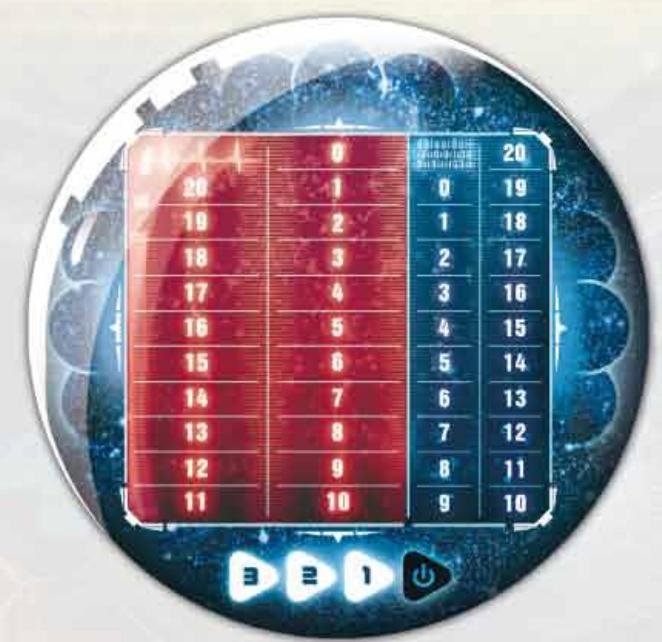
1 LIFE AND DATA POINTS 3OARD
This board is used to track the players' Life Points and Data Points. The Life and Data Points board is described in detail on page 12.
12 FACTION UNIT PAWNS
(3 pawns for each one of the 4 factions, represented by different colors]


ALIEN UNIT
GREYS UNIT

MARINES UNIT

SCIENTISTS UNIT
Before the first game, you need to put the stickers on the tokens according to the colors – e.g. the red background sticker on the red token, etc. Each token should show a base unit on one side and an upgraded unit on the other.

BASE UNIT

UPGRADED UNIT
These tokens represent units of the players' factions. Players will move them around the Sectors to conduct different Actions and trigger various card effects.
100 FACTION CARDS
[25 cards in each of the 4 faction colors]

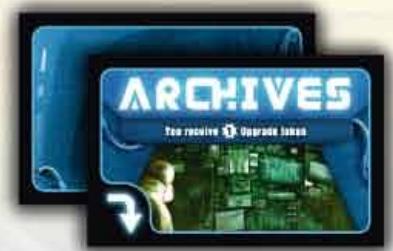
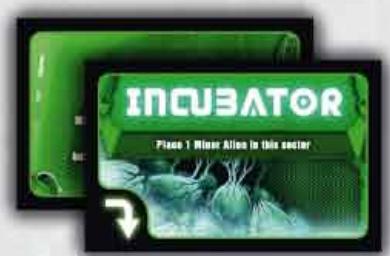
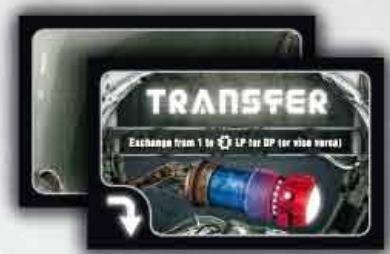
The faction card decks consist of cards the player will place on the Sector
boards, and a few Instant cards played to carry out some immediate effects. These cards can give the player some advantages or enable him to act
against his opponents. The different types of cards are described in detail on page 13.
GAME COMPONENTS
4 ALIANCE TOKENS
These tokens are only used in the multiplayer game, For more details, see page 15.
BONUS CARDS
Bonus cards do not belong to any faction. They are placed on Sector boards at the beginning of the game and can be gained by players during the course of play.
b FACTION MARKERS
(2 markers for both the Scientists and the Greys and 1 for the Aliens and the Marines].


These markers are used to mark the players' Life Points and Data Points.
1 ETD TOKEN This token is used to establish the game's end.

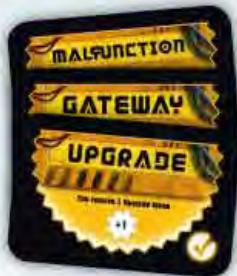
1 MALFUNCTION TOKEN
This token is used to mark a card disabled by the Control Room sector action. For more details, see page 11.
20 UPGRADE TOKENS

Players can use these tokens to upgrade their units or several card effects. For more details, see page 11.
The game includes an additional, fifth faction - Pandora. It has its own set of elements, different from other factions. For more details, see page 16.
PANDORA

3 standard unit tokens [Creatures]

1 faction marker

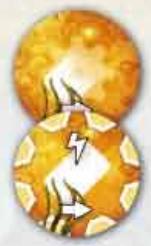
10 smaller unit tokens [Embryos]: 2 Catchers, 4 Runners, 4 Warriors.

These tokens are introduced to the game by various card effects. Each faction has its own supplemental tokens in their faction color.
SUPPLEMENTAL TOKENS
1 Pandora's sector token

2 Defence System tokens
2 Fire tokens


2 Tentacles tokens

2 Gripper tokens


3 Deactivation tokens
2 Invisibility tokens

3 Minor Alien tokens

2 Parasite tokens


4 Creepers tokens
5 Hidden tokens

THE RULES ON THE FOLOWING PAGES REFER TO A TWO-PLAYER GAME. AL ADJUSTMENTS NECESSARY FOR A THREE-OR FOUR-PLAYER GAME ARE PRESENTED ON PAGE 13
5 Camcorder tokens
SETUP
Each player chooses the faction he wishes to play and takes all the components of the chosen faction.
Each of the four factions in the game consists of the following components in the same color:
• A faction Sector board
• 3 units
• 25 faction cards
• One [or two] small markers to mark the Life Points level (and Data points level].
• Other faction tokens
All of the faction pieces that do not participate in the game should be put back into the box.
The owner of the game has the privilege to start the game. He may also choose another starting player or the starting player may be chosen randomly.
Now you can proceed with creating the playing area.
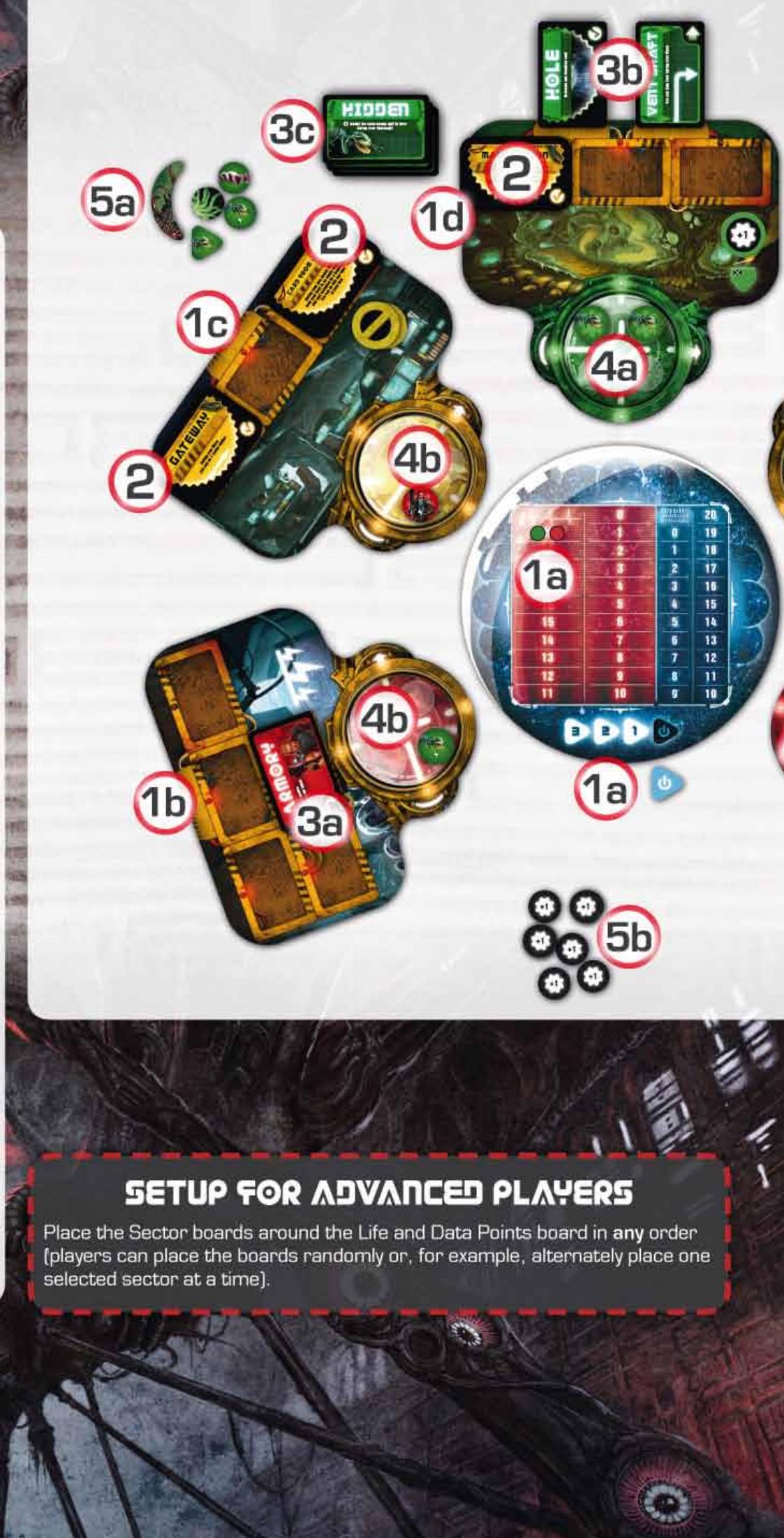
1] PLACE THE 3OARDS
1A] Place the Life and Data Points board in the middle of the playing area (put the End token next to it).
Then, each player places a wooden marker of his faction on the 20” space of the Life Points track.
If a player chooses the Scientists or Greys faction, he also places a second wooden marker of his faction on the O" space of the Data Points track.
Now place the Sector boards around the Life and Data Points board in the following order as shown in the picture:
13] Corridors
1c) Control Room (place the Malfunction token over the Malfunction symbol) ] The Faction sector of the first player
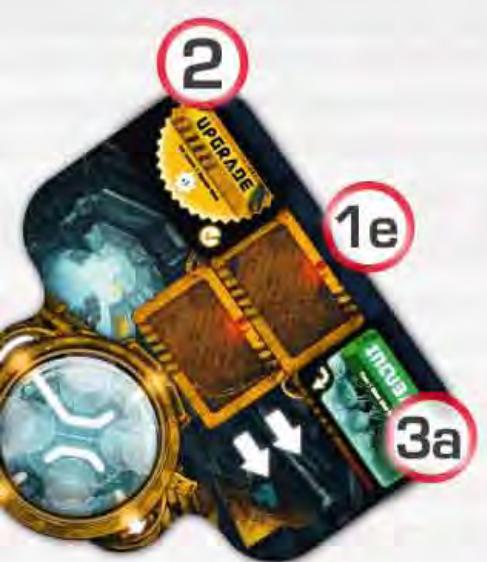
1E] Tech Bay
1] The Faction sector of the second player
The order in which the sectors are placed determines the order of the players during the game: the first player is the player whose Faction sector is placed first after the Corridors (clockwise). The order of the other players is determined by the order - in clockwise direction - in which the other faction sectors are placed.
Example: There are two factions in the game, the Marines and the Aliens. The Sector boards are placed in the following order: Corridors, Control Room, Alien Hive, Tech Bay, Unloading Dock. The first player is the one commanding the Aliens.

FIRST GAMES
The rules of Theseus can be learned very quickly, but tactical expertise is achieved only after many games. Both installing cards and the upgrade of units, upgrading cards or activation of specific actions requires a lot of expertise in movement planning. To avoid first-time players getting the impression that they cannot do anything throughout the game, you may use the following 'starter rules'
We strongly recommend using the following modifications for the first games.

GRADUAL INTRODUCTION OF CARDS
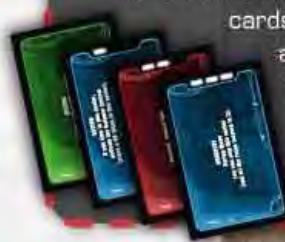
On the back of the cards there is a card difficulty level indicated in the right margin: O (no mark), 1, 2 or 3. These marks do not affect the course of the game in any way. During the first games we recommend to only use the level cards to prepare the faction deck (consisting of 15 cards]. This will allow players to easily deal with a situation and not be overwhelmed by the variety of different cards.
Cards of higher difficulty levels should be introduced into the game gradually; for example, after a few games use the cards of level O and 1 to create the faction deck, and in the next game use cards of level 0. 1 and 2, etc.
START WITH THREE CARDS INSTALED
During the game setup, when players place their starting cards, each player takes 5 cards from the top of his faction deck (instead of only 3) and installs 3 of them (not just 1]. The other rules for the placement of starting cards placement are the same - players choose which cards to install and in which slots, they install the cards alternately one at a time, etc. This will teach players how to move their units through the sectors.
2] PLACE THE 3ONUS CARDS
Shuffle the Bonus cards and then, starting with the Corridors sector and continuing clockwise, place one random Bonus card in each Installed card slot marked with thesymbol. Place the cards face up.
Each player draws three cards from the top of his deck and then (in turn order):
3) DEAL THE STARTING CARDS
3A] Selects one of them and places it (face up) in any empty Installed card slot in any sector.
Note: If the selected card is an instant card, the player keeps it next to him instead of placing it on the board.
Each player shuffles his faction cards, then takes the first 15 cards and returns the rest to the box without looking at them (the returned cards will not take part in the game). The 15 selected cards are placed face-up in a stack and are called the player's deck [he will always know what the first card is].
Return the unused Bonus cards to the box - they will not take part in the game.

33] Places the other two cards (face up) in his Faction sector's two Pending card slots.
3c] The remaining 12 cards create a deck from which the player will draw his cards during the game.
4 PLACE THE UNITS
Each player has three identical units represented by the pawns in his faction color.
Each unit has two sides, a base unit and an upgraded unit ()
[uA] Starting with the first player, each player places his two units (base side up] in any Rooms in his Faction sector.
[u3] Then, in turn order each player places his third unit [base side up] in any empty Room in any sector.
3] TOKENS
(5A] Each player places all his remaining tokens in front of him.
(53] The Upgrade tokens should be placed in easy reach of all the players, creating a general supply.
SETUP
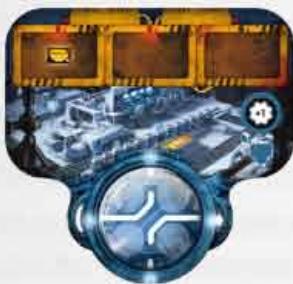
SCIENTISTLABORATOR(SCIENTISTS)
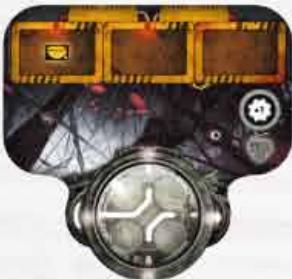
GREYS' SHIPWRECK [GREYS]
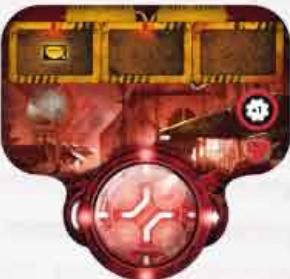
UNLOADING DOCK [MARINES)
SECTORS IN THE GAME

ALIEN'S HIVE [ALIENS]
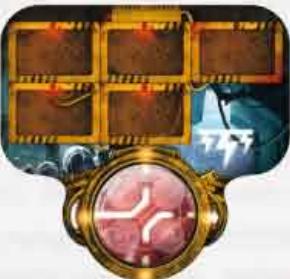
CORRIDORS [COMMON SECTOR]

CONTROL ROOM [COMON SECTOR]

TECH3AY (cOmnON SECTOR]
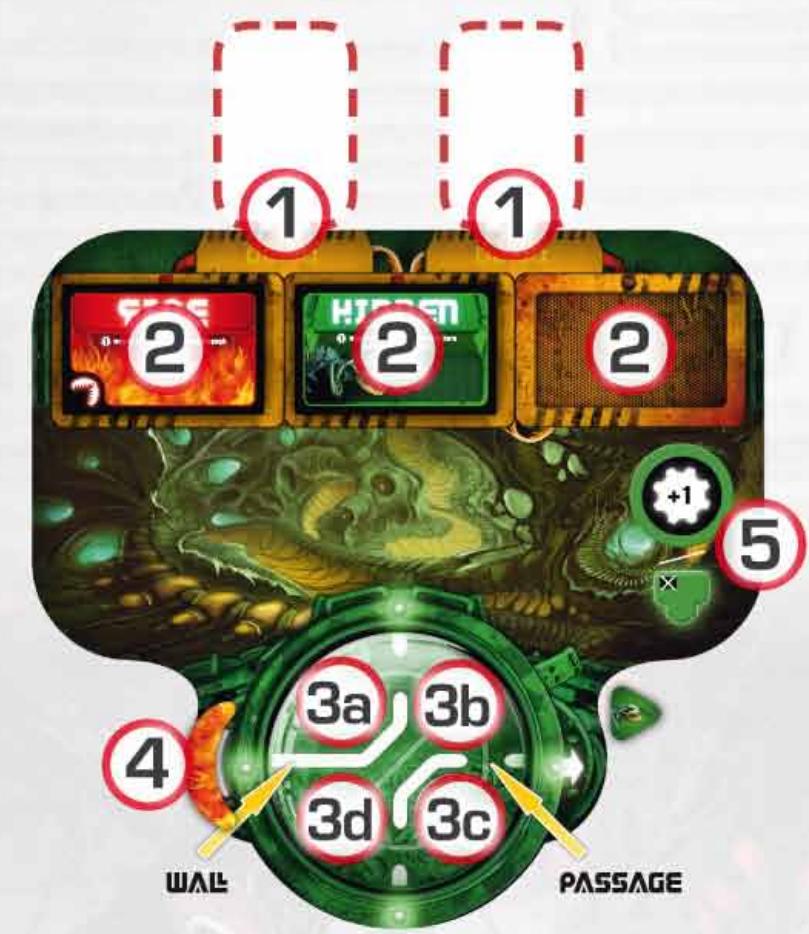
SECTOR EXAMPLE
1] PETDING CARD SLOTS
The effect of the cards placed here are not taken into consideration. In order for these cards to begin to operate in the normal way, the players have to install (place) them in any of the Installed card slots during the game. The Sectors have O, 1 or 2 Pending card slots.
There can be only one card in each Pending card slot.
2) INSTALED CARD SLOTS
The effect of the cards placed here are resolved in the normal way during a player's turn.
Placing a card on the Installed card slot is called card installation.
There can only be one card on each Installed card slot.
3] UNIT'S AREA (ROOMS]
Each Unit's area consists of four Rooms (3a, 3b, 3c, 3d). There can only be one unit in each Room at the same time. The individual Rooms may be connected with passages – the passages indicate which units can attack each other (more about Attacks on page 10].
4] TRAP TOKENS AREA
Players can place Trap tokens next to the Unit's area, to remind players of the Trap cards placed in the sector:
- Crescent-shaped Trap tokens [e.g. Fire, Tentacles, Defense System) are placed on the left side of the sector. These tokens will remind you of Trap cards installed here that are active while moving through the sector.
- All other Trap tokens (e.g. Hidden) are placed on the right side of the sector.
3) SECTOR ACTION SYM3OL
Each sector has its own sector action, which is represented by an icon on the Sector board. Sector actions are described on pages 10-11.
GOLDEN RULE
GAME SEQUENCE
Installed Card rules take precedence over and modify the general rules.
GAME SEQUENCE
The first player starts the game by taking his turn. A player's turn consists of four consecutive steps:
1] Movement Phase
2] Action Cards Phase
3] Sector Action Phase
ı Pending Cards Phase
1) MOVEMENT PHASE
The player chooses one of his units from any sector and makes a MovE.
Nate: The player may choose to move his unit located on the Space field instead of a unit located in one of the sectors. In this case follow the rules presented on page 12
MOVE RULES
Move the unit a number of sectors equal to the number of all units (regardless of faction) standing in the sector from which the unit starts its move.
The unit must move the exact number of sectors (neither more nor less). The number of sectors that the unit has to move during its Movement Phase is called its Move points.
The unit can only move clockwise.
The unit may be placed in an empty Room of the player's choice in the sector it ends up in.
Move example:
Any unit in sector A must move 2 sectors (to sector C), because there is a total of 2 units in sector A.
Any unit in sector B must move 4 sectors [to sector A]. because there is a total of 4 units in sector B.
A unit in sector C must move 1 sector (to sector D), because there is only 1 unit in sector C.
Any unit in sector D must move 2 sectors (to sector A), because there is a total of 2 units in sector D.
Note: There are several cards that modify the movement of units. Particular attention should be paid to the Shortcut cards [], which allow the player to completely skip the sector in which they are placed.
A) EJECTION INTO SPACE
If there is no empty Room in the sector in which the unit ends its Move, an Ejection occurs: one of the units already in the sector (selected by the ejector] is transferred to the SPACE field (located on the Life and Data Points board – a detailed description of the Space field can be found on page 12). The unit that moved in takes the place of the ejected unit. The ejecting unit therefore fills up the sector and – after resolving all the Traps in the sector [see below] – it starts the Lesser Onslaught (for a description of the Lesser Onslaught, see page 10). The player can, if he wishes to, eject his own unit into Space.
Note: If you move an enemy unit (e.g. using the Contral or Team Tactics cards), you are still the ejector, even though you move an enemy unit, and not your own
3] POSSI3LE TRAPS
If the unit has completed its Move in the sector with an installed enemy Trap card (or has been moved there using a card effect), the Trap effect is resolved immediately after the Move is finished (for a description of Trap cards, see page 13).
Trap cards are marked with theicon.
Note 1: There are several Traps [e.g. Fire, Tentacles] which are resolved not only when the player completes its Move in the particular sector, but also when the enemy passes through this sector- the crescent-shaped tokens are placed on the left side of the sector board to remind player of active Traps during a Move through the sector.
Note 2: If the order of resolving Traps in the sector is important, the player taking his turn decides in which order they take effect.

GAME SEQUENCE
C) LESSER ONSLAUGHT
If a unit fills up a sector (all Rooms of this sector contain a unit) at the end of its Move and all Traps have been resolved, it triggers the Lesser Onslaught in this sector (more on page 10).
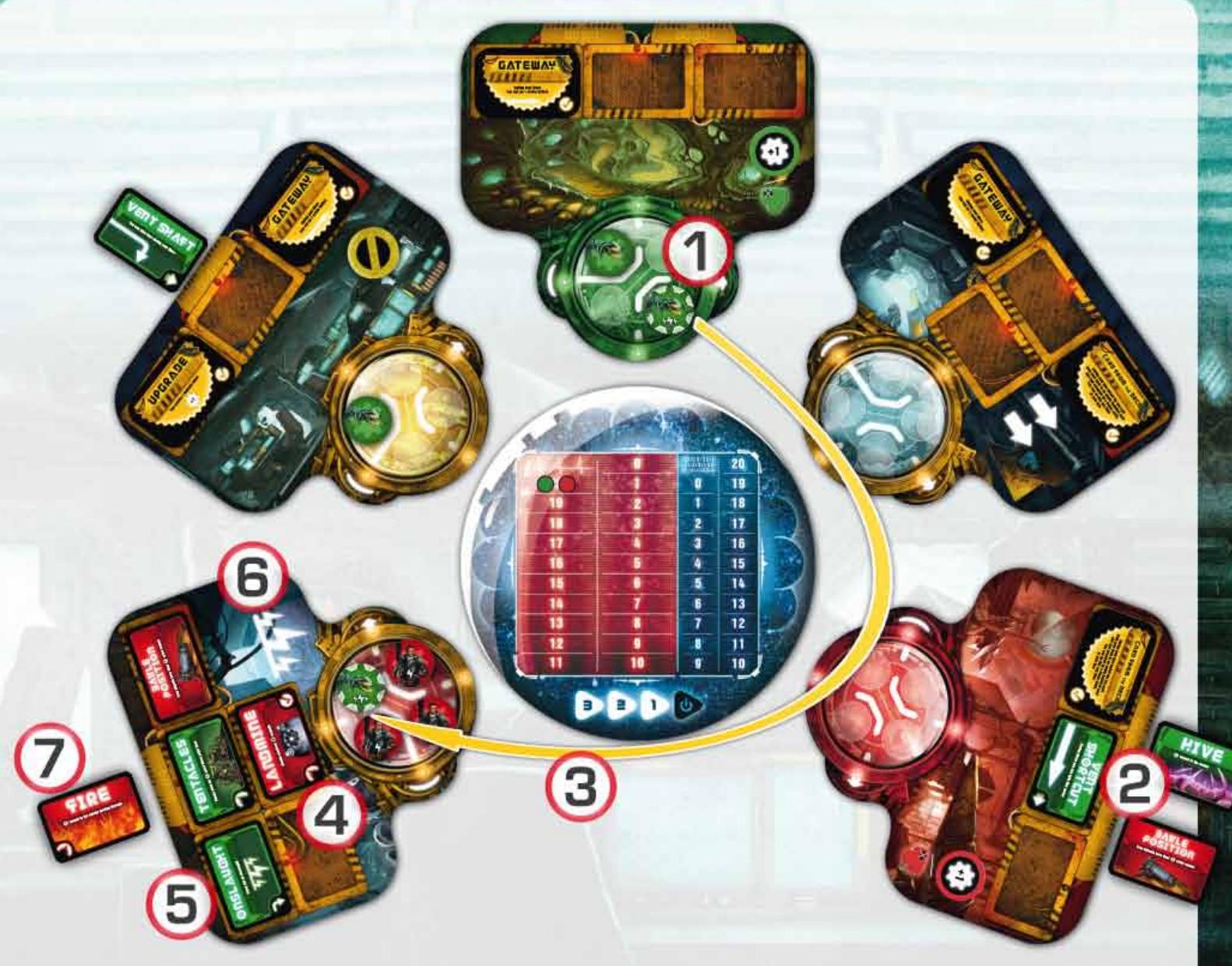
Move Example (see the image below): The player commanding the Aliens moves one of his units standing in the Alien Hive (1). There are two units standing there, so the player must move the unit two sectors forward. It should, therefore, end its Move in the Unloading Dock, but the player has a Vent Shortcut (2] card that allows him to skip this sector during the Move. The player decides to end his Move in the Corridors sector (3) and proceeds to resolve Traps. There is one enemy Trap - it is a Landmine (4), so the Aliens lose two Life Points, and - as it is a single use card – it is removed from the game. The Alien unit that has just entered the sector is the fourth in this sector, so it triggers a Lesser Onslaught – according to its Attack rule it deals one wound to each enemy unit in this sector (it's an upgraded unit) – each of the three Marine units are in Attack range (the Rooms in which these units are stationed are connected by passages), so the player commanding the Marines loses 3 Life Points. The Movement Phase is over and the player commanding the Aliens may proceed to the Action Cards Phase.
2) ACTION CARDS PHASE
After finishing his Move, the player resolves all the Actions of all his installed Action cards in the sector in which he stopped (if he has any installed Action cards there). The exact rules of the actions are described on the particular cards (for a description of Action Cards, see page 13]. Action cards are marked with theicon.
Note: If the order of resolving the installed Action cards in the sector is important, the active player decides in which order the cards take effect.
Example (see the image below): A unit enters the Corridors sector and after resolving the Landmine card and triggering a Lesser Onslaught the sector still contains the following cards: Battle Position (it activates during Marine attacks), Tentacles (Alien Trap – activates when an enemy unit enters the Room) and Alien Onslaught. The player therefore triggers an Onslaught (5)- all the units in all the sectors attack. There are no Marine units that the player could attack in the other sectors - all three enemy units are in the Corridors – the player commanding the Marines receives another three wounds, therefore losing 3 Life Points.
SUMUMARY: THE ORDER OF THE POSSI3LE MOVEMENT EFFECTS
• Move the unit to the appropriate sector.
e If all the Rooms are occupied in the sector, an Ejection into space occurs.
• Resolve possible Traps.
If all the Rooms are now occupied in the sector, perform the Lesser Onslaught.
Note: In some cases these phases may repeat; for example, a player moves his unit, which fills up the sector – he resolves Traps and a Lesser Onslaught is triggered, then continues to resolve an Installed card action that allows him to Move an enemy unit after which another sector is filled up and again Traps are resolved and a Lesser Onslaught is carried out.
3] SECTOR ACTION PHASE
Then the player performs the sector action in which he ended his Move (i.e. Onslaught, Additional Turn, Malfunction, Upgrade token]. These actions are described in detail in the Sector section on page 10.
Note: The player only resolves the action in the common sectors and his faction sector. If the player stops in an opposing faction's sector, he does not perform its action.
Example ('see the image on the previous page): The Corridors sector action is Onslaught (6) - in the depicted situation the player commanding the Marines loses another 3 Life Points.
4] PETDING CARD PHASE
Now the player may take one of the following actions:
A] If there are no Pending cards (his or his opponent's), the player draws the top card from his deck and places it in the empty Pending card slot in this Sector.
3] If there is an enemy Pending card, he discards it, replacing it with the top card from his own deck.
c] If the sector contains his own Pending card, the player installs it (face-up] on any empty Installed card slot in any sector. Then the player immediately places the top card from his deck in the emptied Pending card slot.
If there are two Pending card slots in the sector, the player selects only one of these slots for the purpose of this action.
Example: A player finishes his Move in his faction sector, where there are two Pending cards: one belonging to him, the other to the enemy. The player has to choose one of the following:
- Discard the enemy Pending card and replace it with his own card (from the top of his deck).
- Install his Pending card (in any sector) and place a new card in the emptied Pending card slot (from the top af his deck).
The Pending cards phase is not mandatory. You may choose one of the above options: [A), (B), or (C) - or nothing. But if you choose option (B) or [C] you can't stop halfway - you must replace the card that you discard or install
Note: When installing the card, the player may, if he wishes, discard any of his already Installed cards and install the new card in the emptied card slot instead.
Example (see the image on the previous page): In the Corridors sector there is only one Pending card slot and there is an enemy card (7)–the player commanding the Aliens discards it and replaces it with the top card from his deck.
Once the Pending card replacement is done, the next player takes his turn.
GAMESEQUENCE
3ONUS CARDS
The player can install a card in the Installed card slot in which a Bonus card is already placed. If the player chooses to do so, he takes the Bonus card and can use it right away or at any time of any of his future turns (for a description of the Bonus cards, see page 13).
Bonus cards are kept visible to other players.
Once taken, a Bonus card is not replaced on the Sector boards.
ETDING THE GAME
When any player has to place a card in the Pending card slot but he no longer has cards in his deck, he moves the End token one spot towards .This happens during the Pending card replacement, when the player has removed his opponent's Pending card or installed his own card and has to place a card in the emptied Pending cards slot - he must move the token on the Final Sequence track instead when he has no more cards in his deck.
Note: Discarded cards are never reshuffled to create a new deck.
The first time this happens, the player places the token on the 3” space, the next time it moves to 2", then to 1" and finally to
Note: If the Pending card slot is empty and the player has no more cards, he does not perform the Pending card replacement and therefore does not move the End token on the Final Sequence track.
When the End token moves tospace, the game ends immediately and players should sum up their scores on the Life Points track and Data Points track.
The winner is the player who ended the game with the highest sum of both results.
Example: There are two factions in the game, the Scientists and the Aliens. When the game ends the Scientists have 8 Life Points and 7 Data Points, 15 points in total. The Aliens have only 13 Life Points (Aliens do not collect Data Points). The Scientists win.
In case of a tie, each player takes an extra turn - starting with the next player after the player who ended the game and continuing in turn order.
If the players are still tied, then the game ends in a draw and the tied players share the victory.
THE GAME MAY ALSO ETD IMMMEDIATELY IN THE FOLOWING CASES:
- If during the game the Life Points of any faction drop to O, this player immediately loses the game.
- If during the game any faction scores 20 Data Points, this player immediately wins the game.

SECTOR DESCRIPTION
CORRIDORS
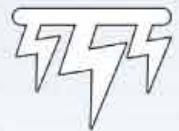
SECTOR ACTION: ONSLAUGHT
All your units [in all sectors!) automatically attack enemy units in accordance with the rules of Attacks (see below].
Note: Only the units of the player that caused the Onslaught attack enemy units.
The enemy units do not attack the units of the player that caused the Onslaught.
AIACK RULES:
1] The unit attacks enemy units standing in the same sector only if their Rooms are connected by passages (such units are considered to be in Attack range).
Example: In the picture below you can see a Marine unit attacking only two out of three Alien units in the sector because the third unit is in a Room separated by a Wall (and there is no passage to its Room)
2] The unit can attack up to as many enemy units as its Attack limit allows (the Attack limit is depicted on the unit).
AIAC TYPES
- Attack inflicts one wound on up to one enemy unit in Attack range in the sector
- Attack inflicts one wound on each enemy unit in Attack range in the sector
– Attack up to one enemy unit in Attack range in the sector; this Attack gives the player one Data Point instead of inflicting one wound.

3] Each attack on an enemy unit results in wounds for the enemy. All of the wounds received by a faction should be immediately noted on the Life Point track by adjusting the faction marker respectively (1 wound decreases a player's Life Points by 1).
Note: The Greys gain Data Points instead of dealing wounds.
Example: Two of a player's units are dealt one wound each, so he decreases his Life Points by 2.

FACTION/AIACK BASE UNIT UPGRADED Marines attacks one enemy unit attacks all enemy units Aliens none attacks all enemy units Scientists none attacks one enemy unit Greys none attacks one enemy unit [DP]
LESSER ONSLAUGHT
Whenever the unit is the fourth one to enter the sector and therefore fills up this sector, it triggers a Lesser Onslaught in this sector. This is resolved in the same way as a standard Onslaught, but only in the sector in which the fourth unit entered.
Note 1: In case the unit is the fourth one to enter the Corridors sector, it triggers a Lesser Onslaught (by filling up the sector), and then a standard Onslaught is carried out across the sectors (by resolving the Corridors sector action).
Note 2: If you move an enemy unit (e.g. using the Control or Team Tactics cards] and you fill up the sector, it is still you who triggers the Lesser Onslaught, although you move an enemy unit, and not your own.
TECH 3AY
SECTOR ACTION: ADDITIONAL TURN
Choose another of your units (located in any sector] and take an extra turn with it.
During a player's turn, none of his units may move twice (in any way).
Example: if a player moved a second unit as a result of an Additional Turn action, and it also ended its Move in the Tech Bay, it would allow another Additional Turn action. If the third unit Moves, and also finishes its turn in the Tech Bay, then the player cannot resolve the Additional Turn action a third time, because there are no more units that he can move,
This sector action is mandatory, even if its effect would be disadvantageous for the player.
Note: If a player has the possibility to move a few of his units because of the Tech Bay action [as in the example above], he can indicate and easily remember which units the player already moved during his turn by moving them to the edge of the Room. There are spaces indicated on the sector board for this purpose. At the end of his round, the player moves his units back to the middle of the Rooms
CONTROL ROOM

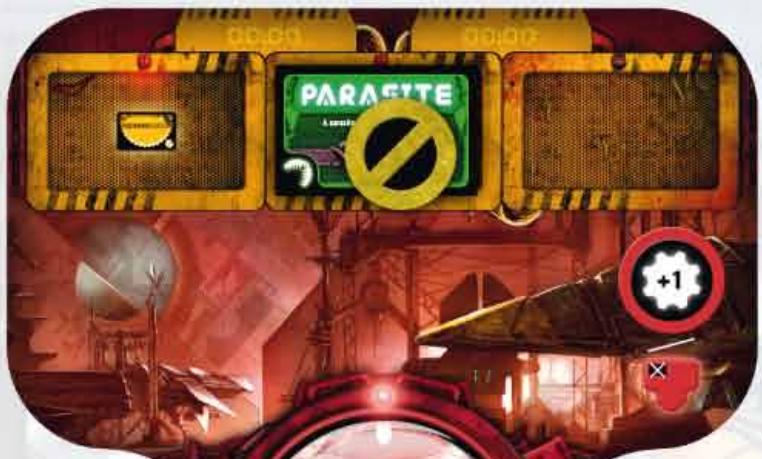
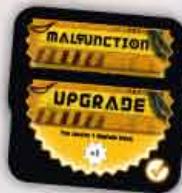
SECTOR ACTION: MALFUNCTION
Take the Malfunction token [from where it is currently placed) and place it on any Pending or Installed card of your opponent [in any sector].
Note 1: The Malfunction token can be placed on any card, and therefore it can be placed back onto the same card where it was to start off with.
Note 2: You cannot place the Malfunction token on a Bonus card.
As long as the Malfunction token is on a Pending card, this card cannot be installed or discarded by any player
As long as the Malfunction token is on an Istalled card, this card's effect is not taken into consideration, it cannot be discarded, no Upgrade token can be placed on it, etc. It is completely excluded from the game.
Note 1: If the card has already introduced a token into the game (e.g. Parasite, Minor Aliens, Invisibility). despite the card's exclusion from play these tokens are not removed from the board but stay in effect.
Note 2: If the card does not introduce any tokens into the game but you use a supplemental token [Fire, Tentacles, Defense System, Hidden] as a reminder of the card's effect, then for the time the card is excluded from the game by the Malfunction, this token should be removed and for example placed back onto its card (because this token is used only as a reminder of the Installed card in the sector].
Note 3: If the card's effect has already been improved with the Upgrade tokens or activated (e.g. Defense System], or another token is placed on the card (e.g. on the Camcorders card) and the card is excluded from the game by the Malfunction, the token is not removed from the card nor is the card deactivated, but it is also temporarily excluded from the game.
FACTION SECTORS
(MARINES' UNLOADING DOCK, SCIENTISTS' LA3ORATORY ALIENS' HIVE, GREYS' SHIPWRECK)
The player resolves the sector action only if it is his own faction sector. If a player stops in an enemy faction sector, he does not resolve its action. Each faction sector gives the player the choice of one of two possible actions.
PLAYER'S FACTION SECTOR ACTION: UPGRADE TOKEN Receive 1 Upgrade token from the general supply.

PLAYER'S FACTION SECTOR ALTERNATIVE ACTION: 3ASE CLEAN-UP

Discard one of your enemy's Installed cards from your faction sector, removing it from the game.
ENEMY'S FACTION SECTOR ACTION: NONE
UPGRADE TOKENS
Upgrade tokens can be used in one of the following ways: 1] You can discard 1 Upgrade token to turn any of your units to its reverse side (upgraded side).

≥] You can place an Upgrade token on any of your Installed card that has a number depicted on the Upgrade symbol
Each Upgrade token placed on the card increases the number on the card by 1.
Example: A Landmine card deals 2 wounds to an enemy. If there's one Upgrade token on this card, it deals 3 wounds.
Placement of the first Upgrade token on a card is free. To place another token on the same card the player must first discard as many Upgrade tokens as there are already on the card.
Example: There are two Upgrade tokens on the Battle Position card. To place a third token the player must have three Upgrade tokens – two need to be discarded, and the third is then placed on the card.
Upgrade tokens are kept visible to other players.
Each card can have up to 6 Upgrade tokens.
3] You can keep the Upgrade token for later and use it at any time during one of your future turns in any of the ways outlined above.
If a player has many Upgrade tokens, he can use any number of them in his turn, even using them all at once.
SECTOR DESCRIPTION
LIFE AND DATA POINTS BOARD
Each faction has 20 Life Points. Life Points are shared by all faction units. Whenever a faction's unit takes a wound (whether as a result of enemy attacks, or inflicted by a Trap), the faction's Life Points level is decreased accordingly on the Life Points track.
The Scientist and Grey Factions collect Data Points during the game, starting at O at the beginning of the game.
Whenever a faction collects Data Points, the faction's Data Points level is increased accordingly on the Data Points track.
SPACE FIELD
There are 3 Space fields on the Life and Data Points board. There is no limit to the number of units that can be in the Space field, regardless of faction.
SPACE FIELD RULE:
Units ejected from a sector into the Space field (see Move rules on page 8) remain there until a player chooses to Move it on his turn (instead of one of his units in one of the sectors).
If, on his turn, a player moves the unit standing on the Space field, he can place it in any empty Room of any sector.
This unit does nothing more (besides resolving Traps, if there are any) and the player's turn ends (no Installed cards action or sector action are resolved, no Pending card replacement occurs, and no Lesser Onslaught is triggered, even if the sector is full).
Life and Data Points board
description:
1] Life Points track
2] Data Points track
3] Final Sequence track
4 Space fields

TOKETS LIMIT
There are different types of tokens in the game, such as Upgrade tokens, Invisibility tokens, Parasites, and Minor Aliens etc
The number of tokens of each type also defines the maximum number of such tokens in the game. This means that if at any time the player needs another token of a specific type, but there are no more tokens of this type available (all of them are currently in use), the player does not receive the token (e.g. Incubator does not create a Minor Alien, the player does not receive an Upgrade token, etc.].
Tokens discarded from the game return to the available token pool.
GENERAL TACTICAL ADVICE
The situation in the sectors changes rapidly during the game, and every game is completely different, so it is impossible to develop one legitimate strategy. It will take a player many games to respond properly to the situation in the game, but there are a few basic tactics you should know from the beginning:
• Avoid accumulating your units in one sector– you will deprive yourself of various Move options in the next round.
Try not to end your Move in the Corridors sector without a reason, because the enemy can move there and activate his Onslaught and wound you with ease.
At the start, try to end your Move in your faction sector as often as possible, because it's the easiest way to install your cards (there are always two Pending cards available at the beginning).
In the beginning, install many cards and throughout the game try to install more, upgrading your units and cards in locations that give you the best results.
• Try to block the enemy's best possible card sets, especially the ones including Duplication cards to stop him from copying the action of his most powerful upgraded cards.
• Make use of all the cards, not just the ones that seem most powerful at first. In time, you'll find that each card can lead to victory.
Note that for many cards the installation is just the beginning - it is often important to upgrade these cards several times, if possible, or to install a Duplication or another card to improve its effectiveness (some sets of 2-3 cards can crush an enemy in a single turn).
Be careful not to end your Move in a Sector with three of your units or in a filled-up sector with a few of your units. If the opponent will be able to, he will perform a Move that will eject your unit into Space and / or fill up the sector, triggering a Lesser Onslaught and dealing you a lot of wounds.
• Install your best Action cards in the Tech Bay, so you have the option to activate it several times in one round.
• Install less useful cards in the slots for Bonus cards.
Do not allow your enemy to install only his cards in one sector - each sector should bring you some benefits
CARDS'SIDES
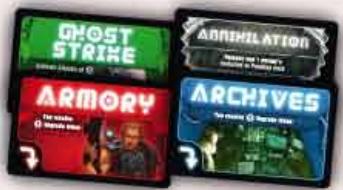

FACE-UP CARDS
FACE-DOWN CARDS
All cards in the game are always placed face up.
On the front of a card you will find the summarized rules of the card, which functions as a reminder of the full rules described in detail on the back. The back of the card contains a detailed description of the rules of the card. During the game a player can always look at the back of a card to find out the exact rule of that card.
Note: There is a symbol on the back of some cards that reminds the player to place a token when the card is installed in the sector [a crescent-shaped symbol on the Fire and Tentacles cards, circle symbol on the Hidden card, a symbol of a few tokens on the Creepers card).
CARD TYPES: ACTION CARDS
Whenever your unit ends its Move in a Sector with an installed Action card, resolve the card's action.
Theicon means: When your unit ends its Move here, resolve this card"
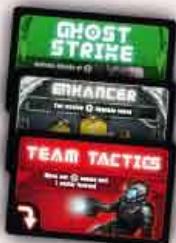
MODULE CARDS
A Module card affects other cards or units in the sector in which it is installed.
TRAP CARDS
A Trap card affects an enemy unit that ends its Move in the sector in which the Trap is installed.
Traps are resolved both when the unit ends its Move in the sector, and when it is moved to the sector as a result of a card effect.
Some Traps (Fire, activated Defense System, Tentacles) are also resolved when the enemy passes through the sector in which they are installed. These Traps also use crescent-shaped tokens placed in the Trap tokens area on the Sector board to remind players of their effects.
Theicon means: When the enemy ends his Move here, resolve this Trap"; (in case of Traps with crescent-shaped tokens like Fire, Defense System, and Tentacles it means: When the enemy ends his Move here or passes through, resolve this Trap"].
CARD DESCRIPTION
INSTANT CARDS
An Instant card is not installed in any sector but is played from a player's hand and is resolved immediately. If you do not want to use the Instant card immediately when you acquire it, you can keep it and use it at any time during your future turn. Keep it face up and visible for the opponent. If a player has many Instant cards, he can use any number of them in his turn, even playing them all at once. All Instant cards are single use and are discarded afterwards.
SHORTCUT CARDS
A Shortcut cardmodifies the movement of your own uníts through the sector in which they are installed.
DUPLICATION CARDS
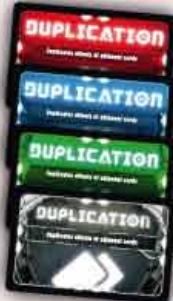
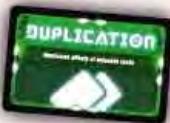
A Duplication card copies the effect of each card (including all the tokens placed on the card) of the same faction that is directly adjacent to it [vertically or horizontally – Duplication does not work diagonally).
It is possible for the Duplication to copy up to 3 cards at a time if it is directly adjacent to these cards (this can happen in the Corridors and the Tech Bay).
A Duplication card cannot copy a card excluded from the game by a Malfunction or removed from the game.
Adjacent Duplication cards do not copy each other.
SPECIAL CARDS
A Special card affects the whole game (e.g. according to the card rule it can affect all the sectors, all the units, etc.).
BONUS CARDS
A Bonus card does not belong to any faction.
All Bonus cards are Instant cards (see above).
Bonus cards can be used immediately when acquired.
SUPPLEMENTAL TOKENS
Some cards, such as Parasite, Invisibility, Incubator, and Gripper, introduce some tokens into the game that are placed when the card is resolved. Other cards: Fire, Tentacles, Defense System, Hidden, and Creepers also use some supplemental tokens, but only to remind players of the corresponding Installed card's effects, which are resolved during a Move (crescent-shaped tokens: Fire, Tentacles, Defense System] or during the Onslaught [Hidden token].
CARD DESCRIPTION
CARD FEATURES:
UPGRADED
If the card has a number inside the Upgrade symbol , it means that each Upgrade token placed on this card adds +1 to the number on the card.
There can be up to 6 Upgrade tokens on one card.
When you acquire an Upgrade token but you are unable to place it on any of your cards, you can keep the token and use it at any time during any of your subsequent turns.

SINGLE USE

Discard the card after resolving its effect.
COMMENTS FOR SPECIFIC CARDS
You don't have to read this section when you play for the first time. Information gathered here refers to special cases and situations. Only check this section when you have any doubts about what a specífic card does.
DUPLICATION OR MORE OF THE SAME CARD IN ONE SECTOR
If there are multiple copies of a card in one sector lor a card is copied by the Duplication card) the effect of the card can be:
multiplied in the normal way
MARiNES: Armory. Landmine, Fire, Battle Position. Trap Detector, Onslaught
SCIENTISTS: Archives, MedI Bay, Small Laboratory. Defense System, Station Schematics, Detonation ALIENS: Tentacles, Hive, Hidden, Habitat, Incubator, Onslaught
GREYS: Chamber: Landmine, Probe, Enhancer. Time Loop, Downgrade, Transfer, Life Tapping
resolved only once, since the card's effect cannot be duplicated
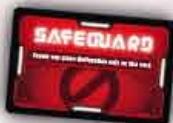
MARINES Barricade, Ambush, Safeguard, SCIENTISTS: Malfunction, Hideout, Secret
ALIENS: Vent Shortcut, Vent Shaft, Creepers GREYS: Teleportation
with some cards duplication is a little more complicated - check the notes to individual cards, see below.
place Malfunction back on the Safeguard card; Creepers immediately deactivate the opponent's cards in the sector, etc).
MALFUNCTION TOKEN AND ITS INFLUENCE ON SOME CARDS
A3DUCTION [ALIENS]
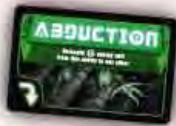
Taking the Malfunction token off a card immediately activates the card. even before placing the Malfunction on a new card le.g. Safeguard immediately forces the enemy to
if the Abduction is upgraded or this card is copied by Duplication, the player can relocate different enemy units
from the sector (you cannot move one unit twice). Each unit is moved separately.
INCUBATOR [ALIENS]
If the appearance of a Minor Alien fills up the sector, a Lesser Onslaught is triggered by the Aliens.
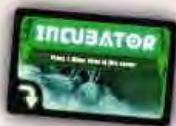
If there is no empty Room far the Minor Alien to appear, the Minor Alien ejects a chosen unit into the Space field.
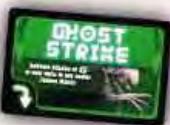
GHOST STRIKE (ALIENS)

If the Ghost Strike is upgraded or there are more of the same cards in one sector (or the card is copied by Duplication), you
can activate Attacks of different units in any sectors (one unit's Attack cannot be activated more than once per turn)
HIDDEN (ALIENS)
Hidden is not treated as a unit, so the Ghost Strike card cannot activate the Attacks of the Hidden.

PARASITE (ALIENS]
If this card is copied by Duplication, two Parasite tokens are placed on the enemy unit, causing it to receive two

wounds for each Move point used. When the unit is freed from the Parasite, both tokens are removed.
CAMCORDERS (SCIENTISTS)
When you install this card place a supplemental Camcorder token to indicate a value of Othis token is used to mark the number of gained Camcorder points. When an enemy unit

ends its Move in this sector, the Camcorders token should be moved the appropriate number of scored Camcorder points. When the Scientist faction unit stops in this sector, the Scientists receive a number of Data Points equal to the number of collected Camcorder points and reset it - move the Camcorder token back to the O value [the number of collected points is zero again).
Whenı the Camcorder token indicates a value of 6, the Camcorder is full and cannot collect any more points until it is reset
CAMCORDERS + DUPLICATION:
Duplication copies the current value of the Camcorder points (even though it is nat possible to mark the Camcorder points value on the Duplication card); for example: current value of Camcoders points is 2 When a Scientist unit stops in the sector with the Camcorder (copied by Duplication), then the player receives 4 DP [2 from the Camcorder and 2 from the Duplication]. Afterwards the Camcorder points are reset to zero.
GRIPPER [SCIENTISTS]
If a unit that is released by another unit from the Gripper causes the Lesser Onslaught, the release from the Gripper takes effect BEFORE the Lesser Onslaught.

GRIPPER + DUPLICATION
Duplication does not copy a Gripper When there are 2 Gripper cards in one sector, each one is considered separately - when the first enemy unit stops in the sector, activate one Gripper, and only when the next enemy unit stops in the sector, the other is activated
REMOTE CONTROL + DUPLICATION [SCIENTISTS]
If this card is copied by Duplication, the player may

trigger actions of two different Action cards (you can't trigger ane action twice), from any sectors. Each action is triggered separately.
DOWNGRADE (GREYS]
When the opponent has to lose a certain number of Upgrades of his faction but does not have enough, he loses all upgrades he can.
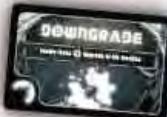
You cannot discard the Upgrade tokens from the card excluded by the Malfunction.
INVISI3ILITY (GREYS]
If this card is upgraded or copied by Duplication, you can place Invisibility tokens on different units in any sectors (you can't place more than one token on one unit).

CONTROL (GREYS]
The player commanding the Greys selects an empty Room in which the enemy unit will end its Move. If there is no empty Room in the
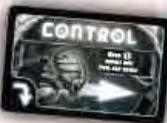
sectar to which the enemy unit is moved, it's the player commanding the Greys who chooses a unit to be ejected into Space (it may even be the unit of the moved player]
If you move an enemy unit, the enemy unit takes no action (neither a card nor sector action], but your Trap cards affect him in the standard way
While moving your enemy you can use your Shortcut cards.
Module cards [e.g. Barricade, Hideout) still protect the enemy normally.
CONTROL + DUPLICATION
If this card is upgraded or there are multiple copies of this card in one Sector (or it is copied by Duplication), the player may move different enemy units [you can't move one unit twice), from any sectors Each unit is moved separately
TELEPORTATION [GREYS]
When a Grey unit ends its Mave in the sector with the Teleportation card, it can be moved to any sector and end its Move there. In this case, it does not resolve
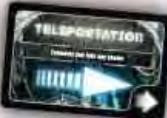
any actions in the sector with the Teleportation card, nor does it fall into the Traps installed there. It resolves the actions in the standard way in the sector to which it teleports.
Note: The player can move the unit to any sector, therefore it can be moved to the same sector in which the Teleportation card was already located
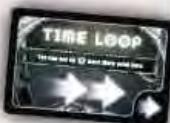
TIME LOOP (GREYS]
If the card Time Loop is upgraded, it allows the player to use more Move points in the sector, and each time the player decides whether he uses O, 1, or more Move points.
MULTIPLAYER GAME
AMBUSH + DUPLICATION [MARINES]
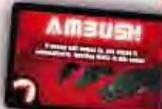
If there are two of the same card in one sector (or a card is copied by Duplication), the Abush is resolved twice.
DOU3LE SHOT+ DUPLICATION(MARINES]
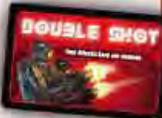
If there are two of the same card in one sector (or a card is copied by Duplication), each such card allows to launch all Attacks of a Marine unit one more time.
TEAM TACTICS(MARINES)
The player commanding the Marines selects an empty Room in which the enemy unit will end its Move.

If there is no empty Room in the sector to which the enemy unit is moved, it's the player commanding the Marines who chooses a unit to be ejected into Space (it may even be the unit of the moved player).
If you move an enemy unit, the enemy unit takes no action (neither a card nor a sector action], but your Trap cards affect him in the standard way.
While moving your enerny you can use your Shortcut cards.
Module cards [e.g. Barricade, Hideout] still protect the enemy normally
TEAM TACTICS + DUPLICATION:
If this card is cepied by Duplication, the player may move two different enemy units (you can't move one unit twice), from any sectors. Each unit is moved separately.
TRAP DETECTOR [MARINES]
If the Trap Detector is
upgraded and creates a few
Deactivation tokens, the
tokens can be placed in different sectors.

CARD FROM THE DECK [3ONUS CARD]
You can play the card you draw immediately after taking it, even before

replacing the Pending card that you just installed in the Installed Card slot in which this Bonus Card was placed.
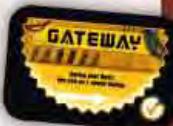
GATEWAY (3ONUS CARD]
The additional sector that a unit can move using this card also counts as a Move point.
THIS SECTION PRESENTS ADJUSTMENTS NECESSARY TO PLAY A 3- OR 4-PLAYER GAME.
3 OR 4I PLAYERS: DEATHMATCH
The changes are as follows:
1] Place the Sector boards around the Life and Data Points board in any order [players can place the boards randomly or, for example, alternately place one selected sector at a time). The order in which the sectors are placed determines the order of the players during the game.
≥] During the setup each player places his faction marker on the O" space of the Life Points track.
Note: If a Sector is filled up during the setup, the Lesser Onslaught is not triggered.
3] Every time you wound any enemy (in any way, e.g. as a result of an Attack, or with a Trap], the wounds inflicted count as Life Points you gain instead of decreasing the enemy's Life Points level.
Note: In this mode, the Med Bay card (from the Scientists faction deck) decreases LPs gained by the enemies instead of restoring the Scientists' LPs – the player commanding the Scientists divides the number of LPs each player must lose.
Note: In case of Traps, it's always the Trap owner who gains the Life Points, even if a third player moved an enemy unit into his Trap l'e.g. using the Mind Control ar Team Tactics cards).
4] When any player gains 20 Life Points or 20 Data Points, he immediately wins the game.
3] In case of a tie, remove the markers of the losing factions from the Life and Data board (the cards, units and sectors of such faction remain and act in the normal way). Then each of the tied players takes an extra turn - starting with the next player after the player who ended the game and continuing in turn order.
If the players are still tied, then the game ends in a draw and the tied players share the victory.
COOPERATION 3ETWEEN FACTIONS?
The Aliens, reproduced in the scientists' laboratories, have been taught not to attack humans with a special chip, versus the Marines and Greys, fighting together to destroy this dangerous husbandry.
Scientists and Greys sharing their researches peacefully in the neutral zone of the station, against the Marines holding the Alien queen as a hostage.
An expedition of scientists, protected by the soldiers, sent to check the situation on the distant station, and discover two alien species: united and hostile
4 PLAYERS: TEAM MATCH
The changes are as follows: 1] Players create two teams of two players. The alliances

are marked with alliance tokens placed as in the picture (tokens placed vertically belong to the players of alliance A and the horizontally placed tokens belong to alliance B).
The order in which the tokens are placed is also the turn order. The players take their turns in the following order:
• First player of alliance A
• First player of alliance B
• Second player of alliance A
• Second player of alliance B
2] During the setup, each alliances uses only one faction Sector for their alliance (the players decide which of the Sectors of their two factions they will use).
3] Each player shuffles his faction cards and takes the first
10 cards (instead of 15], creating his own deck of cards.
Then each player takes the 2 (instead of 3) top cards from his deck. In turn order, each player chooses one of his two cards and installs it in any empty Installed card slot in any sector and places the other one in the Pending card slot in the alliance sector.
4] Each player uses only two units (instead of 3].
In turn order, each player first places one of his units in any empty Room of his alliance sector, then each player places his second unit in any empty Room of any sector.
Note: If a Sector is flled up during the setup, the Lesser Onslaught is not triggered.
5] During the game, each player of an alliance treats the cards, units of his ally, and alliance Sector as his own with the following exceptions:
• You cannot move an allied unit (even when you activate the Additional Turn action of the Tech Bay sector].
• You can never draw a card from the allied player's
When an Onslaught is launched only the units of the player that caused the Onslaught attack enemy units. Note 1: Bonus Cards are also shared by the allied players and either player can use them.
Note 2: Cards such as Battle Position or Chamber, which make the player deal [X] more wounds during an Attack or gain [X] more DPs, affect the ally only when he actually inflicts wounds / gain DPs.
b] if during the game one player brings his opponent's Life Points to zero or scores 20 Data Points, his alliance immediately wins the game. If all players have more than O Life Points and less t
Content is long; only the first part is inlined. Download the file or open the rules page for the full text.
Download MarkdownTexts are community-compiled or publicly released by publishers; copyright remains with the original authors. For personal reference only.