
Unlock!: Epic Adventures
At a glance
Rules, cards and Q&A (Chinese)
The rules, card data and player questions for this game are written in Chinese. Open the Chinese page to read them.
Where to find full rules
Full rules and card lookup are available in the cunlema app at cunlema.cn — pick this game and ask about any rule, card or turn you are unsure about.
Related games
Rulebook text (Markdown)
This game has 1 rulebook Markdown file(s) in our library; 1 rendered inline below — expand to read or download.
c4-unlock-epic-adventures-rulebook.md15.5 KB

UNLOCK! EPIC ADVENTURES
Ages 10 and up 60 minutes 1 to 6 players - The Seventh Screening: 2 to 6 players Unlock!
The solutions to the Unlock! scenarios are available on the Space Cowboy's Facebook page https://facebook.com/SpaceCowboysUS/


CONTENTS
IMPORTANT: DO NOT LOOK THROUGH THE CARD DECKS BEFORE STARTING TO PLAY
10-card Tutorial
This tutorial is placed on the top of the first adventure.
THE SEVENTH SCREENING
3 adventures (180 cards + 2 leaflets)
THE DRAGON'S SEVEN TESTS

MISSION #07
Place these cards in space 0 once the decks are unwrapped.
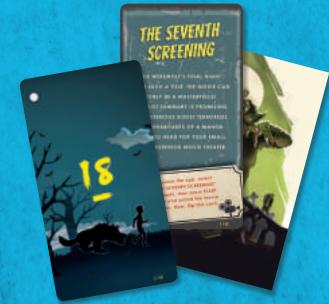
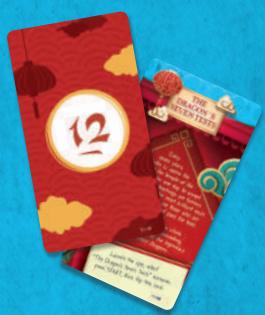
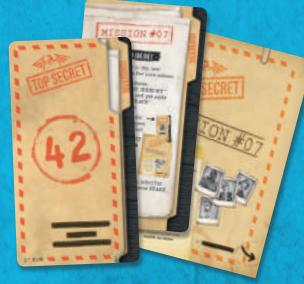

Difficulty level:

Difficulty level:

Difficulty level:
IMPORTANT: KEEP THE GAME BOX WITHIN REACH WHILE PLAYING THE SCENARIOS

GAME OVERVIEW
Each deck of cards proposes a cooperative scenario. Players are immersed in an adventure and have one hour to complete their mission. During that hour, they will have to overcome many challenges and obstacles.

In order to learn how to play the game, it is recommended you play the Tutorial adventure first, as it will walk you through the rules.
The tutorial can be played before reading this rulebook.
Just follow the setup instructions as indicated below:
Place the start card (with the title of the adventure) in the center of the table, with the text faceup.
Place the other cards facedown to form a deck.
Launch the app (see App - page 7), select the Tutorial, and place the device within easy reach of all players.
One player reads the text on the start card out loud, then launches the countdown timer on the app and flips the card over. The game begins!
Note: Players can take notes during the game.

TUTORIAL 3.0
Welcome to UNLOCK! This very simple tutorial will introduce you to the game rules. Once you're done, you'll be able to play all the adventures. For this first adventure, you are on the top floor of an office building for an interview with the UNLOCK! secret society.
The manager welcomes you with a smirk.
He leaves you in a seemingly trivial room and locks the door behind him. Launch the app, select the TUTORIAL Scenario, then press START ().
You now have 10 minutes to get out! Flip this card over. IMPORTANT: Before you start an adventure, make sure that your deck is complete.
To do so, check your card numbers on the lower right side.
GAME RULES
The first room of the game is on the back of the start card. In this room, there are numbers and letters that match cards in the deck (the numbers and letters that are written on the back of the cards). Each time players see a number or a letter on the room card or any other card, they must take the matching card from the deck and reveal it. Revealed cards are placed faceup on the table so that everyone can see them.

The game takes place in real time (cards and app are used simultaneously). The players must form a team and work together to win. Players can either designate one of them to search and reveal cards or split the deck among them. Players cannot spread out the deck on the table.
THERE ARE SEVERAL CARD TYPES:
OBJECTS (red or blue symbols). Objects can sometimes interact with other objects (see Combining Objects page 4).
A key You san combie this ojoc uith
To do se. ADD the cand sumbers tagethe
if che total coresponds tu a cord in the die you mey revenl thaz cará. You cne ask jor a Chr in the application by eerng the card mumber
Object 35 is a cabinet.
Object ① is a key.
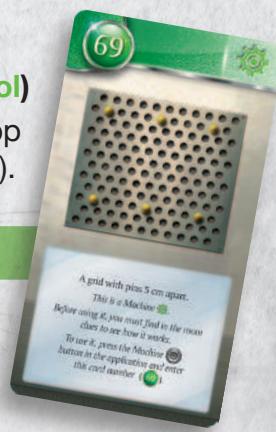
MACHINES (green symbol) Machines are to be handled via the app (see Machines - page 5).
Machine 69 is a grid with 6 pins.
OTHER CARDS
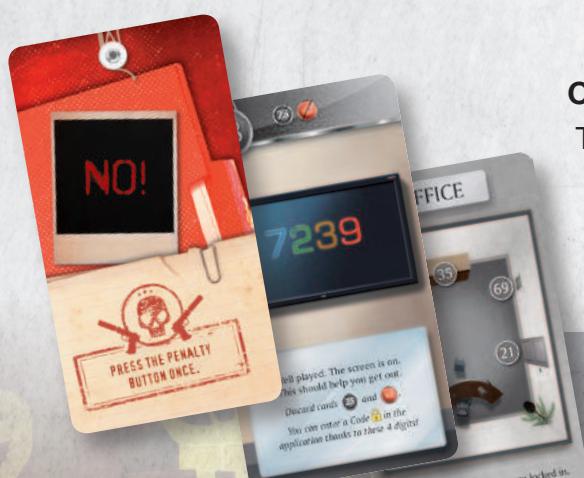
These cards can be: A place showing a room and the objects within. The result of an interaction with an object. Penalty applied to players who made a mistake. A modifier (see Modifiers - page 5).
On the right, a room.
In the middle, the result of an interaction.
On the left, a penalty.
COMBINING OBJECTS

Sometimes, it is possible to combine objects (for example, a key with a door). To that end, just add their respective numbers together (within a red or blue circle) and look for the matching card in the deck. Of course, it is impossible to combine a letter with a number.

GOLDEN RULE: A red number can only be combined with a blue number and vice versa. NO other combination is possible (blue+blue, red+red, blue+gray, etc.).

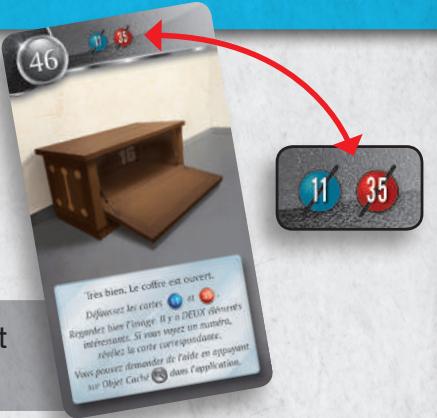
Players decide to combine the key (⑩) with the cabinet ( So, they look for card 46 (11+35) in the deck and reveal it. It works: they open the cabinet and discover what is inside.
DISCARDING CARDS
The top of some cards bears crossed-out numbers or letters. You must immediately discard the corresponding cards as they will not be used again during the game.
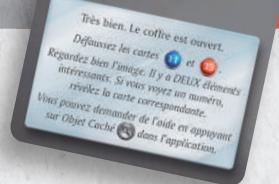
After opening the cabinet (46), players must discard the key (11)) and the cabinet (35)
PENALTIES

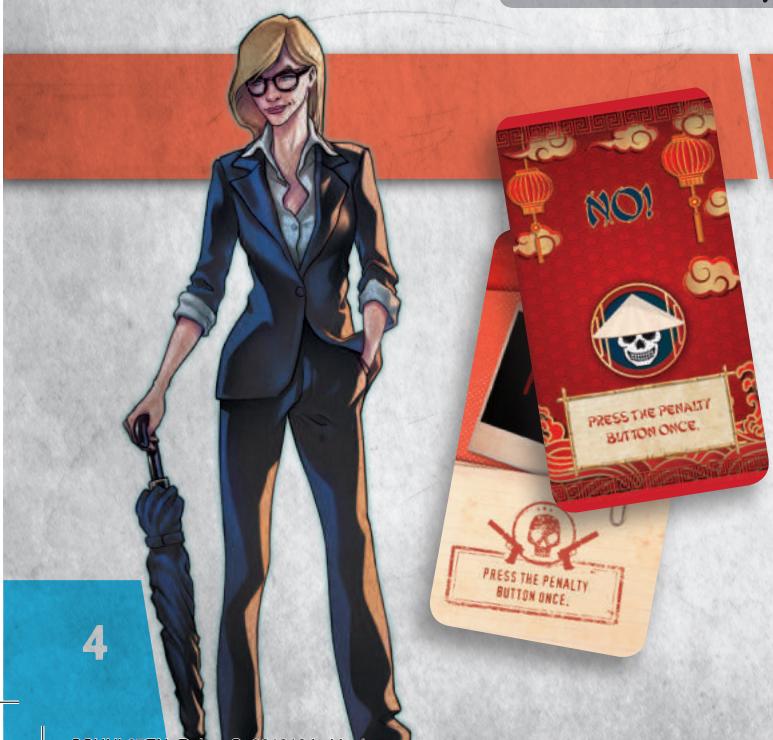
Players may lose time (generally a few minutes) because of some actions they performed. If players reveal a Penalty card (), they must follow its instructions. These cards must always be discarded afterwards.

MODIFIERS
+C+?
There are Modifiers on some cards. These are red or blue numbers preceded by a“+ " within the puzzle pieces. These numbers never match a card from the deck. They must be added to a number of the other color (the golden rule!).
Players have restored power (card 25) and gained a modifier (+6 that they can add to a red number, rather than using the card number (25).
MACHINES
To handle the machines (green symbol), players must enter the card number in the app (if a letter, the number below it). Then, the app will display the machine and the buttons that must be used to activate its functions. Once the players have learned how to handle the machine, the app will take them through all the steps to continue playing.
Later in the game, players have learned how to handle machine 69. An electrical wire must be placed between the two pins in the center. So, they must press the app's button and enter number 69. Then, by selecting the two pins in the center and after confirming, they obtain the red number 9. Now, they can combine this number with that of the electrical wire (16) and take card 25 (16+9).
IMPORTANT: A misuse can cause loss of time and you may need to move forward in the adventure to understand the machine.
HIDDEN OBJECTS

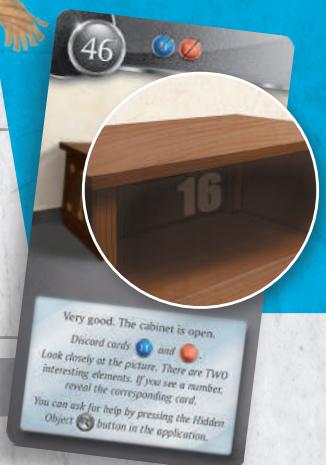
During the game, not all objects are always visible. Therefore, players must carefully look at the cards in order to find, every now and then, hidden letters or numbers that match cards to be looked for in the deck.
Note: If players are stuck and do not know what to do next, the "Hidden Object" button is available in the app and indicates the closest hidden object based on their progress. It is also possible, at game start, to activate the automatic help function to find the hidden objects. In this case, the app will provide the indications to players in due time.
Do you see the hidden number (16)on the card opposite?
HINTS


During the game and when at a loss, players can obtain hints by pressing the app's button “Hint" and by entering the number of a revealed card.
For cards with a letter, players will have to enter the number below the letter to obtain the hint. If there is no number below the letter, no hint can be obtained.
Note: For some cards, the app will offer players a second hint if the first one does not provide enough information, and the solution in some instances.
END OF GAME
The game ends once players have managed to solve the last puzzle and stopped the timer. Then, they can access their score and their performance evaluation (0 to 5 stars).
APP
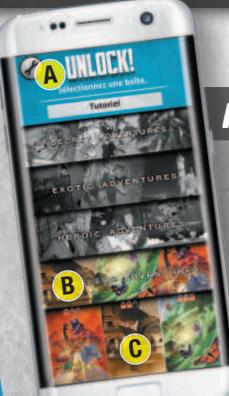
The UNLOCK! app can be downloaded, for free, from the App Store and Google Play. It manages players' time, penalties, codes, machines, and hints. THE APP IS REQUIRED TO PLAY THE GAME (but once downloaded, no internet connection is necessary to play). After launching the app, players must select the language: they are redirected to the adventure selection screen.
ADVENTURE SELECTION
A Settings: Opens the "“Settings" window.
B Adventure: Once the box menu is displayed, click on the box to display the Adventures titles, then click on the title to launch the Adventure you want to play. Reminder: It is recommended to start with the Adventure Tutorial if you have never played Unlock! before.
© Game launch: Players are brought to the game screen.
APP (CONT'D)

SETTINGS
A Music: Turns on/off the background music.
B Timer: Play with or without the timer.
© Hidden objects: Enables automatic help for hidden objects.
D Notifications: Activate/deactivate notifications.
E Language: Language choice.
GAME SCREEN
A Remaining or elapsed time (depending on the adventures).
B Start/Pause: Start or pause the game.
© Hint: Obtain a hint by entering the card number for which help is needed. Sometimes, the solution is provided if the hints are insufficient.
D Penalty: When players reveal a Penalty card, they are asked to press this button. As a result, they may lose a few minutes.
E Machine: Handling of the machines (cards with a green symbol).
F Review Hints: Review hints/hidden objects and some events.
G Hidden Object: Get help about hidden objects according to the progresses made in the adventure.

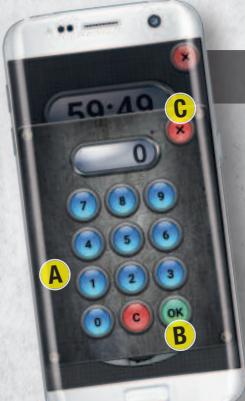
HINTS / MACHINES
When pressing the “Hint" or “Machine" buttons, players get access to a numeric keypad that allows them to enter the hint number or the Machine card number.
A Numeric keypad: Enables players to enter a number. The button deletes the entire entry.
B OK: Enables to confirm the entered number and to obtain the corresponding message.
© X: Enables to close the numeric keypad without making any entry.
EVALUATION
After completing the adventure, players are automatically redirected to this screen. In some instances, it will display the outcome of the adventure.
A Game results: This information summarizes the adventure. The first line shows the total time spent playing and the number of requested hints. The second line shows the time lost due to penalties (in parentheses, the number of penalties).
B Evaluation: The stars are awarded (from 0 to 5) according to players' performance/time spent to complete the adventure and the number of hints asked for.
© Sharing: Share your evaluation with your friends (internet connection required).

PLAYER AID
CARD TYPES:

Object (oor, key)

Modifier
Combine

▶1 blue number to be combined with a red card
1 red number to be combined with a blue card
Combine
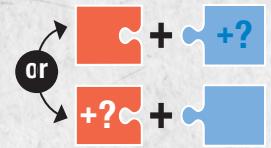
THE GOLDEN RULE: RED NUMBER + BLUE NUMBER.

Machine
Card number to be entered in the app
Requires solving a puzzle
Gray cards
The other cards (location, interaction, penalty)

RECOMMENDATIONS
Be organized:
Split the deck between the players so that they can search faster through the cards during the game;
Read the cards carefully and share information;
▶ Discard cards when instructed (and check that no errors have been made, crossed-out numbers or letters show the cards to be discarded).
Still stuck?
You may need to move forward in the adventure to understand a combination, a code, or a machine. However:
If a card seems too complex, request a hint about that specific card (even if it will lower your final evaluation);
▶You may have missed a hidden object. Press the “Hidden Object" button in the app.
THE SEVENTH SCREENING
Scenario: Mathieu Casnin
Artwork: Neriac http://neriac.free.fr
CREDITS
DRAGON'S SEVEN TESTS
Scenario: Luna Marie
Artwork: Mahulda Jelly https://mahuldajelly.artstation.com
MISSION #07
Scenario: Guilaine Didier, Gabriel Durnerin and Théo Rivière
Artwork: Cyrille Bertin http://cyrille.ultra-book.com

Tutorial's artwork: Arnaud Demaegd.

This product has been manufactured with all possible care. However, if you encounter a problem with your game, please contact our Customer Service at support@asmodee.com. Your problem will be solved in a timely manner.
UNLOCK! EPIC ADVENTURES is a game published by JD Editions - Space Cowboys, 47 rue de l'’Est, 92100 Boulogne-Billancourt - France © 2019 SPACE Cowboys. All rights reserved. Find out more about UNLOCK! and SPACE Cowboys on www.spacecowboys.fr,https://facebook.com/SpaceCowboysUS/ and
Download MarkdownTexts are community-compiled or publicly released by publishers; copyright remains with the original authors. For personal reference only.