
Woodcraft
At a glance
Rules, cards and Q&A (Chinese)
The rules, card data and player questions for this game are written in Chinese. Open the Chinese page to read them.
Where to find full rules
Full rules and card lookup are available in the cunlema app at cunlema.cn — pick this game and ask about any rule, card or turn you are unsure about.
Related games
Rulebook text (Markdown)
This game has 1 rulebook Markdown file(s) in our library; 1 rendered inline below — expand to read or download.
Woodcraft - Rulebook - spreadsheet.md58.7 KB
Uladimír Suchý & Ross Arnold
Woodcraft
Rulebook
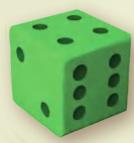
Game Components
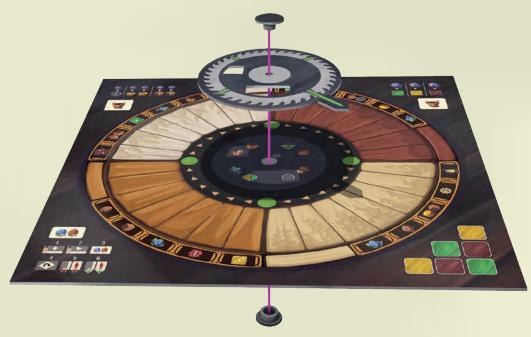
action wheel board
Before the first game clip the saw wheel and the main board together with a plastic rivet.


income board
4 player boards

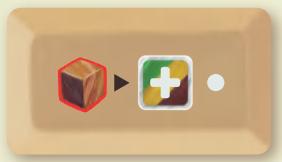


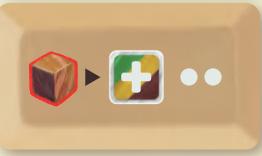
12 sawing tiles
scoreboard
8 flowerpot tiles 4 in each of 2 types
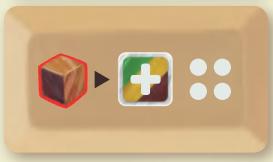

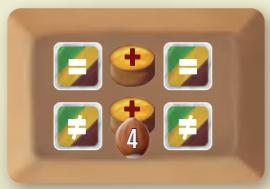
12 splicing tiles 4 in each of 3 types
3 reputation track tiles
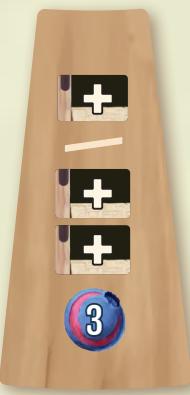

9 tile-reuse tokens

this rulebook
7 action tiles
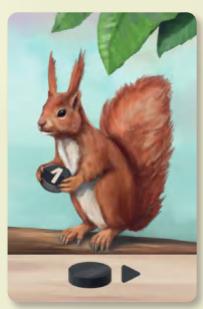
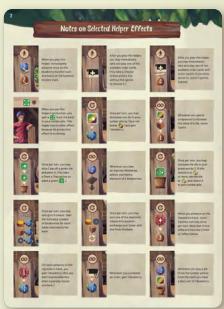
helper effects help sheet
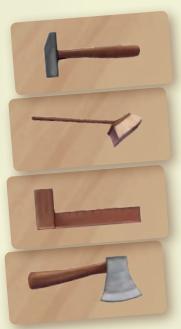
55 tool tokens
starting player card
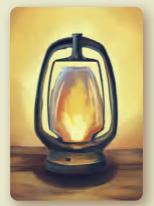

blueberry tokens in various denominations
4 gluing tiles


16 lantern tokens
8 counters in each player color


16 sawblade tokens
14 dice in each of three colors: green, yellow, and brown

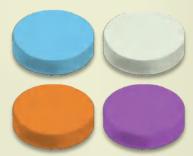
16 glue tokens
1 score counter in each player color

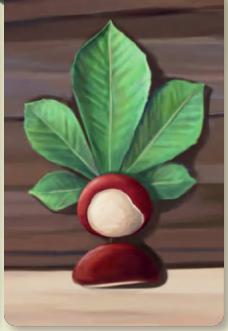
10 solo cards


27 early-game helper cards


22 late-game helper cards
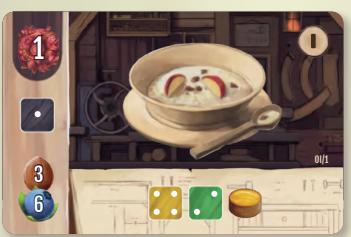


32 early-game order cards
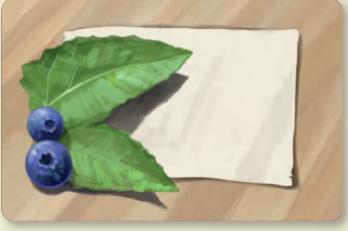
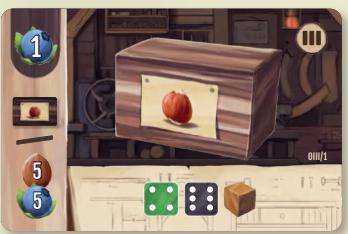
32 late-game order cards

8 hazelnut order cards
8 public contract cards
The delightful profession of woodcraft
Welcome to the Forest's most satisfying and most productive cottage industry. Beginning with a few pieces of lumber, you will create furniture, musical instruments, and other houschold items as practical as they are beautiful.
Are there any limits to the wonders of wood? It can be cut to any shape. It can be stacked and glued to any thickness. It is satisfying to the touch, pleasing to the cye, and intriguing to the nose. You can find it readily available for barter or sale, and you can cven grow your own. How lucky we are to work with such a versatile material!
And how lucky we are to live in a land where our labors are rewarded. As you progress in your craft, you will be able to improve your workshop, acquire new tools, and enlist the help of others. With diligence, patience, and attention to detail, your business will grow and prosper. Your many creations will be enjoyed by your delighted customers, and your reputation will grow as strong as the stoutest tree in the Forest.
Game overview
Players take turns choosing one of seven actions, which become more valuable the longer they remain unchosen. The actions, in combination with other workshop abilities, can be used to acquire and manipulate dice, which represent wood, that can be cut, glued, purchased, or even grown. Specific combinations of dice and tokens are used to complete orders, which will eventually lead to the points that determine the winner of the game.
Setup
The woodcraf ting industry lies at the heart of our thriving community.
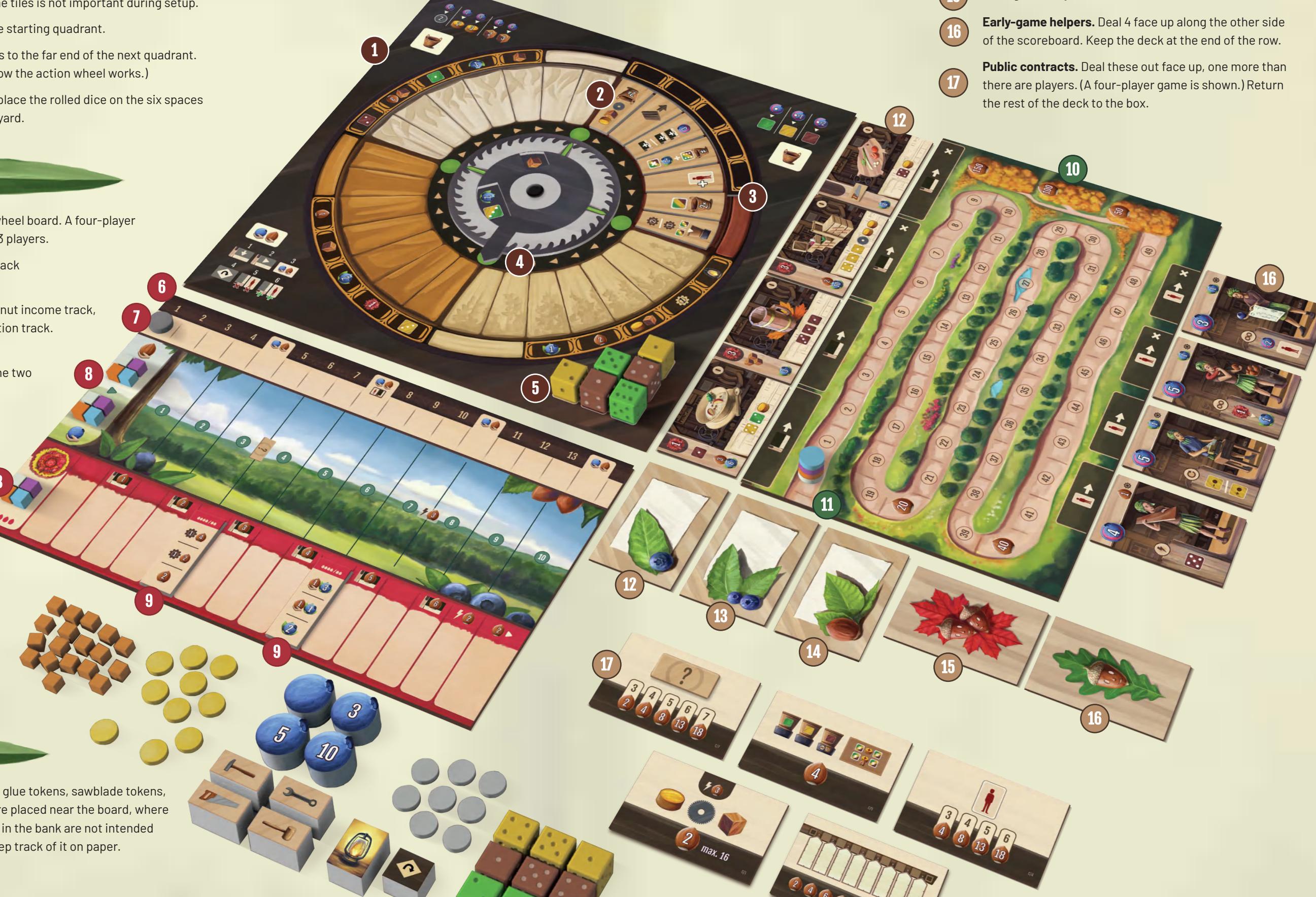
Action Wheel Board

Place the action wheel board in the center of the table.

Place the 7 action tiles in one quadrant of the action wheel. For your first game, start in the quadrant shown. The order of the tiles is not important during setup.

Lay the arc tile over the rewards icons in the starting quadrant.

Set the circular saw so that the arrow points to the far end of the next quadrant. (This will become intuitive once you learn how the action wheel works.)

Take 2 dice of each color, roll them all, and place the rolled dice on the six spaces in the corner. This forms the public lumber yard.
Income Board


Place the income board beside the action wheel board. A four-player game is shown. Use the other side for 2, or 3 players.

Place the round counter on space 1 of the track at the top of the board.
Each player needs one counter on the hazelnut income track, the blueberry income track, and the reputation track. Counters start on the spaces shown.

Place one reputation track tile on each of the two paler spaces of the reputation track.
Reputation track tiles
Reputation track tiles depend on the number of players:

2-, or 4-player game

3-player game
Choose 2 of the three reputation track tiles at random and place them on the paler spaces of the track in a random order.
Set the tiles to the appropriate side. One side is for 3 players, and the side shown here is for 2, or 4 players.
Bank
Leftover blueberry tokens, dice, scrapwood tokens, glue tokens, sawblade tokens, lantern tokens, tool tokens, and tile-reuse tokens are placed near the board, where they will be readily available during the game. Items in the bank are not intended to be limited - if the bank runs out of something, keep track of it on paper.
Cards and scoreboard


Place the scoreboard beside the action wheel board.
Each player places their scoring counter (the round one) on the starting space of the scoreboard.
Shuffle each of the decks:

Early-game orders. Deal 4 face up alongside the scoreboard.
Keep the deck at the end of the row.

Late-game orders. Keep this deck beside the early-game orders. It will be used later.


Hazelnut orders. This deck will be used during Player Setup.
Late-game helpers. This deck will also be used later.
Player Setup
Professional woodcrafting begins with a well-organized workshop.
Take the board and the counters in your color.
Place one counter on the starting space of your board's marketing track.
After placing your counters on the various central boards, you will have 4 left over.

Take one die of each color. Set the brown die to , the yellow die to , and the green die to Place them on three of the spaces in the upper left corner of your board. This is your lumber pile.


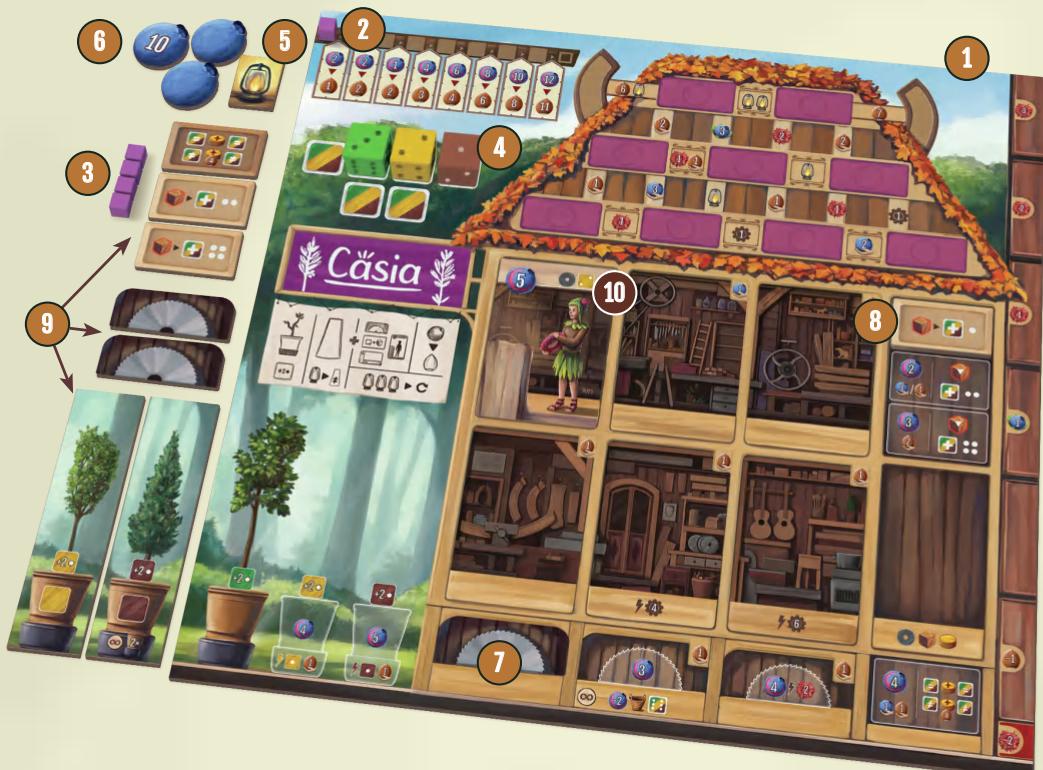
Take 1 lantern in a two-, or three-player game. Take 2 lanterns in a four-player game.
Take tokens representing 12 blueberries. Blueberries are a currency in this game. You can make change at any time, as needed.
Take 1 sawing tile and place it face up in the first sawing space.
and place it face up in the top splicing space on the right side of your workshop.

Take 1 splicing tile marked
You can also take 1 yellow pot, 1 brown pot, 2 more sawing tiles, 1 splicing tile marked , 1 splicing tile marked 8, and 1 gluing tile. These potential improvements to your workshop should be kept off to the side for now.

Starting Gards
Draw these cards:
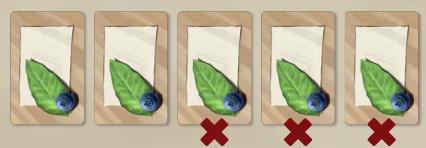
3 early-game helper cards
5 early-game order cards

2 hazelnut order cards

10 st

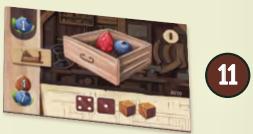
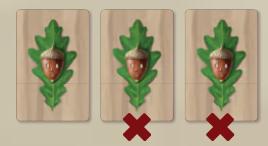
Choose 2 early-game orders to keep in your hand. You also keep both hazelnut orders. From these 11 4 cards, choose 1 and place it beside your board. Whenever you place an order, it goes in the row matching the icon in the card's upper left corner.
Starting Player: Give the starting player card to a player chosen at random. This player will take the first turn of every round for the entire game. Players will always play in clockwise order.

Gameplay
A good woodcrafter has the sensitivity of a gardener, the cye of an artist, the vitality of a smith, and the acumen of a merchant.
Flow of the Game
The game is played in rounds in which each player takes one turn, beginning with the starting player. On your turn:

Your trees grow, if you have any planted. (You have no trees at the start of the game, so you skip this step on your first turn.)

You choose one action from the action wheel and perform it. You also have the option to buy a bonus action and perform free actions. All these actions can be performed in any order.


You may buy points.
Players have opportunities to gain blueberries and score points during their turns. Every four rounds or so, there is a special income phase during which players gain more blueberries and score points according to the income board.
At the end of the game, players will score points based on multiple factors, including public contracts, their reputation, and how many orders they have completed.
Action Overview
When you choose an action tile, you advance it to the next quadrant of the action wheel, which will be explained in detail on the following pages.
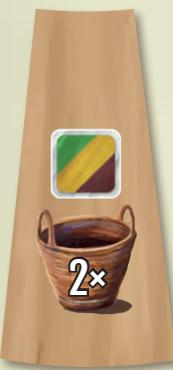
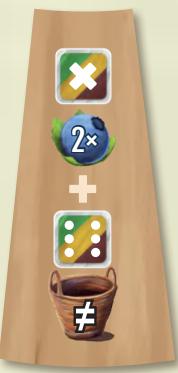
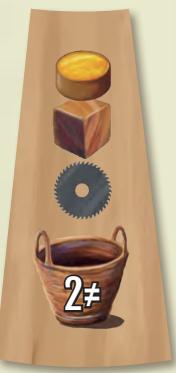
buy lumber
exchange dice
buy materials
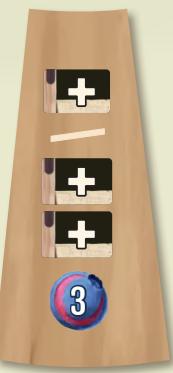
choose orders

choose a helper


produce / plant a tree
improve workshop
Free Actions
Free actions can be performed in addition to the one you choose from the action wheel. It is possible to perform multiple free actions on one turn. Your free actions, your chosen action, and possibly your bonus action may be played in any order.

use a helper's once-per-turn ability
saw lumber
splice scrapwood
glue lumber

harvest a tree
complete an order
Bonus Action: You have the option to buy one bonus action on your turn. Pay three lanterns and choose an action depicted on any of the seven tiles. Your bonus action does not move any action tiles, and so it does not trigger any of the bonuses depicted on the action wheel.

Action Wheel Overview
Work, when it is work of one's own choosing, can seem like play.
You choose one action tile on each of your turns. Whenever you choose a tile, you advance it to the next quadrant. These examples will show you how:
The starting player will begin the game by choosing one of the 7 action tiles. The chosen tile is moved from the first quadrant and placed in the space farthest ahead in the next quadrant. Tiles will always be moved clockwise around the action wheel.
Let's say you choose this tile and gain 1 bonus blueberry. When you move the tile across the black arrow, you need to rotate the saw.
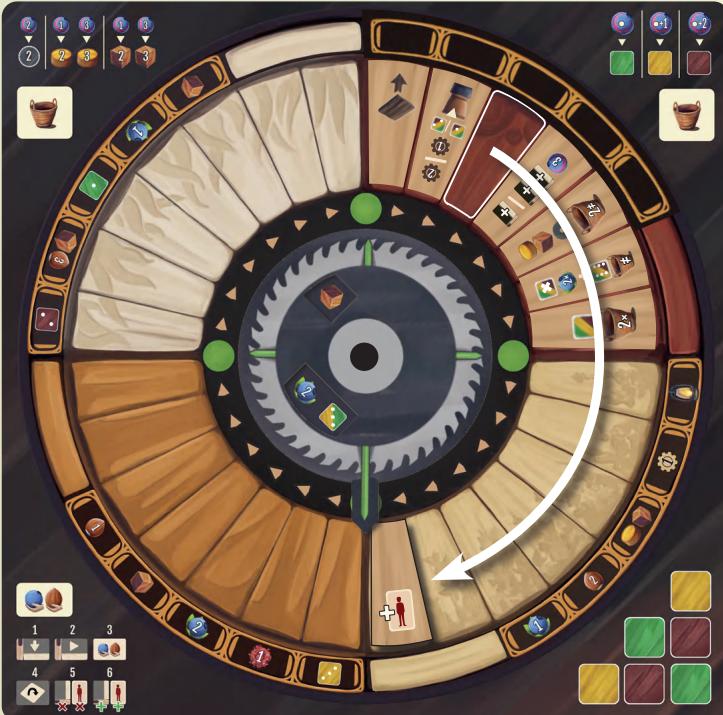
The next player can choose any action tile, even the one chosen by the starting player, but for the sake of this example, let's suppose players choose only tiles from the starting quadrant on the first 4 turns. In that case, the action wheel might look like this.
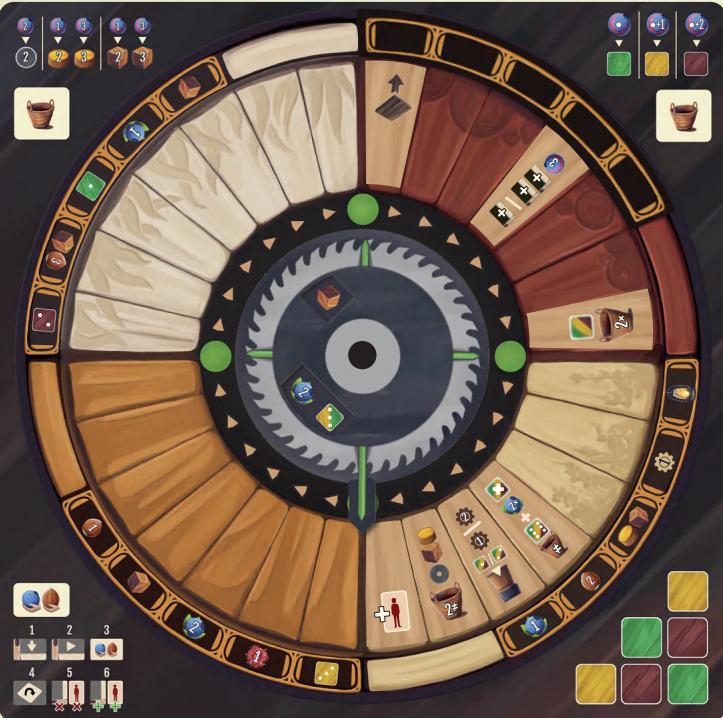
All 7 tiles are still available to be chosen. Moreover, two of the actions now offer a bonus. If you choose an action tile from a space offering a bonus, gain the bonus immediately.
Note that the bonuses for spaces in the starting quadrant are covered by the arc tile. This is to remind you that they do not apply when the action tile is chosen for the first time. Once the starting quadrant is empty, remove the arc tile – the bonuses depicted along that arc will apply for the remainder of the game.
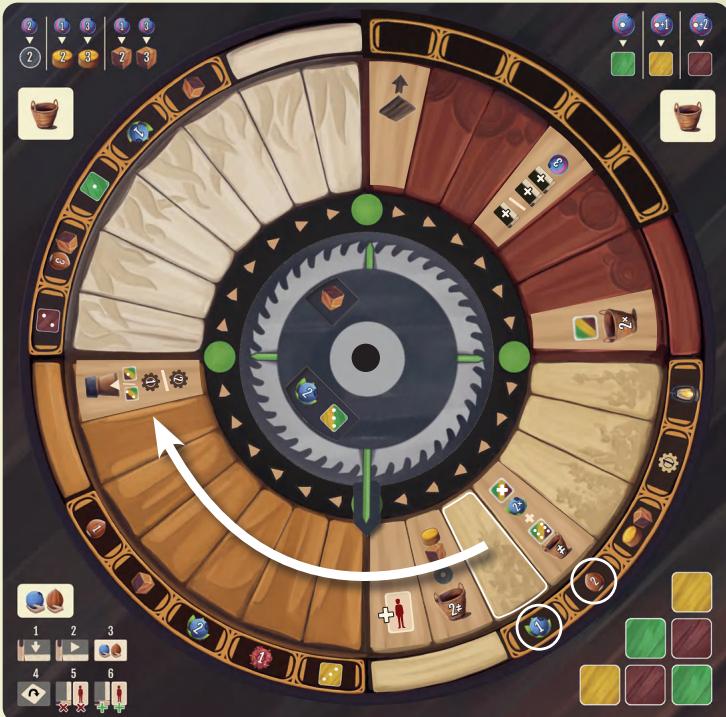
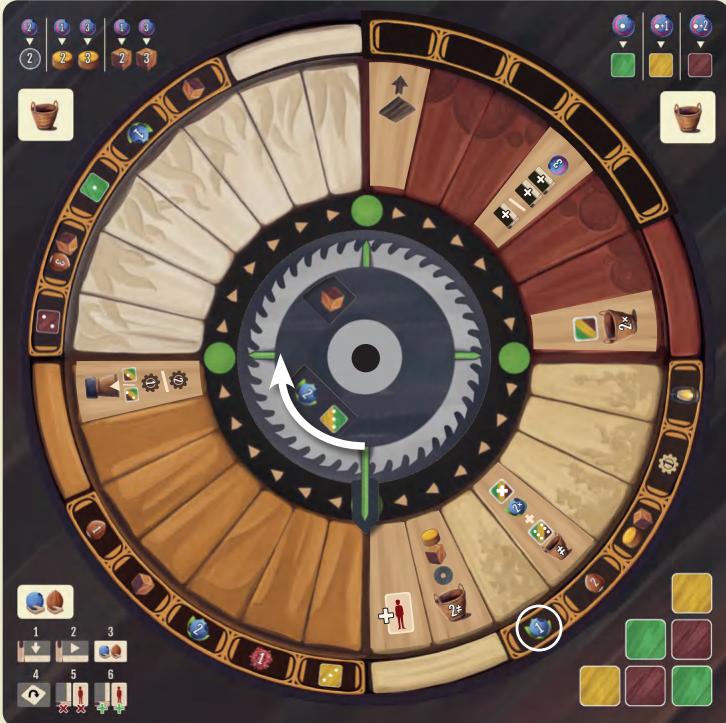
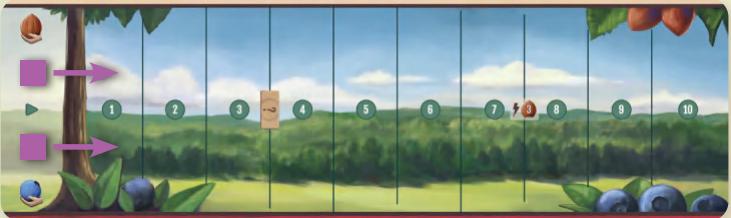
The actions in the starting quadrant have now become more valuable. A player who takes one of those tiles will also get the bonus shown in the window of the saw. Let's see what happens if the next player moves the saw again.
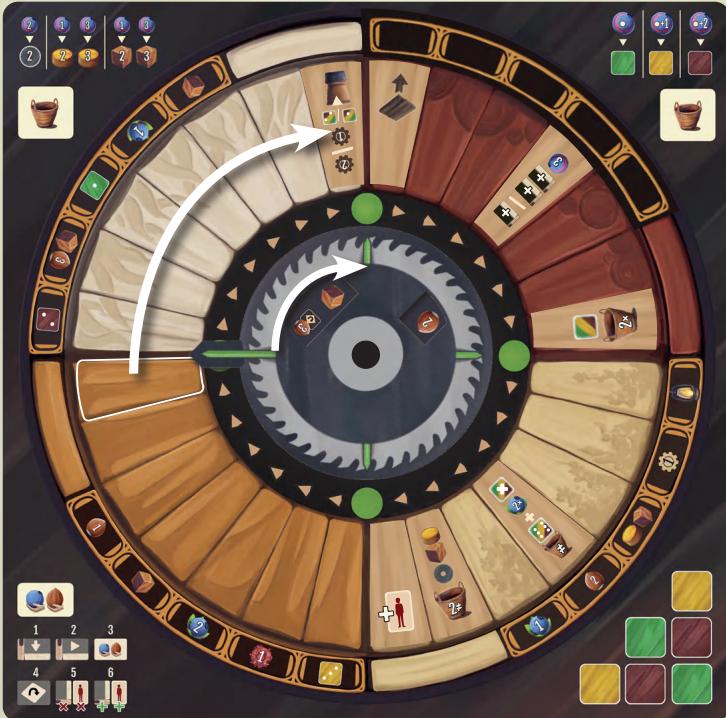
Now the second quadrant offers a bonus in addition to the bonuses on the edge of the wheel. And the bonus in the first quadrant is bigger. Let's see what happens when a first-quadrant tile is chosen now.

Choosing a Blocked Action
When you move a tile into a quadrant that has gaps, your tile just slides along until it runs into a tile already there; it doesn't fill in the gap.
In this case you would gain two points and a or a as a saw bonus. If that same tile is chosen again, it will give a scrapwood and a glue token from its space on the wheel as well as a sawblade token as a bonus for its quadrant.
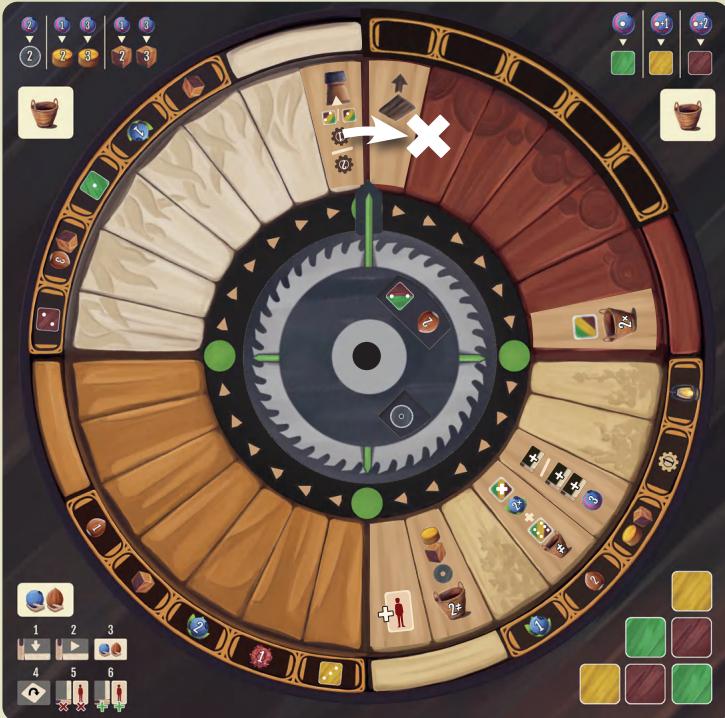
Action tiles are not allowed to enter a quadrant that is one lap behind. For example, in the illustration above, the tile that has already been moved three times cannot be moved again until the starting quadrant is empty.
Different Action Instead
You always choose and move a tile, gaining its bonuses, if it has any. However, there are two ways to perform a different action instead of the one shown on the tile:
You can choose to gain 3 blueberries instead of performing the action on your chosen tile. You might do this if you are especially stuck.
You can pay 1 lantern to perform the action on any other tile instead of the one on your chosen tile. You might do this if you really need to combine one tile's bonus with a different tile's action, or if the action you want is on a blocked tile. However, the lantern must not be one you just received as a bonus for your tile.
Summary
The tile always moves ahead one quadrant (never two).
If the next quadrant is empty, the tile is placed at the far end.
If the next quadrant has tiles, the tile slides through empty spaces and stops when it hits another tile.
If the tile moves across the black arrow, rotate the wheel to increase bonuses for older quadrants.
The tile cannot move across the black arrow if the quadrant it would move into is not yet empty.
Actions
The successful woodcrafter is always cheerfully busy.
Buy Lumber
The wood used to build your products is represented by dice. You begin with 3 dice, but you can buy more. When you choose this action, you may buy one or two dice from the lumber yard in the corner of the action wheel board.

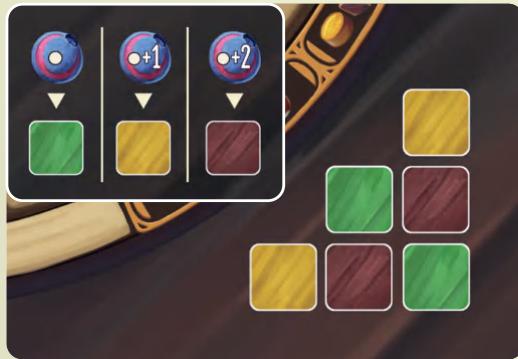
The cost depends on the value and color of the die. To buy a green die, pay blueberries equal to the number shown on the die. A yellow die costs 1 additional blueberry. A brown die costs 2 additional blueberries. For example, a brown would cost 5 blueberries.
After you buy lumber, roll dice to replace those you took. Place these new values on the empty spaces of the corresponding colors.
Your Lumber Pile: Dice you acquire are placed on the spaces in your lumber pile. You have only six spaces. Any extra dice must be used up during your turn or discarded at the end of your turn.
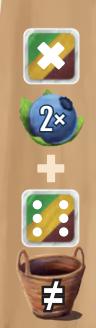
Next, you decide whether to buy a . If you sold a die in the first step, the 3you buy must be a different color. You buy the die from the bank, not from the lumber yard, but the price is the same.
In addition to the lumber yard, the Forest also has a thriving exchange market which allows you to sell a die from your workshop or buy a or both.
Example: Let's say you have a you want to sell. You get 6 blueberries for the plus 2 more because it's brown, for a total of 8. Now you can buy a or a (You cannot buy a lesser value and you cannot buy a brown die.) Let's say you want a yellow . Pay 7 blueberries, take a yellow die from the bank, set it to a , and place it on your board.
First, you decide whether to sell a die. If you do, place it in the bank and gain blueberries equal to twice the amount shown on the die plus the additional value shown on the price list.
Buy Materials
This action allows you to buy glue, sawblades, and scrapwood tokens, which can be used to modify your dice and are sometimes required to complete certain orders. The costs of these tokens are shown on the action wheel board.
Exchange Dice


You can make one or two purchases. If you make two, the materials you purchase must be different. For example, you can buy 2 glue tokens and 3 scrapwood tokens for 4 blueberries, but you can't buy 5 glue tokens for 4 blueberries.
Choose Orders
There are four order cards available alongside the scoreboard.
This action allows you to take 1 or 2 of them.
X + 十 3
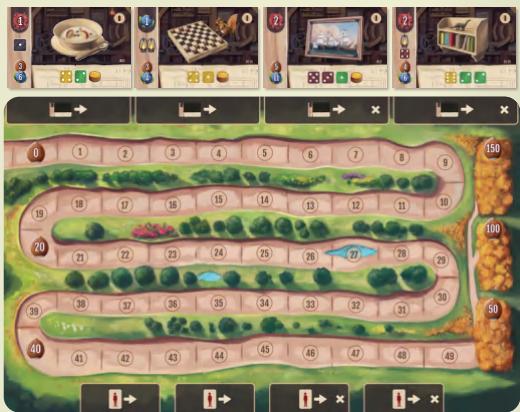
First, choose 1 order and slide the remaining cards in the direction of the arrows so that the empty space is on the end. Fill the space with a new card from the deck. Then decide if you want a second card. If you do, pay 3 blueberries, take the card, and refill the row again.
Each order you take must be immediately placed beside your board in the row that matches the icon in the upper left corner of the card. Multiple orders can be placed in the same row.
Orders beside your board can be completed as a free action on any of your turns, even immediately, if you meet the order's requirements. Orders still in your hand cannot be placed or completed at this time.(You will place them during income phases.) For details on completing orders, see page 14.
Choose a Helper
There are four helpers available alongside the scoreboard. This action allows you to take 1 of them. Slide the remaining helper cards in the direction of the arrows so that the empty space is at the end of the row. Fill the empty space with a new card from the deck.
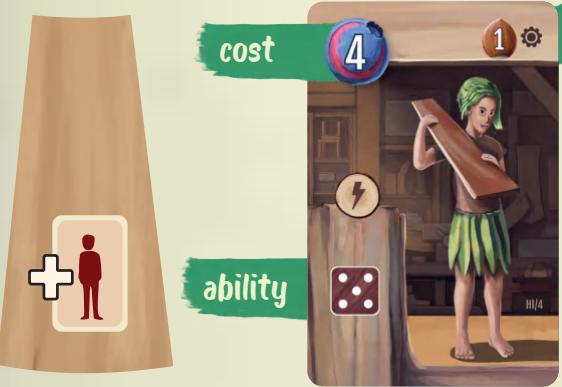
You must immediately play your chosen helper by paying the blueberry cost depicted in the upper left corner. (If you can't pay the cost, you can't choose that helper.)
Place the new helper on a space adjacent to a helper that has already been placed.
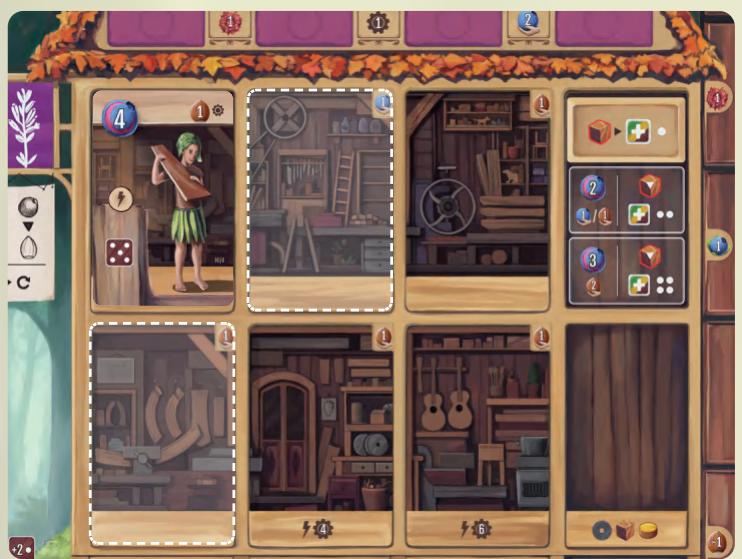
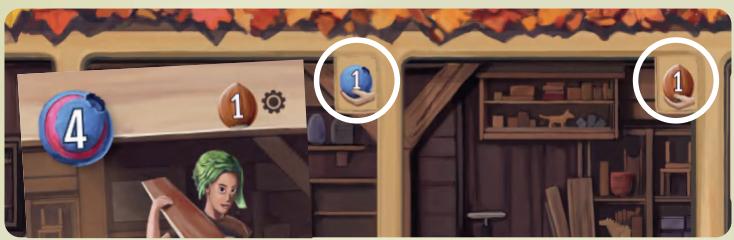
When you place your helper, advance your counter on the blueberry income track or the hazelnut income track, depending on the icon in the upper right corner of the chosen space. This increases the amount you will receive in future income phases.
When you place a helper on one of these spaces, you gain production from up to the depicted number of helpers. A helper's production is shown on the top of the card, beside the icon.

Helper Abilities
Each helper has a special ability depicted along the left edge of the card.
Immediate abilities are used as soon as the helper has been placed. Thus, they are used only once per game.

Once-per-turn abilities can be used once during each of your turns, including the turn on which the helper is played. Using the ability is a free action.
Permanent abilities are automatically triggered every time you perform an action of the depicted type. They modify the action, usually by giving you a discount on its cost or a bonus to its benefit.

Pay 1 to increase by 1, 2, 3, or 4.
Produce / Plant a Tree
With this action you choose one of two options: either gain production from 2 different helpers in your workshop, or produce with only 1 helper and Plant a Tree.


Thanks to a little bit of Forest magic, you can grow trees from the lumber you already have on your board. Choose one of your dice to plant.
You can plant only a or a . If your chosen die is larger,
simply slice a piece off! For example, you could split a into plant the (taken from the bank), and keep the
(the original die) in your lumber pile. Or you could split the as plant one in the pot and keep one in your lumber pile.
Note: Splitting dice this way normally requires the use of a sawing tile, but during the Plant a Tree action, you can split off a piece to plant without using up a saw.
Tree Growth
At the start of each of your turns, before you take any actions, each of your trees grows by 2 pips (but not higher than Change the dice in the pots to their new values.
At any time during your turn, a die in a pot can be moved to your lumber pile. You can even do this with a die that has not had a chance to grow yet. If a die reaches it must be moved to your lumber pile immediately.
Improve Workshop
When you choose this action, add one of following to your board:
the next sawing tile

the next splicing tile
the gluing tile
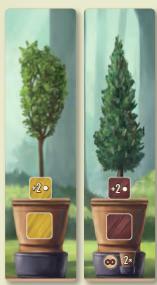
the next pot
Pots
Pots are used to grow trees. You start with a green pot. You can add another pot with the Improve Workshop action. Pay the blueberry cost depicted on the pot's space and place the pot there.
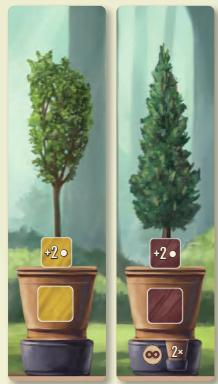

Your new pot comes with a sapling! Take a die of that color from the bank, set it to ● and place it in the pot. You also advance your marker on the hazelnut income track.
Pots are placed in order. You cannot add the brown pot if you do not have the yellow pot yet.

Once you have your brown pot, the Plant a Tree action is upgraded. Instead of planting one tree in one pot, you may use the action to plant two trees in two pots.

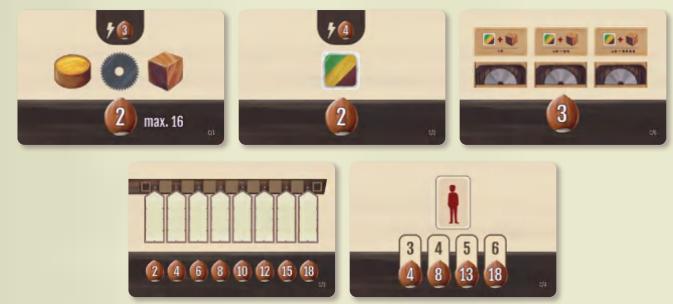
Sawing tiles are used to cut lumber. You start the game with one, but it can be helpful to have more. You can add a sawing tile with the Improve Workshop action. Pay the blueberry cost depicted in the space and place the sawing tile there. You also advance your marker on the hazelnut income track.
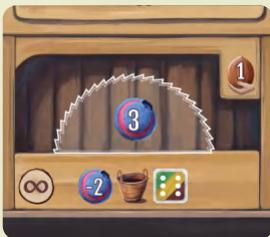
The first time you buy a sawing tile, you must place it here. This unlocks the ability shown below the tile. From now on, whenever you buy a either from the lumber yard or with the Exchange Dice action, you have a discount of 2 blueberries. This applies even when the sawing tile isside up.
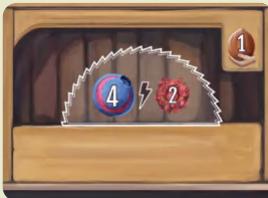
The second saw you buy is placed here. In addition to the advancement on the hazelnut track, you also advance 2 spaces on the reputation track.
Splicing Tiles
Splicing tiles give you the ability to spend a scrapwood token to increase a die's value, as will be explained further on this page. You start the game with one, and you can add a new one using the Improve Workshop action. Pay the blueberry cost, then advance on one income track, as indicated. Splicing tiles are added in order, top to bottom.
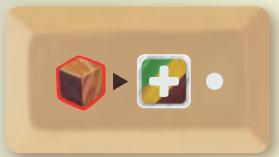
You start the game with this splicing tile. It goes on the uppermost space. It can be used to increase a die's value by 1.

When you buy this tile, it goes on the middle space. It can increase a die's value by 1 or 2.
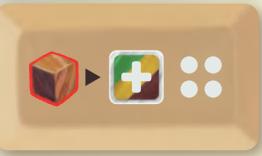
If you already have the other two splicing tiles, you can buy this one. It can increase a die's value by any amount from 1 to 4.
Gluing Tile

This tile gives you the ability to use glue tokens to glue dice together. You can add it to your board with the Improve Workshop action. (It is not a splicing tile, and you can add it even if you have not added a splicing tile yet.)
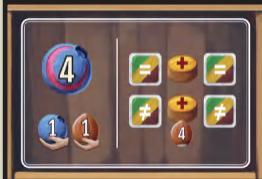
Pay 4 blueberries and advance one space on the blueberry income track and the hazelnut income track.
Free Actions
Cut to measure: made to order. Precision leads to quality.
In addition to the action you chose from the action wheel (and in addition to your bonus action, if you buy one) you may perform any number of free actions during your turn. Actions can be performed in any order. The free actions are:
· Use a helper's once-per-turn ability
· Glue lumber
· Saw lumber
· Harvest a tree
· Splice scrapwood
· Complete an order
Once-Per-Turn Abilities
A helper ability with this icon can be used once during your turn. Individual abilities are explained in detail on a Help sheet.
Sawing Lumber
To saw lumber:
-
Choose any of your workshop's available sawing tiles and flip it to theside. It will be unavailable until the next income phase.
-
Choose any of your dice that is not a

. It can be any color.
-
Take dice of that same color from the bank. The first die you take represents a cut made with the sawing tile. If you take more dice, these are more cuts. You must pay 1 sawblade token for each of these extra cuts.
-
Set your chosen die and the dice from the bank to new values that add up to the amount originally shown on the original die.
Example: if you have a , you can cut it as or using the sawing tile. If you also spend 1 sawblade token, you can make 1 extra cut to get or You can even get if you spend 3 sawblade tokens.
Splicing Scrapwood
To splice scrapwood:
-
Return a scrapwood token to the bank.
-
Choose one of your workshop's available splicing tiles and flip it to the side.
-
Choose one of your dice and increase it by an amount depicted on the splicing tile. (You can't increase a die above
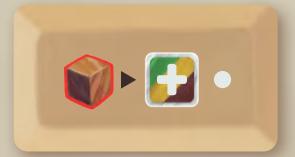
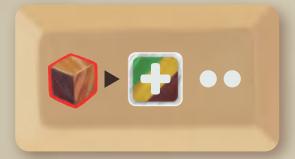
to increase by 1 or 2.

Thereminds you that the tile has been used and will remain unavailable until the next income phase.
Gluing Lumber
To glue lumber:
-
Return a glue token to the bank.
-
Choose two of your dice that add up to

-
Set one die to the sum of the two values and return the other die to the bank. (If the dice are different colors, you choose which color to keep.)
-
If the two dice were different colors, immediately score 4 points. (You advance on the scoreboard, not the hazelnut income track.)
-
Flip your gluing tile to theside.
The reminds you that the tile has been used and will remain unavailable until the next income phase.

orders may give you a tile-reuse token from the bank. As a free action, you can spend this token (return it to the bank) to use a sawing, splicing, or gluing tile that is currently face down (side up).
Harvesting a Tree
As a free action, you can move a die from your pot to your lumber pile. If a die in a pot ever becomes a , it is moved to the lumber pile immediately.
Trees and Lumber
Thematically, a die in a pot is a tree, whereas your other dice are lumber. Actions and abilities that allow you to change a die's value usually apply only to your dice that are not in pots.
Completing Orders
You place one order at the start of the game, one during each of the first three income phases, and you can acquire and immediately place other orders using the Draw Orders action. When an order is placed, it goes beside your board in a row that matches the icon in the upper left corner of the card. You are allowed to have multiple orders in the same row.

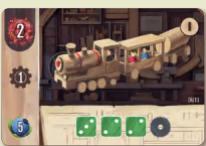
starting row
reward for completing order


If you have the resources depicted on any order, you may complete it:
-
Return the required dice and tokens to the bank. Dice must match color and number exactly.
-
Gain the reward depicted on the order.
-
Gain the reward or pay the penalty corresponding to the order's current row.
-
Keep the order face down near your board. (You may stack your completed orders to keep your play area tidy, but if someone asks how many you have, you must answer truthfully.)
Example: To complete this order, you need a ● a , and a scrapwood token Return them to the bank, and gain 2 glue tokens and 4 blueberries. Because the order is currently in the 1 blueberry row, you also gain 1 blueberry. Keep the completed order near your board. You will score points for it at the end of the game.



Row rewards and penalties
During each income phase, uncompleted orders will move down one row. This reduces the reward you get for completing the order and may even lead to a penalty.
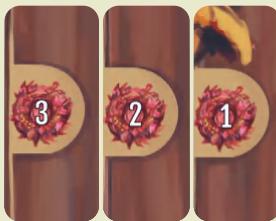
If you complete an order in one of the top three rows, you advance 1, 2, or 3 spaces on the reputation track, depending on the row. This can set you up to score a lot of points at the end of the game.

Completing an order in the blueberry row just gives you 1 blueberry.

If the order has fallen all the way to the bottom row, you are far behind schedule and you lose 1 point (on the scoreboard) when you complete it. But that's still better than not completing the order at all.
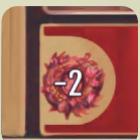
Orders that move below the bottom row and orders that are not completed at the end of the game give you a severe penalty: Discard the order and move back 2 spaces on the reputation track.
Unpayable penalties: If a penalty causes you to move back farther than the starting space on the reputation track or the scoreboard, simply leave your counter on the starting space.
Hazelnut orders and public contracts
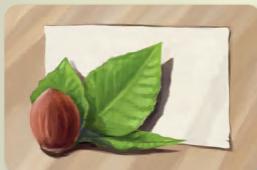
You are dealt 2 hazelnut orders at the beginning of the game. Like the other 2 order cards in your starting hand, they will eventually be placed beside your board – either as your first order at the start of the game or as your required order during an income phase.
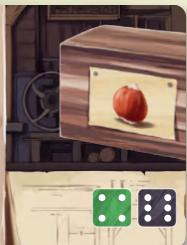
Hazelnut orders have a special reward that is not found on the other order cards – this icon represents the ability to claim a public contract.
Public contracts were dealt beside the action wheel board at the start of the game. When you claim one, put one of your counters on it.
It is possible for more players to claim the same public contract in the same round. However, once that round is over, no one else may claim that public contract. A claimed contract should be removed from the row at the end of the round to remind other players that they can't claim it. Keep it someplace where the claiming players will be able to see it and remember it at the end of the game; it will be scored during final scoring. (Usually, you will be the only one who claimed the contract and you can just keep it beside your board.)
If you complete a hazelnut order but don't want to (or can't) claim a public contract, you gain the depicted blueberries and points instead.
Tools in the Attic
Tools are rectangular tokens that you can acquire in various ways.
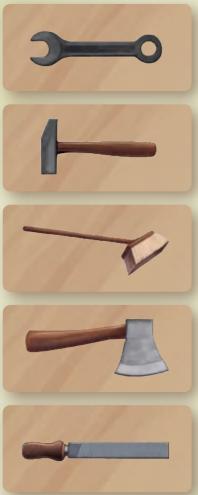
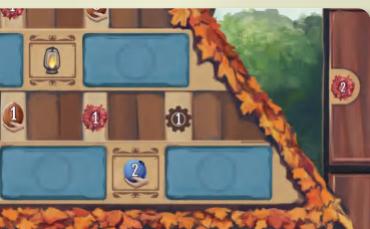
Whenever you get a tool, you immediately place it on an empty space in your attic. At the beginning of the game, only the spaces in the bottom row are available. If you have filled 2 adjacent spaces in the bottom row, the space above them becomes available. Similarly, a space in the top row does not become available until the two middle-row spaces below it have been filled.
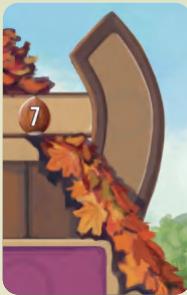
The only exceptions to this pyramidlike building rule are the two spaces at the ends of the top row – the end space becomes available once the adjacent space is filled.
When you place a tool on a space, check each adjacent space. If that space has a tool of a different type, gain the reward depicted between the two spaces.
Example: Let's say you have already placed a mallet and now you place a wrench, as shown. Because the two tools are different, you immediately gain the reward between them: advance 2 spaces on the blueberry income track.
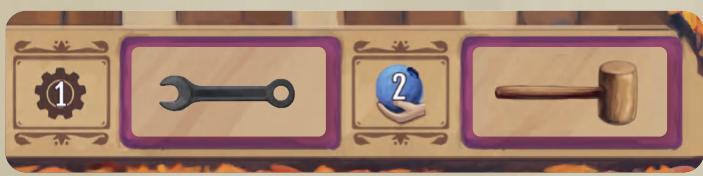
Later in the game, you get another wrench. You must place it immediately. You could place it on any empty space in the bottom row. Instead, you choose to place it in the second row. Only one second-row space is available, so you place the wrench as shown. The wrench is different from the mallet below, so you get the reward shown between them - gain production from one of your helpers. You don't get the reputation reward because the two tools on either side of that reward are the same.

For every thing, there is a season.
End of Turn
At the end of your turn, after you have completed all your actions, you can buy points. Then you must tidy up your lumber pile.
Marketing
At the end of your turn, you have the opportunity to advance one space on your board's marketing track. To do so, pay the indicated number of blueberries and score the indicated number of points. Then move your marker ahead one space.
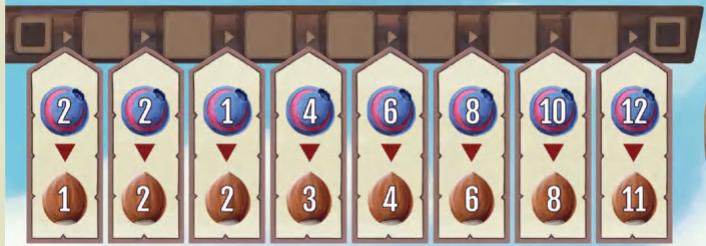
You are not required to advance on the marketing track every turn. Note, however, that the later advancements are worth a lot of points, so steady progress on this track will be rewarded.

If you are already on the final space, you do not advance any farther, but you may still buy 11 points for 12 blueberries at the end of each of your turns.
Lumber Pile
You have six spaces for lumber on your board. During your turn, you may accumulate as many dice as you like, but at the end of your turn, you can keep only six - return excess dice to the bank. Trees in pots do not count toward this limit, but don't forget that you must move a tree to your lumber pile when it reaches the value

End of Round
The round ends after every player has taken one turn. Move the round counter to the next space. Usually, the next space is a new round, which begins with the starting player's turn.
Income Phase
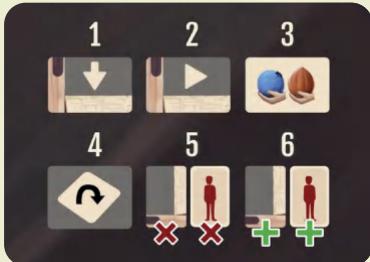
Certain rounds are followed by an income phase, with the steps depicted on the action wheel board.
-
Players move their orders down to the next row. If an order moves below the bottom row, discard it and pay the penalty.
-
Each player must place one new order from their hand. (In the fourth income phase, your hand will be empty, and you will skip this step.)
-
Each player gains blueberries equal to the amount shown by their counter on the blueberry income track. Each player gains points equal to the amount shown by their counter on the hazelnut income track.
-
Players reset their splicing, gluing, and sawing tiles so they can be used again.
-
After rounds 4 and 10 (11), discard the helper and the order from the place marked X and slide the other cards as shown by the arrows. Deal a new helper and a new order to the empty spaces.
After the income phase, the next round begins as normal, unless it is the end of the game.
Late game decks
In the income phase after round 8, instead of usual discarding helpers and orders, discard all the cards beside the scoreboard and both decks. Replace them with the late-game helper and order decks, and deal out four new cards from each. These decks will be used for the remainder of the game.
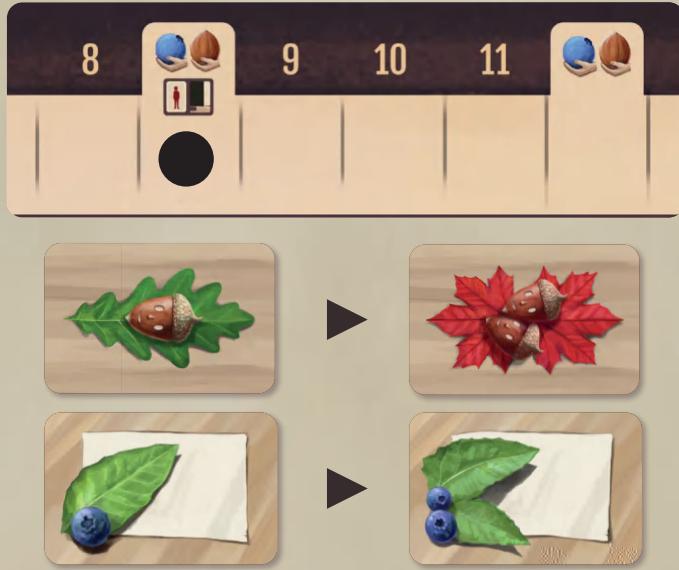
Income, Scoring, and Reputation Tracks
Successful woodcrafters welcome even the smallest tasks – they mend chairs, they carve spoons, they sand and polish broom handles – for these everyday tasks lead to steady income, which supports them through the weeks they spend producing more claborate works.
The income board is divided into three tracks. Advancement on these tracks is earned in various ways during your turn. Some advancements may earn you an additional reward.

Whenever either of your income counters crosses this line, you gain one tool token of your choice. Add it to your attic immediately.

Whenever either of your income counters crosses this line, score 3 points.
In a three-player game: The first player gets the top reward, the second gets the bottom reward, and the third player gets nothing. However, it is still true that players who reach the tile in the same round will get the same reward.
End of the Track
Your income can go above 10. If you advance beyond the end of the blueberry income track or the hazelnut income track, leave your counter on the 10 space and add a new counter to the 1 space. From now on, this new counter will be the one that advances. Unlike your first counter, it cannot earn the tool reward or the 3-point reward.
Reputation Reward Tiles

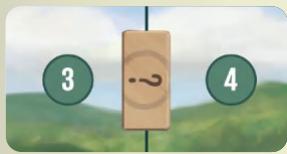
At the beginning of the game, the reputation track gets 2 tiles, which depend on the number of players in the game.
Players advancing on the reputation track can earn rewards by reaching a space with a tile:
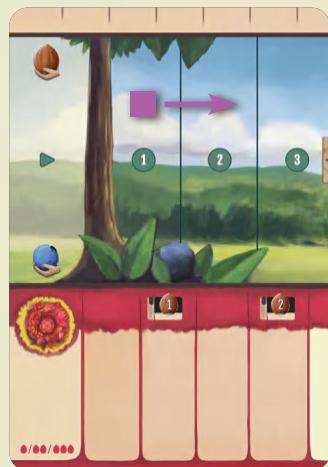
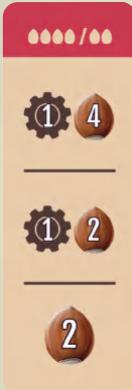
In a four-player game: The first player to reach the tile gets the top reward, the second gets the middle reward, the third gets the bottom reward, and the fourth player to reach the tile will get nothing. However, players who reach the tile in the same round get the same reward. For example, if another player is first to reach the tile but you also reach the tile in the same round, you each get the top reward; the next player to reach the tile will be third and will thus get the bottom reward (unless they also reach it in the same round).
In a two-player game: Only the middle reward of the 2/4-player tile is available. The first player to reach the tile gets the middle reward and the other player gets nothing unless they also reach the tile in the same round.
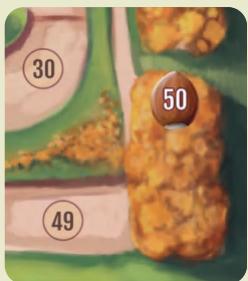
Similarly, your score can go above 50 on the scoreboard. When you reach 50 points, place one of your counters on the 50+ space beside the scoring track and start your score counter at O again. There are also spaces to keep track of 100+ and 150+, if your score gets that high.
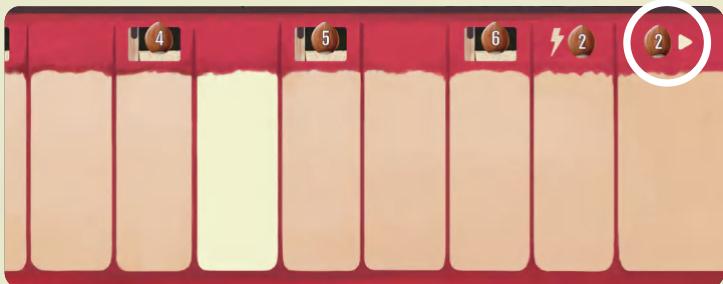
On the reputation track, if your counter would advance beyond the end, leave your counter on the final space and score 2 points. If you advance more than one space beyond the end, score 2 points for each advancement.
End of Game
Trees fall: their wood decays. Truly it is said that nothing lasts forever.
Yet even so, high quality woodcraf ting can last for many generations.
Final Income Phase
The game ends with a final income phase, as shown on the income board. All players will be out of cards in their hands, so you will skip the order-placing step.
Final Scoring
In addition to the points you earn during play, you will also earn points at the end of the game, after the last income phase.
-
Score points as depicted on any public contracts you claimed. (Even if someone else claimed the same public contract in the same round, you still receive the full value of the contract.)
-
Score points for leftovers: Sum the values of all your unused dice, your total remaining blueberries, and the number of your remaining scrapwood, glue, and sawblade tokens. For every 10, score 1 point.
Example: Let's say you have a in your lumber pile and a in a pot, 6 blueberries, 2 glue tokens, and 1 piece of scrapwood. That's a total of 3 + 5 + 6 + 2 + 1 = 17. Dividing by 10 and rounding down, you see that your leftovers are worth 1 point.
-
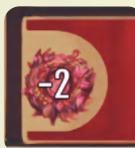
For each order still remaining beside your board, suffer the penalty shown below the bottom row: Move back 2 spaces on the reputation track.
-
For each order completed during the game, score the amount of points shown by your reputation counter.
Example: If you end the game with your reputation counter on this space, you will score 5 points for each completed order. For example 4 completed orders would be worth 20 points. If you had advanced one more space, each of your completed orders would have been worth 6, which is the maximum possible.

Winning
Professional woodcrafters take delight in their own accomplishments even as they admire the skill of others. Woodcrafting is a calling, not a competition.
However, Woodcraft the board game is a competition, and the player with the most points wins. If players are tied on points, the one who played later in every round wins the tiebreaker. (In particular, the starting player always loses tiebreakers.)
Setup
Solo Rules
In the solo game, you can focus on your own goals without worrying about trying to outscore someone else. The solo deck is used to keep the action wheel moving and the available opportunities fresh, as you pursue the tasks you have set for yourself.
When your shop is full, enjoy the companionship of your helpers and customers. When your shop is empty. enjoy the solitude: for it is an opportunity to truly concentrate on your craft.
Set up the game boards as you would for a two-player game.
You will need only your own player board.
Timing Counters
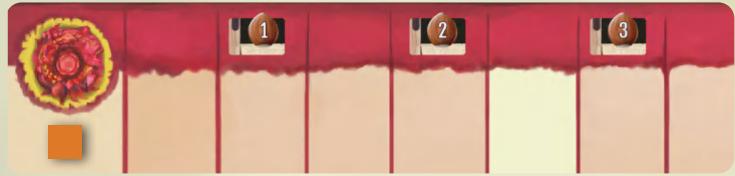
You will also need 3 counters in an unused player color. Place one on space 10 and one on space 13 of the round track. These are reminders that one unclaimed public contract will disappear at the beginning of each of these rounds.

Place the third counter on the starting space of the reputation track. It gives you something to race against in the competition for the reputation reward tiles.
Shuffle the solo deck and set it where you can reach it easily. You're ready to play!
Round
Each round goes like this:
-
You take your turn.
-
Draw the top solo card, do what is depicted, and discard it.
-
Move the round counter.
When the solo deck runs out of cards, reshuffle the discard pile to make a new deck.
Solo Cards

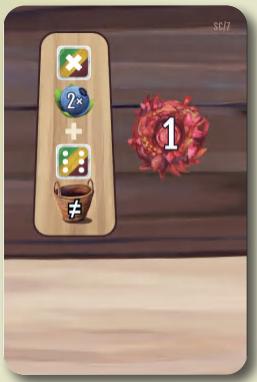
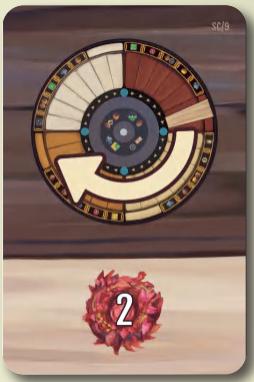
Most solo cards depict two action tiles. Move the two tiles in the order shown, as though two players had chosen those tiles while you were waiting for your next turn. (But don't worry about giving the imaginary players any bonuses for choosing those tiles.) Then resolve the effect at the bottom of the card, if there is one:
Remove the indicated order cards from beside the scoreboard; then refill the row in the usual way.
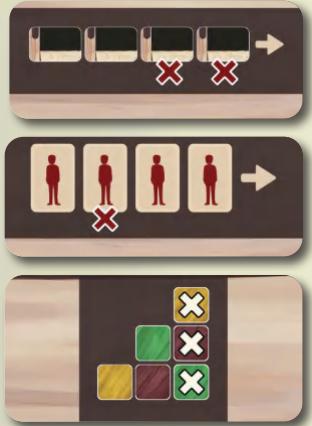
Remove the indicated helper cards from beside the scoreboard; then refill the row in the usual way.
Remove the indicated dice from the lumber yard. Reroll them and refill the lumber yard.
This card moves only the action tile shown. Also, it causes the nonplayer counter on the reputation track to advance one space.
This card moves only one action tile – the one that was farthest behind. Also, it causes the nonplayer counter on the reputation track to advance 2 spaces.
Rare special case: If the solo card asks you to move a tile that cannot legally be moved any farther, then ignore that tile movement and resolve the remainder of the card. (For example, if the card tells you to remove orders, you remove them, even if the Choose Orders tile can't be moved.) If resolving the card did not move any action tiles (either because it depicts only one tile, or because the other tile also cannot be moved) then draw a new card and resolve it as well. After your turn, the solo deck must always move at least one action tile.
Reputation Reward Tiles
You use the two-player game's reputation reward tiles. If you get your counter to a space with a reward tile, immediately take the tile and score the two-player reward. If the nonplayer counter reaches the tile first, remove the tile from the track - you won't get that reward.
Public Contracts
At the beginning of rounds 10 and 13 – the two rounds you marked during setup – remove one unclaimed public contract at random. That contract is no longer available to you. (If there are no unclaimed contracts, then nothing happens - except you can congratulate yourself on claiming them before they disappeared.)
Scoring
We think 110 is a good score in the solo game and 140 is excellent. Keep in mind that the amount of points that can be scored does depend, somewhat, on how many helpful bonuses the solo deck creates for you on the action wheel. To some extent, this is random, but you may discover events you can plan for.

Rule Reminders
Setup: Use 5 public contracts in a four-player game, 4 in a three-player game, and 3 in a two-player or solo game.
Starting Resources: Start with 12 blueberries. Start with 2 lanterns in a four-player game, or 1 lantern in all other player counts.
Starting Cards: Draw 3 helpers, 5 early-game orders, 2 hazelnut orders. Pay to put 1 helper in play. Keep 2 early-game orders and both hazelnut orders – put one of these in play.
Actions can be performed in any order. You can even move an action tile, gain the rewards from choosing it, and then perform a bonus action and free actions before performing the action depicted on your chosen tile.
Instead of performing your chosen tile's action, you can gain 3 blueberries.
Instead of performing your chosen tile's action, you can pay 1 lantern to perform any other tile's action. However, the lantern must not be one you just received as a bonus for your tile.
You can buy only one bonus action per turn. It costs 3 lanterns. Your bonus action moves no action tile and gains no bonuses from the action wheel.
You are allowed to exceed your dice limit during your turn; you don't have to discard excess dice until your turn ends.
• The Exchange Dice action uses dice in the bank, not the dice on the action wheel board.
When you use both halves of the Exchange Dice action, the die you buy must be a different color from the die you sold.

The icons with the hands represent an advancement on the depicted income track (not an immediate gain of points or blueberries).
If a helper gives you a permanent ability, it applies every time you take the depicted action, whether by choosing its tile, buying it as a bonus action, or by any other means.
When you splice lumber, you use a scrapwood token and a splicing tile. Similarly, when you glue lumber, you must use a glue token and the gluing tile.
When you saw lumber, you only need to use a sawing tile to cut it once, but you can make more cuts by spending a sawblade token for each extra cut.
This rectangular token is a tool token, not a sawblade token nor a sawing tile. It is used in the attic; it cannot be used to split a die.
Your income can go over 10, and your score can go over 50.
Game material is unlimited. If any resources or dice run out, replace them with suitable objects.
If you should claim a tool token that is no longer available in the supply, take some other tool token of your choice.
Credits
Testers: Sophie Barocas, Chaeha Im, Brandon Dannenhoffer, Savvy Jones, Trevor Bunce, Pelle Hall, Jonathan Jungck, Mackenzie Jungck, Nicolas Campos, Andrew Lehr
Katka, Vojta, Kája Suchých, Michal Peichl, Dana, Roland, Jindra, Jirka Bauma, Láda Smejkal, Ondra Demel, Dan Frejek, Roman, Robert Tuharský, Honza Koláček, Miloš Procházka, Michal Miler, Jirka, Eva, Helena and other participants of the gaming events held by the board game clubs Fenix and Pražské doupě, Alladjex, Oscar, Spartik, Ken Hill, Pepa and Monika Vavřinovi and other testers present at the CAVENU club, participants of gaming events at Malenovice, at Svět deskových her in Prague, Rumun, Monika, Leontýnka and participants of gaming events at Kaprálův mlýn.

Designers:
Ross Arnold, Vladimír Suchý Graphic design,
illustrations: Michal Peichl Production: Kateřina Suchá Rules: Jason Holt
Game icons

Gain 3 blueberries.

A cost of 2 blueberries.
A discount of 1 blueberry.
Advance 2 spaces on the blueberry income track.
Score 2 points.
Lose 1 point (unless you are at 0).
Advance 2 spaces on the hazelnut income track.
Advance 1 space on the reputation track.
1 sawblade token.
1 glue token.
1 scrapwood token.
1 lantern token.


A die with this particular color and value.
A die with this value of either depicted color.
A die of any color with this value.

A die of any color with any value.
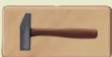
Gain a tool token of the indicated type.

Gain one tool token of any type.

Gain 1 tile-reuse token. It can be spent to reuse a sawing, splicing, or gluing tile.

Gain the production from up to 4 different helpers.

Immediate effect.


Once-per-turn effect.
An effect
Content is long; only the first part is inlined. Download the file or open the rules page for the full text.
Download MarkdownTexts are community-compiled or publicly released by publishers; copyright remains with the original authors. For personal reference only.