
World Of Warcraft The Boardgame
At a glance
Rules, cards and Q&A (Chinese)
The rules, card data and player questions for this game are written in Chinese. Open the Chinese page to read them.
Where to find full rules
Full rules and card lookup are available in the cunlema app at cunlema.cn — pick this game and ask about any rule, card or turn you are unsure about.
Related games
Rulebook text (Markdown)
This game has 10 rulebook Markdown file(s) in our library; 3 rendered inline below — expand to read or download.
wowrules.md154.7 KB
THE BOARD GAME
Rules of Play
WELCOME
Are you ready to explore the misty eaves of the Silverpine Forest, the hills of the Hinterlands, or the rotten corruption of the Plaguelands? Are you ready to set forth on a great adventure, building your skills and prowess while collecting equipment and artifacts of legend and power? Are you ready to set yourself against the overwhelming will of a great enemy such as Kel’Thuzad or the mighty Nefarian? Above all, are you ready to lead your faction to honor and dominance of Azeroth?
Enter the World of Warcraft.
Welcome to the exciting experience that is WORLD OF WARCRAFT: THE BOARD GAME. This epic production is based on the powerful and hugely popular online role-playing game by Blizzard Entertainment.
CONVERTING THE COMPUTER GAME INTO THE BOARD GAME
We hope that playing WORLD OF WARCRAFT: THE BOARD GAME will give you and your friends an entirely new and exciting experience both akin to and different from its online counterpart. When adapting the role-playing experience from the computer screen to the game board, we were able to infuse WORLD OF WARCRAFT: THE BOARD GAME with some tactile and social experiences that are not possible in the PC game. Of course, the reverse is also true, in that it is not possible to capture all the online game elements when re-creating the WoW experience in a board game format. Experienced WoW players may note several elements that may not work exactly as they would expect them to in the online game, but we are confident that players will enjoy how the spirit of World of Warcraft has been captured in the cardboard, paper, and plastic contained herein.
OBJECT OF THE GAME
The object of the WORLD OF WARCRAFT: THE BOARD GAME is to bring your faction (either the Alliance or the Horde) to victory by either defeating one of the game's Overlords or defeating the opposing faction in player-versus-player combat at the at the game's end (after the 30th turn).
COMPONENTS
Below is a list of all the components that you will find in your copy of WORLD OF WARCRAFT: THE BOARD GAME.
- This rules booklet
- 1 game board
- 120 plastic creature figures, including:
8 green, 4 red, and 4 blue Murlocs
8 green, 4 red, and 4 blue Gnolls
6 green, 3 red, and 3 blue Ghouls
8 green, 4 red, and 4 blue Scarlet Crusaders
4 green, 2 red, and 2 blue Naga
4 green, 2 red, and 2 blue Giant Spiders
4 green, 2 red, and 2 blue Worgen
4 green, 1 red, and 1 blue Wildkin
4 green, 1 red, and 1 blue Ogres
6 green, 3 red, and 3 blue Wraiths
2 green, 1 red, and 1 blue Doom Guards
2 green, 1 red, and 1 blue Drakes
2 green, 1 red, and 1 blue Infernals
- 16 plastic character figures
- 7 double-sided character sheets
- 2 single-sided character sheets
- 63 character counters (7 for each class )
- 15 cardboard Stun tokens
- 15 cardboard Curse tokens
- 6 cardboard Bag tokens
- 6 cardboard Spellbook tokens
- 1 turn marker
- 216 Class cards (for 9 distinct classes)
- 120 Item cards
- 40 Alliance Quest cards
- 40 Horde Quest cards
- 47 Event cards
- 5 Kel'Thuzad Event cards
- 3 Overlord sheets
- 58 Energy tokens (in 1's and 3's)
- 58 Health tokens (in 1's and 3's)
- 138 gold tokens (in 1's and 3's)
- 40 Hit tokens
- 20 Armor tokens
- 21 eight-sided dice (7 red, 7 blue, and 7 green)
- 2 Creature Reference Sheets
- 5 Lord Kazzak Overlord counters
- 1 Kel'Thuzad Overlord counter
- 1 Nefarian Overlord counter
- 5 Point of Interest tokens
- 6 Alliance Quest tokens
- 6 Horde Quest tokens
- 8 War tokens (2 each of four different colors)
- 12 Action tokens
COMPONENT OVERVIEW
Below you will find a brief description of every game component.

THE GAME BOARD
The large, colorful game board is the centerpiece of WORLD OF WARCRAFT: THE BOARD GAME. The game board represents the seven areas in the realm of Lordaeron, and functions as the primary area of play.
PLASTIC CREATURE FIGURES

There are 13 different types of creatures included in WORLD OF WARCRAFT: THE BOARD GAME. Throughout the game, as Quest cards are drawn, the plastic figures representing creatures will be placed (or “spawned") on the game board as directed by each quest. The green and red creatures are called quest creatures, and must be defeated by players as their characters seek to resolve quests. Blue creatures are called independent creatures and, although they are spawned by Quest cards, they are not tied directly to a quest and pose obstacles to characters traveling through Lordaeron.
PLASTIC CHARACTER FIGURES
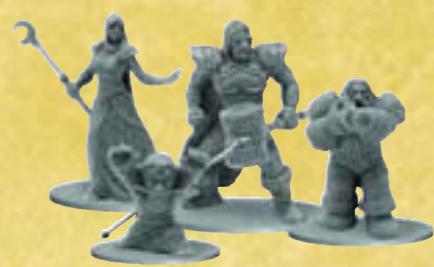
These 16 plastic figures represent the 16 available characters in the game – eight characters for the Horde faction and eight characters for the Alliance faction. After players have selected their character at the beginning of the game, the corresponding plastic figure is placed on the board to represent that character's location.
CHARACTER SHEETS
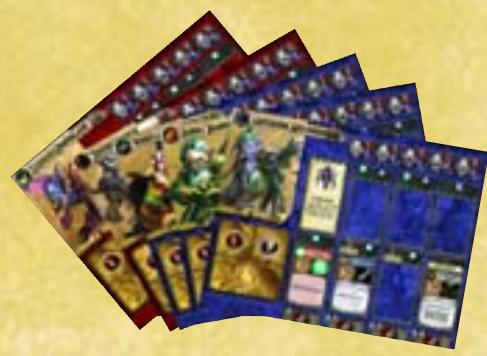
There are nine character sheets in WORLD OF WARCRAFT: THE BOARD GAME, seven of them double-sided and two single-sided. The seven double-sided character sheets represent two characters – on one side a Horde character and the other side an Alliance character – of the same class. The two single-sided character sheets represent one character of a class unique to the Horde (the Shaman) and one unique to the Alliance (the Paladin). At the beginning of the game, each player will choose which class he will play, and take the character sheet corresponding to that class. The character sheet is then placed with either the Horde or the Alliance side faceup, depending on which of the two factions the player joins.
CHARACTER COUNTERS
Each character receives 7 character counters at the beginning of the game (use the side of the token representing the chosen character). These counters are used for a variety of purposes, such as keeping track of experiences points (XP) on the Experience Track, keeping track of a character's level on his character sheet, and so forth.
STUN AND CURSE TOKENS
Stun
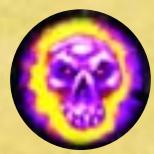
Curse
Certain creatures types are able to either Curse or Stun characters during combat. These counters are placed underneath an affected character's plastic figure to represent these effects. As the effects wear off, the counters are discarded. The rules for both the Stun and Curse conditions are found on page 36 of these rules.
THE BAG AND SPELLBOOK TOKENS
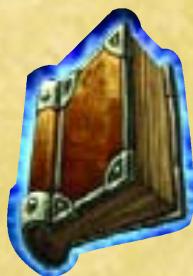
Spellbook
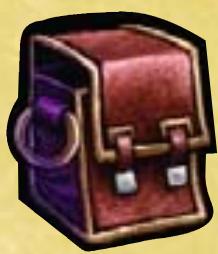
Bag
At the beginning of the game, each character receives one of each of these tokens. A character must store any of his acquired Power cards underneath his Spellbook token when not used on his character sheet. A character must store any acquired Item cards underneath his Bag token when not used on his character sheet. There is no limit to the number of Powers that may be stored underneath the Spellbook token, but a player may only store up to three items underneath his Bag token (this is the “Bag capacity limit").
THE FACTIONS OF THE WORLD OF WARCRAFT Throughout this rules set, and on many of the cards, this game refers commonly to its two factions.
There are two factions in WORLD OF WARCRAFT: THE BOARD GAME – the Horde faction, and the Alliance faction.
WORLD OF WARCRAFT: THE BOARD GAME is a team game, with characters evenly divided into either the Horde or the Alliance faction at the beginning of the game. Players seek not to gain victory for themselves, but for their faction.
A NOTE ON ENERGY
In the WORLD OF WARCRAFT online game, many character classes use different terms such as “Mana” and “Rage” to represent their primary non-health character resource. In WORLD OF WAR-CRAFT: THE BOARDGAME, we have, for reasons of simplicity, used the common term “Energy" for every character class. As in the online game, however, the nature of how Energy is used and manipulated can vary greatly from character class to character class.
THE TURN MARKER
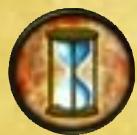
The turn marker is placed on the turn track, and is advanced one space after each faction turn. The game ends after the 30th turn.
THE CLASS CARDS
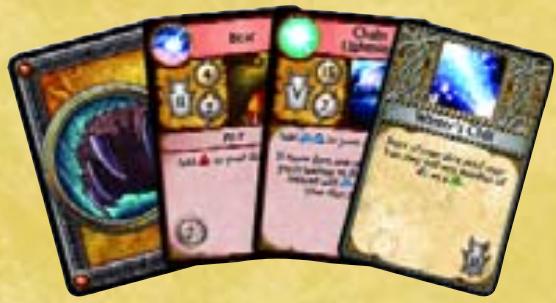
In WORLD OF WARCRAFT: THE BOARD GAME you will find nine separate Class decks, each representing one of the character classes of the game. The back of each Class card is identified by a distinct Class symbol. Each Class deck consists of exactly 24 cards, 12 of which are Power cards and 12 Talent cards.
Power cards represent spells and abilities that characters may acquire as they train throughout the game.
Talent cards are awarded to a character whenever he gains a level. Talent cards represent either new abilities or improvements to existing abilities.
ITEM CARDS
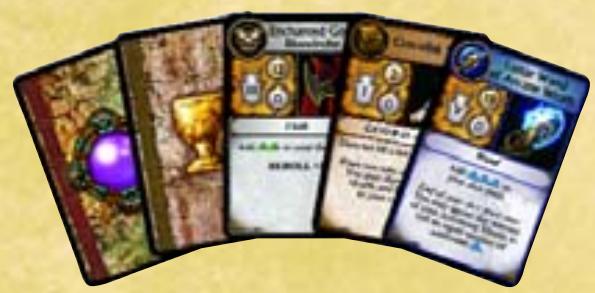
Item cards represent weapons, armor, potions, and other equipment that will assist characters on their journey to becoming formidable heroes.
QUEST CARDS (HORDE AND ALLIANCE)
Quest cards represent the adventures and challenges
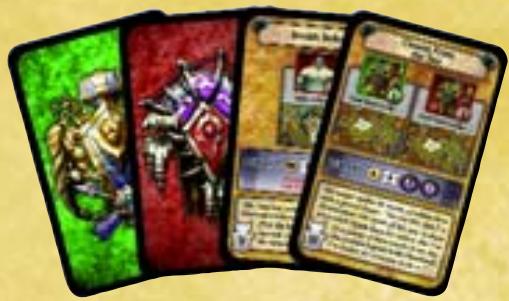
that characters must face in order to gain experience points, gold, and powerful items. As each Quest card is drawn, it immediately spawns quest creatures (red/green) and perhaps independent creatures (blue) as indicated by the card.
EVENT CARDS
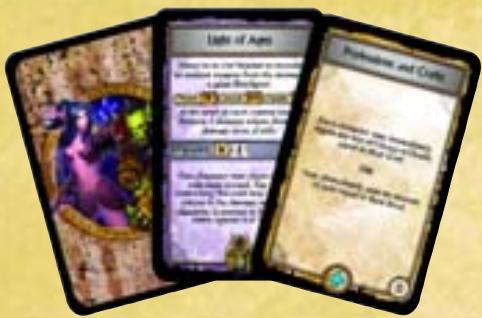
After certain turns, as indicated by the turn track, one or more Event cards are drawn. Event cards represent a myriad of different effects, such a moving blue creatures, spawning “boss" creatures, auctions for special items, etc.
OVERLORD SHEETS
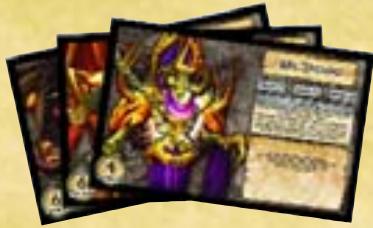
There are three Overlords in WORLD OF WAR-CRAFT: THE BOARD GAME, representing a special enemy against whom characters of both factions will struggle throughout the course of the game. At the beginning of the game, players determine which Overlord will be represented in the upcoming game, and place the sheet representing that Overlord near the game board. The first faction to defeat this Overlord wins the game.
ENERGY AND HEALTH TOKENS

These tokens (in denominations of one and three) are placed primarily in the respective Health and Energy regions on the character sheets and represent the remaining Health and Energy available to each character. As a character suffers Health or Energy loss, these tokens are removed from the character sheet. When a character rests or is healed, those tokens are then returned to the character sheet once more.
GOLD TOKENS
Gold tokens (in denominations of one and three) form the principal currency of WORLD OF WAR-CRAFT: THE BOARD GAME.
CREATURE REFERENCE SHEETS

Two oversize Creature Reference Sheets are included in the game. One side of each sheet shows the combat statistics, rewards, and special abilities of each creature type in the game, while the reverse side of the sheet contains a helpful summary of the game rules and sequences.
HIT AND ARMOR TOKENS
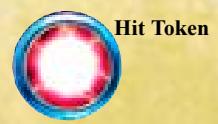
These tokens are placed in a faction's Combat Area (located on the game board) during combat to keep track of successful dice results.
DICE
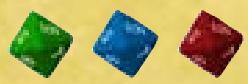
There are three different colors of dice in WORLD OF WARCRAFT: THE BOARDGAME. The red dice represent melee combat ability, the blue dice represent magic and ranged combat ability, and the green dice represent armor and defensive ability.
QUEST TOKENS


Alliance Quest Token
Horde Quest Token
Each faction should place these tokens on the board in the same region as any quest creatures just spawned by a friendly quest. In this way, each faction will always have five quest tokens on the board, providing an easy visual reference to where friendly quest objectives are located.
OVERLORD COUNTERS
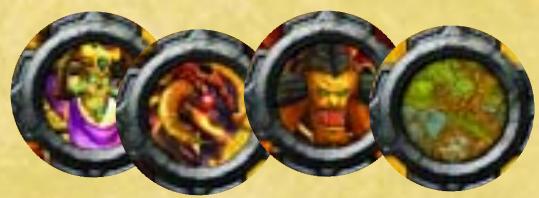
There are seven Overlord counters in the game, one each for the Overlords Kel’Thuzad and Nefarian, and five for the elusive Lord Kazzak. These tokens represent the location of the specific Overlord on the game board.
“FRIENDLY,"“ENEMY," AND “OPPONENT"
Throughout this rules set and on the game components, when we refer to a friendly character or player, we mean your character or a character that belongs to the same faction as your character.
When we refer to an enemy character or player, we mean a character or player belonging to the opposing faction.
When we refer to an opponent, it we mean either the boss, creature, or enemy character opposing you in combat.
POINT OF INTEREST AND WAR TOKENS
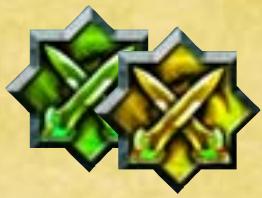
War Tokens

Point of Interest Token
These tokens are placed on the game board when specific Event cards are drawn, acting as visual guides to the pertinent locations of those Event cards.
ACTION TOKENS
Each player receives two action tokens, which may be used to keep track of how many actions a character has used during his faction turn. Simply turn the token over to its grey side to indicate that a player has taken an action.
GETTING STARTED
These rules are written assuming that you will be playing WORLD OF WARCRAFT: THE BOARD GAME with six players. Playing WORLD OF WARCRAFT: THE BOARD GAME with two to five players is just as enjoyable an experience as the six-player game, and requires only a few minor changes to the game setup.

If you are playing with two to five players, please see pages 35-36 for detailed information on how to play the game with that number of players.
PREPARING FOR YOUR FIRST GAME
After unpacking your WORLD OF WAR-CRAFT: THE BOARD GAME box for the first time, carefully punch out the cardboard pieces from their frames so that they do not tear.
YOUR FIRST GAME?
If this is your first game of WORLD OF WARCRAFT: THE BOARD GAME, we recommend that you immediately read “A Guide to your First Game" on page 40. This will give you some helpful tips on how to play and learn the game for the first time.
GAME SETUP
When starting a game of WORLD OF WAR-CRAFT: THE BOARD GAME, follow the sequence below before taking the first faction turn:
Fold out the game board and lay it centrally on the table.
2 Randomly determine the order in which players will select their character class.
The first player then selects a character class by taking the character sheet representing that class and the corresponding Class deck of 24 Power and Talent cards. Then the next player does the same (but will now only have eight remaining classes to choose from), etc. In this way, every player will select a unique class that he will be playing during the upcoming game.
Note that seven of the character sheets are doublesided, with their red side representing a Horde character and their blue side an Alliance character of the same class. Two of the nine character sheets, the Shaman Class (Horde) and the Paladin Class (Alliance), only represent a single character and are single-sided.
After all players have chosen a character class, players must now determine which faction (Horde or Alliance) they will join. Note that if a player has chosen the Paladin class, he automatically will be part of the Alliance. Likewise, if a player has chosen the Shaman, he will automatically be part of the Horde.
Randomly determine what players will be part of the Horde and what players will be part of the Alliance. At the end of this process there must be three characters representing the Alliance, and three characters representing the Horde. If the Paladin/Shaman classes have been chosen, these characters are not part of this random process, as they are already committed to one of the factions.
Example: A game is about to begin. No player has chosen the Shaman, but one player has chosen the Paladin. The Paladin player is therefore automatically part of the Alliance faction, leaving five players without a faction. Now, to decide what players will be representing what faction, the five remaining players each roll a die. Before rolling, it is determined that the two players with the highest results will join the Paladin as part of the Alliance, while the remaining three players will join the Horde.
The above is an example of how players can randomly determine which players will join the Horde or the Alliance. Feel to free create your own process for determining faction breakdown if you wish.
Players should now seat themselves so that the Horde players sit together on one side of the table, preferably facing the northern part of the map, while the Alliance players sit together on the other side of the table, facing the southern part of the map. After being seated, each player should place his character sheet (with the appropriate faction side faceup) and his Class deck in front of him.
Each player now prepares to start the game by doing the following:
• Take one Bag token, placing it adjacent to your character sheet.
DRAWING A QUEST CARD
After a Quest card is drawn, the active faction spawns creatures on the game board in the regions directed by the Quest card. The number in the small circle by each creature indicates the number of creatures that must be spawned of that color.
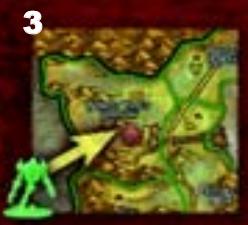
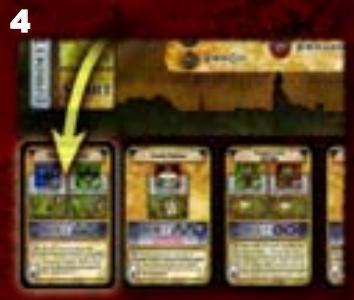
This quest directs its faction to spawn one blue Worgen in the Ambermill region of the Silverpine area.
In addition, the quest directs its faction to spawn one green Wraith (the objective of the quest), in the North Tide's Hollow region of the Silverpine area. Remember to add one of your faction's quest tokens to this region as well.
After all the creatures of a just-drawn Quest card have been spawned, the card is placed faceup adjacent to the faction's other active Quest cards – ready to be completed.
• Take one Spellbook token, placing it adjacent to your character sheet.
• Take the seven Character tokens representing your character class (using the side faceup that represents your character). Place one of these tokens in the “Start" space of the Experience Track on the game board, and place one character token on the “Level 1" box of your character's Level track on your character sheet.
FACTION CONSENSUS AND DECISION-MAKING Often throughout the game, the players of a faction will be required to make decisions as a group. Two examples of such decisions are:
- Deciding which order to take character actions at the beginning of a faction turn, or
- Deciding which characters (that participated in the combat) should receive what Item cards after completing a Quest as a group.
Since all players of a faction are on the same team, and will win or lose the game together, most of these decisions will be easy to make, and a faction should easily agree on what to do.
If for some reason, however, the players of a faction cannot come to a common decision, then the player of that faction who controls the character with the most XP on the Experience Track must make the decision for the faction in any way that he sees fit.
If two or more characters of the same faction are tied for XP, then randomly determine which of the tied players will make the decision for the faction.


• Take the starting amount of Health and Energy tokens, as indicated in the “Level 1" frame of your character's Level track. Place the starting Health tokens in the Health area on the character sheet, and the starting Energy tokens in the Energy area on the character sheet.
• Take the plastic figure representing your character and place it on the game board. If you are part of the Alliance, place your figure in the Southshore region. If you are part of the Horde, place your figure in the Brill region.
Determine (either via consensus or randomly) which of the three Overlords will be used in this game. Place the Overlord adjacent to the board with the side faceup that corresponds to the number of characters in the game (four or six). The two remaining Overlord sheets are placed back in the game box, and will not be used in this game.
Separate the Item cards by their four different types (as indicated by the symbols on their backs), then shuffle each deck, and place them adjacent to the game board.

Item Type Icons
Draw three Triangle Item cards (white), two Square Item cards (blue), and one Circle Item card (purple) and place these six cards faceup in a stack on the “Merchant deck" area found in the lower right-hand side of the game board.
The Alliance players take the 40 Alliance Quest cards, separating them by difficulty (grey, green, yellow, and red) into four different decks, shuffle them, and place them facedown next to the board within easy reach. The Horde players then do the same with their 40 Quest cards.
The Alliance

The Horde
Separate the various cardboard and plastic pieces and place them by the game board as illustrated on “The Play Area" diagram on page 6. Each character then takes 5 gold from the central bank and places it in the “gold" area of his character sheet.

Each faction now draws the top four Quest cards from their grey Quest deck and the top Quest card from their green Quest deck, placing these cards faceup by their side of the game board. As soon as a Quest card is drawn, it will spawn one or more creatures on the game board. Please read the “Drawing a Quest Card" sidebar on page 7 which explains how to spawn creatures on the board after drawing a Quest card.
In this way, at the beginning of the game, a total of ten Quest cards will be visible (five for each faction). The two factions should keep their active Quests located by their own side of the table, so that they are not confused with the active Quests belonging to the other faction.
After this step, take the remaining grey Quest cards and place them back in the game box – the grey Quests are “starting quests"and only the cards drawn during setup will be used in the game. In this way, only the green, yellow, and red Quest decks will be available to a faction after the game starts.
11 Now place the turn marker on space “1” of the turn track.
Shuffle the Event card deck and place it facedown next to the game board. If you are not playing with Kel'Thuzad as the Overlord, remember to remove the five special Event cards that are in play when Kel'Thuzad is the Overlord (each of these five Event cards are prominently marked with the Kel'Thuzad symbol).
The game is now ready to begin, with the Horde faction taking its first faction turn (see below).
THE GAME ROUND
A Game of WORLD OF WARCRAFT: THE BOARD GAME is played over 30 consecutive faction turns, with each turn consisting of one faction taking two actions per friendly character. In this way, each faction will receive 15 faction turns during the game before the turn marker reaches the “End" space. The faction currently taking their faction turn is considered to be the active faction.
The Horde always takes the first faction turn of the game.
The Faction Turn
A faction turn consists of every character in the active faction taking two character actions (such as traveling on the board, resting, or engaging in combat). After every character of the active faction has taken two actions, the turn marker is moved one space on the turn track, after which the opposing faction then becomes the active faction and proceeds to take their faction turn. The game continues in this way until the turn marker reaches the “End" space, or a faction manages to defeat the Overlord, whichever happens first.
CHARACTER ACTIONS
Character actions form the core experience of playing WORLD OF WARCRAFT: THE BOARD GAME. Through their actions, characters will interact with the game board, travel to new regions, challenge creatures on the board, and gain experience, items, and abilities.
During a faction turn, each character may take two actions. Action tokens are included in the game so that players can keep track of how many actions they have spent during their faction turn. A player may simply keep these tokens in front of him, flipping a counter to its grey side after taking an action.
The Action Token
The order in which actions are taken among the characters of the active faction is completely flexible. It is possible for a character to split his two actions (i.e., he does not have to take his second action immediately after the first) in such a way that other characters may take their action(s) in between his first and second action.
Example: The characters of the active faction can take their actions in any order they see fit – as long as each individual character takes no more than two actions. C2, C1, C1, C2, C3, C3 is an example of a possible sequence, and C1, C2, C3, C2, C3, C1 is another.
A character has five different choices of character actions. These are:
Travel Action
Rest Action
•Challenge Action
Training Action
Town Action
Exception: If a character finds himself in a region containing one or more independent creatures, his next action must be to take a Challenge action against one group of those independent creatures. No other action is allowed in this circumstance.
Remember that independent creatures are represented by the blue plastic creature figures, and quest creatures are represented by the green and red plastic creature figures.
TRAVEL ACTION
When taking a Travel action, a character may move up to two adjacent regions on the game board.
If the first region entered contains one or more independent creatures, then movement must end in this region and the character's Travel action is over.
The black borders on the map indicate impassible regions. When moving, a character may never cross into an region separated from other regions by a black border. Also, a character may never move into the starting region of the enemy faction (thus an Alliance character may never move into Brill, and a Horde character may never move into Southshore). The two starting regions are marked with their respective faction colors.
USING FLIGHT PATHS WHEN TRAVELING
The board contains four regions that contain Horde flight path icons and four regions that contain Alliance flight path icons.
Alliance Flight Path Icon
Horde Flight Path Icon
Using one of his two movement steps, a character may move from one region that contains a friendly flight path icon to any other region on the board containing another friendly flight path icon.
Note that it is never possible for a character to use enemy flight path icons in this way. Thus, the Horde may never use Alliance flight paths and vice versa.
See the diagram on page 10 for an example of traveling.
REST ACTION
When taking a Rest action, a character may immediately regain any combination of Energy and Health tokens equal to twice his level. The character may also remove one Curse token.
Example: The Hunter decides that he will use one of his character actions to rest. The Hunter is level 3, allowing him to regain 6 tokens. He chooses 4 Health and 2 Energy tokens, which he places back on his character sheet in their respective areas.
If a character takes a Rest action while in a region that contains a friendly town symbol, then that character may immediately regain any combination of Energy and Health tokens equal to three times his level. The character may also remove all Curse tokens.
CHALLENGE ACTION
As stated above, a character must make a Challenge action if he finds himself in the same region as one or more groups of independent creatures. The character must take a Challenge action against one such group of independent creatures even if the region contains other eligible targets for a Challenge action. Thus, it is not possible for a character to take any other action unless his region is completely clear of independent creatures.
WHAT IS A CREATURE GROUP"?
A group of creatures is one of the following:
a) All independent creatures of the same type in the same region, or
b) All quest creatures of the same type in the same region
Note that independent creatures are never considered to be in the same group as quest creatures, even if both the independent creatures and the quest creatures in a region are of the same type (e.g., they are all Gnolls). Also note that a single creature is still considered to be a "group" for game purposes.
See page 28 for details on how to resolve combat against creatures.
If there are no independent creatures in a character's region, he may still take a Challenge action if any of the following elements are found in his region:
a) A group of eligible quest creatures
Characters may challenge a single group of quest creatures spawned by a friendly Quest card. A character may never take a Challenge action against a group of quest creatures that have been spawned by an enemy Quest card. Only quest creatures spawned by a friendly quest are considered “eligible" for being challenged by that faction.
b) A game “boss"
The Overlord, as well as special creatures spawned by Event cards, are called “bosses." When in the same region as a boss, a character may take a Challenge action to enter into combat against the boss.

THE GAME BOARD
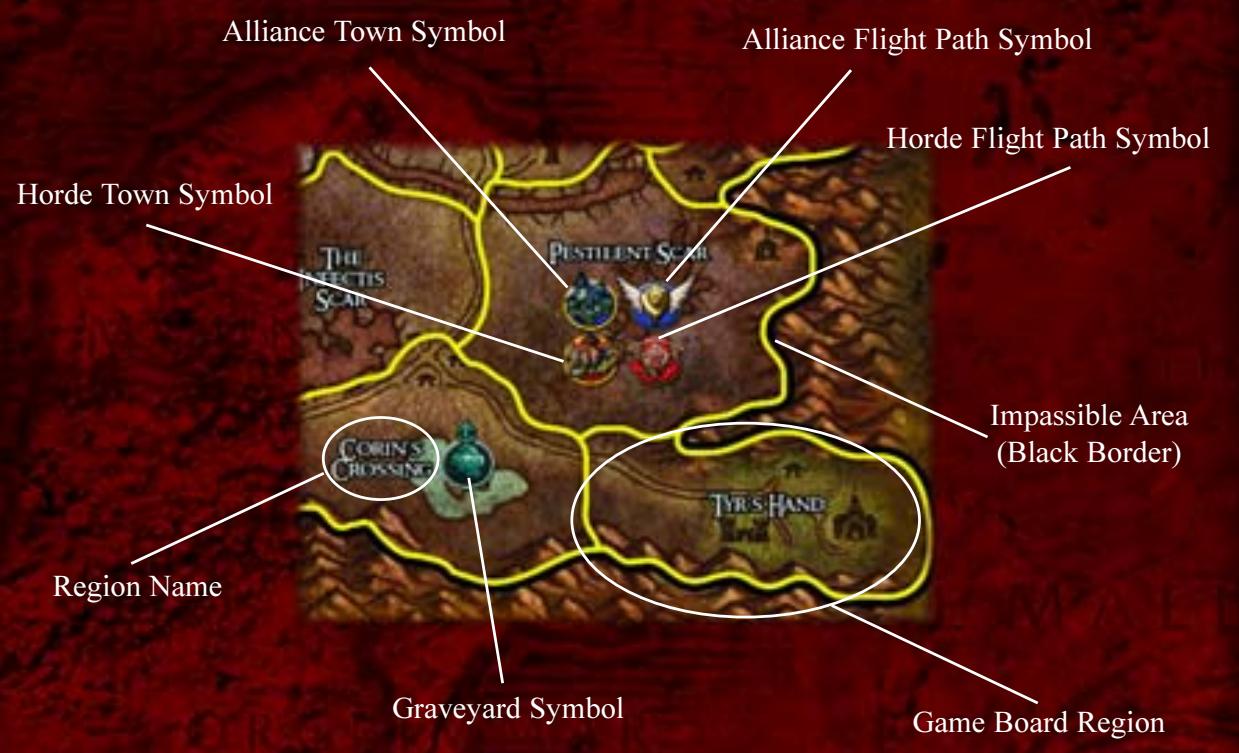
TRAVELING ON THE GAME BOARD
The Dwarven Hunter takes a Travel action starting from the Alliance home region of Southshore. He may now move twice into an adjacent region as shown above. Note that he must stop his movement if he enters the region containing the independent creature (the blue Ogre).
Since there is a flight path icon in Southshore, the Hunter decides to use one of his two movement steps to instantly travel to Sorrow Hill (which also contains an Alliance flight path icon). After this move, he may still use his second movement step to move an additional region. Note that he cannot move into a region surrounded by a black line (as indicated above).
c) All enemy characters in the region
If the active character is in the same region as one or more enemy characters, he may take a Challenge action to enter into PvP (“Player versus Player") combat against those enemy characters. Note that the active character must enter into combat with all enemy characters in the region – it is not possible to single out an individual enemy character if others are present. See page 33 for how to resolve PVP combat.
FRIENDLY CHARACTERS JOINING A CHALLENGE
An important part of WORLD OF WARCRAFT: THE BOARD GAME is the ability of friendly characters to join together to defeat a challenge. After a character has announced a Challenge action, that character may invite other friendly characters in the same region to assist him in the challenge. If another friendly character agrees to join in the challenge, the joining character must then spend an action in order to participate in the challenge. A character that has already used both of his actions during the current faction turn may not join another character in a challenge.
By joining in a challenge, players are said to be “forming a group" for that combat. In this way, it is possible for all three friendly characters to participate in the same combat together. This option is especially vital when a faction seeks to defeat highlevel creatures, such as bosses spawned by Event cards, or the Overlord himself.
TRAINING ACTION
When taking a Training action, a character may immediately purchase one or more eligible Power cards from his Class deck. Every card purchased in this way is immediately placed under that character's Spellbook token (see page 17 for more information on purchasing powers from the Class deck).
CHALLENGE ACTION EXAMPLES
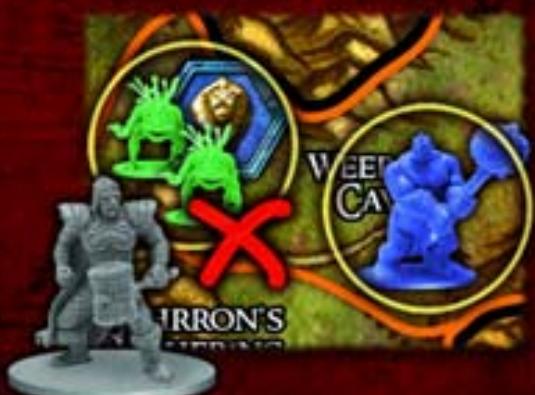

The Paladin may take a Challenge action against the red Worgen, a quest creature spawned by an Alliance quest. He may not challenge the group of green Scarlet Crusaders, since they belong to a Horde quest. Note that the quest tokens indicate which quest creatures belong to which faction.
The Paladin must take a Challenge action against the independent creature (the blue Ogre). Even though the two green Murlocs are an eligible Alliance quest, the Paladin may not challenge them at this point because a character must always spend his next action to challenge any independent creatures in the same region.
The Paladin has a choice of either challenging the group of green Worgen, the group of Murlocs, or the boss (the Overlord Nefarian) in the same region. After announcing his Challenge action, the Paladin may invite the Dwarven Hunter to join him in the challenge (unless the Hunter has no actions remaining).
The Hunter may either challenge both enemy characters or the Wildkin quest creature. He may not challenge the Scarlet Crusader, since this creature belongs to a Horde quest.
The Paladin must take a Challenge action. He may choose whether he will challenge the Ogre or the two Worgen (since both groups are independent creatures). If the Paladin survives the combat, his next action must again be to challenge the remaining independent creatures (unless another character has defeated the remaining group before the Paladin's next action).
TOWN ACTION
A character may only take a Town action if he is currently in a region that contains a friendly town icon.
Alliance

Town Icon
Horde Town Icon
When taking a Town action, a character may do some or all of the following, in any order:
1) Regain a number (in any combination) of Health and Energy tokens equal to his level.
2) Sell and/or purchase any number of Item cards from the Merchant deck.
3) Purchase one or more Power cards from his Class deck, placing them under his Spellbook token.
See page 17 for more detail on buying Power cards from the Class deck, and page 24 for conducting transactions with the Merchant.
Note: The process of buying Power cards via a Town action is identical to buying Power cards via a Training action. When rules or cards refer to "training," they refer to the process of buying Power cards via either a Training or a Town action.
END OF THE FACTION TURN
After all characters of the active faction have taken two actions, the active faction must complete the following three steps before their faction turn ends. These steps are:
1) CHARACTER MANAGEMENT
During this step, characters of the active faction may add or remove cards from their character sheet (which we call equipping and unequipping items or powers). This is an important step, since it is the only time that players may place Power and Item cards from their Spellbook and/or Bag onto their character sheet, and/or remove cards from their character sheet and place them back under their Spellbook or Bag. (See “Managing Your Character," below, for detailed rules on how to manage your character sheet during this step.)
2) ADVANCE TURN MARKER
Simply advance the turn marker to the next step on the turn track on the game board. If the marker is advanced to the “End" space, the game immediately ends, and players must enter a final PvP combat to determine which faction will win the game. See page 33 for how to resolve the final PvP battle.
3) EVENT CARD/MERCHANT CHECK
If the turn marker was advanced to a space containing an Event card icon, then an Event card must immediately be drawn and resolved from the Event card deck. (See “Event Cards," page 24, for how to resolve Event cards.) If the turn marker was advanced into a space containing an item icon, simply draw the top Item card from that deck, and place the card faceup in the Merchant pile.
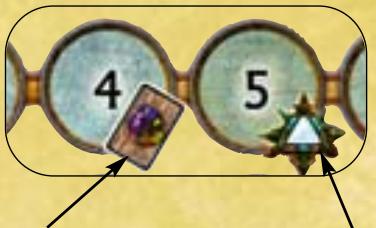
Event Card Icon
Item Icon
NEXT GAME ROUND
After the turn marker has been advanced on the game track, and after any possible Event card or Item card has been drawn, the opposing faction now takes their faction turn. This continues, with faction turns switching back and forth between factions, until either the Overlord is killed or the turn marker is advanced into the “End" space.
MANAGING YOUR CHARACTER
At the start of every game, each player receives a Class deck, a corresponding character sheet, character tokens, a Spellbook, and a Bag. These are the fundamental pieces the player needs to manage his character. As characters explore Lordaeron and complete quests, they will gain experience points, find gold, and acquire valuable Items.
THE CHARACTER SHEET
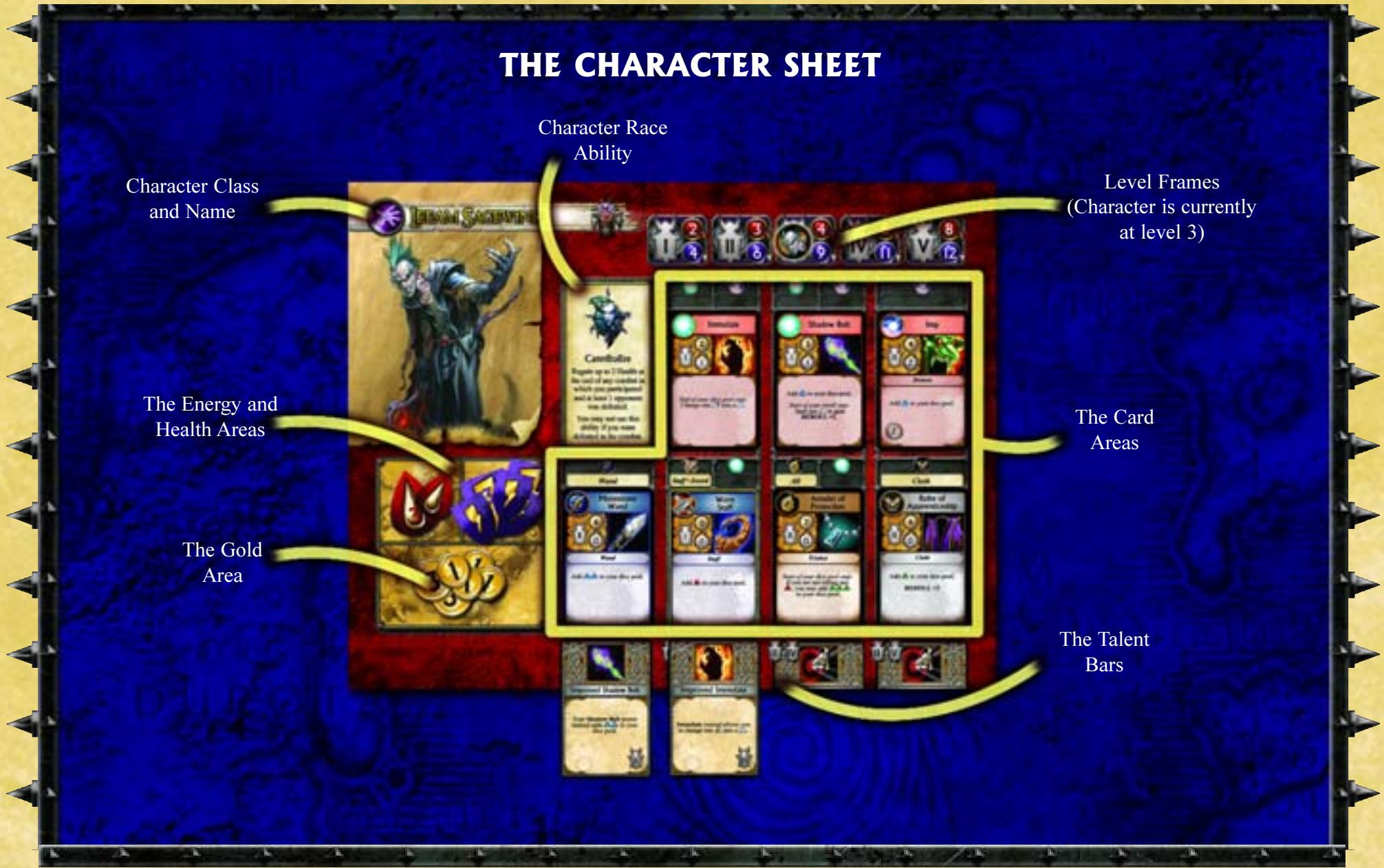
The character sheet is the main tool used in managing a character. See “The Character Sheet" sidebar on the next page for an overview of all the different areas of a character sheet.
LEVELS, HEALTH, AND ENERGY
As your character gains experience points throughout the game, he or she will increase in levels. At the beginning of the game, each character starts at level 1, placing a character token in the “Level 1" frame on his character sheet. Next to each level frame on the character sheet, the Health and Energy capacity for that level is printed. Before starting the game, all characters receive a number of Health and Energy tokens equal to the amounts printed in their Level 1 frame, placing these tokens on the respective areas of their character sheet. Note that different classes have different starting levels of Health and Energy, and that the increase of Health and Energy capacity for each level typically varies from class to class.
When a character spends or loses Energy, the appropriate number of Energy tokens are removed from the Energy area and placed next to the character sheet. When a character's Energy area is empty, that player cannot spend any additional Energy, and will thus not be able to use powers or items that require Energy.
When a character spends or loses Health, a Health token is removed from the Health area and placed next to the character sheet. When a character removes his last Health token from his character sheet, he is defeated. (See detailed rules on page 26 for character defeats.)
Via various effects, such as taking a Rest action, using healing powers, or using potions, characters can regain their Health and Energy tokens. When regaining Energy or Health, simply place one of the previously removed tokens back into its area on the character sheet.
A character is not allowed to regain more Energy or Health tokens than that character's Health or Energy capacity allows (as printed in the level frames on his character sheet). Certain powers, talents, or items may increase capacity, but characters mainly increase their capacities by gaining levels.
Some abilities allow you to gain (as opposed to regain) Health or Energy. Such abilities do allow a character to gain more Energy and Health tokens than his capacity allows.
It is important to note the differences between gaining and regaining Energy, as this affects many of the abilities of Power, Talent, and Item cards. In summary, when an ability allows you to regain Health or Energy, the new number of tokens in the respective areas may not exceed your current level's capacity. Abilities that allow you to gain Health or Energy, allow you to exceed the capacity for that ability's duration.
Capacity decrease
Certain card abilities can increase the capacity of a character's Energy and Health. If such an ability expires, or is removed/canceled, the character must immediately remove any Energy or Health from his character sheet's Energy and/or Health areas that is in excess of his new reduced capacity.
RACE SPECIAL ABILITY
Every character has a class and a race. There are eight races in the World of Warcraft: Dwarf, Gnome, Human, Night Elf, Orc, Tauren, Troll, and Undead. Every race has a unique special ability, which is printed prominently on each character sheet.
THE GOLD AREA
Each character sheet has a small area that is used to hold any gold that a character accumulates. When a character receives gold, he simply takes it from the central gold pile and places it in his gold area. Whenever a character wishes to spend gold, he removes the gold from his gold area and places it back in the central pile.
THE CARD AREAS
Every character sheet has seven distinct card areas on which a player may place Power and Item cards to show that his character is using these powers and items. When a player places a card on his character sheet, he is said to be equipping a card. When a character removes a card from his character sheet, he is said to be unequipping a card. Each card area may only hold one card (with the exception of add-on items, see later), so if a player wishes to equip a new card, any existing card in the card area must be unequipped first (see the “Equipping Cards" diagram on page 16).
Preprinted cards: Several card areas of each character sheet feature a preprinted card representing the starting powers and items of that character. Later, as a character acquires new Power and Item cards, he may choose to place new cards on top of a preprinted card, thus replacing the effects of the preprinted card. If a Power or Item card covering a preprinted card is later removed, the visible preprinted card will once again represent a power or item that the character may use.
A preprinted card that has been covered up by another card is no longer considered to be equipped.
Note: For the purposes of this section alone, when referring to a“card," we mean only those cards found in the Class and Item decks. See the “Item and Power Card Types" diagram on page 15 for a breakdown of the card type categories found in these decks.
EQUIPPING AND UNEQUIPPING CARDS
A character may only remove or place Power and/or Item cards on his character sheet during the Character Management step of his faction turn.
When a Power card is unequipped from a character sheet, it is placed under his or her Spellbook token, and when an Item card is unequipped, it is placed under his or her Bag token.
A character may only equip a card to his character sheet from his Spellbook or Bag token if both the card's type and trait matches the restrictions of the area in which the character wishes to place the card.
A character may never equip an item or a power to his character sheet that is of a higher level than the character (although higher-level items may be stored in a character's Bag).
POWER AND ITEM RESTRICTIONS
Each card area of the character sheet may hold only specific types of Item or Power cards. There are icons and traits printed above each card area showing the specific restrictions for that card area.
There are two types of restrictions: card types and card traits.
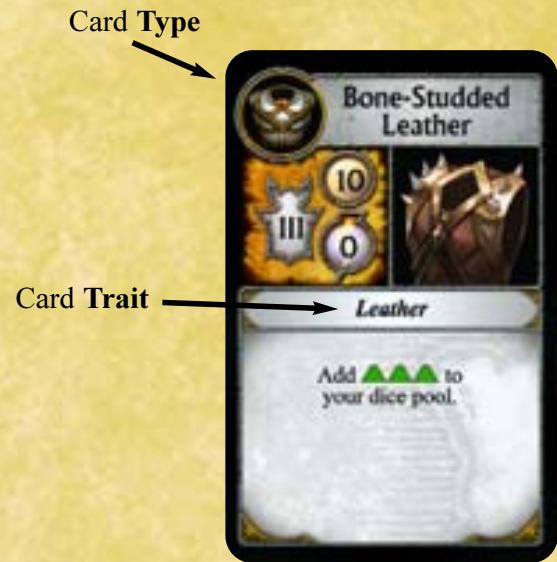
Card Types
A card's type is indicated by the icon in its upper left-hand corner. In order to place any Power or Item card in a card area, the cards type icon must match one of the icons printed above the card area.
Card Traits
Every Item card has a trait listed in the keyword area of the Item card. Traits represent the subcategory and/or materials of each item. In order to place an Item card in a card area, the card's trait must match one of the traits printed above the card area. If “All" is printed in the card area, then this area does not discern against any item traits (but any Item card placed here must still match the allowed card type).
Note: Power cards do not have traits and therefore may ignore a card area's trait requirements. Some Power cards have a unique category printed in their keyword area, but this is treated differently than an Item trait and will not affect the legal placement of the Power card on the character sheet.
Exception: The Warrior's “Stance" powers are an exception to this rule, and must be placed in the designated “Stance-only" card area of the Warrior's character sheet.
In summary, Power cards may only be placed in a card area if they are of the type indicated by that area, while Item cards may only be placed in a card area if they are of the correct type and have the proper trait requirement.
Note that each class has different card area restrictions as indicated by their character sheet.
THE TALENT BARS
Towards the bottom of the character sheet, you will find four Talent bars. Every time that a character gains a level in the game (see pages 17-18 for more information on gaining levels), he is allowed to choose one Talent card from his Class deck. After choosing a Talent card, he must place it below the appropriate Talent bar of the character sheet. In this way, a character's talents will be visible to the player at all times.
ITEM AND POWER CARD TYPES

Melee Icon (Typically represent items that grant red dice)
Ranged Icon (Typically represent items that grant blue dice)
Armor Icon (Typically represent items that grant green dice)
Instant Power Icon (Represent a wide range of benefits, typically require user to spend Energy)
THE CLASS DECK
Other than the character sheet, the most important feature of managing a character is found among the cards of his Class deck. There are nine different Class decks in WORLD OF WARCRAFT: THE BOARD GAME, each uniquely representing one of the nine World of Warcraft classes: Druid, Hunter, Mage, Paladin, Priest, Rogue, Shaman, Warlock, and Warrior.
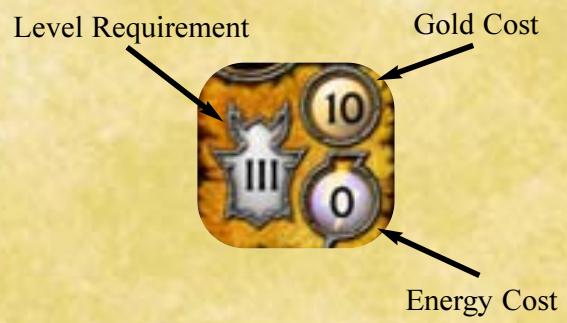
Both Item and Power cards have three distinct numbers printed on the upper left-hand side of the card. These numbers represent the following:
Active Power Icon (Energy cost must be paid when equipped, after which it provides a constant benefit)
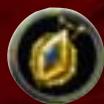
General Item Icon (Usually represent exotic items that grant some specific benefit when equipped)
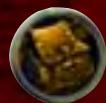
Bag Item Icon (Bag items are never placed on the character sheet)
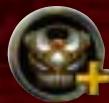
“Add-On" Icon (Signified by the “+”, here showing an “Armor” add-on item)
THE POWER CARDS
A character's Power cards represent the unique skills, faculties, and spells that the character may learn. The two most frequent types of Power cards are instant powers and active powers (although some powers may be of other types, and must be placed in the respective card areas that conform to such a type).
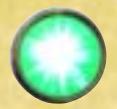
Instant Power

Active Power
Active Powers
Active powers provide characters with a constant benefit that lasts until the active power is unequipped. To equip an active power, the player must pay the Energy cost indicated by the card during the “Character Management" step of his faction turn, after which the card may be placed in an eligible card area of the character sheet. Once an active power is equipped, its effects do not cost the character Energy to use.
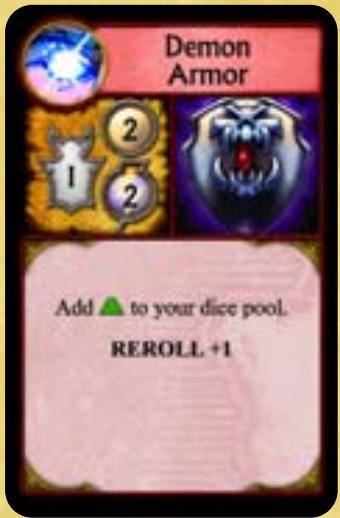
Example: During a Character Management step, the Warlock player wishes to equip his active power “Demon Armor." The Energy cost of this power is 2, which the Warlock spends from the Energy area of his character sheet. After spending the Energy, the Warlock equips the “Demon Armor" card to an empty card area on his character sheet that allows for the Active Power card type. After equipping “Demon Armor” to his character sheet, the Warlock may now add one green die to his dice pool during every combat round without paying any additional Energy cost.
Instant Powers
Instant powers represent special skills or spells that can be activated (used) at the specific time noted on the card itself. Unlike active powers, no Energy cost is paid to equip an instant power during the Character Management step. However, once equipped, a character must pay an instant power's Energy cost each time he wants to use that power. This Energy cost must be paid before the card effect is resolved. If a character does not have enough Energy to pay the Energy cost, then that instant power may not be used.
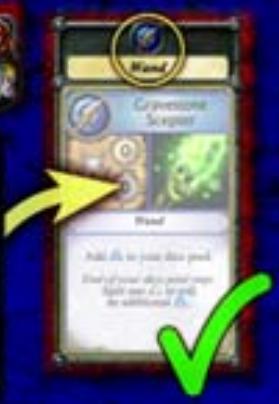
EQUIPPING CARDS

Any card equipped must always be of a level that is equal to or lower than that of the character.
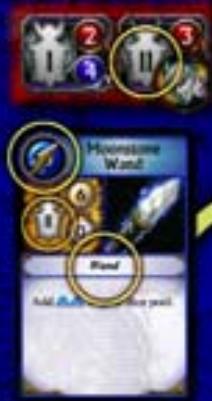
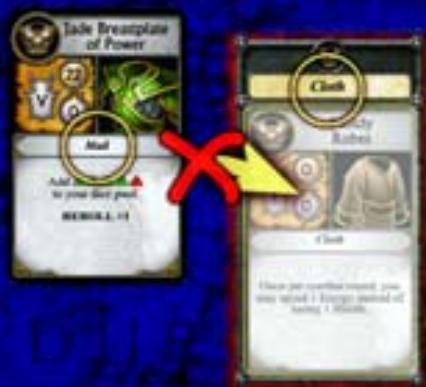
The above Item card does not share the allowed trait of the desired card area. It may therefore not be equipped here.
A character is never allowed to have two cards in a card area (except for “add-on” items). A character is allowed, however, to equip a card on top of a preprinted Item or Power card.
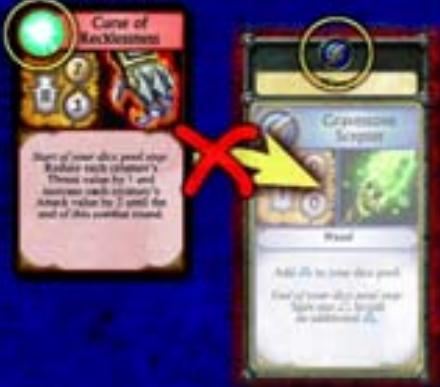
The above Item card does not share the allowed type of the desired card area. It may therefore not be equipped here.
For a card to be equipped to a card area on a character sheet, it must meet all the following requirements:
• It must share the card type of the area.
• It must share the card trait of the area (items only)
It must be of an equal or lower level than the character
Any preexisting card (except for a preprinted card or an add-on card) in an eligible card area must first be unequipped.
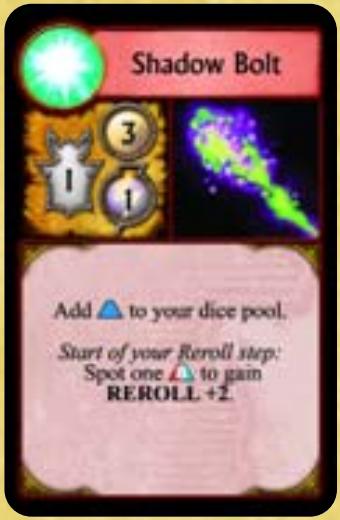
Example: At the start of his Dice Pool step, the Warlock wishes to use his “Shadow Bolt" Instant Power card that he has equipped on his character sheet. As instructed by the card, the Warlock spends 1 Energy from the Energy area of his character sheet to gain the effects of “Shadow Bolt.
Unique Powers
Some Power cards have a unique category. A character may only have one Power card of each unique category equipped at any time. The name of the unique category is always printed in the keyword area of the Power card. For example, the Paladin has several active powers in the unique “Blessing" category. A player may only have one Power card in each unique category equipped at a given time.
For Example: The Warlock has three unique Active Power cards in his Class deck that are of the “Demon" category: the Succubus, the Imp, and the Voidwalker. Since all these cards share the “Demon" unique category, the Warlock may only have one of these cards equipped on his character sheet at one time. If, during another Character Management step, the Warlock wishes to equip another Demon on his character sheet, he must first unequip any equipped Demon.
Note that some classes, such as the Paladin, have multiple unique categories. A character may have multiple Power cards equipped from different unique categories, but not multiple Power cards that share the same unique category.
Example: The Paladin has three unique power categories: the Aura, the Blessing, and the Seal. The Paladin may equip one each of these powers – one Aura, one Blessing, and one Seal. This is allowed since these are of different categories. However, should the Paladin want to equip another Power card that shares one of the unique categories already equipped – another Blessing, for example - he must first unequip his currently equipped Blessing.
Pets and Demons
Note that a few unique Power card categories – the Pets and the Demons – have a special feature in the form of a small Health capacity (printed in the lower left corner). After equipping one of these Active Powers to his character sheet, a player should also place the indicated number of Health tokens directly on the Pet or Demon card, representing the Health of that Pet or Demon.
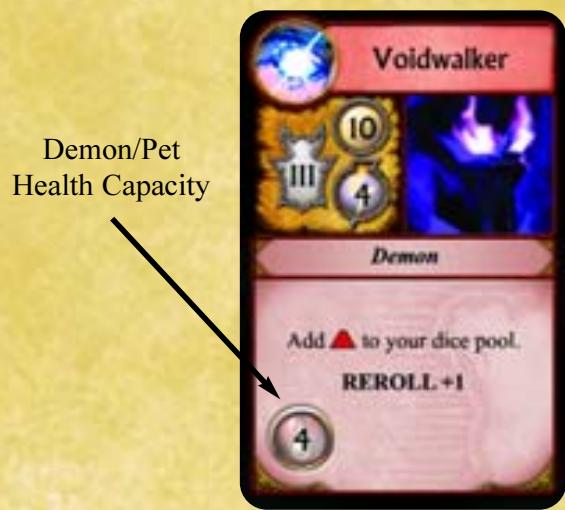
When a character with a Pet or Demon is about to take a wound, the character may instead choose to remove a Health token from his active pet or demon. When a character removes the last Health token from an active pet or demon, he must immediately unequip the Pet or Demon Power card from the character sheet and place it back under his Spellbook token. During a future Character Management step, the character may again equip the Pet or Demon as normal by paying its Energy cost and returning it to an eligible card area on his character sheet.
If a character is defeated, his pet or demon is automatically unequipped.
BUYING AND STORING POWERS
A character may purchase Power cards from his Class deck each time he takes either a Training action or a Town action during his faction turn.
When training, a character is restricted to buying only the Power cards in his Class deck with a level requirement that is equal to or lower than the current level of the character.
For Example: The Paladin player decides to take a Training action. He looks through the Power cards in his Class deck. Since the Paladin is level 2, he may only buy Power cards that are of level 2 or lower.
If a character's level is equal to or higher than the level requirement of a chosen Power card, then the character is allowed to purchase it. After paying the gold cost of a Power card, it is immediately placed beneath the character's Spellbook token.
Note that during the game, Power cards must always be physically located in one of the following places of a character's play area:
1) In a character's Class deck, where all Power cards remain until they are purchased.
2) Under a character's Spellbook token.
3) In a card area on the character sheet (having being placed there during a Character Management step).
TALENT CARDS
The other 12 cards of a character's Class deck are his Talent cards. Talents are advances that give characters helpful, permanent abilities, and they normally have no Energy cost to use. A character receives a new Talent card every time he gains a level (see below). Immediately after gaining a level a character must choose a Talent card and place it by his character sheet under the Talent bar that matches his new level range.
A character may choose any Talent card with a level requirement equal to or lower than his new level. For example: When a character reaches level 2, he must select one of the three level 2 Talent cards in his Class deck. When the same character reaches level 3, he may select one of the two remaining level 2 or one of the three level 3 Talent cards. Note that each Talent slot at the bottom of each character sheet outlines the eligible level ranges for each Talent choice as a player advances in levels.
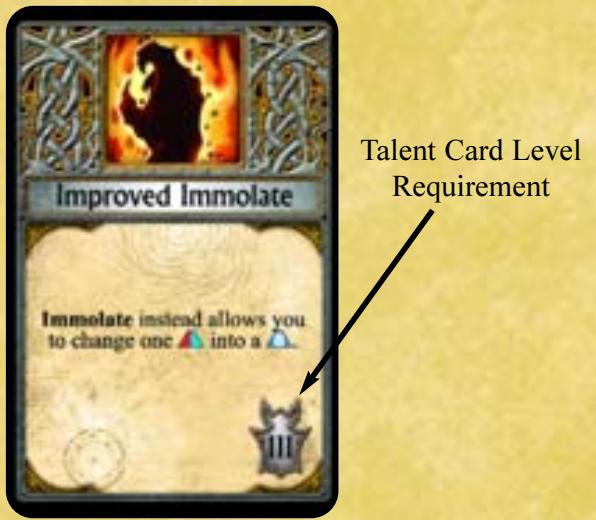
Also note that since a character's maximum level in WORLD OF WARCRAFT: THE BOARD GAME is level 5, a character will never have more than four Talents (one for each level gained).
GAINING EXPERIENCE AND LEVELS
In order for a character's faction to prevail, its members must seek to become mighty heroes of Azeroth. To attain such glory and power, characters will need to advance their level.
THE EXPERIENCE TRACK
The only way for characters to rise in level is by gaining experience points (XP) during the game. Experience points are awarded to players when they complete quests (see pages 20-22 for more details on how to resolve quests). When a player is awarded one or more experience points, he immediately records this by advancing his character token an equivalent number of spaces along the game board's Experience Track.
Example: After resolving a quest, the Priest character gains 4 experience points. He immediately advances his character token 4 spaces on the Experience Track.
If, when advancing a character token along the Experience Track, the token ends on or passes though a“Level" space, that character immediatelygains that level.

GAINING A LEVEL
B
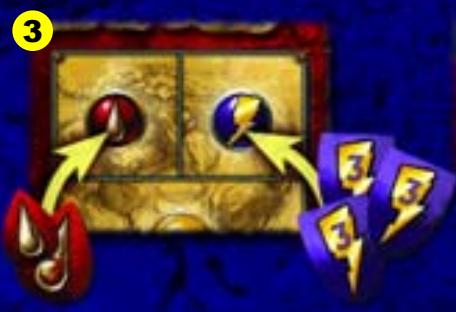

After a character ga
Content is long; only the first part is inlined. Download the file or open the rules page for the full text.
Download Markdown02.md23.6 KB
Getting Started
These rules are written assuming that you will be playing WORLD OF WARCRAFT: THE BOARD GAME with six players. Playing WORLD OF WARCRAFT: THE BOARD GAME with two to five players is just as enjoyable an experience as the six-player game, and requires only a few minor changes to the game setup.
The Play Area
The play area diagram shows how the table is arranged: the Game Board sits centrally. The Horde Player Areas and Horde Faceup Quests are arranged to the north, with the Overlord, Item Decks, and Token Piles to the west, and the Quest Decks and Unused Creature Pile to the east. The Alliance Player Areas and Alliance Faceup Quests are arranged to the south.
If you are playing with two to five players, please see pages 35-36 for detailed information on how to play the game with that number of players.
Preparing for Your First Game
After unpacking your WORLD OF WARCRAFT: THE BOARD GAME box for the first time, carefully punch out the cardboard pieces from their frames so that they do not tear.
Your First Game?
If this is your first game of WORLD OF WARCRAFT: THE BOARD GAME, we recommend that you immediately read "A Guide to your First Game" on page 40. This will give you some helpful tips on how to play and learn the game for the first time.
Game Setup
When starting a game of WORLD OF WARCRAFT: THE BOARD GAME, follow the sequence below before taking the first faction turn:
-
Fold out the game board and lay it centrally on the table.
-
Randomly determine the order in which players will select their character class.
The first player then selects a character class by taking the character sheet representing that class and the corresponding Class deck of 24 Power and Talent cards. Then the next player does the same (but will now only have eight remaining classes to choose from), etc. In this way, every player will select a unique class that he will be playing during the upcoming game.
Note that seven of the character sheets are double-sided, with their red side representing a Horde character and their blue side an Alliance character of the same class. Two of the nine character sheets, the Shaman Class (Horde) and the Paladin Class (Alliance), only represent a single character and are single-sided.
- After all players have chosen a character class, players must now determine which faction (Horde or Alliance) they will join. Note that if a player has chosen the Paladin class, he automatically will be part of the Alliance. Likewise, if a player has chosen the Shaman, he will automatically be part of the Horde.
Randomly determine what players will be part of the Horde and what players will be part of the Alliance. At the end of this process there must be three characters representing the Alliance, and three characters representing the Horde. If the Paladin/Shaman classes have been chosen, these characters are not part of this random process, as they are already committed to one of the factions.
Example: A game is about to begin. No player has chosen the Shaman, but one player has chosen the Paladin. The Paladin player is therefore automatically part of the Alliance faction, leaving five players without a faction. Now, to decide what players will be representing what faction, the five remaining players each roll a die. Before rolling, it is determined that the two players with the highest results will join the Paladin as part of the Alliance, while the remaining three players will join the Horde.
The above is an example of how players can randomly determine which players will join the Horde or the Alliance. Feel to free create your own process for determining faction breakdown if you wish.
Players should now seat themselves so that the Horde players sit together on one side of the table, preferably facing the northern part of the map, while the Alliance players sit together on the other side of the table, facing the southern part of the map. After being seated, each player should place his character sheet (with the appropriate faction side faceup) and his Class deck in front of him.
- Each player now prepares to start the game by doing the following:
Take one Bag token, placing it adjacent to your character sheet.
Take one Spellbook token, placing it adjacent to your character sheet.
Take the seven Character tokens representing your character class (using the side faceup that represents your character). Place one of these tokens in the "Start" space of the Experience Track on the game board, and place one character token on the "Level 1" box of your character's Level track on your character sheet.
Faction Consensus and Decision-Making
Often throughout the game, the players of a faction will be required to make decisions as a group. Two examples of such decisions are:
Deciding which order to take character actions at the beginning of a faction turn, or
Deciding which characters (that participated in the combat) should receive what Item cards after completing a Quest as a group.
Since all players of a faction are on the same team, and will win or lose the game together, most of these decisions will be easy to make, and a faction should easily agree on what to do.
If for some reason, however, the players of a faction cannot come to a common decision, then the player of that faction who controls the character with the most XP on the Experience Track must make the decision for the faction in any way that he sees fit.
If two or more characters of the same faction are tied for XP, then randomly determine which of the tied players will make the decision for the faction.
Drawing a Quest Card
-
After a Quest card is drawn, the active faction spawns creatures on the game board in the regions directed by the Quest card. The number in the small circle by each creature indicates the number of creatures that must be spawned of that color.
-
This quest directs its faction to spawn one blue Worgen in the Ambermill region of the Silverpine area.
-
In addition, the quest directs its faction to spawn one green Wraith (the objective of the quest), in the North Tide's Hollow region of the Silverpine area. Remember to add one of your faction's quest tokens to this region as well.
-
After all the creatures of a just-drawn Quest card have been spawned, the card is placed faceup adjacent to the faction's other active Quest cards – ready to be completed.
Take the starting amount of Health and Energy tokens, as indicated in the "Level 1" frame of your character's Level track. Place the starting Health tokens in the Health area on the character sheet, and the starting Energy tokens in the Energy area on the character sheet.
Take the plastic figure representing your character and place it on the game board. If you are part of the Alliance, place your figure in the Southshore region. If you are part of the Horde, place your figure in the Brill region.
-
Determine (either via consensus or randomly) which of the three Overlords will be used in this game. Place the Overlord adjacent to the board with the side faceup that corresponds to the number of characters in the game (four or six). The two remaining Overlord sheets are placed back in the game box, and will not be used in this game.
-
Separate the Item cards by their four different types (as indicated by the symbols on their backs), then shuffle each deck, and place them adjacent to the game board.
Item Type Icons: Triangle (white), Square (blue), Circle (purple), Goblet.
-
Draw three Triangle Item cards (white), two Square Item cards (blue), and one Circle Item card (purple) and place these six cards faceup in a stack on the "Merchant deck" area found in the lower right-hand side of the game board.
-
The Alliance players take the 40 Alliance Quest cards, separating them by difficulty (grey, green, yellow, and red) into four different decks, shuffle them, and place them facedown next to the board within easy reach. The Horde players then do the same with their 40 Quest cards.
-
Separate the various cardboard and plastic pieces and place them by the game board as illustrated on "The Play Area" diagram on page 6. Each character then takes 5 gold from the central bank and places it in the "gold" area of his character sheet.
-
Each faction now draws the top four Quest cards from their grey Quest deck and the top Quest card from their green Quest deck, placing these cards faceup by their side of the game board. As soon as a Quest card is drawn, it will spawn one or more creatures on the game board. Please read the "Drawing a Quest Card" sidebar on page 7 which explains how to spawn creatures on the board after drawing a Quest card.
In this way, at the beginning of the game, a total of ten Quest cards will be visible (five for each faction). The two factions should keep their active Quests located by their own side of the table, so that they are not confused with the active Quests belonging to the other faction.
After this step, take the remaining grey Quest cards and place them back in the game box – the grey Quests are "starting quests" and only the cards drawn during setup will be used in the game. In this way, only the green, yellow, and red Quest decks will be available to a faction after the game starts.
-
Now place the turn marker on space "1" of the turn track.
-
Shuffle the Event card deck and place it facedown next to the game board. If you are not playing with Kel'Thuzad as the Overlord, remember to remove the five special Event cards that are in play when Kel'Thuzad is the Overlord (each of these five Event cards are prominently marked with the Kel'Thuzad symbol).
The game is now ready to begin, with the Horde faction taking its first faction turn (see below).
The Game Round
A Game of WORLD OF WARCRAFT: THE BOARD GAME is played over 30 consecutive faction turns, with each turn consisting of one faction taking two actions per friendly character. In this way, each faction will receive 15 faction turns during the game before the turn marker reaches the "End" space. The faction currently taking their faction turn is considered to be the active faction.
The Horde always takes the first faction turn of the game.
The Faction Turn
A faction turn consists of every character in the active faction taking two character actions (such as traveling on the board, resting, or engaging in combat). After every character of the active faction has taken two actions, the turn marker is moved one space on the turn track, after which the opposing faction then becomes the active faction and proceeds to take their faction turn. The game continues in this way until the turn marker reaches the "End" space, or a faction manages to defeat the Overlord, whichever happens first.
Character Actions
Character actions form the core experience of playing WORLD OF WARCRAFT: THE BOARD GAME. Through their actions, characters will interact with the game board, travel to new regions, challenge creatures on the board, and gain experience, items, and abilities.
During a faction turn, each character may take two actions. Action tokens are included in the game so that players can keep track of how many actions they have spent during their faction turn. A player may simply keep these tokens in front of him, flipping a counter to its grey side after taking an action.
The order in which actions are taken among the characters of the active faction is completely flexible. It is possible for a character to split his two actions (i.e., he does not have to take his second action immediately after the first) in such a way that other characters may take their action(s) in between his first and second action.
Example: The characters of the active faction can take their actions in any order they see fit – as long as each individual character takes no more than two actions. C2, C1, C1, C2, C3, C3 is an example of a possible sequence, and C1, C2, C3, C2, C3, C1 is another.
A character has five different choices of character actions. These are:
Travel Action
Rest Action
Challenge Action
Training Action
Town Action
Exception: If a character finds himself in a region containing one or more independent creatures, his next action must be to take a Challenge action against one group of those independent creatures. No other action is allowed in this circumstance.
Remember that independent creatures are represented by the blue plastic creature figures, and quest creatures are represented by the green and red plastic creature figures.
Travel Action
When taking a Travel action, a character may move up to two adjacent regions on the game board.
If the first region entered contains one or more independent creatures, then movement must end in this region and the character's Travel action is over.
The black borders on the map indicate impassible regions. When moving, a character may never cross into an region separated from other regions by a black border. Also, a character may never move into the starting region of the enemy faction (thus an Alliance character may never move into Brill, and a Horde character may never move into Southshore). The two starting regions are marked with their respective faction colors.
Using Flight Paths When Traveling
The board contains four regions that contain Horde flight path icons and four regions that contain Alliance flight path icons.
Alliance Flight Path Icon; Horde Flight Path Icon.
Using one of his two movement steps, a character may move from one region that contains a friendly flight path icon to any other region on the board containing another friendly flight path icon.
Note that it is never possible for a character to use enemy flight path icons in this way. Thus, the Horde may never use Alliance flight paths and vice versa.
See the diagram on page 10 for an example of traveling.
Rest Action
When taking a Rest action, a character may immediately regain any combination of Energy and Health tokens equal to twice his level. The character may also remove one Curse token.
Example: The Hunter decides that he will use one of his character actions to rest. The Hunter is level 3, allowing him to regain 6 tokens. He chooses 4 Health and 2 Energy tokens, which he places back on his character sheet in their respective areas.
If a character takes a Rest action while in a region that contains a friendly town symbol, then that character may immediately regain any combination of Energy and Health tokens equal to three times his level. The character may also remove all Curse tokens.
Challenge Action
As stated above, a character must make a Challenge action if he finds himself in the same region as one or more groups of independent creatures. The character must take a Challenge action against one such group of independent creatures even if the region contains other eligible targets for a Challenge action. Thus, it is not possible for a character to take any other action unless his region is completely clear of independent creatures.
What Is a Creature "Group"?
A group of creatures is one of the following:
a) All independent creatures of the same type in the same region, or
b) All quest creatures of the same type in the same region
Note that independent creatures are never considered to be in the same group as quest creatures, even if both the independent creatures and the quest creatures in a region are of the same type (e.g., they are all Gnolls). Also note that a single creature is still considered to be a "group" for game purposes.
See page 28 for details on how to resolve combat against creatures.
If there are no independent creatures in a character's region, he may still take a Challenge action if any of the following elements are found in his region:
a) A group of eligible quest creatures
Characters may challenge a single group of quest creatures spawned by a friendly Quest card. A character may never take a Challenge action against a group of quest creatures that have been spawned by an enemy Quest card. Only quest creatures spawned by a friendly quest are considered "eligible" for being challenged by that faction.
b) A game "boss"
The Overlord, as well as special creatures spawned by Event cards, are called "bosses." When in the same region as a boss, a character may take a Challenge action to enter into combat against the boss.
The Game Board
The game board diagram is annotated with the following symbols: the Alliance Town Symbol and Horde Town Symbol mark friendly towns; the Alliance Flight Path Symbol and Horde Flight Path Symbol mark flight path regions; the Region Name labels each area; the Graveyard Symbol marks graveyards; an Impassible Area (Black Border) marks a border that cannot be crossed; and a Game Board Region is one bordered area of the map.
Traveling on the Game Board
Example: The Dwarven Hunter takes a Travel action starting from the Alliance home region of Southshore. He may now move twice into an adjacent region as shown above. Note that he must stop his movement if he enters the region containing the independent creature (the blue Ogre).
Example: Since there is a flight path icon in Southshore, the Hunter decides to use one of his two movement steps to instantly travel to Sorrow Hill (which also contains an Alliance flight path icon). After this move, he may still use his second movement step to move an additional region. Note that he cannot move into a region surrounded by a black line (as indicated above).
c) All enemy characters in the region
If the active character is in the same region as one or more enemy characters, he may take a Challenge action to enter into PvP ("Player versus Player") combat against those enemy characters. Note that the active character must enter into combat with all enemy characters in the region – it is not possible to single out an individual enemy character if others are present. See page 33 for how to resolve PVP combat.
Friendly Characters Joining a Challenge
An important part of WORLD OF WARCRAFT: THE BOARD GAME is the ability of friendly characters to join together to defeat a challenge. After a character has announced a Challenge action, that character may invite other friendly characters in the same region to assist him in the challenge. If another friendly character agrees to join in the challenge, the joining character must then spend an action in order to participate in the challenge. A character that has already used both of his actions during the current faction turn may not join another character in a challenge.
By joining in a challenge, players are said to be "forming a group" for that combat. In this way, it is possible for all three friendly characters to participate in the same combat together. This option is especially vital when a faction seeks to defeat high-level creatures, such as bosses spawned by Event cards, or the Overlord himself.
Training Action
When taking a Training action, a character may immediately purchase one or more eligible Power cards from his Class deck. Every card purchased in this way is immediately placed under that character's Spellbook token (see page 17 for more information on purchasing powers from the Class deck).
Challenge Action Examples
Example: The Paladin may take a Challenge action against the red Worgen, a quest creature spawned by an Alliance quest. He may not challenge the group of green Scarlet Crusaders, since they belong to a Horde quest. Note that the quest tokens indicate which quest creatures belong to which faction.
Example: The Paladin must take a Challenge action against the independent creature (the blue Ogre). Even though the two green Murlocs are an eligible Alliance quest, the Paladin may not challenge them at this point because a character must always spend his next action to challenge any independent creatures in the same region.
Example: The Paladin has a choice of either challenging the group of green Worgen, the group of Murlocs, or the boss (the Overlord Nefarian) in the same region. After announcing his Challenge action, the Paladin may invite the Dwarven Hunter to join him in the challenge (unless the Hunter has no actions remaining).
Example: The Hunter may either challenge both enemy characters or the Wildkin quest creature. He may not challenge the Scarlet Crusader, since this creature belongs to a Horde quest.
Example: The Paladin must take a Challenge action. He may choose whether he will challenge the Ogre or the two Worgen (since both groups are independent creatures). If the Paladin survives the combat, his next action must again be to challenge the remaining independent creatures (unless another character has defeated the remaining group before the Paladin's next action).
Town Action
A character may only take a Town action if he is currently in a region that contains a friendly town icon.
Alliance Town Icon; Horde Town Icon.
When taking a Town action, a character may do some or all of the following, in any order:
Regain a number (in any combination) of Health and Energy tokens equal to his level.
Sell and/or purchase any number of Item cards from the Merchant deck.
Purchase one or more Power cards from his Class deck, placing them under his Spellbook token.
See page 17 for more detail on buying Power cards from the Class deck, and page 24 for conducting transactions with the Merchant.
Note: The process of buying Power cards via a Town action is identical to buying Power cards via a Training action. When rules or cards refer to "training," they refer to the process of buying Power cards via either a Training or a Town action.
End of the Faction Turn
After all characters of the active faction have taken two actions, the active faction must complete the following three steps before their faction turn ends. These steps are:
1) Character Management
During this step, characters of the active faction may add or remove cards from their character sheet (which we call equipping and unequipping items or powers). This is an important step, since it is the only time that players may place Power and Item cards from their Spellbook and/or Bag onto their character sheet, and/or remove cards from their character sheet and place them back under their Spellbook or Bag. (See "Managing Your Character," below, for detailed rules on how to manage your character sheet during this step.)
2) Advance Turn Marker
Simply advance the turn marker to the next step on the turn track on the game board. If the marker is advanced to the "End" space, the game immediately ends, and players must enter a final PvP combat to determine which faction will win the game. See page 33 for how to resolve the final PvP battle.
3) Event Card/Merchant Check
If the turn marker was advanced to a space containing an Event card icon, then an Event card must immediately be drawn and resolved from the Event card deck. (See "Event Cards," page 24, for how to resolve Event cards.) If the turn marker was advanced into a space containing an item icon, simply draw the top Item card from that deck, and place the card faceup in the Merchant pile.
Event Card Icon; Item Icon.
Next Game Round
After the turn marker has been advanced on the game track, and after any possible Event card or Item card has been drawn, the opposing faction now takes their faction turn. This continues, with faction turns switching back and forth between factions, until either the Overlord is killed or the turn marker is advanced into the "End" space.
Download Markdown06.md23.4 KB
Character Defeats
After a character removes the last Health token from his character sheet, he receives one last chance to use abilities that will regain or gain him at least one Health token (such as potions or other healing abilities). If he is unable to acquire at least one Health token here, he is defeated.
Fortunately, in WORLD OF WARCRAFT: THE BOARD GAME, defeats are not permanent, and the character will soon be traveling through Lordaeron again. As soon as a character is defeated, the following occurs:
The character's figure is immediately moved to either a) the nearest graveyard, or b) that faction's starting region (Southshore for the Alliance, Brill for the Horde). The player controlling the character decides between these two options.
Exception: If a player is defeated in a region containing a graveyard, then the player may not count that graveyard as the "closest graveyard."
The character immediately resets his Health and Energy areas so that there is exactly one token in each area.
A defeated character loses any remaining actions he may have had (if defeated during his own faction turn).
In PvP combat (see page 33), it is possible that both an Alliance and a Horde character will be defeated simultaneously. If this is the case, these characters must randomly determine the order in which they will move to a graveyard or their starting region.
Combat
Combat is one of the most important elements of WORLD OF WARCRAFT: THE BOARD GAME. Combat is the fundamental challenge in which a character's powers, equipment, and prowess are matched against the creatures of Azeroth, the horrific bosses and Overlords, or the characters of the opposing faction.
There are two different types of combat in WORLD OF WARCRAFT: THE BOARD GAME, each with its own rules. The two types of combat are:
Normal combat (against creatures and bosses)
PvP combat (against players of the enemy faction)
When you are about to enter combat, first determine which of the above applies, and then follow the rules for that combat type.
Determining Dice Pool Size Example
The Undead Warlock has entered into a combat. As the first step of his Attack Phase, he must determine the size of his dice pool:
The Warlock's "Shadow Bolt" instant power costs him one Energy to use, but it gives the Warlock two blue dice. One die for the ability itself, and another blue die for the "Improved Shadow Bolt" talent that the Warlock has chosen.
The Warlock's "Imp" active power gives the Warlock one blue die. Since this is an active power, it does not cost the Warlock any Energy.
The Warlock's "Moonstone Wand" item has no Energy cost and gives the Warlock two blue dice.
The Warlock could use his "Worn Staff" item, which has no Energy cost, to give him one red die, but he will forfeit this red die to use his "Amulet of Protection."
The Warlock's "Amulet of Protection" also has no Energy cost and gives him three green dice – but only if he rolls no red dice. Since the Warlock chose not to use his "Worn Staff," he receives the three green dice.
The Warlock's "Robe of Apprenticeship" has no Energy cost, and gives him one green die (as well as "REROLL +2" which he will use later).
Result: four blue dice and four green dice.
General Combat Rules
The following rules apply to both normal and PvP combat.
Taking Wounds
In either form of combat, characters may be forced to take wounds. When a character takes a wound, the player removes a Health token from the Health area of his character sheet. When a character takes multiple wounds, each Health token is removed one at a time, so that healing abilities (such as potions or healing powers) can be activated in between each Health token removal.
A character may never take more wounds than what is required to defeat him, thus it is not possible for a character to "soak up" excess wounds when dying to prevent the wounds being assigned to other friendly characters in the combat.
"Friendly Participating Character"
Many card effects refer to a "friendly participating character." This specifically means any friendly character that is participating in the current combat including the active character himself. A character may never use an ability that refers to a "friendly participating character" unless the character using the ability is participating in the combat himself.
"Remove Dice"
Some card abilities instruct the active player to "remove" dice in order to achieve an effect. The player simply removes dice from his dice pool (at the appropriate time indicated by the card) and sets them aside for the duration of his Attack Phase. Rules for dice that are "removed" are as follows:
A removed die may not be rolled again by abilities that add dice later in the character's Attack Phase. Removed dice effectively lower a player's maximum number of dice.
Removed dice must always come from actual, physical dice in a player's dice pool. A player cannot remove "phantom dice" (that exceed the seven dice maximum number of a color) to meet the "remove" condition of an ability.
A die that has been "spotted" may not be voluntarily removed, and vice versa.
Normal Combat
The most common form of combat occurs when a character takes a Challenge action against creatures or bosses on the board.
Note that when entering into combat against creatures, only creatures of the same type in the region will be part of the combat. It is therefore never possible, for example, to enter into combat against both Murlocs and Gnolls during the same combat. Also remember that quest creatures (red/green) and independent creatures (blue) are never fought together in the same combat, even if they are of the same creature type.
Remember that a character must challenge the whole group of quest creatures (or the group of independent creatures) in the same region. It is not possible to challenge just one creature from a group of several creatures.
When a character enters into combat against creatures, players will need to consult the Creature Reference Sheet to find the relevant combat values and special abilities for the relevant creature type.
Fighting as a group
As described on page 10 under the "Challenge Action," when a player takes a Challenge action against a boss or creatures, he may invite any friendly characters in the same region to join him in the combat (any character that wishes to accept the invitation must spend one of his character actions to do so). If multiple characters are participating in combat, they are said to be in a group.
The Combat Round Sequence
When fighting a normal combat, follow the "Combat Round Sequence" as outlined here:
1) Attack Phase a) Dice Pool Step b) Reroll Step c) Place Tokens Step
2) Defense Phase a) Ranged Strike Step b) Damage Step c) Resolution Step
If a group of characters is committed to the combat, then each character in the group resolves his Attack Phase individually in an order mutually decided by the grouped characters at the start of each combat round. After all members of the group have resolved an individual Attack Phase, the combat round proceeds to the Defense Phase, which is only resolved once per combat round, regardless of the number of participating characters.
The character that is currently taking his Attack Phase is also called the "active character."
Example: The Hunter, Priest, and Warrior are all participating in the same combat. The players agree which order they will take their respective Attack Phases. First the Warrior takes an Attack Phase (taking the Dice Pool step, Reroll step, and the Place Tokens step by himself), then the Hunter takes his Attack Phase, followed by the Priest. After all characters have taken an Attack Phase, the combat round proceeds to the Defense Phase.
If only a single character is in the combat, he simply follows the Combat Round Sequence step by step.
The Attack Phase
During this phase, a single character will roll dice to determine how much damage (and what type of damage) and how much defense he will apply during that combat round.
a) Dice Pool Step
As the first action of this step, a player must determine how many dice are in his dice pool. Every card on his character sheet that reads "Add X to your dice pool" will add dice to a player's dice pool at this time. Typically, Item cards in a character's melee area, ranged area, and armor area provide dice for a player's dice pool, and many powers (both instant and active) and talents will provide dice as well. Note that some cards (mostly instant powers) have an Energy cost that must be paid at this time in order for the dice to be added to the player's dice pool.
After a player has gathered all the dice for his dice pool, he rolls them all at once.
See the "Determining Dice Pool Size Example" on page 27 for an example of how a player determines the size of his dice pool.
Dice Limits
WORLD OF WARCRAFT: THE BOARD GAME includes seven blue dice, seven red dice, and seven green dice. A character may never use more dice than those provided in the game, and is never allowed to substitute dice of one color with dice of another color. This means that a high-level character who relies too heavily on rolling dice of one particular color may find himself short of dice, and will therefore be wasting combat opportunities (as he should seek items and powers that bolster his strengths in the other dice colors).
b) Reroll Step
After the dice pool has been rolled, the active character may reroll a number of dice equal to his total Reroll value. Most characters' starting Reroll value is zero, but many powers, talents, and items increase this number. Remember that some cards (mostly instant powers) have an Energy cost that may need to be paid in order for the Reroll benefit to be gained.
A character's Reroll value determines how many dice that a player may roll again after seeing the results of his initial dice pool roll. Each single die may only be rerolled once (thus after a particular die is rerolled, its second result must be kept). We recommend that players do all their rerolls in one roll, so that there is no need to remember which results have already been rerolled and which have not. A player will sometimes have a higher Reroll value than the number of dice in his dice pool, in which case he will not be able to use his full reroll potential.
Note that a character's Reroll value only applies to rerolling dice from his own dice pool and not towards other players' rolls or any die rolls that the player may make outside of combat.
c) Place Tokens
In the Place Tokens step of the Attack Phase, a player places hit and armor tokens in his faction's Combat Area (separate Combat Areas for each faction are located in the lower right-hand and upper left-hand corners of the game board).
Placing Dice Hits
After rerolls, any die result that is equal to or higher than a creature's Threat value is considered a "hit." Hits are treated in the following way, depending on the color of the dice.
Blue Dice: For each blue die producing a hit, place a hit token in the damage box of the Combat Area.
Red Dice: For each red die producing a hit, place a hit token in the defense box of the Combat Area.
Green Dice: For each green die producing a hit, place an armor token in the defense box of the Combat Area.
Place Attrition Hits
Just as each character has a Reroll value, each character also has an Attrition value. Most characters' starting Attrition value is zero, but many powers, talents, and items may increase that value.
After placing tokens in the damage and defense boxes of the Combat Area from successful dice results, the attacking player now automatically places a number of hit tokens in the attrition box equal to his Attrition value.
The Dice Symbols
Many cards use the symbols below to represent the various dice and die results. These symbols should be interpreted in the following ways:
A blue die.
A red die.
A green die.
A black die means "any color die" (i.e., either a red, blue, or green die).
A dual-colored die means "a die of either of these colors."
A number inside the die icon means "this result, on this color die."
A "+" sign next to the die icon means "this result or higher, on this color die."
The Defense Phase
After every character has individually taken an Attack Phase, the combat round proceeds to the Defense Phase. During this phase, the tokens in the Combat Area will be resolved, and creatures/bosses will apply damage to the participating characters.
Creature Abilities and Combat Values
Every creature in WORLD OF WARCRAFT: THE BOARD GAME has a specific section on the Creature Reference Sheet (such as the Murloc example). This section explains how to use this information.
1) Creature Name and Illustration The name and picture of the creature type represented by this section.
2) Creature Abilities This section outlines the nasty ability that this creature type will bring to bear against any character that challenges it to combat. Creature abilities are in effect during each character's Attack phase.
3) Creature Combat Values This grid is broken into the three combat values shared by all creatures and bosses of the game – Threat, Attack, and Health. The Threat value signifies the die result that characters must meet in order to "hit" the creature. The Attack value signifies the number of wounds that the creature can inflict upon characters in combat. The Health value signifies the number of hits that must be removed from the relevant combat box (see later) in order to defeat the creature.
Note that the combat values for the creatures vary depending on the color of the creature figure. Green creatures are always the least dangerous of that creature type, while red creatures are always the most dangerous. A green Murloc, for example, has an Attack value of 3, while a red Murloc has an Attack value of 5.
a) Ranged Strike Step
If the current number of hit tokens in the damage box equals or exceeds the Health value of at least one opponent creature or boss, those tokens are discarded, and the creature is immediately defeated (remove the creature's figure from combat and place it back with the other unused creatures). It is possible to defeat multiple creatures in this way: Simply resolve one creature at a time. If the last remaining creature is defeated, the combat ends immediately (and successfully).
Example: After the Hunter and the Priest have each taken an Attack Phase, there are 3 hit tokens in the damage box. The characters are seeking to defeat two green Murlocs that each have a Health value of 2. During the Ranged Strike step, the characters remove one of the Murlocs and 2 of the hit tokens from the damage box (leaving one token remaining in the damage box). There is now only 1 green Murloc remaining in the combat.
b) Damage Step
Now add up the combined Attack values of all remaining creatures in the combat, and subtract from this value the combined number of hit tokens and armor tokens in the defense box.
If the creatures' combined Attack value is greater than the number of tokens in the defense box, the characters in the combat must take a number of wounds equal to the difference between the two numbers. These wounds may be distributed among the participating characters in any way mutually agreed upon by the players.
If a character removes his last Health token, he is defeated (see page 26 for the rules on character defeats). If the last character in the combat is defeated during this step, the combat is immediately over, and all tokens are removed from the Combat Area (any remaining creatures/boss survive, regardless of the number of hit tokens in the defense and attrition boxes).
Example: A Warrior is fighting alone against two green Naga (that both survived the Ranged Strike step). During his Attack Phase, the Warrior managed to place 5 hit tokens and 2 armor tokens in the defense box. During the Damage step of the Defense Phase, the Naga's combined Attack value of 10 is reduced to 3 (because the Warrior has 7 tokens in the defense box). The Warrior therefore must take 3 wounds, so he removes 3 Health tokens from the Health area of his character sheet.
c) Resolution Step
At the beginning of the Resolution step, do the following:
Discard all armor tokens from the defense box.
Move all hit tokens in the defense box into the damage box.
Move all hit tokens in the attrition box into the damage box.
After doing the above, both the defense and the attrition boxes should be empty.
Now, if the number of hit tokens in the damage box equals or exceeds the Health value of at least one opponent creature or boss, those tokens are discarded, and the creature is immediately defeated (remove the creature's figure from combat and place it back with the unused creatures). Multiple creatures can be defeated in this way: Simply resolve one creature at a time. If the last remaining creature is defeated, the combat ends immediately.
If one or more creatures remain undefeated, any hit tokens in the damage box remain here (and will be effective during the next combat round).
Example: The Hunter and the Warrior are fighting two green Ghouls (neither Ghoul was removed during the Ranged Strike step). During the Resolution step, the players discard all armor tokens from the defense box and move a total of 4 hit tokens from the defense and attrition boxes into the damage box. There are now a total of 5 hit tokens in the defense box (since 1 hit token was placed here by a blue die hit during the Place Tokens step). The Health value of each Ghoul is 2. The players remove 4 tokens from the damage box to defeat both Ghouls. The combat is now over, and the remaining hit token in the damage box is removed without further effect.
Next Combat Round?
If there are both creatures and characters remaining in the combat, another combat round is immediately started. This continues until either all characters or all creatures are defeated.
Creature Abilities
All creatures and bosses have a special ability that will affect combat. The special ability of each creature type is found on the Creature Reference Sheet, and the special abilities for all bosses are printed on their specific Event cards or on the Overlord sheets. Players must account for these abilities when in combat.
Creature Combat Example
The Orc Warrior has taken a Challenge action against a group of Murlocs (encountered "The Sepulcher," with a green and a red Murloc: Threat 5/5/6, Attack 3/5/4, Health 2/4/2).
-
The Orc Warrior has taken a Challenge action against a group of Murlocs. As the first step of his Attack Phase, the Warrior collects dice for his dice pool: three blue, three red, and four green dice.
-
The Orc Warrior rolls his dice pool. Results equal to or higher than the Murloc Threat value of 5 will "hit." After rolling, the Warrior (with a Reroll value of 3) rerolls the two red and the blue "1" results. After rerolling, there is still a single red "1" result remaining, which, due to the Murloc special ability, forces the Warrior to lose 1 Health.
-
The red "8" and the red "6" results are hits, and are placed as hit tokens in the defense box. The green "8" result is also a hit, and is placed as an armor token in the defense box. The blue "7" and "6" results are hits, and are placed as hit tokens in the damage box. The Warrior has an Attrition value of 1, which allows him to place 1 hit token in the attrition box.
-
During the Ranged Strike step, the Warrior removes 2 hit tokens from the damage box to defeat the green Murloc (whose Health value is 2).
-
During the Damage step, the remaining red Murloc applies its Attack value of "5" against the Warrior. The Warrior has 3 tokens in the defense box, which reduce the Attack value to 2. The Warrior then takes 2 wounds.
-
Finally, during the Resolution step, the armor token is removed from the Combat Area, and the hit tokens in the defense and attrition boxes are moved into the damage box. There are now 3 tokens in the damage box, not enough to defeat the Red Murloc, whose Health value is "4." Since both the Murloc and the Warrior are still alive, another combat round begins. Note that there are now 3 hit tokens in the damage box. This means that the Warrior can defeat the red Murloc during the next Ranged Strike step, if he hits with just one blue die.
Example: In a combat against two green Murlocs, the Warrior has just rolled his dice pool. Among the dice results are three "1" results on his red dice. The Warrior's Reroll value is 2, and he decides to reroll two of the "1" results. The new results of those two dice are a "4" and another "1." Since the Warrior is now showing two "1" results on his red dice, he must immediately lose 2 Health tokens from his character sheet due to the special ability of the Murloc creature type.
Special Note: If a character is defeated by a creature's special ability at the end of the Reroll step (such as the Murloc or Naga special ability), any other results from that character's rolled dice are ignored and no tokens are placed in the Combat Area from them.
PVP Combat Example
-
Two high-level Alliance characters have entered into PvP combat against two high-level Horde characters (on the right side of this page). After each Alliance character has taken his Attack Phase, the above number of hit and armor tokens have been placed in the Alliance Combat Area.
-
After each of the two Horde characters has taken his Attack Phase, they have placed the above hit and armor tokens in the Horde Combat Area.
-
During the Armor step, the Horde players remove 7 armor tokens from their defense box, allowing them to remove all 6 hit tokens in the Alliance's damage box and 1 hit token in the Alliance's defense box (for a total of 7). The Horde may also remove 7 hit tokens from the Alliance's attrition box, which depletes the 5 hit tokens here. The Alliance then removes all their 4 armor tokens from their defense box to block some of the Horde's hits.
-
Since the Alliance players have removed 4 armor tokens from their defense box, they also remove 4 hit tokens from the Horde's damage box and 4 hit tokens from the Horde's attrition box. Now, since the Horde has 1 damage token remaining in the damage box, it removes this token during the Ranged Strike step, forcing one of the Alliance characters to take 1 wound.
-
Finally, during the Resolution step, both factions move all their hit tokens from their attrition and their defense boxes into their damage box. The Alliance then has 6 hit tokens in its damage box, while the Horde has 5 hit tokens in its damage box. All the tokens are now removed from both Combat Areas. Since the Alliance has 1 more hit token in their damage box than the Horde, one of the Horde characters must now take 1 wound. Since characters from both factions are still alive, the PvP combat enters another round of combat.
Texts are community-compiled or publicly released by publishers; copyright remains with the original authors. For personal reference only.