
星际迷航:攻击翼Star Trek Attack Wing
一句话概览
星际迷航:攻击翼 是一款已收录于村了吗规则库的桌游,支持 2–13 人,原名 Star Trek Attack Wing。
本页内容:一句话概览 · 常见问题
这游戏怎么玩
- 本站已收录这款游戏的规则资料,可以在对话里直接提问规则细节。
常见问题(FAQ)
以下 1 条问答中 0 条来自站内玩家的真实提问,其余 1 条为本站整理的常见疑问;答复内容保持原样。
星际迷航:攻击翼支持几个人玩?
2–13 人。
去哪查完整规则
想核对具体规则细节、卡牌效果或某个回合的结算方式,可以在村了吗里选中这款游戏后直接提问。
同类桌游
- 卡坦岛德式
- 工业革命:伯明翰德式
- 勃艮第城堡:特别典藏版德式
- 方舟动物园德式
- 卡卡颂抽象
- 瘟疫危机传承:第一季美式
- 阿瑞迪亚:勇踏征途美式
- 重塑宇宙德式
- 幽港迷城美式
- 埃多拉的德鲁伊德式
规则原文(Markdown)
本站收录这款游戏的规则原文 10 个文件,此处内联渲染 3 个,可直接展开阅读或下载。
STAW_CardRules.md27.0 KB
STAR TREK ATTACK WING Additional Rules
360-Degree Firing Arc:
The 360-degree firing arc allows you to attack if an enemy ship is within Range 1-3 (Range 1-2 with
your Primary Weapon) of the base of a ship. It can be attacked by that ships Primary Weapon (only at Range 1-2) or any Secondary Weapon equipped to that ship that does not refer to a forward or rear firing arc in its card text. Any Upgrade (or special ability) that references the absence or presence of a forward or rear firing arc on an enemy ship functions against a ship with a 360-degree firing arc as if that ship does not have a forward or rear firing arc. Any Upgrade deployed to a ship with a 360-degree firing arc that references the absence or presence of a ship's forward or rear firing arc does not function.
Ablative Generator Token:
A ship with an AGT assigned to it follows these special rules:

• As soon as the ship receives the AGT, disable all of its remaining Shields and remove its Token, if any. • While the ship has the AGT, it cannot raise its Shields or Cloak.
• Convert all results against the ship toresults.
• Place all Damage Cards that the ship receives beneath the Ablative Generator Upgrade card. If the player removes the AGT from beside the ship, the Damage Cards remain beneath the Ablative Generator card.
• Once the Ablative Generator receives 5 Damage Cards, discard the Upgrade Card (and all 5 Damage Cards), and then remove the AGT from beside the ship. All excess damage affects the ship as normal.
Adaptation Token:
• While an Adaptation token is on a Upgrade, Seven of Nine's ship is now considered to also possess that

Upgrade (even if Seven is disabled). The original Upgrade Card is unaffected and can be used freely by its owner. If the original Upgrade is disabled or discarded, Seven's ship is still considered to possess that Upgrade and can freely use it. • If using the Upgrade would normally require the Upgrade to be disabled or discarded, then when Seven's ship uses the Upgrade, remove the Adaptation Token. The original Upgrade is unaffected.
• Only 1 Adaptation Token may be in play at the same time. If Seven of Nine uses her ability on another Upgrade, remove the Adaptation Token from the previous Upgrade.
• If Seven of Nine is discarded, discard the Adaptation Token.
Admiral Cards:
• Each Admiral Card has a Skill modifier in the lower left corner. This modifier is added to the Skill Number of the Captain Card on the ship to which the Admiral is deployed (and only that ship).
• Once per round, 1 friendly ship within Range 1-3 of the Admiral's ship (or the Admiral's ship itself) may perform the FLEET ACTION listed on that fleet's Admiral Card instead of performing its normal Action.
If your Admiral's Ship Card has a “Communications Failure” or an “Injured Captain” critical damage card beside it, the effects of those cards do not apply to your face up Admiral Card. In either case, the Admiral's Skill Modifier still applies to that ship but the Fleet Action is then only usable by the Admiral's ship. If your Admiral's Ship Card has either or both of these critical damage cards beside it, you may choose to flip those damage cards over and discard your Captain Card. You can not otherwise voluntarily discard your Captain Card. If the Captain Card on your Admiral's ship is ever discarded for any reason or if that Captain is part of an Away Team, the Admiral becomes that ship's new Captain. Flip your Admiral Card face down and use the Captain side of the card.
If the Captain is no longer part of an Away Team and is back on board the ship, flip the Admiral Card face up and once again using the Admiral side of the card.
- NOTE: Your Admiral may be part of an Away Team as well. If he is, you may not use any of the abilities listed on his card (including the Skill Modifier).
In addition to any ⑧Upgrades fielded by your Captain, if your Admiral Card has an ⑧Icon, you may field and use the one additional ⑧Upgrade. Upgrades that are assigned to the Admiral's ship are useable as long as either the Captain or the Admiral still has the ability to use them.
Admiral ID Token:

An Admiral ID Token shows the Admiral's Skill modifier number. This Token is placed around the plastic pegs of the ship to which the Admiral is assigned and will rest on top of its Captain ID Token. If the Admiral ever becomes the ship's Captain, remove the Captain ID Token and the Admiral ID Token and replace them with that Admiral's Captain ID Token.
Borg Shield Matrix Token (BSMT):
A ship with at least 1 BSMT on its Borg Shield Matrix Upgrade follows these special rules:

• Each time you defend, roll +1 defense die for every BSMT on your Borg Shield Matrix Upgrade (+3 dice max).
• Whenever an enemy ship attempts to affect your Captain or one of your Upgrades, roll 1 attack die for each BSMT on your Borg Shield Matrix Upgrade. If you roll at least 1orresult, the attempt fails and your Captain or Upgrade is unaffected.
-NOTE: If the attempt required 1 or more of the initiating ship's cards to be disabled or discarded in order to make the attempt, those cards are still disabled or discarded, even if the attempt failed.
If your Borg Shield Matrix Upgrade is disabled, you do not gain the above special abilities.
If your Borg Shield Matrix Upgrade is discarded, discard all the BSMTs on it as well. Borg Shield Matrix Tokens cannot otherwise be removed from your Borg Shield Matrix Upgrade Card once they are placed.
Borg Tractor Beam Token (BTBT)
A ship with a white BTBT assigned to it follows these special rules:

• As soon as the ship receives the BTBT, disable 2 of
that ship's Active Shields (if the ship was cloaked, remove the Token and raise all of its Shields except 2).
• While the ship has the BTBT, it cannot raise its Shields or Cloak.
• During the Planning Phase, the owner may not select a Maneuver whose number is greater than 2.
• At the end of the Activation Phase, if the ship is no longer within Range 1 of the ship with the corresponding BTBT (the one that matches the white token's letter), remove the BTBTs from both ships.
Energy Web
• EWTs are treated as Obstacles but do not inflict normal Obstacle damage.
• A ship whose base or Maneuver Template overlaps an EWT, or a ship that has an EWT placed on top of it must roll 1 attack die for every 2 EWTs that you have in the play area rounded up (max 10 dice). Anyordamages the target ship as normal. The affected ship does not roll any defense dice.
-NOTE: Tholian ships are immune to the effects of EWTs and may move and/or fire through them without penalty.
Energy Web Token (EWT)

The EWTs are double-sided, with a gold border on one side. If both fleets are using EWTs, one fleet places the gold border side face up and the other fleet places the non-gold border side face up.
Once you place an EWT in the play area, it will remain there until the end of the battle unless your last Tholian Ship is destroyed, in which case all of your EWT's are immediately removed from the play area.
Guide Tokens

Guide Tokens are used to place new EWTs in the play area. A Guide Token will remain adjacent to the rear of a Tholian Ship for one full turn after performing an Energy Web Action, including during movement. If the Tholian Ship does not perform an Energy Web Action on the following turn, then the Guide Token is removed from beside the ship. While the Guide Token remains adjacent to a Tholian Ship, it is considered an EWT for purposes of damaging and obstructing enemy ships.
To place an EWT after performing an Energy Web Action, follow these steps:
• After performing a 1 ↑ Maneuver, place a Guide Token (or slide an existing Guide Token forward) so that the side of the Guide Token with the arrow pointing toward it touches and lines up with the back edge of your ship's base.

• Place an EWT so that the end of the EWT touches the back of the Guide Token and lines up with the beam line on the Guide Token.

• After you place the EWT, you may change the facing of your ship. If you choose to do so, place a 2nd Guide Token next to and touching the existing Guide Token (be sure that the arrow is pointing away from the EWT).
-NOTE: When changing your facing, you may place the 2nd Guide Token to the right or to the left of the existing Guide Token. M WA

• Move your ship so that the back edge of the ship's base touches and lines up with the edge of the new Guide Token. Then remove the first Guide Token.

Fleet Action Token:

At the start of the game, place one Fleet Action Token ACTION on your Admiral Card. If one of your ships performs your Admiral's Fleet Action, remove the Fleet Action Token from your Admiral Card and place it beside that ship. During the End Phase of every round, return your Fleet Action Token to your Admiral Card.
-NOTE: Your ships can only perform a Fleet Action while the Fleet Action token is on your Admiral Card.
Initiative:
Determining which ship has Initiative and goes first when two ships have the same Captain Skill follows these rules:
• Compare Squad Points. Lower SP has Initiative.
• Compare Ship Factions. Use Faction order to determine Initiative:
QQ-Continuum >Federation >Klingon > Romulan >Dominion>Borg > Species 8472>Kazon>Xindi Bajoran >Ferengi >Vulcan > Independents >Mirror Universe
• If both ships belong to the same Player, the Player chooses which ship has Initiative.
• In all other situations each Player rolls 5 dice. The Player with the most Battlestations has Initiative.
Mandatory / Optional:
• A card ability is considered optional if it:
- Has an “Action:" or “Attack:" header.
- Uses the word “may”.
- Requires being disabled/discarded to activate the ability.
- Requires a cost to activate (e.g. disable a shield).
In all other circumstances, the card ability is mandatory and must be followed.
• Cards that contain optional non-ACTION text abilities may only be used once per round per ship per card.
• Cards with continuous effects may affect multiple dice rolls in a round.
- if the Card states any of the following, it may be used multiple times per round: “each time”, “every time”, “When defending”, “When attacking”.
• Any time an infinite occurrence could be read into card interactions assume it only works one time unless otherwise noted in the current FAQ on the WizKids Rules Forum.
Minefield Token:
Placing
• Must be placed completely within the play area.
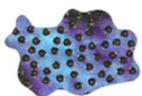
• May be placed on top of other Minefields/obstacles.
• Part of the token must be within the designated arc and range,
unless contradicted by the Upgrade card.
• Tokens may be placed to overlap one or more ships, unless contradicted by the Upgrade card's text or effect.
Triggering
Mines will trigger when:
• A ship's base ends its movement overlapping the token.
• A ship's base is on the token before/after a action.
• A Movement Template overlaps it during the ship's move.
• A ship is placed back in the play area on it.
• A token is placed to overlap the ship's base. This is considered a special attack.
- It may not be modified by card text that effects attacks.
- Target ship(s) is considered to be defending for Actions that may trigger from all Minefield Tokens.
-tokens may not be spent by either side, because it is not a standard attack.
• When the trigger areas for two Minefields of the same type overlap, a ship passing through the overlapping area only sustains damage from one Minefield. However, if it passes through (and completely out of) the trigger area of one Token and into the trigger area of another Token, then it sustains damage from both.
• Touching only the side of a token is not overlapping.
• Stations, OWPs and Squadrons are considered ships for the purpose of Token effects.
• Tokens remain in the play area for the duration of the game unless otherwise noted.
• Tokens obstruct fire using normal obstruction rules, but don't apply additional obstruction damage or prevent the Perform Action step.
• A ship may only be attacked by each token once a turn.
• When a ship triggers the mines in the Activation phase,
damage is dealt after the ship's Perform Actions step.
• Stations may only be damaged on the turn that the Mines are dropped to overlap its base. Stations don't receive damage from Mines on subsequent turns if they don't move.
• Triggering Mines during the movement phase does not give +1 attack dice when deployed by a ship using Stalking Mode Elite Talent.
• Feedback Pulse will trigger against a Minefield Token that is placed over it but not against a Token that it runs into during the Activation Phase.
Cloaked Mines:
Placement:
• The mines are placed at the start of the planning phase prior to movement lock in.
• OWP's are considered enemy ships for placement.
• “Within Range 2” does not include the whole token, just one part of the token.
• Token must be placed completely in play area.
Triggering:
• Movement Templates can trigger the mines.
• If the areas of two Cloaked Mines overlap, only one can be triggered.
• Once triggered, can't be “un-triggered” via Sensor Echo, In'cha, Engage, etc).
• Can be triggered again next round if the ship is not able to leave the cloak area.
Other:
• Cannot use the EAD for Cloaked Mines.
• Token obstructs fire using normal obstruction rules.
Mirror Universe:
The Mirror Universe Faction consists of anything that exists in any universe other than the Prime Universe (i.e. parallel, quantum, etc.).
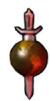
Mirror Universe Unique Icon:
This icon is used on any unique card of the Mirror Universe Faction. The rules for Unique names apply to all Mirror Universe cards with the following exception:

• Though you cannot have 2 unique Mirror Universe cards with the same name in your fleet, you may have one unique card from the Prime Universe and one unique card from the Mirror Universe of the same unique name (i.e. you may have 2 “Worf” cards in your fleet as long as one of them has the gold circle with the black star and the other has the black circle with the gold star).
Muon Token:
A ship with a Muon token assigned to it follows these special rules:
• A Muon token stays with a ship until its removed.

• During the Activation Phase, after the ship moves, the ship takes damage to its Hull equal to the number of its current Maneuver -1. The type of Maneuver does not matter, just the number.
• After the ship performs a Green or White Maneuver, it can spend an Action to remove the Muon Token.
Regenerate:
Ships with the icon in their Action Bar may perform the REGENERATE Action.

• A ship that performs the Action immediately repairs 1 damage of its choice to its Hull (critical or normal). A ship cannot attack during the round that it performs the Action.
Sector Conditions:
• Energy Flux
After targeting an opposing ship with an attack but before making the attack roll, roll an Attack die that cannot be re-rolled. On a result of a reduce the attacking ship's printed Primary Weapon value by half (rounding up).
Further modification to the Attack roll from game effects may be applied after the Energy Flux die roll as normal.
• Meteor Shower
At the start of the Planning Phase, roll one Attack die per ship in turn that cannot be re-rolled and resolve effect before rolling for next ship.
- Any ordamages the target ship as normal.
- Ships may roll defense dice against this damage using their ship's printed Agility value.
• Nebula
Ships may only fire up to Range 3 with their forward firing arcs and ships defending at Range 3 receive an additional Defense Die. All other attacks are limited to a maximum of up to Range 2. Ships without a forward firing arc have a maximum of up to Range 2.
Shuttlecraft:
Shuttlecraft are treated as normal ships with the following exceptions:
• Shuttlecraft can only attack enemy ships at Range 1-2.
• A shuttlecraft is either considered “Active” (in the play area) or “inactive”(docked on another ship).
• If, through the use of an ability, you are able to deploy a Upgrade to a shuttlecraft, you cannot deploy a Upgrade to that shuttlecraft with a cost of more than 3 SP (with the exception of the Antimatter Mines Upgrade).
• For each Shuttlecraft assigned to your fleet there must be 1 ship with a hull value of 4 or more (referred to as a “Capital Ship”).
Docking a Shuttlecraft:
During the Activation Phase, a player may use the following Action to dock his shuttlecraft on another ship with a Hull Value of 4 or more:
Action: Place the Captain and all of the Upgrades assigned to the shuttlecraft beneath the shuttlecraft's Ship Card and place them beside the docking ship's cards. Then remove your shuttlecraft from the play area and place it on top of its Ship Card. All of the tokens that were beside the shuttlecraft are placed back in the supply. Place an Auxiliary Power Token beside the docking ship.
A player may only use the docking Action if after his shuttlecraft moves, its base overlaps a friendly ship's base, OR if after one of his ships moves that ship's base overlaps a friendly shuttlecraft's base. Otherwise, if a shuttlecraft's base overlaps or is overlapped by another ship's base the shuttlecraft suffers 1 damage in addition to the normal overlap rules. While a shuttlecraft is docked on another ship it is considered to be "Inactive” and the following applies to it:
• None of its cards (Ship, Captain, Admiral, or Upgrades) can be used for their text abilities or affected by an enemy ship. be used for their text abilities or affected by an enemy ship.
- Note: These cards are considered to be out of play and are not considered to be deployed to the docking ship.
• The shuttlecraft is destroyed if the docking ship is destroyed.
• You may exchange cards from the shuttlecraft to the docking ship and vice versa by spending the docking ship's Action to perform the following Action:
- Action: Remove a Captain and/or any number of Upgrades from beneath your shuttlecraft's Ship Card and assign them to the docking ship. Then remove a Captain and/or any number of Upgrades from the docking ships and place them beneath your shuttlecraft's Ship Card. Both ships must still have a Captain and all Upgrade restrictions still apply.
- Note: You cannot switch cards that have an extra cost or can only be deployed to a specific ship or type of ship by using the Action.
Launching a Shuttlecraft:
• During the Planning Phase a player may launch a shuttlecraft from the docking ship's Ship Card and place it in the play area within Range 1 of the Docking ship.
• Separate the shuttlecraft's cards from the docking ship's cards. Take them out from beneath the shuttlecraft's Ship Card and place an Auxiliary Power token beside both ships.
• Choose a Maneuver for the Active shuttlecraft. A Shuttlecraft cannot be placed on top of another ship's base when launching.
Spin Maneuver:
The Spin Maneuver or →uses the same movement template as the Straight Maneuver ↑. The only difference between these maneuvers is that when executing a Spin Maneuver, the player places the selected template on the ship's base as

if doing a Straight maneuver. After moving the ship's base, the player then rotates the ship 90°. In order to do this, place a 2↑ Maneuver template parallel beside the ship's base (with the front edge of the base even with the top edge of the 2↑ Maneuver Template). Then rotate the ship 90° (either right or left depending on the maneuver) and make sure that the side of the ship's base is even with the 2↑ Maneuver Template.
If spinning a Borg ship causes its base to physically overlap an obstacle or minefield, only the Maneuver Template and final position of the Borg ship base matter. If your ship is on an obstacle/minefield before you spin, you are not affected. When spinning, if the forward movement causes another ship base to overlap your own it is not considered to be actually bumping a ship (i.e. you don't lose your Action). For practicality's sake, the players should move the ship away from the other ship prior to movement.
Squadrons:
Attack Squadrons are a special type of ship classified as a Squadron; a new type of unit. They are treated as normal ships with the following exceptions:

• Squadrons can only attack enemy ships at Range 1-2.
• Squadrons can only be equipped withUpgrades and cannot have any Captain, Admiral or Resource Cards assigned to them.
• Instead of having stats printed on its Ship Card, an Attack Squadron has a number of Attack Squadron Tokens stacked on it. These Tokens have the ship's stats listed on them (Primary Weapon, Agility, Hull and Shield values and a Captain Skill Number).

• When a Squadron sustains damage to its Hull, it does not receive Damage Cards as normal. Instead, one Token is Destroyed (i.e. removed from the top of the stack). Tokens removed in this way are removed from the game and may not be restored of repaired. Once the last Token is removed from the stack, the Attack Squadron is destroyed.
• Only 1 Attack Squadron Token may be removed by any single attack, regardless of how much damage is dealt by the attack. • If a Squadron has Shields, the Shields are fully repaired and activated every time a new Attack Squadron Token is revealed. • All critical damage suffered by a Squadron is immediately converted into normal damage.
• Squadrons may not be affected by any card text that references a ship unless:
- The ability is triggered by a Squadron Upgrade.
- The text specifies that it targets a Squadron.
- It is triggered as part of an attack targeting a Squadron. Additionally, the upgrades on a Squadron may still be affected as if they were on a normal ship. This means cards that specifically target ships will not benefit Squadrons (ex. Donatra, whose text specifies “all other friendly ships”) Ships that specifically require another ship be within range (ex Prakesh, whose text specifies “if you are in range 1 of a friendly ship”) will not benefit from Squadrons as they are not considered ships. • Each Squadron must be accompanied by one 4+ Hull point ship to be included in a Fleet.
Stealing:
Steal is a game term used in card text that allows you to take a face-up card from an opponent's ship, squadron or station and redeploy it to your ship, even if your ship does not have unused icons or does not have the correct icons on your ship's

Upgrade Bar. You may Steal and deploy a Unique Card, even if you have a card with the same name.
If the statement “even if the Upgrade exceeds.." follows the term Steal, it indicates that you may Steal even if your ship does not have unfilled icons or does not have the correct icon on your ship's Upgrade Bar.
If you steal a card and your ship does not meet the requirements to deploy the card (such as Ship or Faction restrictions), you must discard the stolen card.
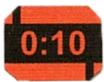
Time Tokens:
Many Upgrades instruct a player to place a certain 0:10 number of Time Tokens on them. The player places that many Time Tokens on the Upgrade and cannot activate that Upgrade again until after all of its Time Tokens have expired. During the End Phase, the player removes 1 Time Token from each of his Upgrades. For example, a ship that uses a Photon Torpedo Upgrade places 3 Time Tokens on it. This means that the ship will not be able to initiate that attack again until after all the Time Tokens have been removed.
Continuous Effect Tokens:

Many Upgrades feature Continuous Effects, which C are tracked through the use of Continuous Effect Tokens (CETs). CETs bear the same name as their corresponding Upgrade Cards (on the back). Some Continuous Effects are beneficial (featuring a green boarded CET) and others are detrimental (featuring a red bordered CRT).
During Set-Up, players place all of their Upgrades' CETs on top of their corresponding Upgrade Cards so that they are always near at hand. When a Continuous Effect is activated, its corresponding CET(s) are placed in the play area beside the Effect's recipient(s).
Whenever an Upgrade with a Continuous Effect instructs a player to place Time Tokens on it, the Continuous Effect begins. If the Upgrade does not specify the recipient of the Continuous Effect, then the Continuous Effect affect the owner.
During the End Phase (or at any other time), if an Upgrade loses its last Time Token, the Continuous Effect ends and the corresponding CET(s) are removed from the play area and placed back on top of their corresponding Upgrade Card. If a CET is ever removed from the play area prematurely due to a special ability, then the Effect ends immediately and the CET is returned to its Upgrade Card. Any remaining Time Tokens stay on the Upgrade Card, however, prohibiting the ship from activating the Upgrade again until after the Time Tokens expire. Special Rule for Continuous Effects:
If an Upgrade with Time Tokens is disable or discarded, then its Time Tokens remain on the card and any of its Continuous Effects that were already active remaion in effect until the duration expires. This also applies to Upgrades belonging to the destroyed ship.
Permanent Effect Token:
Some Upgrades instruct a player to place a Permanent Effect token on them. A Permanent Effect Token has a purple border and is not removed during the End Phase.

06.md24.8 KB
Ship Systems
Actions and Cloaking
Some Actions begin with the following text: "ACTION: If your ship is not Cloaked, disable all of your remaining Shields..."
These Actions cannot be used if you are Cloaked. Furthermore, a player wishing to use that ability must first disable all of their remaining Active Shields.
Auxiliary Power
There are several factors that can force a ship to switch to Auxiliary Power, such as executing difficult Red Maneuvers (see "Activation Phase" Step 4). When this occurs, place an Auxiliary Power Token beside the ship. While a ship has at least one Auxiliary Power Token, it cannot execute Red Maneuvers or perform any Actions (even free Actions).
If a ship already has an Auxiliary Power Token assigned to it and it reveals a Red Maneuver during the Activation Phase, the opposing player chooses any non-Red Maneuver on that ship's dial for the ship to execute.
After a ship executes a Green Maneuver, remove one Auxiliary Power Token from it (see "Activation Phase" Step 4).
Disabling Shields
Some abilities require a player to disable Shield Tokens. All Shield Tokens begin the game with their active (blue) sides face up. When instructed to disable a Shield Token, the player flips it over to its disabled (red) side. A Disabled Shield Token cannot be damaged but does not protect the Hull. During the End Phase, a player can activate all of their disabled Shield Tokens by flipping them back to their blue sides for free.
If a special ability requires a player to disable a specified number of Active Shields, then the ship must possess at least that many Active Shields in order for the player to use that special ability. However, if a special ability requires a player to disable all remaining Shields, then the player is permitted to use that ability even if they have no Shield Tokens remaining.
EXCEPTION: In order to perform a Cloak Action (see "Cloak"), a ship must have at least 1 Active Shield in play. When performing the Cloak Action, the ship must then disable all of its remaining Shields.
NOTE: A Disabled Shield is not the same thing as a Damaged Shield. If a Shield is damaged during combat, it is removed from play and does not come back during the End Phase. The only way to restore a Damaged Shield Token is to use a card's special ability.
Upgrades
Disabling/Discarding Cards
Some abilities may instruct you to "disable" a Card. Disabling a Card works differently than disabling a Shield Token. When instructed to disable a Card, place a Disabled Token on that Card. While a Card is disabled, a player cannot use its text.
During the Activation Phase, a ship can spend its Action to remove a Disabled Token from one of its Upgrade Cards. That Upgrade is no longer disabled.
Some abilities may require the player to "discard" an Upgrade Card.
Return discarded Upgrade Cards to the game box; they cannot be used for the remainder of the game.
Upgrade Restrictions
Some upgrades have restrictions. Cards may be restricted to ships of a specific faction, captains of a specific faction, ships of a specific class, specific firing arcs, ships with a particular hull value, and more. Cards may also incur cost penalties if they're not equipped to a ship with the appropriate faction, ship class, etc. In all of these cases, the restrictions for the specific card will be listed along the left side of the card as seen below. If there are no icons listed there, the card has no restrictions.
Below is a non-exhaustive list of restriction icons and what they mean:
This card can only be equipped to a ship with a matching ship class icon.
This card can only be equipped to a ship with a matching Faction.
This card may only be equipped to a ship with a Captain of a matching Faction.
If this card is equipped to a ship that doesn't match the Faction, it costs additional SP points equal to the value displayed (e.g. "+2").
This card's ability may only be used in one of the corresponding firing arc(s).
This card can only be equipped to a ship card with a Hull equal to or greater than the value displayed (e.g. "4+").
This card can only be equipped to a ship card with a Hull equal to or less than the value displayed (e.g. "4-").
Upgrade Card Anatomy
Card Title
Card Ability
Attack Value
Range
Upgrade Icon
Faction Icon
Squadron Point Cost (see "Squad Building")
Unique Icon
Restrictions
Card Ability Anatomy
All card text consists of three main parts: timing, costs & conditions, and effect. The timing is always listed in bold capital letters followed by a colon (i.e. PLANNING PHASE:). The costs & conditions immediately follow the timing (i.e. "After all ships have chosen their Maneuver, discard this card and target two opposing ships"). Finally, the effect of the text is listed below the timing, costs, and conditions (i.e. "Look at the maneuver dials of the target ships..."). The timing, costs, and conditions all must be met before an effect can be activated and resolved.
Secondary Weapons
Some Weapon Upgrade Cards provide their ships with Secondary Weapons such as Photon Torpedoes. This section explains a few rules related to Secondary Weapons.
Ships may perform only one attack during the Combat Phase. Secondary Weapons show the header "ATTACK:" as a reminder that a ship attacks with either its Primary Weapon or one of its Secondary Weapons.
In addition to being inside the attacker's firing arc, the closest point of the target ship's base must fall within the Weapon Range shown on the card (see "Upgrade Card Anatomy"). If both of these conditions are met, then the player rolls the number of attack dice equal to this card's Attack Value (instead of the ship's Primary Weapon Value).
Example: Photon Torpedoes can only be used to attack an opposing ship that is at Range 2-3. They cannot be used to target ships at Range 1 or beyond Range 3.
Some Secondary Weapons specify they can be fired either from a ship's primary firing arc or its secondary firing arc. These are the only types of weapons that can be fired from a secondary firing arc. Of course, a ship must actually have a secondary firing arc on its Ship Token (marked by dashed lines) in order to fire a Secondary Weapon that is restricted to only a secondary arc.
Secondary Weapon attacks are not affected by the extra dice provided by the Range Ruler at Range 1 (+1 attack die) or Range 3 (+1 defense die). When firing a Secondary Weapon, use the side of the Range Ruler that does not show the bonus dice (to avoid confusion). Only Primary Weapons make use of these extra dice.
Timing
Unless otherwise specified, effects, abilities, etc. that specify a phase, step, or time to activate in can only activate at the beginning of the specified phase, step, or time.
Effects, abilities, etc. that can be activated at any time can only activate between phases or at the start of a phase, step, or time when any other effect could be activated.
Combat vs. Non-combat
All effects are divided into one of two types: Combat Effects and Non-Combat Effects.
Combat Effects come in three types:
Any effect that occurs within the Combat Phase. For example, an effect that would activate during the Modify Attack Dice step.
Any effect that would cause an attack to be made outside of the normal Combat Phase or damage to be dealt. For example, an Action that would allow for an attack to be made during the Activation Phase.
Any effect that would affect the attack dice or defense dice being rolled during an attack. This includes anything that would add, subtract, replace, modify, re-roll, or otherwise affect the dice. For example, the Cloak Action provides a Cloak Token which replaces the ship's Agility Value with its Agility Value plus four. Since this affects the Agility Value (which affects the amount of defense dice being rolled), this is considered a Combat Effect.
NOTE: If an ability allows a ship to make an attack outside of the normal Combat Phase, carry out the normal combat steps of the Combat Phase for that attack. For the purposes of all rules, the attack counts as being in the Combat Phase and going through each of the combat steps. This means that effects, such as those granted by a Cloak Token, would be in effect.
Non-Combat Effects include any effect that does not fit into one of the above categories. For example, an Action that would allow a ship to repair a shield or discard a Token from an opposing ship.
Combat Effects do not affect Non-Combat Effects and vice versa. For example, a Combat Effect that would disallow a ship from rolling defense dice would not prevent that ship from activating a Non-Combat Effect that would require that ship to roll defense dice.
Rule of 3
Whenever the sum of all modifiers applied to any value (Primary Weapon Value, Agility Value, Hull Value, Shield Value, Attack Value, Maneuver Speed, Range, Captain Skill, Squadron Points, etc.) is greater than +3 or less than -3, the sum of all modifiers is instead +3 or -3, respectively. All modifiers continue to apply to the value; only their sum is changed.
This rule only applies to modifiers, not to replacement values. Replacement values can alter the printed value by more than 3 before any modifiers apply, with modifiers still limited to a net modification of +3 or -3 on the replaced value. As a rule of thumb, replacement effects are always applied before modifier effects.
The range bonuses (+1 attack die at Range 1 and +1 defense die at Range 3) do not count as a modifier for the purposes of the rule of 3.
Replace Then Modify
The order in which replacements, modifiers, and range bonuses take place is irrelevant. To calculate a value, start with the printed value and then apply any replacements, first numbers and then those that multiply or divide, and then the sum of all modifiers.
For example, a ship has a printed Agility Value of 1. During the Activation Phase, that ship's Agility Value is modified by +5 (reduced to +3) by Upgrades and it uses the Cloak Action. The Cloak Action replaces its Agility Value with 1 + 4 = 5 which is then modified by +3 to 8. Later during the Activation Phase, an opposing ship reduces its Agility by -1 with an Upgrade. Because all modifiers continue to apply to the value, the Agility Value is now modified by +5 – 1 = +4 and is still reduced to +3. Thus, the ship still has an Agility Value of 8. During the Combat Phase, an opposing ship has 2 Scan Tokens and attacks the ship at Range 3. The 2 Scan Tokens reduce the Agility Value of the ship by -2. Again, the modifiers continue to apply, so the modifier is now reduced to +5 – 3 = +2 by the Scan Tokens which makes the ship's Agility Value 7 (replace to 5 then +2 = 7). The Range 3 bonus also takes effect increasing the Agility Value to 8. However, because the Range 3 bonus is external to the rule of 3, there is still only a +2 Modifier to the Agility Value. Finally, during the step, the ship has an ability that modifies its Agility Value by another +2, increasing the total modifier to +7 – 3 = +4 which is again reduced to +3. The final Agility Value of the ship is a replacement of 5 from Cloak + 3 from modifiers + 1 from the Range 3 bonus = 9.
Factions
Smaller Factions are now sub-Factions listed under prime Factions. A sub-Faction represents a minor species that is affiliated with or part of a prime Faction.
Game elements belonging to a sub-Faction also count as their prime Faction for the purposes of all rules. However, prime Faction ships do not count as their sub-Factions unless otherwise stated.
The prime Factions and sub-Factions are as follows:
Federation – Vulcan and Bajoran
Klingon
Romulan
Dominion
Independents – Ferengi, Kazon and Xindi
Borg
Mirror Universe
Species 8472
Q-Continuum
Primary, Secondary, and 360° Firing Arcs
Forward Firing Arcs are now referred to as Primary Firing Arcs and Rear Firing Arcs are now referred to as Secondary Firing Arcs. 360° Firing Arcs do not count as Primary or Secondary Firing Arcs.
Shuttlecrafts
Shuttlecraft are treated as normal ships with the following exceptions:
Shuttlecraft can only attack opposing ships at Range 1-2.
A Shuttlecraft is either considered "Active" (in the play area) or "Inactive" (docked on another ship).
You cannot equip cards to a Shuttlecraft with a cost of more than 3 SP (including face down cards).
For each Shuttlecraft assigned to your fleet, there must be 1 ship with a printed Hull Value of 4 of more referred to as a Capital Ship.
DOCKING A SHUTTLECRAFT: During the Activation Phase, a Shuttlecraft may use the following Action to dock on a friendly Capital Ship if, after the Shuttlecraft moves, its base overlaps that friendly Capital Ship's base:
ACTION: Place all of the cards equipped to the Shuttlecraft beneath the Shuttlecraft's Ship Card and place them beside the Capital Ship's cards. Then, remove your Shuttlecraft from the play area and place it on top of its Ship Card. All of the tokens that were beside the Shuttlecraft are placed back in the supply. Place an Auxiliary Power Token beside the Capital Ship.
NOTE: If a Shuttlecraft uses this Action, it does not suffer any of the normal penalties for overlapping another ship. If a Shuttlecraft's base overlaps a friendly ship and it does not use this Action, it suffers the normal penalties for overlapping another ship. If a Shuttlecraft's base overlaps or is overlapped by an opposing ship's base, the Shuttlecraft suffers 1 damage in addition to the penalties for overlapping another ship (see "Overlapping Other Ships").
While a Shuttlecraft is docked on another ship, it is considered to be "Inactive" and the following applies to it:
a) None of the Shuttlecraft's cards can be used but they can be affected by opposing effects. NOTE: These cards are considered to be in play and are considered to be equipped to the Capital Ship.
b) The Shuttlecraft is destroyed if the Capital Ship is destroyed.
c) You may exchange cards between the Shuttlecraft and the Capital Ship by using the Capital Ship's Action to perform the following Action:
ACTION: Remove any number of cards from beneath your Shuttlecraft's Ship Card and equip them to the Capital Ship. Then remove any number of cards from the Capital Ship and place them beneath your Shuttlecraft's Ship Card. Both ships must still have a Captain, all Upgrade restrictions still apply, and neither ship can have Upgrade Cards in excess of what is allowed by their Upgrade Bar.
LAUNCHING A SHUTTLECRAFT: During the Planning Phase, a player may launch a Shuttlecraft from the Capital Ship by choosing a Maneuver on that Shuttlecraft's Maneuver Dial. Place the appropriate Maneuver Template so that it is flush with any side of the Capital Ship's base and does not extend beyond any edge of the base. Place the Shuttlecraft at the opposite end of the template, sliding the rear guides of the Shuttlecraft into the opposite end of the template. Then remove the Maneuver Template. Then separate the Shuttlecraft's Ship Card and the cards underneath it from the Capital Ship's cards and place an Auxiliary Power Token beside both ships. The shuttle may not move normally during the turn it launches. NOTE: A Shuttlecraft cannot be placed on top of another ship's base when launching.
Attack Squadrons
Attack Squadrons are treated as normal ships with the following exceptions:
Attack Squadrons can only attack opposing ships at Range 1-2.
Attack Squadrons can only be equipped with Squadron Upgrades and cannot have any Captain Cards equipped to them.
Instead of having stats printed on its Ship Card, an Attack Squadron has a number of Attack Squadron Tokens stacked on it (see below). These Tokens have the ship's stats listed on them (Primary Weapon, Agility, Hull, and Shield Values, and a Captain Skill Number).
When an Attack Squadron sustains damage to its Hull, it does not receive Damage Cards as normal. Instead, one Token is destroyed (i.e. removed from the top of the stack). Tokens removed in this way are removed from the game and may not be restored or repaired. Once the last Token is removed from the stack, the Attack Squadron is destroyed. NOTE: Only 1 Attack Squadron Token may be removed by any single attack, regardless of how much damage is dealt by the attack.
If an Attack Squadron has Shields, the Shields are fully repaired and activated every time a new Attack Squadron Token is revealed.
All critical damage suffered by an Attack Squadron is immediately converted into normal damage.
For each Attack Squadron assigned to your fleet, there must be 1 ship with a printed Hull Value of 4 of more referred to as a Capital Ship.
Attack Squadrons can only be affected by opposing effects and the effects of Squadron Upgrades (friendly or opposing).
Attack Squadrons can only affect friendly ships with Squadron Upgrades that state that they affect friendly ships.
ATTACK SQUADRON TOKENS (AST)
Each Attack Squadron Token has a Primary Weapon, Agility, Hull, and Shield Value, as well as a Captain Skill Number listed on the front. On the back of each Token is a Captain Skill Number, a Faction Icon, and a ship's name or class. The ASTs are placed in a stack on top of the Ship Card in descending order (from highest to lowest) of their Captain Skill Numbers. Each Attack Squadron will have the ASTs stacked on it with the ship class listed on the back. In addition, if an Attack Squadron is unique, place another AST on top of the stack (this will be the AST with the unique Squadron's name listed on the back). At the start of the game, place the AST that has the starting Captain Skill beside the ship (this will be the reverse side of the AST that reads "START" on the front).
When an AST is destroyed, remove one Token from the top of the stack and flip it over. Then remove the AST that is beside the ship from play and replace it with the token that you just removed from the stack. NOTE: The Captain Skill that is listed on the back of the Token beside the ship should always be equal to the Captain Skill listed on the AST at the top of the stack.
SQUADRON UPGRADES
Ships with the Squadron Upgrade icon on their Upgrade Bar can be equipped with Squadron Upgrades. For each Squadron Upgrade icon shown in the Upgrade Bar, the ship can equip one Squadron Upgrade Card with the matching icon.
Capital Ship
A Capital Ship is any ship that has a printed Hull Value of 4 or more.
Each Capital Ship can ONLY have one Shuttlecraft, Attack Squadron, or Borg Support Vehicle associated with it.
No Shuttlecraft, Attack Squadron, Borg Support Vehicle, or any other ship that requires a Capital Ship counts as a Capital Ship under any circumstances.
Time Tokens
Many Upgrades instruct a player to place a certain number of Time Tokens on them. The player places that many Time Tokens on the Upgrade and cannot activate that Upgrade again until all the Time Tokens are removed. During the End Phase, players remove 1 Time Token from each of their Upgrades.
For example, a ship that uses a Photon Torpedoes Upgrade places 3 Time Tokens on it. This means that the ship will not be able to initiate that attack again until after all the Time Tokens have been removed.
CONTINUOUS EFFECT TOKENS: Many Upgrades feature Continuous Effects, which are tracked through Continuous Effect Tokens (CETs). CETs bear the same name as their corresponding Upgrade Cards (on the back). Some Continuous Effects are beneficial (featuring a green bordered CET) and others are detrimental (featuring a red bordered CET).
During Setup, players place all their Upgrades' CETs on top of their corresponding cards. When a Continuous Effect is activated, its corresponding CET(s) are placed in the play area beside the effect's recipient(s).
Whenever an Upgrade with a Continuous Effect instructs a player to place Time Tokens on it, the Continuous Effect begins. If the Upgrade does not specify the recipient of the Continuous Effect, then the Continuous Effect affects the owner.
During the End Phase (or at any other time), if an Upgrade loses its last Time Token, the Continuous Effect ends and the corresponding CETs are removed from the play area and placed back on top of their corresponding Upgrade Card.
If a CET is ever removed from the play area prematurely due to a special ability, then the Effect ends immediately and the CET is returned to its Upgrade Card. Any remaining Time Tokens stay on the Upgrade Card, however, prohibiting the ship from activating the Upgrade again until after the Time Tokens are removed.
SPECIAL RULE FOR CONTINUOUS EFFECTS: If an upgrade with Time Tokens is disabled, discarded, or otherwise removed from play then its Time Tokens remain on the card and any of its Continuous Effects that were already active remain in effect until the duration expires. This also applies to Upgrades belonging to a destroyed ship.
PERMANENT EFFECT TOKEN: Some upgrades instruct a player to use a Permanent Effect Token instead of CET(s). A Permanent Effect Token has a purple border and is not removed during the End Phase.
Admiral Cards
Admiral Cards are double-sided cards. The front (face up) shows the Admiral's abilities and the back (face down) shows their Captain Abilities. You can only include 1 face up Admiral Card in your fleet, which must be equipped to one of your ships. Faction penalties are tripled for any face up Admiral Cards.
NOTE: You may choose to equip an Admiral Card to one of your ships as a normal Captain (face down). If you do so, you cannot later use that card's Admiral abilities.
While a face up Admiral Card is equipped to one of your ships, your fleet gains the following abilities:
Each Admiral Card has a Skill modifier in the lower left corner. This modifier is added to the Skill Number of the Captain Card on the ship to which the Admiral is equipped (and only that ship).
Once per round, 1 friendly ship within Range 1-3 of the Admiral's ship (or the Admiral's ship itself) may perform the FLEET ACTION listed on that fleet's Admiral Card instead of performing its normal Action.
If your Admiral's Ship Card has a "Communications Failure" or an "Injured Captain" critical damage card beside it, the effects of those cards do not apply to your face up Admiral Card. In either case, the Admiral's Skill Modifier still applies to that ship, but the Fleet Action is then only usable by the Admiral's ship. If your Admiral's Ship Card has either or both these critical damage cards beside it, you may choose to flip those damage cards over and discard your Captain Card. You cannot otherwise voluntarily discard your Captain Card. If the Captain Card on your Admiral's ship is ever discarded for any reason or if that Captain is part of any Away Team, the Admiral becomes that ship's new Captain. Flip your Admiral Card face down and use the Captain side of the card. If the Captain is no longer part of an Away Team and is back on board the ship, flip the Admiral Card face up and once again use the Admiral side of the card. NOTE: Your Admiral may be part of an Away Team as well. If they are, you may not use any of the abilities listed on their card (including the Skill Modifier).
FLEET ACTION TOKEN: At the start of the game, place one Fleet Action Token on your Admiral Card. If one of your ships performs your Admiral's Fleet Action, remove the Fleet Action Token from your Admiral Card and place it beside that ship. During the End Phase of every round, return your Fleet Action Token to your Admiral Card. NOTE: Your ships can only perform a Fleet Action while the Fleet Action Token is on your Admiral Card.
ADMIRAL ID TOKEN: An Admiral ID Token shows the Admiral's Skill modifier number. This Token is placed around the plastic pegs on the ship to which the Admiral is equipped and will rest on top of its Captain ID Tokens. If the Admiral ever becomes the ship's Captain (see above), remove the Captain ID Tokens and the Admiral ID Token and replace them with that Admiral's Captain ID Tokens.
Resources
Each player can include a maximum of 1 Resource when building their fleet.
If a player's fleet is completely eliminated, then their opponent(s) receive the points for their Resource. If a multiplayer game is being played, divide the points among all opponents rounded down. If a player's fleet is not completely eliminated, then their opponent(s) do not receive points for the Resource.
If the Resource is equipped to a specific ship, Captain, Admiral, Upgrade, etc., the points for the Resource are scored when that ship, Captain, Admiral, Upgrade, etc. is destroyed.
下载 Markdown04.md15.7 KB
Combat Phase
During this phase, each ship may perform one attack against one opposing ship that is inside its primary firing arc and within range. Some Secondary Weapons can be fired from the primary or secondary firing arcs, as indicated on the respective Weapon Upgrades (see "Secondary Weapons").
Starting with the ship with the highest Captain Skill, players resolve the following combat steps in order:
Declare Target: The attacker chooses which opposing ship they wish to attack.
Roll Attack Dice: The attacker rolls a number of attack dice equal to their ship's Primary Weapon Value (red number), unless using a Secondary Weapon, in which case they roll a number of dice equal to the Secondary Weapon's Attack Value (see "Secondary Weapons").
Modify Attack Dice: Players can spend Action Tokens and resolve abilities that re-roll or otherwise modify attack dice results.
Roll Defense Dice: The defender rolls a number of defense dice equal to their ship's Agility Value (green number). If the defending ship is Cloaked, the defender's Agility Value is replaced by its printed Agility Value plus 4.
Modify Defense Dice: Players can spend Action Tokens and resolve abilities that re-roll or otherwise modify defense dice results.
Compare Results: Players compare the final attack and defense dice results to determine if the defending ship was hit and how much damage it suffers.
Deal Damage: If the defending ship was hit, it loses Active Shield Tokens or receives Damage Cards based on the damage it suffers.
After resolving the final step, the ship with the next highest Captain Skill resolves these same steps. Players continue resolving combat for ships in order of Captain Skill, from highest to lowest, until all ships have had the opportunity to perform one attack.
If multiple ships have the same Captain Skill, the ship whose player has the Initiative resolves its combat steps first (see "Initiative" and "Simultaneous Attack Rule"). If a single player owns multiple ships with the same Captain Skill, they may resolve the attacks of those ships in the order of their choosing.
NOTE: Each ship may attack only once per round.
The seven steps of combat are described in detail below.
1. Declare Target
During this step, the attacker (the active ship) must declare its target (the ship they wish to attack). The target ship must be inside the attacker's firing arc and within range. A player may measure to verify that these conditions are met before declaring a target.
Once declared, the target ship is now the defender and players proceed to the "Roll Attack Dice" step.
Firing Arc
Each ship token has a colored wedge shape (colored differently for each Faction) called the primary firing arc. This area shows the angle from which the ship's weapons can fire. An opposing ship is inside the active ship's firing arc if any part of the opposing ship's base falls inside the angle defined by the wedge shape (see "Firing Arc and Range Example").
Some ships also have a secondary firing arc marked by dashed lines on the Ship Token. The ship can use that arc to activate effects or make attacks that indicate that they can be activated or fired through a secondary firing arc. A ship cannot fire its Primary Weapon through its secondary firing arc unless otherwise noted.
Other ships do not obstruct firing arcs. For example, if a ship has multiple opposing ships inside its primary firing arc, it can target any one of them. Thematically, this represents that ships can attack above or below the other ships in 3D space.
Range
Range is measured using the Range Ruler. The Range Ruler is divided into three sections: Range 1 (close), Range 2 (medium), and Range 3 (far). Some weapons and abilities provide bonuses or are restricted based on the range (distance) from another ship (see "Upgrade Card Anatomy").
Each ship's Primary Weapon can target ships at Range 1–3 (i.e., at Range 1, 2, or 3).
To measure range, place the Range 1 end of the range ruler so that it touches the closest part of the attacker's base. Then point the ruler toward the closest part of the target ship's base that is inside the attacker's firing arc. The lowest section (1, 2, or 3) of the ruler that overlaps the target ship's base is considered the range between the ships. If the ruler is not long enough to reach the target ship, the ship is considered out of range and cannot be targeted. A ship may be within range, but still fall outside the attacker's firing arc.
Firing Arc and Range Example
K'mpec's Attack Cruiser is at Range 2, but outside of the firing arc of the U.S.S. Enterprise-D.
The I.K.S. Vorn is at Range 3 and inside the firing arc of the U.S.S. Enterprise-D.
The U.S.S. Enterprise-D is at Range 1 and inside the firing arc of the I.K.S. Vorn.
2. Roll Attack Dice
During this step, the attacker calculates how many attack dice to use and then rolls the dice.
The Primary Weapon for each ship represents either its phaser or disruptor banks. The player rolls a number of attack dice equal to the ship's Primary Weapon Value (the red number shown on its Ship Card and Ship Token).
Instead of attacking with its Primary Weapon, the attacker may choose to use a Secondary Weapon that their ship has equipped (see "Secondary Weapons").
The attacker resolves any card abilities that allow them to roll additional (or fewer) dice. Also, if they are targeting a ship at Range 1 with their Primary Weapon, they roll +1 attack die.
After calculating the number of attack dice, the attacker takes that number of red attack dice and rolls them.
Combat Bonuses
There are several factors that may modify a ship's attack or defense, including the range modifier just described. All dice modifiers are cumulative. If modifiers would reduce the attacker's dice to zero or less, then the attack causes no damage. If modifiers would reduce the defender's dice to zero or less, then the defender rolls zero defense dice.
3. Modify Attack Dice
During this step, players may resolve abilities and spend tokens that allow them to modify attack dice. This includes adding die results, converting die results, and re-rolling dice (see "Modifying Dice Results" below).
If a player wants to resolve multiple modifying abilities, they resolve them in the order of their choosing. If the attacker and defender both have abilities that modify the attack dice, the defender resolves all of their abilities before the attacker resolves any.
Spending Target Lock Tokens
If the attacker has a Target Lock on the defender, they may return their pair of assigned Target Lock Tokens to the Action Token supply to choose any number of attack dice and re-roll them once (see "Combat Phase Example").
The attacker may spend Target Lock Tokens only when they are attacking a ship that their lock is targeting (i.e. the red Target Lock Token near the targeted ship must match the letter on the blue Target Lock Token near the attacker).
Spending a Battle Stations Token
If the attacker has a Battle Stations Token, they may return it to the Action Token supply to convert all Battle Stations results on the attack dice to Hit results.
MODIFYING DICE RESULTS
When players roll dice during combat, these dice are rolled into a common area. The face up side of each die is considered the result.
Dice in this common area may be modified in several ways, and the final results determine how much damage the target ship suffers (if any).
Add: Some effects add a specific result to the combat. To resolve this, the player places a token or unused die displaying this result into the common area.
Convert: Some effects convert one die result to a different result. To resolve this, the player physically picks up the die from the common area and rotates the die so that its face up side displays the new result.
Re-roll: Some effects allow players to re-roll certain dice. To resolve this, the player picks up the appropriate number of dice from the common area and rolls those dice again.
IMPORTANT: When a die is converted or re-rolled, ignore its original result and apply only the new result. This new result may be modified by other effects; however, a die that has already been re-rolled cannot be re-rolled again during this attack unless a card effect specifically says that the die can be re-rolled more than once.
4. Roll Defense Dice
During this step, the defender calculates how many defense dice to use and then rolls the dice.
The defender rolls a number of defense dice equal to the ship's Agility Value (the green number shown on the Ship Card and Ship Token).
If the defender has a Battle Stations Token beside their ship (green or red), they replace their Agility Value with their printed Agility Value plus 4.
If the defender is targeted at Range 3 by the attacker's Primary Weapon, they roll +1 defense die.
If the attacker has a Scan Token beside their ship, the defender rolls -1 defense die.
The defender also resolves any card abilities that allow them to roll additional (or fewer) dice.
After calculating the number of defense dice, the defender takes that number of green defense dice and rolls them.
5. Modify Defense Dice
During this step, players may resolve abilities and spend tokens that allow them to modify defense dice. This includes adding die results, converting die results, and re-rolling dice (see "Modifying Dice Results").
If a player wants to resolve multiple modifying abilities, they resolve them in the order of their choosing. If the attacker and defender both have abilities that can modify defense dice, the attacker resolves all of their abilities before the defender.
Spending a Battle Stations Token
If the defender has a Battle Stations Token, they may return it to the Action Token supply during this step to change all Battle Stations results to Evade results.
Spending an Evade Token
If the defender has an Evade Token, they may return it to the Action Token supply to add one additional Evade result to their defense roll (see "Combat Phase Example").
6. Compare Results
During this step, players compare their dice results to determine whether the defender was hit.
To determine whether the defender was hit, compare the number of Evade, Hit, and Critical Hit results in the common area. For each Evade result, cancel (remove) 1 Hit or Critical Hit result from the attack roll. All Hit results must be canceled before any Critical Hit results may be canceled.
If there is at least one uncanceled Hit or Critical Hit result remaining, the defender is considered hit (see "Deal Damage" below). If all Hit and Critical Hit results are canceled, the attack misses and the defender does not suffer any damage.
Canceling Dice
Each time a die result is canceled, a player takes 1 die displaying the canceled result and physically removes the die from the common area. Players ignore all canceled results during this attack.
All abilities that allow players to cancel dice must be resolved at the start of the "Compare Results" step.
7. Deal Damage
During this step, ships that have been hit suffer damage based upon uncanceled Hit and Critical Hit results.
The hit ship suffers 1 damage for each uncanceled Hit result, and then suffers 1 critical damage for each uncanceled Critical Hit result. For each damage or critical damage suffered, the ship must lose one Active Shield Token (blue). If it has no Active Shield Tokens, it must receive 1 Damage Card instead (see "Suffering Damage").
NOTE: A Disabled Shield Token (red) cannot be damaged but does not protect the ship from receiving Damage Cards.
When the number of Damage Cards dealt to a ship equals or exceeds its Hull Value (yellow number), that ship is destroyed (see "Destroying Ships").
After resolving the final step, the ship with the next highest Captain Skill takes its turn resolving the combat steps.
After each ship has had the opportunity to attack, the Combat Phase ends and the players proceed to the End Phase.
Combat Phase Example
The ships end the Activation Phase in this position, and the Combat Phase begins. Of all the remaining ships in the game, the Captain of K'mpec's Attack Cruiser has the highest Captain Skill so it resolves its combat steps first.
The U.S.S. Enterprise-D is within the forward firing arc of K'mpec's Attack Cruiser and at Range 1, so K'mpec's Attack Cruiser attacks the U.S.S. Enterprise-D. Since K'mpec's Attack Cruiser was Cloaked, it must flip its Cloak Token over to its red side; it is still considered Cloaked until the end of the round.
K'mpec's Attack Cruiser rolls 6 attack dice (five dice from the ship's Primary Weapon Value of 5 and one for firing at Range 1). K'mpec's Attack Cruiser obtains the following results: Hit, Hit, Hit, blank, blank, blank.
K'mpec's Attack Cruiser chooses to spend its Target Lock to re-roll the three blank results, obtaining the following results: Critical Hit, Battle Stations, blank. The Battle Stations and blank results will have no effect for this attack.
The U.S.S. Enterprise-D rolls one defense die since it has an Agility Value of 1, and obtains a blank result.
The U.S.S. Enterprise-D chooses to spend its Evade Token to add one Evade result to the defense roll.
The two Evade results cancel two Hit results, but 1 Hit result and one Critical Hit result remain. The U.S.S. Enterprise-D is hit!
The U.S.S. Enterprise-D has one Active Shield left, so one Hit result destroys that Shield. The Federation Player removes the Shield Token from beside their Ship Card.
The U.S.S. Enterprise-D then suffers one critical damage from the uncancelled Critical Hit result. The Klingon Player deals one Damage Card face up next to the U.S.S. Enterprise-D Ship Card. This face up Damage Card's text has an ongoing effect that applies during each Activation Phase.
The Klingon Player places one Critical Hit Token near the U.S.S. Enterprise-D to remind them of this Damage Card's effect.
The U.S.S. Enterprise-D is not destroyed by this attack because its Hull Value (5) is greater than the total number of Damage Cards it has (1).
The ship with the next highest Captain Skill is the U.S.S. Enterprise-D, so it resolves combat next. The Federation Player chooses to target K'mpec's Attack Cruiser, which is at Range 1.
The Federation Player rolls 5 attack dice (four dice from the ship's Primary Weapon Value of 4, and one for firing at Range 1), and obtains the following results: Hit, Hit, Critical Hit, blank, and blank. The two blank results will have no effect for this attack.
The Klingon Player rolls 5 defense dice (one from the ship's Agility Value, and four from it being Cloaked). Note that even though K'mpec's Attack Cruiser has fired and its Cloak Token has been flipped over to its red side, the ship is still considered Cloaked until the end of the round. The Klingon Player obtains the following results: Evade, Evade, blank, blank, blank.
The two Evade results cancel two of the Hit results. One Critical Hit result remains. K'mpec's Attack Cruiser is hit!
Even though K'mpec's Attack Cruiser has four Shield Tokens remaining, the Shields were disabled when the ship Cloaked. Since Disabled Shields do not protect a ship's Hull, the remaining Critical Hit result causes K'mpec's Attack Cruiser to receive one face down Damage Card. Since K'mpec's Attack Cruiser has a Hull Value of 5, it can suffer 4 more damage before it is destroyed.
下载 Markdown原文为社区整理/出版社公开资料,版权归原作者,仅供个人学习查阅。